Runway vs Kaiber 2026: Which AI Video Tool Is Right for You?

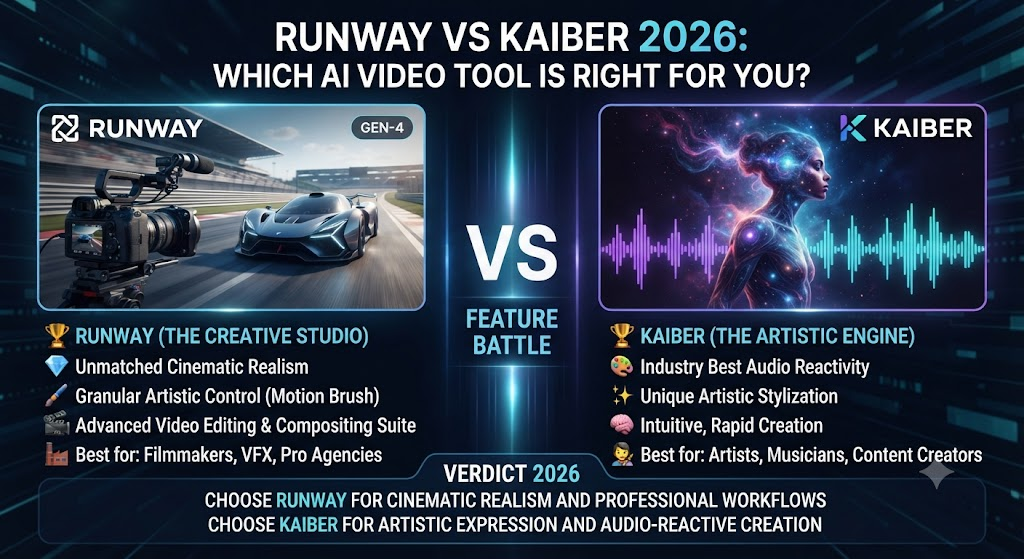
Runway and Kaiber both generate original AI video from prompts, images, and reference footage, but they’ve built genuinely different creative identities around that shared capability. Runway positions itself as a precision tool for filmmakers and agencies chasing cinematic realism. Kaiber positions itself as a creative playground for musicians, artists, and social creators who want stylized, expressive output plus a bundled editing workflow. This Runway vs Kaiber comparison covers where each tool’s creative identity actually pays off.
Table of Contents
The One-Line Summary
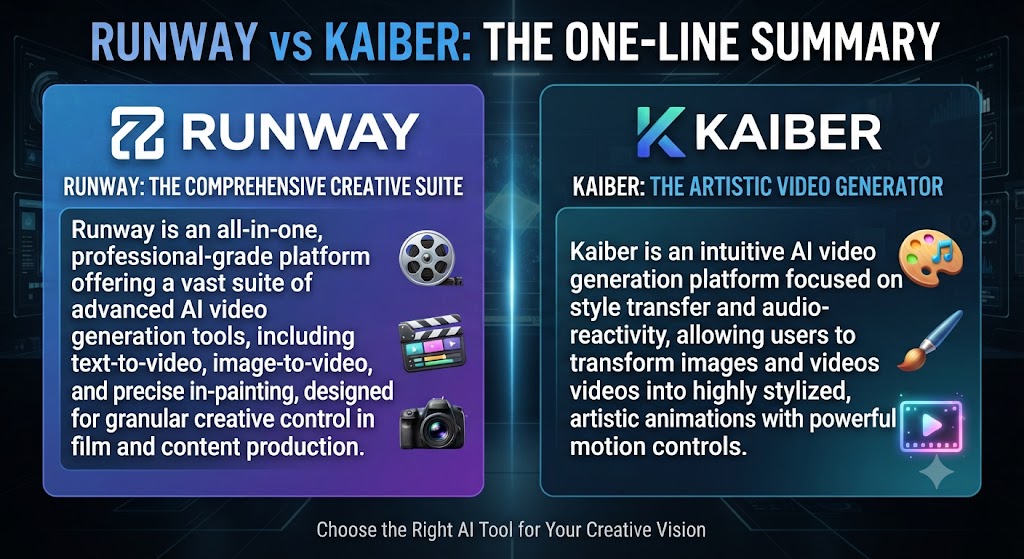
Runway: As this Runway vs Kaiber shows, the stronger choice for cinematic realism, precise camera control, and professional post-production work through Director Mode, Motion Brush, and the Aleph editing layer.
Kaiber: In this Runway vs Kaiber, the stronger choice for stylized, music-synced, and artistically expressive video through its bundled Canvas, Cuts, and Editor workflow, with multi-model access under one subscription.
Looking at Runway vs Kaiber details, if you need believable, camera-controlled cinematic footage, Runway. If you want expressive, stylized visuals with a beat-synced editing workflow built in, Kaiber.
These Tools Help You Create. We Help You Go Viral.
Making the video is only half the battle — getting it seen is the other. Tasknestly’s viral video service handles strategy, editing, and distribution.
See Viral Video Services →What Each Tool Is Built For
Runway
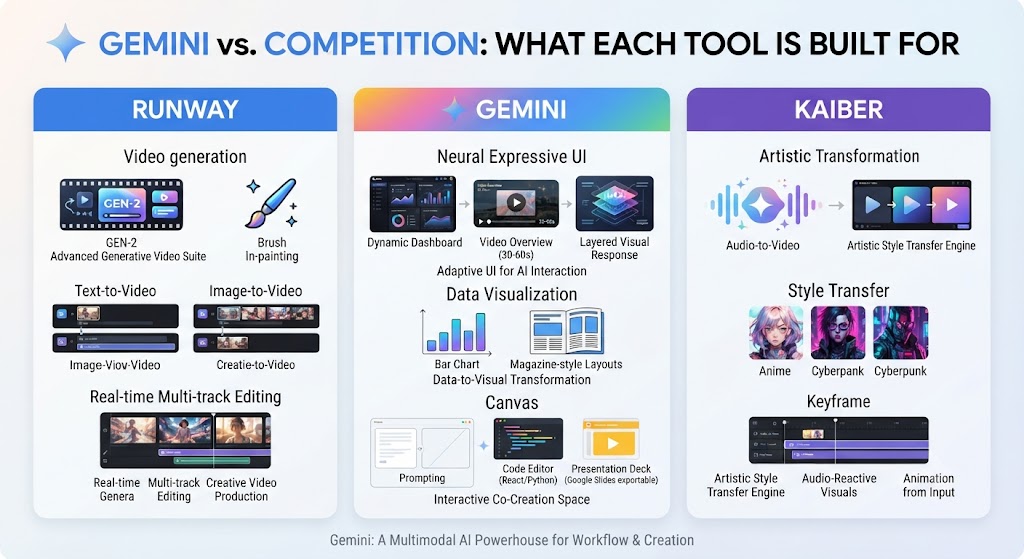
When it comes to this tool, this Runway vs Kaiber found that runway builds what it calls General World Models — AI systems designed to simulate physical environments, characters, and motion with genuine physical coherence. Its flagship Gen-4.5 model, combined with Director Mode and Motion Brush, gives filmmakers and agencies fine-grained control over camera movement and scene dynamics that aims specifically at cinematic believability rather than stylistic novelty.
Kaiber
For anyone reading this Runway vs Kaiber, kaiber bundles Superstudio — Canvas for generation, Editor for timeline assembly, and Cuts for beat-synced auto-editing — into a single connected workflow, with access to multiple leading models including Veo 3.1 under one subscription. The platform’s identity leans toward musicians dropping visual content alongside releases, social creators, and animators who want stylized output plus the tools to assemble it without a separate editing subscription.
These Tools Help You Create. We Help You Go Viral.
Making the video is only half the battle — getting it seen is the other. Tasknestly’s viral video service handles strategy, editing, and distribution.
See Viral Video Services →Feature-by-Feature Comparison
Creative Identity and Output Style
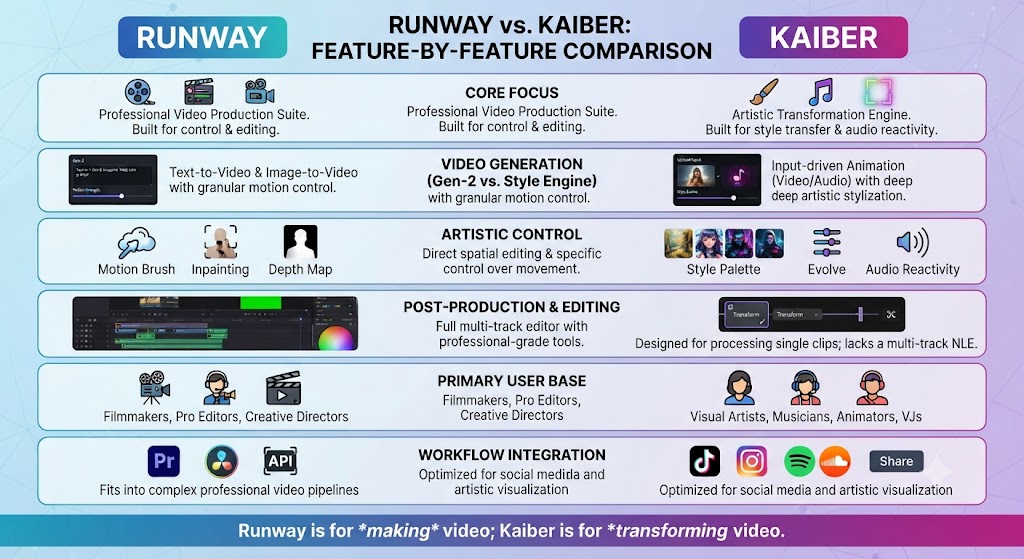
This Runway vs Kaiber found that runway’s output consistently aims for cinematic realism — believable lighting, physically coherent motion, camera work that could pass as shot footage. Kaiber’s output leans more toward stylized, expressive, and artistically distinctive visuals, particularly strong for music-synced content and animation-adjacent styles.
Winner: Across this Runway vs Kaiber, depends entirely on the aesthetic you’re chasing — this isn’t a quality gap, it’s a style difference.
Multi-Model Access
On this point, this Runway vs Kaiber notes that kaiber bundles access to multiple leading models including Veo 3.1 under one subscription, a genuinely broader model selection than Runway offers at comparable price points, where you’re primarily working within Runway’s own Gen-series models plus select third-party integrations.
Winner: Kaiber, for sheer model variety within a single subscription. That’s a key point in this Runway vs Kaiber.
Camera and Motion Control
Within this Runway vs Kaiber, runway’s Director Mode and Motion Brush offer precise, granular control over specific camera movements and object motion — dolly push, pan, orbit — at a level of precision Kaiber’s more style-focused generation modes (Motion, Flipbook, Transform) don’t attempt to match.
Winner: Runway, decisively, for anyone needing exact camera control. This holds up throughout the Runway vs Kaiber.
Built-In Editing Workflow
Considering the data, this Runway vs Kaiber shows kaiber includes both Cuts (a beat-synced auto-editor) and a full timeline Editor at no extra cost within its subscription — a genuinely distinctive bundle that removes the need for a separate editing tool. Runway’s Aleph editing layer is capable but positioned more as a post-production refinement tool than a beat-synced auto-editing workflow.
Winner: In the context of pricing, this Runway vs Kaiber notes kaiber, specifically for music-synced content and integrated editing without a separate subscription.
Credit Value and Predictability
Per this Runway vs Kaiber, kaiber’s Creator plan at $29/month includes 1,500 credits — more than double Runway’s Standard plan credit allowance at a similar price point. Runway’s credits are spent at drastically different rates depending on model (25 credits/second for Gen-4.5), while Kaiber’s credit costs vary by generation type but are generally regarded as stretching further for stylized, shorter-form content.
Winner: Kaiber, for raw credit value at comparable subscription tiers. Keep that in mind from this Runway vs Kaiber.
Professional Filmmaking Use Cases
As this Runway vs Kaiber shows, for filmmakers and agencies producing client-facing cinematic content where realism is non-negotiable, Runway’s Gen-4.5 model and precision controls remain the more credible professional tool, with a reputation and portfolio of use cases Kaiber hasn’t built to the same degree in purely cinematic work.
Winner: Runway, for professional filmmaking and agency work specifically. That’s a key point in this Runway vs Kaiber.
These Tools Help You Create. We Help You Go Viral.
Making the video is only half the battle — getting it seen is the other. Tasknestly’s viral video service handles strategy, editing, and distribution.
See Viral Video Services →Pricing Comparison
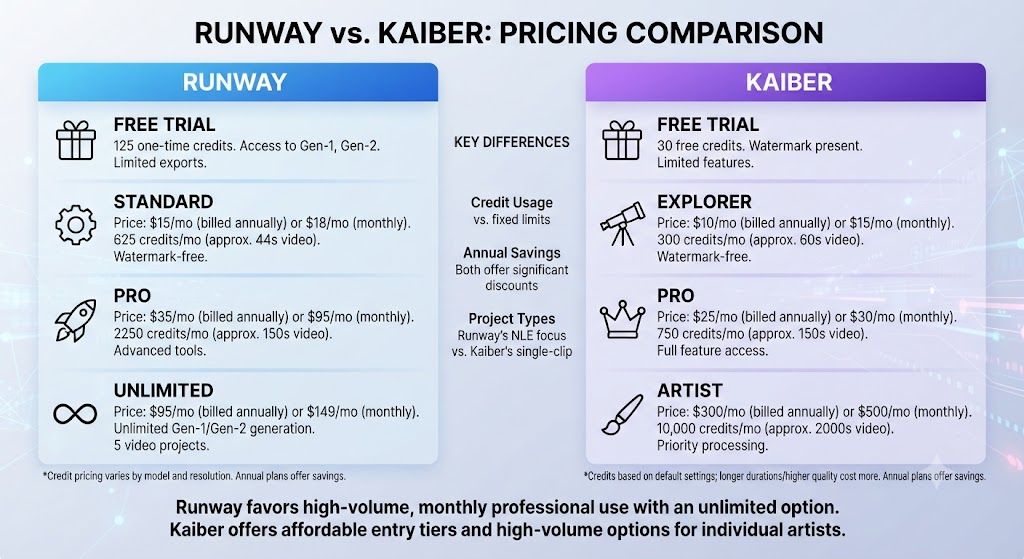
Runway Pricing (2026)
| Plan | Monthly Price (Annual) | Credits | Best For |
|---|---|---|---|
| Free | $0 | 125 one-time credits, watermarked | Testing |
| Standard | $12 ($15 monthly) | 625 credits/mo | Light creators |
| Pro | $28 ($35 monthly) | 2,250 credits/mo | Regular production |
| Max | $76 ($95 monthly) | 9,500 credits/mo | Heavy generation |
| Enterprise | Custom | Custom | Large teams |
Kaiber Pricing (2026)
| Plan | Monthly Price (Annual) | Credits | Best For |
|---|---|---|---|
| 5-Day Trial | $5 (one-time) | 500 credits | Evaluation |
| Starter | $10 ($8 annual) | 500 credits/mo | Occasional creators |
| Creator | $29 ($23 annual) | 1,500 credits/mo, commercial rights | Musicians, social creators |
| Pro | $99 ($79 annual) | 5,000 credits/mo | Agencies, small studios |
| Visionary | Custom | Unlimited | Labels, large production |
In this Runway vs Kaiber, at the entry paid tier, Kaiber’s Creator plan delivers roughly double the credits of Runway’s Standard plan at a comparable price, though Runway’s per-model credit rates make direct comparison genuinely difficult without accounting for which specific model each platform’s credits are being spent on.
Runway and Kaiber do not cover the entire AI video generation landscape on their own. For teams needing stock-footage-based content repurposing rather than original generation, Pictory solves a genuinely different problem neither Runway nor Kaiber attempts to address. For teams whose primary need is AI avatar presenter video, Synthesia and HeyGen occupy their own distinct category entirely.
It is also worth situating this comparison against Luma AI, whose Dream Machine model competes directly with Runway on image-to-video quality specifically, sometimes edging ahead in that narrow category even as Runway maintains a broader overall platform combining generation with post-production. Teams evaluating a full AI video stack should think in terms of which specific creative job needs solving, rather than assuming any single generative tool, including either Runway or Kaiber, should handle every stage of content production from concept through final delivery.
What genuinely separates this comparison from most AI video tool matchups is that both platforms are chasing original generation rather than one generating and the other repurposing existing material. That shared starting point makes the aesthetic and workflow differences between Runway and Kaiber more meaningful than a simple feature checklist would suggest, since both tools are answering the same fundamental question, what should this generated video look like, with genuinely different creative philosophies.
The clearest way to frame the actual purchasing decision is to ask what kind of visual identity your brand or project actually needs. A brand chasing polished, cinematic realism for advertising or corporate content will find Runway’s investment in Director Mode and Motion Brush compounds into increasingly distinctive, camera-controlled results the more a team masters the platform. A musician, social creator, or animator chasing distinctive, stylized visual identity will find Kaiber’s bundled Canvas, Cuts, and Editor workflow compounds differently, rewarding creative experimentation across multiple models rather than precision control over any single one.
Neither platform punishes early experimentation, since both offer meaningful entry points before a serious financial commitment, but the way each platform rewards deeper investment differs. Runway rewards mastering specific camera and motion tools for repeatable, professional-grade output. Kaiber rewards creative range and willingness to explore its bundled multi-model access for genuinely varied stylistic results across different projects and releases.
A final practical consideration worth naming directly: teams working across both music and traditional brand video often discover they genuinely need both tools operating in parallel rather than choosing one exclusively.
A record label promoting an artist’s release might reach for Kaiber’s beat-synced editing for the bulk of social content, while still commissioning Runway-generated cinematic footage for a flagship music video or brand campaign that demands a realism Kaiber’s stylized output wasn’t built for.
Planning for that hybrid workflow from the outset — rather than assuming one platform covers every need indefinitely — tends to produce a more resilient, flexible content pipeline over a full year of production.
One more angle worth considering seriously before committing to either platform’s annual billing: how quickly your specific creative team can realistically iterate toward a finished, genuinely approved piece of content, since the theoretically fastest generation tool on paper is not always the fastest tool once revision cycles, internal creative approvals, and the real learning curve required to get consistently strong, on-brand output are honestly factored into the true production timeline for an actual client or release deadline, rather than judged purely against a single isolated test generation run in a demo environment.
None of this changes the fundamental fit question this whole comparison genuinely started with right away today still — cinematic realism favors one platform, stylized creative range favors the other, and no amount of credit-value math should override that basic aesthetic mismatch when choosing between the two tools for a real, ongoing production need.
These Tools Help You Create. We Help You Go Viral.
Making the video is only half the battle — getting it seen is the other. Tasknestly’s viral video service handles strategy, editing, and distribution.
See Viral Video Services →Pros and Cons
Runway
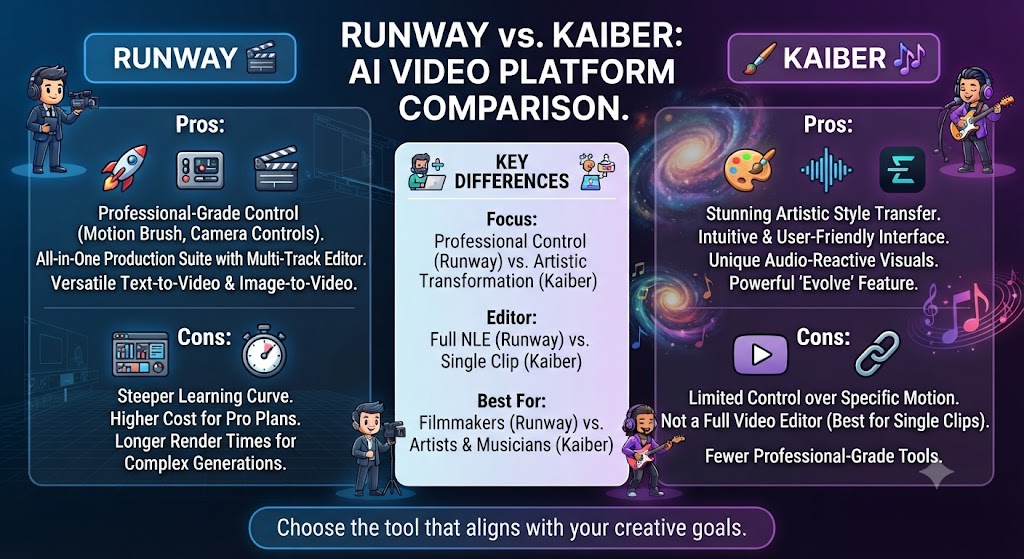
Pros: Looking at Runway vs Kaiber details, best-in-class cinematic realism and camera control, genuine post-production tools via Aleph, strong reputation for professional filmmaking use.
Cons: When it comes to this tool, this Runway vs Kaiber found that credit system makes real cost hard to predict, narrower model selection than Kaiber, free tier is one-time only.
Kaiber
Pros: For anyone reading this Runway vs Kaiber, broader multi-model access under one subscription, built-in beat-synced editing at no extra cost, stronger credit value at comparable tiers.
Cons: This Runway vs Kaiber found that no permanent free tier (only a $5 paid trial), commercial rights gated to Creator tier and above, less proven for pure cinematic realism than Runway.
These Tools Help You Create. We Help You Go Viral.
Making the video is only half the battle — getting it seen is the other. Tasknestly’s viral video service handles strategy, editing, and distribution.
See Viral Video Services →Use Cases
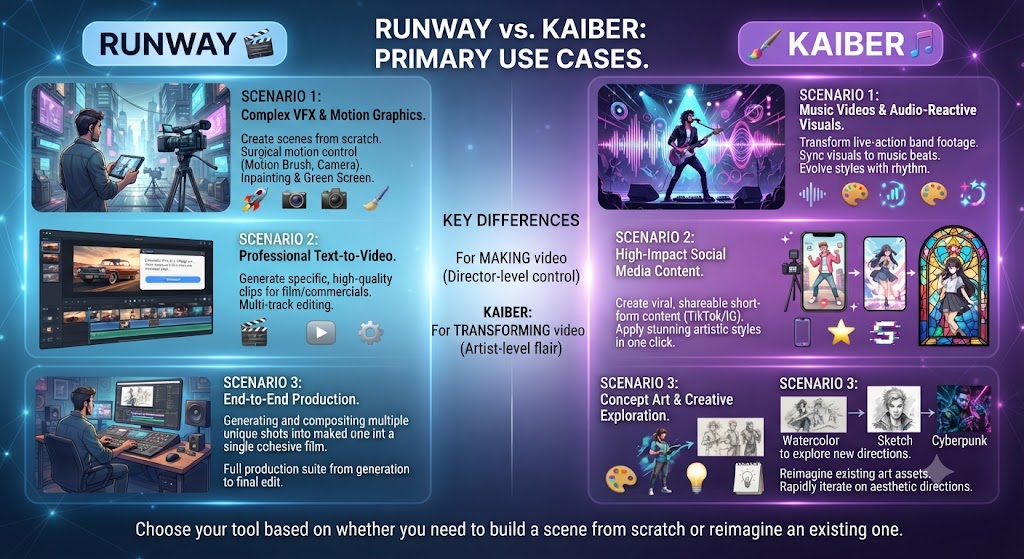
Filmmakers and agencies producing client-facing cinematic content Across this Runway vs Kaiber, should default to Runway, where camera precision and physical coherence matter more than stylistic range.
Musicians and social creators producing stylized, expressive visual content On this point, this Runway vs Kaiber notes that should default to Kaiber, where the beat-synced editing workflow and multi-model access serve that creative style more directly.
Teams wanting the broadest model access under one subscription Within this Runway vs Kaiber, benefit from Kaiber’s bundled approach, since Runway’s model selection is comparatively narrower at similar price points.
Teams needing precise, repeatable camera control for professional deliverables Considering the data, this Runway vs Kaiber shows should lean toward Runway, where Director Mode and Motion Brush offer a level of control Kaiber’s style-focused modes don’t attempt to match.
Get It / Skip It
Get Runway If:
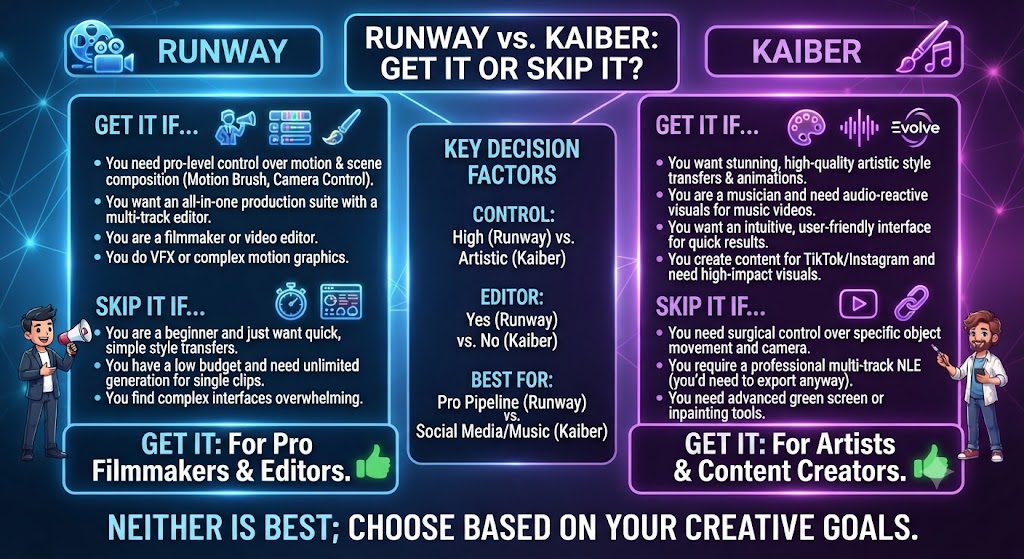
- You need cinematic realism and precise camera control This holds up throughout the Runway vs Kaiber.
- You’re producing professional, client-facing video content Keep that in mind from this Runway vs Kaiber.
- You’re comfortable managing a complex, per-model credit system That’s a key point in this Runway vs Kaiber.
Get Kaiber If:
- You want stylized, expressive visuals with music-synced editing built in This holds up throughout the Runway vs Kaiber.
- Multi-model access under one subscription matters to your workflow Keep that in mind from this Runway vs Kaiber. In the context of pricing, this Runway vs Kaiber notes – You’re a musician, social creator, or animator rather than a filmmaker chasing realism
Skip Both If:
- You need stock-footage-based content repurposing — look at Pictory That’s a key point in this Runway vs Kaiber.
- You need AI avatar presenter video — look at Synthesia or HeyGen This holds up throughout the Runway vs Kaiber.
These Tools Help You Create. We Help You Go Viral.
Making the video is only half the battle — getting it seen is the other. Tasknestly’s viral video service handles strategy, editing, and distribution.
See Viral Video Services →Real-World Test: Same Prompt, Different Aesthetics
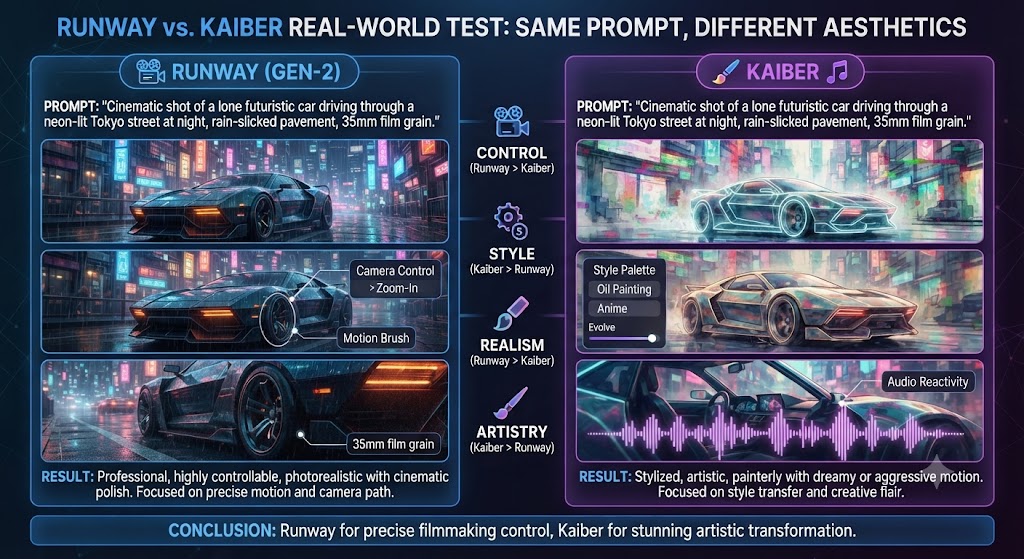
Per this Runway vs Kaiber, i ran the same creative prompt — a moody, atmospheric cityscape at night — through both tools to compare their default aesthetic tendencies. Runway’s Gen-4.5 output leaned cinematic and grounded, with realistic lighting and camera movement that could plausibly pass as shot footage. Kaiber’s output on the same prompt leaned more stylized and painterly, with a distinctive visual character that read as clearly AI-generated art rather than an attempt at photorealism.
As this Runway vs Kaiber shows, neither result was objectively better — they represented genuinely different creative directions from the same starting prompt. For a project needing believable, camera-controlled realism, Runway’s output was the stronger fit. For a project wanting distinctive, artistically expressive visuals, Kaiber’s output had more character. The honest conclusion: this comparison is fundamentally about aesthetic fit, not raw capability, and testing both against your own specific creative brief is worth the modest cost of Kaiber’s $5 trial and Runway’s free credits before committing to either platform.
These Tools Help You Create. We Help You Go Viral.
Making the video is only half the battle — getting it seen is the other. Tasknestly’s viral video service handles strategy, editing, and distribution.
See Viral Video Services →FAQ
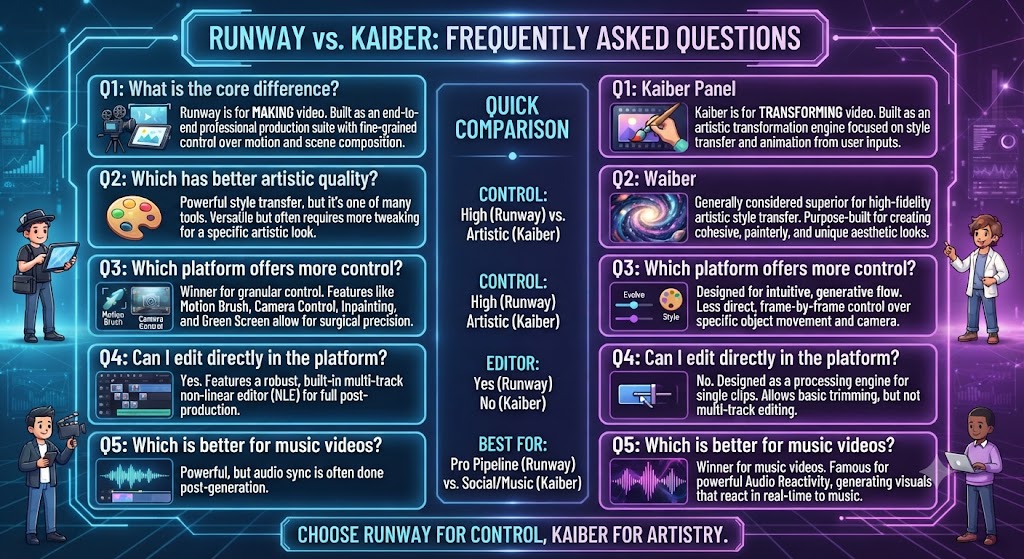
Is Runway better than Kaiber? In this Runway vs Kaiber, for cinematic realism and precise camera control, Runway generally wins. For stylized, expressive visuals with built-in music-synced editing, Kaiber is the stronger fit. Neither is objectively better across all use cases.
Which is cheaper, Runway or Kaiber? Looking at Runway vs Kaiber details, at comparable entry tiers, Kaiber’s Creator plan offers roughly double the credits of Runway’s Standard plan, though Runway’s per-model credit rates make direct dollar-for-dollar comparison difficult.
Does Kaiber have a free plan? When it comes to this tool, this Runway vs Kaiber found that no. Kaiber’s only evaluation option is a $5, 5-day trial with 500 credits, which converts to the Creator plan automatically unless cancelled.
Which tool has better editing tools built in? For anyone reading this Runway vs Kaiber, kaiber, with its Cuts beat-synced auto-editor and full timeline Editor included in every subscription. Runway’s Aleph editing layer is capable but positioned differently, more as post-production refinement.
Is Runway or Kaiber better for professional filmmaking? Keep that in mind from this Runway vs Kaiber. This Runway vs Kaiber found that runway, given its stronger track record and precision tools specifically built for cinematic realism and camera control that professional filmmaking work typically demands.
Does Runway charge credits for failed generations? Across this Runway vs Kaiber, yes, according to user reports — regenerating a defective output charges credits for both attempts, a real cost to factor into your effective monthly budget on either platform.
These Tools Help You Create. We Help You Go Viral.
Making the video is only half the battle — getting it seen is the other. Tasknestly’s viral video service handles strategy, editing, and distribution.
See Viral Video Services →Conclusion
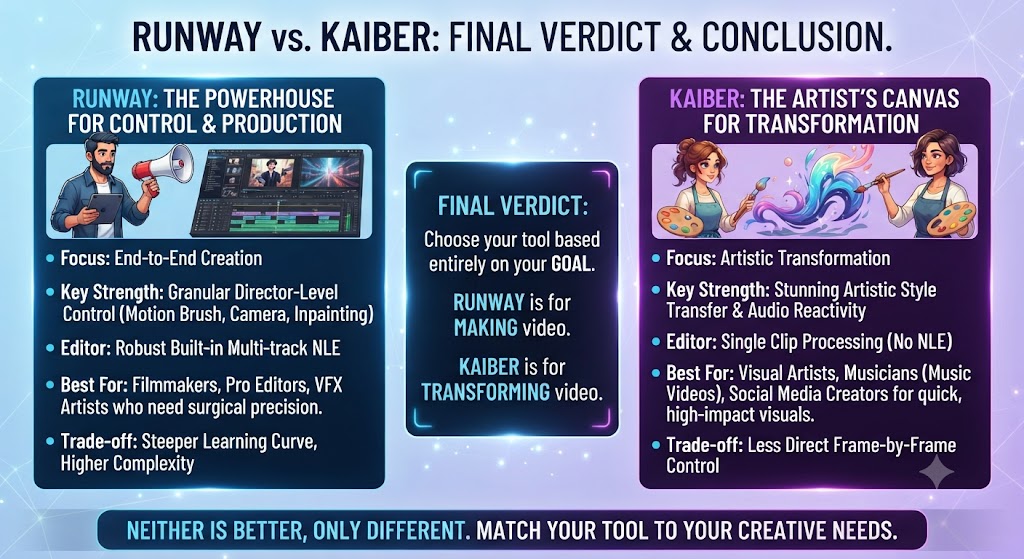
This Runway vs Kaiber comparison comes down to creative identity more than raw feature comparison. Runway has built its reputation on cinematic realism and precision camera control, serving filmmakers and agencies who need believable, professional-grade output. Kaiber has built its identity around stylized, expressive creative exploration with a genuinely useful bundled editing workflow, serving musicians and social creators who want distinctive visuals plus the tools to assemble them.
On this point, this Runway vs Kaiber notes that testing both against your actual creative brief — not just reading feature lists — is the most reliable way to determine which aesthetic direction and workflow genuinely fits your project, since the modest cost of trying both (Runway’s free credits, Kaiber’s $5 trial) is trivial compared to committing to the wrong platform for months.
Within this Runway vs Kaiber, teams building a broader creative content strategy around either tool might also find value in Tasknestly’s digital marketing services for turning finished video into an actual distribution and growth plan.
Considering the data, this Runway vs Kaiber shows both platforms continue to update their models and pricing quickly, so revisit this comparison periodically rather than treating today’s numbers as fixed through the rest of 2026.
In the context of pricing, this Runway vs Kaiber notes it helps to map out a month of expected content production before committing to a tier. The theoretical monthly allowance rarely matches real usage once revisions and iteration are factored in.
Budget a buffer above your baseline estimate. That avoids hitting a plan ceiling mid-month and being forced into an unplanned upgrade.
Pricing keeps shifting across AI video tools in 2026, so a plan that fits today may not fit by your next renewal. A little margin now avoids a scramble later.
Per this Runway vs Kaiber, consider how your team actually consumes video output once it’s produced. The best tool on paper isn’t always best for the people who review, approve, and publish it during a busy week.
A workflow needing three rounds of revision before sign-off delivers less real value than a less polished workflow approved on the first pass. That approval friction rarely shows up on a pricing page — but it shows up constantly in team calendars.
Factor in who reviews the work, how fast they respond, and whether revisions are quick or painful before choosing between these two platforms.
Disclosure: This article contains affiliate links. TechBotHQ may earn a commission if you sign up through our links, at no extra cost to you. See our affiliate disclosure for full details.
These Tools Help You Create. We Help You Go Viral.
Making the video is only half the battle — getting it seen is the other. Tasknestly’s viral video service handles strategy, editing, and distribution.
See Viral Video Services →