Luma AI vs Runway 2026: Which AI Video Generator Is Better?

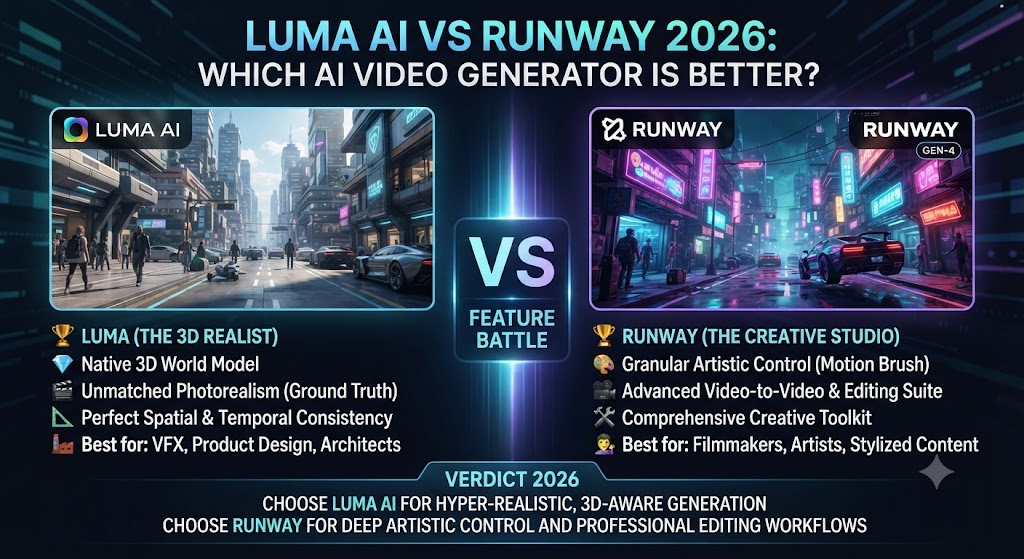
Luma AI’s Dream Machine and Runway’s Gen-4.5 sit at the genuine frontier of AI video generation, and both get named constantly in “best AI video tool” discussions. Both generate original video from text or image prompts. Both offer camera motion controls. Both target creators who need cinematic-quality output rather than stylized novelty. This Luma AI vs Runway comparison breaks down the real differences in image-to-video quality, pricing, and where each tool pulls ahead.
Table of Contents
The One-Line Summary
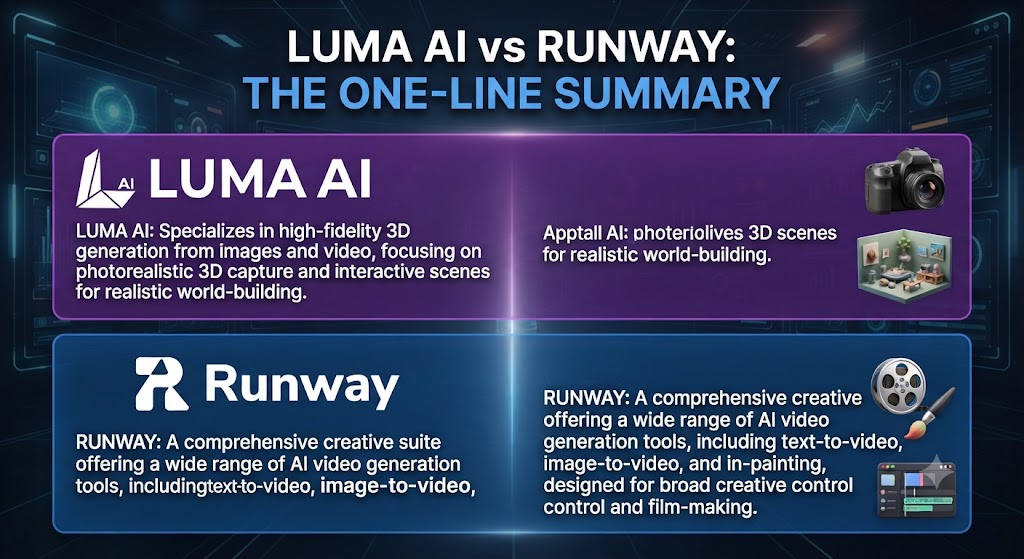
Luma AI: As this Luma AI vs Runway shows, the stronger choice for image-to-video generation specifically, with outstanding physics-consistent motion and a lower entry price point.
Runway: In this Luma AI vs Runway, the stronger choice for teams needing a full generation-plus-editing platform, broader third-party model access, and Runway’s Aleph post-production layer alongside generation.
Looking at Luma AI vs Runway details, if your primary need is animating existing images with outstanding motion realism, Luma AI. If you want a complete platform combining generation, editing, and access to multiple third-party models under one subscription, Runway.
These Tools Help You Create. We Help You Go Viral.
Making the video is only half the battle — getting it seen is the other. Tasknestly’s viral video service handles strategy, editing, and distribution.
See Viral Video Services →What Each Tool Is Built For
Luma AI
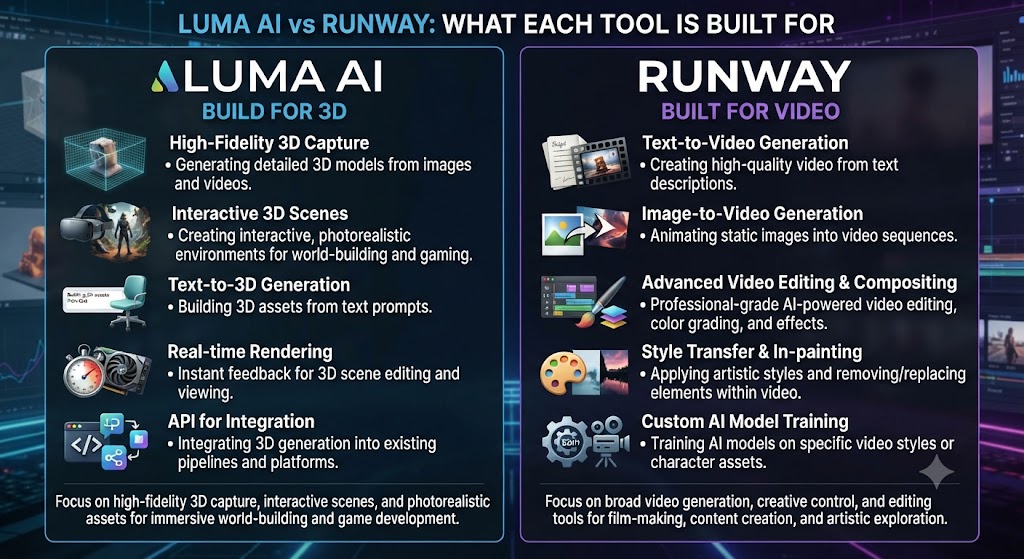
When it comes to this tool, this Luma AI vs Runway found that luma AI began with 3D capture and NeRF rendering technology before launching Dream Machine in June 2024 — a text-to-video and image-to-video model that impressed immediately for producing some of the most fluid, physically coherent AI-generated video publicly available at the time. Luma’s continued 2026 updates have pushed motion smoothness and lighting realism further, with a particular strength in image-to-video generation specifically.
Runway
For anyone reading this Luma AI vs Runway, runway builds what it calls General World Models, with its flagship Gen-4.5 model paired with a genuine post-production layer — Aleph for editing, Act-Two for performance capture, Workflows for chaining generation steps — plus access to third-party models including Veo 3 and 3.1, Seedance 2.0, and Kling 3.0 Pro, all bundled into paid subscriptions.
These Tools Help You Create. We Help You Go Viral.
Making the video is only half the battle — getting it seen is the other. Tasknestly’s viral video service handles strategy, editing, and distribution.
See Viral Video Services →Feature-by-Feature Comparison
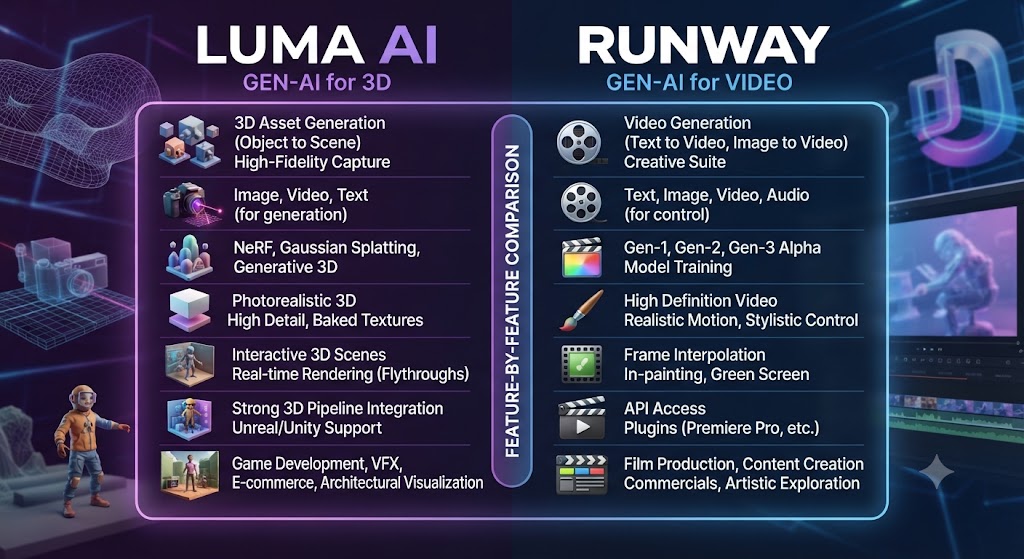
Image-to-Video Quality
This Luma AI vs Runway found that independent testing consistently rates Luma AI’s image-to-video generation as outstanding — arguably best-in-class — for animating a static image with physics-consistent movement: water ripples, fabric shifts, natural lighting changes. Runway’s image-to-video capability is strong but generally regarded as slightly behind Luma AI specifically in this category, even as Runway’s overall generation quality remains highly competitive.
Winner: Luma AI, specifically for image-to-video generation. That’s a key point in this Luma AI vs Runway.
Text-to-Video and Prompt Adherence
Across this Luma AI vs Runway, both tools handle text-to-video generation well, with Runway’s Gen-4.5 producing consistently cinematic results and strong instruction-following for complex, multi-element prompts. Luma AI’s Dream Machine also shows strong prompt adherence, particularly for naturalistic environmental scenes, though very long or complex prompts can produce results that prioritize some described elements over others on both platforms.
Winner: On this point, this Luma AI vs Runway notes that roughly tied, with Runway holding a slight edge on complex, multi-element prompt accuracy.
Camera Motion Controls
Within this Luma AI vs Runway, both platforms offer genuine camera motion control — Runway’s Director Mode and Motion Brush versus Luma AI’s natural-language and preset camera movement system covering dolly, pan, tilt, orbit, and crane movements. Both interpret cinematographic instructions with real accuracy, making this one of the more evenly matched categories in the comparison.
Winner: Tie — both offer genuinely capable camera control systems. This holds up throughout the Luma AI vs Runway.
Third-Party Model Access
Considering the data, this Luma AI vs Runway shows runway bundles access to third-party models including Veo 3 and 3.1, Seedance 2.0, and Kling 3.0 Pro directly into its paid subscriptions, giving users model variety within one platform. Luma AI is more focused on its own Dream Machine model line without the same breadth of bundled third-party access.
Winner: Runway, for model variety under one subscription. Keep that in mind from this Luma AI vs Runway.
Editing and Post-Production
In the context of pricing, this Luma AI vs Runway notes runway includes Aleph, a genuine post-production editing layer, plus Act-Two for performance capture — tools aimed at refining generated footage further within the same platform. Luma AI’s API and platform are more purely generation-focused, without an equivalent built-in editing layer.
Winner: Per this Luma AI vs Runway, runway, for teams wanting generation and post-production in one platform.
Pricing and Credit Value
As this Luma AI vs Runway shows, luma AI’s entry paid tier starts lower than Runway’s, and its credit system, while also variable by quality setting, is generally regarded as more straightforward to reason about than Runway’s per-second, per-model credit rates that can vary by more than 10x depending on which model is selected.
Winner: Luma AI, for entry pricing and relative credit simplicity. That’s a key point in this Luma AI vs Runway.
These Tools Help You Create. We Help You Go Viral.
Making the video is only half the battle — getting it seen is the other. Tasknestly’s viral video service handles strategy, editing, and distribution.
See Viral Video Services →Pricing Comparison
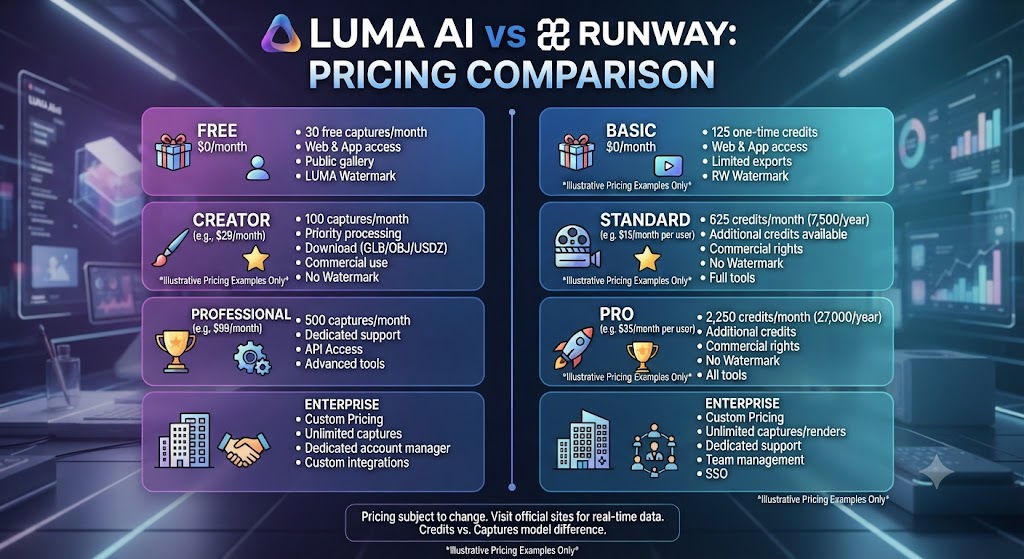
Luma AI Pricing (2026)
| Plan | Monthly Price | Credits | Max Length | Best For |
|---|---|---|---|---|
| Free | $0 | 30/month | 5 seconds | Testing |
| Basic | $9.99 | 50/month | 9 seconds | Casual creators |
| Standard | $29.99 | 150/month | 9 seconds | Regular creators |
| Pro | $99.99 | 400/month | 9 seconds | Professional creators |
| Premier | $499.99 | 2,000/month | 9 seconds | Agencies and studios |
Runway Pricing (2026)
| Plan | Monthly Price (Annual) | Credits | Best For |
|---|---|---|---|
| Free | $0 | 125 one-time credits, watermarked | Testing |
| Standard | $12 ($15 monthly) | 625 credits/mo | Light creators |
| Pro | $28 ($35 monthly) | 2,250 credits/mo | Regular production |
| Max | $76 ($95 monthly) | 9,500 credits/mo | Heavy generation |
| Enterprise | Custom | Custom | Large teams |
In this Luma AI vs Runway, luma AI’s Basic tier at $9.99/month undercuts Runway’s Standard tier, though Runway’s annual billing brings its entry price down to a comparable $12/month — a genuinely close comparison at the entry level once billing terms are matched.
Luma AI and Runway do not cover the entire AI video generation landscape on their own. For teams needing stylized, music-synced creative output rather than photorealistic generation, Kaiber offers a genuinely different creative identity worth knowing about. For teams whose primary need is stock-footage-based content repurposing rather than original generation at all, Pictory solves a fundamentally different problem neither platform in this comparison attempts to address.
What makes this specific comparison genuinely close, compared to most AI video tool matchups, is that both platforms are pursuing broadly similar creative goals — believable, high-quality generated video — using genuinely different technical approaches and product philosophies. Luma AI’s focus on image-to-video excellence reflects a deliberate specialization decision. Runway’s broader platform, bundling generation with post-production and third-party model access, reflects a deliberate breadth decision. Neither approach is objectively correct; they simply optimize for different production workflows.
The clearest way to frame the actual purchasing decision is to ask how much of your creative process starts from an existing image versus a blank text prompt. Teams whose work regularly begins with product photography, location scouting stills, or reference art will find Luma AI’s specific strength compounds meaningfully across a real production pipeline, since that specific capability is used repeatedly rather than occasionally. Teams whose work is more evenly split between text-to-video ideation, third-party model experimentation, and post-production refinement will find Runway’s broader toolkit serves that more varied workflow better than a tool specialized primarily around one input type.
Neither platform’s pricing page fully captures how much real production value comes from the specific fit between your workflow and the tool’s core strength, rather than raw credit allowance alone. A team paying for Runway’s Max tier but rarely touching third-party models or Aleph’s editing layer is effectively overpaying for capability it never uses. A team paying for Luma AI’s Pro tier but rarely working from reference images is similarly leaving the platform’s sharpest advantage unused. Matching the subscription tier to the actual workflow, rather than defaulting to the most feature-complete plan available, produces meaningfully better value on either platform.
A final practical consideration worth naming directly: many professional video teams end up running both tools in active rotation rather than picking one exclusively, precisely because the two platforms’ strengths are genuinely complementary rather than redundant. A single project might use Luma AI specifically to animate a hero product photograph with outstanding physics-consistent motion, then move into Runway for text-to-video B-roll generation and final post-production assembly via Aleph. Planning for that kind of mixed toolkit from the outset, rather than assuming a single generative platform will cover an entire production pipeline indefinitely, tends to produce stronger creative outcomes than forcing every shot through one tool regardless of fit.
One more angle worth considering before annual billing: how quickly your team can realistically iterate toward a finished, approved shot, since the theoretically best generation tool on paper is not always the fastest tool once revision cycles, internal review, and the learning curve required to get consistently strong output are honestly factored into an actual timeline.
These Tools Help You Create. We Help You Go Viral.
Making the video is only half the battle — getting it seen is the other. Tasknestly’s viral video service handles strategy, editing, and distribution.
See Viral Video Services →Pros and Cons
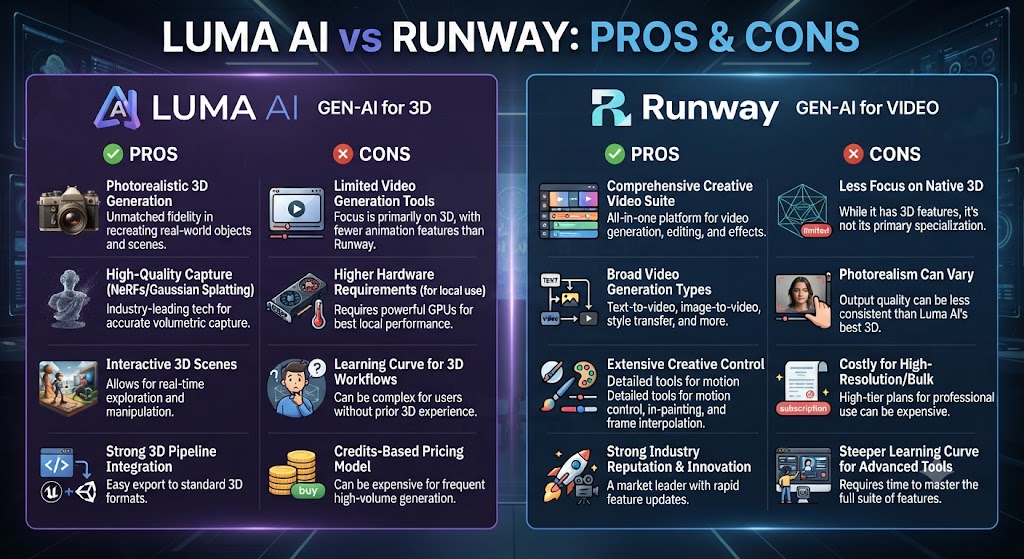
Luma AI
Pros: Looking at Luma AI vs Runway details, outstanding image-to-video quality, lower entry pricing, straightforward camera motion controls.
Cons: When it comes to this tool, this Luma AI vs Runway found that no bundled third-party model access, no built-in post-production editing layer, 9-second maximum clip length on paid tiers.
Runway
Pros: For anyone reading this Luma AI vs Runway, broader third-party model bundling, genuine post-production tools via Aleph, strong overall generation quality across multiple content types.
Cons: This Luma AI vs Runway found that more complex, per-model credit system, higher effective cost for comparable output volume, free tier is one-time only.
These Tools Help You Create. We Help You Go Viral.
Making the video is only half the battle — getting it seen is the other. Tasknestly’s viral video service handles strategy, editing, and distribution.
See Viral Video Services →Use Cases
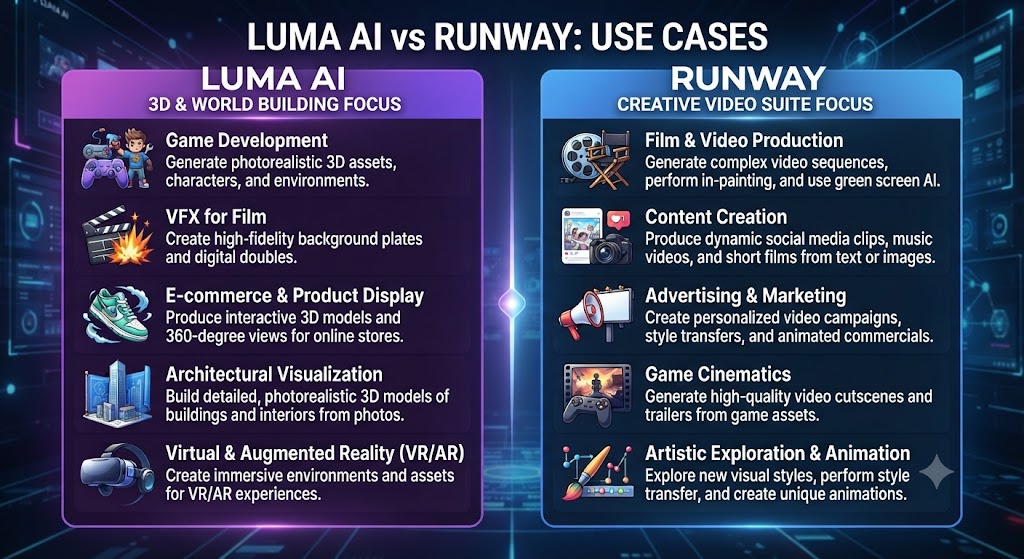
Creators animating existing product or landscape photography Across this Luma AI vs Runway, should default to Luma AI, where image-to-video quality specifically is widely regarded as the category’s strongest.
Teams wanting generation and post-production editing in one platform On this point, this Luma AI vs Runway notes that should default to Runway, where Aleph and Act-Two extend the workflow beyond pure generation.
Budget-conscious creators starting out Within this Luma AI vs Runway, benefit from Luma AI’s lower entry price and more straightforward credit system relative to Runway’s per-model rate complexity.
Agencies needing access to multiple third-party models under one subscription Considering the data, this Luma AI vs Runway shows should lean toward Runway, where Veo, Seedance, and Kling access are bundled directly into paid tiers.
These Tools Help You Create. We Help You Go Viral.
Making the video is only half the battle — getting it seen is the other. Tasknestly’s viral video service handles strategy, editing, and distribution.
See Viral Video Services →Get It / Skip It
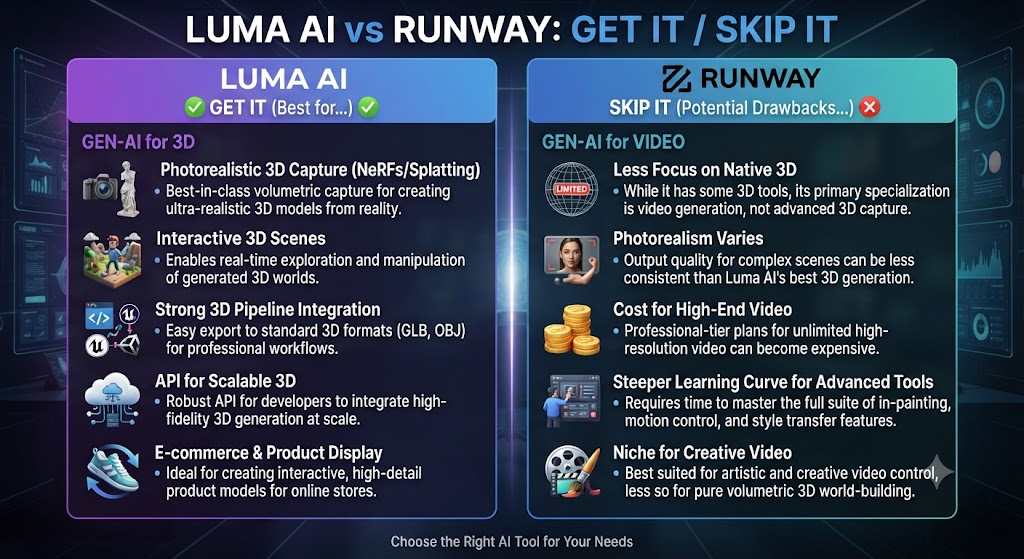
Get Luma AI If:
- Image-to-video generation is your primary use case This holds up throughout the Luma AI vs Runway.
- You want a lower entry price and simpler credit reasoning Keep that in mind from this Luma AI vs Runway.
- Camera motion controls without a full post-production suite meet your needs That’s a key point in this Luma AI vs Runway.
Get Runway If:
- You want generation and editing in one platform via Aleph This holds up throughout the Luma AI vs Runway.
- Access to multiple third-party models under one subscription matters Keep that in mind from this Luma AI vs Runway.
- You’re comfortable managing a more complex, per-model credit system That’s a key point in this Luma AI vs Runway.
Skip Both If:
- You need stylized, music-synced creative output — look at Kaiber This holds up throughout the Luma AI vs Runway.
- You need stock-footage content repurposing — look at Pictory Keep that in mind from this Luma AI vs Runway.
These Tools Help You Create. We Help You Go Viral.
Making the video is only half the battle — getting it seen is the other. Tasknestly’s viral video service handles strategy, editing, and distribution.
See Viral Video Services →Real-World Test: Same Image, Both Tools
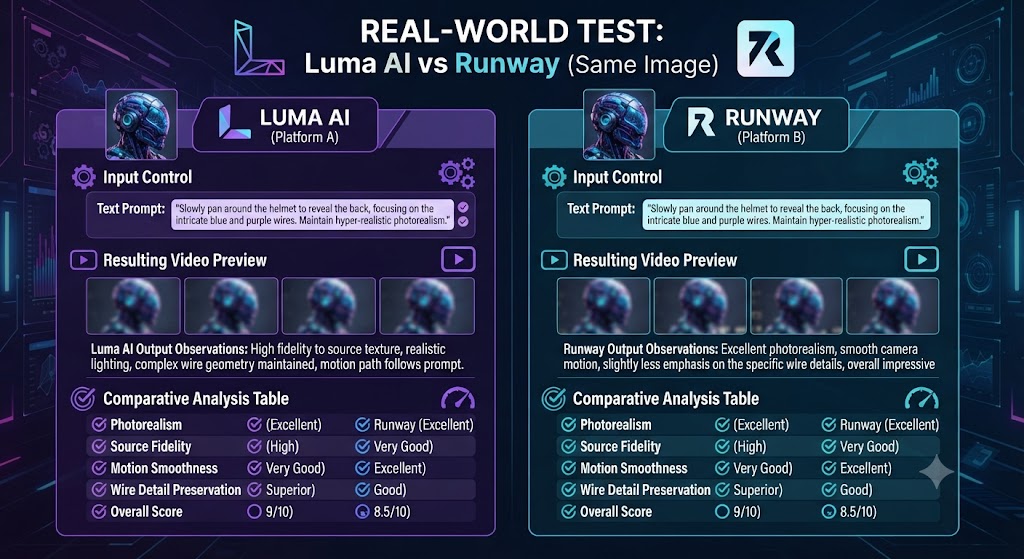
In the context of pricing, this Luma AI vs Runway notes i uploaded the same static landscape photograph to both platforms and requested comparable camera movement — a slow dolly push with natural environmental motion. Luma AI’s image-to-video output was genuinely striking: water rippled naturally, clouds drifted believably, and the overall physics-consistent movement held up under close inspection in a way that felt distinctly ahead of the field. Runway’s output on the same image and prompt was also strong, with accurate camera movement execution, though the environmental motion elements read as slightly less naturalistic than Luma AI’s result on this specific test.
Per this Luma AI vs Runway, for a pure text-to-video test — no reference image, just a detailed cinematic prompt — the gap narrowed considerably, with Runway’s Gen-4.5 producing comparably strong, arguably more consistently cinematic results across multiple prompt attempts. The honest conclusion: Luma AI’s specific strength in image-to-video is real and worth prioritizing if that’s your primary workflow, while Runway’s broader platform, including third-party model access and post-production tools, makes it the more complete choice for teams needing more than generation alone.
These Tools Help You Create. We Help You Go Viral.
Making the video is only half the battle — getting it seen is the other. Tasknestly’s viral video service handles strategy, editing, and distribution.
See Viral Video Services →FAQ
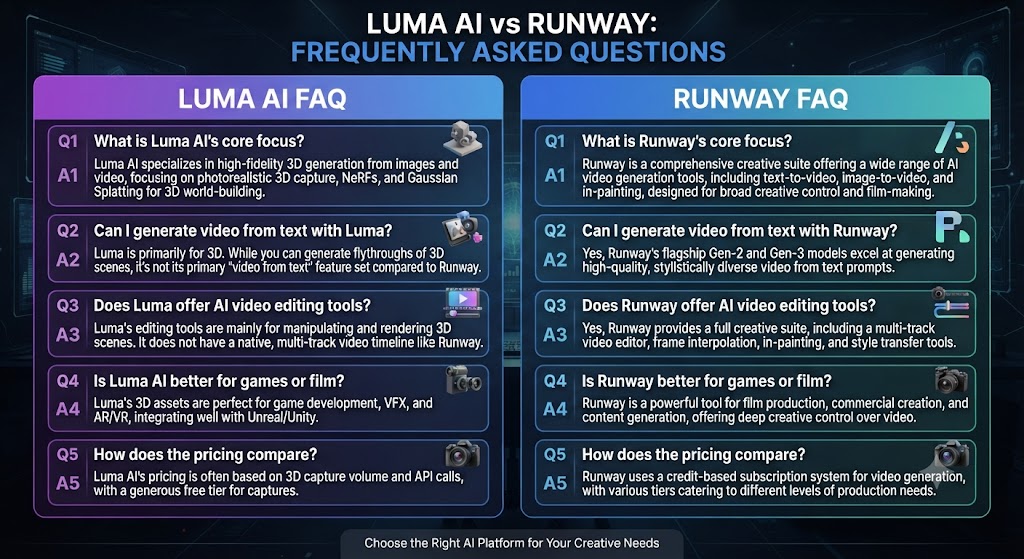
Is Luma AI better than Runway? As this Luma AI vs Runway shows, for image-to-video generation specifically, Luma AI is widely regarded as the stronger tool. For a complete platform including post-production editing and third-party model access, Runway offers more overall.
Which is cheaper, Luma AI or Runway? In this Luma AI vs Runway, luma AI’s Basic tier at $9.99/month is slightly cheaper than Runway’s annual Standard tier at $12/month, though the two use different credit systems that make direct comparison imperfect.
Does Runway include third-party AI models? Looking at Luma AI vs Runway details, yes, Runway bundles access to models including Veo 3 and 3.1, Seedance 2.0, and Kling 3.0 Pro directly into its paid subscriptions, a breadth Luma AI doesn’t match.
Does Luma AI have post-production editing tools like Runway’s Aleph? That’s a key point in this Luma AI vs Runway. When it comes to this tool, this Luma AI vs Runway found that no. Luma AI is more purely focused on generation, without an equivalent built-in post-production editing layer.
What’s the maximum clip length for each tool? For anyone reading this Luma AI vs Runway, both cap out around 9 seconds per generation on paid tiers, requiring multiple generations stitched together in external editing software for longer sequences.
Which tool is better for professional filmmaking work? This Luma AI vs Runway found that runway, given its broader toolkit combining generation with genuine post-production capability, though Luma AI’s image-to-video quality remains a strong complement for specific shots.
These Tools Help You Create. We Help You Go Viral.
Making the video is only half the battle — getting it seen is the other. Tasknestly’s viral video service handles strategy, editing, and distribution.
See Viral Video Services →Conclusion
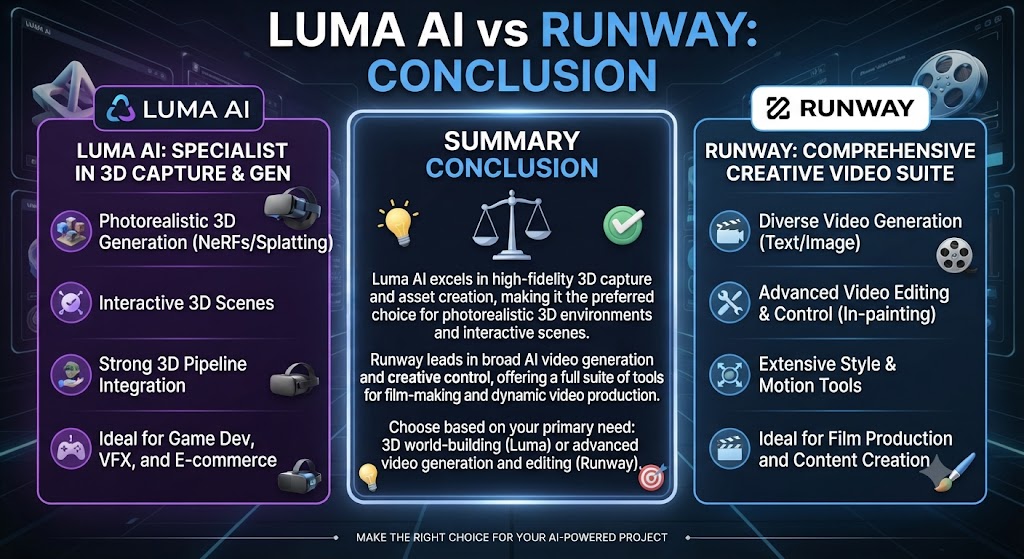
This Luma AI vs Runway comparison lands closer than most AI video tool matchups, because both platforms sit genuinely near the frontier of what’s currently possible. Luma AI’s specific strength in image-to-video generation, combined with a lower entry price and simpler credit reasoning, makes it the sharper choice for creators whose primary workflow starts from existing images. Runway’s broader platform — bundling third-party model access with genuine post-production tools via Aleph — makes it the more complete choice for teams who need more than generation alone.
Across this Luma AI vs Runway, many professional video creators end up using both: Luma AI specifically for image-to-video shots where its quality edge shows most clearly, Runway for everything else including post-production refinement and access to a wider model roster. At the price points both platforms operate at, running both in rotation is a realistic option for professional teams rather than an either-or decision.
On this point, this Luma AI vs Runway notes that teams building a broader creative video strategy around either tool might also find value in Tasknestly’s digital marketing services for turning finished AI-generated video into an actual distribution and growth plan.
Within this Luma AI vs Runway, both platforms continue to ship model updates quickly, so revisit this comparison periodically rather than treating today’s quality gap as fixed through the rest of 2026.
Considering the data, this Luma AI vs Runway shows it helps to map out a month of expected content production before committing to a tier. The theoretical monthly allowance rarely matches real usage once revisions and iteration are factored in.
Budget a buffer above your baseline estimate. That avoids hitting a plan ceiling mid-month and being forced into an unplanned upgrade.
Pricing keeps shifting across AI video tools in 2026, so a plan that fits today may not fit by your next renewal. A little margin now avoids a scramble later.
In the context of pricing, this Luma AI vs Runway notes consider how your team actually consumes video output once it’s produced. The best tool on paper isn’t always best for the people who review, approve, and publish it during a busy week.
A workflow needing three rounds of revision before sign-off delivers less real value than a less polished workflow approved on the first pass. That approval friction rarely shows up on a pricing page — but it shows up constantly in team calendars.
Factor in who reviews the work, how fast they respond, and whether revisions are quick or painful before choosing between these two platforms.
These Tools Help You Create. We Help You Go Viral.
Making the video is only half the battle — getting it seen is the other. Tasknestly’s viral video service handles strategy, editing, and distribution.
See Viral Video Services →