Canva AI vs Midjourney 2026: Which AI Design Tool Actually Wins?

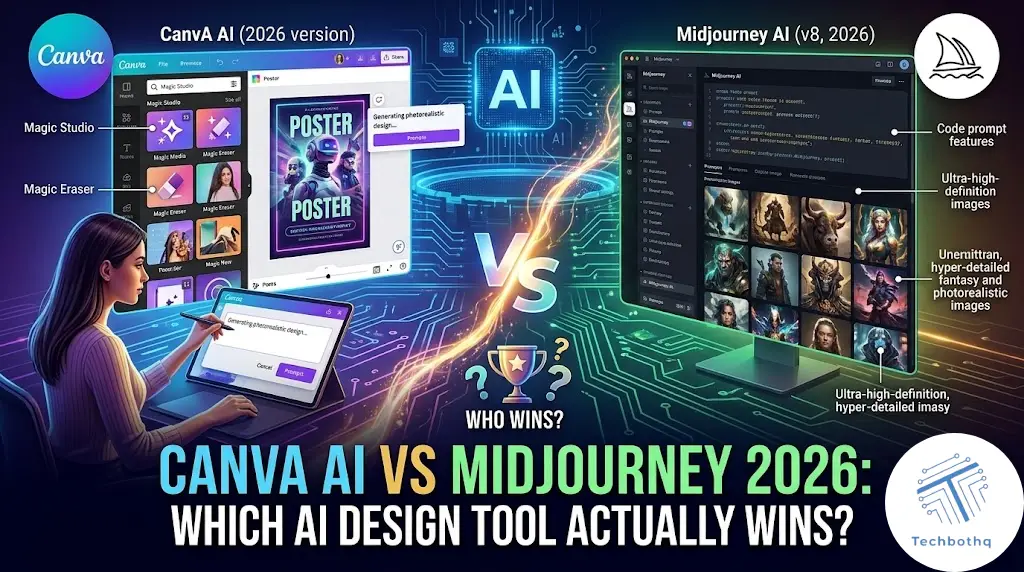
Choosing between Canva AI vs Midjourney comes down to one question: do you want speed and simplicity, or raw artistic power? Both tools generate images with AI, but they were built for completely different kinds of creators, and picking the wrong one wastes hours you don’t have.
In this Canva AI vs Midjourney comparison, I tested both tools across real design tasks — social media graphics, marketing banners, concept art, and print-ready visuals — to see which one actually holds up once the novelty wears off. I looked at output quality, how steep the learning curve is, what each one costs at scale, and which workflow fits a small business versus a solo creative.
The short version: Canva AI is the tool for people who need usable graphics fast and don’t want to learn prompt engineering. Midjourney is the tool for people chasing a specific artistic look who don’t mind a bit of a learning curve. Everything below explains exactly why, with the details you need to make the right call for your own workflow.
Table of Contents
How AI Image Generation Actually Works in Each Tool
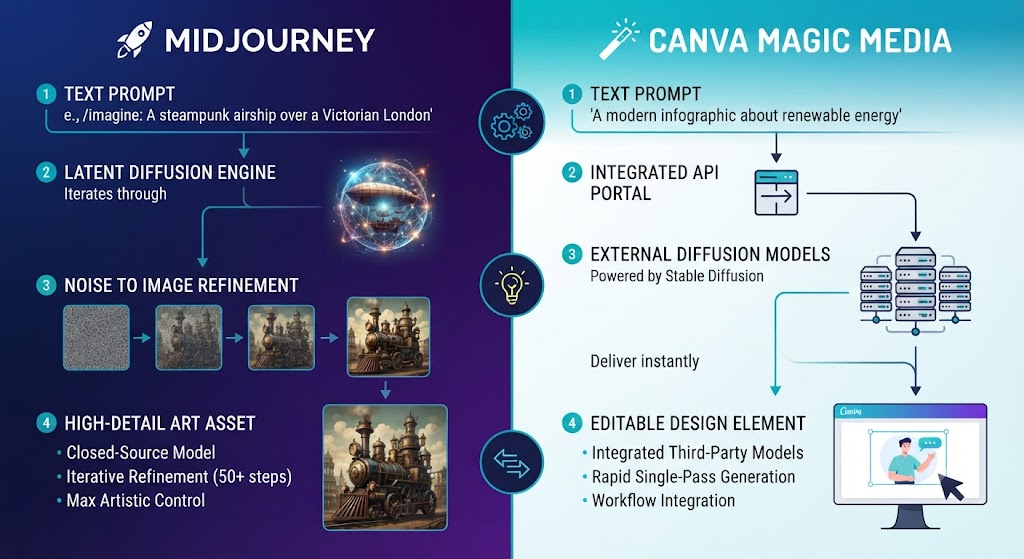
Understanding the underlying technology helps explain a lot of what shows up in every Canva AI vs Midjourney test. Both tools use diffusion-based image models, but they’re trained and tuned very differently. Midjourney’s model is trained heavily on artistic and photographic reference data, optimized purely for visual quality and aesthetic ‘wow factor.’ Canva’s model is trained and fine-tuned with design use cases in mind — icons, layouts, marketing visuals — so it favors clean, usable output over maximalist detail, and that single design choice explains most of the Canva AI vs Midjourney gap.
That’s really the root of the entire Canva AI vs Midjourney debate: one model is optimized to impress, the other is optimized to be immediately useful inside a larger design. Neither approach is inherently better; they’re solving different problems.
Love What These AI Design Tools Can Do?
Great AI-generated visuals still need a cohesive brand identity holding them together. Let Tasknestly build your full branding — logo, guidelines, and visual system.
Explore Branding Services →Canva AI vs Midjourney: Quick Comparison Table
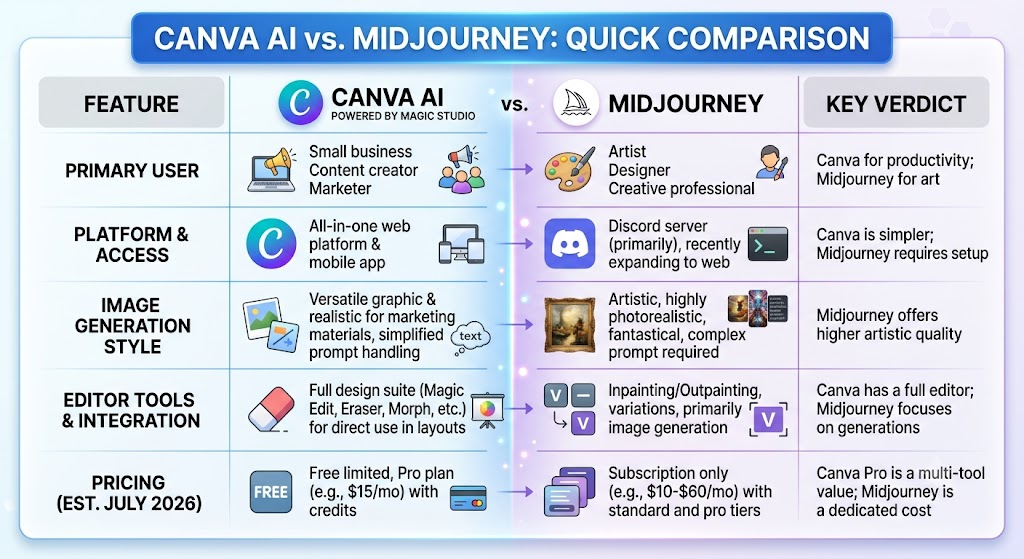
Before diving into the details of Canva AI vs Midjourney, here’s how the two tools stack up at a glance across the criteria that matter most for everyday design work.
| Feature | Canva AI | Midjourney |
|---|---|---|
| Primary Use Case | Marketing graphics, social posts | Concept art, illustration |
| Image Quality | Good, template-driven | Excellent, painterly detail |
| Learning Curve | Very low | Moderate to steep |
| Prompt Control | Basic prompts + templates | Advanced parameter control |
| Starting Price | $12.99/month | $10/month |
| Free Tier | Yes, limited credits | No (trial removed) |
| Platform | Web + mobile app | Discord + web app |
| Commercial Use | Included on paid plans | Included on paid plans |
Love What These AI Design Tools Can Do?
Great AI-generated visuals still need a cohesive brand identity holding them together. Let Tasknestly build your full branding — logo, guidelines, and visual system.
Explore Branding Services →What Is Canva AI?
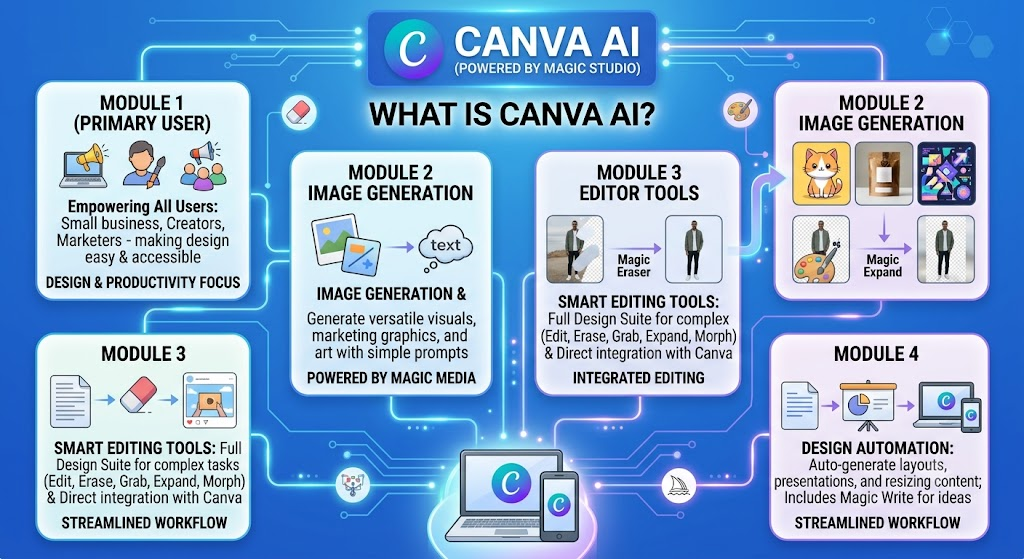
Canva AI refers to the Magic Studio suite built directly into Canva’s design platform — Magic Media, Magic Design, Magic Eraser, and Magic Expand. Rather than being a standalone generator, Canva AI is woven into an existing drag-and-drop editor, so an AI-generated image becomes a starting layer you can immediately resize, recolor, and combine with templates, text, and brand kits.
This integration is the whole pitch. In a Canva AI vs Midjourney comparison, Canva’s biggest advantage isn’t necessarily image quality — it’s that the output lands inside a finished editable design, not a raw file you then have to import somewhere else.
Canva AI’s Magic Media Generator
Magic Media takes a text prompt and produces an image directly on the canvas. It’s fast — typically under 15 seconds — and works well for stylized illustrations, icons, and background art. It’s noticeably weaker than Midjourney at photorealism and complex composition, but for a Instagram carousel or a blog header, it’s often good enough on the first try.
Magic Design and Templates
Magic Design auto-generates entire layouts — not just images — from a prompt or an uploaded photo. This is where Canva AI pulls ahead of Midjourney for non-designers: you can go from a blank page to a finished Instagram post, presentation, or flyer without touching a single design principle yourself.
Love What These AI Design Tools Can Do?
Great AI-generated visuals still need a cohesive brand identity holding them together. Let Tasknestly build your full branding — logo, guidelines, and visual system.
Explore Branding Services →What Is Midjourney?
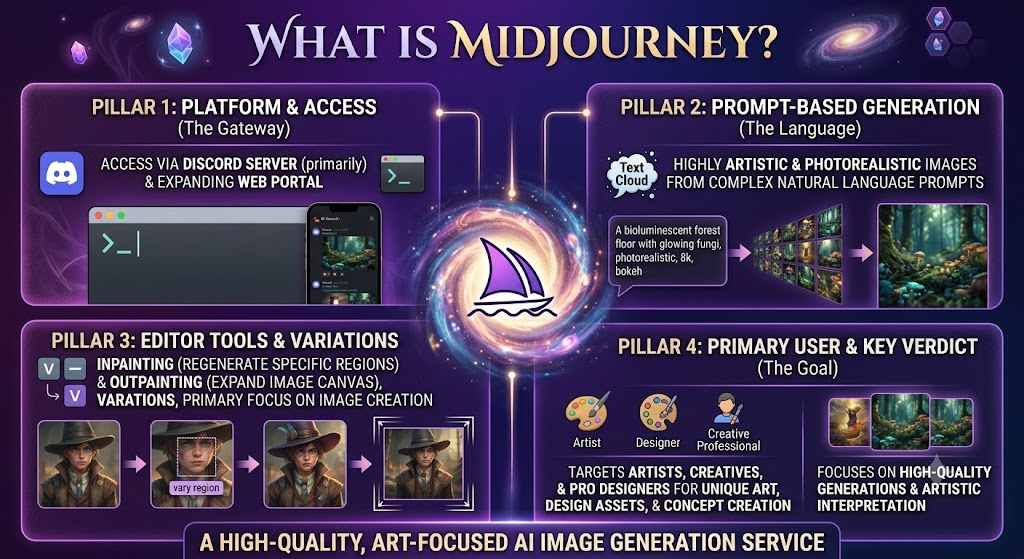
Midjourney is a standalone AI image generator known for producing some of the most visually striking, painterly, and photorealistic output of any tool on the market. Unlike Canva AI, Midjourney isn’t trying to be a full design suite — it does one thing, generating images from text prompts, and does it at a very high level.
Access runs through Discord commands or Midjourney’s own web app, and the real skill in using it well is prompt writing: understanding aspect ratios, stylization parameters, chaos values, and reference images to steer the output toward a specific look.
Image Quality and Artistic Range
This is where Midjourney separates itself in any Canva AI vs Midjourney matchup. Midjourney’s latest models handle lighting, texture, and composition with a level of nuance that Canva AI’s Magic Media doesn’t match — especially for concept art, character design, and photorealistic scenes. It’s the single biggest quality gap in the entire Canva AI vs Midjourney comparison.
The Learning Curve Problem
The tradeoff is accessibility. Midjourney has no drag-and-drop editor, no templates, and no brand kit — you’re working with text prompts and parameters, which takes real practice to master. For someone who just needs a usable graphic today, that curve can be frustrating, and it’s the main reason Canva AI vs Midjourney searches spike among beginners looking for the easier option.
Love What These AI Design Tools Can Do?
Great AI-generated visuals still need a cohesive brand identity holding them together. Let Tasknestly build your full branding — logo, guidelines, and visual system.
Explore Branding Services →Canva AI vs Midjourney: Pros and Cons
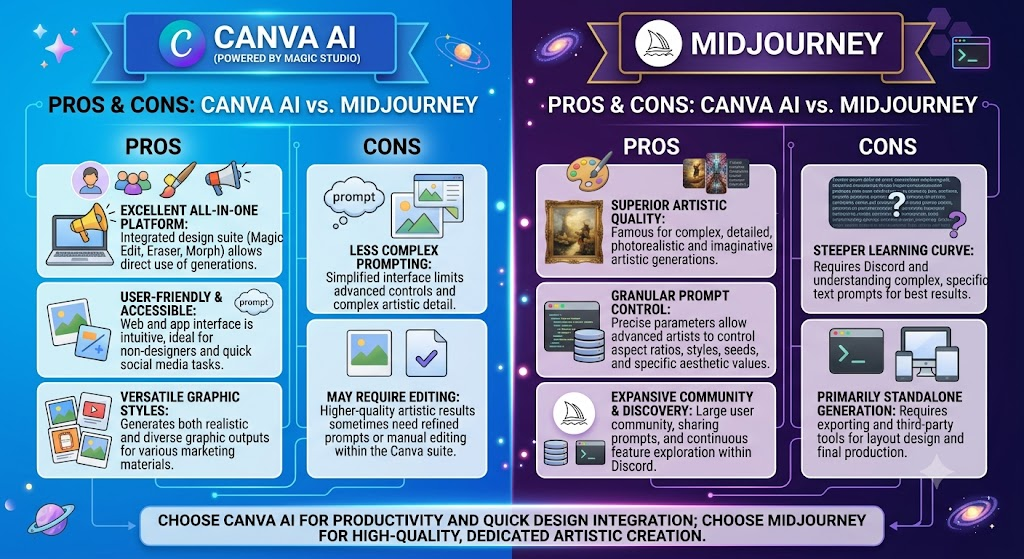
Canva AI Pros & Cons
| Pros | Cons |
|---|---|
| Extremely fast, no learning curve | Image quality trails Midjourney |
| Full design suite built in | Less creative/artistic control |
| Great for brand-consistent content | Weaker at photorealism |
| Free tier available | Advanced features gated behind Pro |
| Huge template library | Can feel generic without editing |
Midjourney Pros & Cons
| Pros | Cons |
|---|---|
| Best-in-class image quality | No free tier |
| Deep prompt/parameter control | Steep learning curve |
| Excellent for concept art | No built-in design editor |
| Strong community + prompt library | Discord workflow feels clunky at first |
| Consistent artistic style options | No native brand kit tools |
Love What These AI Design Tools Can Do?
Great AI-generated visuals still need a cohesive brand identity holding them together. Let Tasknestly build your full branding — logo, guidelines, and visual system.
Explore Branding Services →Canva AI vs Midjourney: Pricing Breakdown
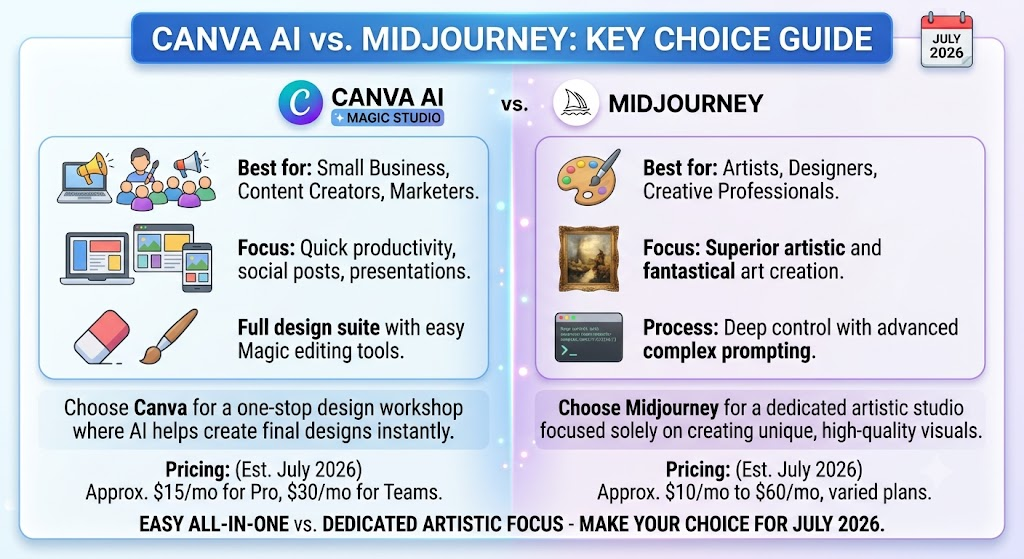
Pricing is one of the more overlooked parts of any Canva AI vs Midjourney decision, because the sticker price doesn’t tell the whole story — Canva bundles design tools into the subscription, while Midjourney charges purely for GPU generation time. Comparing the two on price alone misses most of what actually matters in a Canva AI vs Midjourney purchase decision.
| Plan | Canva AI (Canva Pro) | Midjourney |
|---|---|---|
| Entry Tier | $12.99/mo | $10/mo (Basic) |
| Mid Tier | $14.99/mo (Teams) | $30/mo (Standard) |
| Top Tier | Enterprise (custom) | $60/mo (Pro) |
| Free Option | Yes, limited AI credits | No |
| Annual Discount | Yes, ~20% off | Yes, ~20% off |
Love What These AI Design Tools Can Do?
Great AI-generated visuals still need a cohesive brand identity holding them together. Let Tasknestly build your full branding — logo, guidelines, and visual system.
Explore Branding Services →Canva AI vs Midjourney: Competitor Comparison
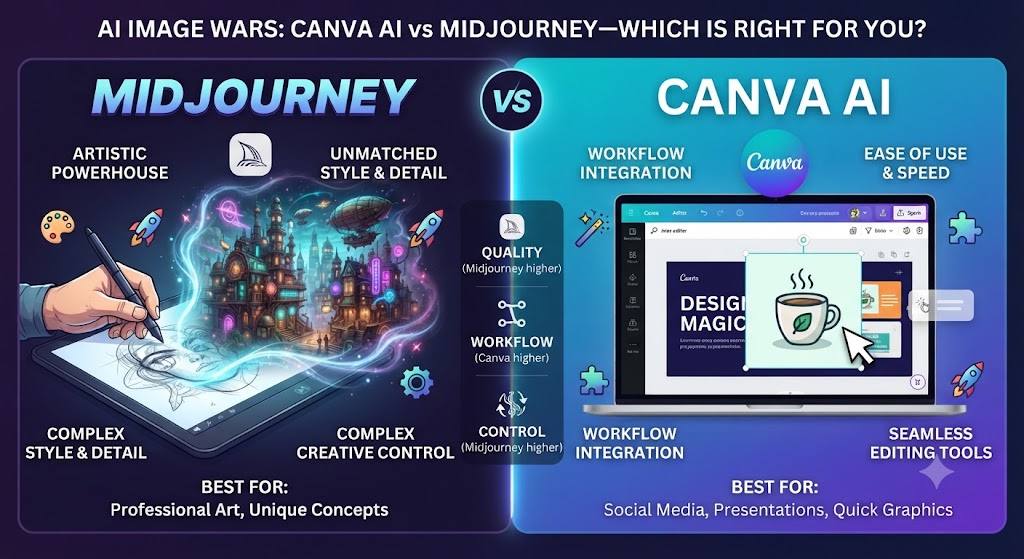
Beyond the direct Canva AI vs Midjourney matchup, it’s worth seeing how both compare to a third major player in the AI design space, Adobe Firefly, since many teams weigh all three before committing to any single AI image generator.
| Feature | Canva AI | Midjourney | Adobe Firefly |
|---|---|---|---|
| Image Quality | Good | Excellent | Very good |
| Design Suite Included | Yes | No | Partial (Creative Cloud) |
| Starting Price | $12.99/mo | $10/mo | $9.99/mo |
| Ease of Use | Very easy | Moderate | Moderate |
| Commercial Safety | Yes | Yes | Yes (Adobe indemnity) |
Love What These AI Design Tools Can Do?
Great AI-generated visuals still need a cohesive brand identity holding them together. Let Tasknestly build your full branding — logo, guidelines, and visual system.
Explore Branding Services →Who Should Use Canva AI vs Midjourney?
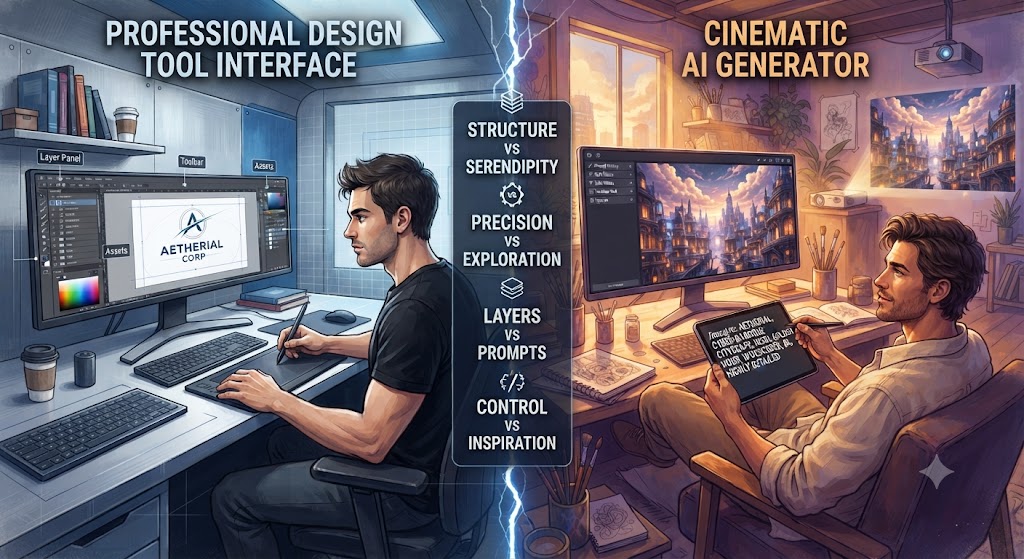
Use Case: Social Media Managers and Marketers
If you’re producing daily social graphics, ad creatives, or presentation decks, Canva AI wins the Canva AI vs Midjourney comparison outright. The combination of Magic Media plus a full editor means less time spent exporting and re-importing images into another tool — a clear practical win in the Canva AI vs Midjourney race for marketers.
Use Case: Illustrators, Game Artists, and Concept Designers
If the deliverable is the artwork itself — a book cover, a character sheet, a piece of concept art — Midjourney is the stronger choice in the Canva AI vs Midjourney comparison. Its output requires far less post-processing to look professional.
Use Case: Small Business Owners
For a small business without a design team, Canva AI is the more forgiving on-ramp. You get usable marketing materials without needing to learn Midjourney’s prompt syntax.
Use Case: Content Agencies Managing Multiple Clients
Agencies juggling several client accounts tend to land on Canva AI for day-to-day output, because brand kits keep each client’s visual identity separate and consistent. Some agencies still license Midjourney separately for one-off hero images or campaign artwork that needs a more premium look, then bring that asset into Canva AI for final layout — effectively using both tools in the same Canva AI vs Midjourney workflow rather than picking just one, which is increasingly the norm rather than the exception.
Love What These AI Design Tools Can Do?
Great AI-generated visuals still need a cohesive brand identity holding them together. Let Tasknestly build your full branding — logo, guidelines, and visual system.
Explore Branding Services →Get It / Skip It: Canva AI
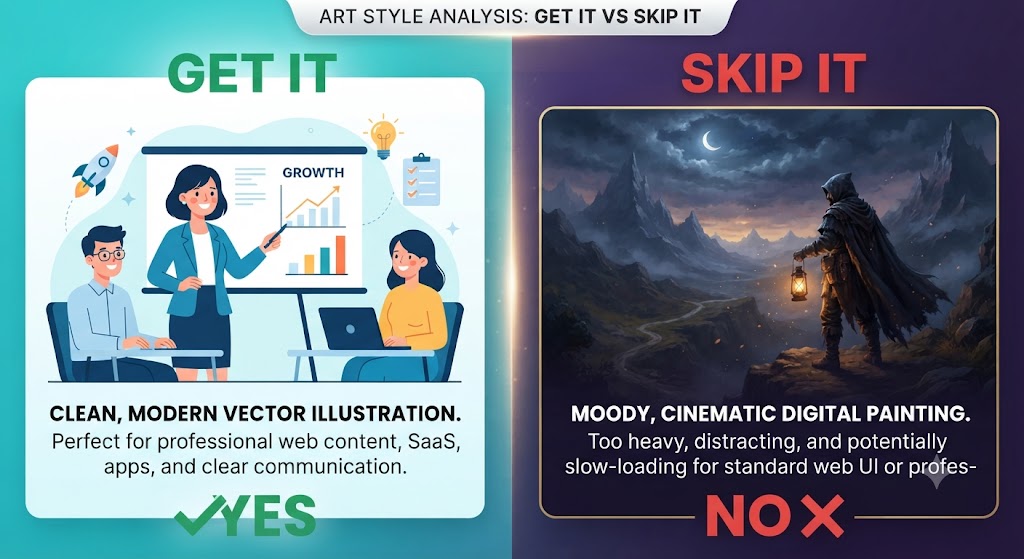
Get It If:
- You need finished, on-brand graphics fast
- You manage social media or marketing content daily
- You want AI generation and editing in one tool
Skip It If:
- You need photorealistic or highly artistic output
- You want fine-grained control over composition
- Your work is illustration-first, not marketing-first
Love What These AI Design Tools Can Do?
Great AI-generated visuals still need a cohesive brand identity holding them together. Let Tasknestly build your full branding — logo, guidelines, and visual system.
Explore Branding Services →Get It / Skip It: Midjourney
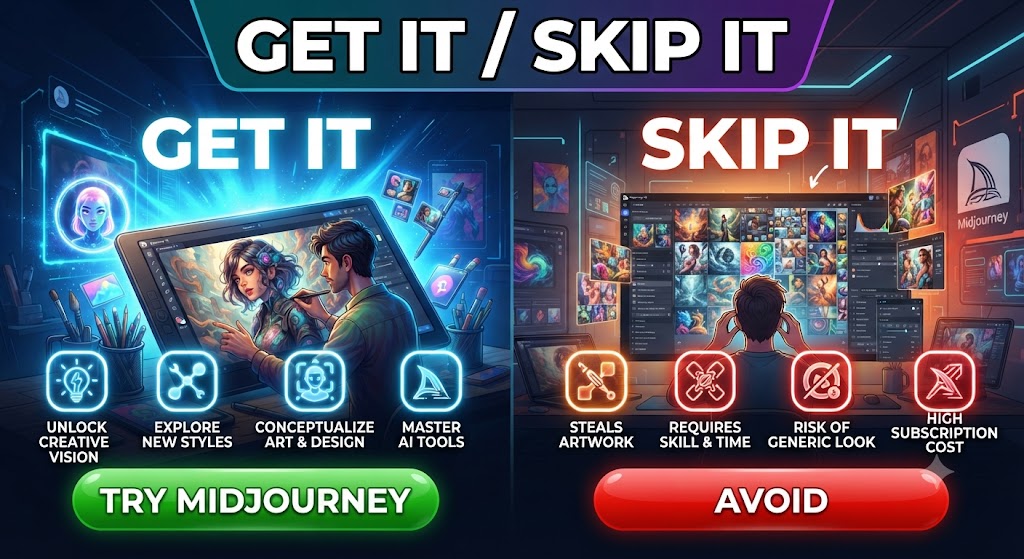
Get It If:
- You want the highest possible image quality
- You’re comfortable learning prompt syntax
- Your output is standalone art, not a full layout
Skip It If:
- You need a built-in design editor
- You want a free tier to test before paying
- You need fast turnaround with zero learning curve
Love What These AI Design Tools Can Do?
Great AI-generated visuals still need a cohesive brand identity holding them together. Let Tasknestly build your full branding — logo, guidelines, and visual system.
Explore Branding Services →Canva AI vs Midjourney: Which One Should You Actually Choose?
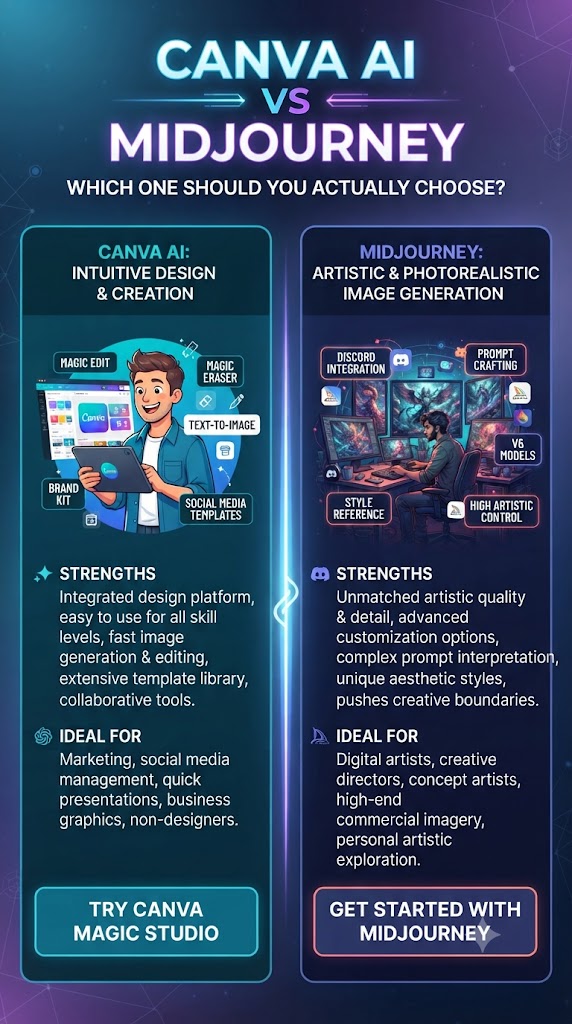
If you’ve read this far into the Canva AI vs Midjourney comparison and still aren’t sure, use this simple filter: picture the last file you needed to deliver. If it was a social post, an ad banner, a slide deck, or anything with text baked into the image, Canva AI is the right call. If it was standalone artwork meant to stand on its own — a poster, a piece of concept art, a portfolio piece — Midjourney is the right call. That filter alone resolves most Canva AI vs Midjourney debates.
Budget-conscious solo creators often start the Canva AI vs Midjourney decision by price alone, but that’s usually the wrong lens for a Canva AI vs Midjourney purchase. A $3/month difference in subscription cost matters far less than which tool actually gets you a finished, usable asset without hours of extra editing. Factor in your actual weekly output, not just the sticker price, before deciding.
It’s also worth revisiting this Canva AI vs Midjourney decision every few months. Both companies ship model updates frequently — Canva’s Magic Media has improved photorealism significantly over the past year, and Midjourney has added more accessible editing tools. The gap between them narrows a little with every release cycle, so what’s true in this Canva AI vs Midjourney comparison today may shift by the time your next major project starts.
Love What These AI Design Tools Can Do?
Great AI-generated visuals still need a cohesive brand identity holding them together. Let Tasknestly build your full branding — logo, guidelines, and visual system.
Explore Branding Services →Real-World Test: Same Prompt, Two Tools
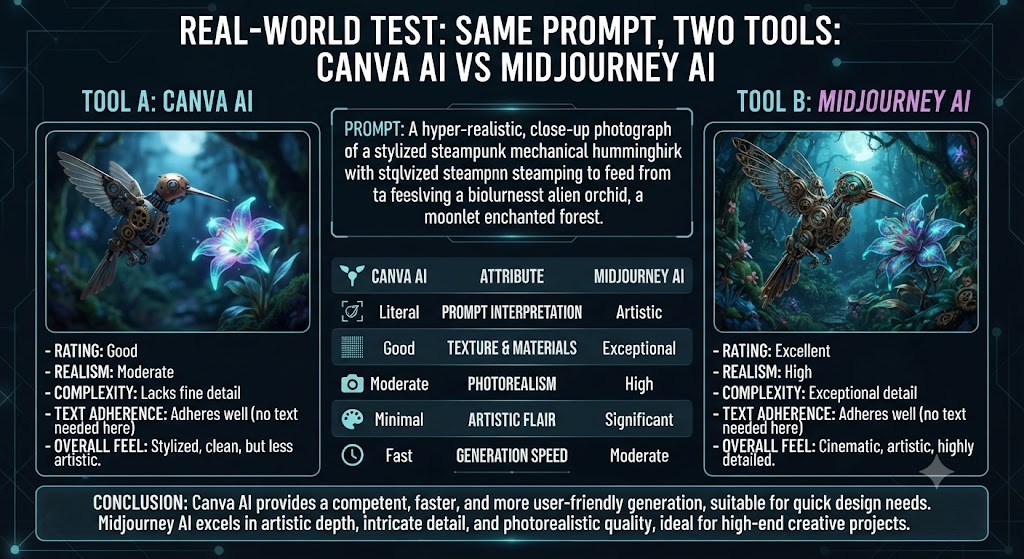
To make this Canva AI vs Midjourney comparison concrete, I ran the identical prompt — a fantasy forest landscape with warm sunset lighting — through both tools. Canva AI’s Magic Media returned a clean, stylized illustration in about 12 seconds, ready to drop into a poster template. Midjourney took closer to 60 seconds but produced a noticeably more detailed, atmospheric result with realistic depth of field and lighting that would need real editing skill to fake in Canva.
This single test captures the entire Canva AI vs Midjourney tradeoff: speed and usability versus raw creative depth. Neither result was ‘wrong’ — they were simply optimized for different outcomes.
I repeated the same test with a second prompt to double-check my Canva AI vs Midjourney findings: a minimalist product mockup for a coffee brand. Here the gap narrowed considerably. Canva AI’s template-aware generation actually produced a more usable result out of the box, because it understood the context of ‘product mockup’ as a design category, not just a visual description. Midjourney’s version looked striking but needed cropping, background cleanup, and text overlay work before it was client-ready.
The pattern that emerged across a dozen prompts was consistent: whenever the task leaned toward ‘marketing asset,’ Canva AI held its own or won outright in the Canva AI vs Midjourney matchup. Whenever the task leaned toward ‘standalone artwork,’ Midjourney pulled ahead by a wide margin. That’s the real lesson buried inside every Canva AI vs Midjourney test — the tools aren’t really competing for the same job.
Love What These AI Design Tools Can Do?
Great AI-generated visuals still need a cohesive brand identity holding them together. Let Tasknestly build your full branding — logo, guidelines, and visual system.
Explore Branding Services →Speed and Workflow: Where Canva AI vs Midjourney Diverge Most
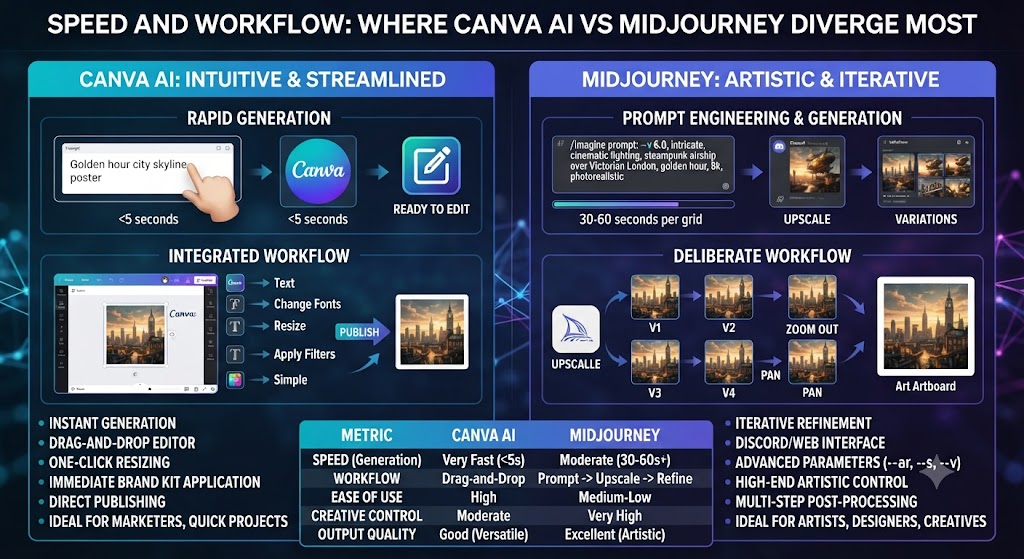
Workflow speed is where the Canva AI vs Midjourney gap becomes most obvious for anyone producing content on a deadline. Canva AI keeps everything in a single browser tab — generate, edit, resize for five different platforms, and export, all without leaving the app, which is a real edge in the Canva AI vs Midjourney workflow race. Midjourney’s Discord-based workflow (or its newer standalone web app) requires generating the image, upscaling it, downloading it, then importing it into a separate editor to do anything beyond basic cropping.
For a solo creator producing one hero image a week, that extra friction barely matters. For a team pushing out ten pieces of content a day, the Canva AI vs Midjourney workflow difference adds up to hours saved or lost every week — often the deciding factor once teams actually run their own Canva AI vs Midjourney trial.
Team Collaboration Features
Canva AI’s collaboration tools — shared brand kits, comment threads, approval workflows — give it a clear edge for teams. Midjourney has no equivalent; sharing work means exporting files and passing them through Slack, email, or a shared drive manually.
Mobile and On-the-Go Access
Canva AI has a full-featured mobile app that supports Magic Media generation and editing from a phone. Midjourney’s mobile experience is limited to viewing generations through Discord’s app or a basic web interface — genuine mobile editing isn’t part of the product.
Love What These AI Design Tools Can Do?
Great AI-generated visuals still need a cohesive brand identity holding them together. Let Tasknestly build your full branding — logo, guidelines, and visual system.
Explore Branding Services →Image Editing and Post-Processing
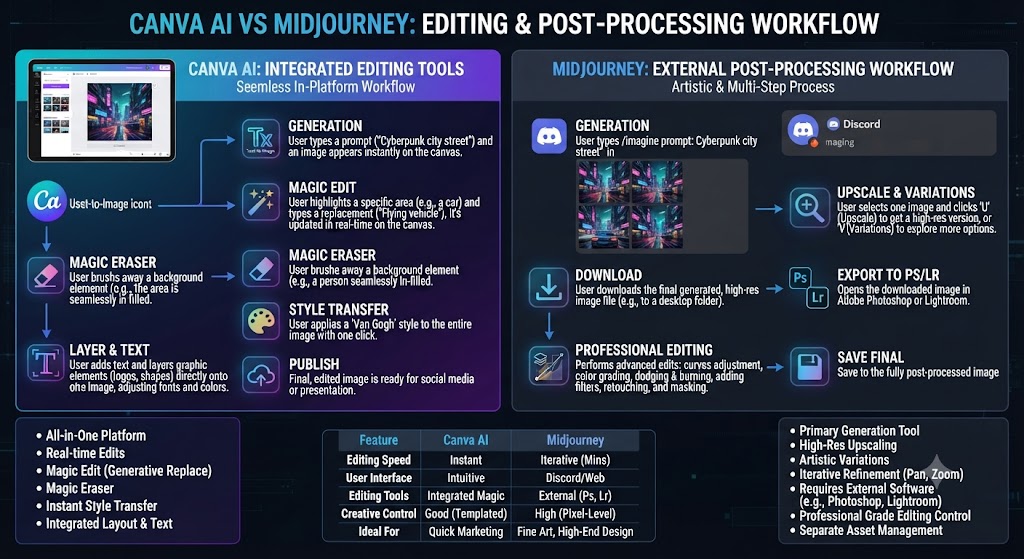
Neither tool exists in a vacuum, and how well each one supports editing after generation is a major factor in any serious Canva AI vs Midjourney evaluation. Canva AI wins here decisively — Magic Eraser, Magic Expand, background removal, and text tools are all native to the same canvas as the generated image, another point in Canva AI’s favor in the broader Canva AI vs Midjourney editing comparison.
Midjourney recently added basic in-app editing (region-based regeneration and upscaling), but it still falls well short of a true design editor. Most Midjourney users still export into Photoshop, Affinity, or — ironically — Canva itself to finish a piece, which says a lot about where the real Canva AI vs Midjourney gap sits.
Brand Consistency Across a Content Calendar
If you’re producing weeks of content that all needs to look like it came from the same brand, Canva AI’s saved brand kits (fonts, colors, logos) make consistency close to automatic. Midjourney has no concept of a brand kit, so consistency across a content calendar relies entirely on prompt discipline and manual style-matching, which is harder to maintain over time.
Love What These AI Design Tools Can Do?
Great AI-generated visuals still need a cohesive brand identity holding them together. Let Tasknestly build your full branding — logo, guidelines, and visual system.
Explore Branding Services →Canva AI vs Midjourney: Community and Learning Resources
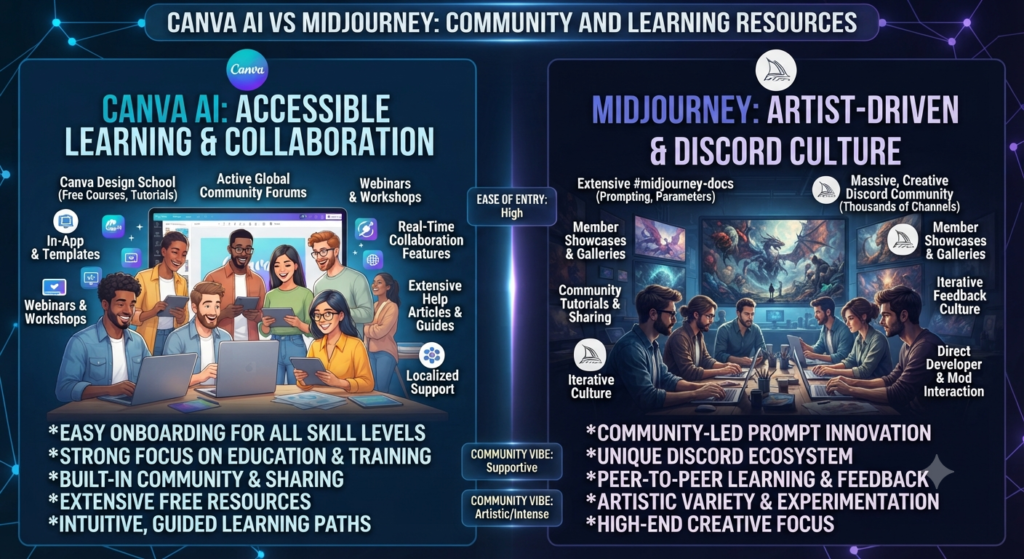
Midjourney benefits from one of the largest and most active AI art communities online — its Discord server alone has millions of members sharing prompts, styles, and techniques. That community is a genuine advantage in any Canva AI vs Midjourney comparison, because it means help, inspiration, and prompt templates are never far away. It’s one of the less obvious factors people forget to weigh in a Canva AI vs Midjourney decision.
Canva AI’s learning curve is shallow enough that it doesn’t need the same kind of community support — most users figure out Magic Media within their first session. Canva does maintain its own template marketplace and design school content, which serves a similar purpose for people who want to level up their layout skills rather than their prompting skills. This ease-of-entry gap shows up in nearly every Canva AI vs Midjourney beginner review.
Support and Documentation
Canva AI offers standard help-center documentation and live chat support on paid plans. Midjourney’s support runs mostly through its Discord community and a smaller help documentation site, which can feel less structured for business users used to traditional customer support channels — one more small but real difference in the Canva AI vs Midjourney experience for teams.
Love What These AI Design Tools Can Do?
Great AI-generated visuals still need a cohesive brand identity holding them together. Let Tasknestly build your full branding — logo, guidelines, and visual system.
Explore Branding Services →Frequently Asked Questions
Is Canva AI or Midjourney better for beginners?
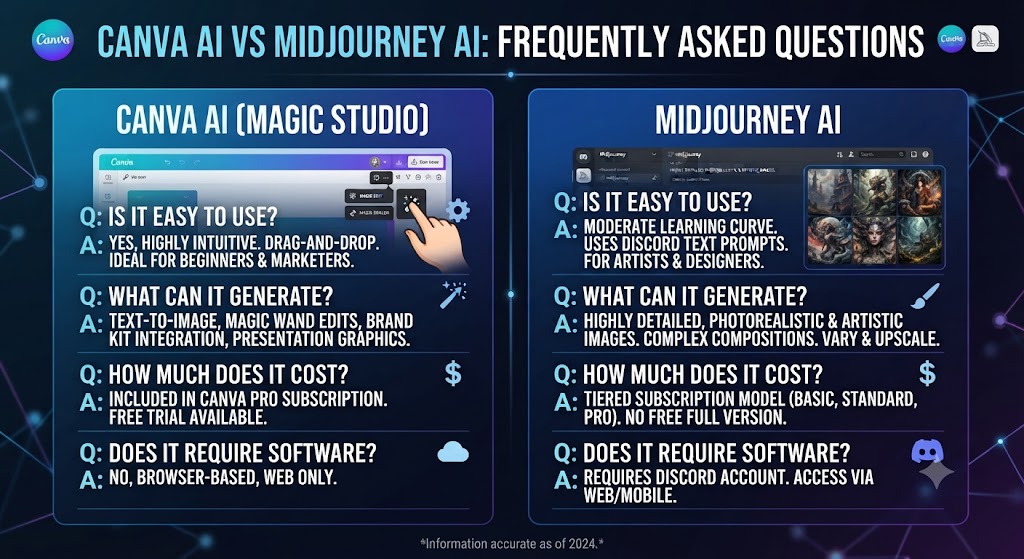
Canva AI is easier for beginners in the Canva AI vs Midjourney comparison because it uses templates and a visual editor instead of text prompts, so there’s no learning curve for someone new to AI image generation. Most Canva AI vs Midjourney beginner guides reach the same conclusion.
Does Midjourney have a free trial in 2026?
No. Midjourney removed its free trial due to high server demand, and all users must subscribe to at least the $10/month Basic plan to generate images.
Can I use Canva AI images for commercial projects?
Yes, images generated with Canva AI on a paid Canva Pro or Teams plan are cleared for commercial use, including client work and marketing materials.
Which is cheaper, Canva AI or Midjourney?
Midjourney’s entry tier at $10/month is technically cheaper than Canva AI’s $12.99/month, but Canva AI includes a full design suite, while Midjourney only includes image generation — a key nuance in any fair Canva AI vs Midjourney price comparison.
What’s the best alternative to Canva AI vs Midjourney?
Adobe Firefly is the most common third option, offering a middle ground between Midjourney’s image quality and Canva AI’s ease of use, with strong commercial-use protections.
Can Midjourney create designs like Canva AI, such as flyers or presentations?
No. Midjourney only generates standalone images — it has no layout tools, text editing, or templates, so flyers and presentations still need to be assembled in a separate design tool.
Which tool is better for a print-ready book cover, Canva AI or Midjourney?
In most Canva AI vs Midjourney tests for print work, Midjourney produces higher-resolution, more detailed cover art, but Canva AI makes it easier to add and format the title text and author name directly on the canvas afterward.
Do Canva AI and Midjourney use the same underlying AI model?
No. Canva AI and Midjourney use entirely different, independently trained diffusion models, which is the core reason their output styles look so different even when given identical prompts.
Love What These AI Design Tools Can Do?
Great AI-generated visuals still need a cohesive brand identity holding them together. Let Tasknestly build your full branding — logo, guidelines, and visual system.
Explore Branding Services →Conclusion
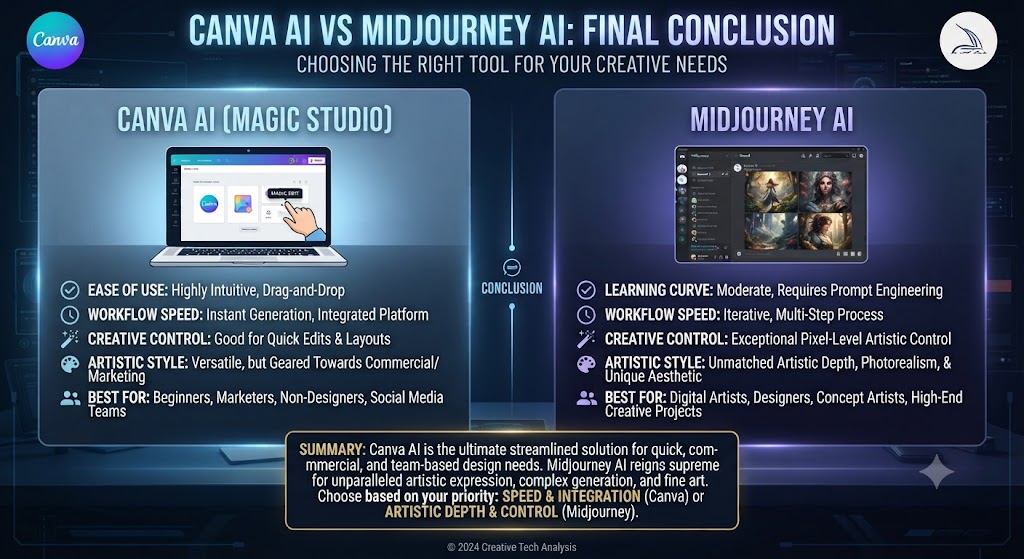
There’s no single winner in Canva AI vs Midjourney — the right choice depends entirely on what you’re producing. If your job involves turning out marketing graphics, social posts, or presentations on a deadline, Canva AI’s combination of generation and editing in one place will save you real time every week.
If instead you’re chasing a specific artistic look — concept art, illustration, photorealistic scenes — Midjourney’s image quality is simply in a different league, and the extra effort to learn its prompt system pays off in the final result.
Many creators end up using both: Midjourney to generate a striking base image, then Canva AI to lay it into a finished, branded design. If you only have budget for one right now, match the tool to the deliverable you actually need to ship this week, not the one that sounds more impressive.
Revisit this Canva AI vs Midjourney decision as your needs change. A solo illustrator who picks up client marketing work may eventually need Canva AI’s speed alongside Midjourney’s artistry, and a marketer who starts producing standalone brand art may find real value in adding Midjourney to the toolkit. The two aren’t rivals so much as specialists — and knowing which specialist to reach for is the entire point of this Canva AI vs Midjourney comparison.
Love What These AI Design Tools Can Do?
Great AI-generated visuals still need a cohesive brand identity holding them together. Let Tasknestly build your full branding — logo, guidelines, and visual system.
Explore Branding Services →