Kaiber Review 2026: Best AI Video Tool for Artists and Musicians?

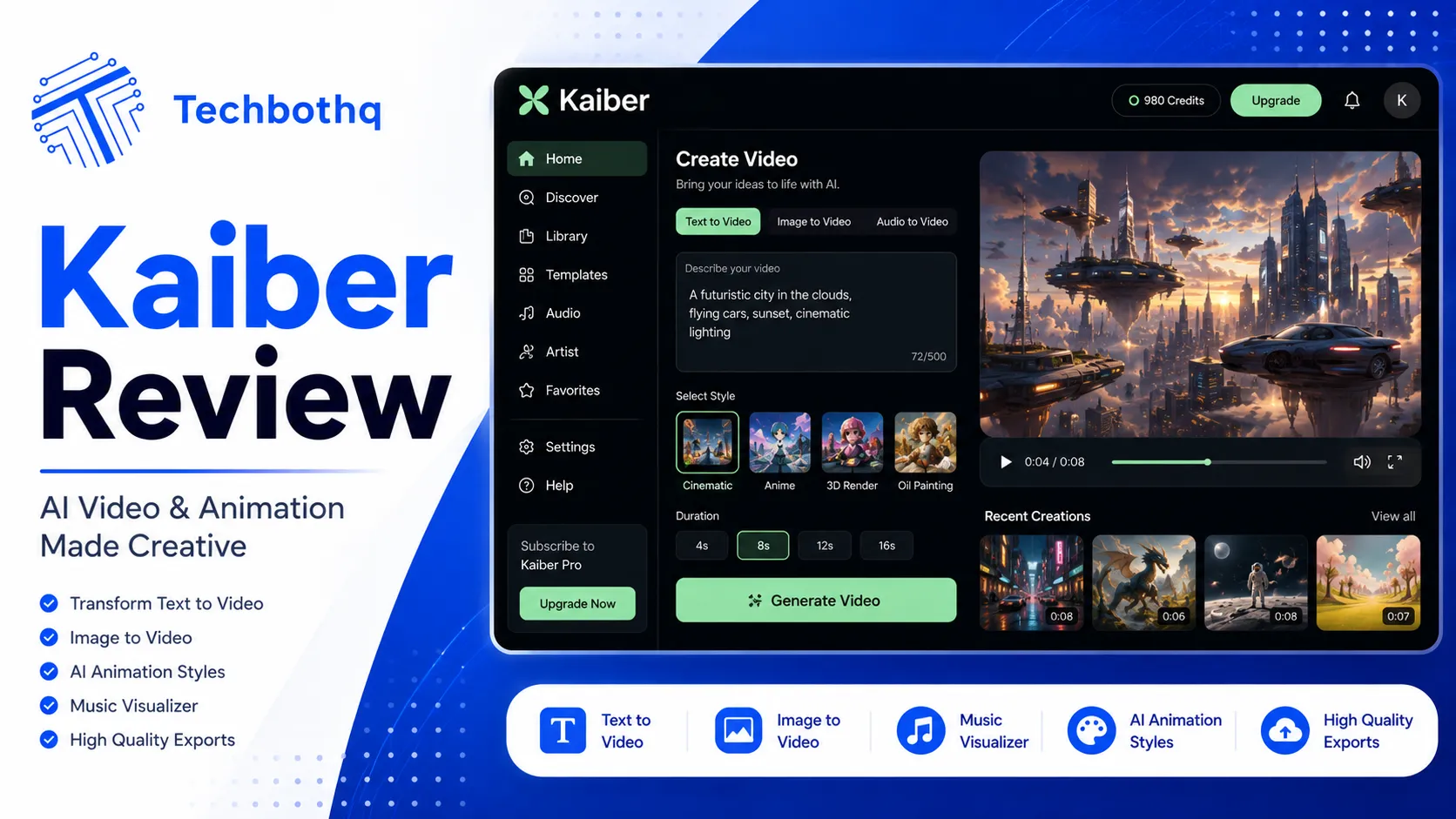
Most AI video generators chase photorealism. Kaiber chases something different: stylized, expressive, artistically distinctive visuals, bundled with a genuinely useful beat-synced editing workflow aimed specifically at musicians, artists, and social creators. This Kaiber review covers what the platform does well, its multi-model access, current 2026 pricing, and who should actually pay for it.
Table of Contents
What Is Kaiber?
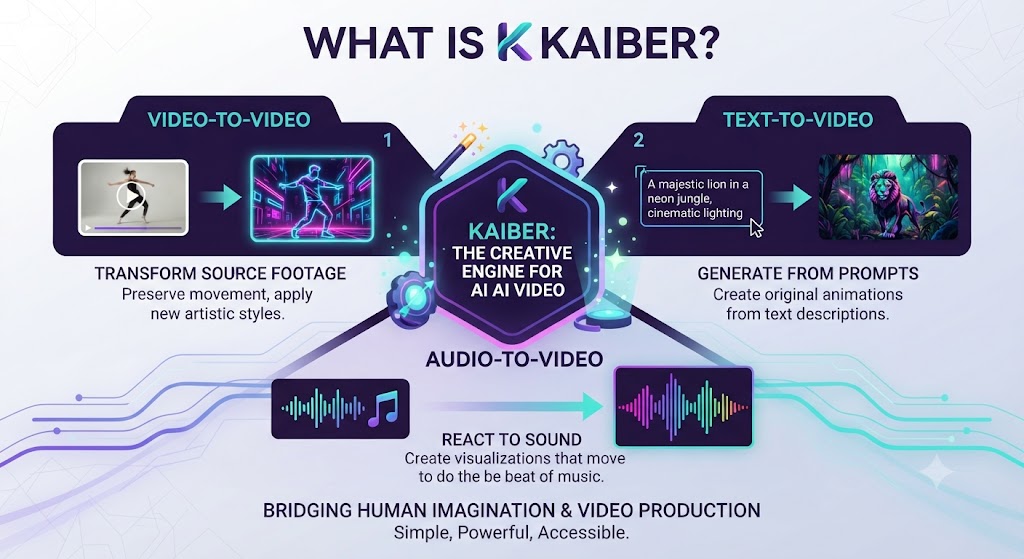
This Kaiber review starts with the basics.
As this Kaiber review shows, kaiber bundles Superstudio — Canvas for generation, Editor for timeline assembly, and Cuts for beat-synced auto-editing — into a single connected workflow, with access to multiple leading AI video models including Veo 3.1 under one subscription. The platform’s identity leans toward musicians dropping visual content alongside releases, social creators, and animators who want stylized output plus the tools to assemble it without a separate editing subscription.
In this Kaiber review, unlike generation-first platforms chasing cinematic realism, Kaiber’s output consistently leans toward painterly, expressive, and artistically distinctive visuals — a genuinely different creative direction that suits music videos, concept art with a strong stylistic identity, and social content built around visual novelty rather than photorealistic believability.
These Tools Help You Create. We Help You Go Viral.
Making the video is only half the battle — getting it seen is the other. Tasknestly’s viral video service handles strategy, editing, and distribution.
See Viral Video Services →Key Features
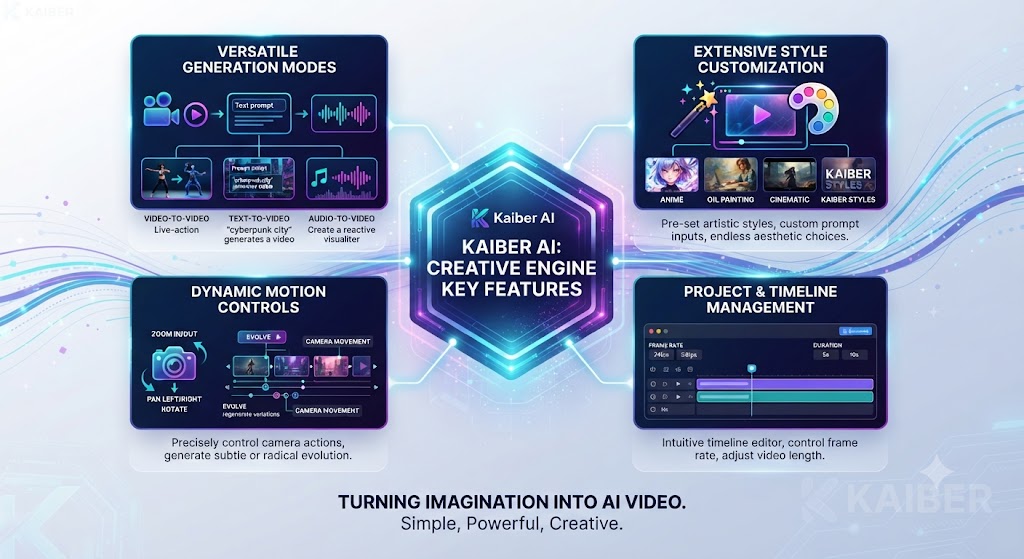
As this Kaiber review found, here is what the platform actually does.
Multi-Model Generation via Canvas (Kaiber Review)
Looking at Kaiber review details, canvas is Kaiber’s core generation tool, giving access to multiple leading AI video models — including Veo 3.1 — under one subscription rather than requiring separate accounts for each model provider. This bundled access is a genuine differentiator versus more narrowly-focused generation tools, letting creators experiment across different models’ stylistic tendencies within a single workflow.
Beat-Synced Auto-Editing via Cuts (Kaiber Review)
When it comes to this tool, this Kaiber review found that cuts is Kaiber’s distinctive auto-editor, syncing visual cuts and transitions to the beat of an uploaded music track automatically. For musicians producing visualizers or music videos, this feature alone can replace hours of manual beat-matching in a traditional editor, producing a genuinely usable rough cut in a fraction of the time.
Full Timeline Editor (Kaiber Review)
For anyone reading this Kaiber review, beyond Cuts’ automated beat-syncing, Kaiber includes a full timeline Editor for manual refinement — trimming, layering, and adjusting the auto-generated cut further. This means creators aren’t limited to fully automated output; Cuts provides a strong starting point that the Editor then allows refining to taste.
Generation Modes: Motion, Flipbook, Transform (Kaiber Review)
This Kaiber review found that kaiber offers several distinct generation modes beyond straightforward text-to-video, including Motion for animating stills, Flipbook for frame-by-frame stylized sequences, and Transform for style-transfer-style generation. These modes lean into Kaiber’s artistic identity rather than attempting photorealistic output, giving creators genuine stylistic range within the platform.
Commercial Rights and Licensing (Kaiber Review)
Across this Kaiber review, commercial usage rights are gated to the Creator tier and above — a detail worth checking carefully before using Kaiber output in any monetized or client-facing project, since the Starter tier and trial access don’t include the same licensing clarity.
These Tools Help You Create. We Help You Go Viral.
Making the video is only half the battle — getting it seen is the other. Tasknestly’s viral video service handles strategy, editing, and distribution.
See Viral Video Services →Kaiber Review: Pricing (2026)
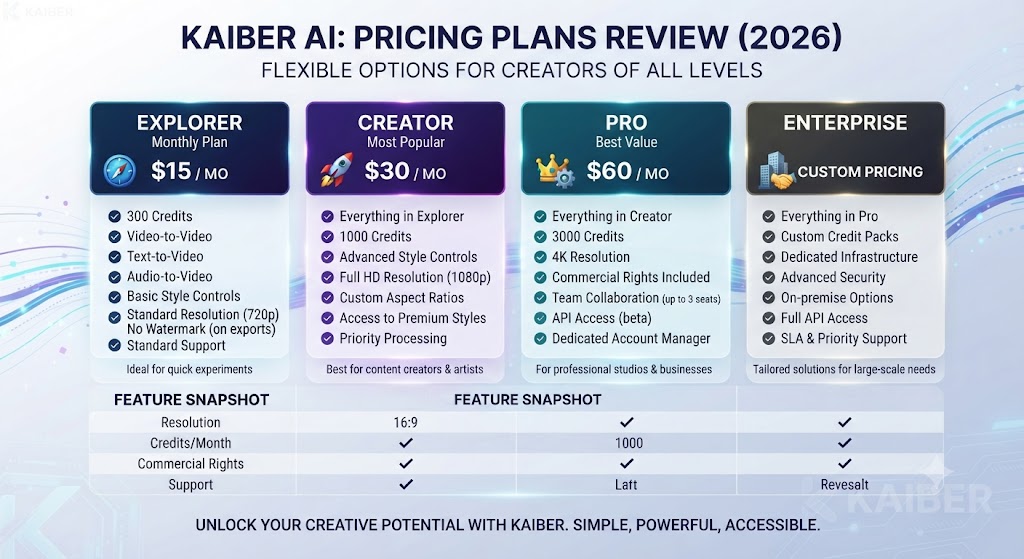
| Plan | Monthly Price (Annual) | Credits | Best For |
|---|---|---|---|
| 5-Day Trial | $5 (one-time) | 500 credits | Evaluation |
| Starter | $10 ($8 annual) | 500 credits/mo | Occasional creators |
| Creator | $29 ($23 annual) | 1,500 credits/mo, commercial rights | Musicians, social creators |
| Pro | $99 ($79 annual) | 5,000 credits/mo | Agencies, small studios |
| Visionary | Custom | Unlimited | Labels, large production |
On this point, this Kaiber review notes that kaiber has no permanent free tier — evaluation happens through the $5, 5-day trial, which converts automatically to the Creator plan unless cancelled. The Creator tier at $29/month ($23 annual) is the realistic entry point for musicians and social creators who need commercial usage rights included.
These Tools Help You Create. We Help You Go Viral.
Making the video is only half the battle — getting it seen is the other. Tasknestly’s viral video service handles strategy, editing, and distribution.
See Viral Video Services →Kaiber Review: Pros and Cons
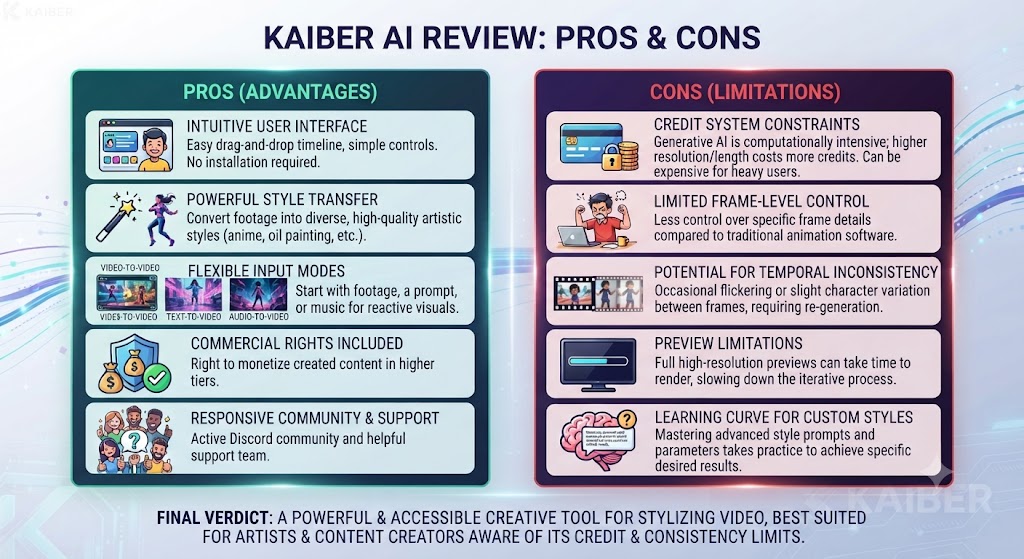
| Pros | Cons |
|---|---|
| Broad multi-model access under one subscription | No permanent free tier, only a paid $5 trial |
| Distinctive, stylized output well-suited to music and art | Commercial rights gated to Creator tier and above |
| Beat-synced Cuts editor genuinely saves manual editing time | Less proven for photorealistic, cinematic work |
| Bundled full timeline Editor included at no extra cost | Trial converts automatically unless actively cancelled |
| Strong credit value at comparable subscription tiers | Style-focused output isn’t the right fit for every project |
These Tools Help You Create. We Help You Go Viral.
Making the video is only half the battle — getting it seen is the other. Tasknestly’s viral video service handles strategy, editing, and distribution.
See Viral Video Services →Kaiber Review: vs Runway vs Luma AI
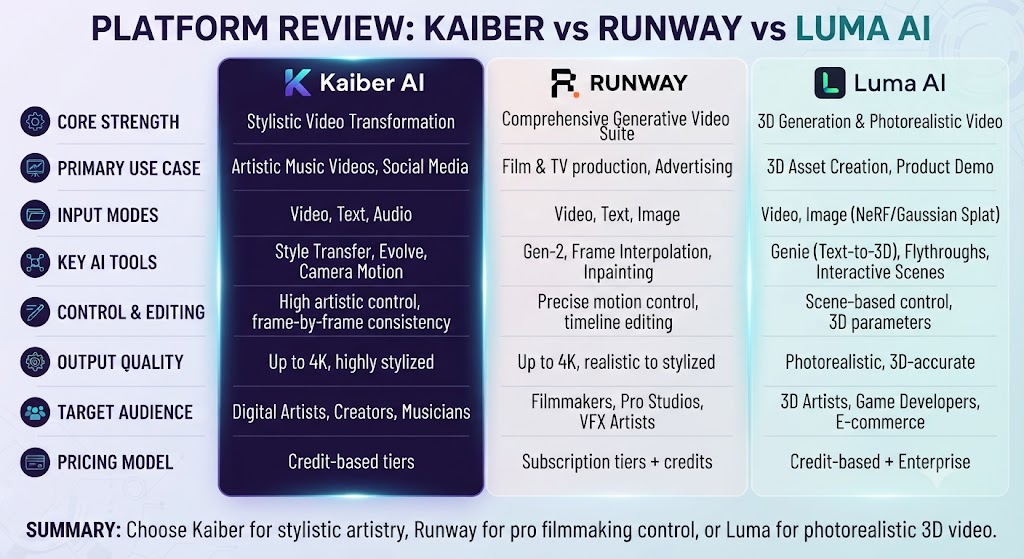
| Feature | Kaiber | Runway | Luma AI |
|---|---|---|---|
| Aesthetic focus | Stylized, expressive | Cinematic realism | Physics-consistent motion |
| Multi-model access | Yes, bundled | Some third-party | Own model line |
| Built-in editing | Cuts + full Editor | Aleph post-production | None |
| Entry paid tier | $10/mo | $12/mo (annual) | $9.99/mo |
| Best for | Musicians, social creators | Filmmakers, agencies | Image-to-video specialists |
Within this Kaiber review, for stylized, music-synced creative work with editing bundled in, Kaiber is the clear fit. For cinematic realism and precision camera control, Runway pulls ahead. For image-to-video generation specifically, Luma AI’s Dream Machine remains the category’s specialist.
These Tools Help You Create. We Help You Go Viral.
Making the video is only half the battle — getting it seen is the other. Tasknestly’s viral video service handles strategy, editing, and distribution.
See Viral Video Services →Kaiber Review: Use Cases
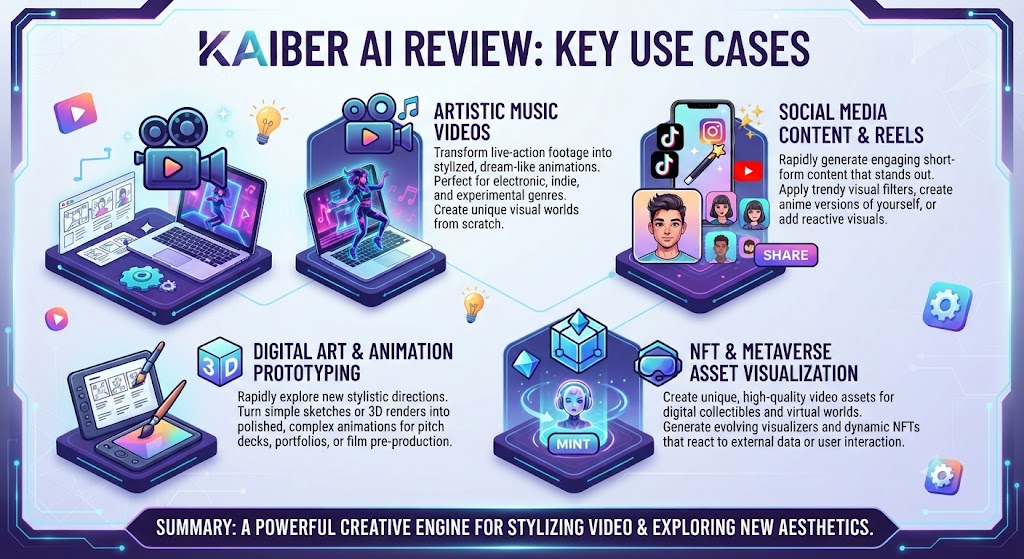
Musicians releasing visual content alongside a track Considering the data, this Kaiber review shows get the clearest value from Kaiber, where Cuts’ beat-synced editing directly addresses that exact production need.
Social creators and animators wanting a distinctive visual identity In the context of pricing, this Kaiber review notes benefit from Kaiber’s stylized generation modes, which lean into artistic expression rather than attempting photorealism.
Teams needing broad AI model access without separate subscriptions Per this Kaiber review, find real value in Canvas’s bundled multi-model approach, avoiding the need to manage several separate model provider accounts.
Agencies and studios needing cinematic realism for client deliverables As this Kaiber review shows, should look to Runway instead, since Kaiber’s aesthetic identity isn’t built around photorealistic believability.
These Tools Help You Create. We Help You Go Viral.
Making the video is only half the battle — getting it seen is the other. Tasknestly’s viral video service handles strategy, editing, and distribution.
See Viral Video Services →Kaiber Review: Get It / Skip It
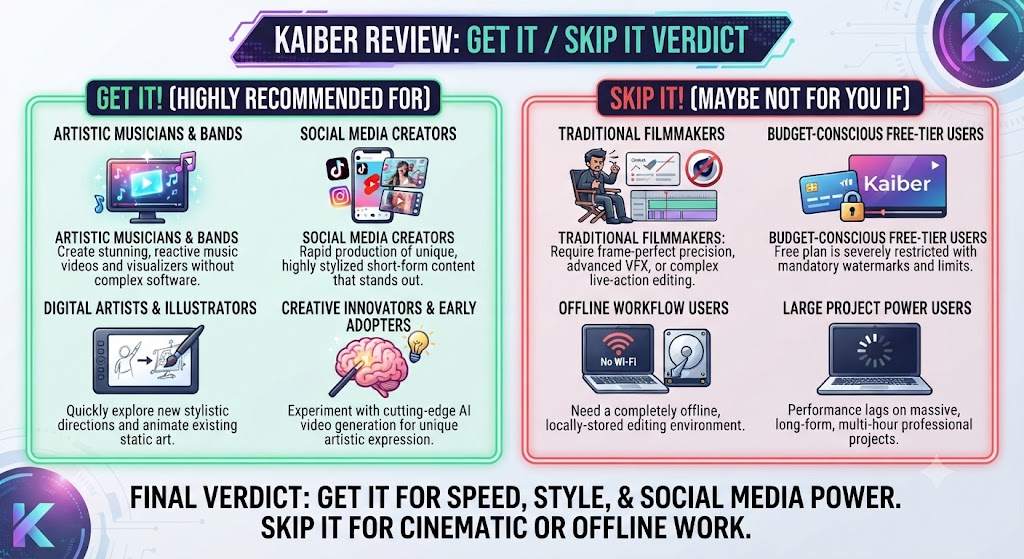
Get It If:
- You want stylized, expressive visuals rather than photorealistic output That’s a key point in this Kaiber review.
- Beat-synced editing for music-driven content would save real production time This holds up throughout the Kaiber review.
- Multi-model access under one subscription matters to your workflow Keep that in mind from this Kaiber review.
Skip It If:
- In this Kaiber review, you need cinematic realism and precise camera control for professional deliverables
- You want a genuinely free tier before any payment commitment That’s a key point in this Kaiber review.
- Looking at Kaiber review details, your work is primarily corporate or educational content needing a presenter format
These Tools Help You Create. We Help You Go Viral.
Making the video is only half the battle — getting it seen is the other. Tasknestly’s viral video service handles strategy, editing, and distribution.
See Viral Video Services →Real-World Test: Music Video Rough Cut
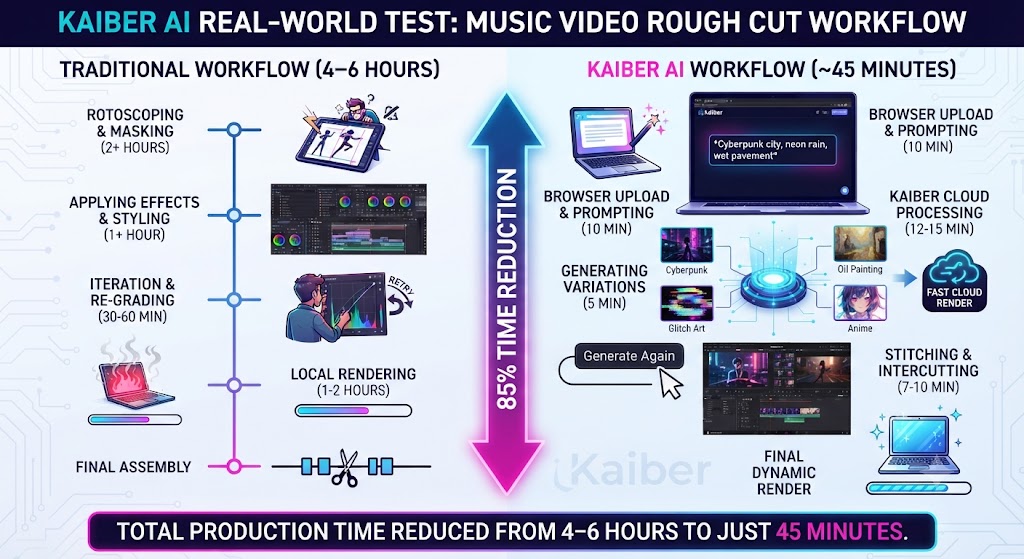
When it comes to this tool, this Kaiber review found that i tested Kaiber’s Cuts feature by uploading a 90-second music track and a set of Canvas-generated stylized clips, curious how much of the beat-matching work the auto-editor would genuinely handle. The result was a usable rough cut with cuts landing accurately on the track’s beat throughout, requiring only minor manual adjustment in the full Editor to tighten a couple of transitions — a process that would have taken considerably longer scrubbing a traditional timeline manually to match cuts to the beat by ear.
For anyone reading this Kaiber review, testing Canvas’s multi-model access separately, generating the same prompt through two different bundled models produced genuinely distinctive stylistic results from each, confirming the practical value of having model variety within one subscription rather than needing separate accounts. The honest friction point: the $5 trial’s automatic conversion to Creator requires actively remembering to cancel if you don’t intend to continue, a detail worth flagging clearly before signing up.
These Tools Help You Create. We Help You Go Viral.
Making the video is only half the battle — getting it seen is the other. Tasknestly’s viral video service handles strategy, editing, and distribution.
See Viral Video Services →Kaiber Review FAQ
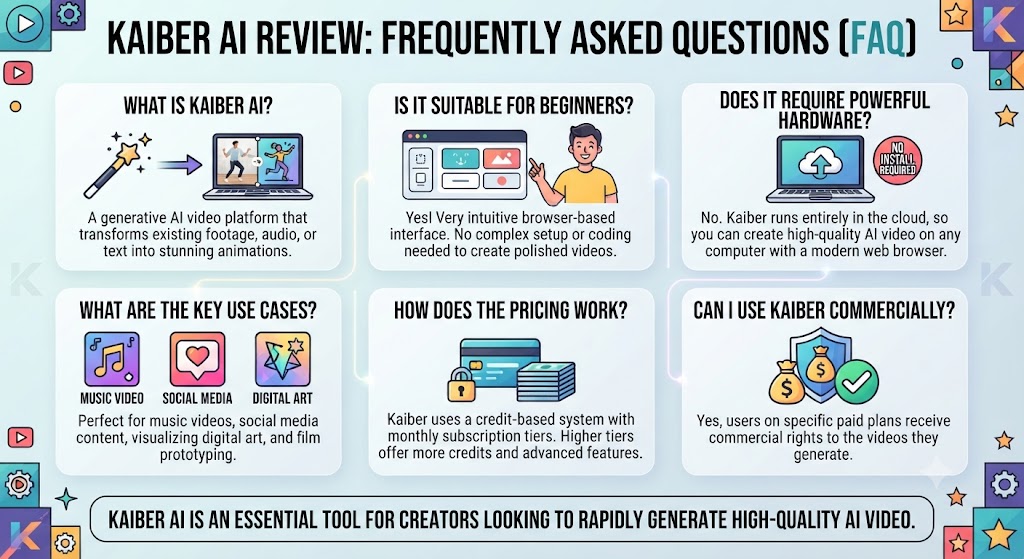
Is Kaiber worth it for musicians in 2026? This Kaiber review found that yes, particularly for the Cuts beat-synced editing feature, which directly addresses a real, recurring production need for music videos and visualizers that most general-purpose AI video tools don’t replicate.
Does Kaiber have a free plan? Across this Kaiber review, no. Kaiber’s only evaluation option is a $5, 5-day trial with 500 credits, which converts to the Creator plan automatically unless cancelled.
Can I use Kaiber output commercially? On this point, this Kaiber review notes that only on the Creator tier and above — the Starter tier and trial don’t include the same commercial licensing clarity, so check this carefully before monetized use.
How does Kaiber compare to Runway for photorealistic video? This holds up throughout the Kaiber review. Within this Kaiber review, runway generally wins for cinematic realism and precise camera control. Kaiber’s strength is stylized, artistically expressive output rather than photorealism.
What is Kaiber’s Cuts feature? Considering the data, this Kaiber review shows cuts is Kaiber’s beat-synced auto-editor, automatically syncing visual transitions to an uploaded music track’s rhythm, producing a usable rough cut for music videos and visualizers quickly.
Does Kaiber include a full editing timeline, not just automated cuts? Keep that in mind from this Kaiber review. In the context of pricing, this Kaiber review notes yes, the full Editor is included in every subscription tier, allowing manual refinement of Cuts’ automated output or fully manual timeline assembly.
These Tools Help You Create. We Help You Go Viral.
Making the video is only half the battle — getting it seen is the other. Tasknestly’s viral video service handles strategy, editing, and distribution.
See Viral Video Services →Conclusion
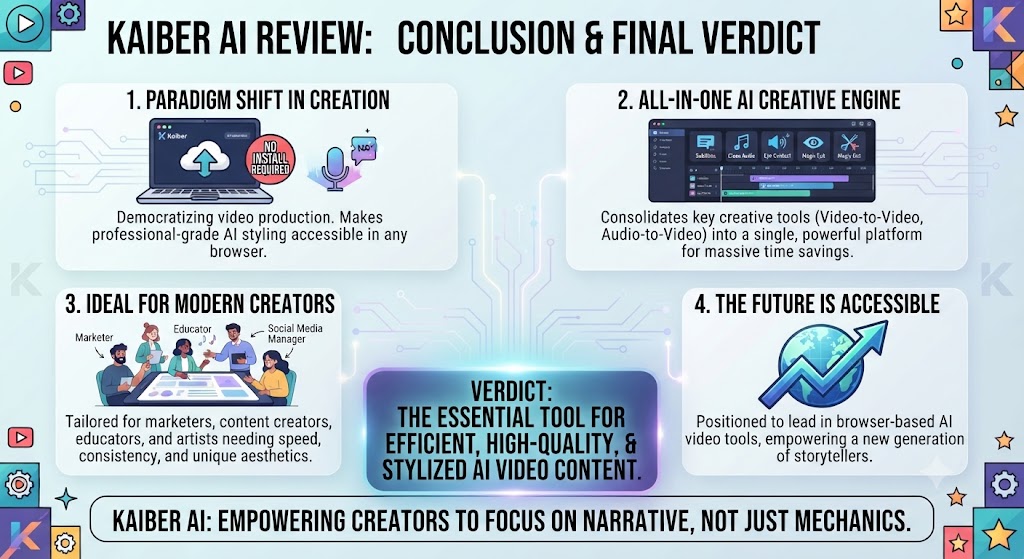
This Kaiber review lands on a genuinely positive verdict for its specific target audience. The combination of multi-model generation access, a genuinely useful beat-synced editing workflow, and a distinctive stylized aesthetic makes it a strong fit for musicians, social creators, and animators who want expressive visual identity rather than photorealistic believability. The bundled Cuts and Editor tools remove the need for a separate editing subscription, which is a real practical advantage over generation-only competitors.
Per this Kaiber review, the honest caveats: no permanent free tier, commercial rights gated behind the Creator tier specifically, and an aesthetic identity that simply isn’t the right fit for teams needing cinematic realism for professional or corporate deliverables. For those use cases, Runway remains the stronger choice.
As this Kaiber review shows, teams building a broader creative content strategy around Kaiber might also find value in Tasknestly’s digital marketing services for turning finished, stylized video into an actual distribution and growth plan.
In this Kaiber review, kaiber continues to update its models and bundled features quickly, so revisit this review periodically rather than treating today’s numbers as fixed through the rest of 2026.
Looking at Kaiber review details, kaiber does not cover the entire AI video generation landscape on its own. For teams needing cinematic realism and precise camera control for professional deliverables, Runway solves a genuinely different creative problem that Kaiber’s stylized identity doesn’t attempt to address. For teams whose primary need is image-to-video generation specifically, Luma AI’s Dream Machine remains a strong specialist in that particular category, distinct from Kaiber’s broader multi-model, style-focused approach.
When it comes to this tool, this Kaiber review found that what is genuinely distinct about Kaiber’s position in this category is how deliberately it leans into artistic expression rather than competing on photorealistic believability the way most of the frontier AI video platforms do. That focus is exactly why it wins so clearly for music and social content with a distinctive visual identity, and exactly why it’s a weaker fit for corporate or documentary-style work where realism matters more than stylistic novelty.
For anyone reading this Kaiber review, the clearest way to frame the actual purchasing decision is to ask what your finished content is actually for. A musician releasing a visualizer alongside a single benefits enormously from Cuts’ beat-synced automation compounding directly into hours saved during a release cycle. A brand producing training or explainer content will find that same stylistic identity works against the message rather than for it, making a different tool the better fit regardless of Kaiber’s genuine creative strengths elsewhere.
It helps to map out a month of expected content production before committing to a tier. The theoretical monthly allowance rarely matches real usage once revisions and iteration are factored in.
Budget a buffer above your baseline estimate. That avoids hitting a plan ceiling mid-month and being forced into an unplanned upgrade.
Pricing keeps shifting across AI video tools in 2026, so a plan that fits today may not fit by your next renewal. A little margin now avoids a scramble later.
Consider how your team actually consumes video output once it’s produced. The best tool on paper isn’t always best for the people who review, approve, and publish it during a busy week.
A workflow needing three rounds of revision before sign-off delivers less real value than a less polished workflow approved on the first pass. That approval friction rarely shows up on a pricing page — but it shows up constantly in team calendars.
Factor in who reviews the work, how fast they respond, and whether revisions are quick or painful before finalizing a decision about this platform.
One more practical consideration worth naming directly: whichever creative tool you eventually settle on, plan for a genuine onboarding period before expecting to work at full speed. Most new users underestimate how much a new platform’s specific interface quirks and model behavior differ from whatever tool they used previously, and the first few sessions often feel slower than expected simply because old habits have to be unlearned before a new workflow’s real speed advantage becomes apparent in daily use. Budgeting that learning curve into your first month of adoption, rather than judging the tool purely on day-one output, produces a far more accurate picture of its long-term value to your actual production schedule.
A final point worth stating plainly: no single generative tool, however capable, perfectly serves every creative format a growing team eventually produces. Teams that start out purely producing short social clips often expand into longer-form video, multilingual content, or client deliverables over time, and it is worth planning for that expansion by keeping a secondary tool in mind before committing exclusively to one platform for the long term.
Kaiber does not need to be evaluated in isolation, since most creators considering it are also weighing it against at least one or two other generative video platforms. Compared to purely realism-focused tools, Kaiber offers a genuinely distinct creative identity, since its generation modes lean deliberately into stylization rather than attempting to disguise the fact that the output is AI-generated. Compared to fully manual editing software, Kaiber trades away granular frame-by-frame control in exchange for genuinely faster ideation and a beat-synced automation layer that most traditional editors simply do not offer as a built-in feature.
The clearest way to frame the actual decision to adopt Kaiber is to ask how central music and stylized visual identity actually are to your regular creative output. Musicians, labels, and social creators producing visual content tied directly to audio releases benefit enormously from Cuts’ automated beat-matching, since that specific capability directly replaces hours of manual work that would otherwise require a dedicated editor with strong musical timing instincts. Creators whose work is more occasional or whose visual needs lean toward photorealism will find less practical advantage in Kaiber’s specific strengths, even if the broader multi-model access remains generically useful.
It is also worth considering how Kaiber’s credit-based system fits into a realistic monthly budget rather than assuming the headline subscription price covers everything a creative team might need. Different generation modes and models consume credits at different rates, and independent user reports suggest that heavier experimentation across multiple models within Canvas can burn through a monthly allowance faster than the plan’s headline credit number initially suggests. Teams doing frequent multi-model comparison work specifically should track this carefully rather than assuming the stated allowance will comfortably last an entire billing cycle without active monitoring.
A further point worth considering is how Kaiber’s licensing structure compares to other generative platforms in this category. Reserving commercial rights specifically for the Creator tier and above is not unusual in this space, but it is a detail that catches new users off guard when they assume a lower-tier subscription automatically includes the right to monetize generated output. Reviewing the exact licensing terms for your specific tier before publishing any commercial project, rather than assuming standard consumer expectations apply, avoids a genuinely costly mistake down the line for any creator or agency working with paying clients.
Finally, it is worth remembering that generative AI video tools in this category evolve at a genuinely fast pace, and a stylistic limitation noted in one year’s review can shift meaningfully within a single product cycle as new underlying models get bundled into the platform. Teams making a longer-term creative platform decision should treat this review as a snapshot of current capability rather than a fixed, permanent verdict, checking the vendor’s own release notes and recent community feedback before committing a full year of creative output planning to features and models that may have already been superseded by the time of actual production.
One additional consideration for musicians: syncing visual content to a release schedule adds real time pressure that generic video tools rarely account for in pricing or feature design. Kaiber’s beat-synced automation directly addresses that pressure by compressing a multi-day editing process into a workflow completed within a single session, mattering when a release date is fixed regardless of editing progress.
Disclosure: This article contains affiliate links. TechBotHQ may earn a commission if you sign up through our links, at no extra cost to you. See our affiliate disclosure for full details.
These Tools Help You Create. We Help You Go Viral.
Making the video is only half the battle — getting it seen is the other. Tasknestly’s viral video service handles strategy, editing, and distribution.
See Viral Video Services →