Veed.io Review 2026: The Best Browser-Based AI Video Editor?

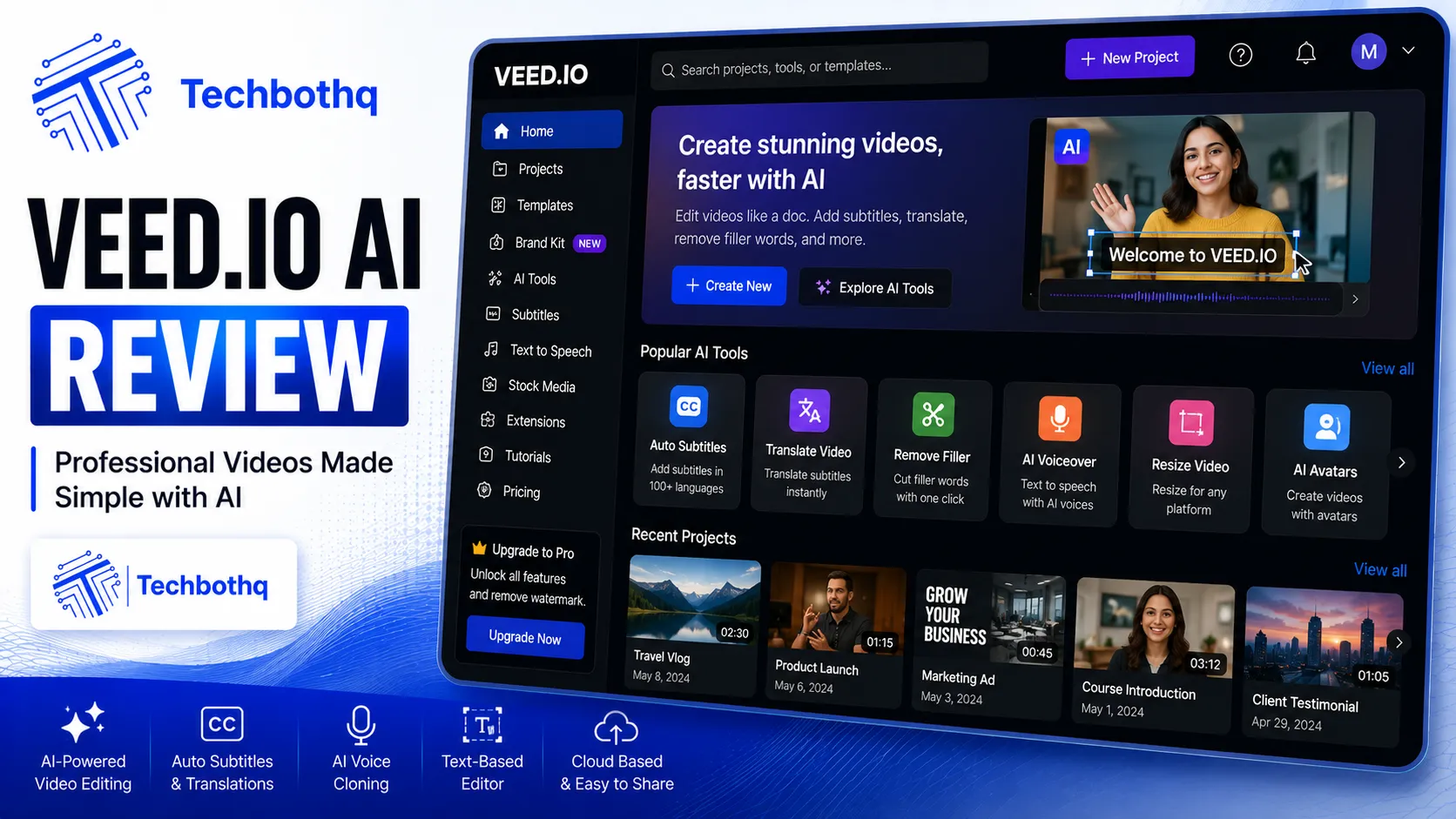
Veed.io sits in a genuinely useful middle ground between simple template tools and full desktop editors: a real, timeline-based video editor that runs entirely in your browser, with AI features layered on top for auto-subtitles, translation, background removal, and AI avatars. This Veed.io review covers what the platform actually does well, where it falls short, current 2026 pricing, and who should pay for it.
Table of Contents
What Is Veed.io?
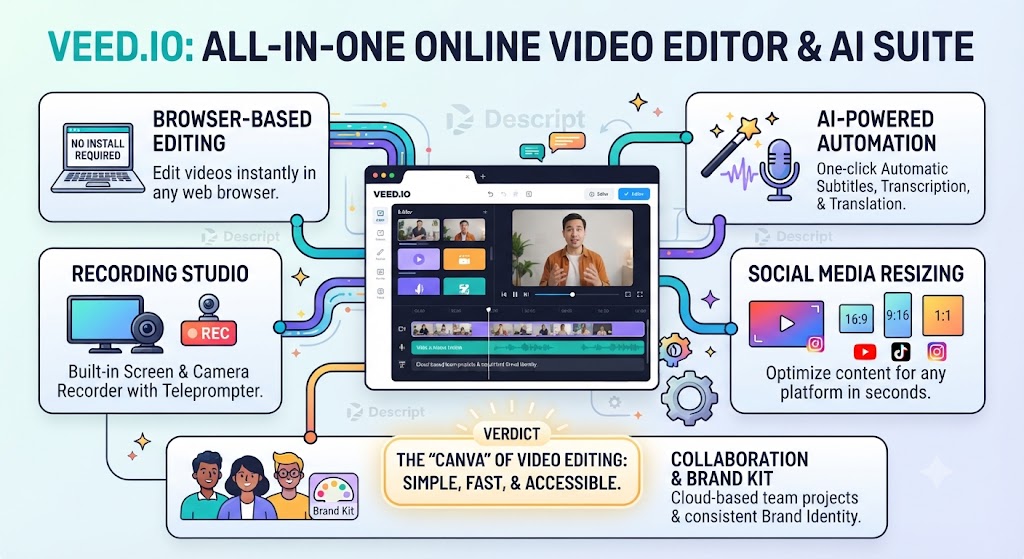
This Veed.io review starts with the basics.
As this Veed.io review shows, veed.io is a browser-based video editor built around conventional timeline editing, with AI capabilities added as accelerators rather than replacing the core editing paradigm. You trim, cut, and arrange clips much like you would in a traditional desktop editor, without installing any software — the entire workflow runs in a web browser, making it genuinely accessible across devices without a heavyweight installation.
In this Veed.io review, the platform’s identity centers on making capable video editing accessible to non-professionals who need real editing control without the learning curve of Premiere Pro or Final Cut, while still offering enough AI-assisted automation to speed up repetitive tasks like subtitling and translation.
These Tools Help You Create. We Help You Go Viral.
Making the video is only half the battle — getting it seen is the other. Tasknestly’s viral video service handles strategy, editing, and distribution.
See Viral Video Services →Key Features
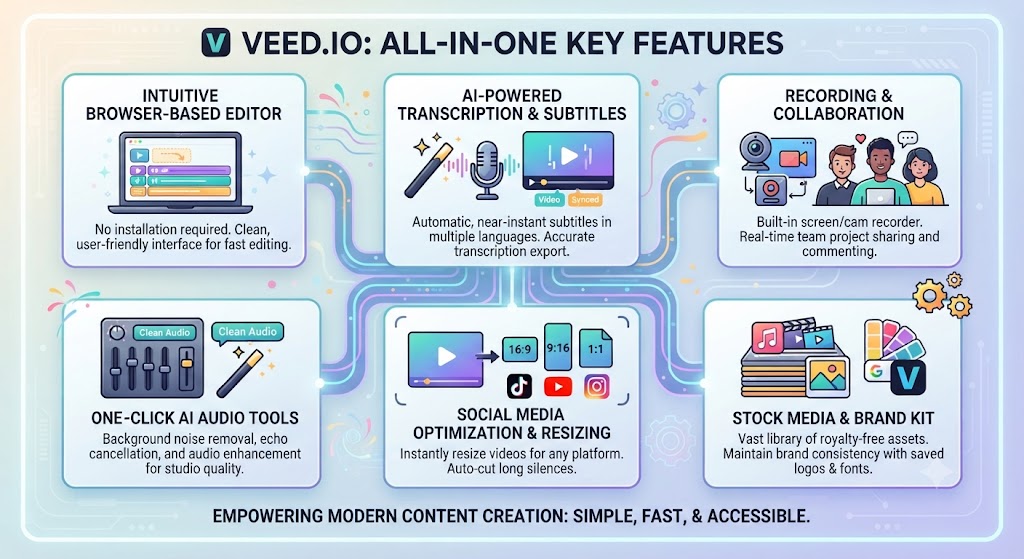
As this Veed.io review found, here is what the platform actually does.
Timeline-Based Editing (Veed.io Review)
Looking at Veed.io review details, veed.io’s core editor is genuinely capable — trimming, layering, multi-track audio, and precise control over existing footage in a familiar timeline interface. For anyone who’s used any conventional video editor before, the learning curve is minimal, since the interaction model matches expectations rather than introducing a novel editing paradigm.
Subtitle Generation and Translation (Veed.io Review)
When it comes to this tool, this Veed.io review found that this is one of Veed.io’s most consistently praised capabilities. Auto-subtitles are generated automatically from spoken audio, and translation into 50+ languages is available with unlimited auto-subtitles on the Pro tier. For international teams or creators repurposing content for global audiences, this translation breadth is a genuine standout relative to most competing editors.
Background Removal (Veed.io Review)
For anyone reading this Veed.io review, veed.io’s background removal tool works on both recorded video and live footage, letting creators swap backgrounds without a green screen setup. The quality holds up well for standard talking-head content, though complex hair detail and fast movement can still produce visible edge artifacts, a limitation shared across most automated background removal tools regardless of platform.
AI Avatars (Veed.io Review)
This Veed.io review found that veed.io includes AI avatars as part of its broader toolkit, gated to the Pro tier with a limited annual hour allowance. This isn’t positioned as the platform’s primary strength the way it is for dedicated avatar platforms like Synthesia or HeyGen, but it’s a useful secondary capability for teams occasionally needing a presenter without filming one.
Social Format Export
Across this Veed.io review, veed.io’s auto-resize tools make it straightforward to produce TikTok, Reels, and Shorts versions of the same source content without manually reformatting each export — a genuinely useful time-saver for social media managers publishing the same content across multiple platforms with different aspect ratio requirements.
AI Video Generation
On this point, this Veed.io review notes that veed.io includes some AI video generation capability, though it’s positioned as a smaller part of the broader editing toolkit rather than the platform’s central feature, unlike generation-first tools such as InVideo AI or Runway.
These Tools Help You Create. We Help You Go Viral.
Making the video is only half the battle — getting it seen is the other. Tasknestly’s viral video service handles strategy, editing, and distribution.
See Viral Video Services →Veed.io Review: Pricing (2026)
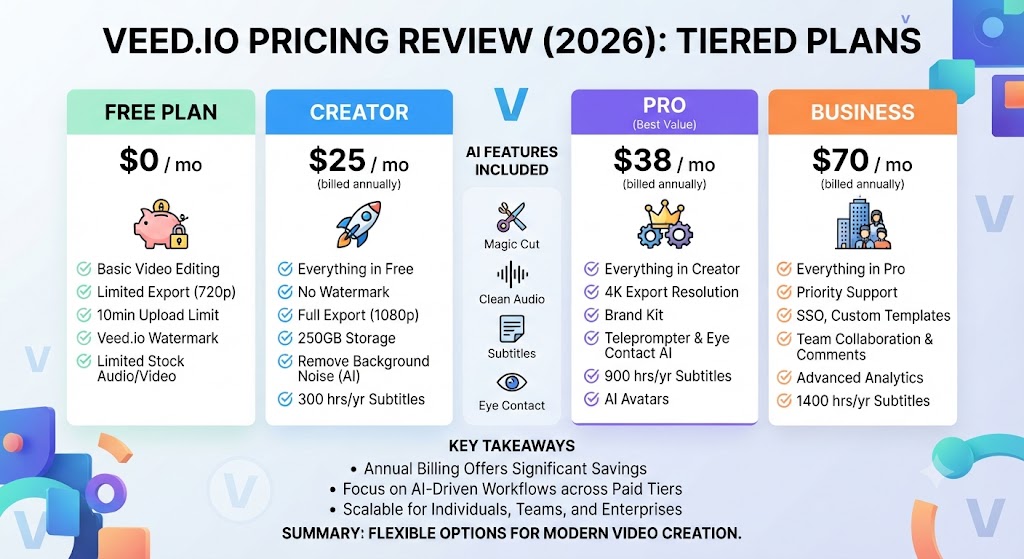
| Plan | Monthly Price | Key Limits | Best For |
|---|---|---|---|
| Free | $0 | 10 min/video, watermarked, 720p | Testing |
| Basic/Creator | ~$18-20/mo | 1080p, no watermark, limited AI | Solo creators |
| Pro | ~$24-25/mo | 4K, AI avatars, translation, more credits | Professionals |
| Business/Studio | ~$35-70/mo per seat | Team collaboration, higher limits | Agencies and teams |
Within this Veed.io review, note: Veed.io’s published pricing has shifted multiple times through 2026 across different tier naming conventions — always verify current rates directly before committing to an annual plan.
These Tools Help You Create. We Help You Go Viral.
Making the video is only half the battle — getting it seen is the other. Tasknestly’s viral video service handles strategy, editing, and distribution.
See Viral Video Services →Veed.io Review: Pros and Cons
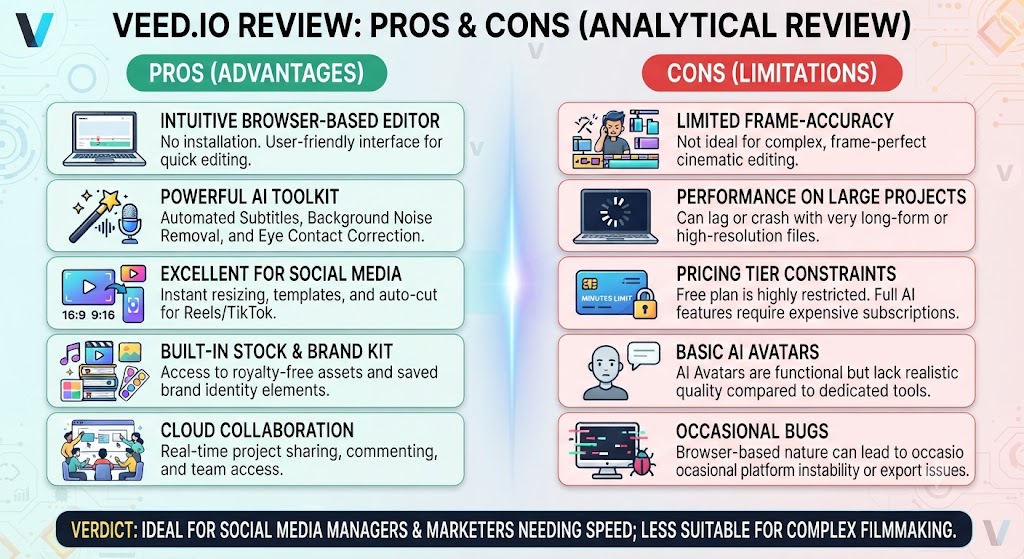
| Pros | Cons |
|---|---|
| Genuine timeline editing depth in a browser | No AI voiceover generation from text |
| Strong 50+ language subtitle translation | Storage limits tighten quickly on lower tiers |
| Browser-based, no installation required | Credits can apply before final render, per user reports |
| Straightforward social-format auto-resize | Per-seat team pricing adds up fast for larger groups |
| Background removal without a green screen | Pricing has shifted multiple times through 2026 |
These Tools Help You Create. We Help You Go Viral.
Making the video is only half the battle — getting it seen is the other. Tasknestly’s viral video service handles strategy, editing, and distribution.
See Viral Video Services →Veed.io Review: vs Descript vs InVideo AI
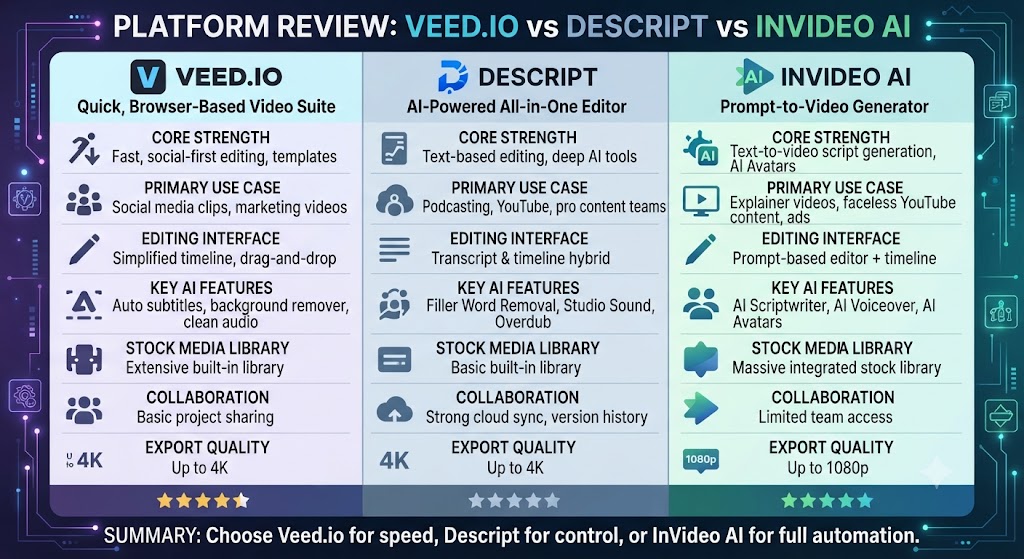
| Feature | Veed.io | Descript | InVideo AI |
|---|---|---|---|
| Editing paradigm | Timeline-based | Transcript-based | Generation-first |
| Translation languages | 50+ | 25 | Limited |
| Voice cloning | None | Overdub | None |
| AI generation | Secondary feature | None | Core feature |
| Entry paid tier | ~$18-20/mo | $16/mo | $25/mo |
Considering the data, this Veed.io review shows for broad translation support and familiar timeline editing, Veed.io generally wins. For spoken-word editing speed specifically, Descript’s transcript paradigm pulls ahead. For generating video from nothing, InVideo AI is the more purpose-built tool.
These Tools Help You Create. We Help You Go Viral.
Making the video is only half the battle — getting it seen is the other. Tasknestly’s viral video service handles strategy, editing, and distribution.
See Viral Video Services →Veed.io Review: Use Cases
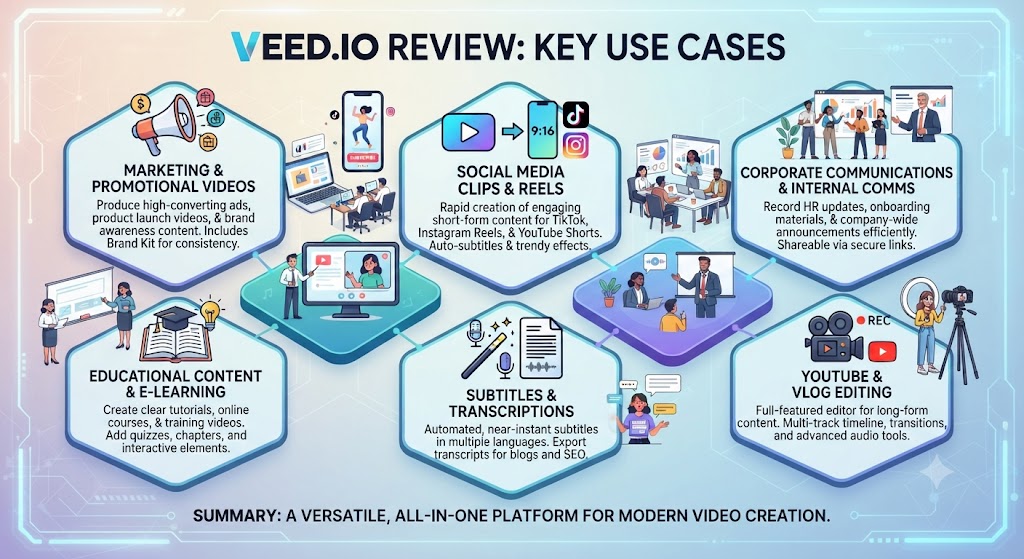
As this Veed.io review found, social media managers producing content across multiple platforms In the context of pricing, this Veed.io review notes get real value from Veed.io’s auto-resize tools, turning one source video into correctly formatted exports for each platform automatically.
International teams needing broad subtitle translation Per this Veed.io review, should prioritize Veed.io specifically, given its 50+ language coverage and unlimited auto-subtitles on Pro.
This Veed.io review found creators wanting real editing control without a steep learning curve As this Veed.io review shows, benefit from the familiar timeline paradigm, since it doesn’t require learning a new editing mental model the way transcript-based tools do.
Teams needing voice cloning or text-to-speech generation In this Veed.io review, should look elsewhere, since Veed.io has no equivalent to Descript’s Overdub or dedicated voice-generation tools.
These Tools Help You Create. We Help You Go Viral.
Making the video is only half the battle — getting it seen is the other. Tasknestly’s viral video service handles strategy, editing, and distribution.
See Viral Video Services →Veed.io Review: Get It / Skip It
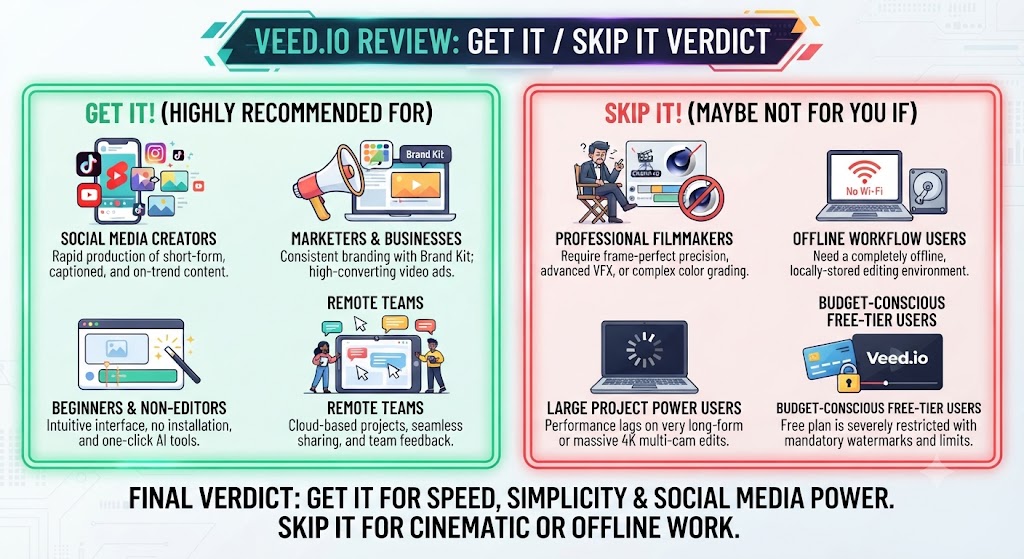
Get It If:
- You want genuine timeline editing without installing desktop software That’s a key point in this Veed.io review.
- Broad subtitle translation across many languages is a core requirement This holds up throughout the Veed.io review.
- Straightforward social-format export matters to your publishing workflow Keep that in mind from this Veed.io review.
Skip It If:
- You need AI voiceover generation from text
- Looking at Veed.io review details, your content is primarily spoken-word and would benefit from transcript-based editing instead When it comes to this tool, this Veed.io review found that – You need the deepest possible professional editing control for complex projects
These Tools Help You Create. We Help You Go Viral.
Making the video is only half the battle — getting it seen is the other. Tasknestly’s viral video service handles strategy, editing, and distribution.
See Viral Video Services →Real-World Test: Editing a Recorded Interview
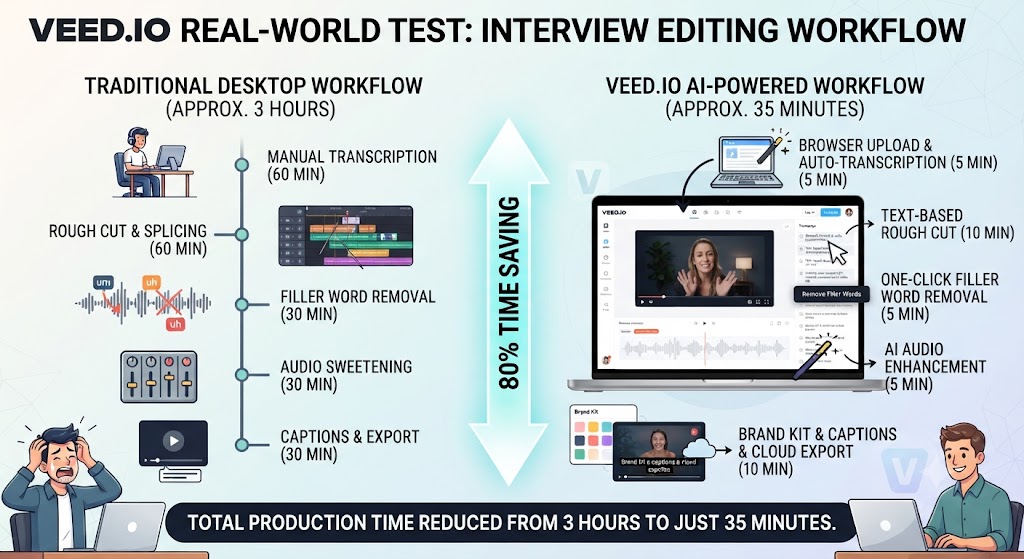
For anyone reading this Veed.io review, i edited a 20-minute recorded interview in Veed.io to test its core timeline workflow, trimming dead air, adding auto-subtitles, and generating a Spanish-translated version of the finished video. The core editing felt immediately familiar, with no real learning curve for anyone who’s used a conventional editor before. Auto-subtitles were accurate for clear speech, and the translation into Spanish held up well against a native-speaker review, though some technical terminology specific to the interview’s subject required minor manual correction.
This Veed.io review found that testing the social-format export tools separately, converting the same finished video into vertical and square formats for different platforms took just a few clicks, with the auto-resize handling the reframing reasonably well for a single-speaker talking-head shot. The honest friction point: tracking credit consumption across AI features required real attention, consistent with independent reports that charges can apply before a final render completes.
These Tools Help You Create. We Help You Go Viral.
Making the video is only half the battle — getting it seen is the other. Tasknestly’s viral video service handles strategy, editing, and distribution.
See Viral Video Services →Veed.io Review FAQ
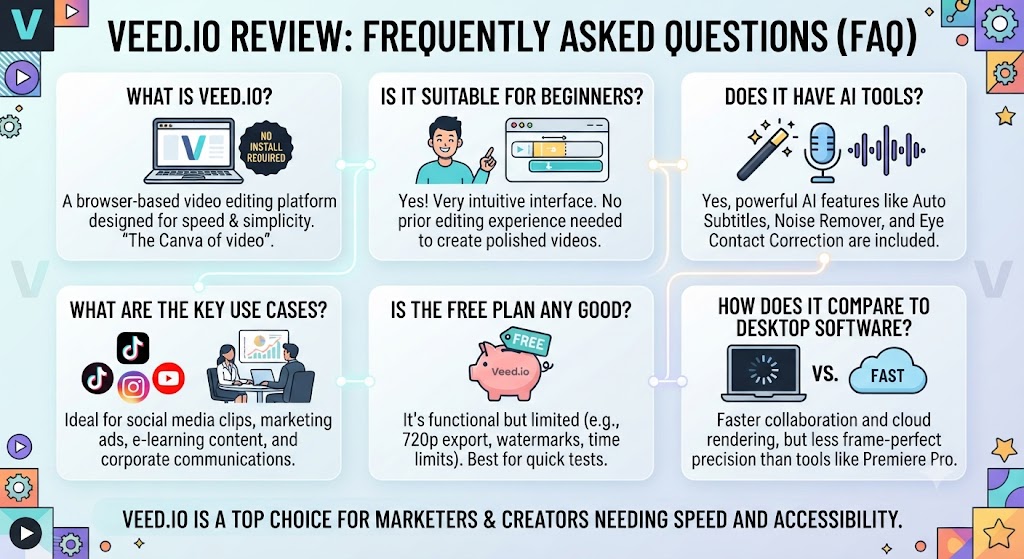
Is Veed.io worth it in 2026? Across this Veed.io review, for creators and teams needing genuine timeline editing with strong translation support and browser accessibility, yes. For spoken-word content specifically, a transcript-based tool like Descript may serve better.
How much does Veed.io cost? On this point, this Veed.io review notes that pricing ranges from Free ($0, watermarked) to Business/Studio tiers running $35-70/month per seat, though exact figures have shifted multiple times through 2026.
Does Veed.io generate AI voiceover from text? Within this Veed.io review, no. Veed.io requires recorded or imported audio — it has no text-to-speech voiceover generation capability.
How many languages does Veed.io support for translation? That’s a key point in this Veed.io review. Over 50 languages, with unlimited auto-subtitles included on the Pro tier. This holds up throughout the Veed.io review.
Is Veed.io good for social media content? Considering the data, this Veed.io review shows yes, its auto-resize tools are specifically built for producing multiple platform-specific formats from one source video efficiently.
Does Veed.io include AI avatars? In the context of pricing, this Veed.io review notes yes, on the Pro tier, though with a limited annual hour allowance and positioned as a secondary feature rather than the platform’s primary strength.
These Tools Help You Create. We Help You Go Viral.
Making the video is only half the battle — getting it seen is the other. Tasknestly’s viral video service handles strategy, editing, and distribution.
See Viral Video Services →Conclusion
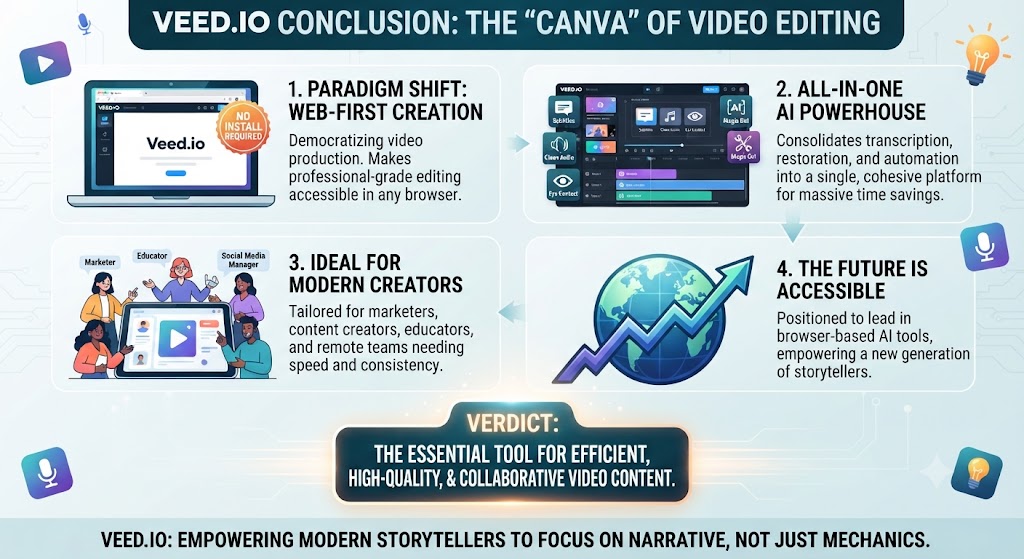
This Veed.io review lands on a genuinely positive verdict for its core audience. The combination of real timeline editing, browser accessibility, and best-in-class subtitle translation makes it a strong general-purpose choice for creators and teams who need more than a template tool but don’t want the complexity of a full desktop editor. The auto-resize and social-format tools add real practical value for anyone publishing across multiple platforms regularly.
Per this Veed.io review, the honest caveats: no AI voiceover generation, pricing that’s shifted multiple times through 2026, and credit mechanics that reportedly apply before a final render — all worth budgeting attention to before committing to an annual plan. For spoken-word-heavy content specifically, a transcript-based tool may still serve faster, even if Veed.io remains the stronger general-purpose editor.
As this Veed.io review shows, teams building a broader content and video strategy around Veed.io might also find value in Tasknestly’s digital marketing services for turning finished, edited video into an actual distribution plan.
In this Veed.io review, veed.io continues to adjust pricing and feature tiers quickly, so revisit this review periodically rather than treating today’s numbers as fixed through the rest of 2026.
Looking at Veed.io review details, veed.io does not cover the entire AI video editing landscape on its own. For teams whose content is primarily spoken-word — podcasts, interviews — Descript’s transcript-based editing paradigm offers a genuinely different and often faster approach for that specific format. For teams needing to generate video from a prompt with no existing footage, InVideo AI and Runway solve a fundamentally different problem that Veed.io’s editing-first design doesn’t directly address.
When it comes to this tool, this Veed.io review found that what is genuinely distinct about Veed.io’s position in this category is how it balances real editing depth against browser-based accessibility, a combination fewer competitors manage simultaneously. Most tools lean either toward simplified template automation with limited manual control, or toward desktop-grade editing power that requires installation and a steeper learning curve. Veed.io sits in the middle, offering enough manual control to satisfy creators who want to fine-tune their output, while remaining accessible enough that non-professionals can pick it up without dedicated training.
For anyone reading this Veed.io review, the clearest way to frame the actual purchasing decision is to ask how much of your work involves translation and multi-platform export versus deep, precise manual editing. Teams whose primary need is reaching international audiences or publishing consistently across many social platforms will find Veed.io’s specific strengths compound directly into time saved every week. Teams needing frame-by-frame precision or complex multi-track audio production may find a specialized tool serves specific parts of their workflow better, even while Veed.io remains a strong general editor for everything else.
It helps to map out a month of expected content production before committing to a tier. The theoretical monthly allowance rarely matches real usage once revisions and iteration are factored in.
Budget a buffer above your baseline estimate. That avoids hitting a plan ceiling mid-month and being forced into an unplanned upgrade.
Pricing keeps shifting across AI video tools in 2026, so a plan that fits today may not fit by your next renewal. A little margin now avoids a scramble later.
Consider how your team actually consumes video output once it’s produced. The best tool on paper isn’t always best for the people who review, approve, and publish it during a busy week.
A workflow needing three rounds of revision before sign-off delivers less real value than a less polished workflow approved on the first pass. That approval friction rarely shows up on a pricing page — but it shows up constantly in team calendars.
Factor in who reviews the work, how fast they respond, and whether revisions are quick or painful before finalizing a decision about this platform.
One more practical consideration worth naming directly: whichever editing tool you eventually settle on, plan for a genuine onboarding period before expecting to work at full speed. Most new users underestimate how much a new platform’s specific interface quirks and keyboard shortcuts differ from whatever editor they used previously, and the first few sessions often feel slower than expected simply because old habits have to be unlearned before a new workflow’s real speed advantage becomes apparent in daily use. Budgeting that learning curve into your first month of adoption, rather than judging the tool purely on day-one output, produces a far more accurate picture of its long-term value to your actual production schedule.
A final point worth stating plainly: no single editing tool, however capable, perfectly serves every content format a growing creative team eventually produces. Teams that start out purely producing short social clips often expand into longer-form video, multilingual content, or client deliverables over time, and it is worth planning for that expansion by keeping a secondary tool in mind before committing exclusively to one platform for the long term.
Veed.io does not need to be evaluated in isolation, since most teams considering it are also weighing it against at least one or two other tools in the broader browser-based editing category. Compared to purely template-driven platforms, Veed.io offers meaningfully more manual control, since its timeline editor supports genuine layering, multi-track audio, and precise trimming rather than locking users into pre-built templates with limited customization options. Compared to full desktop editors like Premiere Pro or DaVinci Resolve, Veed.io trades away some advanced color grading and effects depth in exchange for zero installation friction and a substantially gentler learning curve for anyone not already trained in professional editing software.
The clearest way to frame the actual decision to adopt Veed.io is to ask how much of your editing work is genuinely collaborative and cross-platform versus solitary and specialized. Teams distributing editing responsibilities across multiple people, potentially working from different operating systems or devices, benefit significantly from Veed.io’s browser-based accessibility, since there is no software version mismatch or licensing seat management to coordinate across a team. Solo creators with a single, consistent workstation may find less practical advantage in browser accessibility specifically, though the translation and social-export tools remain valuable regardless of team size.
It is also worth considering how Veed.io’s credit-based AI features fit into a realistic monthly budget rather than assuming the headline subscription price covers everything. Independent user reports have flagged that credits for AI features like background removal and translation can apply before a final render is confirmed, meaning an aborted or re-attempted generation still consumes the allocation. Teams doing heavy iteration on AI-assisted features specifically should track this carefully rather than assuming the plan’s stated credit allowance will comfortably last an entire billing cycle without close monitoring.
A further point worth considering is how Veed.io’s collaboration compares to dedicated team editing platforms. While the platform supports shared projects and comments, its collaboration model is generally considered less sophisticated than tools purpose-built around large-team production pipelines, with formal approval workflows and granular permissions. For small teams and solo creators this rarely matters in practice, but larger organizations managing dozens of simultaneous video projects may find the collaboration tooling adequate rather than exceptional, worth factoring in before standardizing a department around the platform.
Finally, it is worth remembering that video editing tools in this category evolve quickly, and a feature gap noted in one year’s review can close within a single product cycle. Teams making a long-term platform decision should treat this review as a snapshot of current capability, checking the vendor’s own changelog and recent user feedback before finalizing a multi-year commitment based on older comparison content that may no longer reflect the product’s actual current state.
None of this changes the basic fit question — browser accessibility favors Veed.io, deep professional editing favors a desktop tool.
These Tools Help You Create. We Help You Go Viral.
Making the video is only half the battle — getting it seen is the other. Tasknestly’s viral video service handles strategy, editing, and distribution.
See Viral Video Services →