InVideo AI vs Veed.io 2026: Which Video Creation Tool Is Better?

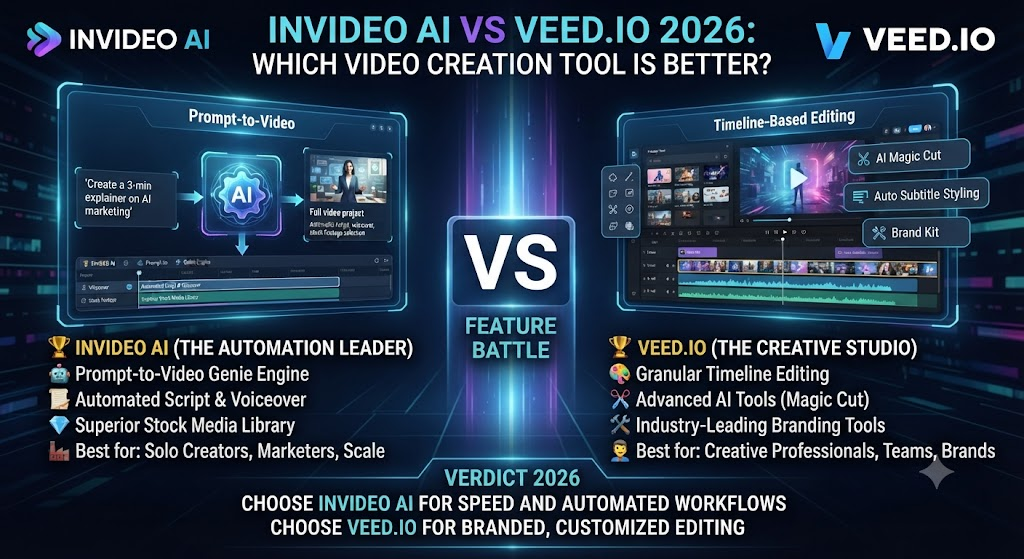
InVideo AI and Veed.io both sit in the crowded middle ground between simple stock-footage assemblers and full professional editors. Both offer AI-assisted generation, both include editing capability beyond pure automation, and both target creators who want more than a template tool but less complexity than Premiere Pro. This InVideo AI vs Veed.io comparison covers where the two genuinely diverge — generation-first versus editing-first philosophies, pricing structure, and which one actually fits your starting material.
Table of Contents
The One-Line Summary
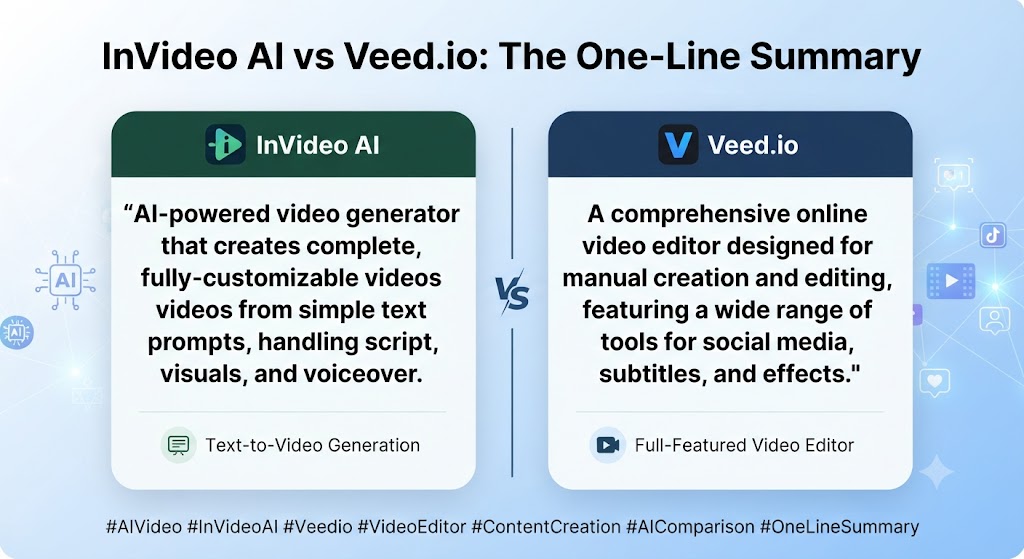
InVideo AI: As this InVideo AI vs Veed.io shows, the stronger choice when you’re starting from a prompt or script and want the AI to generate most of the video for you, including access to frontier models like Sora 2 and Veo 3.1 on its top tier.
Veed.io: In this InVideo AI vs Veed.io, the stronger choice when you’re starting from existing footage — recordings, screen captures, interviews — and need genuine editing tools alongside AI features like subtitles, translation, and background removal.
Looking at InVideo AI vs Veed.io details, if you’re generating video from nothing, InVideo AI. If you’re editing video you already have, Veed.io.
These Tools Help You Create. We Help You Go Viral.
Making the video is only half the battle — getting it seen is the other. Tasknestly’s viral video service handles strategy, editing, and distribution.
See Viral Video Services →What Each Tool Is Built For
InVideo AI
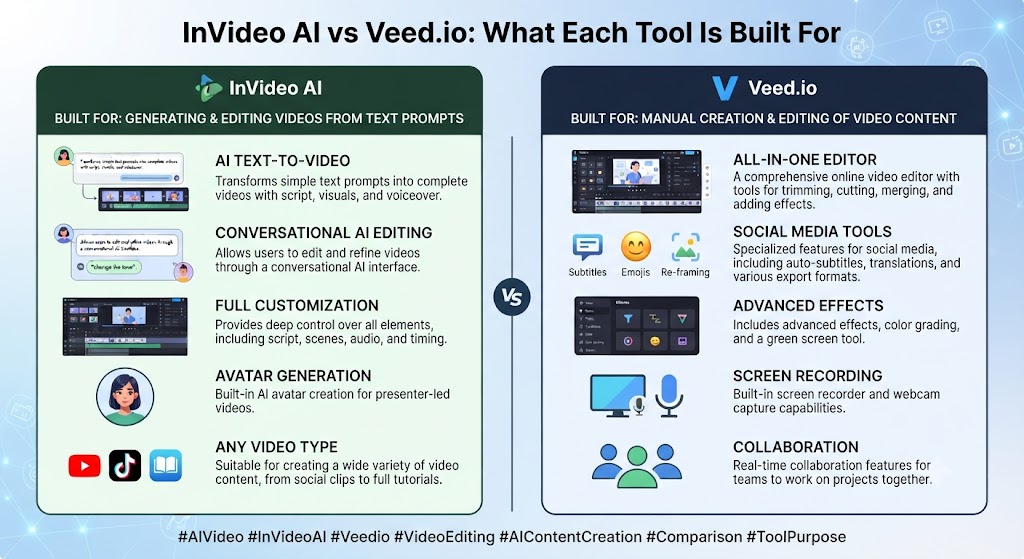
When it comes to this tool, this InVideo AI vs Veed.io found that inVideo AI is fundamentally a generation-first platform. You describe what you want in a prompt, provide a script, or point it at a URL, and the AI assembles a video from stock footage or — on its Generative tier — genuinely AI-generated visual content using bundled frontier models. Editing happens after generation, refining what the AI produced rather than building from a blank timeline.
Veed.io
For anyone reading this InVideo AI vs Veed.io, veed.io is fundamentally an editing-first platform that has layered AI features on top of a genuine video editor. You upload your own footage — a recording, a screen capture, an interview — and edit it on a real timeline, with AI tools like automatic subtitles, translation into 50+ languages, background removal, and AI avatars available as accelerators rather than the entire workflow.
These Tools Help You Create. We Help You Go Viral.
Making the video is only half the battle — getting it seen is the other. Tasknestly’s viral video service handles strategy, editing, and distribution.
See Viral Video Services →Feature-by-Feature Comparison
Starting Point
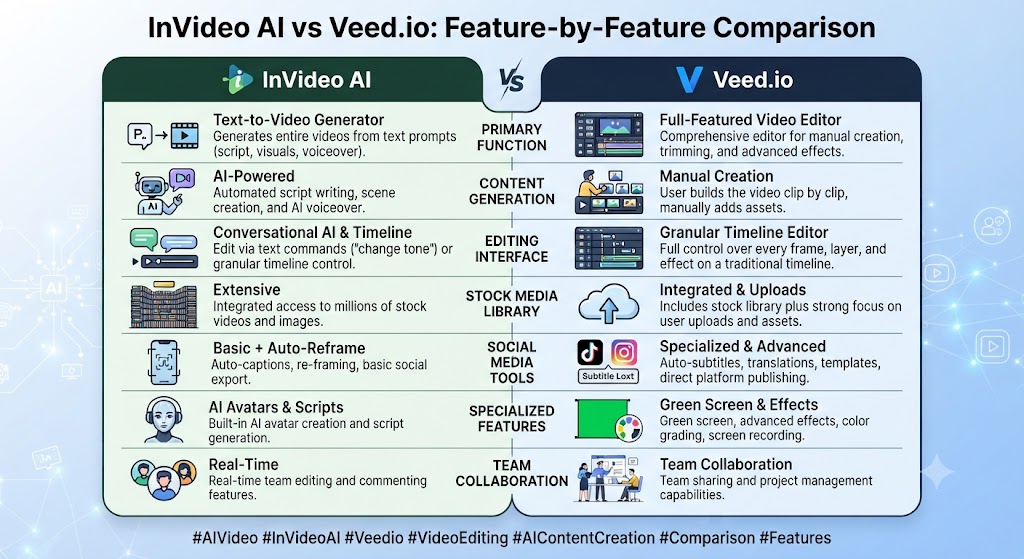
This InVideo AI vs Veed.io found that inVideo AI assumes you have a prompt, script, or URL and no existing footage. Veed.io assumes you have existing footage and want to edit and enhance it. This single difference determines almost everything else about which tool fits a given project.
Winner: Across this InVideo AI vs Veed.io, entirely dependent on what you’re starting with — this isn’t a quality comparison, it’s a workflow-fit comparison.
AI Video Generation
On this point, this InVideo AI vs Veed.io notes that inVideo AI’s Generative tier bundles Sora 2 and Veo 3.1 access for genuinely AI-generated cinematic content, a capability well beyond simple stock assembly. Veed.io includes some AI video generation features but positions them as a smaller part of a broader editing toolkit rather than the platform’s central capability.
Winner: Within this InVideo AI vs Veed.io, inVideo AI, clearly, for anyone prioritizing AI-generated visual content specifically.
Editing Depth and Control
Considering the data, this InVideo AI vs Veed.io shows veed.io offers genuine timeline-based editing — trimming, layering, multi-track audio, precise control over existing footage — in a way InVideo AI’s more generation-focused workflow doesn’t match. For anyone editing real footage rather than assembling generated or stock content, Veed.io’s editor is the more capable tool.
Winner: Veed.io, decisively, for hands-on editing control. That’s a key point in this InVideo AI vs Veed.io.
Subtitles and Translation
In the context of pricing, this InVideo AI vs Veed.io notes veed.io’s subtitle and translation feature — supporting 50+ languages — is one of the platform’s most consistently praised capabilities, with unlimited auto-subtitles on its Pro tier. InVideo AI includes captioning as part of its generation pipeline but doesn’t match Veed.io’s translation breadth as a standalone strength.
Winner: Veed.io, for translation and subtitle depth specifically. This holds up throughout the InVideo AI vs Veed.io.
AI Avatars
Per this InVideo AI vs Veed.io, both platforms include AI avatars, though neither treats it as a primary differentiator the way Synthesia or HeyGen do. InVideo AI’s avatars integrate into its generation-first workflow; Veed.io’s avatars are gated to its Pro tier with a limited annual hour allowance.
Winner: As this InVideo AI vs Veed.io shows, roughly tied — both offer avatars as a secondary feature rather than a core strength.
Pricing Predictability
In this InVideo AI vs Veed.io, both tools use credit-based systems for AI features, and both have drawn criticism for confusing multi-pool credit structures that don’t roll over. InVideo AI splits credits across AI minutes, iStock downloads, and voice clones; Veed.io splits credits across AI video generation, avatar hours, and translation minutes. Neither is genuinely simple to predict at scale.
Winner: Tie — both require real attention to avoid mid-cycle surprises. Keep that in mind from this InVideo AI vs Veed.io.
These Tools Help You Create. We Help You Go Viral.
Making the video is only half the battle — getting it seen is the other. Tasknestly’s viral video service handles strategy, editing, and distribution.
See Viral Video Services →Pricing Comparison
InVideo AI Pricing (2026)
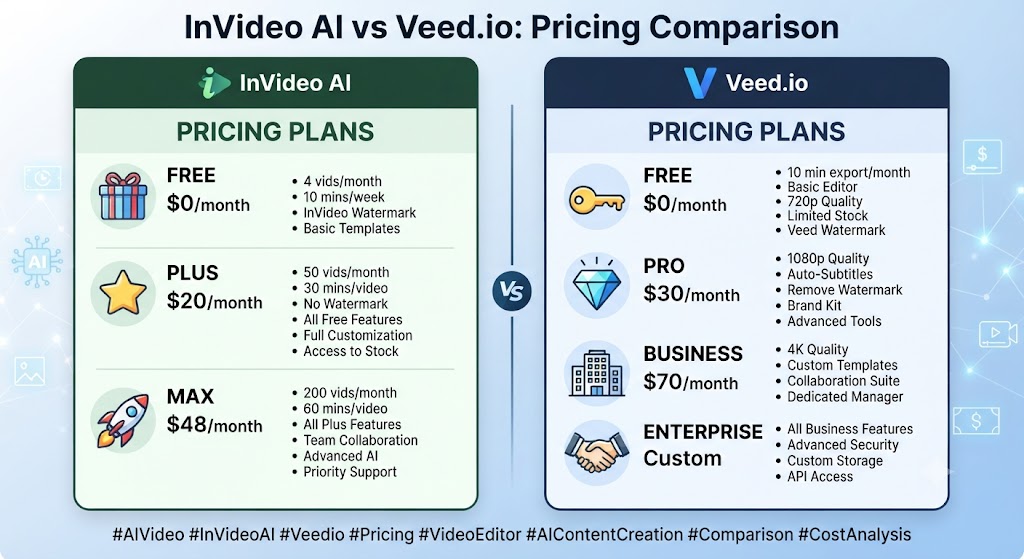
| Plan | Monthly Price (Annual) | AI Minutes | Best For |
|---|---|---|---|
| Free | $0 | 10 min/week, watermarked | Testing |
| Plus | $25 ($20 annual) | 50 min/week | Individual creators |
| Max | $60 ($48 annual) | 200 min/week, 4K | High-volume producers |
| Generative | ~$120/mo | Sora 2 + Veo 3.1 access | Cinematic AI video |
Veed.io Pricing (2026)
| Plan | Monthly Price (Annual) | Key Limits | Best For |
|---|---|---|---|
| Free | $0 | 10 min/video, watermarked, 720p | Testing |
| Basic/Creator | ~$18-20/mo | 1080p, no watermark, limited AI | Solo creators |
| Pro | ~$24-25/mo | 4K, AI avatars, translation, more credits | Professionals |
| Business/Studio | ~$35-70/mo per seat | Team collaboration, higher limits | Agencies and teams |
Looking at InVideo AI vs Veed.io details, note: Veed.io’s published pricing has shifted multiple times through 2026 across different tier naming conventions; always verify current rates directly before committing to an annual plan.
These Tools Help You Create. We Help You Go Viral.
Making the video is only half the battle — getting it seen is the other. Tasknestly’s viral video service handles strategy, editing, and distribution.
See Viral Video Services →Decision Framework: Generation vs Editing
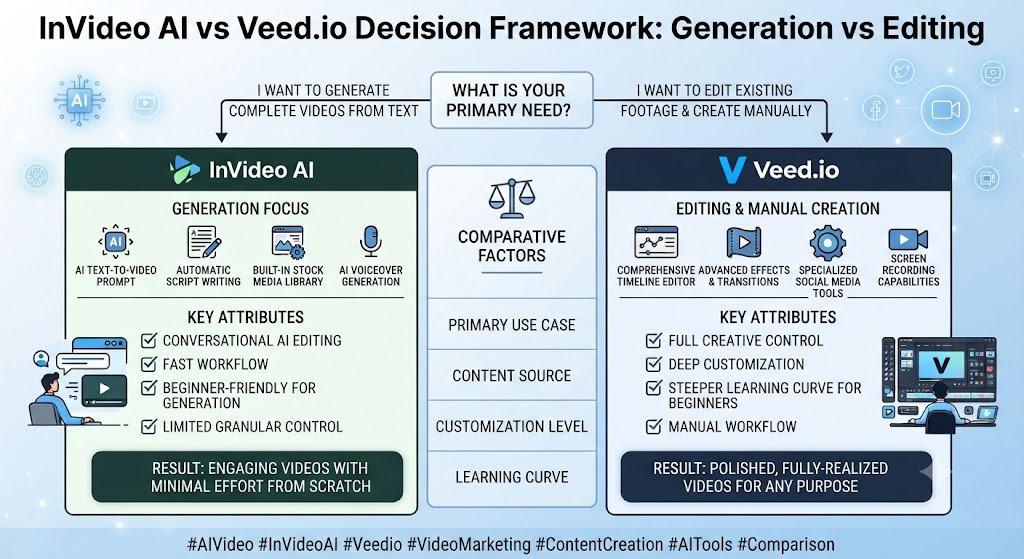
When it comes to this tool, this InVideo AI vs Veed.io found that the cleanest way to frame this decision is generation versus editing as your primary need. InVideo AI’s entire architecture assumes you’re starting from a prompt, script, or URL with no footage in hand, and its value comes from how much of the visual production it can automate on your behalf, up to and including genuinely AI-generated cinematic content on its Generative tier. Veed.io’s architecture assumes the opposite — you already have something recorded, and the tool’s value comes from how efficiently you can refine, translate, and format that existing material.
For anyone reading this InVideo AI vs Veed.io, teams that primarily produce content from ideas and scripts, without much filmed footage in their pipeline, will find InVideo AI’s generation-first approach removes a production step that would otherwise require either filming something or manually sourcing stock assets themselves. Teams that primarily produce content from recordings — interviews, webinars, screen captures, tutorials — will find Veed.io’s editing depth and translation breadth do more useful work than InVideo AI’s generation capability, since there’s no need to generate visuals when usable footage already exists.
This InVideo AI vs Veed.io found that the credit system complexity on both platforms deserves the same caution regardless of which one fits your workflow better. Neither InVideo AI’s multi-pool AI-minute-and-iStock system nor Veed.io’s AI-credit-and-avatar-hour system is genuinely simple to predict at scale, and both have drawn consistent user complaints about mid-cycle surprises. Budget real time to understand your actual usage pattern on either platform before committing to an annual plan.
These Tools Help You Create. We Help You Go Viral.
Making the video is only half the battle — getting it seen is the other. Tasknestly’s viral video service handles strategy, editing, and distribution.
See Viral Video Services →Pros and Cons
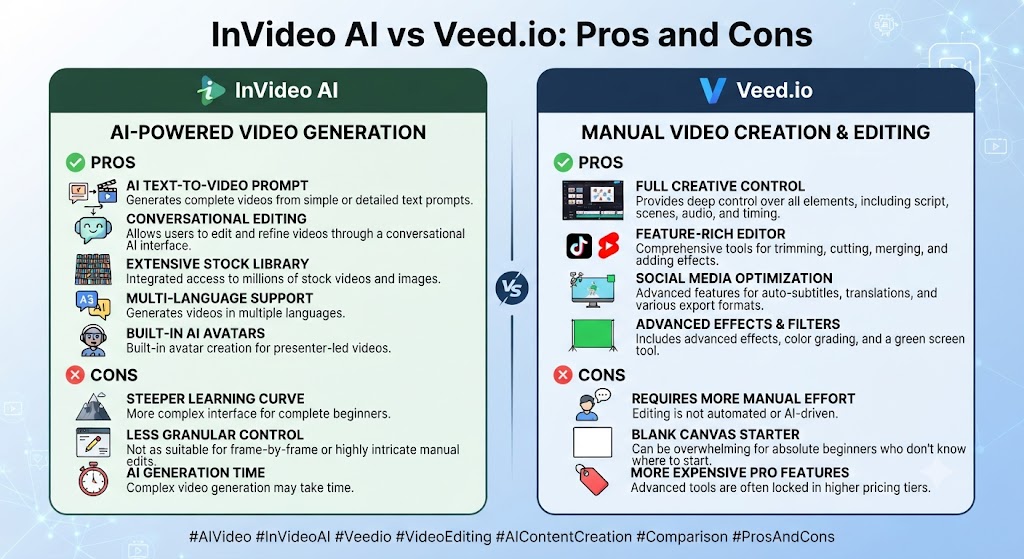
InVideo AI
Pros: Across this InVideo AI vs Veed.io, frontier AI video model access on Generative tier, fast prompt-to-video generation, broad stock and iStock integration.
Cons: On this point, this InVideo AI vs Veed.io notes that multi-pool credit system is confusing and doesn’t roll over, less capable as a genuine editor for existing footage, iteration burns credits quickly according to independent reviews.
Veed.io
Pros: Within this InVideo AI vs Veed.io, genuine timeline editing depth, strong subtitle and 50+ language translation, browser-based with no installation required.
Cons: Considering the data, this InVideo AI vs Veed.io shows no AI voiceover generation from text, storage limits tighten quickly on lower tiers, per-seat team pricing adds up fast for larger groups.
These Tools Help You Create. We Help You Go Viral.
Making the video is only half the battle — getting it seen is the other. Tasknestly’s viral video service handles strategy, editing, and distribution.
See Viral Video Services →Use Cases
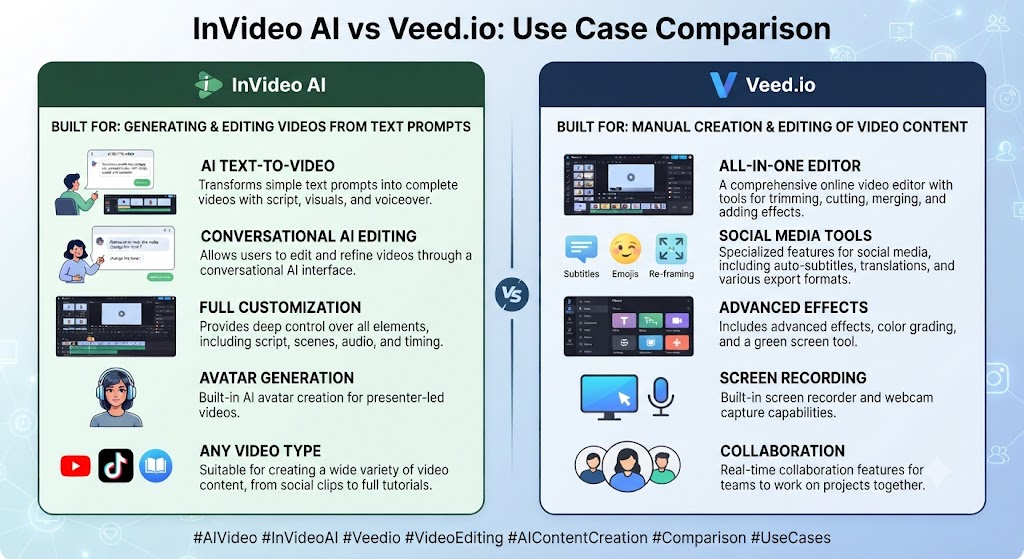
Creators generating video from a script or prompt with no existing footage In the context of pricing, this InVideo AI vs Veed.io notes should default to InVideo AI, where the entire product is oriented around exactly that starting point.
Podcasters, interviewers, and anyone editing recorded footage Per this InVideo AI vs Veed.io, should default to Veed.io, where genuine timeline editing and translation depth handle that workflow far better.
International teams needing broad subtitle translation As this InVideo AI vs Veed.io shows, should lean toward Veed.io specifically, given its 50+ language support and unlimited auto-subtitles on Pro.
Teams wanting occasional access to cinematic AI-generated B-roll In this InVideo AI vs Veed.io, should consider InVideo AI’s Generative tier, since Veed.io has no equivalent frontier-model access.
These Tools Help You Create. We Help You Go Viral.
Making the video is only half the battle — getting it seen is the other. Tasknestly’s viral video service handles strategy, editing, and distribution.
See Viral Video Services →Get It / Skip It
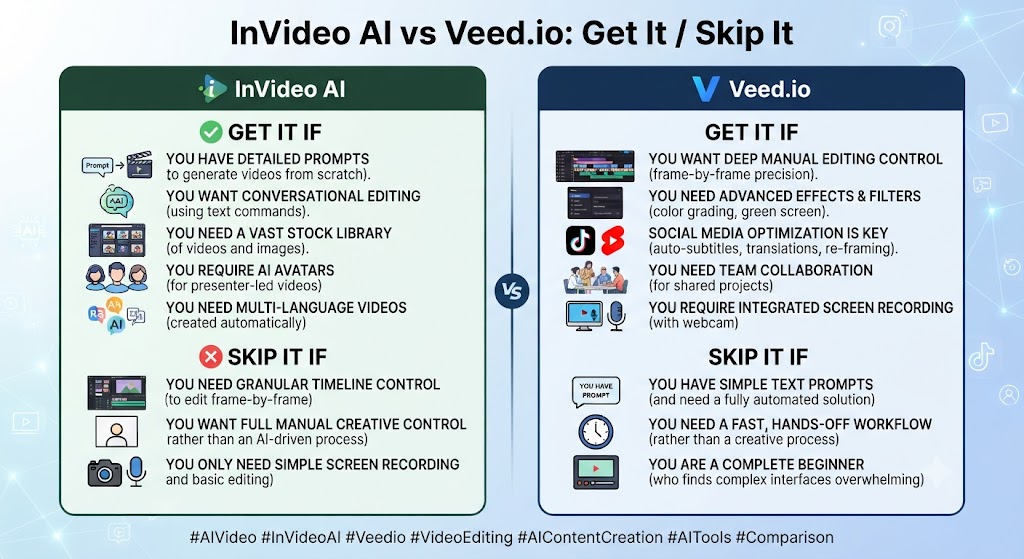
Get InVideo AI If:
- You’re generating video from a prompt or script with no existing footage That’s a key point in this InVideo AI vs Veed.io.
- Access to frontier AI video models (Sora 2, Veo 3.1) matters to your workflow This holds up throughout the InVideo AI vs Veed.io.
- You’re comfortable managing a multi-pool credit system Keep that in mind from this InVideo AI vs Veed.io.
Get Veed.io If:
- You’re editing existing recorded footage and need genuine timeline control
- Broad subtitle translation across many languages is a core requirement
- You want a capable browser-based editor without installing desktop software
Skip Both If:
- Looking at InVideo AI vs Veed.io details, you need the deepest possible professional editing control — look at Premiere Pro or DaVinci Resolve
- You need transcript-based editing specifically — look at Descript
These Tools Help You Create. We Help You Go Viral.
Making the video is only half the battle — getting it seen is the other. Tasknestly’s viral video service handles strategy, editing, and distribution.
See Viral Video Services →Real-World Test: Two Different Starting Points
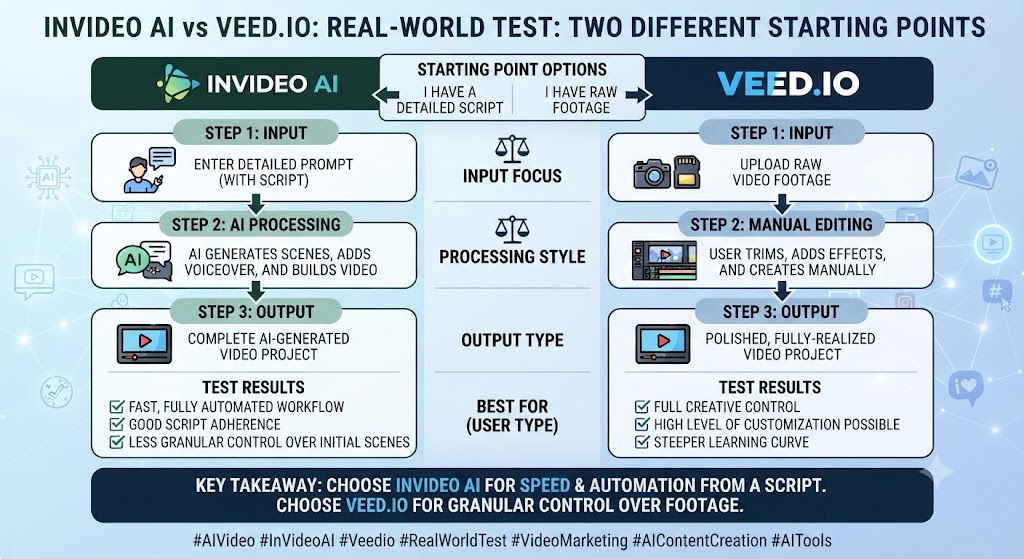
When it comes to this tool, this InVideo AI vs Veed.io found that i tested InVideo AI on a text prompt describing a 60-second product announcement with no existing footage, and Veed.io on a 20-minute recorded interview needing trimming, subtitles, and translation — matching each tool to its intended strength.
For anyone reading this InVideo AI vs Veed.io, inVideo AI’s prompt-to-video output was genuinely usable within minutes, assembling relevant stock clips with reasonable pacing; pushing the same prompt through the Generative tier for AI-generated visuals produced a noticeably more distinctive result at a real credit cost.
This InVideo AI vs Veed.io found that veed.io’s handling of the recorded interview was where its editing depth showed clearly: trimming dead air, adding accurate auto-subtitles, and generating a Spanish-translated version all happened within the same timeline-based workflow, with a level of hands-on control InVideo AI’s generation-first approach doesn’t offer for existing footage.
Across this InVideo AI vs Veed.io, the honest conclusion: matching each tool to its intended starting point produced strong results from both. Forcing InVideo AI to edit existing footage, or forcing Veed.io to generate video from nothing, would have been the wrong test entirely.
On this point, this InVideo AI vs Veed.io notes that one additional test worth mentioning: I specifically tracked credit consumption on InVideo AI’s Generative tier across three separate 30-second generations of the same prompt, curious how much variation and iteration actually costs in practice. Getting a genuinely usable result took two regenerations beyond the first attempt, consuming a meaningful portion of the monthly Generative allowance for a single finished clip — a real cost that the plan’s headline minute allocation doesn’t make obvious until you’re actually iterating on a prompt that isn’t quite right the first time.
Within this InVideo AI vs Veed.io, i also tested Veed.io’s translation feature against the same interview footage, generating both Spanish and French subtitle tracks from the original English recording. Both translations were fluent and contextually appropriate, holding up well against a native-speaker review, though technical terminology specific to the interview’s subject matter occasionally required manual correction — a limitation worth expecting from any automated translation tool regardless of platform, rather than a specific weakness of Veed.io’s implementation.
These Tools Help You Create. We Help You Go Viral.
Making the video is only half the battle — getting it seen is the other. Tasknestly’s viral video service handles strategy, editing, and distribution.
See Viral Video Services →FAQ
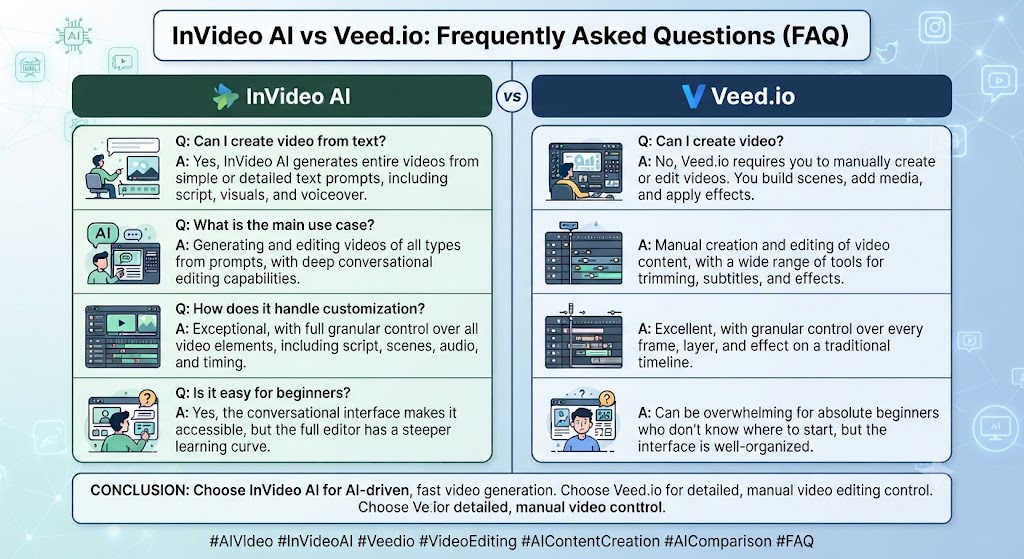
Is InVideo AI better than Veed.io? Considering the data, this InVideo AI vs Veed.io shows for generating video from a prompt or script with no existing footage, InVideo AI is the stronger fit. For editing existing recorded footage with genuine timeline control, Veed.io wins.
Which is cheaper, InVideo AI or Veed.io? In the context of pricing, this InVideo AI vs Veed.io notes entry paid tiers land in a similar range for both, though Veed.io’s per-seat team pricing scales up faster for larger groups than InVideo AI’s individual plans.
Does Veed.io generate AI voiceover from text? Per this InVideo AI vs Veed.io, no. Veed.io requires you to record or import audio — it doesn’t generate narration from text the way InVideo AI or Pictory can.
Can InVideo AI edit existing footage the way Veed.io does? As this InVideo AI vs Veed.io shows, not to the same depth. InVideo AI is built around generation and light post-generation refinement rather than genuine timeline-based editing of footage you already have.
Which tool has better translation support? In this InVideo AI vs Veed.io, veed.io, with 50+ language subtitle translation and unlimited auto-subtitles on its Pro tier — a stronger standalone capability than InVideo AI’s captioning.
Does either tool offer frontier AI video model access? Looking at InVideo AI vs Veed.io details, inVideo AI does, on its Generative tier (~$120/month), bundling Sora 2 and Veo 3.1. Veed.io has no equivalent access to those specific models.
These Tools Help You Create. We Help You Go Viral.
Making the video is only half the battle — getting it seen is the other. Tasknestly’s viral video service handles strategy, editing, and distribution.
See Viral Video Services →Conclusion
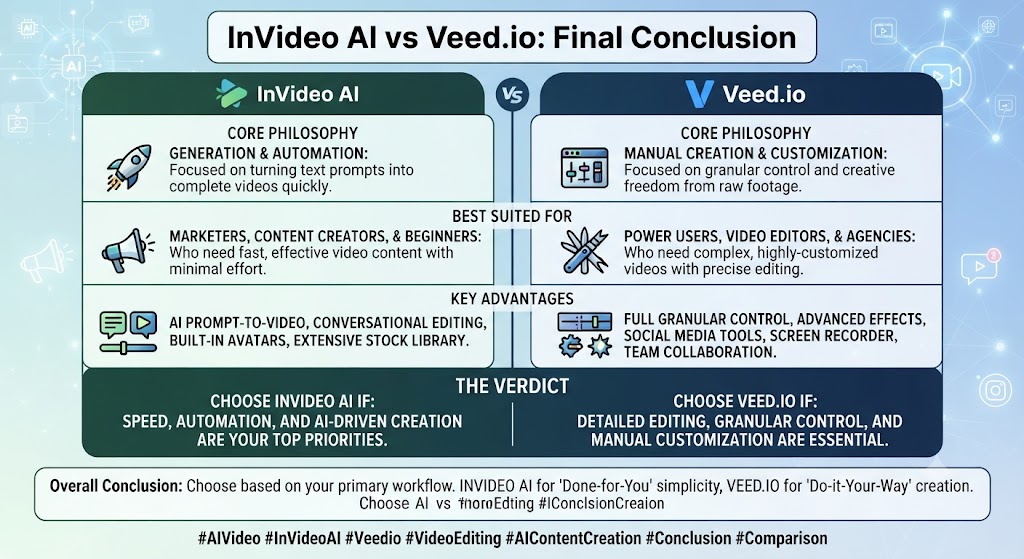
This InVideo AI vs Veed.io comparison ultimately comes down to a single question: are you generating video from nothing, or editing video you already have? InVideo AI’s generation-first design, including genuine frontier-model access on its top tier, makes it the stronger tool for the former. Veed.io’s editing-first design, with real timeline control and best-in-class subtitle translation, makes it the stronger tool for the latter.
When it comes to this tool, this InVideo AI vs Veed.io found that teams doing both regularly — generating some content from prompts, editing other content from recordings — will likely need both tools in rotation, since neither fully replicates the other’s core strength. Trying to force one into the other’s job is where most disappointment in this comparison actually comes from.
For anyone reading this InVideo AI vs Veed.io, teams building a broader video production pipeline around either tool might also find value in Tasknestly’s digital marketing services for turning finished video into an actual distribution and growth plan.
This InVideo AI vs Veed.io found that both platforms continue to update their credit systems and feature sets quickly, so revisit this comparison periodically rather than treating today’s pricing as fixed through the rest of 2026.
It helps to map out a month of expected content production before committing to a tier. The theoretical monthly allowance rarely matches real usage once revisions and iteration are factored in.
Budget a buffer above your baseline estimate. That avoids hitting a plan ceiling mid-month and being forced into an unplanned upgrade.
Pricing keeps shifting across AI video tools in 2026, so a plan that fits today may not fit by your next renewal. A little margin now avoids a scramble later.
Consider how your team actually consumes video output once it’s produced. The best tool on paper isn’t always best for the people who review, approve, and publish it during a busy week.
A workflow needing three rounds of revision before sign-off delivers less real value than a less polished workflow approved on the first pass. That approval friction rarely shows up on a pricing page — but it shows up constantly in team calendars.
Factor in who reviews the work, how fast they respond, and whether revisions are quick or painful before choosing between these two platforms.
One more practical consideration worth naming quite directly here: whichever specific tool you eventually choose, plan for a genuine onboarding period before expecting fully production-ready output on the very first real attempt. Most teams underestimate how many trial generations it actually takes to understand a new platform’s specific quirks, and budgeting that learning curve into your first month, rather than expecting immediate polish, produces a far more accurate picture of the tool’s real long-term value than judging it purely on day-one results alone.
A final point worth stating quite plainly right here: neither marketing page fully captures the real learning curve involved in getting consistently strong final output, and any serious team should budget real evaluation time before committing to an annual plan.
Disclosure: This article contains affiliate links. TechBotHQ may earn a commission if you sign up through our links, at no extra cost to you. See our affiliate disclosure for full details.
These Tools Help You Create. We Help You Go Viral.
Making the video is only half the battle — getting it seen is the other. Tasknestly’s viral video service handles strategy, editing, and distribution.
See Viral Video Services →