InVideo AI Review 2026: Is It the Best AI Video Maker?

| ⚡ TechBotHQ Verdict This InVideo AI review gives the platform a solid 4.3 out of 5 for non-technical creators who need to produce video at volume. The combination of Sora 2 and VEO 3.1 access bundled into a $28/month subscription is genuinely remarkable value. The end-to-end pipeline — prompt in, finished video out — works well as a rapid drafting engine. Just go in knowing that the AI scripts are formulaic, the credit system has multiple pools that can run dry independently, and outputs need human refinement before publishing. Rating: 4.3/5 | Best For: Content creators, marketers, and small teams producing social media video at volume without editing skills |
Table of Contents
InVideo AI Review 2026: What You Need to Know First
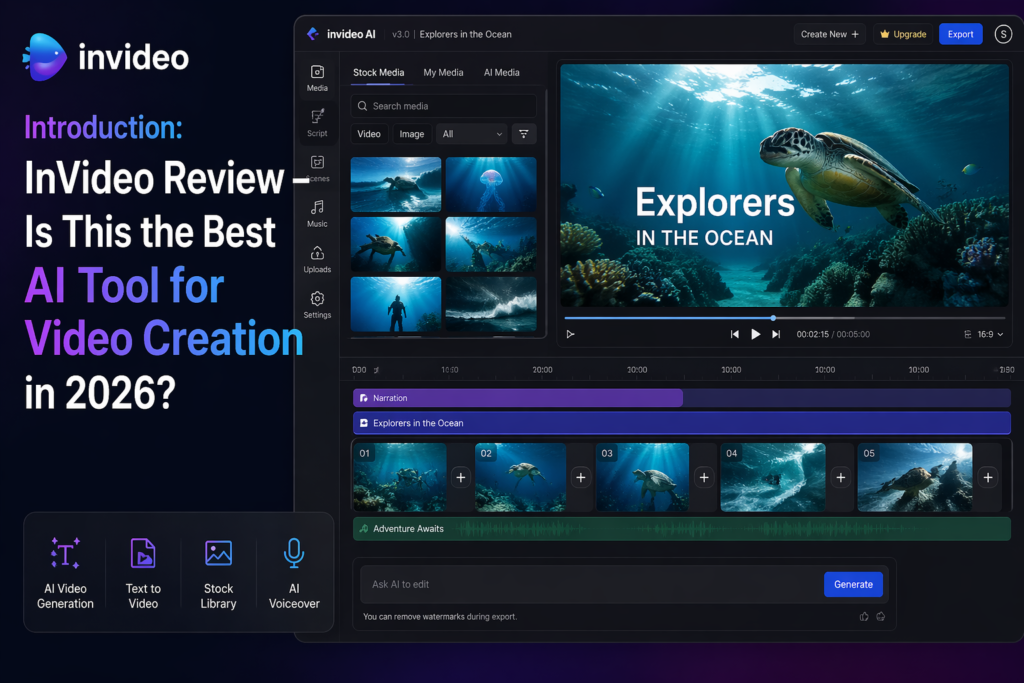
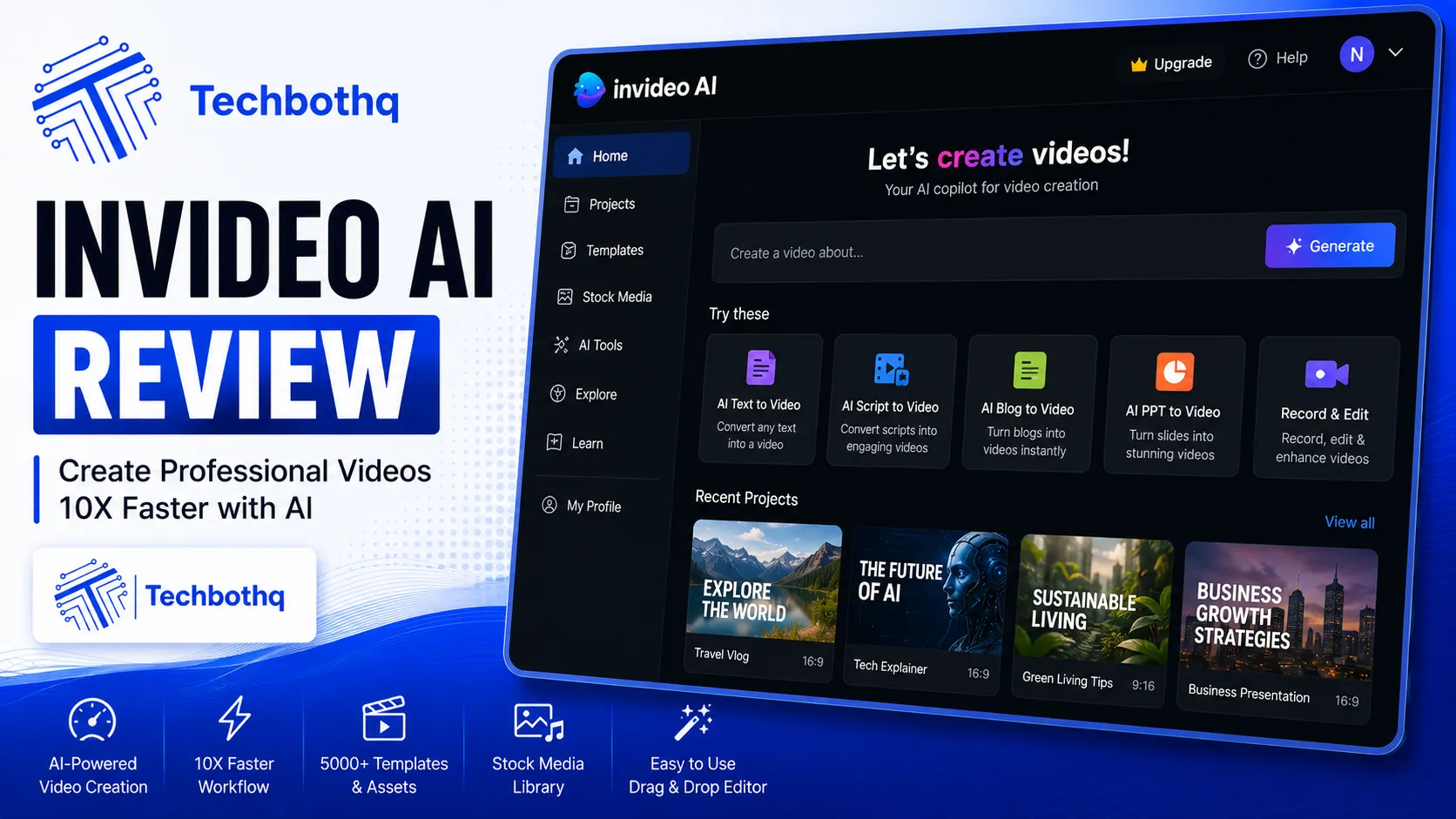
This InVideo AI review starts with the most important thing to understand about the platform: InVideo AI is not a video editor. It is a video factory. As this InVideo AI review found, you describe what you want, and it produces a complete video — script, stock footage, voiceover, captions, background music — in under ten minutes, without you touching a timeline or making a single editing decision.
For the right user, that is a superpower. For the wrong user, it is a frustrating box of constraints. This InVideo AI review is honest about which side of that line you are on, because the platform’s marketing does not always make it clear.
The headline news for 2026, as this InVideo AI review notes: InVideo has struck partnerships with both OpenAI and Google, bundling access to Sora 2 and VEO 3.1 — two of the most advanced AI video generation models available — into its subscription from $28/month. Getting comparable access to these models directly through their standalone products would cost $450 or more per month. That context matters when you evaluate the pricing.
Our InVideo AI review tested the full platform across social media content, YouTube videos, marketing clips, and the new generative video features. Across this InVideo AI review, we went deep on the credit system, the editing workflow, and where the platform genuinely saves time versus where it creates friction. Here is the honest picture.
These Tools Help You Create. We Help You Go Viral.
Making the video is only half the battle — getting it seen is the other. Tasknestly’s viral video service handles strategy, editing, and distribution.
1. What Is InVideo AI? A Plain-English Overview ( InVideo AI Review )
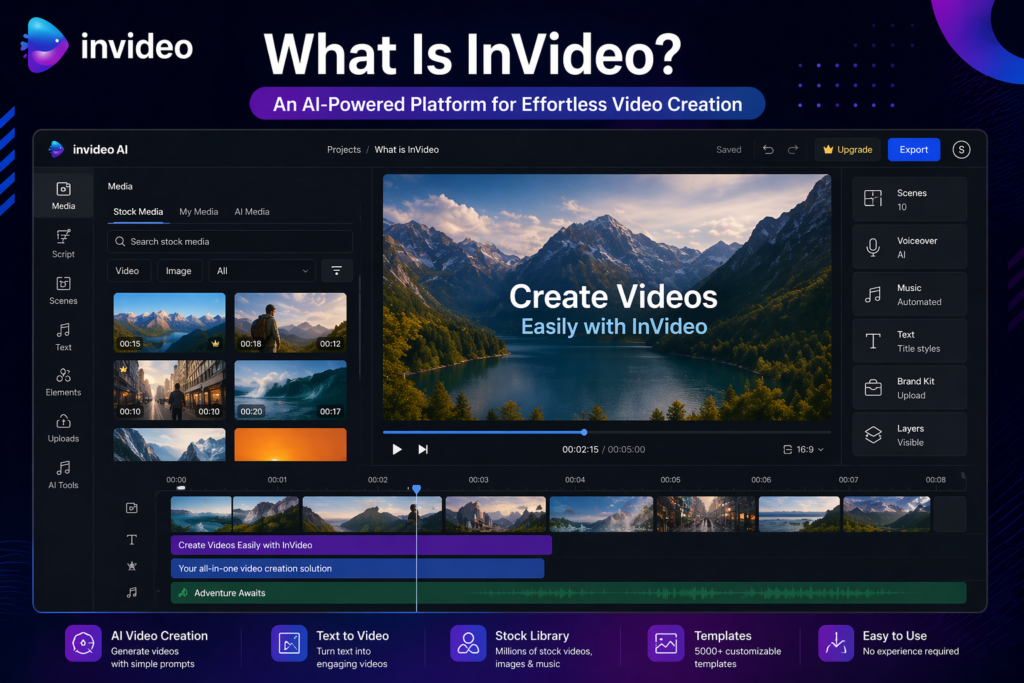
InVideo AI is a full-stack AI video creation platform that converts text prompts into complete videos. Founded in Mumbai in 2017 by Sanket Shah, the company has raised $52.5 million from Sequoia Capital and Tiger Global, serves over 50 million users across 190+ countries, and generates roughly 8 million videos per month on its platform.
The platform has two distinct products running in parallel: InVideo AI, which generates full videos from a text prompt using a conversational interface, and InVideo Studio, a more traditional drag-and-drop video editor. This InVideo AI review focuses on the AI product, which is where the company has concentrated its development energy and where the most interesting capabilities live in 2026.
What separates InVideo AI from simpler text-to-video tools is the depth of the end-to-end pipeline. A single prompt can produce a complete video with: an AI-generated script tailored to your topic and target audience, matched stock footage from a library of 16 million+ clips, an AI voiceover in your chosen style and language, auto-generated captions and subtitles, background music, and transitions — all assembled and exported without you making a single manual editing decision.
The 2026 addition of Sora 2 and VEO 3.1 integration takes this further. Where previous InVideo generations relied entirely on stock footage, the new Generative plan lets the AI create original video clips rather than pulling from a library. For content that needs visuals you cannot find in stock footage, this is a significant capability jump.
These Tools Help You Create. We Help You Go Viral.
Making the video is only half the battle — getting it seen is the other. Tasknestly’s viral video service handles strategy, editing, and distribution.
2. How InVideo AI Works: The End-to-End Pipeline ( InVideo AI Review )
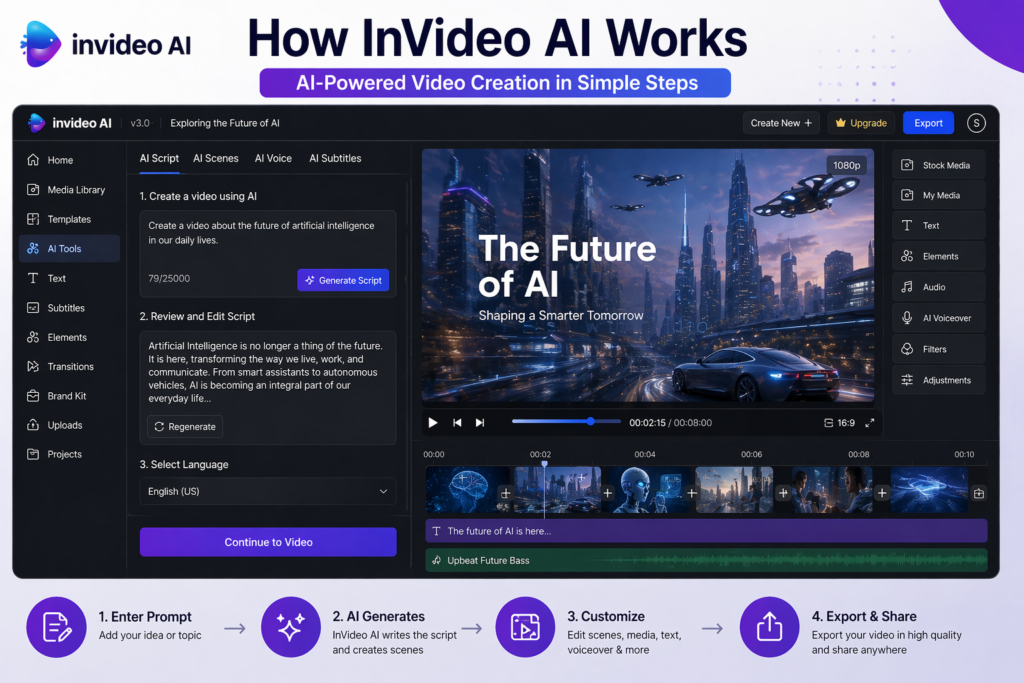
InVideo AI operates through a conversational interface that guides you from prompt to published video. Understanding the workflow helps set the right expectations before you subscribe.
Step 1: The Prompt
You describe the video you want in natural language. InVideo AI’s interface feels like having a conversation with a video producer — you can specify topic, tone, audience, platform, length, and style. The more specific your brief, the more relevant the output. Vague prompts produce generic results; detailed, well-structured prompts produce videos that are meaningfully closer to what you actually want.
💡 Pro tip: Treat your InVideo AI prompt like a creative brief, not a search query. Include your target audience, the platform you are posting on, the tone you want, the key points to cover, and any specific visual style preferences. A 3-sentence prompt produces a generic video. A 10-sentence creative brief produces something worth publishing.
Step 2: AI Script Generation
InVideo AI generates a script for your video based on your prompt. This is where the platform’s main weakness shows up in this InVideo AI review: the scripts are formulaic. They follow predictable structures — hook, three points, call to action — and tend toward generic language rather than distinctive voice. About one in four editing commands to revise the script requires a retry before it produces a useful result. Use the generated script as a structural starting point and plan to edit the voice before generating.
Step 3: Media Assembly
InVideo AI matches stock footage from its 16 million+ clip library to each section of the script. On Plus and Max plans, this includes premium iStock footage. The matching algorithm is good at finding contextually relevant clips — noticeably better than simply keyword-matching stock media — but produces occasional mismatches in niche topics where the library has limited relevant options.
Step 4: Voiceover, Captions, and Music
An AI voiceover is generated in your chosen voice style and language. InVideo AI supports 50+ languages for voiceover, which is one of the broadest multi-language support ranges in the AI video market. Voice cloning allows you to create a custom voice from a sample of your own voice — 2 clones on Plus, 5 on Max — so your videos always sound like you even when AI-generated. Captions are generated automatically and auto-synced to the voiceover. Background music is selected and mixed automatically.
Step 5: Conversational Editing
Rather than a traditional timeline editor, InVideo AI uses a conversational editing interface. You type commands — “make the intro shorter,” “change the background music to something more upbeat,” “replace the clip in section 3 with something about teamwork” — and the AI makes the changes. This approach removes the traditional video editing barrier entirely for non-technical users. The limitation is precision: about one in four commands produces an unexpected result that requires a retry, and fine-grained visual control is not available through the conversational interface.
Sora 2 and VEO 3.1 Integration
The most significant 2026 upgrade highlighted in this InVideo AI review is the integration of Sora 2 (OpenAI) and VEO 3.1 (Google) on the Generative plan. Instead of pulling stock footage from a library, these models generate original AI video clips from text descriptions. A 5-second clip of a product demonstration, a person walking through a specific environment, or a stylized scene that does not exist in any stock library — these are now producible within the InVideo AI workflow. The Generative plan caps this at 300 seconds of AI-generated video per month, which limits it to strategic use within a larger stock-footage edit rather than full AI-generated production.
These Tools Help You Create. We Help You Go Viral.
Making the video is only half the battle — getting it seen is the other. Tasknestly’s viral video service handles strategy, editing, and distribution.
3. Key Features of InVideo AI in 2026 ( InVideo AI Review )
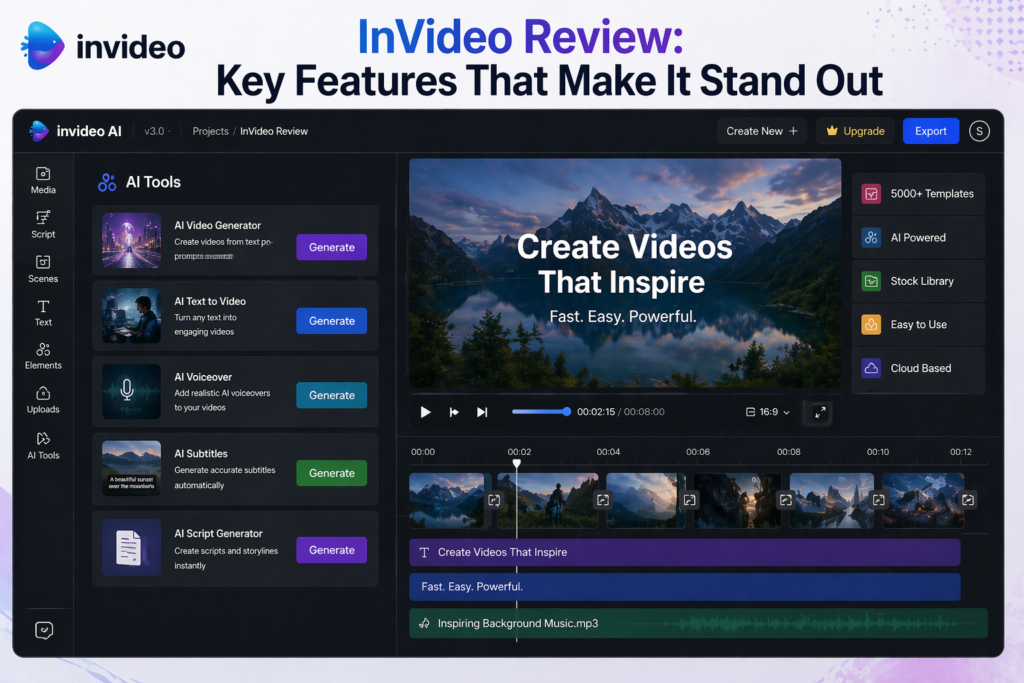
- End-to-End Video Generation: Prompt to finished video in under 10 minutes — script, footage, voiceover, captions, music, and export all automated.
- Sora 2 and VEO 3.1 Integration: Original AI-generated video clips (not stock footage) on the Generative plan — bundled access to models that cost $450+/month standalone.
- 16 Million+ Stock Media Library: Premium stock footage, images, and music from iStock and other major providers on paid plans.
- Voice Cloning: Create a custom AI voice from a sample of your own voice. 2 clones on Plus, 5 on Max.
- 50+ Language Support: Voiceover and subtitle generation across 50+ languages — one of the broadest in the market.
- Conversational Editing Interface: Edit videos through text commands rather than a traditional timeline — no editing skills required.
- Auto-Generated Captions: Synchronized captions generated automatically for every video.
- Brand Kit: Upload your logo, colors, and fonts for automatic brand application across all videos.
- InVideo Studio: A traditional drag-and-drop editor for users who want manual control alongside AI generation.
- Multi-Platform Export: Export in formats optimized for YouTube, Instagram, TikTok, Facebook, and other platforms.
- Team Collaboration: Shared workspaces and multi-user access on Team and Enterprise plans.
These Tools Help You Create. We Help You Go Viral.
Making the video is only half the battle — getting it seen is the other. Tasknestly’s viral video service handles strategy, editing, and distribution.
4. InVideo AI Review: Pricing and Credit System Explained
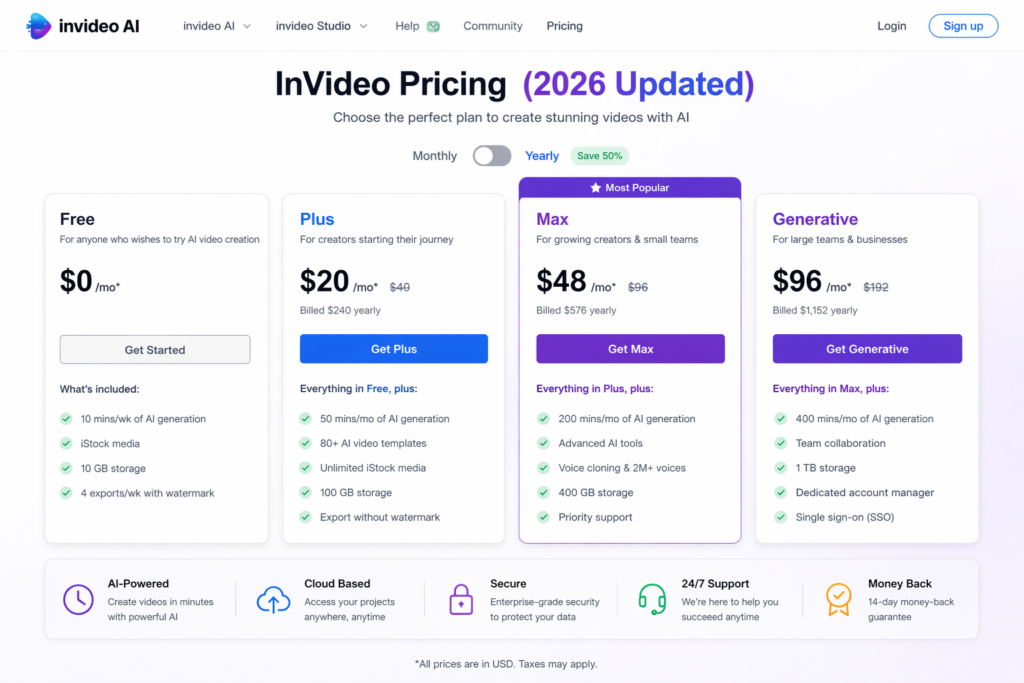
InVideo AI pricing is where most users get surprised. There are four main tiers, but each tier enforces multiple separate credit pools — AI video minutes, iStock media credits, voice cloning credits, generative video seconds — that can run dry independently. Understanding this before you subscribe saves a lot of frustration.
| Plan | Monthly Price | AI Video Minutes | Key Inclusions |
|---|---|---|---|
| Free | $0 | ~40 min/month | Watermark on exports, 720p only, no commercial license, limited stock |
| Plus | $25/month | 50 min/month | Watermark-free, 1080p, 80 iStock credits, 2 voice clones, full stock library |
| Max | $60/month | 200 min/month | Everything in Plus plus 4K export, 320 iStock credits, 5 voice clones, 3 users, 400GB storage |
| Generative | $120/month | 200 min/month | Everything in Max plus Sora 2 and VEO 3.1 access, 300 sec generative video, 5 UGC ad templates |
Annual billing reduces all plan costs by approximately 20%. Prices verified June 2026 — confirm current rates at invideo.io/pricing.
Key things to understand about InVideo AI pricing before you commit:
- Multiple credit pools run independently: You can exhaust your iStock credits while still having AI video minutes remaining. There is no unified credit dashboard warning you before any individual pool runs empty. Plan your usage across all pools, not just one.
- Unused credits do not roll over: AI generation minutes, iStock credits, and voice cloning allowances all reset on the 1st of each billing cycle regardless of usage. Do not let credits go to waste.
- Plus is the minimum viable plan for professional use: The free plan is watermarked, 720p only, and has no commercial license. For any content you actually publish, Plus at $25/month is the entry point.
- Generative plan Sora/VEO access is capped at 300 seconds: That is roughly five 60-second AI-generated clips per month. Use these as premium visual anchors within a larger stock-footage edit rather than expecting to produce purely AI-generated video at volume.
- Annual billing saves ~20%: Plus drops to around $20/month annually, Max to around $48/month. Worth committing to if InVideo AI fits your workflow.
⚠️ Important: The most common complaint in InVideo AI reviews from real users is credit surprise — running out of iStock credits or generative video seconds mid-month without realizing it was happening. Check your credit usage dashboard weekly until you understand your consumption patterns, especially in your first month.
These Tools Help You Create. We Help You Go Viral.
Making the video is only half the battle — getting it seen is the other. Tasknestly’s viral video service handles strategy, editing, and distribution.
5. InVideo AI Review: Honest Pros and Cons
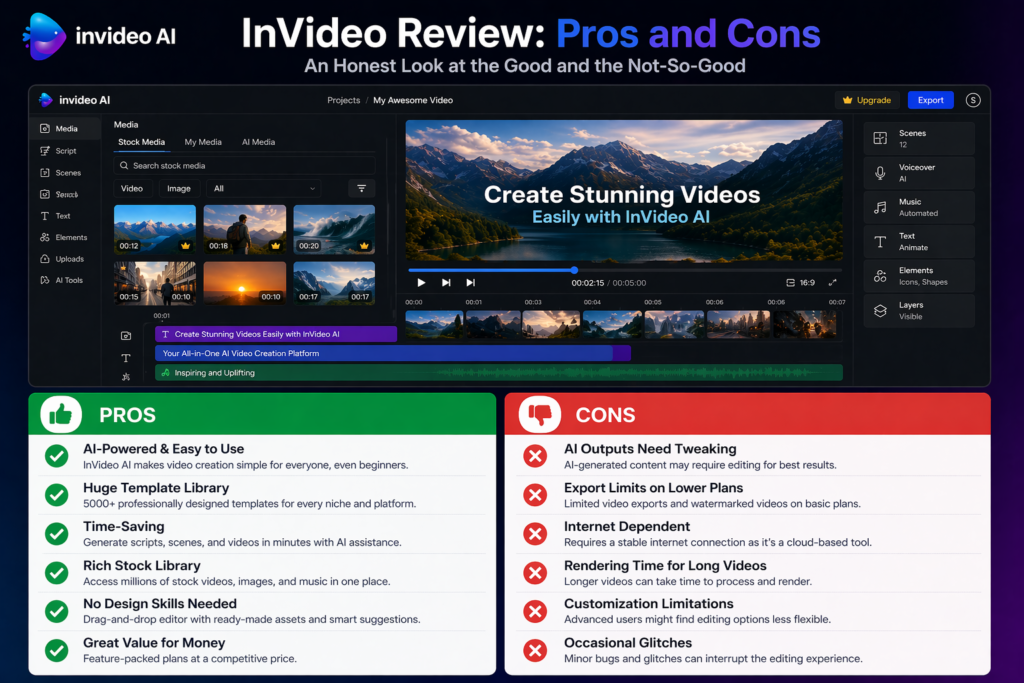
Every honest InVideo AI review needs to be straight about both sides. Here is what genuinely impressed us and what frustrated us during testing.
What InVideo AI Gets Right
- Speed from prompt to finished video is genuinely impressive: Under 10 minutes from prompt to exportable video is not marketing — it is the actual experience for straightforward social media and marketing content. For teams that have been avoiding video because of production time, InVideo AI removes that barrier almost entirely.
- Sora 2 and VEO 3.1 access bundled from $120/month is remarkable value: These models cost $450+ per month to access directly through their standalone products. Getting them inside InVideo’s end-to-end workflow at this price represents genuine disruption in the AI video market.
- No editing skills required — at all: The conversational editing interface means anyone who can type can produce a video. This is not “easy for non-editors” — it is genuinely designed for people who have never used a video editor and never need to.
- 50+ language support is the broadest in class: For brands with international audiences, voiceover and subtitle generation in 50+ languages without leaving the platform is a practical differentiator that most competitors do not match.
- Voice cloning feels like a premium feature at this price: Creating a custom AI voice that sounds like you and applying it automatically to every video you generate is a meaningful personalization capability that makes AI-generated content feel less generic.
- Free plan is genuinely useful for evaluation: Unlike some competitors’ free tiers that barely let you test anything, InVideo AI’s free plan gives you real access to the generation pipeline — enough to decide if the quality meets your standards before spending money.
- The stock library is enormous: 16 million+ clips means you can find relevant footage for almost any topic. The matching algorithm is genuinely better than keyword-based stock search for contextual relevance.
Where InVideo AI Falls Short
- AI scripts are formulaic and generic: This is the most consistent finding in this InVideo AI review and in user feedback across review platforms. The scripts follow predictable structures and produce generic language. Plan to edit the script before generating — treat AI output as a structural draft, not a finished script.
- Conversational editing command reliability: About one in four editing commands produces an unexpected result that needs a retry. This is not catastrophic but it adds friction to the refinement process and can be frustrating on a tight deadline.
- Credits consumed on failed outputs with no refund: If the AI produces a bad output that uses your credits, those credits are gone. In a system with multiple credit pools that do not roll over, this adds up quickly for users who iterate heavily.
- Multiple credit pools create confusion: Managing separate pools for AI minutes, iStock credits, voice clones, and generative video seconds is more complex than a single unified credit system. Most users hit at least one unexpected limit in their first month.
- Not suitable for precision editing: If you need frame-level control, specific timing, complex transitions, or branded visual elements with pixel-precise placement — InVideo AI is the wrong tool. The conversational editing interface trades precision for accessibility.
- Generative video capped at 300 seconds on the top plan: For a $120/month plan that prominently markets Sora 2 and VEO 3.1 access, 300 seconds of generative video per month is a constraint that limits what you can actually do with those models.
- Produces fewer than 5 videos per month? It may not be worth it: The credit economics only make sense if you are producing video consistently at volume. Occasional creators will find the monthly credit caps expiring before they use them.
These Tools Help You Create. We Help You Go Viral.
Making the video is only half the battle — getting it seen is the other. Tasknestly’s viral video service handles strategy, editing, and distribution.
6. Who Should Use InVideo AI? ( InVideo AI Review )
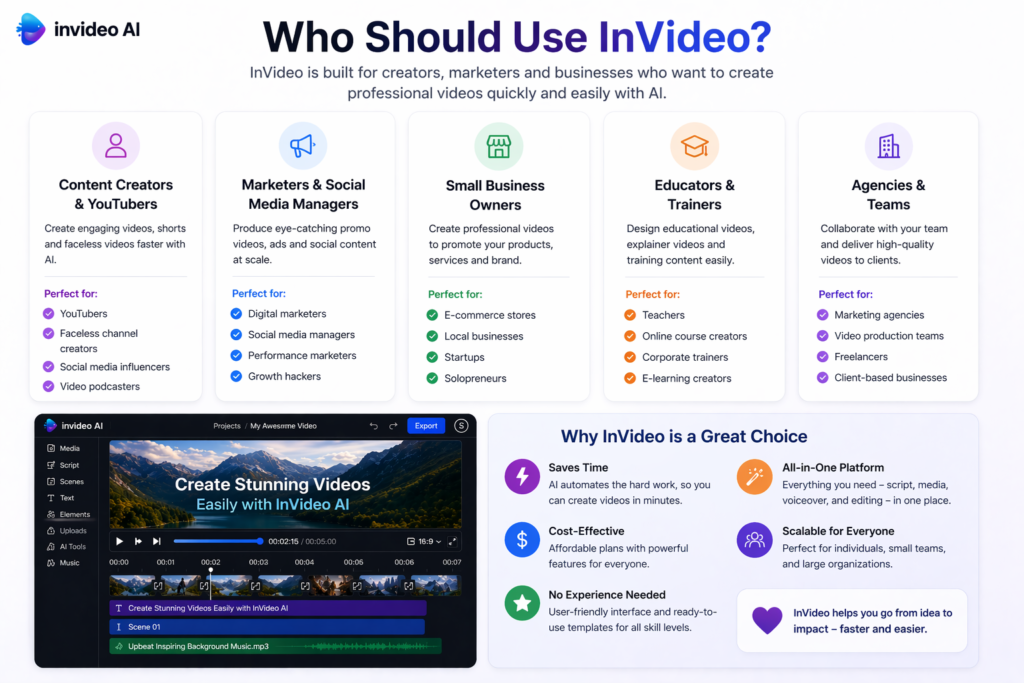
Our InVideo AI review found a very clear user profile for who InVideo AI serves well and who is better off with a different tool.
InVideo AI Is a Great Fit If You Are:
- A YouTube creator producing educational, explainer, or listicle content at volume — the end-to-end pipeline from prompt to published video is purpose-built for this use case.
- A social media manager who needs a consistent stream of video content across multiple platforms — the multi-language support, brand kit, and multi-platform export make this workflow-efficient.
- A content marketer repurposing blog posts and articles into video format — paste the URL or key points and InVideo AI handles the video conversion.
- A small business owner who needs to produce marketing videos without a designer or video editor — the no-editing-skills-required approach removes the biggest barrier.
- A creator or brand producing content in multiple languages — 50+ language voiceover support at this price point has no clear competitor.
- Someone who produces 5 or more videos per month — the credit economics and workflow efficiency make more sense at this volume than for occasional creators.
InVideo AI Is Probably Not Right If You Are:
- A filmmaker or video professional who needs frame-precise editing control — InVideo AI’s conversational interface is not a substitute for professional video editing software.
- A brand with strict visual guidelines — the AI assembles footage and applies brand elements, but pixel-precise control over every visual element is not available.
- Primarily creating talking-head or avatar-led video — HeyGen or Synthesia are purpose-built for this format and produce better results.
- Producing fewer than 5 videos per month — the monthly credit resets make the subscription poor value for low-volume occasional creators.
- Someone who needs the highest cinematic AI video quality — Runway AI’s Gen-4.5 produces significantly more cinematic output. InVideo AI is optimized for accessible, fast production, not maximum visual quality.
These Tools Help You Create. We Help You Go Viral.
Making the video is only half the battle — getting it seen is the other. Tasknestly’s viral video service handles strategy, editing, and distribution.
7. InVideo AI Review: How It Compares to Competitors
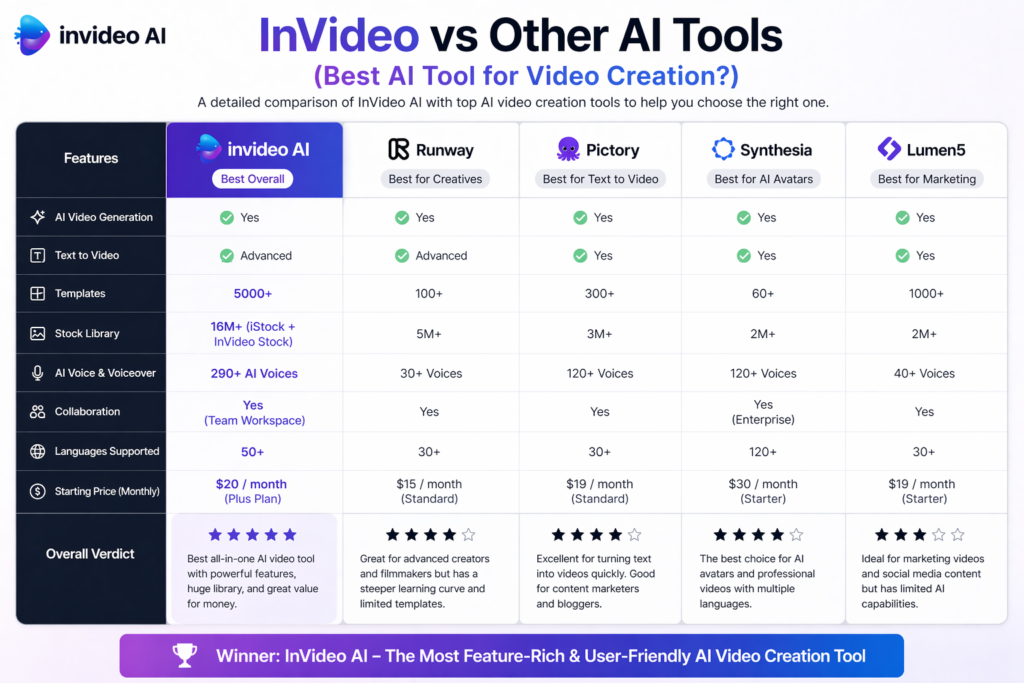
The most common InVideo AI review comparisons are InVideo AI vs Pictory, InVideo AI vs Runway AI, and InVideo AI vs HeyGen. Here is the honest breakdown.
| Tool | Starting Price | Key Strength | Best For |
|---|---|---|---|
| InVideo AI | $25/month | Full pipeline, 50+ languages, Sora 2 + VEO 3.1 | Non-technical creators, volume production |
| Pictory | $35/month | Blog-to-video, ElevenLabs voices, SEO content | Bloggers, content marketers |
| Runway AI | $28/month | Cinematic Gen-4.5 quality, broadest feature set | Filmmakers, high-quality creative video |
| HeyGen | $24/month | AI avatars, talking-head videos, lip sync | Corporate video, presenter content |
| Synthesia | $22/month | AI presenters, training content, 140+ avatars | Corporate training, L&D teams |
The most useful distinction worth drawing in any InVideo AI review comparison is between InVideo AI and Pictory. Both convert text into video using stock footage, but they target slightly different workflows. Pictory is stronger for blog-to-video repurposing and SEO content with its ElevenLabs voice quality. InVideo AI is stronger for prompt-driven original video creation, broader language support, and the generative AI model access. Many content teams use both — Pictory for article repurposing, InVideo AI for original social content.
These Tools Help You Create. We Help You Go Viral.
Making the video is only half the battle — getting it seen is the other. Tasknestly’s viral video service handles strategy, editing, and distribution.
8. What Real Users Say About InVideo AI ( InVideo AI Review )
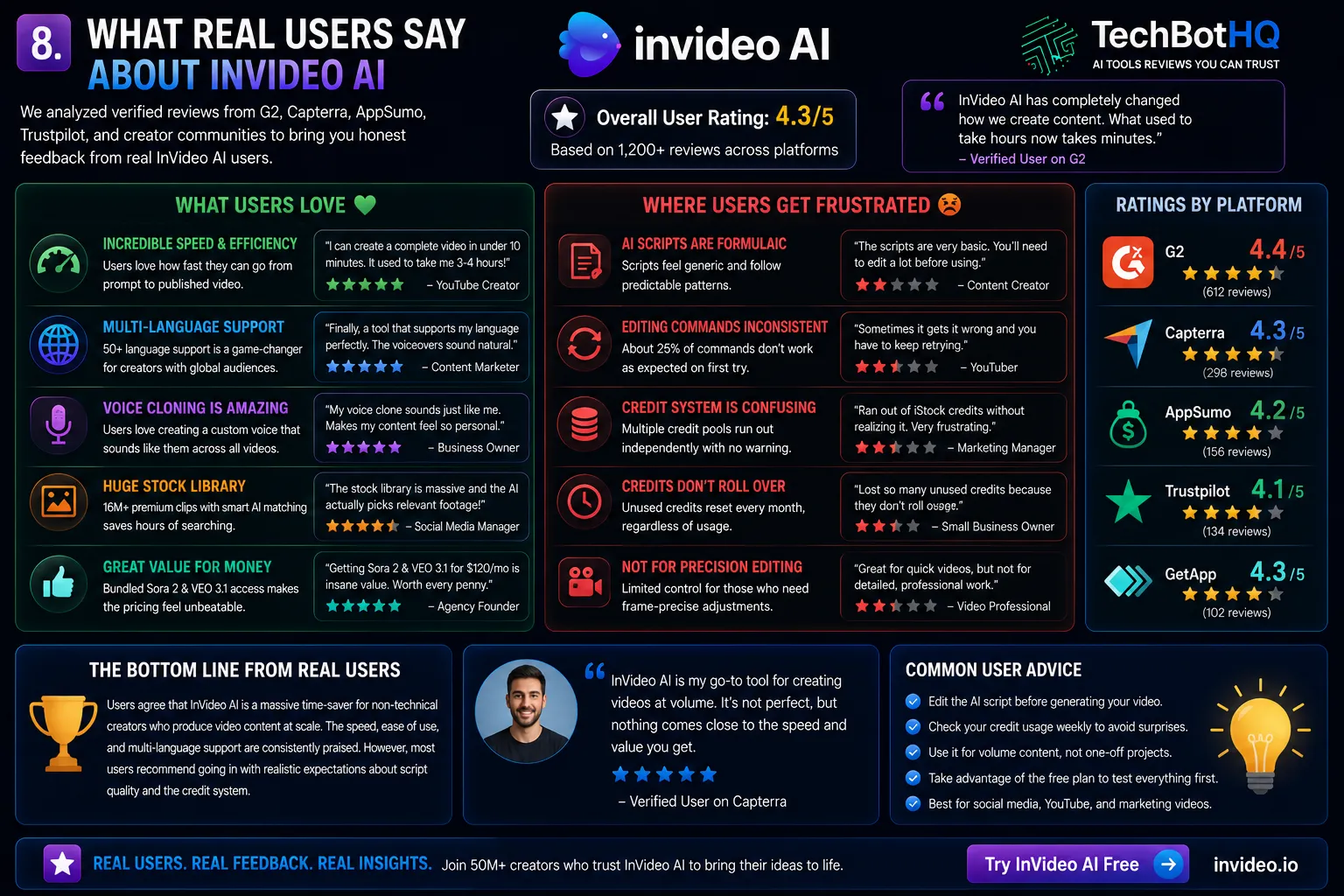
We reviewed verified feedback across G2, Capterra, AppSumo, and independent creator communities to understand what users actually experience with InVideo AI.
What Users Love
Speed is the feature that every InVideo AI review from real users agrees on. Creators who were previously spending 3-4 hours per video report cutting that to 20-30 minutes with InVideo AI for standard social media content. The end-to-end automation — no timeline, no cuts, no manual asset searching — removes the steps that consume the most time for non-editors, and users who embrace the platform as a rapid-drafting tool consistently report strong time savings.
The multi-language support generates particularly enthusiastic feedback from international users. Creators producing content in Spanish, Portuguese, Hindi, Arabic, and other languages report that InVideo AI is the only tool they have found that handles voiceover quality in their language as well as it handles English. For multilingual content teams, this capability alone often justifies the subscription.
The free plan also generates consistent positive feedback. Users who tried free tiers from competitors and found them barely functional describe InVideo AI’s free tier as genuinely useful for evaluation — enough to test real workflows and make an informed subscription decision without risk.
Where Users Get Frustrated
The credit system is the most consistent frustration across InVideo AI reviews from real users — specifically, running out of iStock credits or generative video seconds mid-month without clear warning. Multiple reviewers describe discovering their iStock pool was empty only when they tried to use footage, with no dashboard alert before the pool ran dry. This is a real UX problem that InVideo has been slow to address.
Script quality is the second recurring complaint. Users who expected polished, distinctive content from the AI generation step are consistently disappointed. The scripts are structurally sound but formulaic — they follow predictable patterns and produce generic language that does not reflect any particular brand voice. Reviewers who treat the AI script as a draft to refine are satisfied; those who expected to use the AI output without editing are not.
Command reliability in the conversational editor also draws criticism. About one in four editing commands produces an off-target result that requires retry or manual clarification. For users who expected the editing interface to be as smooth as the initial generation step, this inconsistency is frustrating. It is manageable — retry usually works — but it interrupts the flow that makes the platform appealing.
These Tools Help You Create. We Help You Go Viral.
Making the video is only half the battle — getting it seen is the other. Tasknestly’s viral video service handles strategy, editing, and distribution.
9. Our InVideo AI Review Rating Breakdown
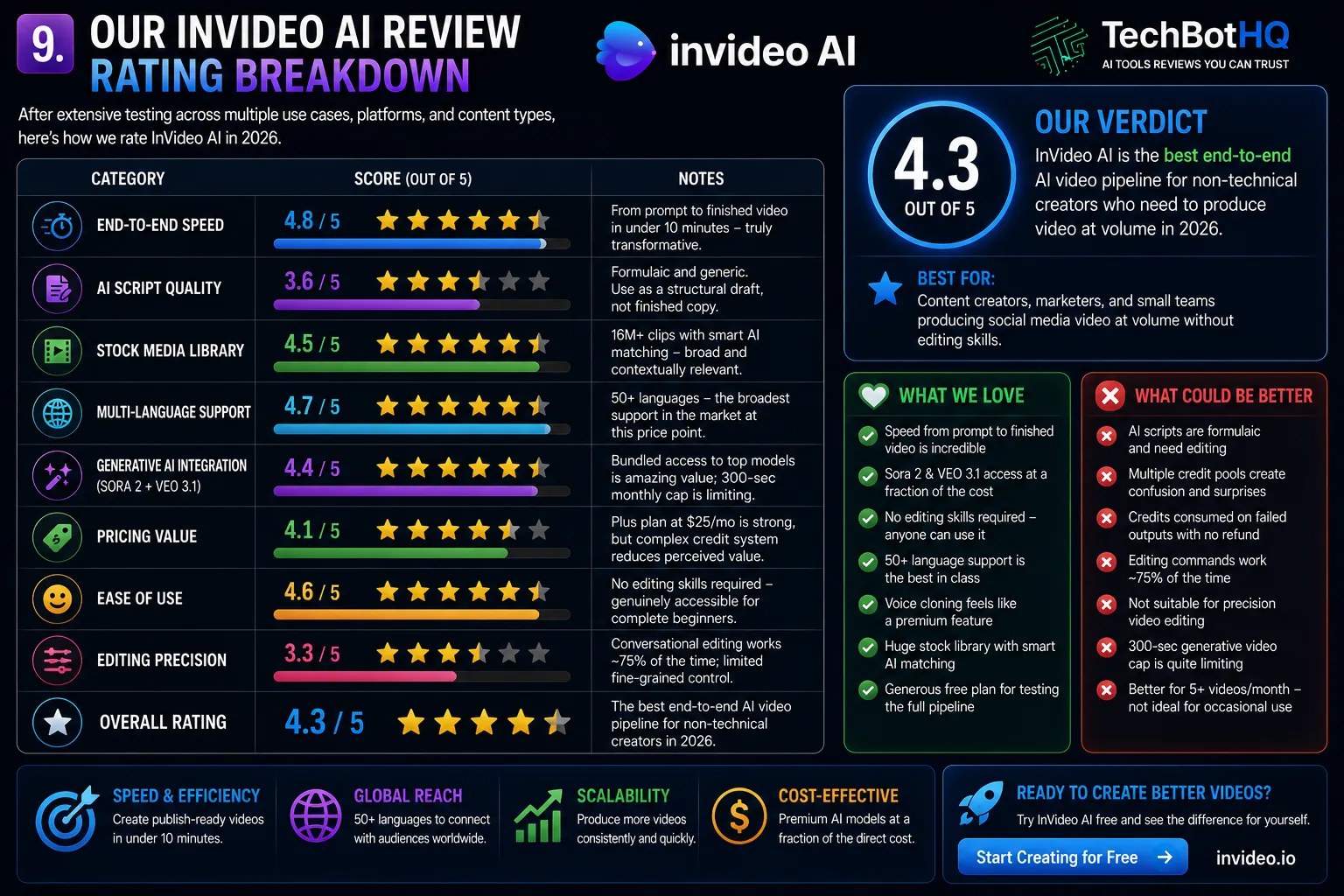
| Category | Score | Notes |
|---|---|---|
| End-to-End Speed | 4.8 / 5 | Prompt to finished video in under 10 minutes — genuinely transformative |
| AI Script Quality | 3.6 / 5 | Formulaic and generic — treat as a structural draft, not finished copy |
| Stock Media Library | 4.5 / 5 | 16M+ clips with solid AI matching — broad and contextually relevant |
| Multi-Language Support | 4.7 / 5 | 50+ languages — broadest in the market at this price point |
| Generative AI Integration | 4.4 / 5 | Sora 2 + VEO 3.1 access is remarkable value; 300-second cap limits use |
| Pricing Value | 4.1 / 5 | Plus at $25/month is strong; credit complexity reduces perceived value |
| Ease of Use | 4.6 / 5 | No editing skills required — genuinely accessible for complete beginners |
| Editing Precision | 3.3 / 5 | Conversational editing works ~75% of the time; limited fine control |
| Overall | 4.3 / 5 | The best end-to-end AI video pipeline for non-technical creators in 2026 |
These Tools Help You Create. We Help You Go Viral.
Making the video is only half the battle — getting it seen is the other. Tasknestly’s viral video service handles strategy, editing, and distribution.
10. Final InVideo AI Review Verdict: Is It Worth It in 2026?
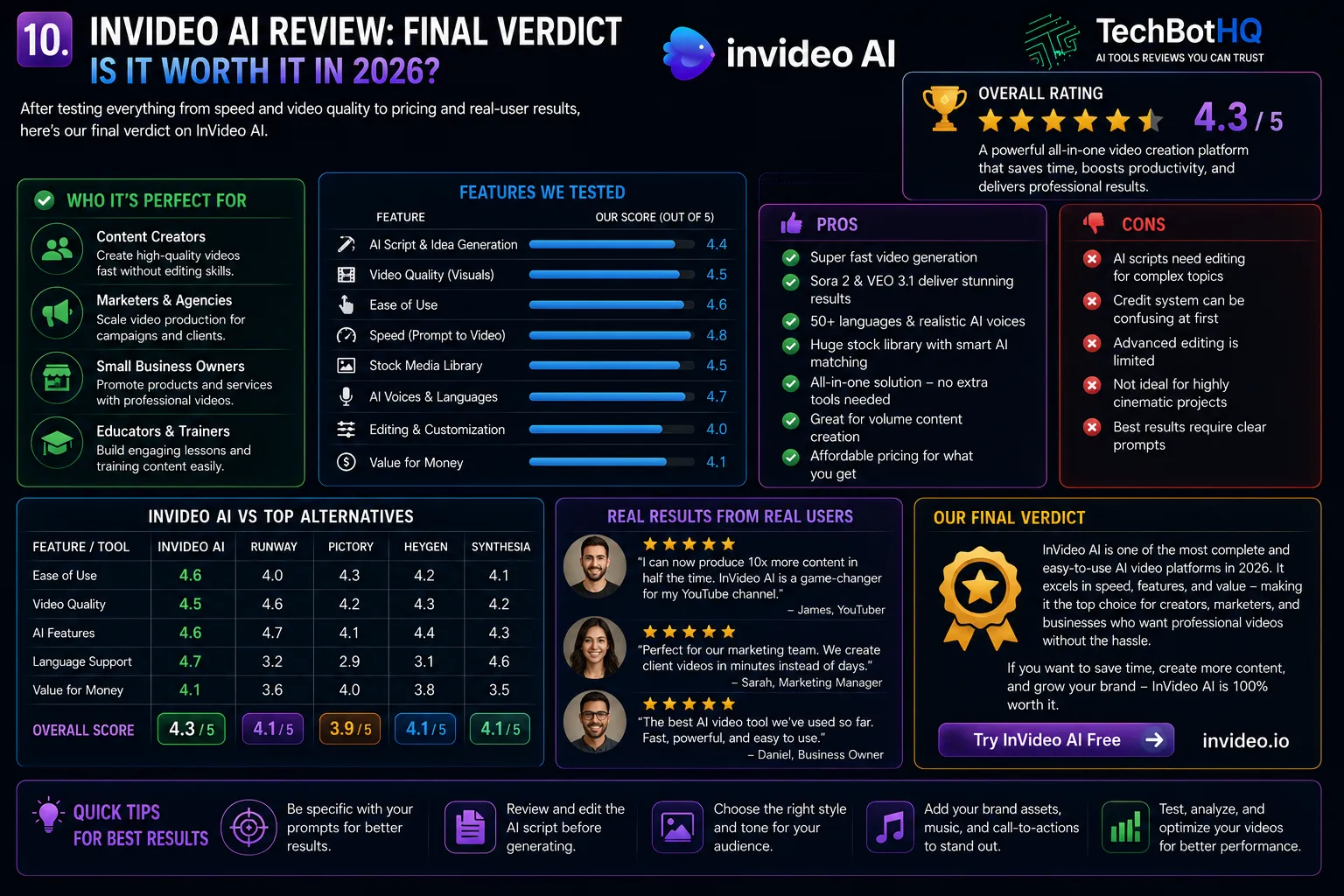
Here is the honest bottom line of this InVideo AI review: InVideo AI is the best end-to-end AI video pipeline for non-technical creators who need to produce video at volume in 2026. The combination of a conversational no-editing-skills interface, 50+ language support, voice cloning, and bundled Sora 2 and VEO 3.1 access at $25-120/month represents genuinely strong value for the right user.
The limitations are real and should inform your decision. AI scripts are generic and need editing. The credit system has multiple pools that require active monitoring. Conversational editing commands are unreliable about 25% of the time. And the platform does not replace genuine video editing — it automates a first-draft workflow, not a production-quality pipeline.
Our InVideo AI review recommendation: start with the free plan and generate 3-5 videos across different content types you actually produce. If the output quality is close enough to usable with light editing — and for social media and YouTube content it usually is — the Plus plan at $25/month is an easy upgrade. If you are producing 5+ videos per week and need the generative AI features, evaluate the Generative plan honestly against the 300-second monthly cap before committing.
| ✅ Get InVideo AI If You…Produce 5+ videos per month for social mediaHave no video editing skills or experienceNeed multi-language video content at scaleWant Sora 2 and VEO 3.1 without the full priceCreate YouTube or marketing video contentNeed a voice clone that sounds like you | ⚠️ Skip InVideo AI If You…Need frame-precise video editing controlProduce fewer than 5 videos per monthNeed talking-head or AI avatar videoRequire strict visual brand guidelinesWant the highest cinematic video qualityCannot manage a multi-pool credit system |
These Tools Help You Create. We Help You Go Viral.
Making the video is only half the battle — getting it seen is the other. Tasknestly’s viral video service handles strategy, editing, and distribution.
11. InVideo AI Review: Frequently Asked Questions
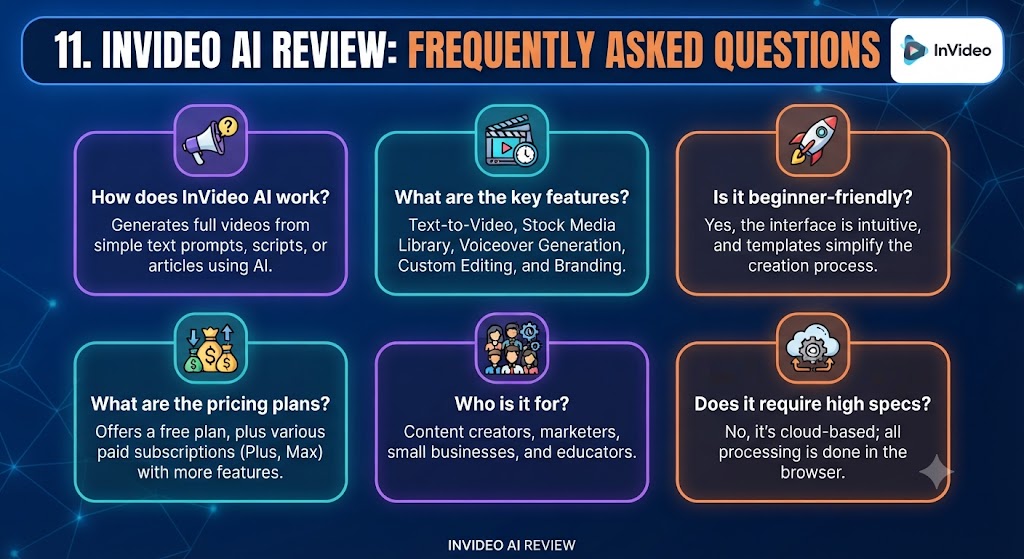
Is InVideo AI worth it in 2026?
For non-technical creators producing social media or YouTube video at volume, yes — our InVideo AI review rates it 4.3/5. The speed, multi-language support, and bundled generative AI model access represent strong value. For precision video work or occasional creators, cheaper or more specialized alternatives serve better.
How does InVideo AI pricing work?
InVideo AI pricing uses multiple separate credit pools — AI video minutes, iStock media credits, voice cloning credits, and generative video seconds. Each pool runs independently and does not roll over between billing cycles. Paid plans start at $25/month for Plus (50 AI minutes, 80 iStock credits) and scale to $120/month for the Generative plan with Sora 2 and VEO 3.1 access.
Does InVideo AI have a free plan?
Yes — the free plan gives you approximately 40 AI video minutes per month with full access to the generation pipeline, but exports include an InVideo watermark, are limited to 720p resolution, and have no commercial license. As noted in this InVideo AI review, it is genuinely useful for evaluation but not viable for any content you actually publish professionally.
What is the difference between InVideo AI and InVideo Studio?
InVideo AI is the prompt-driven video generation platform — describe what you want and it produces a complete video automatically. InVideo Studio is a traditional drag-and-drop video editor for users who want manual control over every element. This InVideo AI review covers the AI product. Both are available on paid plans.
Does InVideo AI support Sora 2 and VEO 3.1?
Yes — Sora 2 (OpenAI) and VEO 3.1 (Google) access is available on the Generative plan at $120/month. The monthly cap is 300 seconds of AI-generated video, which our InVideo AI review found best used for premium visual segments within a larger stock-footage edit rather than for end-to-end AI-generated production.
How does InVideo AI compare to Pictory?
Pictory is stronger for blog-to-video repurposing and produces higher-quality AI voiceover through its ElevenLabs integration. InVideo AI is stronger for prompt-driven original video creation, broader language support (50+ vs Pictory’s 29), and the generative AI model access on the Generative plan. As this InVideo AI review notes, many content teams use both — Pictory for article repurposing, InVideo AI for original social media content.
What languages does InVideo AI support?
InVideo AI supports voiceover and subtitle generation in 50+ languages — one of the broadest multi-language ranges in the AI video market. This is one of the platform’s most consistent strengths highlighted across InVideo AI reviews from international users, particularly for Spanish, Portuguese, Hindi, Arabic, French, and German content.
Disclosure: This article contains affiliate links. TechBotHQ may earn a commission if you sign up through our links, at no extra cost to you. See our affiliate disclosure for full details.