Pictory vs InVideo AI 2026: Which Content Repurposing Tool Wins?

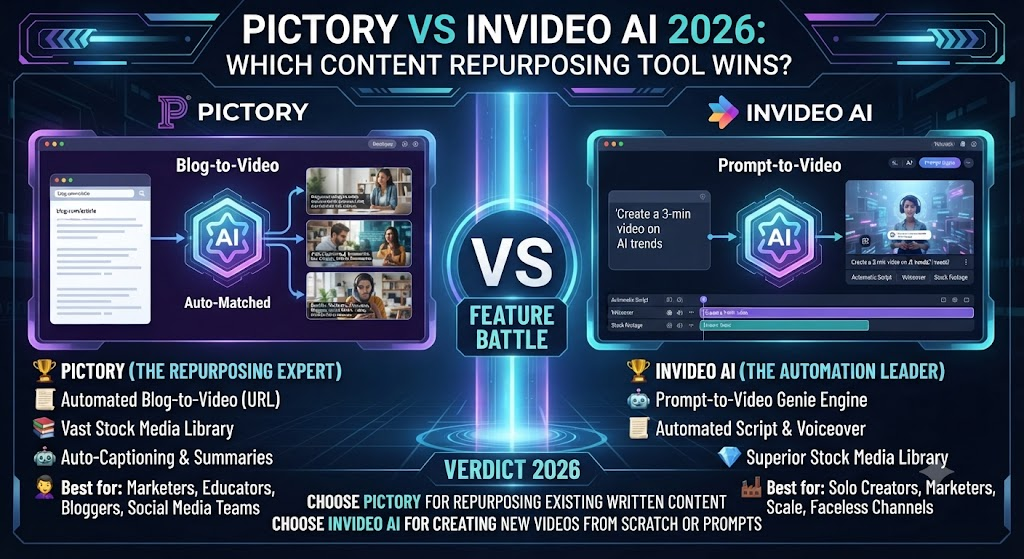
Pictory and InVideo AI both promise the same basic pitch: turn text or a simple prompt into a finished video without filming anything or learning traditional editing. Both draw from stock footage libraries, both use AI voiceover, and both target the same broad audience of content marketers, bloggers, and social media managers. This Pictory vs InVideo AI comparison covers where the real differences actually show up — pricing structure, output flexibility, and which tool handles which specific repurposing job better.
Table of Contents
The One-Line Summary
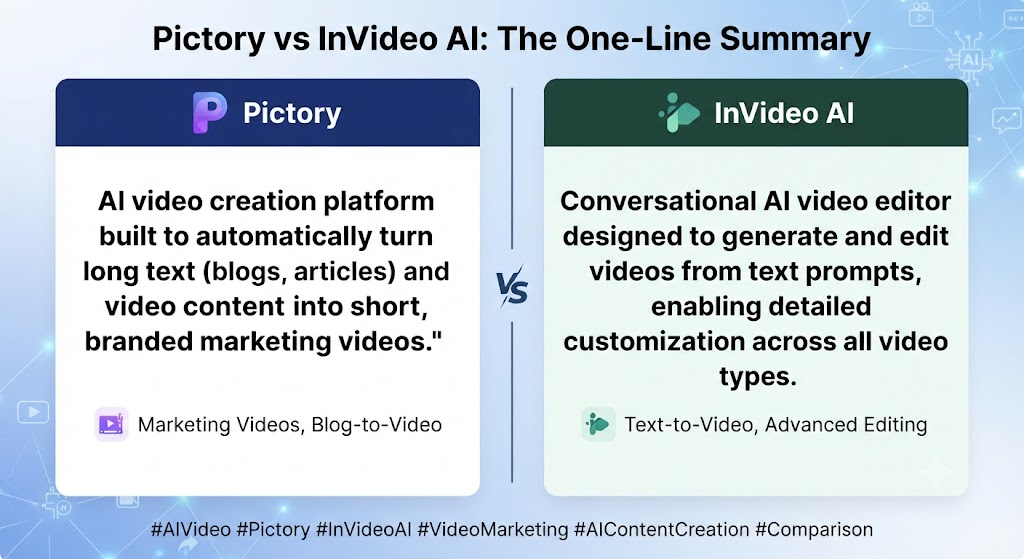
Pictory: As this Pictory vs InVideo AI shows, the stronger choice for straightforward blog-and-script-to-video repurposing with deep stock footage access, including premium sources like Getty Images.
InVideo AI: In this Pictory vs InVideo AI, the stronger choice for prompt-driven, more flexible AI video generation with broader creative control, including access to cinematic-quality models like Sora 2 and Veo 3.1 on its top tier.
Looking at Pictory vs InVideo AI details, if your workflow is mainly “I have written content, turn it into video,” Pictory is the more purpose-built tool. If you want more prompt-level creative flexibility and access to frontier video generation models, InVideo AI’s range is broader.
These Tools Help You Create. We Help You Go Viral.
Making the video is only half the battle — getting it seen is the other. Tasknestly’s viral video service handles strategy, editing, and distribution.
See Viral Video Services →What Each Tool Is Built For
Pictory
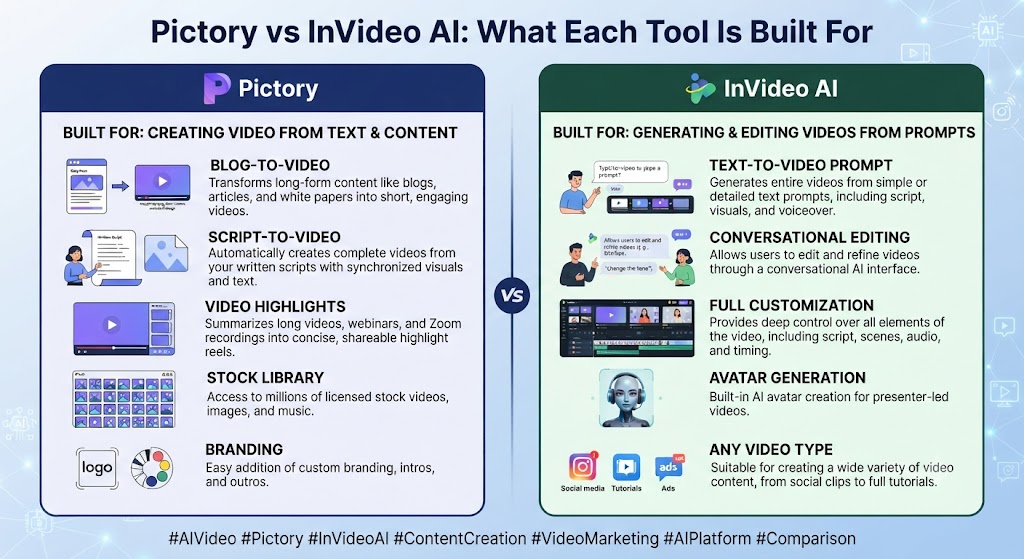
When it comes to this tool, this Pictory vs InVideo AI found that pictory’s entire product is organized around converting existing text into video efficiently. Paste a blog URL, script, or article, and Pictory extracts key points, matches relevant stock footage from a library that includes Getty Images and Storyblocks on higher tiers, adds an AI voiceover, and generates captions — a tightly scoped, repeatable workflow optimized for volume.
InVideo AI
For anyone reading this Pictory vs InVideo AI, inVideo AI positions itself more broadly as a prompt-to-video platform. You can generate video from a text prompt, a script, or a URL, but the platform also layers in access to multiple underlying AI video generation models, AI avatars, voice cloning, and — on its top Generative tier — direct access to Sora 2 and Veo 3.1 for genuinely AI-generated (not just stock-assembled) visual content.
These Tools Help You Create. We Help You Go Viral.
Making the video is only half the battle — getting it seen is the other. Tasknestly’s viral video service handles strategy, editing, and distribution.
See Viral Video Services →Feature-by-Feature Comparison
Core Workflow
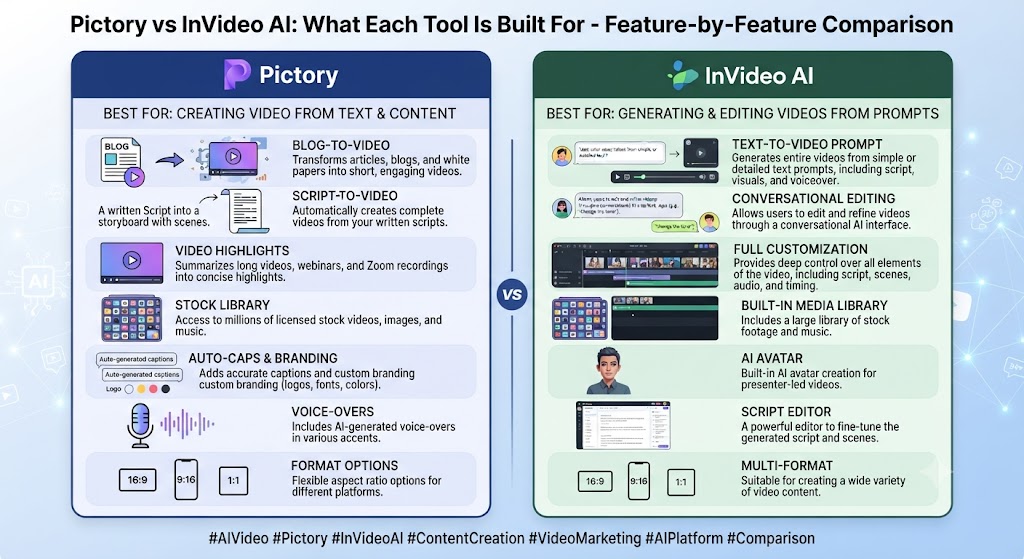
This Pictory vs InVideo AI found that pictory’s workflow is narrower and more predictable: text in, stock-footage video out, with minimal decision points along the way. InVideo AI’s workflow branches more — you can lean toward stock-assembled video similar to Pictory, or push toward AI-generated visual content using its bundled frontier models, depending on which tier and tools you select.
Winner: Across this Pictory vs InVideo AI, depends on what you want — Pictory for simplicity and speed, InVideo AI for range of output styles.
Stock Media and Asset Libraries
On this point, this Pictory vs InVideo AI notes that pictory’s library runs to millions of clips with Getty Images and Storyblocks access on Professional and Teams tiers — genuinely premium sourcing. InVideo AI includes iStock access on its paid tiers, with usage metered separately from AI generation minutes in its credit system.
Winner: Within this Pictory vs InVideo AI, pictory, for depth and premium source access without a separate credit pool competing for the same budget.
AI Video Generation Models
Considering the data, this Pictory vs InVideo AI shows this is InVideo AI’s clearest differentiator. Its Generative tier bundles access to Sora 2 and Veo 3.1 — genuinely cinematic AI-generated video, not stock footage assembly — inside an end-to-end workflow. Pictory has no equivalent; its entire visual layer comes from stock and uploaded assets, never AI-generated scenes.
Winner: In the context of pricing, this Pictory vs InVideo AI notes inVideo AI, decisively, for anyone wanting frontier AI-generated visuals rather than stock footage.
AI Avatars
Per this Pictory vs InVideo AI, inVideo AI includes AI avatars and voice cloning as part of its broader toolkit. Pictory has no avatar feature at all — a gap the company has signaled plans to close but hasn’t shipped as a core product feature.
Winner: As this Pictory vs InVideo AI shows, inVideo AI, since Pictory doesn’t compete in this category currently.
Credit System Complexity
In this Pictory vs InVideo AI, inVideo AI’s credit system splits usage across separate pools — AI generation minutes, iStock downloads, voice clones, and voiceover minutes — that don’t share allocation and don’t roll over, a structure multiple independent reviews flag as confusing and prone to catching users off guard mid-month. Pictory’s pricing is simpler: a single monthly video-minute allowance per plan, with generative AI credits as a secondary but more clearly delineated pool on higher tiers.
Winner: Pictory, for pricing transparency and predictability. That’s a key point in this Pictory vs InVideo AI.
Output Consistency for Blog-to-Video Specifically
Looking at Pictory vs InVideo AI details, for the narrow, specific job of “turn this exact blog post into a video,” independent comparisons consistently find Pictory’s output more consistently on-topic and easier to use with minimal editing, since the entire product is built around that one workflow. InVideo AI’s broader flexibility can mean more setup decisions before reaching an equivalent result.
Winner: When it comes to this tool, this Pictory vs InVideo AI found that pictory, specifically for blog-to-video repurposing at its narrowest and most common use case.
These Tools Help You Create. We Help You Go Viral.
Making the video is only half the battle — getting it seen is the other. Tasknestly’s viral video service handles strategy, editing, and distribution.
See Viral Video Services →Pricing Comparison
Pictory Pricing (2026)
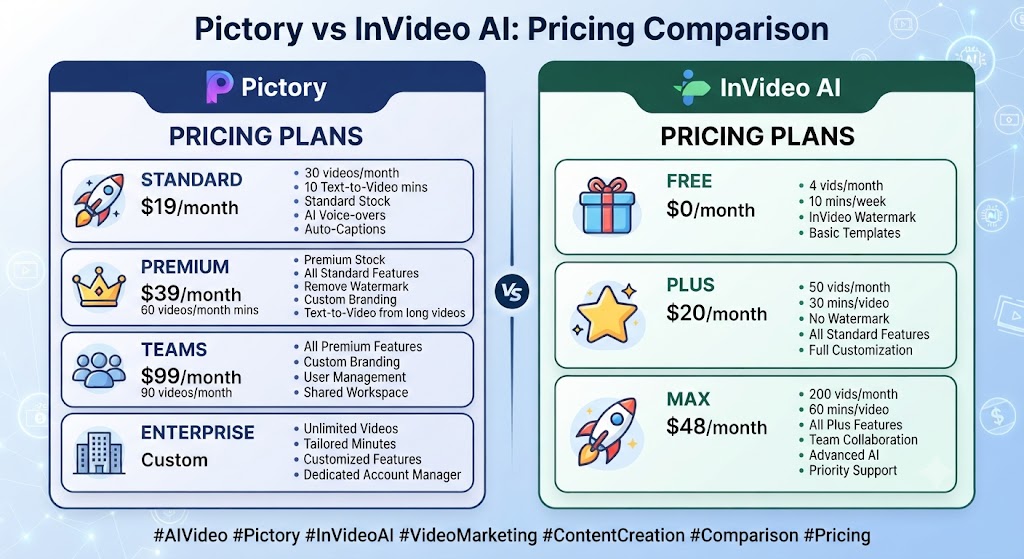
| Plan | Monthly Price (Annual) | Video Minutes | Best For |
|---|---|---|---|
| Trial | $0 (14 days) | 3 projects, watermarked | Evaluation |
| Starter | $29 ($25 annual) | ~200 min/mo | Solo creators |
| Professional | $59 ($35 annual) | ~600 min/mo, gen AI credits | Content teams |
| Teams | $119 (annual) | ~1,800 min/mo | Agencies |
InVideo AI Pricing (2026)
| Plan | Monthly Price (Annual) | AI Minutes | Best For |
|---|---|---|---|
| Free | $0 | 10 min/week, watermarked | Testing |
| Plus | $25 ($20 annual) | 50 min/week (~200/mo) | Individual creators |
| Max | $60 ($48 annual) | 200 min/week (~800/mo), 4K | High-volume producers |
| Generative | ~$120/mo | Sora 2 + Veo 3.1 access | Cinematic AI video |
For anyone reading this Pictory vs InVideo AI, at comparable entry tiers, Pictory Starter and InVideo AI Plus land close in price, but InVideo AI’s weekly-reset, multi-pool credit structure makes direct comparison harder than the sticker price suggests — a genuinely important factor to weigh alongside cost.
These Tools Help You Create. We Help You Go Viral.
Making the video is only half the battle — getting it seen is the other. Tasknestly’s viral video service handles strategy, editing, and distribution.
See Viral Video Services →Decision Framework: Simplicity vs Range
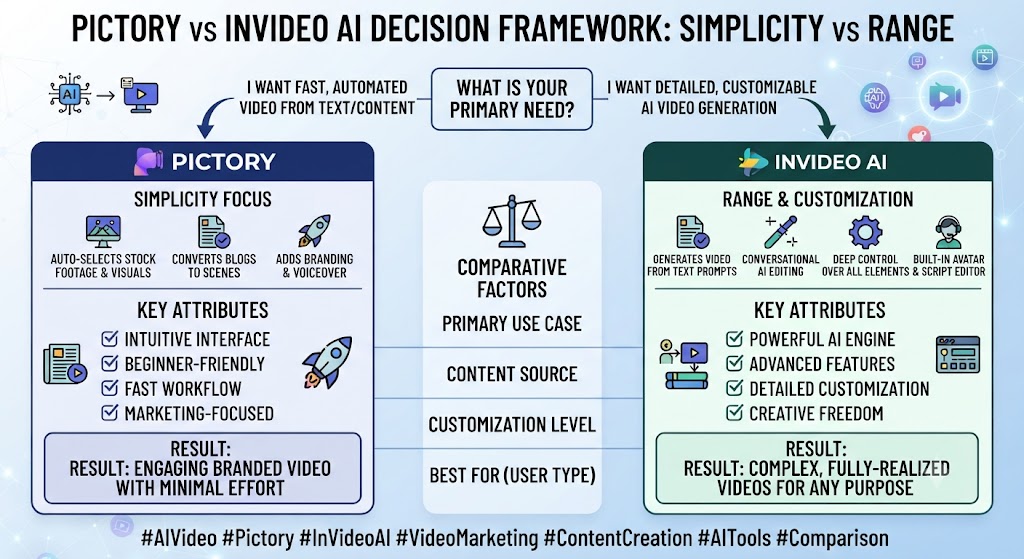
This Pictory vs InVideo AI found that the clearest way to frame this decision is a tradeoff between simplicity and range. Pictory does one job — written content to stock-footage video — with minimal decision points and predictable pricing. InVideo AI does a broader range of jobs, spanning stock assembly, AI avatars, voice cloning, and frontier AI-generated visuals, at the cost of more setup complexity and a genuinely harder-to-predict credit system.
Across this Pictory vs InVideo AI, teams that know exactly what they need — reliable, repeatable blog-to-video conversion at volume — rarely benefit from InVideo AI’s extra range, since that flexibility mostly shows up as additional decisions to make before reaching the same basic result Pictory produces more directly. The broader toolkit becomes a genuine advantage specifically when your content needs actually vary week to week: sometimes stock-assembled video, sometimes an avatar presenter, sometimes cinematic AI-generated B-roll for a premium piece of content.
On this point, this Pictory vs InVideo AI notes that budget-conscious teams should weigh the credit system complexity seriously before committing to InVideo AI’s higher tiers specifically for Generative access, since independent reviews consistently flag how quickly iteration burns through that tier’s AI-minute allowance. A single 90-second cinematic generation can consume a meaningful fraction of a month’s allocation, meaning the effective cost per finished video is often higher than the plan price alone suggests.
These Tools Help You Create. We Help You Go Viral.
Making the video is only half the battle — getting it seen is the other. Tasknestly’s viral video service handles strategy, editing, and distribution.
See Viral Video Services →Pros and Cons
Pictory
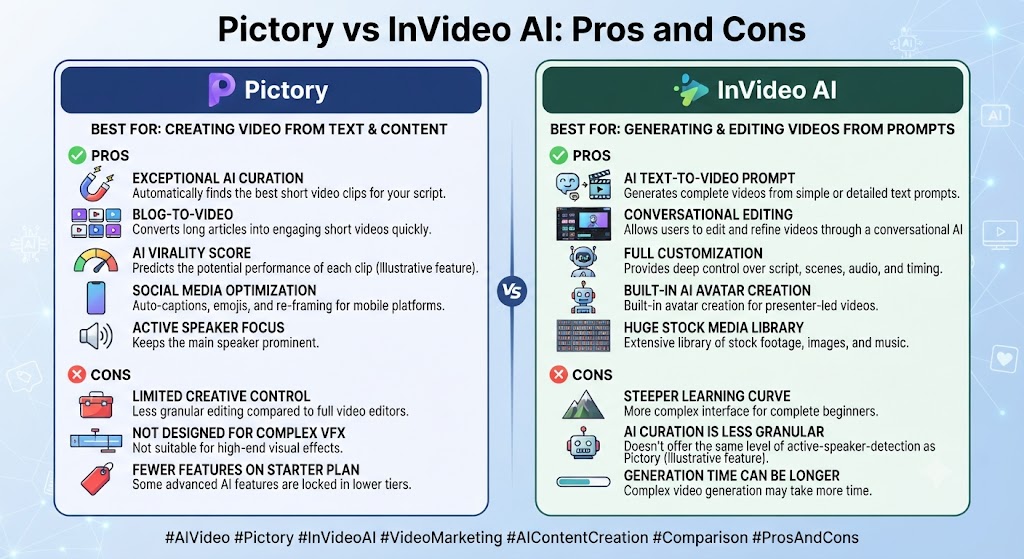
Pros: Within this Pictory vs InVideo AI, simple, predictable pricing structure, deep premium stock library, fast and consistent blog-to-video output.
Cons: Considering the data, this Pictory vs InVideo AI shows no AI-generated visual content, no avatar feature, no permanent free tier.
InVideo AI
Pros: In the context of pricing, this Pictory vs InVideo AI notes access to frontier AI video models (Sora 2, Veo 3.1) on Generative tier, AI avatars and voice cloning included, broader creative flexibility overall.
Cons: Per this Pictory vs InVideo AI, multi-pool credit system is genuinely confusing and doesn’t roll over, iteration burns credits fast according to independent reviews, output can lean generic without careful prompt control.
These Tools Help You Create. We Help You Go Viral.
Making the video is only half the battle — getting it seen is the other. Tasknestly’s viral video service handles strategy, editing, and distribution.
See Viral Video Services →Use Cases
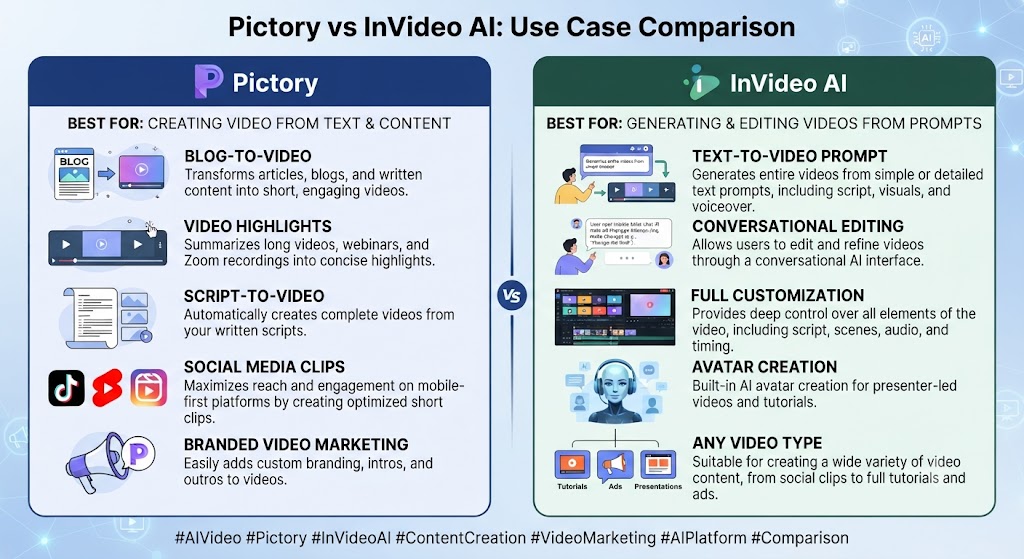
Content marketers repurposing blog posts at consistent volume As this Pictory vs InVideo AI shows, should default to Pictory — the narrower, more predictable workflow produces reliable output faster with fewer decisions per video.
Creators wanting cinematic AI-generated visuals rather than stock footage In this Pictory vs InVideo AI, should look to InVideo AI’s Generative tier specifically, since Pictory has no equivalent capability at any price point.
Teams needing AI avatar presenters occasionally alongside stock-footage content Looking at Pictory vs InVideo AI details, benefit from InVideo AI’s broader toolkit, avoiding the need for a separate avatar tool like Synthesia or HeyGen.
Budget-conscious teams wanting predictable monthly costs When it comes to this tool, this Pictory vs InVideo AI found that should lean toward Pictory, where the single-pool minute allowance is easier to forecast than InVideo AI’s multi-pool credit structure.
These Tools Help You Create. We Help You Go Viral.
Making the video is only half the battle — getting it seen is the other. Tasknestly’s viral video service handles strategy, editing, and distribution.
See Viral Video Services →Get It / Skip It
Get Pictory If:
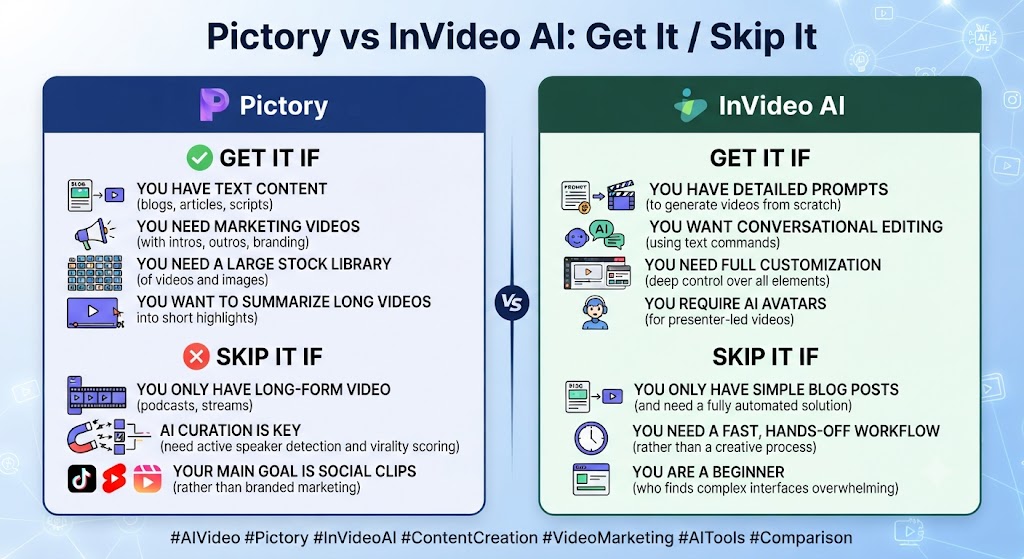
- Your workflow is primarily written-content-to-video repurposing This holds up throughout the Pictory vs InVideo AI.
- You want simple, predictable pricing without multiple credit pools to track Keep that in mind from this Pictory vs InVideo AI.
- Premium stock footage access matters more than AI-generated visuals That’s a key point in this Pictory vs InVideo AI.
Get InVideo AI If:
- You want access to frontier AI video generation models in one platform This holds up throughout the Pictory vs InVideo AI.
- AI avatars and voice cloning are part of your regular workflow
- You’re comfortable managing a more complex, multi-pool credit system
Skip Both If:
- You need full manual timeline editing control — look at Descript or Veed.io
- For anyone reading this Pictory vs InVideo AI, you need the best-in-class avatar realism specifically — look at Synthesia or HeyGen
These Tools Help You Create. We Help You Go Viral.
Making the video is only half the battle — getting it seen is the other. Tasknestly’s viral video service handles strategy, editing, and distribution.
See Viral Video Services →Real-World Test: Same Blog Post, Both Tools
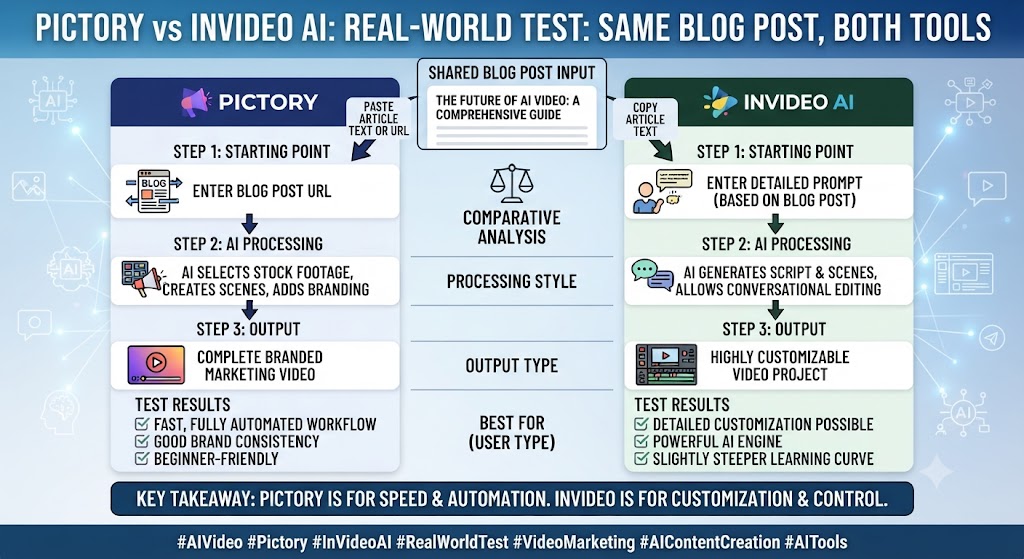
This Pictory vs InVideo AI found that i ran the same 1,200-word blog post through both tools to compare output quality on identical input. Pictory’s result was fast and clean — matched stock footage, an accurate AI voiceover, and captions synced correctly, ready to publish with only minor trims. The entire process took under five minutes from paste to preview.
Across this Pictory vs InVideo AI, inVideo AI’s output on the same post, using its standard stock-footage mode, was comparable in quality but took noticeably longer to configure, since the platform surfaces more style and model choices upfront. Switching to a Generative-tier AI-video approach for the same content produced a genuinely more visually distinctive result — but consumed a meaningful chunk of the monthly AI-minute allowance for a single 90-second video, illustrating the real cost tradeoff of frontier-model generation versus stock assembly.
On this point, this Pictory vs InVideo AI notes that the honest takeaway: for the specific, narrow job of blog-to-video repurposing at volume, Pictory’s simplicity wins. For anyone wanting a broader toolkit that occasionally reaches for cinematic AI generation, InVideo AI’s flexibility is worth the added complexity.
Within this Pictory vs InVideo AI, one additional test worth mentioning: I specifically tracked how many manual adjustments each tool’s output needed before it was genuinely publish-ready. Pictory’s stock-assembled video needed only minor trims to the auto-generated pacing — roughly two minutes of manual review. InVideo AI’s standard stock-footage mode needed a similar level of review, but the Generative-tier output required more careful checking specifically around visual consistency between generated shots, since AI-generated scenes don’t automatically match each other’s lighting and style the way curated stock footage from a single library naturally does.
Considering the data, this Pictory vs InVideo AI shows i also compared how each tool handled a piece of content with a specific brand voice requirement — matching existing brand colors and a consistent presenter tone across the video. Pictory’s brand kit tools on Professional and Teams tiers applied colors and fonts consistently but had no equivalent for tone, since there’s no presenter to direct. InVideo AI’s brand kit, available on Plus and above, handled the same visual branding task comparably, with slightly more manual configuration required upfront to set it up correctly the first time.
These Tools Help You Create. We Help You Go Viral.
Making the video is only half the battle — getting it seen is the other. Tasknestly’s viral video service handles strategy, editing, and distribution.
See Viral Video Services →FAQ
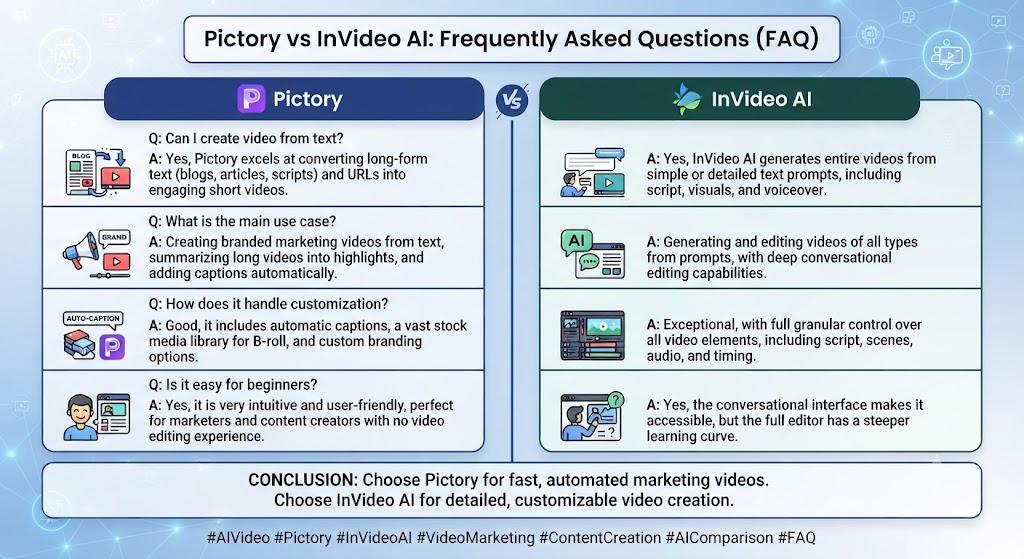
Is Pictory better than InVideo AI? In the context of pricing, this Pictory vs InVideo AI notes for straightforward blog-to-video repurposing specifically, Pictory’s simpler workflow generally wins. For broader creative flexibility including AI-generated visuals and avatars, InVideo AI offers more range.
Which is cheaper, Pictory or InVideo AI? Per this Pictory vs InVideo AI, at comparable entry tiers the two are close in sticker price, though InVideo AI’s multi-pool credit system makes real cost harder to predict than Pictory’s single-pool minute allowance.
Does Pictory offer AI avatars? As this Pictory vs InVideo AI shows, no. Pictory has no avatar feature currently, unlike InVideo AI which includes AI avatars and voice cloning as part of its toolkit.
Can InVideo AI generate cinematic AI video, not just stock footage? In this Pictory vs InVideo AI, yes, on its Generative tier (~$120/month), which bundles access to Sora 2 and Veo 3.1 for genuinely AI-generated visual content, a capability Pictory doesn’t offer at any price.
Which tool is easier to use for beginners? Looking at Pictory vs InVideo AI details, pictory’s narrower, more predictable workflow generally has a gentler learning curve for the specific job of text-to-video. InVideo AI’s broader toolkit means more decisions before reaching a finished video.
Do either tool offer a genuinely free plan? When it comes to this tool, this Pictory vs InVideo AI found that both offer limited free access — InVideo AI’s free plan is an ongoing but capped weekly allowance, while Pictory’s is a 14-day trial rather than a permanent option.
These Tools Help You Create. We Help You Go Viral.
Making the video is only half the battle — getting it seen is the other. Tasknestly’s viral video service handles strategy, editing, and distribution.
See Viral Video Services →Conclusion
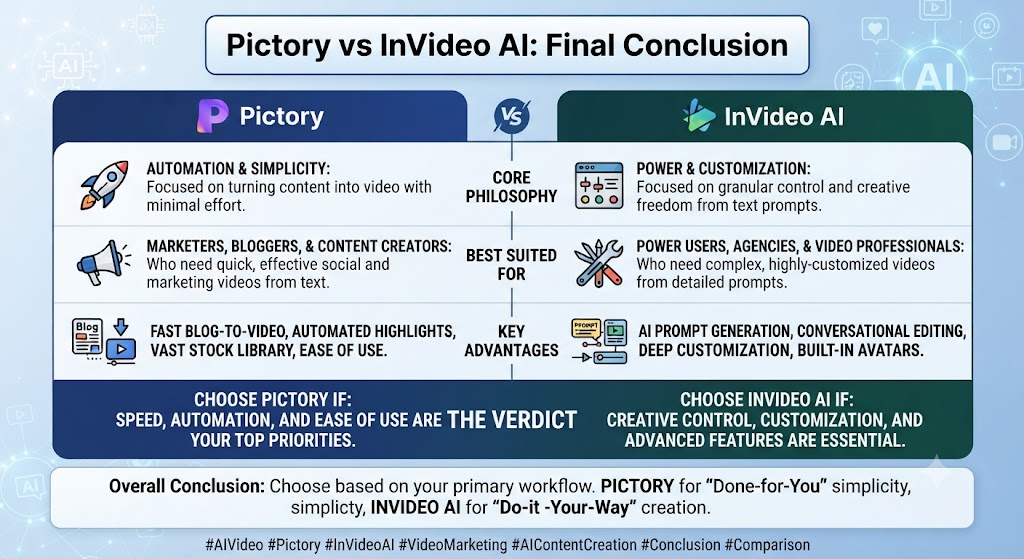
This Pictory vs InVideo AI comparison comes down to how much range you actually need. Pictory does one job — written content to stock-footage video — extremely well, with simple pricing and minimal setup friction. InVideo AI does a broader range of jobs reasonably well, including genuine AI-generated cinematic content on its top tier, at the cost of a more complex, multi-pool credit system that takes real effort to manage without waste.
For anyone reading this Pictory vs InVideo AI, for content marketers and bloggers repurposing at steady volume, Pictory’s focus is the more practical choice. For creators who want one platform covering stock-footage assembly, AI avatars, and frontier AI video generation, InVideo AI’s breadth justifies the added complexity, provided you’re prepared to actually track credit consumption across its separate pools.
This Pictory vs InVideo AI found that teams building a broader content strategy around either tool might also find value in Tasknestly’s digital marketing services for turning finished video output into an actual distribution plan.
Across this Pictory vs InVideo AI, both platforms continue to iterate quickly, so revisit this comparison periodically — pricing and model access in the AI video category have shown no sign of settling through 2026.
It helps to map out a month of expected content production before committing to a tier. The theoretical monthly allowance rarely matches real usage once revisions and iteration are factored in.
Budget a buffer above your baseline estimate. That avoids hitting a plan ceiling mid-month and being forced into an unplanned upgrade.
Pricing keeps shifting across AI video tools in 2026, so a plan that fits today may not fit by your next renewal. A little margin now avoids a scramble later.
Consider how your team actually consumes video output once it’s produced. The best tool on paper isn’t always best for the people who review, approve, and publish it during a busy week.
A workflow needing three rounds of revision before sign-off delivers less real value than a less polished workflow approved on the first pass. That approval friction rarely shows up on a pricing page — but it shows up constantly in team calendars.
Factor in who reviews the work, how fast they respond, and whether revisions are quick or painful before choosing between these two platforms.
One more practical consideration worth naming quite directly here: whichever specific tool you eventually choose, plan for a genuine onboarding period before expecting fully production-ready output on the very first real attempt. Most teams underestimate how many trial generations it actually takes to understand a new platform’s specific quirks, and budgeting that learning curve into your first month, rather than expecting immediate polish, produces a far more accurate picture of the tool’s real long-term value than judging it purely on day-one results alone.
A final point worth stating plainly: neither marketing page fully captures the real learning curve involved in getting consistently strong output, and any serious team should budget real evaluation time before committing to an annual plan.
Disclosure: This article contains affiliate links. TechBotHQ may earn a commission if you sign up through our links, at no extra cost to you. See our affiliate disclosure for full details.
These Tools Help You Create. We Help You Go Viral.
Making the video is only half the battle — getting it seen is the other. Tasknestly’s viral video service handles strategy, editing, and distribution.
See Viral Video Services →