Pictory AI Review 2026: Is It the Best Text-to-Video Tool?

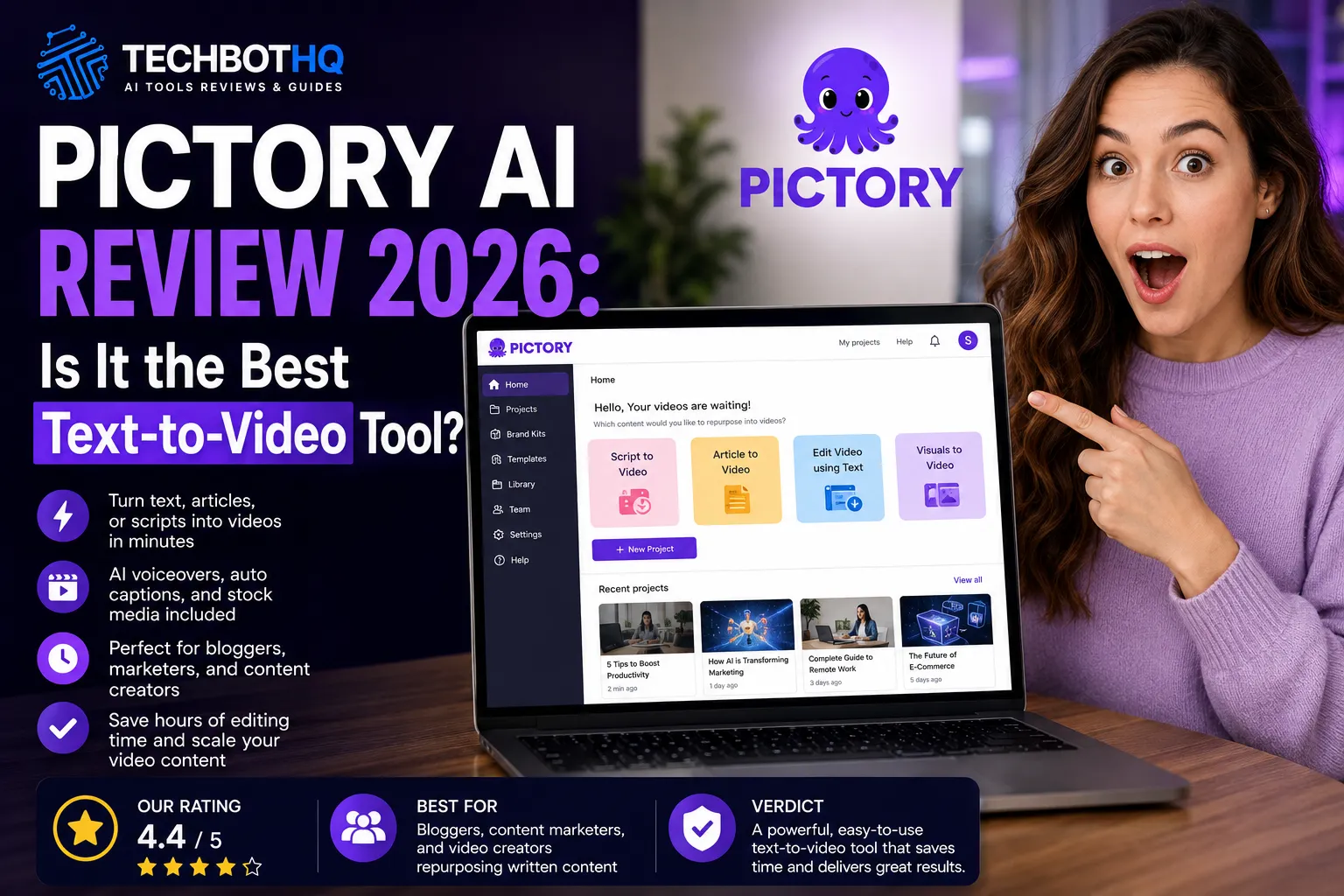
| ⚡ TechBotHQ Verdict Our Pictory AI review gives it a solid 4.4 out of 5 for what it is built to do. If you have a blog post, script, or long-form video and want to turn it into a polished video in under 30 minutes — without touching a timeline editor — Pictory is genuinely one of the best tools available. It is not for everyone, but for content marketers and bloggers repurposing written content into video, this Pictory AI review finds it hard to beat. Rating: 4.4/5 | Best For: Bloggers, content marketers, and video creators repurposing written content |
Table of Contents
Pictory AI Review 2026: What You Need to Know First
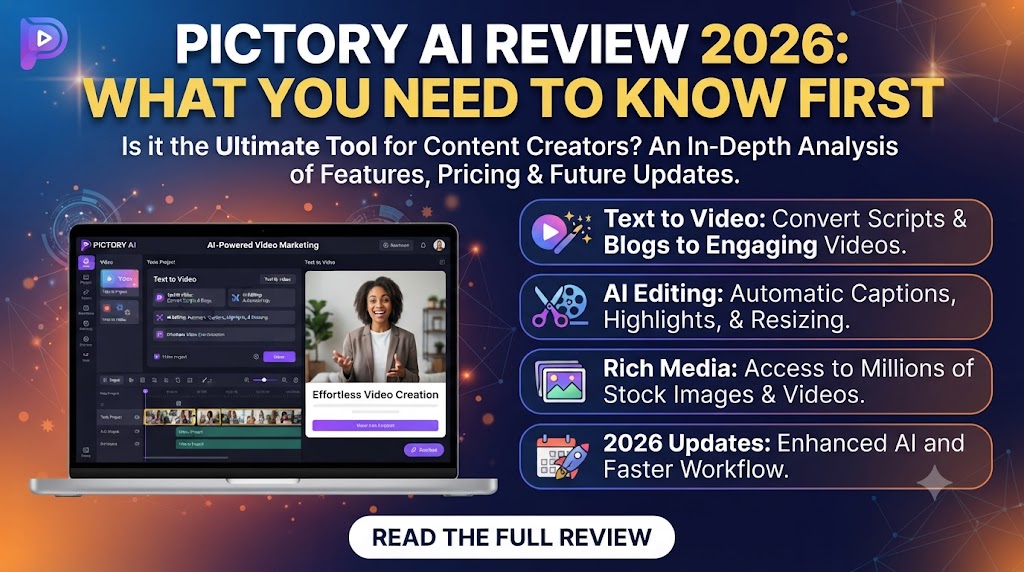
This Pictory AI review is going to cut straight to the point. Video content is no longer optional for marketers, bloggers, and content creators in 2026 — but producing it consistently is still one of the biggest bottlenecks in most content operations. That is exactly the problem Pictory was built to solve.
We tested Pictory extensively at TechBotHQ — turning blog posts into videos, repurposing long YouTube content into short clips, and generating scripts from scratch. The results were genuinely impressive for the right use cases, and honestly underwhelming for others.
The goal of this Pictory AI review is to give you a clear answer: is Pictory worth your money in 2026, and if so, which plan makes sense for your situation? Let us get into it.
Whether you are a blogger trying to turn articles into YouTube content, a marketer building a social media video library, or a content team looking to scale video production without hiring editors — this review covers everything you need to make the right call.
These Tools Help You Create. We Help You Go Viral.
Making the video is only half the battle — getting it seen is the other. Tasknestly’s viral video service handles strategy, editing, and distribution.
1. What Is Pictory AI? A Plain-English Overview ( Pictory AI Review )
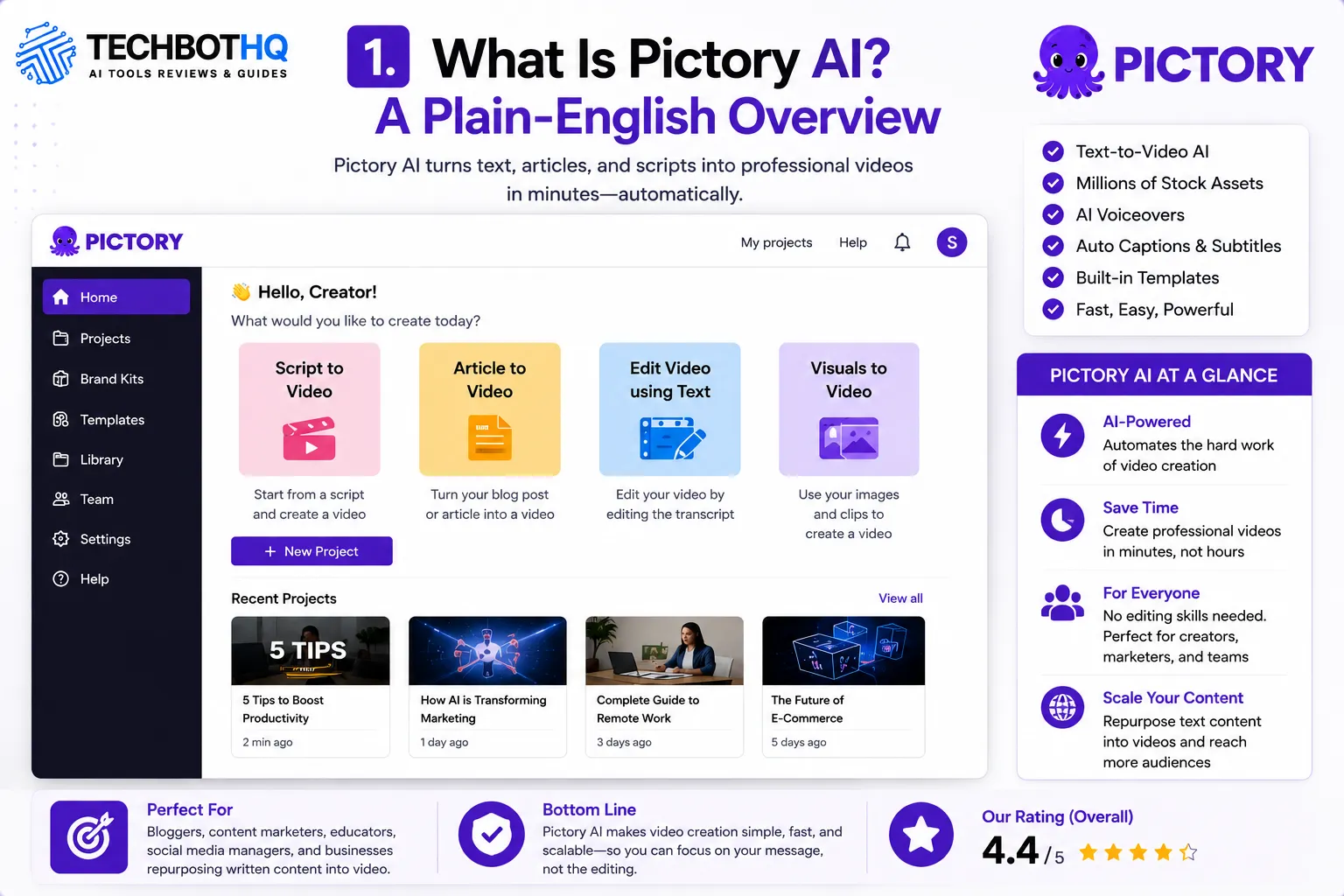
Pictory AI is a cloud-based, AI-powered video creation platform that turns text into video. You give it a blog post URL, a script, or a long-form video, and it produces a polished, ready-to-publish video — complete with stock footage, AI voiceover, captions, and background music — in a fraction of the time it would take to edit manually.
It is not a traditional video editor. There are no timelines, no keyframes, no complex layers to manage. Pictory handles the heavy lifting automatically. You make creative decisions — choose the style, tweak the visuals, adjust the voiceover — but the tool does the grunt work.
What makes this Pictory AI review interesting is how well Pictory has identified its niche. It is not trying to replace professional video editors or compete with tools like Adobe Premiere. It is specifically built for content creators and marketers who have a lot of written content and want to turn it into video without learning video production.
Founded to address the growing demand for video content from non-video creators, Pictory has built a loyal following among bloggers, content marketers, course creators, and social media managers. In 2026, the platform serves hundreds of thousands of users worldwide and continues to add features at a strong pace.
These Tools Help You Create. We Help You Go Viral.
Making the video is only half the battle — getting it seen is the other. Tasknestly’s viral video service handles strategy, editing, and distribution.
2. How Pictory AI Works ( Pictory AI Review )
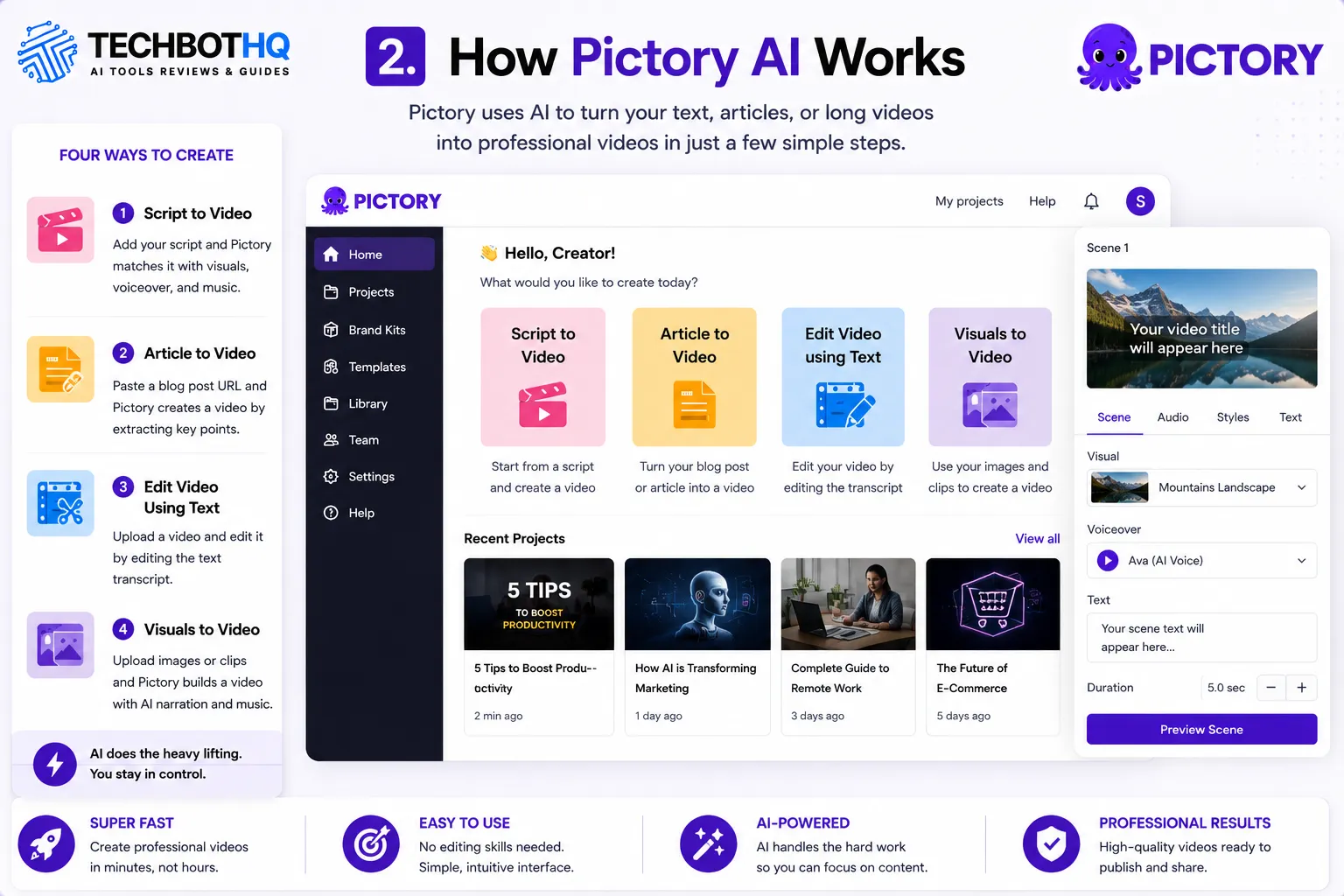
Pictory’s workflow is built around four main creation modes. Each one serves a slightly different use case, and understanding which one fits your needs is key to getting the most out of the platform.
Script to Video
You paste in a script — or write one directly in Pictory — and the AI matches each section of text to relevant stock footage from a library of over 3 million clips. Add an AI voiceover, choose a music track, and you have a complete video. This is the most popular mode and the one most content marketers use for social media and YouTube content.
Article to Video
This is one of the features that generates the most excitement in any Pictory AI review. Paste a blog post URL and Pictory reads the full article, extracts the key points, matches visuals to each section, and generates a complete video. For bloggers with a large content archive, this is a genuine game changer. You can turn years of blog content into a YouTube library without filming a single thing.
Edit Video Using Text
Upload a long-form video — a podcast recording, a webinar, a YouTube video — and Pictory transcribes it automatically. You can then edit the video by editing the text transcript. Delete a sentence in the transcript and that clip disappears from the video. It is one of the most intuitive editing experiences available for non-editors.
Visuals to Video
Upload your own images or video clips and Pictory builds a video around them with AI-generated narration and music. Useful for product videos, property tours, photo slideshows, and similar content.
These Tools Help You Create. We Help You Go Viral.
Making the video is only half the battle — getting it seen is the other. Tasknestly’s viral video service handles strategy, editing, and distribution.
3. Key Features of Pictory AI in 2026 ( Pictory AI Review )
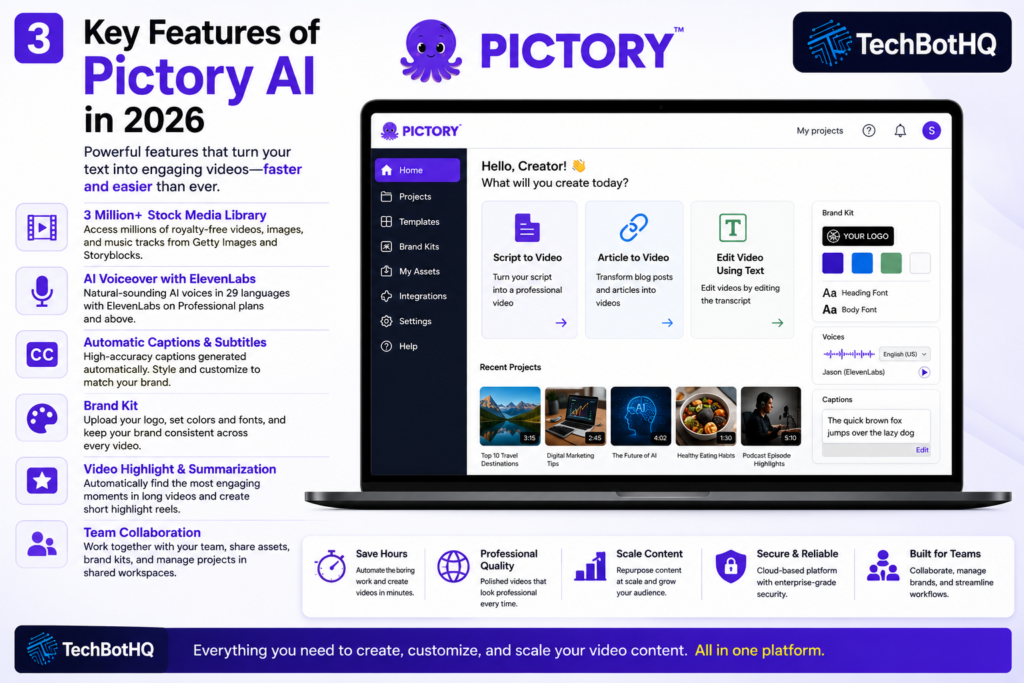
3 Million+ Stock Media Library
Pictory integrates with Getty Images and Storyblocks to give you access to an enormous library of royalty-free stock footage, images, and music tracks. On the Professional plan and above, you get access to 12–18 million stock assets. For most content types, you will find exactly what you need without sourcing your own footage.
AI Voiceover with ElevenLabs
Pictory includes AI voiceover in multiple languages. On Starter, you get standard voiceovers in 7 languages. On Professional and Teams plans, you unlock ElevenLabs-powered voiceovers — some of the most natural-sounding AI voices available in 2026 — in 29 languages. The quality difference between the standard and ElevenLabs voices is significant and worth the plan upgrade if voiceover quality matters to you.
💡 Pro tip: If you are doing YouTube content, the ElevenLabs voices on the Professional plan are good enough that many viewers cannot tell the difference from a real narrator. Test a few styles before committing to one for your channel.
Automatic Captions and Subtitles
Captions are generated automatically and are one of the strongest features in this Pictory AI review. Accuracy is high, and you can style the captions to match your brand. In 2026, captions are non-negotiable for social media video — a huge percentage of viewers watch without sound, particularly on LinkedIn, Instagram, and Facebook. Pictory handles this automatically, which is a real time saver.
Brand Kit
You can upload your logo, choose your brand colors, and set your preferred fonts. Pictory applies these consistently across every video you create. On higher plans, multiple brand kits are available, making this useful for agencies managing several clients.
Video Highlight and Summarization
Available on Professional and above, this feature analyzes a long-form video and automatically extracts the most engaging moments to create a shorter highlight reel. Excellent for turning webinars, interviews, or long YouTube videos into social media clips without manual editing.
Team Collaboration
The Teams plan adds shared workspaces, multi-user project access, and team asset libraries. If you are running a content team or agency producing video at volume, the collaboration features make the Teams plan worth the jump in price.
These Tools Help You Create. We Help You Go Viral.
Making the video is only half the battle — getting it seen is the other. Tasknestly’s viral video service handles strategy, editing, and distribution.
4. Pictory AI Pricing: Which Plan Do You Actually Need? ( Pictory AI Review )
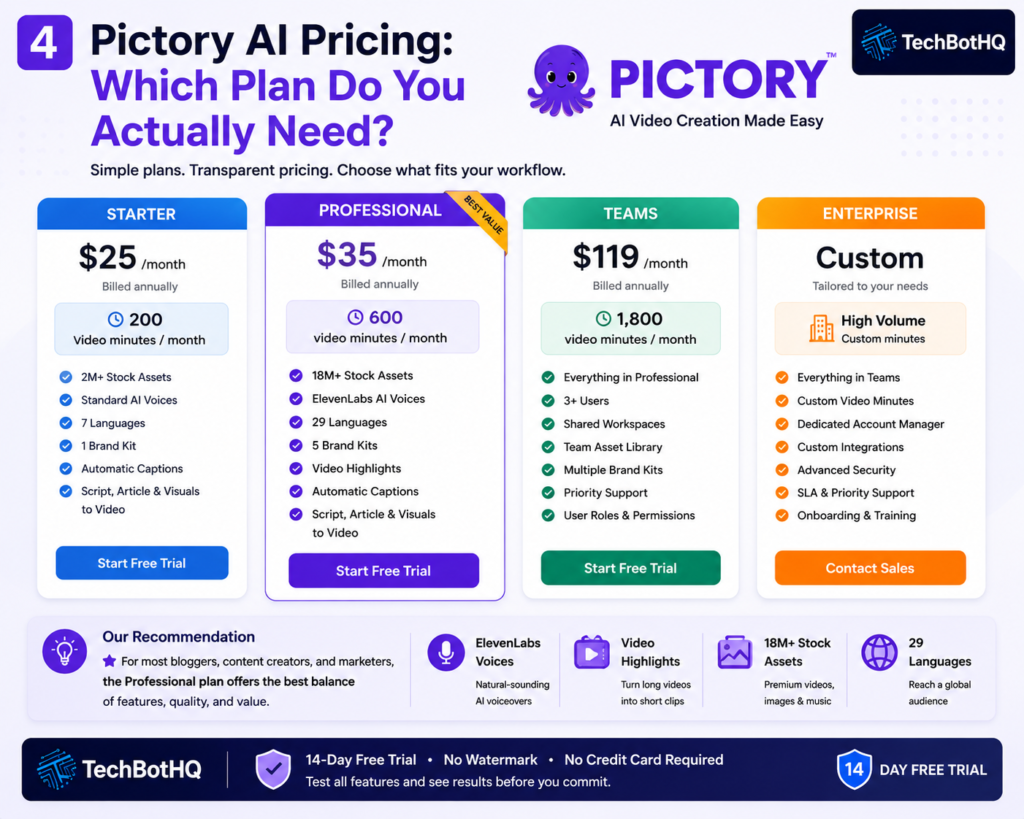
Pictory AI pricing is one of the more straightforward structures in the AI video tool market. Three main plans, with pricing that scales based on video minutes and feature access rather than arbitrary seat limits.
| Plan | Price (Annual) | What You Get |
|---|---|---|
| Starter | $25/month | 200 video minutes, 2M stock assets, standard AI voices, 7 languages, 1 brand kit |
| Professional | $35/month | 600 video minutes, 18M stock assets, ElevenLabs voices, 29 languages, 5 brand kits, video highlights |
| Teams | $119/month | 3+ users, 1,800 video minutes, shared workspaces, collaboration tools, priority support |
| Enterprise | Custom | High-volume needs, dedicated support, custom integrations |
Key things to understand about Pictory AI pricing:
- Annual billing saves significantly: Monthly pricing is higher. The annual plans save 20–30% and are worth committing to if Pictory fits your workflow.
- Professional is the sweet spot: At $35/month annually, Professional triples your video minutes vs Starter and unlocks ElevenLabs voices, video highlights, and a much larger stock library. For most serious creators, this is the right tier.
- Video minutes are cumulative per month: The limit is on total video duration produced, not the number of videos. If you primarily make short clips, Starter’s 200 minutes goes much further than it sounds.
- Optional add-ons are available: Getty Images premium visuals and ElevenLabs voices can be added separately for around $8–10/month each if you want to stay on Starter but need premium assets.
- Free trial available: Pictory offers a 14-day free trial with no watermark and no credit card required — one of the more generous trial structures in the AI video space.
💰 Honest take: For most individual content creators and bloggers, the Professional plan at $35/month annually is the right choice. The jump from Starter to Professional is worth it for the ElevenLabs voices and video highlights alone. Teams and agencies producing 40+ videos a month should look at the Teams plan seriously.
These Tools Help You Create. We Help You Go Viral.
Making the video is only half the battle — getting it seen is the other. Tasknestly’s viral video service handles strategy, editing, and distribution.
5. Pictory AI Review: Honest Pros and Cons
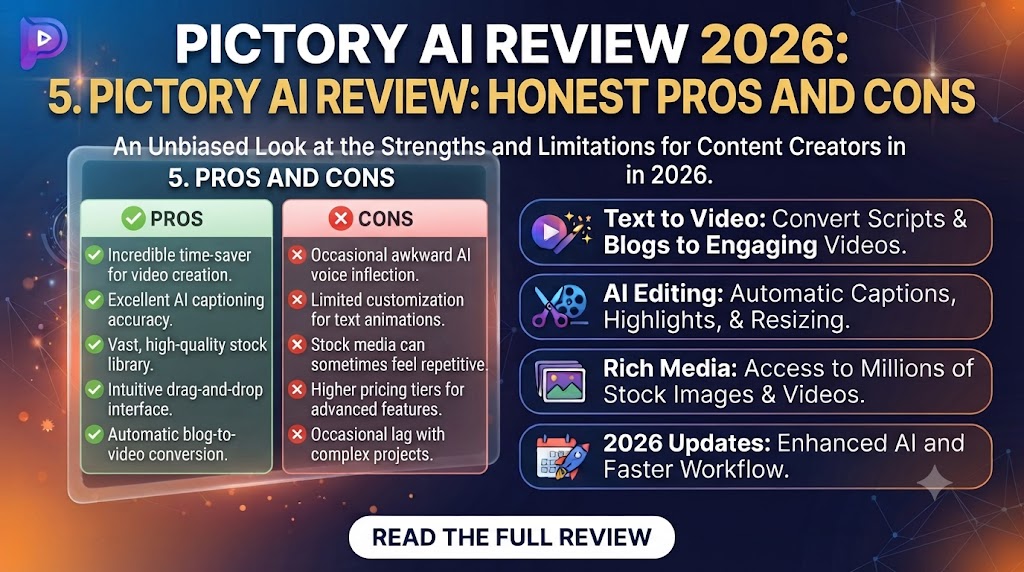
Every Pictory AI review should be straight about both sides. Here is what genuinely impressed us and what fell short during testing.
What Pictory Gets Right
- Genuinely fast video creation: Turning a 1,500-word blog post into a 3-minute video takes around 15–20 minutes with Pictory. For content teams that have been avoiding video because of production time, this is transformative.
- No editing skills required: The entire platform is designed for non-editors. If you can write, you can make a video in Pictory. The learning curve is minimal compared to any traditional video tool.
- Article-to-video is excellent: Paste a blog URL and get a video. The AI’s ability to extract key points and match relevant visuals is impressive and works well for most content types.
- ElevenLabs voice quality is exceptional: On Professional and above, the AI voiceovers are genuinely natural-sounding. This is one of the biggest quality differentiators from cheaper alternatives.
- Automatic captions save real time: High-accuracy captions generated automatically. For social media content, this alone justifies the subscription for many creators.
- Huge stock media library: Access to millions of royalty-free clips and images means you can cover almost any topic without sourcing your own footage.
- Brand consistency tools: Brand kit with logo, colors, and fonts applied consistently across all videos. Especially useful for agencies and teams.
- Text-based video editing is clever: Editing a video by editing its transcript is one of the most intuitive approaches to video editing available. Non-editors love it.
Where Pictory Falls Short
- Stock footage can feel generic: The AI picks relevant clips, but ‘relevant’ and ‘perfect’ are not the same thing. Some auto-selected visuals feel a bit disconnected from the content. You will need to review and swap clips regularly for polished results.
- Not suitable for talking-head or UGC content: Pictory produces stock-footage style videos. If you need content that looks like it was filmed by a real person — the kind that converts on TikTok and Instagram Reels — Pictory is not the right tool.
- Video minute limits can feel restrictive on Starter: 200 minutes sounds like a lot until you realize that is cumulative monthly output. High-volume creators will hit the cap.
- Limited creative control vs manual editors: If you want precise control over every frame, Pictory will frustrate you. It is an automation tool, not a precision editing suite.
- AI voice tone can be inconsistent: Even with ElevenLabs voices, getting the right tone for your content sometimes requires multiple attempts. Dramatic or emotionally nuanced scripts do not always land well.
- No permanent free plan: The free trial is generous, but there is no ongoing free tier. You need to subscribe to keep producing.
6. Who Should Use Pictory AI? ( Pictory AI Review )
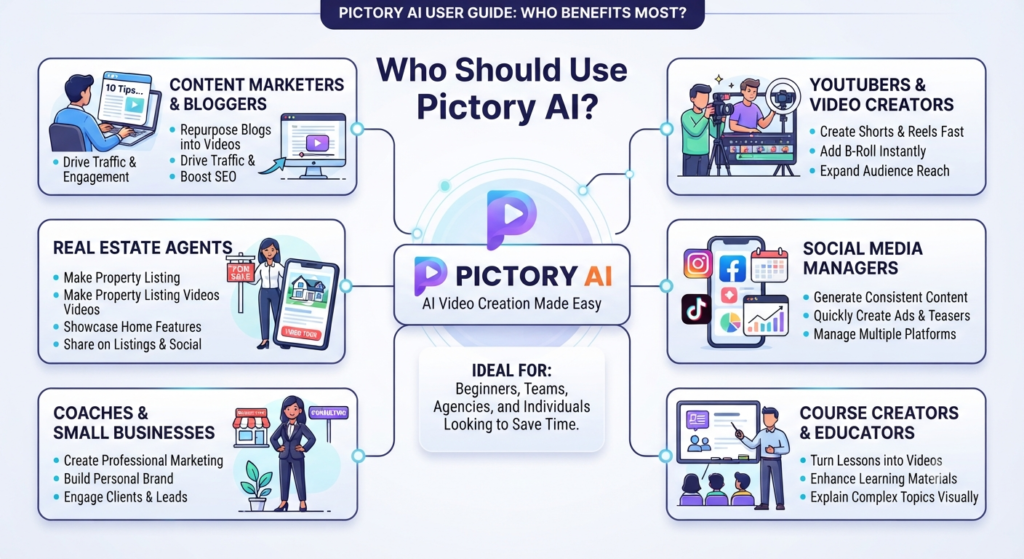
Our Pictory AI review found a clear pattern: Pictory works brilliantly for specific use cases and is genuinely the wrong tool for others. Here is an honest breakdown.
Pictory AI Is a Great Fit If You Are:
- A blogger or content marketer with a large archive of written content — turning articles into videos is Pictory’s strongest use case and it does it better than almost any competitor.
- A YouTuber creating faceless, educational, or explainer content — script to video with professional voiceover and stock footage is a proven format and Pictory executes it well.
- A social media manager needing a consistent stream of video clips — repurposing long content into short clips automatically saves hours every week.
- A podcast creator wanting video clips for promotion — upload your recording, let Pictory extract the highlights, and post them across social media.
- A content agency producing video for multiple clients — the Teams plan with brand kits and shared workspaces handles multi-client workflows effectively.
- Someone with no video editing experience — the no-timeline interface removes the biggest barrier to video content for most people.
Pictory AI Is Probably Not Right If You Are:
- An e-commerce seller needing UGC-style ad creatives — Pictory’s stock footage aesthetic is the opposite of the authentic, phone-shot style that converts on TikTok and Instagram.
- A filmmaker or professional video editor — Pictory is an automation tool, not a precision editing suite. You will hit its creative limits quickly.
- Looking for a free option long-term — there is no permanent free plan. If budget is the primary constraint, consider InVideo AI’s free tier first.
- Producing content that requires custom filming — Pictory works with existing content and stock footage. It cannot help you create original filmed material.
These Tools Help You Create. We Help You Go Viral.
Making the video is only half the battle — getting it seen is the other. Tasknestly’s viral video service handles strategy, editing, and distribution.
7. Pictory AI Review: How It Compares to Competitors
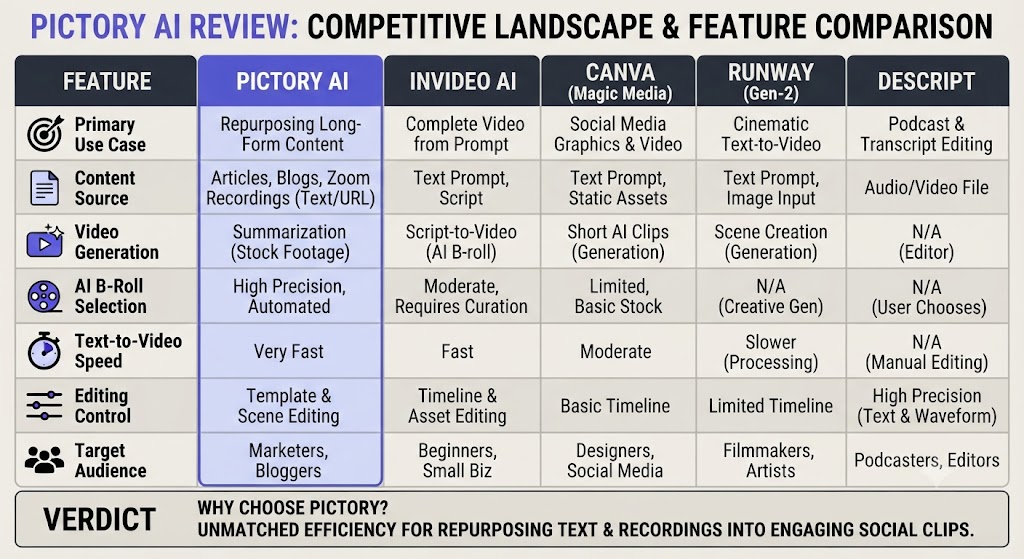
The AI video tool market has grown significantly. Here is how Pictory stacks up against the most common alternatives based on our Pictory AI review testing.
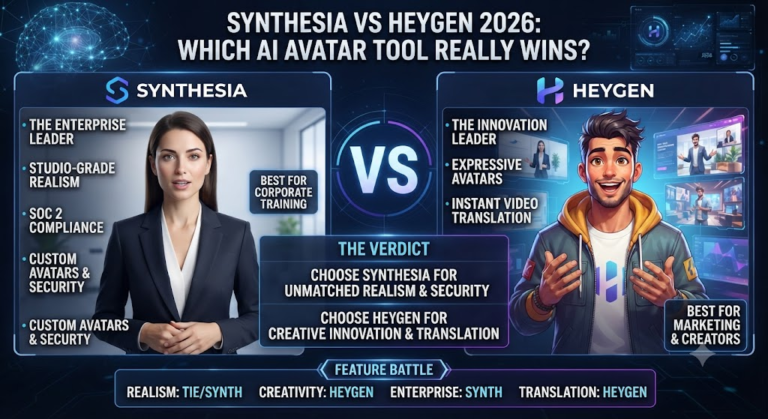
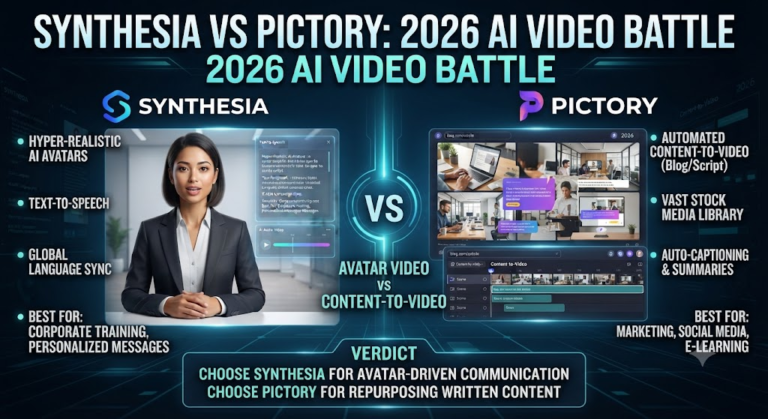
Pictory’s clearest advantage over these alternatives is the article-to-video feature combined with ElevenLabs voice quality. InVideo AI has a better free tier and a larger stock library, but Pictory’s output quality on the Professional plan is noticeably higher. Synthesia wins for AI avatar and corporate training content but is completely the wrong tool for blog-to-video repurposing.
These Tools Help You Create. We Help You Go Viral.
Making the video is only half the battle — getting it seen is the other. Tasknestly’s viral video service handles strategy, editing, and distribution.
8. What Real Users Say About Pictory AI ( Pictory AI Review )
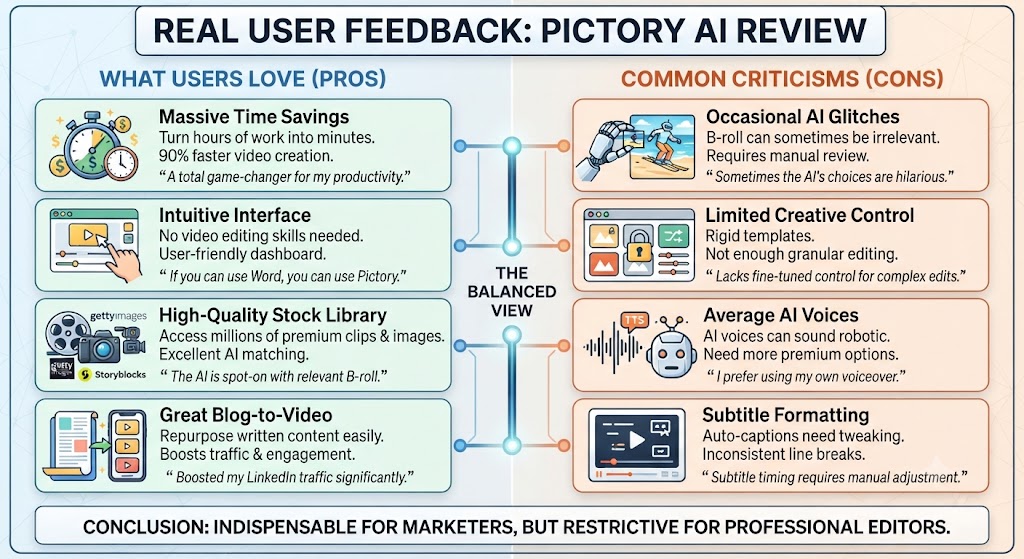
We looked at verified reviews across G2, Capterra, and Trustpilot to understand what users actually experience day to day — beyond the feature list.
What Users Love
The speed and simplicity are the most consistently praised aspects in any Pictory AI review from real users. People who have spent years avoiding video content because of the production complexity say Pictory genuinely removed that barrier. The article-to-video feature generates the most excitement — the ability to paste a URL and get a publishable video in under 30 minutes feels almost too good to be true for bloggers sitting on years of written content.
The ElevenLabs voice quality on the Professional plan also gets strong praise. Multiple reviewers mention that their audience could not tell the videos used AI voiceover — a significant achievement given how robotic earlier AI voices sounded.
Teams using Pictory for social media clip generation highlight the time savings from automatic captions and highlight extraction. What used to take an editor hours to produce manually now takes one person 20–30 minutes.
Where Users Get Frustrated
Stock footage matching is the most common complaint. The AI selects relevant clips, but reviewers consistently mention needing to manually swap visuals that feel too generic or only loosely connected to the content. This is especially true for niche topics where the stock library has limited relevant options.
Some users also find the Starter plan’s video minute limits more restrictive than expected. For anyone producing more than 15–20 medium-length videos per month, the 200-minute cap becomes a real constraint and the jump to Professional becomes necessary rather than optional.
Overall, the Pictory AI review sentiment from real users is strongly positive for content marketers and bloggers, with frustration mainly coming from users who expected cinematic-quality output or UGC-style content — neither of which Pictory is designed to produce.
These Tools Help You Create. We Help You Go Viral.
Making the video is only half the battle — getting it seen is the other. Tasknestly’s viral video service handles strategy, editing, and distribution.
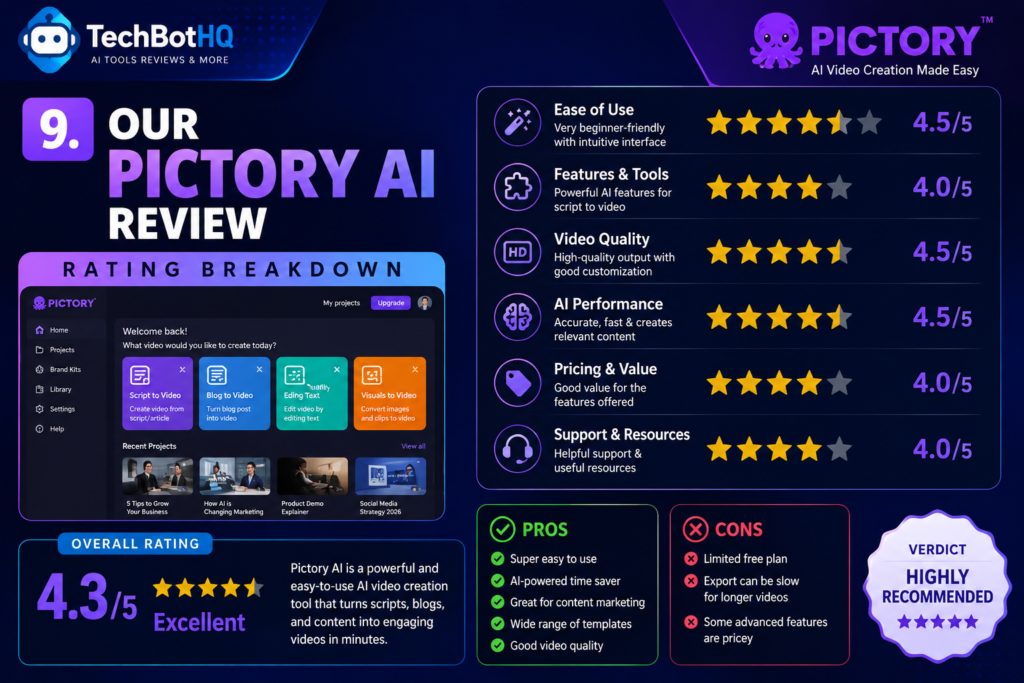
9. Our Pictory AI Review Rating Breakdown
| Category | Score | Notes |
|---|---|---|
| Ease of Use | 4.8 / 5 | No timeline editor — anyone can use it from day one |
| Video Quality | 4.3 / 5 | Professional plan output is polished; Starter is more basic |
| Article-to-Video | 4.7 / 5 | Best-in-class for blog content repurposing |
| AI Voiceover | 4.5 / 5 | ElevenLabs voices on Pro are genuinely impressive |
| Stock Media Library | 4.4 / 5 | Huge library; auto-selection can feel generic in niche topics |
| Pricing Value | 4.3 / 5 | Professional plan is strong value; Starter feels limited |
| Team Features | 4.2 / 5 | Teams plan is solid for agencies; collaboration tools are functional |
| Caption Quality | 4.6 / 5 | High accuracy, easy to style, saves real time |
| Overall | 4.4 / 5 | The best text-to-video tool for content marketers and bloggers |
These Tools Help You Create. We Help You Go Viral.
Making the video is only half the battle — getting it seen is the other. Tasknestly’s viral video service handles strategy, editing, and distribution.
10. Final Pictory AI Review Verdict: Is It Worth It in 2026?
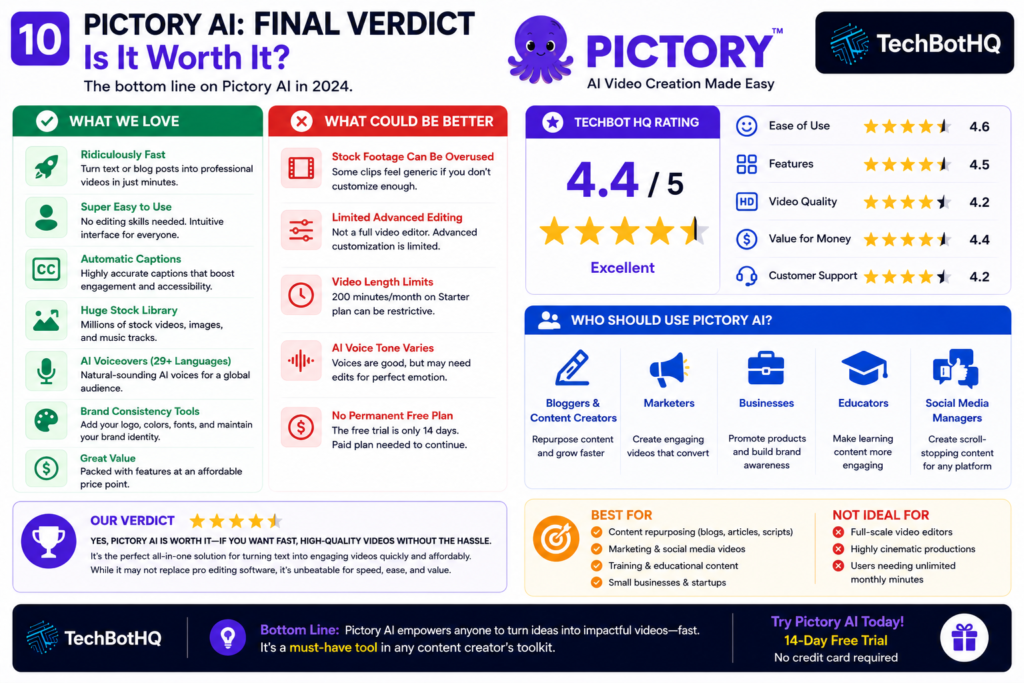
Here is the bottom line of this Pictory AI review: if you are a blogger, content marketer, or creator sitting on a library of written content and you want to start producing video without learning video editing, Pictory is the best tool available for that specific job in 2026.
The article-to-video feature alone is worth the subscription cost for most bloggers. The ElevenLabs voice quality on the Professional plan is genuinely impressive. The automatic caption generation and brand kit tools make the output professional enough for YouTube, LinkedIn, and social media distribution.
Where Pictory falls short is outside its intended use case. If you need UGC-style content for TikTok ads, cinematic quality video, or original filmed content — look elsewhere. Pictory knows exactly what it is and does it very well.
Our Pictory AI review recommendation: start with the free trial, test the article-to-video feature with three of your best-performing blog posts, and see if the output quality meets your standards. If it does — and for most content marketers it will — the Professional plan at $35/month annually is the right choice.
| ✅ Get Pictory AI If You…Have a blog with lots of written contentWant to start a faceless YouTube channelNeed social media video clips at scaleProduce podcasts or webinars to repurposeWant professional video without editing skillsRun an agency managing video for multiple clients | ⚠️ Skip Pictory AI If You…Need UGC-style TikTok or Instagram adsWant to film your own talking-head contentNeed cinematic or highly stylized videoAre looking for a free long-term optionWork in highly technical niche topicsNeed precise frame-by-frame editing control |
These Tools Help You Create. We Help You Go Viral.
Making the video is only half the battle — getting it seen is the other. Tasknestly’s viral video service handles strategy, editing, and distribution.
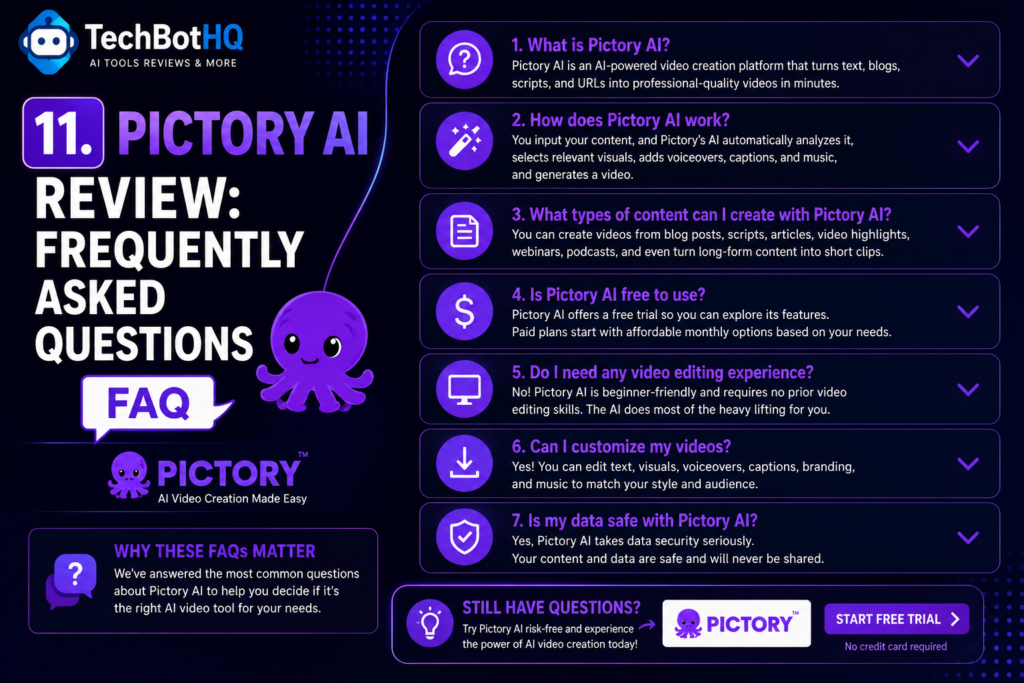
11. Pictory AI Review: Frequently Asked Questions
Is Pictory AI worth it in 2026?
For bloggers and content marketers, yes — our Pictory AI review rates it 4.4/5 and considers it the best text-to-video tool for repurposing written content. For UGC ads or cinematic video, it is the wrong tool.
What is the best Pictory AI plan?
The Professional plan at $35/month annually is the sweet spot for most users. It triples video minutes vs Starter, unlocks ElevenLabs voices, and adds video highlight extraction. As noted in this Pictory AI review, the Starter plan feels limiting for anyone producing video at volume.
Does Pictory AI have a free plan?
No permanent free plan exists, but Pictory offers a 14-day free trial with no watermark and no credit card required. It is one of the more generous trials in the AI video space and gives you a real feel for what the platform can do.
How does Pictory AI compare to InVideo AI?
InVideo AI has a larger stock library and a better free tier. Pictory wins on article-to-video quality and ElevenLabs voice integration. For most content marketers, our Pictory AI review found Pictory’s output quality on the Professional plan to be noticeably higher than InVideo’s comparable tier.
Can Pictory AI make videos for TikTok and Instagram?
Pictory can produce short clips in vertical format for social media, but the stock-footage aesthetic it produces is not the UGC style that performs best on TikTok and Instagram in 2026. For UGC-style video ads, tools specifically built for that format will serve you better.
How many languages does Pictory support?
Pictory supports standard AI voiceovers in 7 languages on the Starter plan and ElevenLabs voices in 29 languages on Professional and above. Caption support covers a broad range of languages across all plans.
Is Pictory AI good for YouTube?
Yes — particularly for faceless YouTube channels covering educational, how-to, listicle, or news content. The script-to-video and article-to-video features combined with professional AI voiceover make Pictory one of the best tools for this format. Our Pictory AI review found it especially strong for channels in the 5–15 minute video range.
Disclosure: This article contains affiliate links. TechBotHQ may earn a commission if you sign up through our links, at no extra cost to you. See our affiliate disclosure for full details.
These Tools Help You Create. We Help You Go Viral.
Making the video is only half the battle — getting it seen is the other. Tasknestly’s viral video service handles strategy, editing, and distribution.