Veed.io vs Descript 2026: Which AI Video Editor Should You Choose?

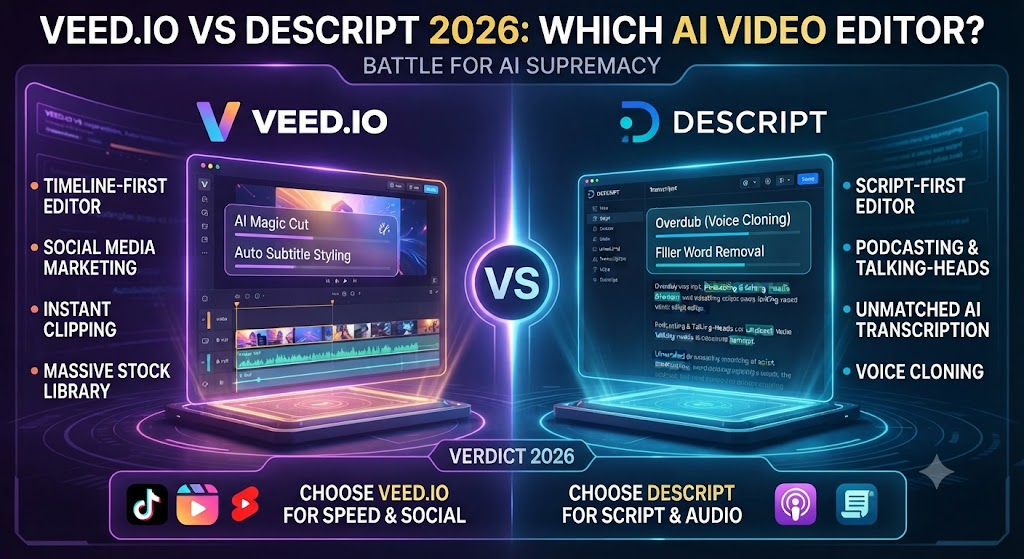
Veed.io and Descript both target creators editing existing recorded content, but they get there through genuinely different editing paradigms. Veed.io is a traditional timeline-based editor with AI features layered on top. Descript is built around editing by text — you edit the transcript, and the video or audio follows. This Veed.io vs Descript comparison breaks down which editing philosophy actually fits your workflow, along with pricing, translation depth, and where each tool clearly wins.
Table of Contents
The One-Line Summary
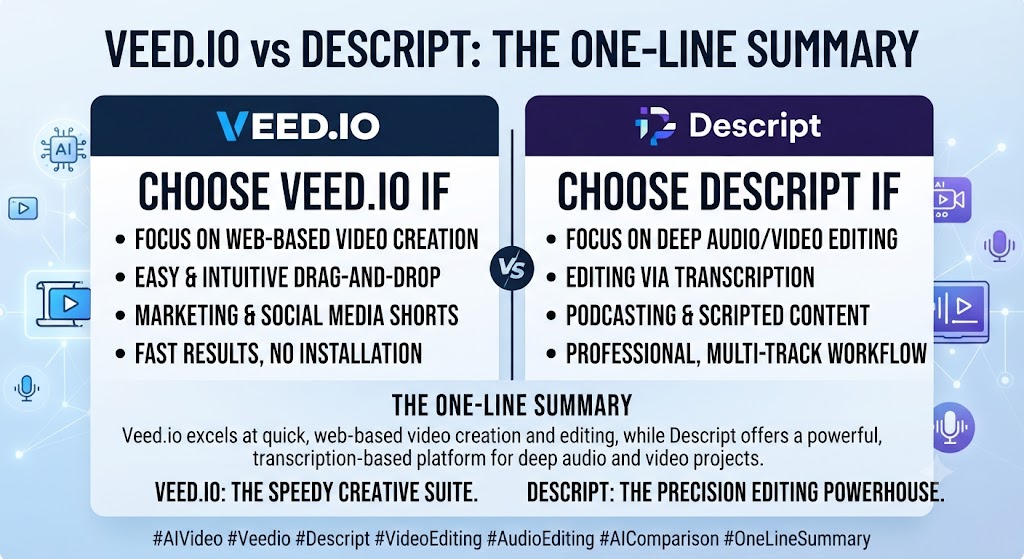
Veed.io: As this Veed.io vs Descript shows, the stronger choice for browser-based timeline editing with deep subtitle translation across 50+ languages and straightforward social-format exports.
Descript: In this Veed.io vs Descript, the stronger choice for podcast and interview editing specifically, where editing the transcript to edit the audio or video is dramatically faster than traditional timeline scrubbing.
Looking at Veed.io vs Descript details, if your content is primarily spoken-word — podcasts, interviews, talking-head video — Descript’s text-based editing paradigm has no real substitute. If your work spans broader video formats needing translation and social export, Veed.io’s timeline approach is more versatile.
These Tools Help You Create. We Help You Go Viral.
Making the video is only half the battle — getting it seen is the other. Tasknestly’s viral video service handles strategy, editing, and distribution.
See Viral Video Services →What Each Tool Is Built For
Veed.io
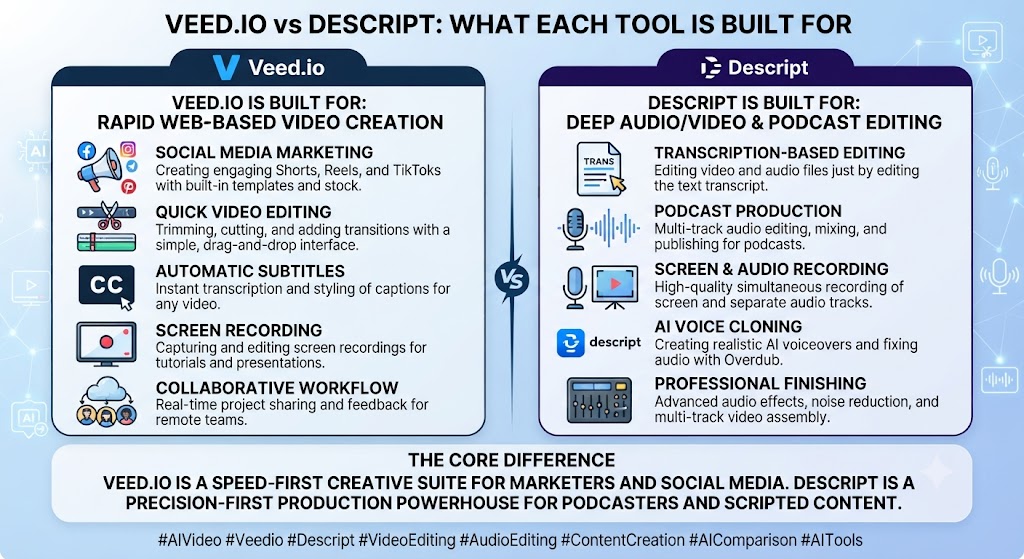
When it comes to this tool, this Veed.io vs Descript found that veed.io is a browser-based video editor built around a conventional timeline, with AI features — auto-subtitles, translation into 50+ languages, background removal, AI avatars — layered on as accelerators rather than replacing the core editing paradigm. You trim, cut, and arrange clips much like you would in a traditional editor, just without installing desktop software.
Descript
For anyone reading this Veed.io vs Descript, descript’s defining feature is text-based editing: after transcribing your recording, it displays the content as an editable document. Delete a word from the transcript, and the corresponding audio or video segment disappears from the timeline automatically. For anyone editing spoken-word content — podcasts, interviews, training videos — this is a fundamentally faster editing paradigm than scrubbing a traditional timeline.
These Tools Help You Create. We Help You Go Viral.
Making the video is only half the battle — getting it seen is the other. Tasknestly’s viral video service handles strategy, editing, and distribution.
See Viral Video Services →Feature-by-Feature Comparison
Core Editing Paradigm
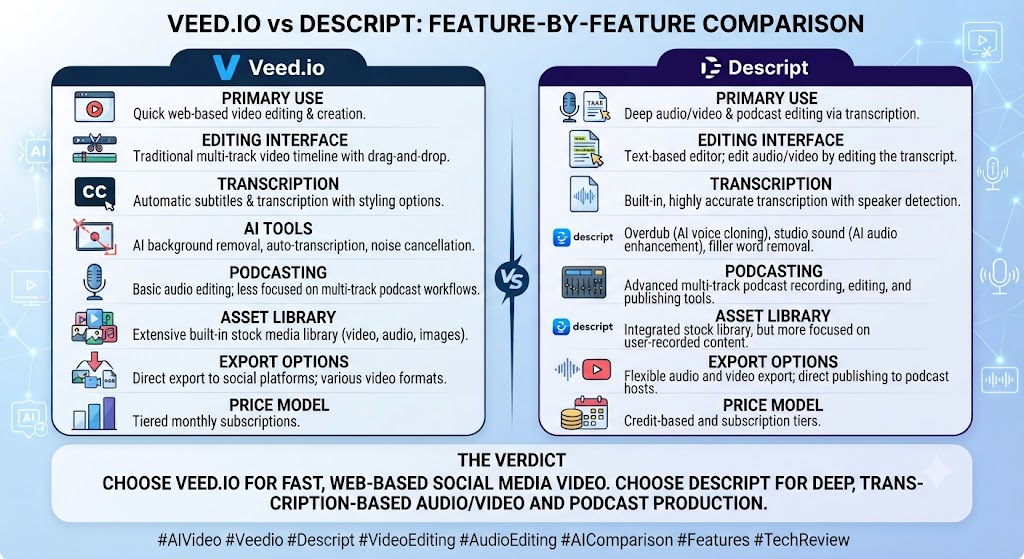
This Veed.io vs Descript found that veed.io uses conventional timeline editing — visually familiar to anyone who’s used any video editor before. Descript uses transcript-based editing — genuinely novel, and dramatically faster specifically for spoken-word content, though less intuitive for anyone used to traditional timelines.
Winner: Across this Veed.io vs Descript, depends on content type — Descript for spoken-word editing speed, Veed.io for familiar, general-purpose timeline control.
Subtitle and Translation Depth
On this point, this Veed.io vs Descript notes that veed.io’s translation feature covers 50+ languages with unlimited auto-subtitles on its Pro tier — one of the platform’s most consistently praised capabilities. Descript’s transcription covers 25 languages, strong for accuracy but narrower in overall language breadth than Veed.io.
Winner: Veed.io, for translation language coverage specifically. That’s a key point in this Veed.io vs Descript.
Voice Cloning and AI Voice
Within this Veed.io vs Descript, descript’s Overdub feature lets you clone your own voice and regenerate mispoken or deleted sections by typing corrected text — a genuinely distinctive capability that fixes recording mistakes without re-recording. Veed.io doesn’t generate AI voiceover from text at all; you must record or import your own audio.
Winner: Considering the data, this Veed.io vs Descript shows descript, decisively, for voice cloning and text-driven audio correction.
Multi-Track Audio and Podcast Production
In the context of pricing, this Veed.io vs Descript notes descript’s multi-track recording and editing, combined with Studio Sound audio enhancement, make it a genuinely strong podcast production tool beyond just editing — handling multiple synchronized recordings with separate speaker tracks cleanly. Veed.io’s audio tools are more basic, oriented toward video content rather than dedicated podcast production.
Winner: Descript, clearly, for podcast-specific workflows. This holds up throughout the Veed.io vs Descript.
Social Media Format Export
Per this Veed.io vs Descript, veed.io’s auto-resize and platform-specific export tools are built with social publishing in mind, making it straightforward to produce TikTok, Reels, and Shorts versions of the same content. Descript can export various formats but isn’t as purpose-built for rapid multi-platform social resizing.
Winner: Veed.io, for social-format export convenience. Keep that in mind from this Veed.io vs Descript.
Pricing Predictability
As this Veed.io vs Descript shows, both tools use credit or minute-based systems for AI features that have drawn criticism for confusing structures. Descript’s “media minutes” and AI credits system, introduced in a 2025 pricing overhaul, has generated notable user complaints about unpredictable bills when AI feature usage scales. Veed.io’s credit system carries similar complaints about charges applying before final render.
Winner: Tie — both require careful usage monitoring to avoid surprise costs. That’s a key point in this Veed.io vs Descript.
These Tools Help You Create. We Help You Go Viral.
Making the video is only half the battle — getting it seen is the other. Tasknestly’s viral video service handles strategy, editing, and distribution.
See Viral Video Services →Pricing Comparison
Veed.io Pricing (2026)
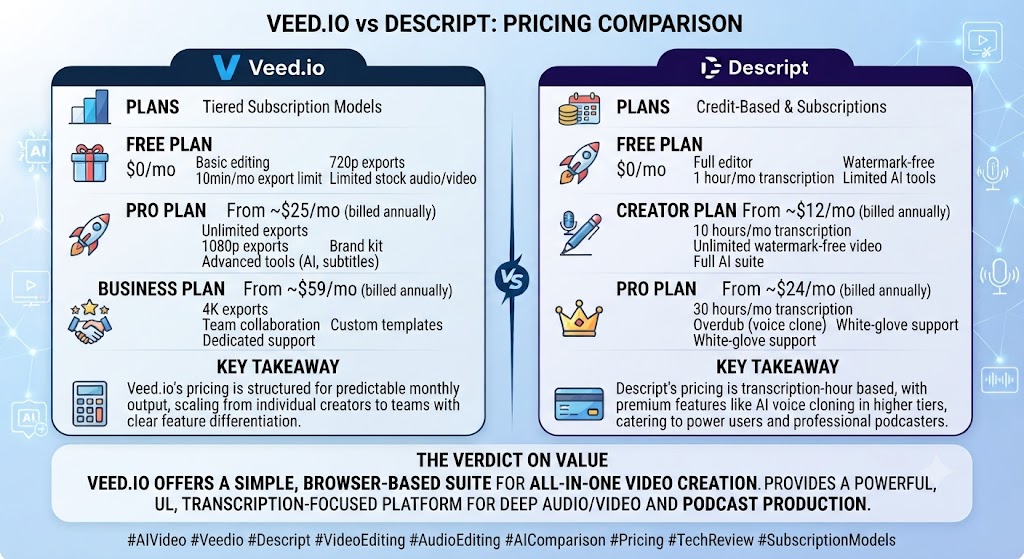
| Plan | Monthly Price (Annual) | Key Limits | Best For |
|---|---|---|---|
| Free | $0 | 10 min/video, watermarked, 720p | Testing |
| Basic/Creator | ~$18-20/mo | 1080p, no watermark, limited AI | Solo creators |
| Pro | ~$24-25/mo | 4K, AI avatars, translation, more credits | Professionals |
| Business/Studio | ~$35-70/mo per seat | Team collaboration | Agencies and teams |
Descript Pricing (2026)
| Plan | Monthly Price (Annual) | Media Minutes | Best For |
|---|---|---|---|
| Free | $0 | ~60 min/mo, watermarked | Testing |
| Hobbyist | $16 ($24 monthly) | ~10 hrs/mo | Solo, light usage |
| Creator | $24 ($35 monthly) | ~10-30 hrs/mo, 4K | Podcasters, YouTubers |
| Business | $50 ($65 monthly) | ~30 hrs/mo | Small video teams |
In this Veed.io vs Descript, at comparable entry tiers, the two land close in price, though Descript’s Creator tier specifically targets podcast and interview production, while Veed.io’s equivalent tier targets broader social video work.
These Tools Help You Create. We Help You Go Viral.
Making the video is only half the battle — getting it seen is the other. Tasknestly’s viral video service handles strategy, editing, and distribution.
See Viral Video Services →Decision Framework: What Kind of Content Do You Actually Produce?
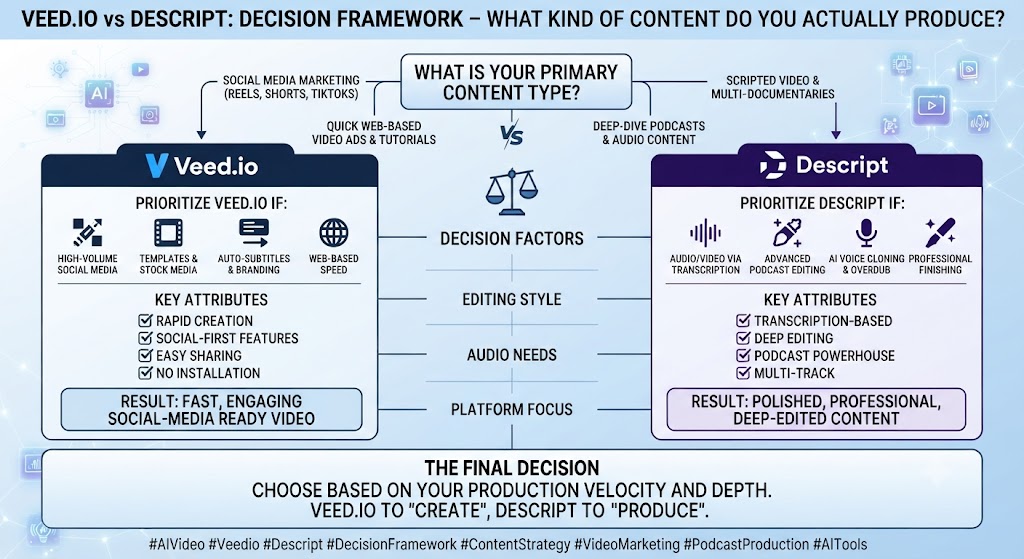
Looking at Veed.io vs Descript details, the clearest lens for this decision is content type, not feature comparison. If your primary content is conversation — podcasts, interviews, panel discussions, training sessions built around someone talking — Descript’s transcript-editing paradigm isn’t just a nice-to-have, it’s a structurally faster way to work with that specific kind of material. Deleting text and having the corresponding audio disappear automatically eliminates the tedious scrubbing that traditional timeline editing requires for dialogue-heavy content.
When it comes to this tool, this Veed.io vs Descript found that if your primary content is more visually varied — b-roll-driven marketing videos, social media content assembled from multiple clips, footage needing translation into many languages for global distribution — Veed.io’s timeline-based approach and stronger translation breadth serve that material better, since transcript editing offers less advantage when the content isn’t primarily about spoken dialogue.
For anyone reading this Veed.io vs Descript, a genuinely underrated factor in this decision is Overdub specifically. For any team producing recurring spoken content where small mistakes happen regularly — a mispronounced name, a wrong date, an awkward stumble — Descript’s ability to regenerate just that segment in a cloned voice, without re-recording the entire piece, is a workflow advantage that compounds significantly over dozens or hundreds of episodes. Veed.io has no equivalent capability, since it was never designed around correcting spoken content through text.
These Tools Help You Create. We Help You Go Viral.
Making the video is only half the battle — getting it seen is the other. Tasknestly’s viral video service handles strategy, editing, and distribution.
See Viral Video Services →Pros and Cons
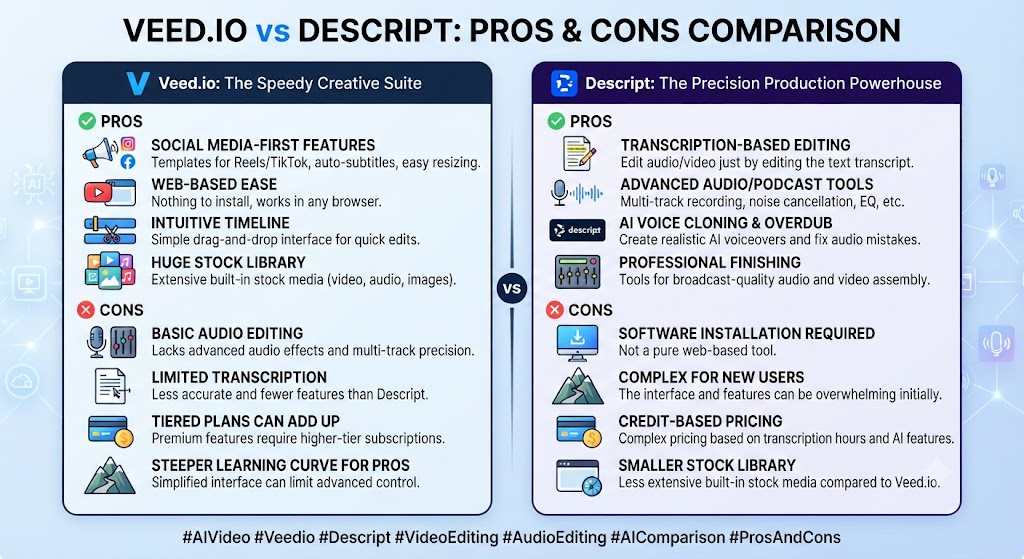
Veed.io
Pros: This Veed.io vs Descript found that strong 50+ language subtitle translation, browser-based with no installation, straightforward social-format export tools.
Cons: Across this Veed.io vs Descript, no AI voiceover generation, storage limits tighten quickly on lower tiers, credits can apply before final render according to user reports.
Descript
Pros: On this point, this Veed.io vs Descript notes that genuinely unique transcript-based editing paradigm, Overdub voice cloning for text-driven audio correction, strong multi-track podcast production tools.
Cons: Within this Veed.io vs Descript, 2025 pricing overhaul made AI feature costs less predictable, transcription-hour caps can be exhausted quickly by heavy recorders, less oriented toward pure social-video formats than Veed.io.
These Tools Help You Create. We Help You Go Viral.
Making the video is only half the battle — getting it seen is the other. Tasknestly’s viral video service handles strategy, editing, and distribution.
See Viral Video Services →Use Cases
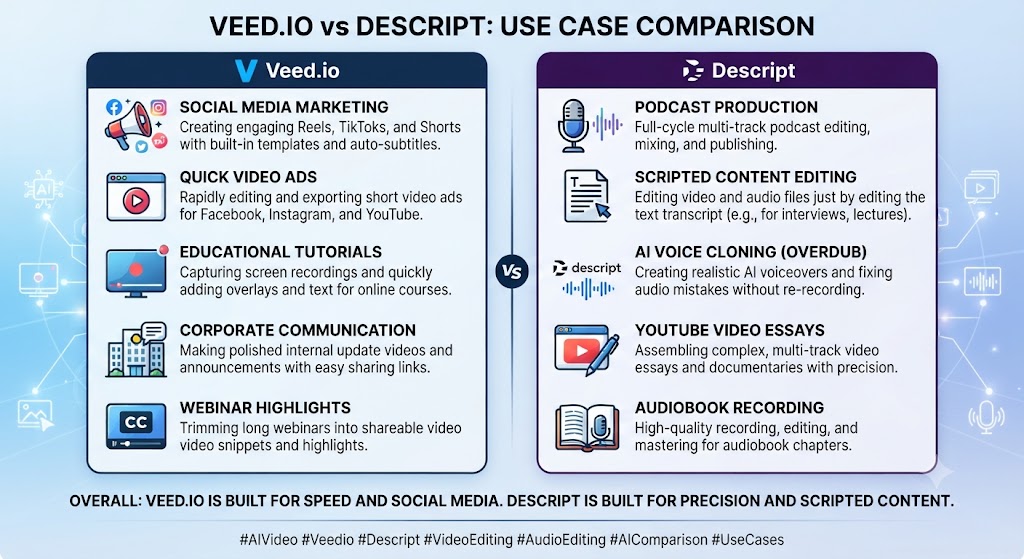
Podcasters and interview-based content creators Considering the data, this Veed.io vs Descript shows should default to Descript — the transcript-editing paradigm and multi-track production tools are specifically built for exactly this workflow, with no real equivalent in Veed.io.
Social media managers producing short-form video across platforms In the context of pricing, this Veed.io vs Descript notes should default to Veed.io, where auto-resize and translation tools are more directly oriented toward that publishing workflow.
International teams needing broad subtitle translation Per this Veed.io vs Descript, should lean toward Veed.io specifically for its 50+ language coverage versus Descript’s narrower 25-language transcription support.
Creators who frequently need to fix recording mistakes without re-recording As this Veed.io vs Descript shows, should lean toward Descript, where Overdub’s voice cloning genuinely solves that problem in a way Veed.io doesn’t attempt to.
These Tools Help You Create. We Help You Go Viral.
Making the video is only half the battle — getting it seen is the other. Tasknestly’s viral video service handles strategy, editing, and distribution.
See Viral Video Services →Get It / Skip It
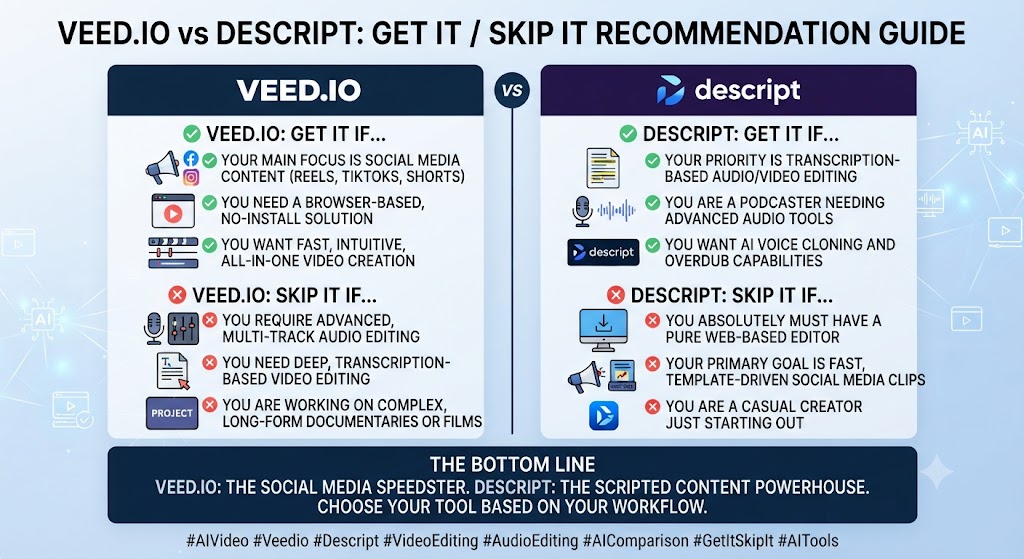
Get Veed.io If:
- You’re editing video for social platforms and need fast multi-format export This holds up throughout the Veed.io vs Descript.
- Subtitle translation across many languages is a core requirement Keep that in mind from this Veed.io vs Descript.
- You prefer familiar timeline-based editing over a new paradigm
Get Descript If:
- You produce podcasts, interviews, or other spoken-word content regularly
- In this Veed.io vs Descript, editing by transcript sounds faster than scrubbing a timeline for your workflow
- Voice cloning for fixing recording mistakes would save real time
Skip Both If:
- Looking at Veed.io vs Descript details, you need the deepest possible professional editing control — look at Premiere Pro or DaVinci Resolve When it comes to this tool, this Veed.io vs Descript found that – You need AI-generated video from prompts with no existing footage — look at InVideo AI
These Tools Help You Create. We Help You Go Viral.
Making the video is only half the battle — getting it seen is the other. Tasknestly’s viral video service handles strategy, editing, and distribution.
See Viral Video Services →Real-World Test: Same Recording, Both Tools
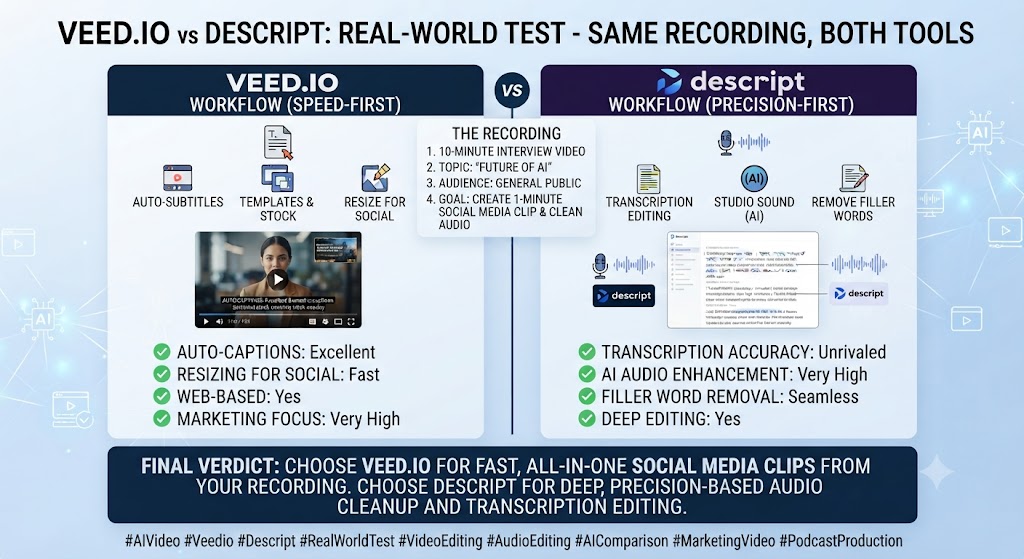
For anyone reading this Veed.io vs Descript, i edited the same 30-minute recorded interview in both tools to compare workflow speed directly. In Descript, removing filler words, tightening pauses, and cutting a tangential five-minute section took under ten minutes total, working entirely through the transcript — delete the text, the audio follows automatically. When I mis-heard a name during editing and needed a quick correction spoken aloud, Overdub regenerated the line in my own cloned voice without re-recording anything.
This Veed.io vs Descript found that in Veed.io, the same edits took closer to twenty minutes using traditional timeline scrubbing to locate and trim the same sections — not slow by conventional editing standards, but noticeably slower than Descript’s transcript-driven approach for this specific spoken-word content. Where Veed.io pulled ahead was translation: generating a Spanish-subtitled version of the finished interview took a single click, a capability Descript’s narrower language support doesn’t match as directly.
Across this Veed.io vs Descript, the honest takeaway: for spoken-word editing specifically, Descript’s paradigm is a genuine speed advantage that’s hard to overstate once you’ve used it. For broader translation and social-format needs on the same finished content, Veed.io still earned its place in the workflow.
On this point, this Veed.io vs Descript notes that one additional test worth mentioning: I specifically timed how long it took to fix a factual error discovered after the initial edit was complete in both tools — a wrong figure mentioned partway through the interview that needed correcting. In Descript, typing the corrected number and regenerating just that phrase with Overdub took under two minutes, with the corrected audio blending seamlessly into the surrounding original recording. In Veed.io, the same fix required either re-recording that section entirely or leaving the error in place, since there’s no equivalent voice-regeneration capability — a genuinely meaningful difference for any team that discovers errors after a recording session has already wrapped.
Within this Veed.io vs Descript, i also compared both tools’ handling of background noise in a section of the interview recorded in a slightly echoey room. Descript’s Studio Sound audio enhancement noticeably cleaned up the echo with a single click. Veed.io’s audio cleanup tools produced a comparable but slightly less polished result on the same clip, requiring a bit more manual adjustment to match Descript’s one-click outcome.
These Tools Help You Create. We Help You Go Viral.
Making the video is only half the battle — getting it seen is the other. Tasknestly’s viral video service handles strategy, editing, and distribution.
See Viral Video Services →FAQ
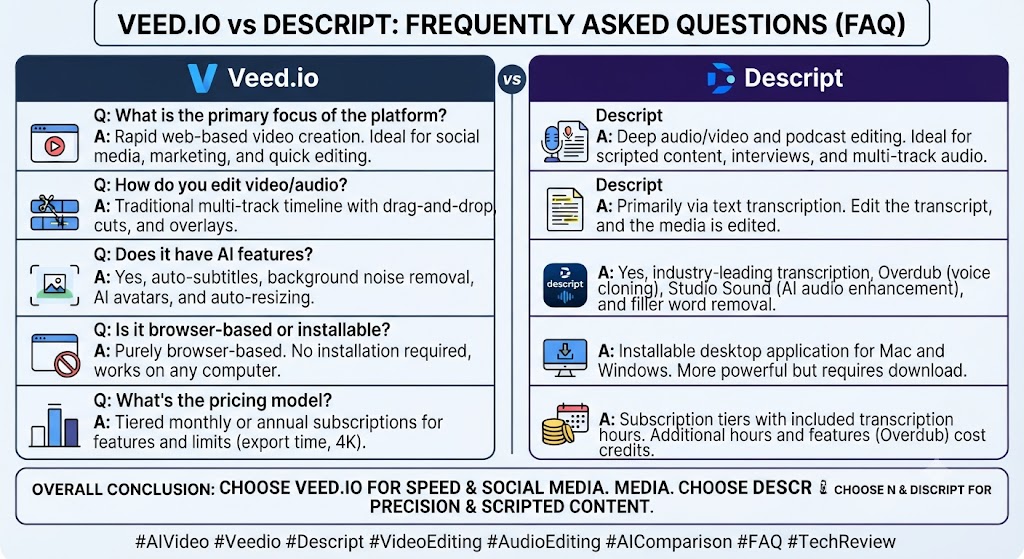
Is Veed.io better than Descript? Considering the data, this Veed.io vs Descript shows for spoken-word content like podcasts and interviews, Descript’s transcript-based editing is faster and more purpose-built. For broader video editing with strong translation and social export needs, Veed.io is the stronger general-purpose tool.
Which is cheaper, Veed.io or Descript? In the context of pricing, this Veed.io vs Descript notes entry paid tiers land close in price for both, though exact figures vary by source given both platforms’ pricing has shifted multiple times through 2026 — verify current rates directly before committing.
Can Veed.io clone my voice like Descript’s Overdub? Per this Veed.io vs Descript, no. Veed.io has no voice cloning or AI voiceover generation from text — you must record or import your own audio for any spoken content.
Does Descript support social media format exports as well as Veed.io? As this Veed.io vs Descript shows, not as directly. Descript can export various formats, but it isn’t purpose-built for rapid multi-platform social resizing the way Veed.io’s auto-resize tools are.
Which tool has better translation support? In this Veed.io vs Descript, veed.io, with 50+ language subtitle translation versus Descript’s 25-language transcription support.
Is Descript worth it if I only edit occasional social videos, not podcasts? Looking at Veed.io vs Descript details, probably not as the primary tool. Descript’s core advantage is spoken-word transcript editing; for occasional social video work without heavy dialogue editing, Veed.io or a simpler tool is likely the better fit.
These Tools Help You Create. We Help You Go Viral.
Making the video is only half the battle — getting it seen is the other. Tasknestly’s viral video service handles strategy, editing, and distribution.
See Viral Video Services →Conclusion
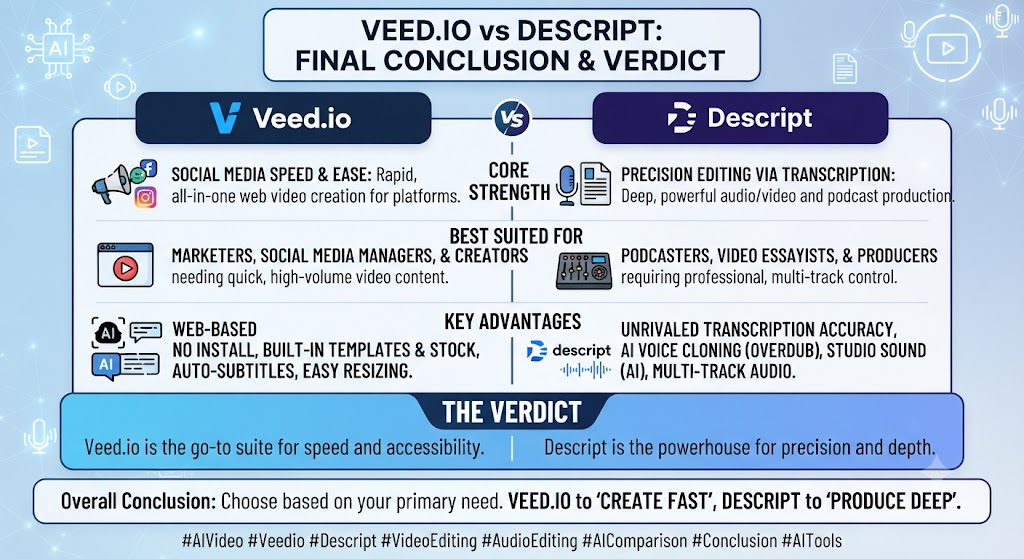
This Veed.io vs Descript comparison comes down to a genuine paradigm difference, not just a feature checklist. Descript’s transcript-based editing is a real, measurable speed advantage for anyone working with spoken-word content — podcasts, interviews, training videos — and Overdub’s voice cloning solves a specific, recurring editing problem no other tool in this comparison addresses as directly. Veed.io’s timeline-based approach is more familiar and pulls ahead specifically on translation breadth and social-format export convenience.
When it comes to this tool, this Veed.io vs Descript found that for creators whose work is fundamentally about editing conversation and spoken content, Descript’s paradigm shift is worth learning even with its own pricing and cap quirks. For creators producing broader video content needing wide-language translation and fast social publishing, Veed.io remains the more versatile general-purpose choice.
For anyone reading this Veed.io vs Descript, teams building a broader content and video strategy around either tool might also find value in Tasknestly’s digital marketing services for turning finished, edited video into an actual distribution plan.
This Veed.io vs Descript found that both platforms continue to adjust pricing and AI feature limits quickly, so revisit this comparison periodically rather than treating today’s numbers as fixed through the rest of 2026.
It helps to map out a month of expected content production before committing to a tier. The theoretical monthly allowance rarely matches real usage once revisions and iteration are factored in.
Budget a buffer above your baseline estimate. That avoids hitting a plan ceiling mid-month and being forced into an unplanned upgrade.
Pricing keeps shifting across AI video tools in 2026, so a plan that fits today may not fit by your next renewal. A little margin now avoids a scramble later.
Consider how your team actually consumes video output once it’s produced. The best tool on paper isn’t always best for the people who review, approve, and publish it during a busy week.
A workflow needing three rounds of revision before sign-off delivers less real value than a less polished workflow approved on the first pass. That approval friction rarely shows up on a pricing page — but it shows up constantly in team calendars.
Factor in who reviews the work, how fast they respond, and whether revisions are quick or painful before choosing between these two platforms.
One more practical consideration worth naming quite directly here: whichever specific tool you eventually choose, plan for a genuine onboarding period before expecting fully production-ready output on the very first real attempt. Most teams underestimate how many trial generations it actually takes to understand a new platform’s specific quirks, and budgeting that learning curve into your first month, rather than expecting immediate polish, produces a far more accurate picture of the tool’s real long-term value than judging it purely on day-one results alone.
A final point worth stating quite plainly right here: neither marketing page fully captures the real learning curve involved in getting consistently strong final output, and any serious team should budget real evaluation time before committing to an annual plan.
None of this changes the fundamental fit question this whole comparison started with — spoken-word content favors one paradigm, visually varied content favors the other, and no pricing consideration should override that basic mismatch.
These Tools Help You Create. We Help You Go Viral.
Making the video is only half the battle — getting it seen is the other. Tasknestly’s viral video service handles strategy, editing, and distribution.
See Viral Video Services →