Honest Tana Review 2026: Is This Notes App Worth It?

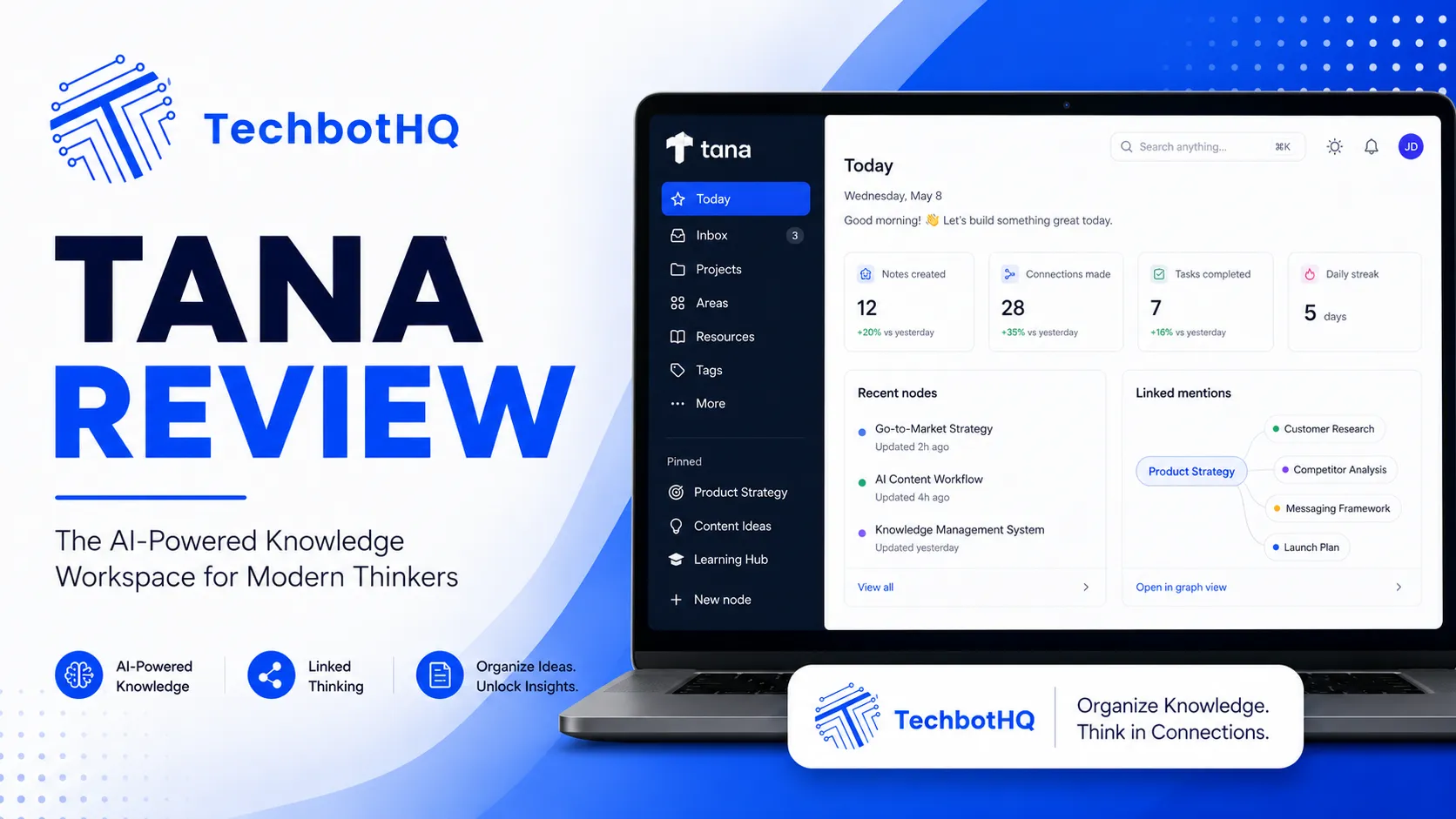
If you’ve spent any time in the productivity tool space, you’ve probably heard the hype around Tana. This Tana review cuts through that noise and gives you a genuine look at what the tool delivers, who it’s for, and whether it justifies the time investment it demands. Marketers, founders, researchers, and power users are calling it the most intelligent note-taking app to hit the market in years — and after spending serious time inside it, the reasons become obvious. This Tana review covers the full picture.
Tana isn’t just another note-taking app. It’s built around a “supertag” system that turns any piece of information into structured, queryable data. Think of it as the lovechild of Notion’s database power and Roam Research’s graph-style linking — but with an AI layer baked in from the ground up. The concept behind this Tana review is simple: does it actually work in real-world use, or is this another overhyped productivity tool that impresses in demos and frustrates in daily use? This Tana review tests it properly.
Whether you’re managing complex research, tracking personal projects, or building second-brain workflows, Tana aims to be the last productivity tool you’ll ever need. The question this Tana review answers is whether that ambition is matched by the reality of the product. If you’re comparing knowledge management tools for 2026, this Tana review gives you the evidence you need. Let’s get into it.
VERDICT BOX
Overall Rating: 8.2 / 10
Best for: Power users, researchers, founders, and knowledge workers who need structured, AI-enhanced note-taking
Price: Free tier available; Tana+ starts at $12/month billed annually
Verdict: Tana is a genuinely powerful knowledge management tool that outperforms Notion for structured thinking — but its steep learning curve makes it best suited to committed productivity enthusiasts rather than casual note-takers.
Table of Contents
What Is Tana? An Overview for This Tana Review
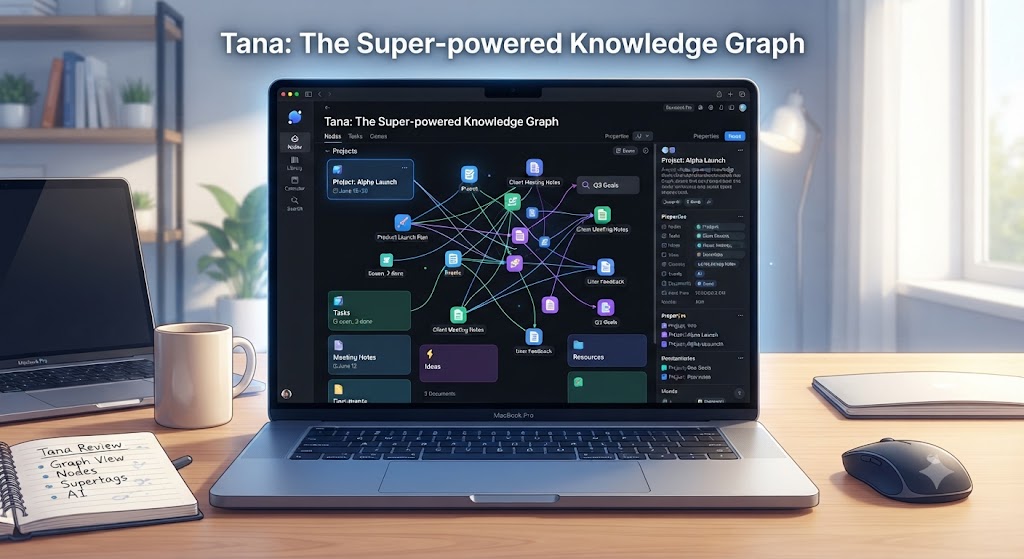
Tana launched publicly in 2023 after a long private beta that generated serious buzz in the productivity community. Built by a Norwegian startup, it’s designed around the concept of “everything is a node” — meaning every bullet, heading, tag, and piece of content in Tana is a structured object that can be referenced, queried, and connected across your entire workspace. This is the structural foundation any Tana review must start with.
At its core, Tana is an outliner — similar in concept to Roam Research or Logseq — but with far more powerful data structuring tools and a dedicated AI assistant called Tana AI. The app runs in the browser and as a desktop application, and it’s built for users who are willing to invest time learning its system in exchange for a significantly more powerful productivity workflow. This Tana review is designed to give you a clear picture of whether that investment pays off for your specific situation.
Understanding what Tana is not is just as important as understanding what it is. This Tana review makes that clear: this is not a tool you open for the first time and immediately feel productive in. Tana requires setup, intentional information architecture decisions, and a willingness to think about your workflows before you start building them. The users who get the most out of the Tana review experience — and out of Tana itself — are those who approach it as a system to build rather than a tool to pick up and use from day one.
Who Builds Tana?
Tana is developed by Tana Inc., a startup founded by former members of the Norwegian tech scene with deep experience in knowledge management and developer tooling. The team has been intentional about building a product that prioritises depth over simplicity, making it a natural fit for the “tools for thought” community rather than mainstream note-takers.
Want The Time Savings Without Doing It Yourself?
These tools save you hours on your own tasks — but marketing is one job most people would rather hand off entirely. Tasknestly runs it for you, end to end.
Get a Free Marketing Quote →Tana Review: Pros and Cons
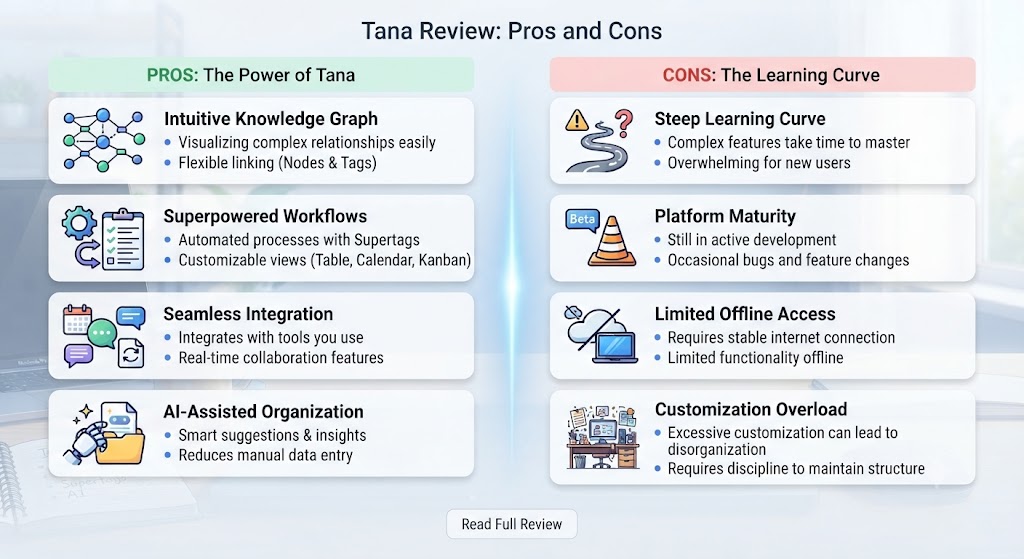
Before diving into feature detail, every Tana review should present an honest pros and cons assessment. Here’s what this Tana review found the tool genuinely gets right and where it genuinely falls short in 2026.
| Pros | Cons |
|---|---|
| Supertag system creates genuinely structured knowledge | Steep learning curve — not beginner-friendly |
| AI commands built natively into the core workflow | No dedicated mobile app (browser only on mobile) |
| Powerful filtering and live search nodes | Team pricing is unclear and requires contact |
| Flexible enough to replace CRM, task manager, and notes app | Import from other tools is limited and often manual |
| Active development with regular feature updates | Can feel overwhelming without a clear workflow plan |
| Excellent bidirectional linking and knowledge graph building | Offline support is limited compared to competitors |
Want The Time Savings Without Doing It Yourself?
These tools save you hours on your own tasks — but marketing is one job most people would rather hand off entirely. Tasknestly runs it for you, end to end.
Get a Free Marketing Quote →Tana Review: Feature Deep-Dive
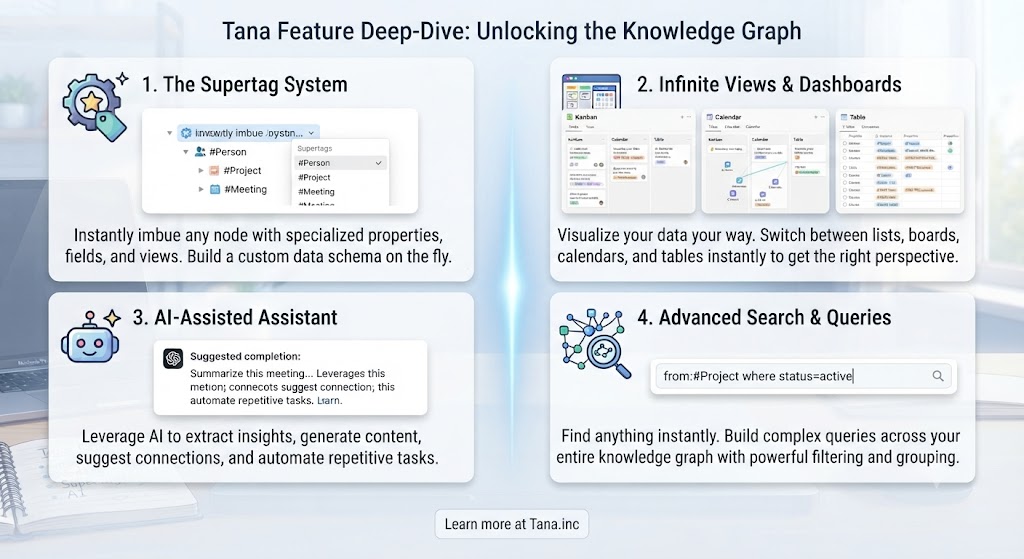
Supertags — The Core Innovation This Tana Review Focuses On
The supertag system is what makes this Tana review so interesting and what makes Tana genuinely different from every other note-taking or productivity app on the market. When you tag a node with a supertag — say, #book or #project — Tana treats that node as an instance of a schema you’ve defined. You can attach custom fields to that supertag: author, status, rating, date, notes, and so on. Every node tagged with #book automatically inherits those fields.
This means your notes aren’t just text anymore — they’re structured data objects. You can filter all your #book nodes by rating, sort your #project nodes by deadline, or pull any tagged content into a live view anywhere in your workspace. It’s database functionality without ever leaving your writing flow, and this Tana review found it to be impressively well-executed in practice.
The real power kicks in when you start combining supertags. A node can be both a #meeting and a #client, surfacing it in both your meeting log and your client relationship view simultaneously. For users managing complex workflows, this bidirectional classification is transformational — and it’s something no other tool currently does as well as Tana.
Tana AI — Native Intelligence That Goes Beyond Bolted-On Features
Unlike tools that add AI as an afterthought, Tana AI is woven into the core experience in a way that this Tana review found genuinely impressive. You can trigger AI commands directly from any node using the / command menu. Common use cases include: summarising a set of notes, extracting key insights from a long document, generating structured content from a brief prompt, or asking Tana AI to populate fields across multiple nodes.
The AI runs on GPT-4 under the hood, and the quality of outputs is solid — particularly for summarisation and structured extraction tasks. The fact that the AI has access to your workspace context (rather than being a separate chat window) makes it significantly more powerful than standalone AI tools for productivity use cases. You’re not going to replace a dedicated AI writing tool with Tana AI, but for in-context knowledge work, it’s genuinely valuable.
What this Tana review found particularly useful is Tana AI’s ability to populate structured fields automatically. If you have a #book node and you ask Tana AI to fill in the author, genre, and summary fields from context in your notes, it does so accurately and consistently. This kind of structured AI automation is something larger tools like Notion are still catching up to.
Live Search Nodes — Your Dynamic Dashboard Layer
One of the most underrated features in Tana — and one that deserves attention in any Tana review — is the live search node. You can create a node that automatically pulls in any content matching a search query: all nodes tagged #task with status “in progress”, all #meeting nodes from the last 7 days, or all #client nodes with a status of “active”.
These nodes update dynamically, meaning your views are always current without any manual maintenance. This turns Tana into something closer to a personal database than a traditional note-taking app. You can build a home dashboard that surfaces your most important active projects, a weekly review view that pulls everything you’ve captured, and a client relationship view that tracks every interaction — all from the same workspace, with zero duplication.
Outliner Structure and Bidirectional Linking
Tana’s outliner structure will feel familiar to anyone who has used Roam Research or Workflowy. Every piece of content is a node that can be nested, collapsed, expanded, and referenced elsewhere. Bidirectional links mean that when you mention a node in another note, both nodes show references to each other — building a knowledge graph over time.
For researchers, writers, or anyone who works across interconnected ideas, this graph structure is enormously valuable. This Tana review found that Tana’s implementation is cleaner and more performant than Roam Research, which has historically struggled with large workspaces and loading times.
Tana Capture — Quick Input Across Devices
Tana Capture is a browser extension and mobile shortcut that lets you quickly dump content into your Tana inbox without opening the full app. It’s useful for saving articles, capturing quick thoughts, or adding tasks on the go. The mobile experience is admittedly weak compared to dedicated apps — Tana is primarily built for desktop power use — but Capture at least gives you a functional input method when you’re away from your desk.
Want The Time Savings Without Doing It Yourself?
These tools save you hours on your own tasks — but marketing is one job most people would rather hand off entirely. Tasknestly runs it for you, end to end.
Get a Free Marketing Quote →Tana Pricing: What Does It Cost in 2026?
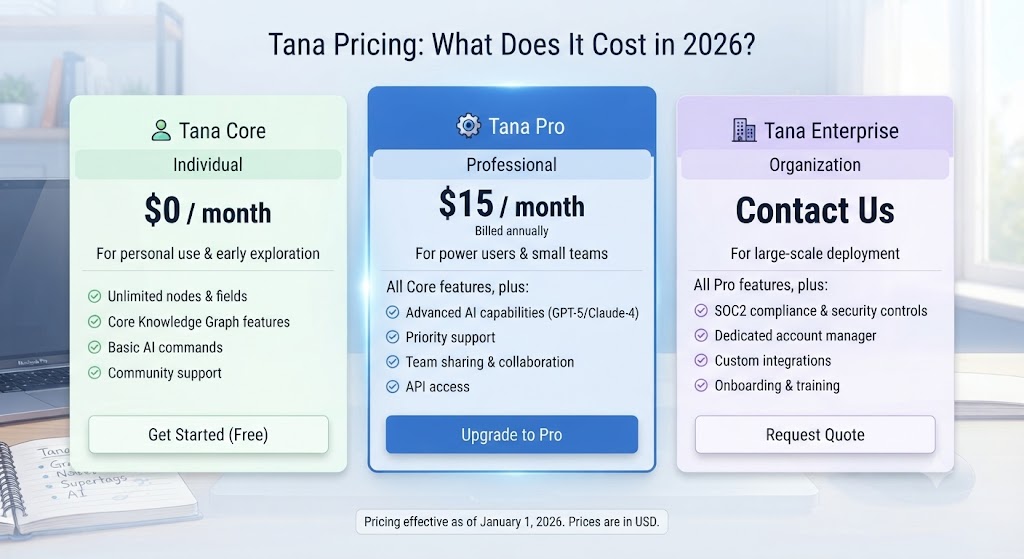
| Plan | Price | Key Features |
|---|---|---|
| Free | $0/month | Core workspace, supertags, basic AI commands |
| Tana+ | $12/month (billed annually) | Advanced AI commands, priority support, extended AI usage |
| Team | Custom pricing | Shared workspaces, team permissions, collaborative nodes |
Tana’s free tier is genuinely functional — you can build out a complete personal knowledge management system without paying anything. The Tana+ upgrade is primarily valuable for heavy AI users who need extended command usage throughout the day. Team pricing requires contacting Tana directly, which is a transparency gap for businesses doing cost planning. For individuals, this Tana review finds the pricing fair given what the tool delivers.
Want The Time Savings Without Doing It Yourself?
These tools save you hours on your own tasks — but marketing is one job most people would rather hand off entirely. Tasknestly runs it for you, end to end.
Get a Free Marketing Quote →Tana Review: How Does It Compare to Competitors?
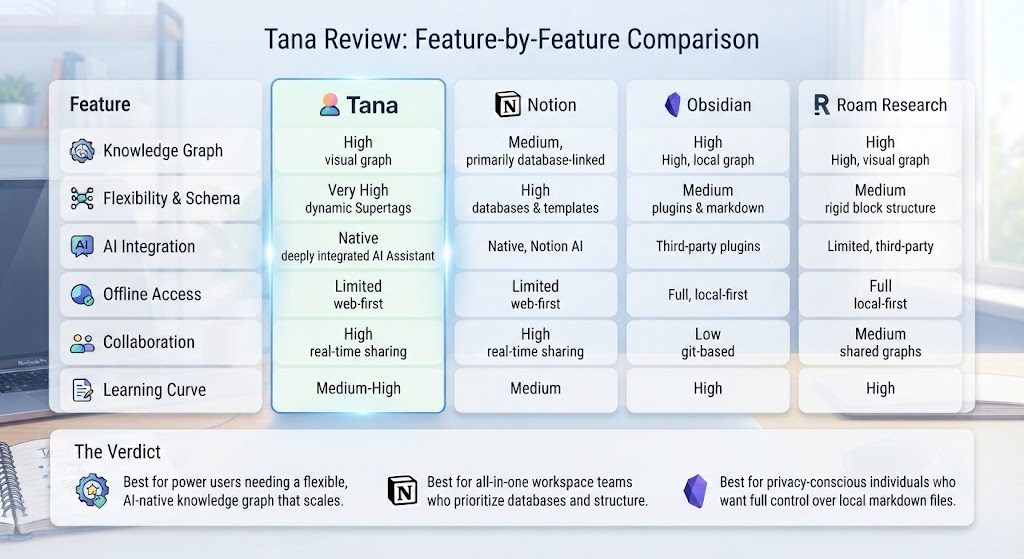
| Feature | Tana | Notion | Roam Research | Obsidian |
|---|---|---|---|---|
| Structured data (supertags/databases) | ✅ Native supertags | ✅ Databases | ❌ Limited | ❌ Limited |
| AI assistant | ✅ Native Tana AI | ✅ Notion AI (add-on) | ❌ No | ❌ Plugin only |
| Bidirectional linking | ✅ Yes | ⚠️ Basic | ✅ Core feature | ✅ Core feature |
| Mobile app | ⚠️ Browser only | ✅ Full mobile app | ✅ Yes | ✅ Yes |
| Offline support | ⚠️ Limited | ✅ Yes | ✅ Yes | ✅ Full offline |
| Learning curve | High | Medium | Very High | Medium |
| Free tier | ✅ Yes | ✅ Yes | ❌ No | ✅ Yes |
| Starting price | $12/month | $10/month | $15/month | $10/month |
Tana’s biggest advantage over Notion — the most common comparison in any Tana review — is its supertag system. Notion’s databases are powerful but exist in silos: you create a database, then link to it. In Tana, structured objects are woven throughout the entire workspace, meaning your structure lives inside your content rather than alongside it. This makes Tana far more flexible for complex knowledge work.
Against Roam Research, Tana wins on usability, performance, and AI integration. Against Obsidian, Tana offers a more connected, collaborative, AI-powered experience — though Obsidian’s offline-first, fully local approach appeals to privacy-focused users. Explore more tools in the space through our AI productivity tools hub.
Want The Time Savings Without Doing It Yourself?
These tools save you hours on your own tasks — but marketing is one job most people would rather hand off entirely. Tasknestly runs it for you, end to end.
Get a Free Marketing Quote →Who Is Tana Best For? The Honest Tana Review Answer
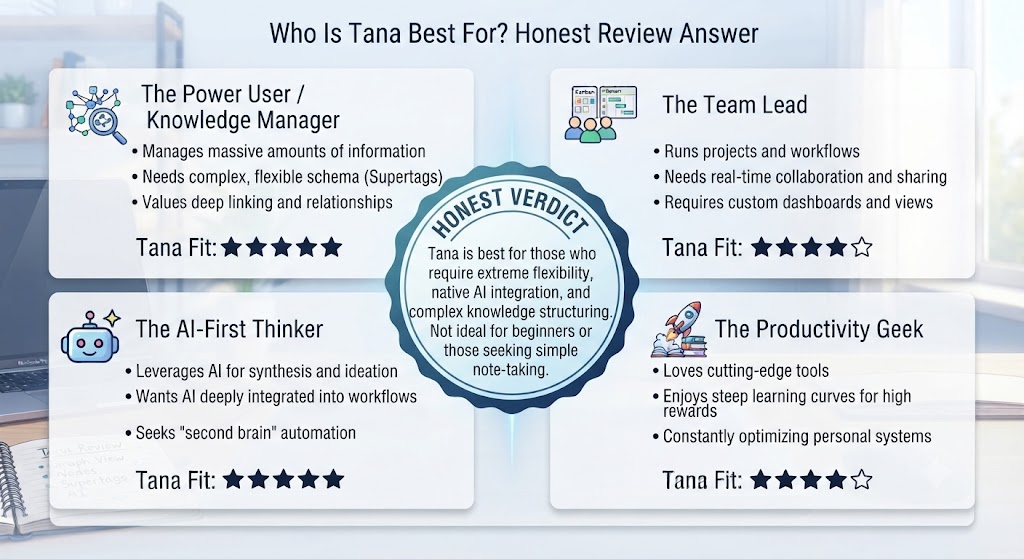
Tana isn’t a tool for everyone, and that’s by design. This Tana review is honest about who will get enormous value from the tool and who will find it overcomplicated and frustrating.
Tana works best for:
- Researchers and academics who need to connect ideas across hundreds of notes and track sources with structured metadata
- Founders and operators who want to replace multiple tools — CRM, task manager, meeting notes, project tracker — with a single connected workspace
- Knowledge workers and consultants managing complex client relationships and project portfolios where cross-referenced information is essential
- Second-brain builders who are already familiar with tools like Roam Research or Logseq and want something more structured and AI-powered
- Writers and content creators who do heavy research and need to connect ideas across multiple long-running projects
Tana is not ideal for:
- Casual note-takers who just want a simple, frictionless place to capture thoughts
- Teams who need robust real-time collaboration features and transparent team pricing
- Mobile-first users who do most of their work on a phone or tablet
Want The Time Savings Without Doing It Yourself?
These tools save you hours on your own tasks — but marketing is one job most people would rather hand off entirely. Tasknestly runs it for you, end to end.
Get a Free Marketing Quote →Tana Review: Real-World Workflows and Use Cases
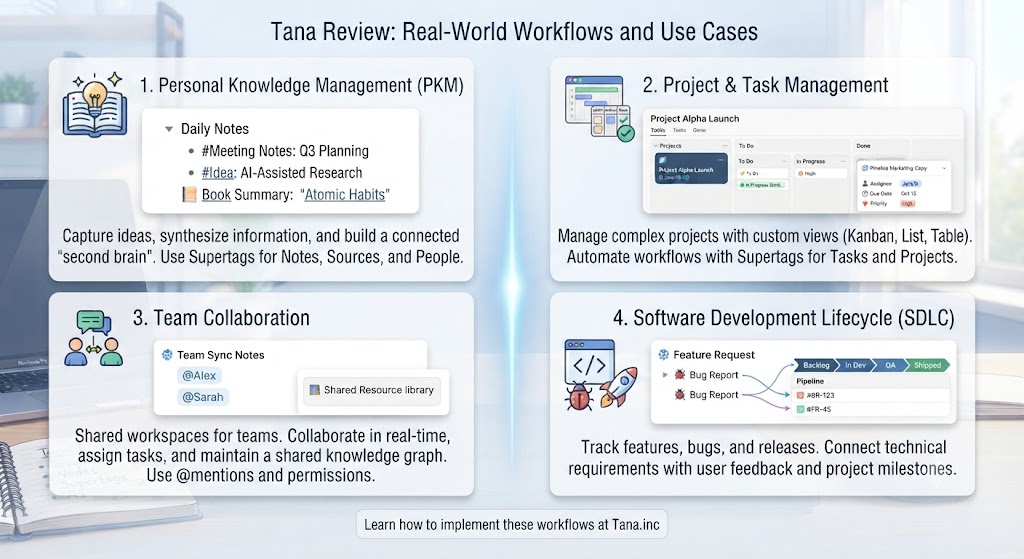
Part of what makes any Tana review genuinely useful is going beyond features to show how people actually use the tool in their daily work. Tana’s flexibility means it can serve radically different workflows — and understanding those workflows helps you decide whether your own working style is a fit.
The Second-Brain Workflow
The most common use case in any Tana review community discussion is the second-brain workflow. Users build a central inbox, a daily journal tied to supertags like #meeting, #insight, and #task, and a set of live search nodes that pull content into relevant views automatically. Over time, this creates a personal knowledge graph where every idea, meeting, and decision is connected and searchable.
What’s distinctive about this Tana review use case is how the supertag system handles the organisation automatically. In Notion, you’d need to manually add items to the right database. In Tana, tagging a node with #insight instantly makes it appear in your insights view, your project views if you’ve linked it to a project, and any live search node that filters for insights. The maintenance overhead is dramatically lower, which is a core finding of this Tana review.
The Operator CRM Workflow
Founders and operators frequently use Tana as a lightweight CRM. You define a #person supertag with fields for company, relationship strength, last contact date, and notes. Every interaction gets tagged and linked. A live search node surfaces all contacts you haven’t spoken to in 30+ days. It’s a fully functional relationship management system built inside your notes app — no separate CRM tool required.
This Tana review found this use case to be genuinely impressive in practice. The ability to link meeting notes directly to a #person node, which itself links to a #company node, creates a connected contact history that most dedicated CRM tools struggle to match for personal relationship management.
The Research and Writing Workflow
For researchers, academics, and long-form writers, this Tana review highlights Tana’s bidirectional linking as the key differentiator. Every source, quote, and idea can be tagged and linked. When you come to write, you pull together nodes from across your workspace — using live search to surface relevant content — and synthesise them into your finished piece. The knowledge graph built over months of note-taking becomes a genuine creative asset rather than a pile of unsorted notes.
Get It / Skip It
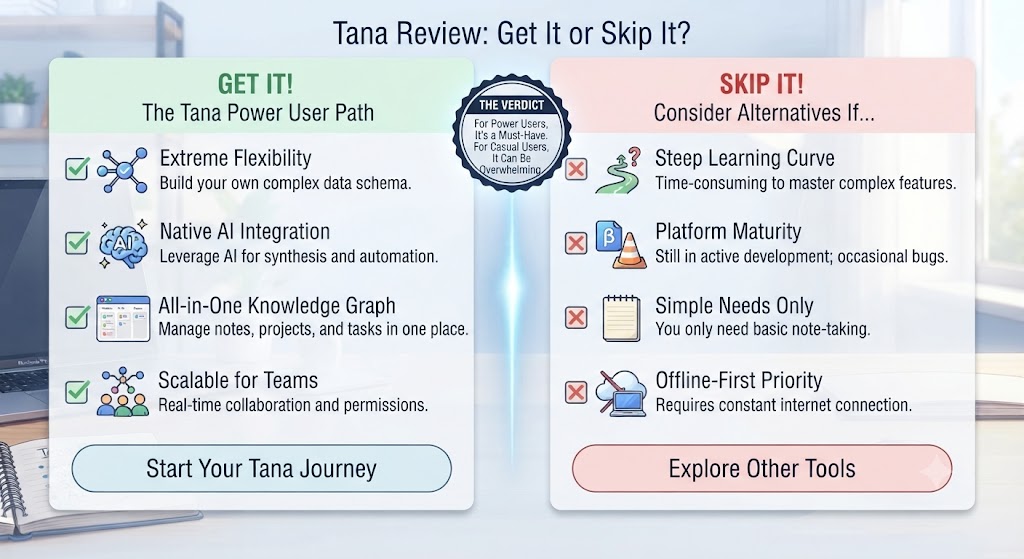
✅ Get Tana if:
- You’re a power user who works across complex, interconnected projects and wants one structured, AI-powered workspace
- You’ve outgrown Notion’s database-in-silos approach and want structured data woven directly into your notes
- You’re already familiar with tools-for-thought concepts like Roam or Logseq and want a more polished, AI-enhanced upgrade
❌ Skip Tana if:
- You’re new to productivity tools and want something you can use productively from day one without a learning investment
- You need a strong native mobile app — Tana’s mobile experience is a clear and significant weak point
- Your team needs transparent pricing and mature collaboration features available right now
Want The Time Savings Without Doing It Yourself?
These tools save you hours on your own tasks — but marketing is one job most people would rather hand off entirely. Tasknestly runs it for you, end to end.
Get a Free Marketing Quote →Tana Review: Frequently Asked Questions
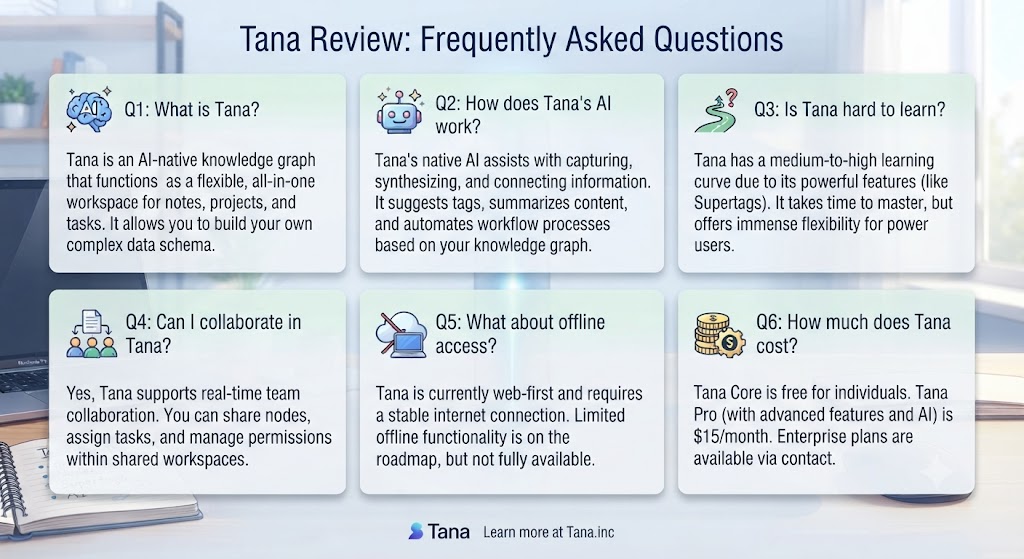
Q: Is this Tana review positive overall? This Tana review lands firmly positive for the right user. If you’re a power user willing to invest time learning the system, this Tana review confirms it’s one of the best knowledge management tools available. If you’re a casual note-taker, the learning curve will likely outweigh the benefits.
Q: Is Tana free to use? Yes. Tana offers a free tier that includes core workspace features, supertags, and basic AI commands. The free plan is genuinely functional for personal use — you don’t need to pay to start building a knowledge management workflow. Tana+ at $12/month unlocks extended AI usage and priority support.
Q: What makes Tana different from Notion in this Tana review? The key difference is structural. Notion’s databases are powerful but siloed — they sit separately from your notes. In this Tana review, the supertag system means every note can be a structured data object by default, so your structure is embedded in your content rather than sitting alongside it. This makes Tana far more flexible for complex, interconnected knowledge work.
Q: Does Tana have a mobile app? Not in the traditional sense. Tana runs in the browser on mobile, and there’s a Tana Capture shortcut for quick input, but there’s no dedicated iOS or Android app as of 2026. This is one of the tool’s most significant limitations for users who work frequently away from a desktop or laptop.
Q: How does Tana AI work? Tana AI uses GPT-4 to power in-workspace commands. You trigger it from any node using / commands to summarise content, extract insights, generate structured fields, or create new content. The AI has context of your full workspace, making it more useful for knowledge work than a standalone chat interface like ChatGPT or Claude.
Q: Is Tana good for teams? Tana has team functionality, but it’s less mature than its personal workspace features. Team pricing is custom and requires contacting Tana directly. For small teams of power users, it can work well. For larger organisations that need robust permissions and admin controls, it may not yet be enterprise-ready.
Q: What are the best Tana alternatives? The main alternatives are Notion (better for teams and mobile), Roam Research (strong for academic research use), Obsidian (better for offline and local-first workflows), and Logseq (open-source, privacy-focused). For detailed comparisons, see our AI productivity tools category.
Want The Time Savings Without Doing It Yourself?
These tools save you hours on your own tasks — but marketing is one job most people would rather hand off entirely. Tasknestly runs it for you, end to end.
Get a Free Marketing Quote →Conclusion: Final Tana Review Verdict
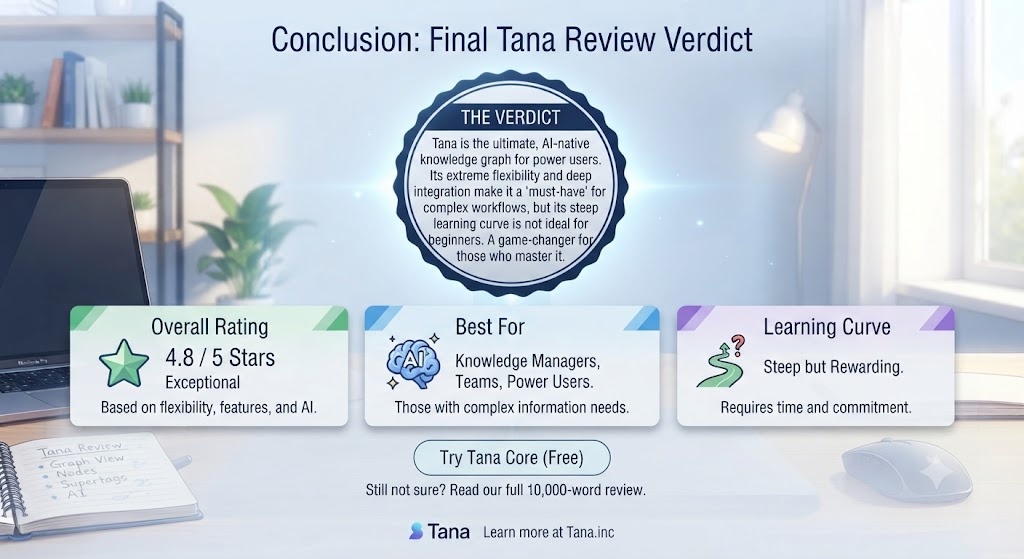
After spending serious time with the tool, this Tana review reaches a clear conclusion: Tana is one of the most genuinely innovative productivity tools built in years. The supertag system delivers on its promise — it really does turn your notes into structured, queryable data in a way that no other tool matches. The AI integration feels native rather than bolted on. And for users who invest the time to learn the system, Tana can genuinely replace a stack of separate tools. This Tana review found that claim to be accurate for the right type of user.
That said, the learning curve in this Tana review is impossible to ignore. Tana is not a tool you open and immediately get value from — it requires intentional setup, a willingness to think about your information architecture, and patience during the initial learning period. Users who want a simple note-taking app will find it overwhelming. Users who bounce frequently between mobile and desktop will feel the absence of a proper mobile app as a daily frustration.
For the right user — the power user, the researcher, the founder who wants everything connected — Tana is genuinely transformational. The free tier makes it easy to test without commitment, and the $12/month Tana+ plan is fair pricing for the AI capabilities it unlocks. If you’re serious about building a smarter second brain, this Tana review confidently places Tana at the top of your shortlist. Find more top-rated tools in our AI productivity reviews to complete your stack.
The bottom line of this Tana review: Tana earns its reputation as one of the most powerful knowledge management tools available. It’s not perfect — the mobile gap and learning curve are genuine friction points — but for the users it’s designed for, it’s exceptionally hard to beat. This Tana review recommends starting with the free tier and investing time in learning the supertag system before making a paid commitment.
Disclosure: This article contains affiliate links. TechBotHQ may earn a commission if you sign up through our links, at no extra cost to you. See our affiliate disclosure for full details.
Want The Time Savings Without Doing It Yourself?
These tools save you hours on your own tasks — but marketing is one job most people would rather hand off entirely. Tasknestly runs it for you, end to end.
Get a Free Marketing Quote →