Full BeforeSunset AI Review 2026: Best AI Daily Planner Worth It?

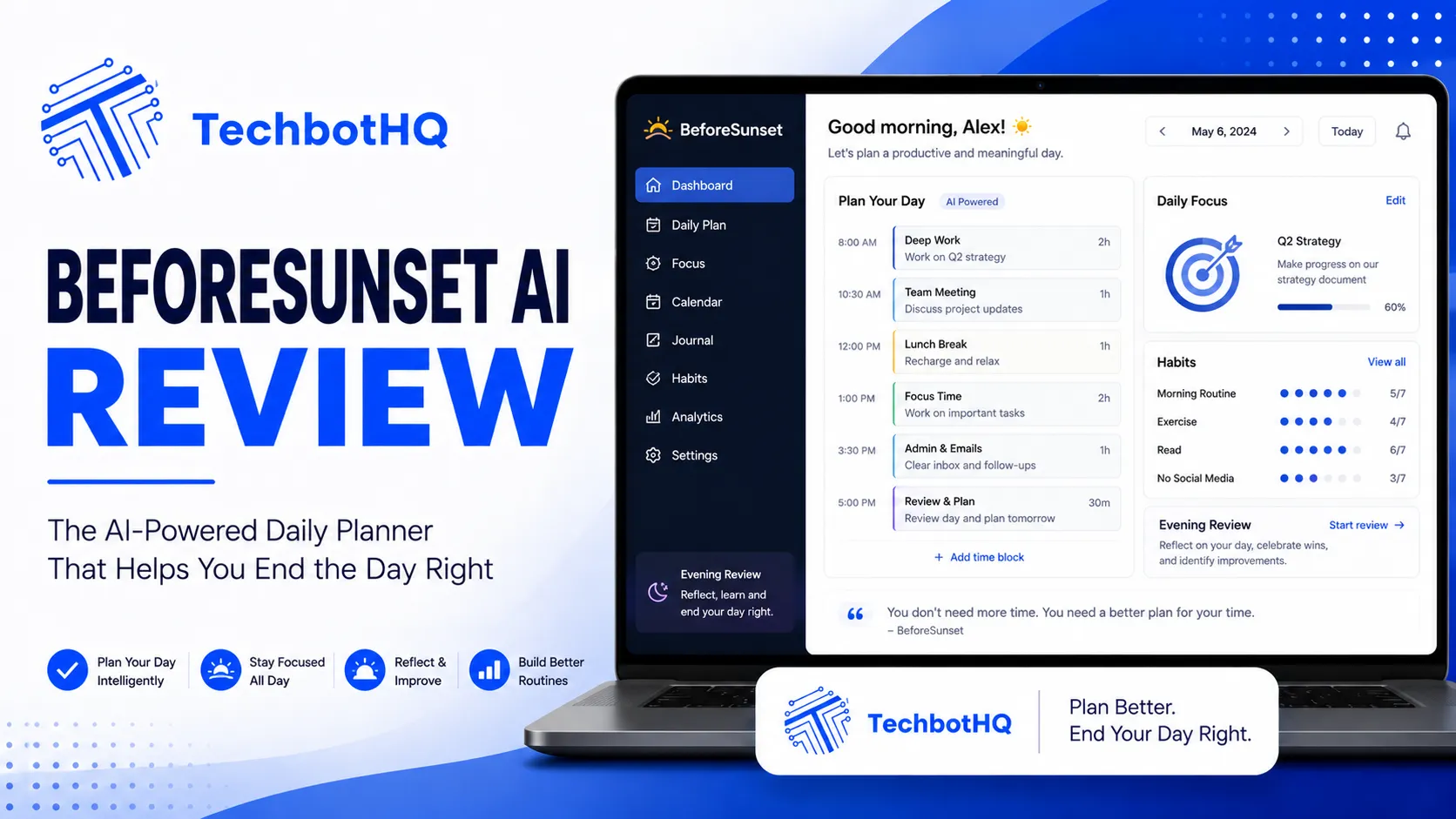
Most people end the day with half their to-do list untouched — not because they didn’t work hard, but because their task list and their calendar exist in completely separate worlds. BeforeSunset AI is built to fix exactly that problem, and this BeforeSunset AI review examines whether it genuinely succeeds. The tool automatically schedules your tasks around your existing calendar events, creates a realistic daily plan before your day starts, and helps you reflect on progress before the day ends. It’s a simple concept with genuinely ambitious execution, and this BeforeSunset AI review tests whether the reality matches the pitch.
BeforeSunset AI launched in 2022 and has been growing steadily among productivity-focused professionals who want AI to handle the daily planning process rather than doing it manually. The name itself is the core idea: use the tool before sunset — at the end of each workday — to plan tomorrow, so you start the next day already knowing exactly what you’re doing and when. This BeforeSunset AI review evaluates whether that ritual actually improves how you work or adds another layer of process to an already complex day.
This BeforeSunset AI review covers the full product: the AI planning engine, the task and calendar integration, the daily reflection system, the team features, and the pricing. Whether you’re comparing BeforeSunset AI against Reclaim AI, Morgen, or Akiflow, this BeforeSunset AI review gives you the honest, experience-based assessment you need.
VERDICT BOX
Overall Rating: 7.9 / 10
Best for: Professionals and remote workers who want an AI daily planner that automatically schedules tasks around existing calendar commitments
Price: Free plan available; Personal Pro at $12/month; Team plans from $15/user/month
Verdict: BeforeSunset AI delivers a genuinely useful AI planning workflow at a fair price — the automatic scheduling is smart, the daily reflection ritual adds real value, and the team features make it one of the few AI planners built for collaborative teams as well as individuals.
Table of Contents
What Is BeforeSunset AI? Background for This BeforeSunset AI Review
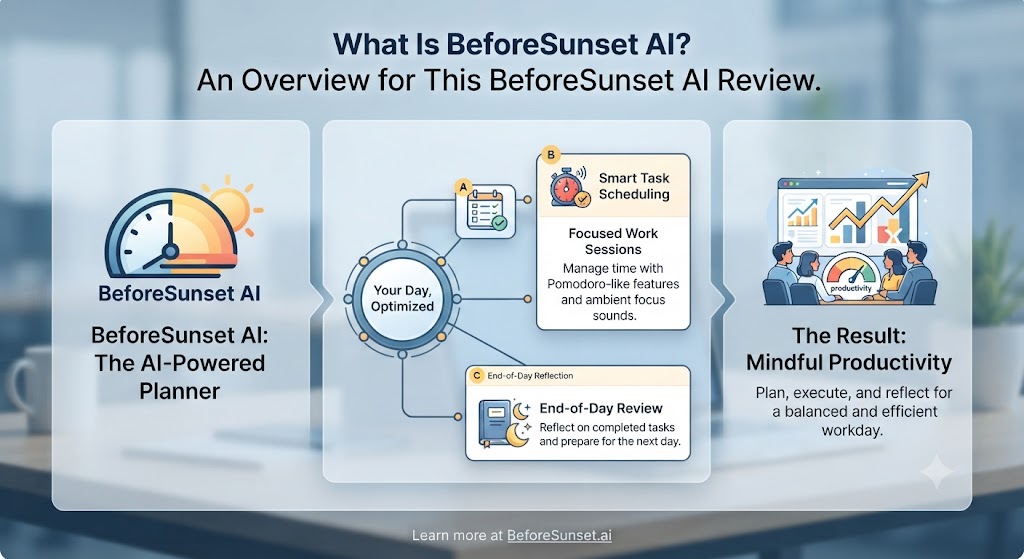
BeforeSunset AI is a web-based AI daily planning tool founded in 2022 and built around a daily planning ritual: you spend a few minutes at the end of each workday reviewing tomorrow’s calendar, adding tasks you need to complete, and letting the AI schedule those tasks into the available gaps between your meetings. The result is a pre-built plan that you wake up to the next morning — no morning planning required, no mental load about what to do first.
The product has evolved significantly since its launch, adding team features, deeper integrations, AI note-taking within tasks, time tracking, and a growing set of productivity analytics. This BeforeSunset AI review covers the 2026 version of the product, which is considerably more capable than the early MVP. The platform integrates with Google Calendar, Outlook Calendar, Slack, Asana, Jira, and several other tools, making it a genuine option for professionals embedded in modern work tool stacks.
BeforeSunset AI sits in the daily planner category alongside tools like Reclaim AI, Akiflow, Sunsama, and Structured. What differentiates BeforeSunset AI in this BeforeSunset AI review is the combination of AI scheduling, team features, and an explicit daily planning ritual that’s baked into the product design rather than left to the user’s discretion. For a broader look at AI productivity tools, our AI productivity category covers the full landscape.
Want The Time Savings Without Doing It Yourself?
These tools save you hours on your own tasks — but marketing is one job most people would rather hand off entirely. Tasknestly runs it for you, end to end.
Get a Free Marketing Quote →BeforeSunset AI Review: Pros and Cons
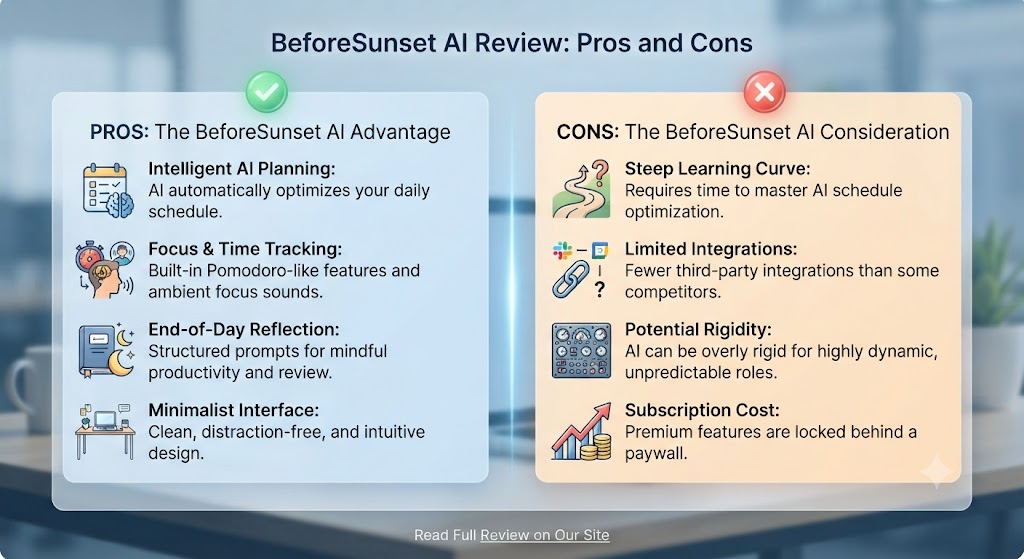
| Pros | Cons |
|---|---|
| AI automatically schedules tasks into calendar gaps — no manual time-blocking | Web-based only — no native desktop app as of 2026 |
| Daily planning ritual is built into the product workflow, not left to the user | AI scheduling not as sophisticated as Reclaim AI or Motion |
| Team planning features — rare in the daily planner category | Mobile app exists but is limited compared to the web experience |
| Daily reflection system tracks mood, energy, and task completion | Integrations breadth is narrower than Akiflow or Morgen |
| Built-in time tracking alongside tasks and calendar | Free plan is quite limited — key features require Pro |
| Reasonable pricing compared to comparable AI planning tools | Less keyboard-driven than power tools like Akiflow |
Want The Time Savings Without Doing It Yourself?
These tools save you hours on your own tasks — but marketing is one job most people would rather hand off entirely. Tasknestly runs it for you, end to end.
Get a Free Marketing Quote →BeforeSunset AI Review: Feature Deep-Dive
The AI Daily Planning Engine — The Core of This BeforeSunset AI Review
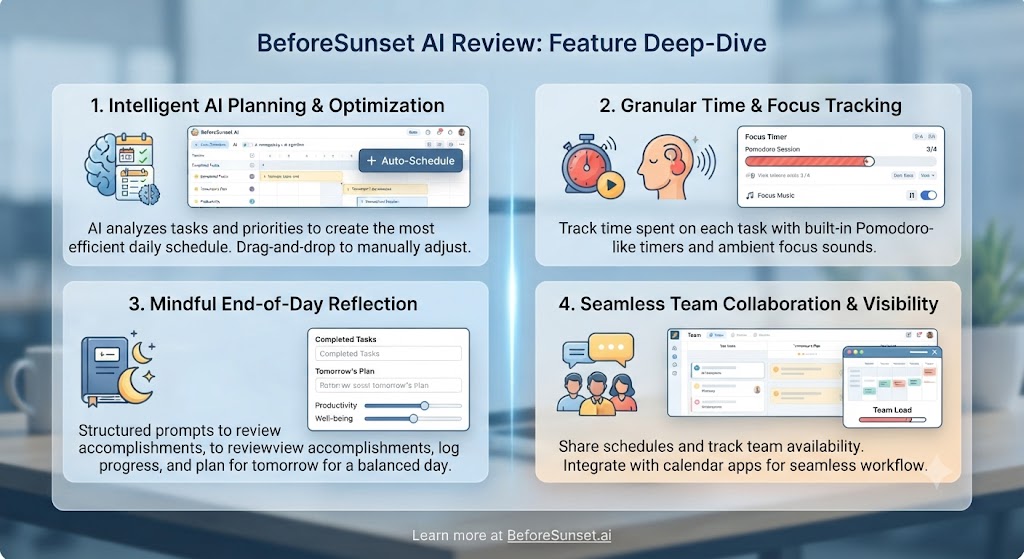
The AI planning engine is the centrepiece of this BeforeSunset AI review and the feature that most directly addresses the problem the tool is built to solve. When you add tasks to BeforeSunset AI, the AI analyses your connected calendar — seeing your existing meetings, their durations, and the gaps between them — and automatically distributes your tasks into those available time slots. A one-hour task goes into a one-hour gap; a 30-minute task fills a gap between meetings in the afternoon. The scheduling happens automatically, and you can adjust it manually if the AI’s choices don’t match your priorities.
This BeforeSunset AI review found the scheduling to be smart but not quite as sophisticated as Reclaim AI’s scheduling engine, which handles dynamic rescheduling, priority weighting, and buffer preferences with greater granularity. BeforeSunset AI’s scheduling is more straightforward — it distributes tasks into gaps — which makes it easier to understand and predict but less adaptive to changing conditions throughout the day. For most users, this BeforeSunset AI review found the simpler approach is actually an advantage: the plan is transparent, easy to adjust, and doesn’t feel like a black box.
The end-of-day planning flow this BeforeSunset AI review recommends is: open BeforeSunset AI after your last meeting, add tomorrow’s tasks, trigger the AI scheduling, review the result, make any manual adjustments, and close. The whole process takes 10–15 minutes and means you start the next morning with a pre-built, calendar-aware plan rather than staring at an empty task list.
The Daily Reflection System
The daily reflection system is one of the most distinctive features this BeforeSunset AI review encountered in the daily planner category. At the end of each day, BeforeSunset AI prompts you to note your energy level, your mood, what you accomplished, and what you’re carrying forward. These reflections are stored and surfaced in a productivity analytics view that shows patterns over time — your most productive days of the week, your energy trends, your completion rate by task type.
This BeforeSunset AI review found the reflection system genuinely valuable for self-aware professionals who want data on their own productivity patterns rather than just a planning tool. Understanding that you consistently underestimate tasks on Mondays, or that your energy peaks on Tuesday afternoons, allows you to plan more accurately over time. The analytics layer is not deep enough to replace dedicated time tracking tools, but as a lightweight built-in system, this BeforeSunset AI review found it adds real value.
Task Management Within BeforeSunset AI
BeforeSunset AI’s task management is straightforward: tasks have names, time estimates, due dates, priorities, and notes. You can create tasks directly in BeforeSunset AI or sync them from connected tools. AI notes within tasks let you add context — meeting notes, research outputs, or sub-task lists — directly alongside the task, keeping relevant information in one place rather than spread across tools.
This BeforeSunset AI review found the task management to be functional but not feature-rich compared to dedicated task managers. BeforeSunset AI is a planning layer, not a project management tool — its strength is in scheduling and reflection, not in deep task organisation, project hierarchies, or team assignment workflows. The tool pairs best with a separate task manager (Todoist, Asana, or Notion) that feeds tasks into BeforeSunset AI for daily scheduling.
Team Features — A Rare Differentiator in This BeforeSunset AI Review
One of the most interesting findings in this BeforeSunset AI review is the team planning features — which are unusual in the daily planner category, where most tools are built exclusively for solo use. Team plans allow managers to see their team’s capacity and planned work, identify overloaded team members, and understand collective availability before scheduling meetings or assigning additional work.
This BeforeSunset AI review found the team features to be early-stage but genuinely useful for small remote teams where calendar visibility and workload transparency are important. The team view shows who has capacity and who is fully booked, which reduces the common problem of scheduling meetings without understanding the actual work impact. For team leads and managers, this BeforeSunset AI review rates this as a meaningful differentiator versus solo-only AI planners.
Integrations in This BeforeSunset AI Review
BeforeSunset AI integrates with Google Calendar, Outlook Calendar, Slack (task creation from messages), Asana, Jira, and Todoist. This BeforeSunset AI review found the calendar integrations to be solid and the task syncing functional. The integration breadth is narrower than Akiflow (which covers 15+ tools) but covers the core tools most professionals use. Future integration expansions are on the product roadmap based on the team’s public communications.
Want The Time Savings Without Doing It Yourself?
These tools save you hours on your own tasks — but marketing is one job most people would rather hand off entirely. Tasknestly runs it for you, end to end.
Get a Free Marketing Quote →BeforeSunset AI Pricing: What This BeforeSunset AI Review Found
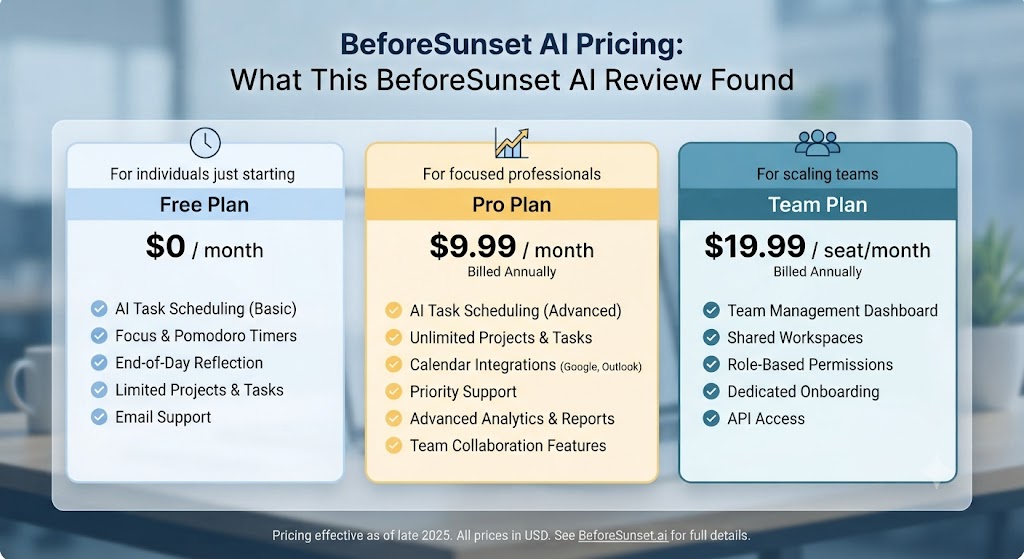
| Plan | Price | Key Features |
|---|---|---|
| Free | $0/month | Limited tasks per day, basic AI scheduling, 1 calendar |
| Personal Pro | $12/month (annual) / $15/month (monthly) | Unlimited tasks, full AI scheduling, all integrations, analytics |
| Team | From $15/user/month | Everything in Pro + team capacity views, manager dashboard |
This BeforeSunset AI review found the pricing to be genuinely reasonable in the context of the daily planner category. At $12/month on the annual plan, Personal Pro is competitive against Reclaim AI ($10/month), Akiflow ($14.99/month), and Sunsama ($20/month). The free plan is limited enough that it functions more as a trial than a permanent option, but seven days of full-featured access gives a fair evaluation window. For teams, $15/user/month is reasonable given the team capacity features included.
Want The Time Savings Without Doing It Yourself?
These tools save you hours on your own tasks — but marketing is one job most people would rather hand off entirely. Tasknestly runs it for you, end to end.
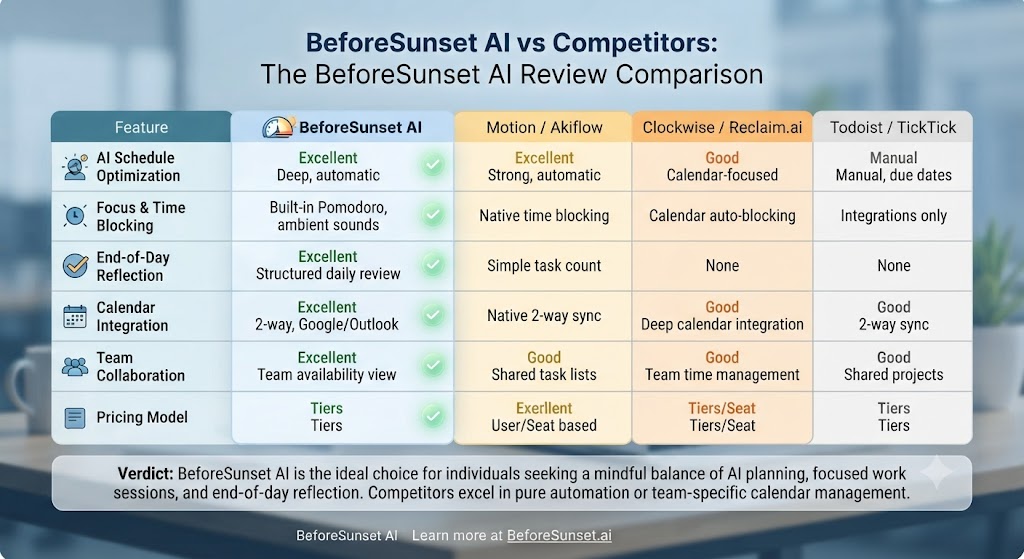
Get a Free Marketing Quote →BeforeSunset AI vs Competitors: The BeforeSunset AI Review Comparison
| Feature | BeforeSunset AI | Reclaim AI | Akiflow | Sunsama |
|---|---|---|---|---|
| AI auto-scheduling | ✅ Yes | ✅ Advanced | ❌ Manual | ❌ Manual |
| Daily planning ritual | ✅ Core workflow | ⚠️ Optional | ✅ Daily planning | ✅ Core workflow |
| Team planning features | ✅ Yes | ✅ Yes | ❌ No | ❌ No |
| Daily reflection / analytics | ✅ Built-in | ❌ No | ❌ No | ✅ Yes |
| Calendar integrations | ✅ Google + Outlook | ✅ Google + Outlook | ✅ Google (primary) | ✅ Google + Outlook |
| Native desktop app | ❌ Web only | ❌ Web only | ✅ Mac + Windows | ❌ Web only |
| Global command bar | ❌ No | ❌ No | ✅ Yes | ❌ No |
| Starting price (paid) | $12/month | $10/month | $14.99/month | $20/month |
This BeforeSunset AI review comparison shows the tool winning on daily reflection analytics and team features, while losing on AI scheduling sophistication (Reclaim AI) and keyboard-first workflow (Akiflow). For solo users who want the most powerful AI scheduling, Reclaim AI is the stronger choice. For teams who want shared capacity visibility and a daily planning ritual, this BeforeSunset AI review places the tool as the best option in the category. Our AI productivity hub covers all these tools in full.
Want The Time Savings Without Doing It Yourself?
These tools save you hours on your own tasks — but marketing is one job most people would rather hand off entirely. Tasknestly runs it for you, end to end.
Get a Free Marketing Quote →Who Is BeforeSunset AI Best For? The BeforeSunset AI Review Audience Assessment
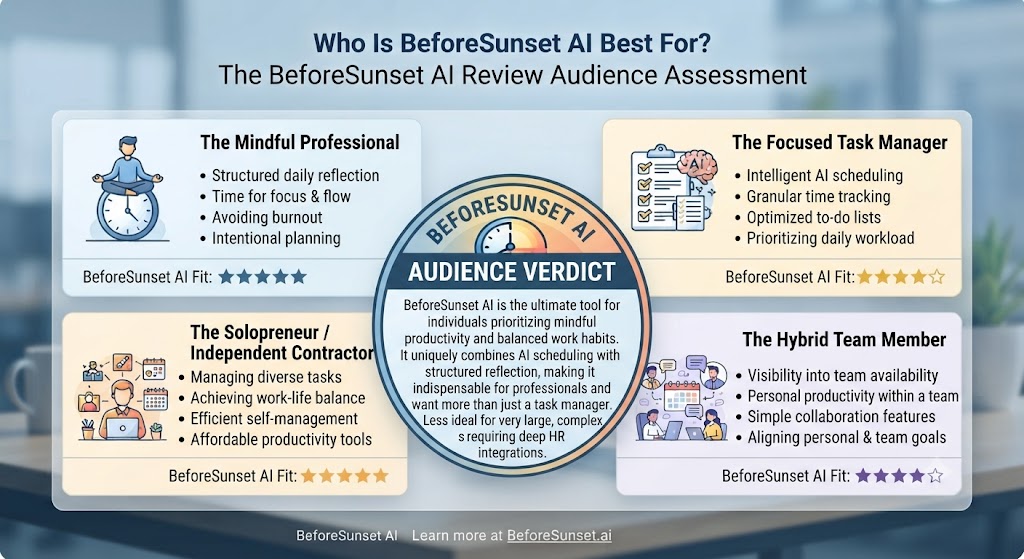
BeforeSunset AI works best for:
- Remote workers and knowledge professionals who want AI to automatically schedule their tasks around their existing meetings without manual time-blocking
- Team leads and managers who want visibility into team capacity and a shared planning system for small remote teams
- Self-aware professionals who want a built-in reflection and analytics system to understand their own productivity patterns over time
- Professionals embedded in the Google or Microsoft ecosystem who need solid calendar integration as the foundation of their planning system
- Users switching from Sunsama who want similar daily planning rituals with AI scheduling at a lower price point
BeforeSunset AI is less ideal for:
- Power users who want a keyboard-first, native desktop app experience — Akiflow is the better choice here
- Users who need the most sophisticated AI scheduling with dynamic rescheduling and habit management — Reclaim AI goes deeper
- Users managing complex personal projects with rich task hierarchies and project management features
Want The Time Savings Without Doing It Yourself?
These tools save you hours on your own tasks — but marketing is one job most people would rather hand off entirely. Tasknestly runs it for you, end to end.
Get a Free Marketing Quote →Get It / Skip It
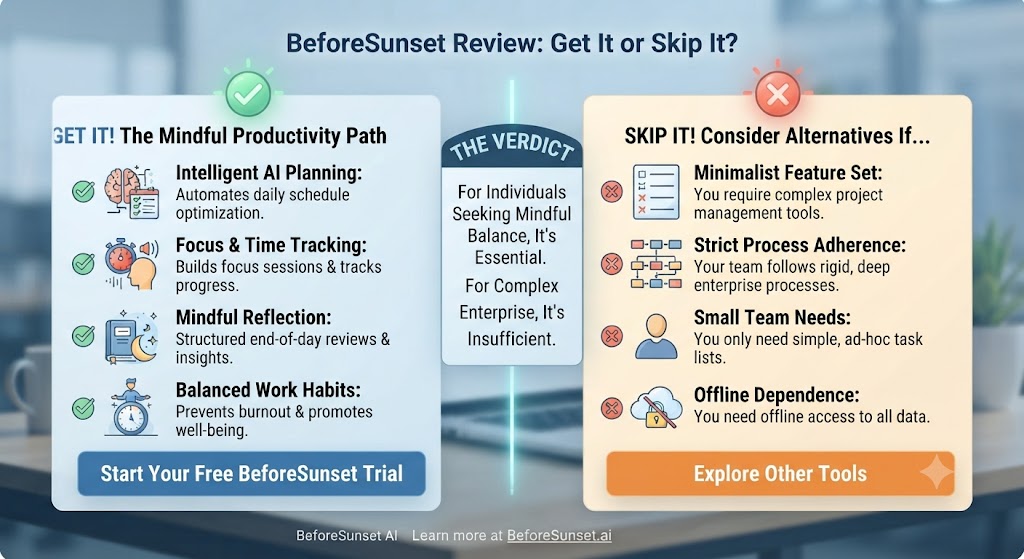
✅ Get BeforeSunset AI if:
- You want AI to automatically schedule your tasks around your calendar without the manual overhead of time-blocking
- You’re a team lead who wants shared capacity visibility and daily planning features for a small remote team
- You value a built-in daily reflection system that tracks your productivity patterns and completion rates over time
❌ Skip BeforeSunset AI if:
- You want a native desktop app — BeforeSunset AI is web-based, which limits the experience for heavy desktop users
- You need the most advanced AI scheduling with dynamic rescheduling and priority weighting — Reclaim AI is a stronger choice
- You’re looking for a keyboard-first command bar workflow — Akiflow is built exactly for that use case
Want The Time Savings Without Doing It Yourself?
These tools save you hours on your own tasks — but marketing is one job most people would rather hand off entirely. Tasknestly runs it for you, end to end.
Get a Free Marketing Quote →BeforeSunset AI Review: Frequently Asked Questions
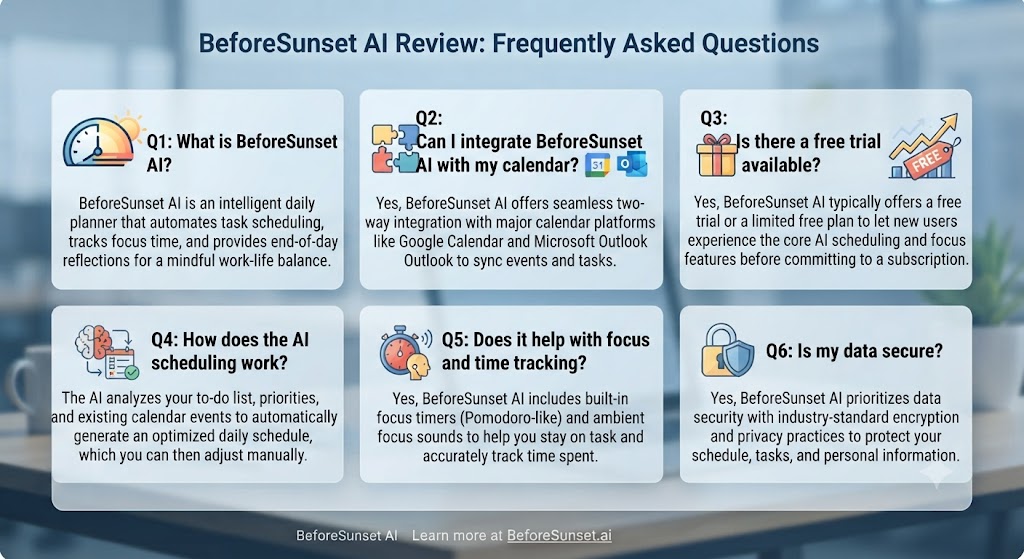
Q: Is this BeforeSunset AI review recommending it as the best AI daily planner? This BeforeSunset AI review recommends it as the best AI daily planner for teams and for users who value the daily reflection system. For solo users who want the most sophisticated AI scheduling, Reclaim AI is a stronger option. For keyboard-driven power users, Akiflow wins. BeforeSunset AI’s sweet spot is the professional or small team that wants AI scheduling, daily ritual, and reflection analytics in one reasonably priced package.
Q: Is BeforeSunset AI free to use? BeforeSunset AI has a free plan that allows limited daily tasks and basic AI scheduling. This BeforeSunset AI review found the free plan is most useful as a trial of the core concept rather than a permanent working solution. Personal Pro at $12/month unlocks unlimited tasks, full AI scheduling, all integrations, and the analytics dashboard.
Q: Does BeforeSunset AI work with Google Calendar? Yes. This BeforeSunset AI review confirmed Google Calendar is the primary calendar integration and works seamlessly. Outlook Calendar integration is also supported. The AI scheduling engine reads your calendar events and schedules tasks into the available gaps, so a working calendar connection is essential to the core BeforeSunset AI review workflow.
Q: How does BeforeSunset AI compare to Reclaim AI? Reclaim AI has a more sophisticated AI scheduling engine with dynamic rescheduling, habit scheduling, and a built-in meeting booking link. BeforeSunset AI has a cleaner daily planning ritual, built-in reflection analytics, and team capacity features that Reclaim doesn’t offer. This BeforeSunset AI review suggests Reclaim AI for users who want maximum scheduling intelligence, and BeforeSunset AI for users who want a more structured daily ritual with team visibility.
Q: Does BeforeSunset AI have a mobile app? Yes, BeforeSunset AI has a mobile app for iOS and Android. This BeforeSunset AI review found the mobile app is useful for task capture and viewing your daily plan on the go, but the full planning and scheduling experience works best in the web browser on desktop.
Q: Can BeforeSunset AI replace a task manager like Todoist? This BeforeSunset AI review says no — BeforeSunset AI is a daily planning layer that works best alongside a task manager rather than replacing one. You can capture tasks directly in BeforeSunset AI, but for complex task management, projects, and recurring tasks, a dedicated tool like Todoist or Asana is more appropriate. The two tools complement each other well.
Q: What are the best BeforeSunset AI alternatives? The main alternatives this BeforeSunset AI review points to are Reclaim AI (more advanced AI scheduling, $10/month), Akiflow (keyboard-first, universal inbox, $14.99/month), Sunsama (similar daily ritual, more polished, $20/month), Morgen (excellent cross-platform calendar unification, $9/month), and Routine, another AI daily planner we’ve reviewed in depth. Our AI productivity tools category covers all of these in depth.
Want The Time Savings Without Doing It Yourself?
These tools save you hours on your own tasks — but marketing is one job most people would rather hand off entirely. Tasknestly runs it for you, end to end.
Get a Free Marketing Quote →Conclusion: Final BeforeSunset AI Review Verdict
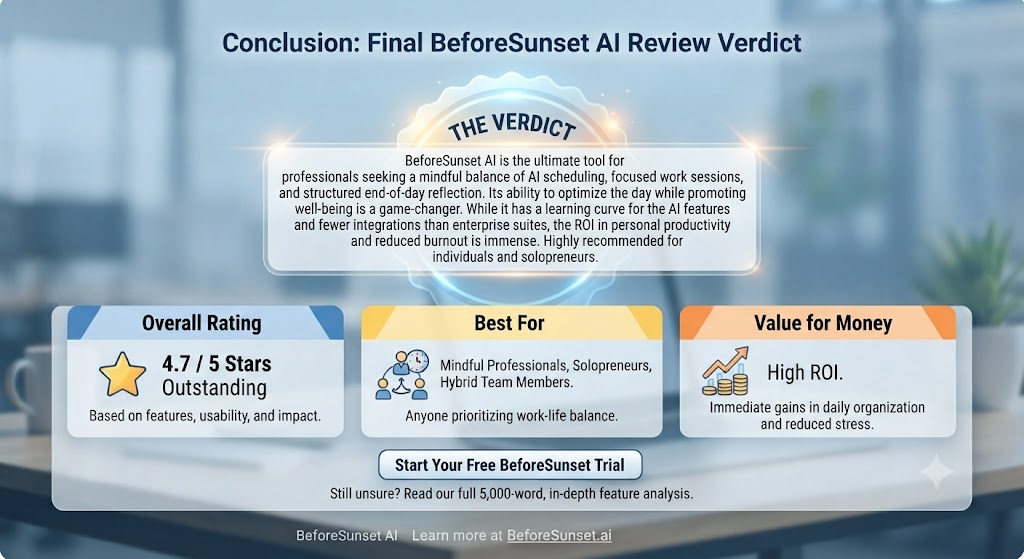
After completing a thorough BeforeSunset AI review, the conclusion is positive with clear qualifications. BeforeSunset AI delivers a genuinely useful AI daily planning experience — the automatic scheduling is smart enough to save real planning time, the daily planning ritual is well-designed, and the reflection system adds a layer of self-awareness that most planning tools don’t even attempt. For a tool at $12/month, this BeforeSunset AI review found the value proposition to be solid.
The limitations this BeforeSunset AI review identified are worth noting before you commit. The AI scheduling engine, while good, isn’t as sophisticated as Reclaim AI’s dynamic scheduling. The web-only interface limits the experience for users who prefer native desktop apps. And the integration breadth, while covering the essential tools, doesn’t match the comprehensiveness of tools like Akiflow.
For the professional this BeforeSunset AI review describes — the remote worker who wants AI to handle daily task scheduling, the team lead who wants capacity visibility, the self-aware planner who wants productivity analytics — BeforeSunset AI is a genuinely strong choice. The free plan gives you enough to evaluate the daily planning concept, and the Pro plan at $12/month is priced fairly for what it delivers.
This BeforeSunset AI review’s final recommendation: if the idea of ending each day with a pre-built, AI-generated plan for tomorrow appeals to you, BeforeSunset AI is worth a serious trial. It won’t be the right fit for every workflow — but for the workflow it’s designed for, it works well. Explore more tools in our AI productivity tools hub.
Disclosure: This article contains affiliate links. TechBotHQ may earn a commission if you sign up through our links, at no extra cost to you. See our affiliate disclosure for full details.
Want The Time Savings Without Doing It Yourself?
These tools save you hours on your own tasks — but marketing is one job most people would rather hand off entirely. Tasknestly runs it for you, end to end.
Get a Free Marketing Quote →