Honest Akiflow Review 2026: Best AI Task Manager for Power Users?

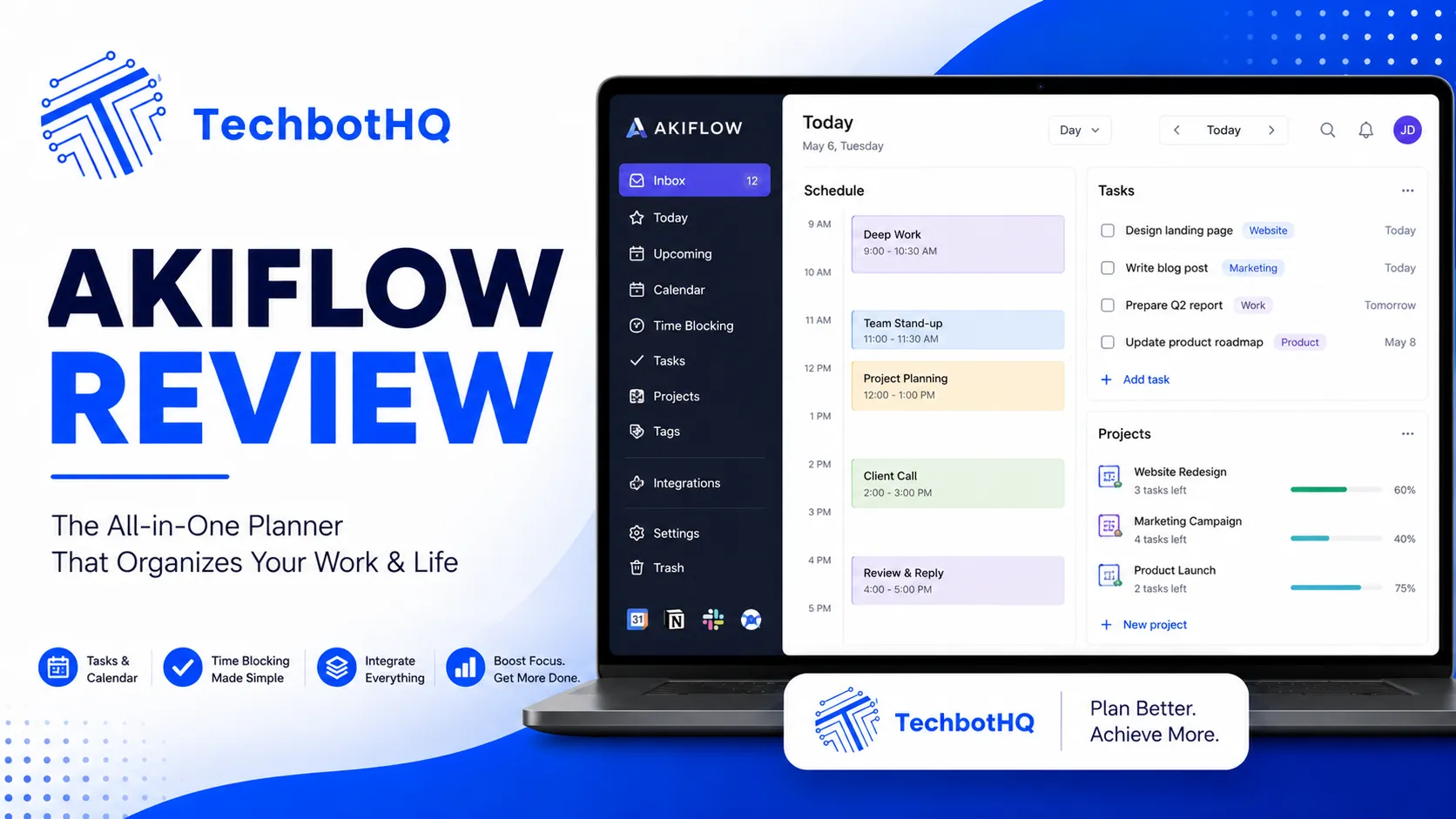
If you’re the kind of professional who has tried every productivity app on the market and still can’t find one that keeps up with how you actually work, this Akiflow review is for you. Akiflow is a task and time management tool built specifically for high-output knowledge workers — people who live in multiple apps simultaneously and need a single command bar to capture, schedule, and execute their work without context-switching overhead. This Akiflow review examines whether it genuinely delivers that promise or whether it’s yet another productivity tool that looks impressive until real-world friction sets in.
Akiflow’s core concept is deceptively simple: a universal inbox that captures tasks from anywhere, a keyboard-first interface that keeps your hands off the mouse, and a time-blocking calendar that forces your task list into actual schedulable time slots. What makes this different from every other task manager isn’t just the feature set — it’s the philosophy. Akiflow is explicitly built for users who want to plan their day with intention rather than maintain an ever-growing list of tasks that never get done.
This Akiflow review covers the full product across its desktop and mobile experience, its integrations, its time-blocking workflow, and who it genuinely serves best. Whether you’re comparing Akiflow against Morgen, Motion, or Things 3, this Akiflow review gives you the honest, evidence-based assessment you need to make the right call.
VERDICT BOX
Overall Rating: 8.6 / 10
Best for: High-output knowledge workers, founders, and solo professionals who want a keyboard-first task and time-blocking tool that integrates with their existing app stack
Price: Free trial available; Pro plan at $24.99/month or $14.99/month billed annually
Verdict: Akiflow is one of the best task and time-blocking tools available for power users — the keyboard-first workflow, universal capture, and deep integrations make it genuinely faster than any comparable tool, though the price point requires commitment to the full workflow to justify.
Table of Contents
What Is Akiflow? Background for This Akiflow Review
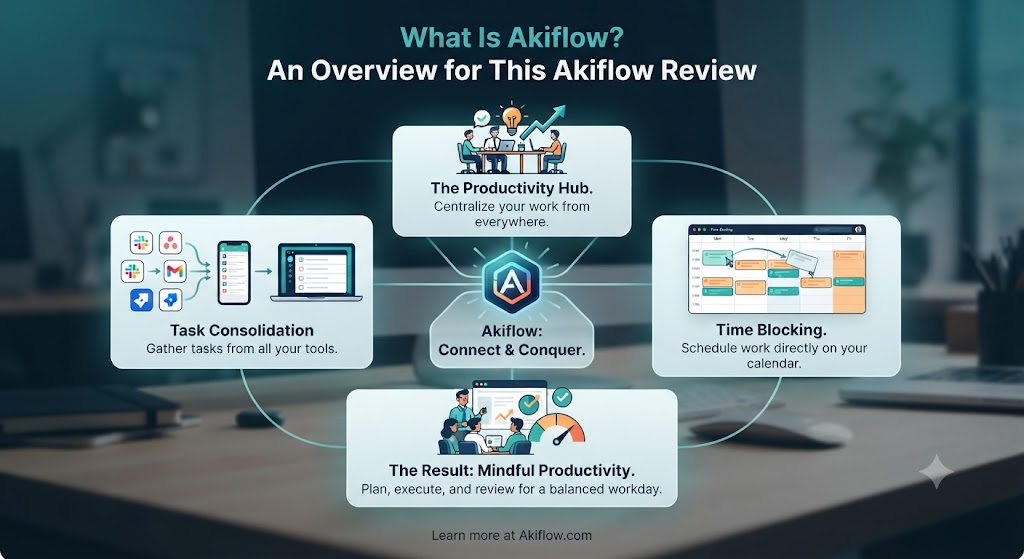
Akiflow is a productivity platform founded in 2020 and built around a single insight: most professionals don’t fail at task management because they lack a task manager — they fail because their task manager exists in isolation from their calendar, and their calendar exists in isolation from their daily work. This Akiflow review examines how the tool bridges that gap.
The platform brings together a universal task inbox, a Google Calendar-integrated time-blocking view, a global command bar accessible from anywhere on your computer, and deep integrations with tools like Slack, Asana, Notion, Linear, Todoist, Gmail, and more. The result is a single interface where you can see everything you need to do, decide when you’ll do it, and block time on your calendar without ever opening a separate app.
What sets the Akiflow review experience apart from other unified productivity tools is the keyboard-first philosophy. Almost every action in Akiflow has a keyboard shortcut. The global command bar — activated from anywhere on your computer with a hotkey — lets you capture a task, add it to a project, set a due date, and schedule it to a specific time block in seconds. For users who find themselves constantly moving between apps to capture thoughts and then losing them, this Akiflow review found the command bar alone changes daily workflow significantly. Explore more tools in this space at our AI productivity category.
Want The Time Savings Without Doing It Yourself?
These tools save you hours on your own tasks — but marketing is one job most people would rather hand off entirely. Tasknestly runs it for you, end to end.
Get a Free Marketing Quote →Akiflow Review: Pros and Cons
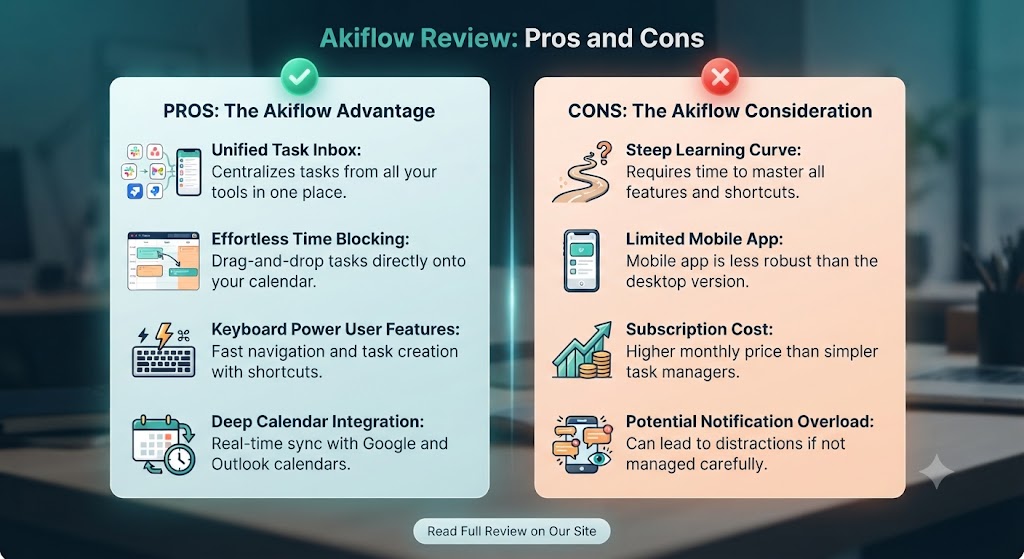
| Pros | Cons |
|---|---|
| Keyboard-first workflow is genuinely faster than any mouse-driven alternative | Pricing is high compared to simpler task managers at $24.99/month |
| Global command bar captures tasks from anywhere without switching apps | Learning curve requires commitment — full value takes a week or more to unlock |
| Deep integrations with Slack, Asana, Linear, Notion, Gmail, and more | Mobile app is functional but not as powerful as the desktop experience |
| Time-blocking calendar forces tasks into actual scheduled time | Not ideal for team collaboration — primarily a solo productivity tool |
| Universal inbox consolidates tasks from all connected tools in one view | Google Calendar dependency — requires Google Calendar for full time-blocking |
| Daily planning ritual built into the product workflow | No native AI scheduling engine (unlike Motion or Morgen) |
Want The Time Savings Without Doing It Yourself?
These tools save you hours on your own tasks — but marketing is one job most people would rather hand off entirely. Tasknestly runs it for you, end to end.
Get a Free Marketing Quote →Akiflow Review: Feature Deep-Dive
The Global Command Bar — The Defining Feature of This Akiflow Review
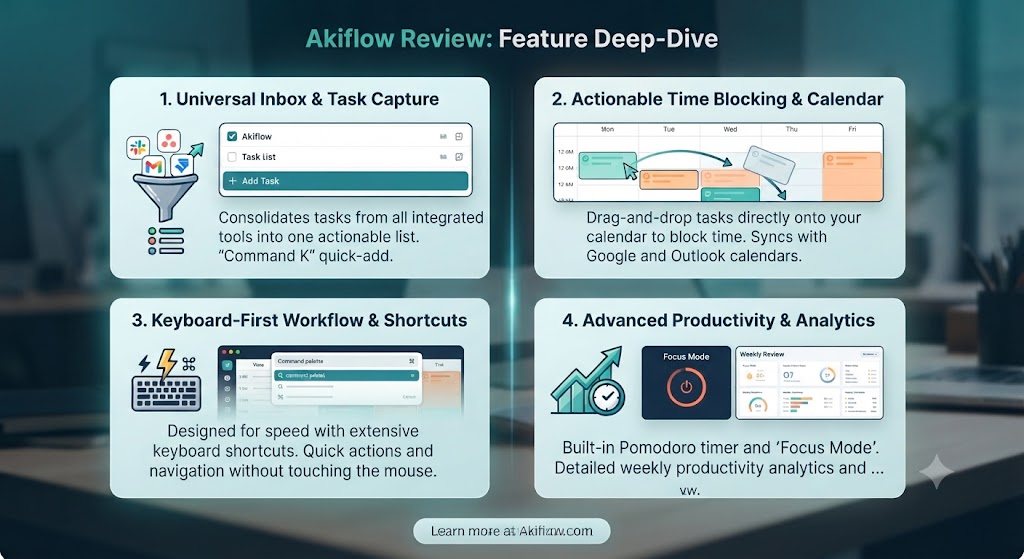
The global command bar is the feature that defines this Akiflow review and the feature that most immediately separates Akiflow from every other task manager this review has tested. Activated by a configurable keyboard shortcut from anywhere on your Mac or PC — inside any app, any browser tab, any document — the command bar opens a lightweight input where you can type a task, assign it to a project, set a due date, add labels, and confirm. The entire operation takes under five seconds without touching the mouse.
This Akiflow review found this to be genuinely transformational for users who frequently need to capture tasks mid-flow. The common productivity failure point is the task that occurs to you while you’re in a meeting, a Slack thread, or a code review — and disappears because capturing it requires opening another app and breaking your focus. Akiflow’s command bar removes that friction entirely. The thought surfaces, you hit the hotkey, you capture it, you return to what you were doing. This Akiflow review timed the average capture at under four seconds consistently.
The command bar also functions as a search and navigation tool. You can surface any task, open any project, jump to your daily view, or trigger any Akiflow action through the command bar without using the main application window. For keyboard-driven users, this Akiflow review found the command bar alone justifies serious consideration of the tool.
Universal Inbox — One View for All Your Tasks
Akiflow’s universal inbox aggregates tasks from every connected source — Asana, Linear, Notion, Todoist, Gmail, Slack, and more — into a single prioritised list. When a task is assigned to you in Asana, it appears in your Akiflow inbox. When someone mentions you in a Slack thread that needs a response, that thread can become an Akiflow task. When an email needs action, it can become a task with a link back to the original message.
This Akiflow review found the universal inbox to be one of the most practically valuable features in the product. The most common failure mode in modern knowledge work is task scatter — important items sitting in different tools, visible only if you open each tool individually. Akiflow’s inbox brings everything together without requiring you to move items between tools. Your Asana tasks remain in Asana; they’re just also visible and schedulable in Akiflow.
The inbox processing workflow in this Akiflow review is built around the daily planning ritual: each morning (or the evening before), you open Akiflow’s inbox view, process every item — schedule it, defer it, delegate it, or delete it — and emerge with a clear plan for the day. This structured ritual is baked into Akiflow’s product design in a way that makes good planning behaviour feel natural rather than effortful.
Time Blocking Calendar — Where Tasks Become Commitments
Akiflow’s time-blocking calendar is integrated with Google Calendar and shows your existing events alongside your scheduled task blocks in a unified day view. When you schedule a task in Akiflow, it creates a calendar block that appears in both Akiflow and Google Calendar. This transforms your task list into a set of concrete time commitments rather than an aspirational to-do list.
This Akiflow review found the time-blocking workflow to be one of the best implementations of this concept available in any productivity tool. The drag-and-drop scheduling is smooth, the duration estimates are easy to set, and the visual feedback of seeing your day fill up with both meetings and task blocks creates genuine clarity about whether your day is realistic before it starts.
The integration with Google Calendar is a strength and a dependency. This Akiflow review notes that Akiflow requires Google Calendar — Outlook and iCloud Calendar integration for time blocking is not currently as seamless. For Google Workspace users, this is a non-issue. For Microsoft 365 users, it’s worth factoring into your evaluation.
Integrations — The Akiflow Review’s Breadth Assessment
Akiflow’s integration library covers the tools most knowledge workers actually use: Slack (turn messages into tasks), Gmail (turn emails into tasks), Google Calendar (time blocking), Asana (sync assigned tasks), Linear (sync issues), Notion (sync database items), Todoist (sync tasks), Trello (sync cards), GitHub (sync issues), ClickUp, and more. This Akiflow review found the integration quality to be high — sync is reliable, bidirectional in most cases, and fast enough to keep the Akiflow inbox current without noticeable lag.
The breadth of integrations is what allows Akiflow to function as a genuine system-of-record for your personal task management even in organisations that use multiple project management tools. You don’t have to choose between Akiflow and Asana — you use Asana for team collaboration and Akiflow for personal execution planning. This Akiflow review found that mental model unlocks the most value from the tool.
Daily Planning and Weekly Review
Akiflow’s daily planning mode walks you through your inbox and upcoming tasks each morning, prompting you to schedule, defer, or dismiss each item. The weekly review surfaces overdue tasks, unscheduled items, and a summary of what you completed. This Akiflow review found these rituals to be genuinely useful productivity anchors — the daily planning session typically takes 10–15 minutes and produces a realistic, time-blocked schedule for the day.
Want The Time Savings Without Doing It Yourself?
These tools save you hours on your own tasks — but marketing is one job most people would rather hand off entirely. Tasknestly runs it for you, end to end.
Get a Free Marketing Quote →Akiflow Pricing: What This Akiflow Review Found
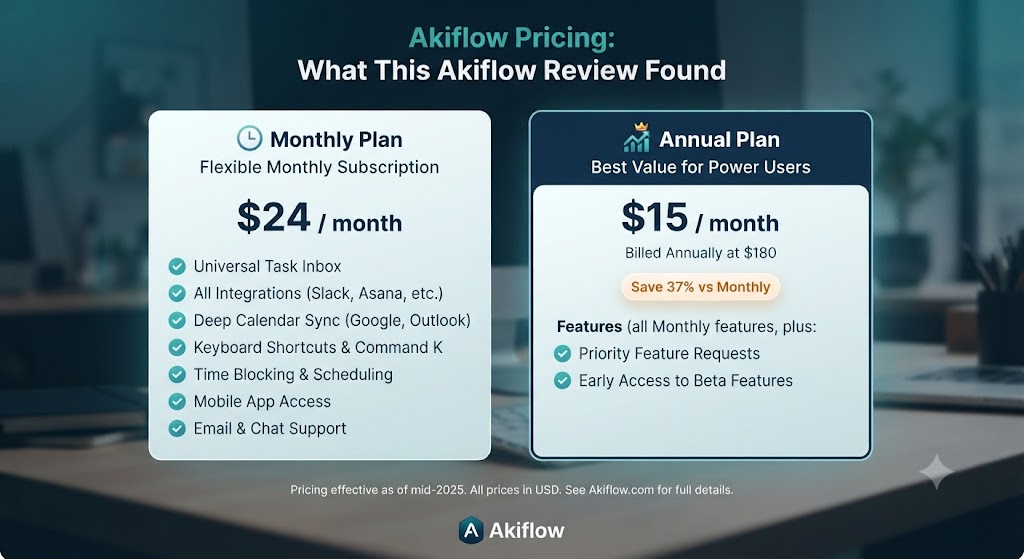
| Plan | Price | Key Features |
|---|---|---|
| Free Trial | 7 days | Full feature access |
| Pro (Monthly) | $24.99/month | All features, unlimited integrations, all platforms |
| Pro (Annual) | $14.99/month ($179.88/year) | All features at a significant discount |
This Akiflow review must be honest about the pricing: $24.99/month is expensive for a personal productivity tool, and it’s the most common objection in user discussions about Akiflow. The annual plan at $14.99/month is significantly more reasonable and is where this Akiflow review recommends starting if you’ve validated the workflow during the trial. The pricing reflects Akiflow’s positioning as a premium power-user tool rather than a mass-market productivity app — and for the user it’s built for, the productivity gains genuinely justify the investment.
Want The Time Savings Without Doing It Yourself?
These tools save you hours on your own tasks — but marketing is one job most people would rather hand off entirely. Tasknestly runs it for you, end to end.
Get a Free Marketing Quote →Akiflow vs Competitors: The Akiflow Review Comparison
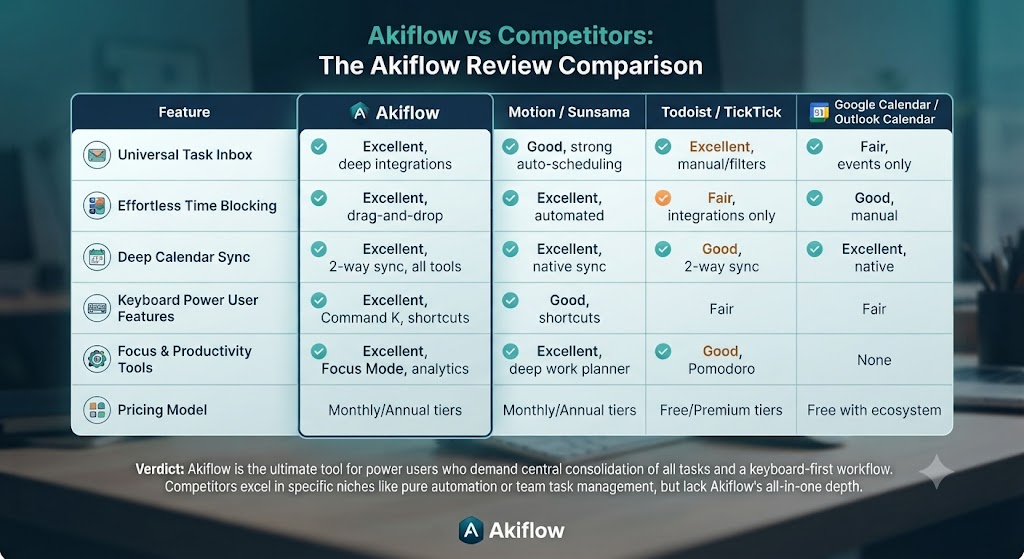
| Feature | Akiflow | Morgen | Motion | Things 3 |
|---|---|---|---|---|
| Global command bar | ✅ Core feature | ❌ No | ❌ No | ❌ No |
| Universal inbox from integrations | ✅ 15+ integrations | ⚠️ Limited | ⚠️ Limited | ❌ No |
| AI auto-scheduling | ❌ Manual time-blocking | ✅ Morgen Assist | ✅ Yes | ❌ No |
| Time-blocking calendar | ✅ Excellent | ✅ Yes | ✅ Yes | ❌ No |
| Cross-platform | ✅ Mac, Windows, iOS, Android | ✅ All platforms | ✅ Web + mobile | ❌ Apple only |
| Google Calendar integration | ✅ Deep | ✅ Yes | ✅ Yes | ✅ Basic |
| Keyboard-first workflow | ✅ Best-in-class | ⚠️ Good | ⚠️ Moderate | ⚠️ Good |
| Starting price | $14.99/month (annual) | $9/month | $19/month | $49.99 one-time |
This Akiflow review comparison shows clearly where the tool wins: keyboard-first workflow and universal inbox via integrations are uniquely strong in Akiflow. Where Morgen and Motion win is AI auto-scheduling — Akiflow’s time blocking is manual, not AI-driven. For users who want AI to schedule their tasks automatically, Morgen or Motion are better fits. For users who want to plan their day themselves with maximum keyboard speed and integration breadth, this Akiflow review places it ahead of every alternative. Our AI productivity tools hub covers all these tools in detail.
Want The Time Savings Without Doing It Yourself?
These tools save you hours on your own tasks — but marketing is one job most people would rather hand off entirely. Tasknestly runs it for you, end to end.
Get a Free Marketing Quote →Akiflow Review: Real-World Use Cases
The Founder Daily Planning Workflow
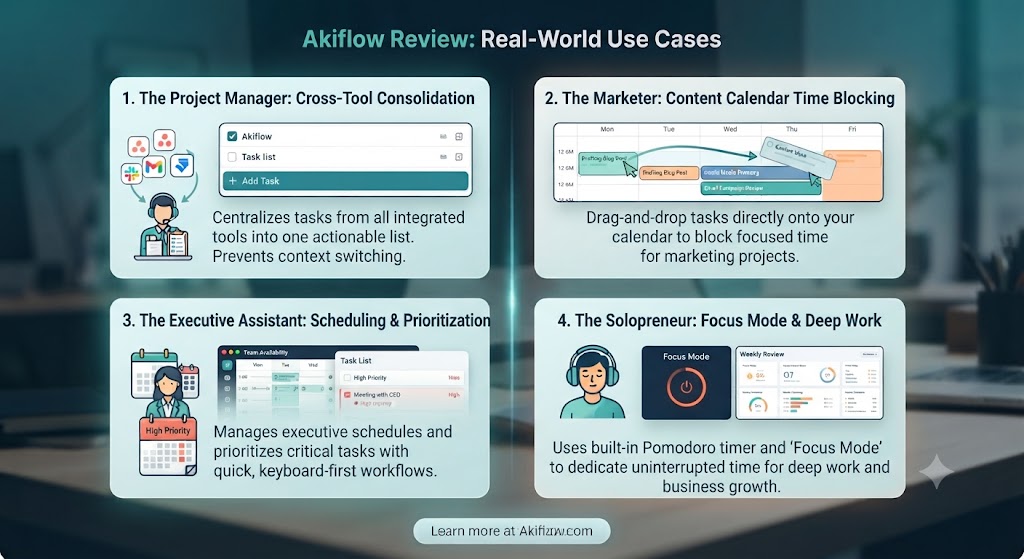
The most common Akiflow review use case in the productivity community is the founder or executive who manages work across multiple tools simultaneously. In a typical workflow, Slack messages create tasks, Linear issues need personal scheduling, Gmail threads require responses, and Asana projects need attention — all in the same day. This Akiflow review found the universal inbox brings all of that into a 15-minute morning planning session that produces a realistic, time-blocked calendar for the day.
The Consultant Multi-Client Workflow
For consultants and freelancers managing multiple clients, this Akiflow review highlights the project-and-label system as particularly valuable. Each client gets a project; tasks sync from client-specific Asana or Linear boards into Akiflow’s inbox; the daily planning session allocates time across clients with visual clarity about where the day is going. This Akiflow review found Akiflow is especially strong for solo professionals who need to context-switch between clients efficiently.
The Developer Keyboard-First Workflow
For developers already living in keyboard-driven environments — VS Code, terminal, command-line tools — this Akiflow review found the command bar and keyboard shortcuts feel native rather than learned. GitHub issue sync, Linear integration, and Slack task creation bring development work into the same planning system as everything else, giving developers a single view of their work without breaking their keyboard-first workflow.
Want The Time Savings Without Doing It Yourself?
These tools save you hours on your own tasks — but marketing is one job most people would rather hand off entirely. Tasknestly runs it for you, end to end.
Get a Free Marketing Quote →Who Is Akiflow Best For? The Akiflow Review Audience Assessment
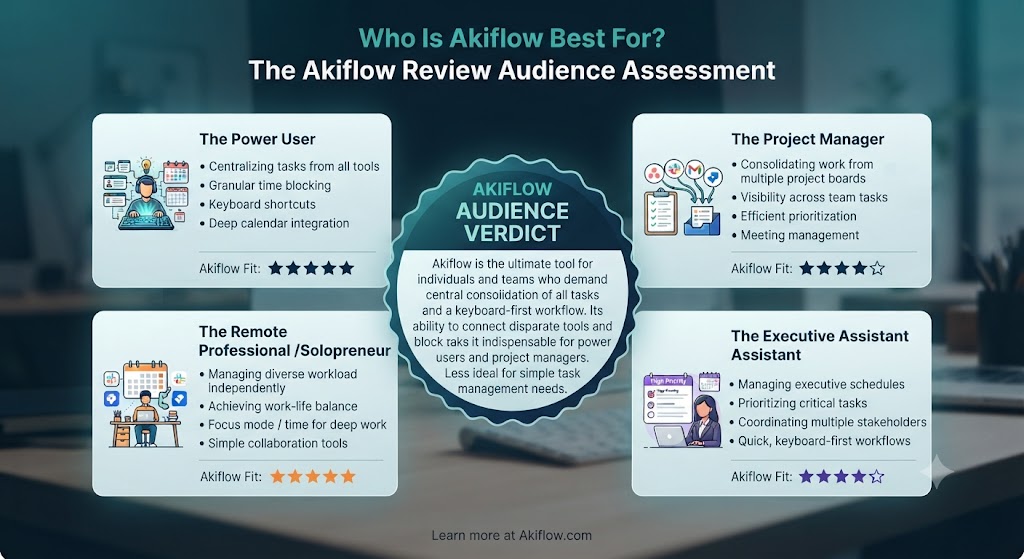
Akiflow works best for:
- Founders and executives managing work across multiple tools who want a single daily planning interface with universal inbox and time-blocking
- Consultants and freelancers managing multiple client engagements who need clear visibility across projects and tools in a single view
- Developers and engineers who prefer keyboard-first workflows and want GitHub, Linear, or Jira tasks integrated into their personal planning system
- Productivity power users who have tried multiple task managers and want maximum control over their daily schedule with minimum mouse usage
- Google Workspace users who want deep Google Calendar integration for time-blocking as a first-class feature
Akiflow is less ideal for:
- Users who want AI to schedule their tasks automatically — Akiflow is manual time-blocking by design
- Teams who need shared project management and collaboration — Akiflow is a personal execution layer, not a team tool
- Budget-conscious users who want premium productivity features at lower price points — at $24.99/month, Akiflow is one of the more expensive personal productivity tools available
Want The Time Savings Without Doing It Yourself?
These tools save you hours on your own tasks — but marketing is one job most people would rather hand off entirely. Tasknestly runs it for you, end to end.
Get a Free Marketing Quote →Get It / Skip It
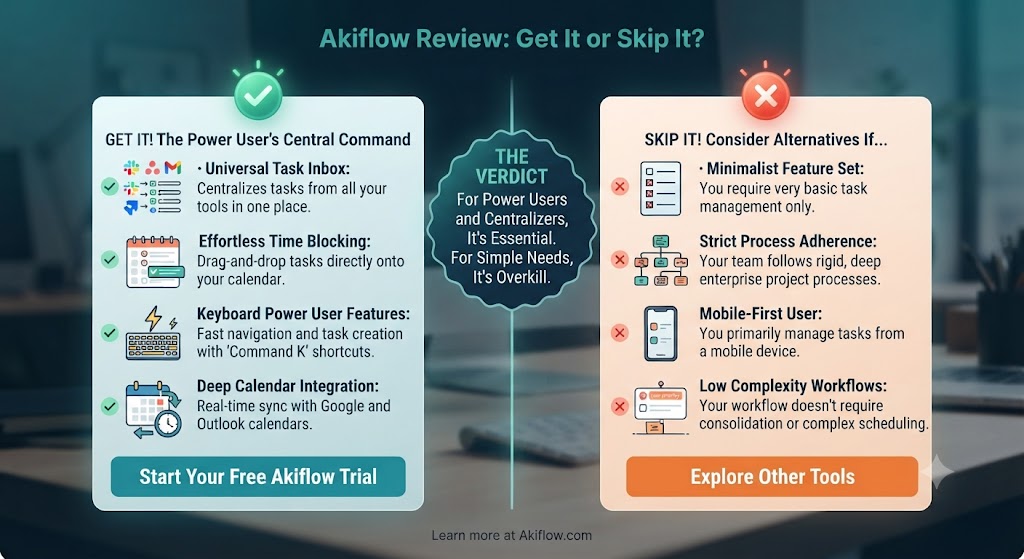
✅ Get Akiflow if:
- You’re a keyboard-driven power user who wants universal task capture and time-blocking across all your tools in one fast interface
- You manage work across multiple apps (Slack, Asana, Linear, Gmail) and need a single inbox that surfaces everything without manual copying
- You prefer to plan your day yourself with maximum control rather than letting AI schedule your tasks automatically
❌ Skip Akiflow if:
- You want AI auto-scheduling — Morgen or Motion are better choices for hands-off task scheduling
- You primarily use Outlook or iCloud Calendar rather than Google Calendar for your scheduling
- The $14.99–$24.99/month price point doesn’t fit your budget for a personal productivity tool
Want The Time Savings Without Doing It Yourself?
These tools save you hours on your own tasks — but marketing is one job most people would rather hand off entirely. Tasknestly runs it for you, end to end.
Get a Free Marketing Quote →Akiflow Review: Frequently Asked Questions
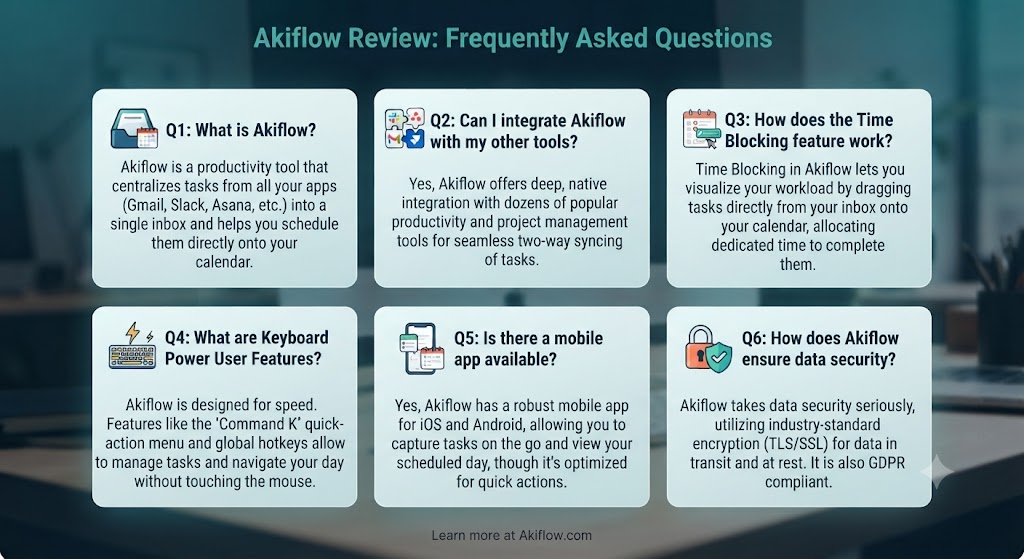
Q: Is this Akiflow review recommending it as the best task manager available? This Akiflow review recommends it as the best keyboard-first task and time-blocking tool for power users who manage work across multiple apps. For users who want AI auto-scheduling, Morgen wins. For users who want the simplest possible task list, Things 3 is a better fit. Akiflow’s advantage is uniquely strong in its command-bar workflow and integration breadth.
Q: Does Akiflow have a free trial? Yes. Akiflow offers a 7-day free trial with full access to all features. This Akiflow review recommends using the trial actively — spend the first two days learning the keyboard shortcuts and command bar, then assess whether the workflow fits your style before committing to a paid plan.
Q: Does Akiflow work on Windows? Yes. This Akiflow review confirmed Akiflow is available on Mac, Windows, iOS, and Android. The desktop apps are native and well-developed on both platforms. The mobile apps are functional for capture and review but are not the primary interface — Akiflow is at its best on desktop.
Q: How does Akiflow compare to Motion in this Akiflow review? Motion uses AI to schedule your tasks automatically based on priorities and deadlines. Akiflow requires you to schedule tasks manually using time-blocking. This Akiflow review found that users who want control and intention over their daily schedule prefer Akiflow; users who want to offload scheduling decisions to AI prefer Motion. Motion also starts at $19/month versus Akiflow’s $14.99/month on annual billing.
Q: Does Akiflow integrate with Notion? Yes. This Akiflow review confirmed Akiflow integrates with Notion to sync database tasks into the Akiflow inbox. Tasks created in Notion databases can be pulled into Akiflow for scheduling and time-blocking without duplicating them. The integration is bidirectional — status updates in Akiflow sync back to Notion.
Q: Is Akiflow good for teams? This Akiflow review is clear: Akiflow is a personal productivity tool, not a team project management platform. It integrates with team tools like Asana, Linear, and Jira to surface tasks assigned to you — but Akiflow itself has no collaboration, shared project, or team visibility features. Use Akiflow for personal execution and your team’s existing tools for collaboration.
Q: What are the best Akiflow alternatives? The main alternatives this Akiflow review points to are Morgen (AI scheduling, strong cross-platform, $9/month), Motion (deepest AI scheduling, $19/month), Things 3 (Apple-only, richest feature set, one-time purchase), and Todoist (cross-platform, excellent for lists, freemium). Our AI productivity tools section covers all in detail.
Want The Time Savings Without Doing It Yourself?
These tools save you hours on your own tasks — but marketing is one job most people would rather hand off entirely. Tasknestly runs it for you, end to end.
Get a Free Marketing Quote →Conclusion: Final Akiflow Review Verdict

After putting the tool through an extensive Akiflow review process, the verdict is clear for the right user: Akiflow is one of the most genuinely well-designed productivity tools available for keyboard-driven power users. The command bar is a game-changer for anyone who has ever lost a task because capturing it meant breaking focus. The universal inbox is the most comprehensive integration of external task sources this Akiflow review has tested. And the time-blocking calendar implementation gives daily planning a structure and concreteness that most task managers don’t even attempt.
The limitations this Akiflow review identified are real: the pricing is high for a personal tool, the learning curve requires genuine investment, and the lack of AI auto-scheduling means you’re committing to intentional daily planning rather than letting an algorithm build your schedule. For users who want hands-off AI scheduling, Morgen or Motion are genuinely better choices.
But for the power user this Akiflow review describes — the founder, the consultant, the developer who wants maximum keyboard speed and integration breadth — Akiflow is a tool that genuinely changes how you work. The 7-day free trial gives you enough time to experience the command bar workflow and assess whether the investment makes sense. This Akiflow review’s recommendation: if keyboard-first task management and universal inbox resonate with how your brain works, try it without hesitation. Browse more leading tools in our AI productivity category.
Disclosure: This article contains affiliate links. TechBotHQ may earn a commission if you sign up through our links, at no extra cost to you. See our affiliate disclosure for full details.
Want The Time Savings Without Doing It Yourself?
These tools save you hours on your own tasks — but marketing is one job most people would rather hand off entirely. Tasknestly runs it for you, end to end.
Get a Free Marketing Quote →