Honest Coda Review 2026: The All-in-One Doc Tool Worth Using?

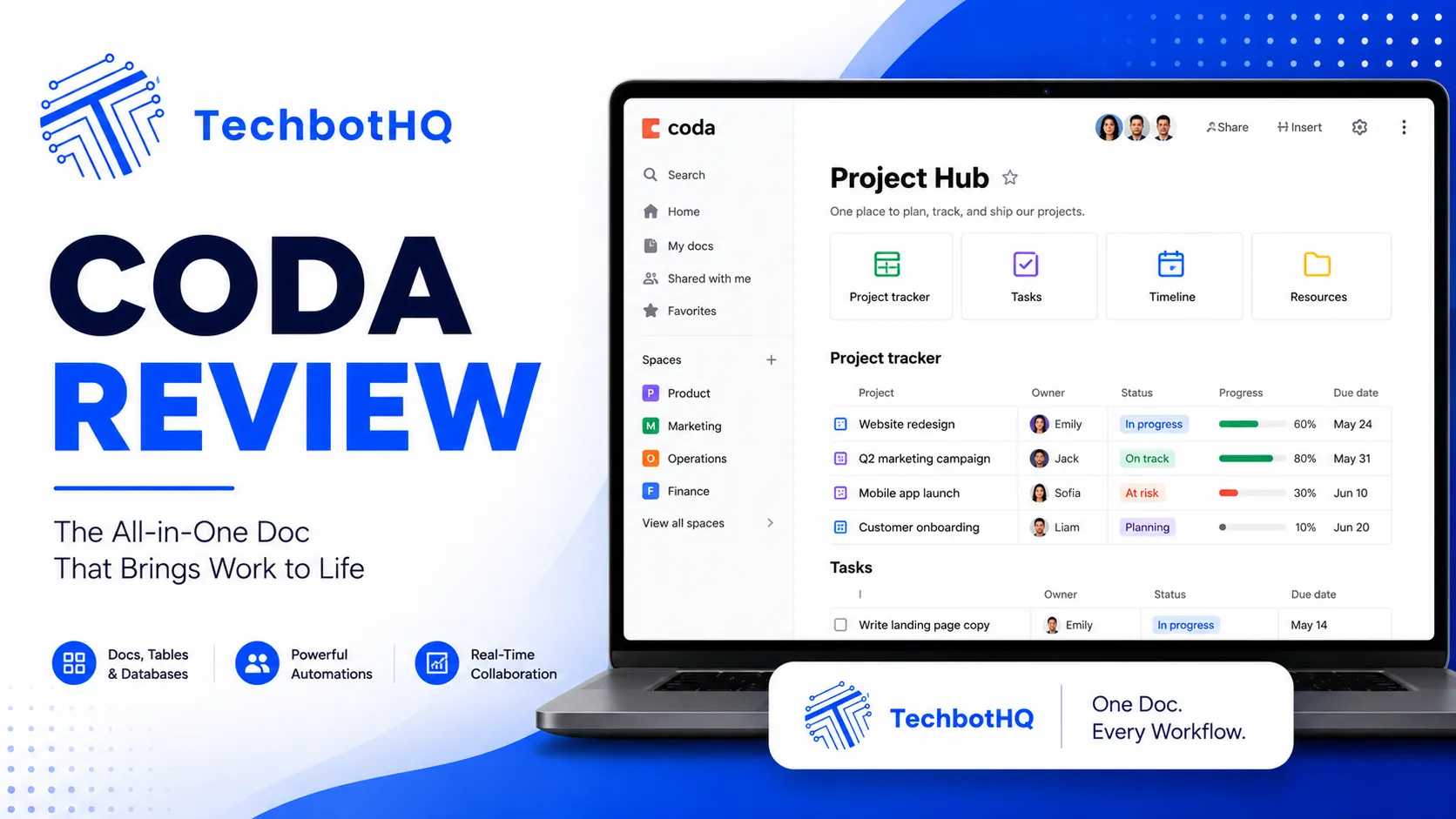
What if your documents could do the work your spreadsheets and apps are currently doing? That’s the premise behind Coda, and this Coda review examines whether the all-in-one doc and database platform genuinely delivers on it. Coda blends documents, spreadsheets, and interactive app-building into a single canvas — with an AI layer added in 2023 that lets you generate content, automate workflows, and build interactive features without any code. This Coda review tests whether that combination is genuinely more powerful than using separate tools or just more complex.
Coda has been around since 2019 and has carved out a distinctive position in the productivity landscape. This Coda review covers a tool that doesn’t fit neatly into any single category — it’s not just a document tool, not just a database, and not just a no-code app builder. It’s all three simultaneously, and this evaluation examines whether that breadth is a strength or a source of overwhelming complexity for the typical knowledge worker.
The most common question in any Coda review is the Notion comparison: is Coda better than Notion, and if so, for whom? This Coda review answers that question directly, along with the full feature assessment, pricing breakdown, and honest verdict on who should switch and who should stay where they are.
VERDICT BOX
Overall Rating: 8.3 / 10
Best for: Teams and power users who need documents and databases to work together in a single canvas, with the ability to add interactive app functionality without engineering resources
Price: Free plan available; Pro at $10/doc maker/month; Team at $30/doc maker/month (billed annually)
Verdict: Coda is one of the most powerful all-in-one productivity platforms available — its formula engine, database-document integration, and Coda AI features give it genuine advantages over Notion for teams that need structured data and interactive functionality alongside rich documentation.
Table of Contents
What Is Coda? Background for This Coda Review
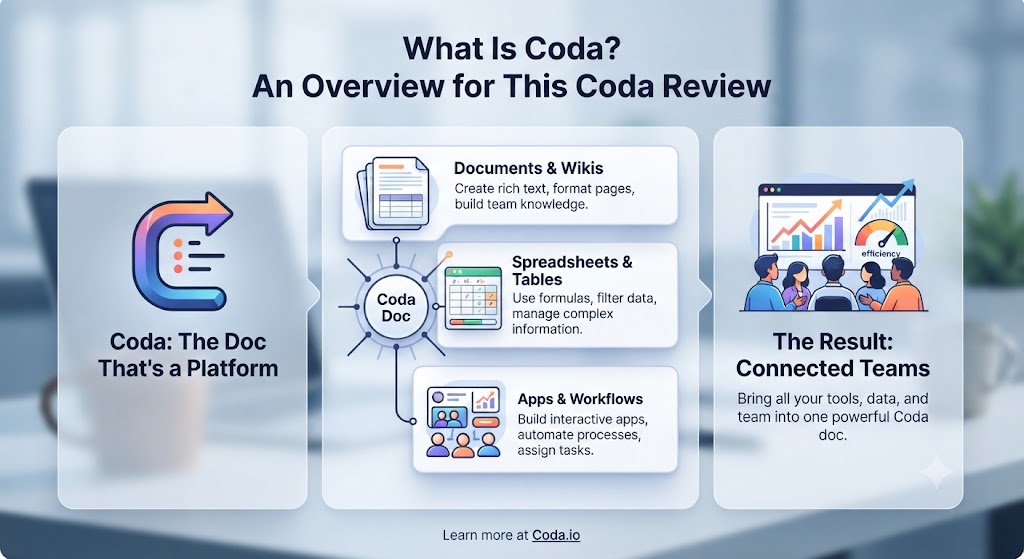
Coda is a document and database platform founded in 2014 (as Krypton, later rebranded) and headquartered in San Francisco. The platform launched publicly in 2019 and has since built a following among operations teams, product managers, and power users who found tools like Notion too limited for complex structured data work. This Coda review covers the 2026 version, which includes a significantly developed AI layer through Coda AI and a mature integration ecosystem.
The core concept behind this Coda review is that Coda treats every document as a potential application. A doc in Coda can contain rich text, tables that function as relational databases, buttons that trigger actions, formulas that calculate across data, views that present the same data in different formats, and integrations that pull in live data from external tools. This Coda review examines whether that flexibility delivers on its promise of replacing multiple specialist tools with one powerful, connected workspace.
Coda’s unique formula engine — influenced by spreadsheet syntax but significantly more powerful — allows users to create cross-table lookups, conditional logic, automated actions, and interactive UI elements without writing code. This Coda review found the formula engine to be Coda’s most powerful differentiator from Notion and the feature that most clearly defines its use case. Our AI productivity category covers comparable tools for context.
Want The Time Savings Without Doing It Yourself?
These tools save you hours on your own tasks — but marketing is one job most people would rather hand off entirely. Tasknestly runs it for you, end to end.
Get a Free Marketing Quote →Coda Review: Pros and Cons
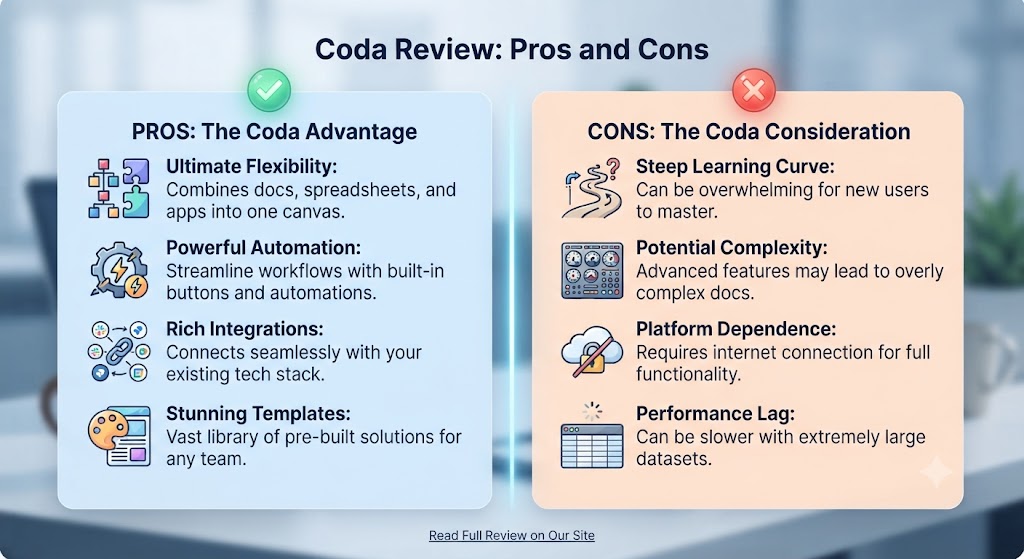
| Pros | Cons |
|---|---|
| Formula engine is genuinely powerful — enables spreadsheet-level logic inside documents | Steep learning curve — the formula engine takes time to master |
| Database and document in the same canvas — relational data without leaving your doc | Pricing model (“doc makers” vs viewers) can be confusing and expensive for active teams |
| Coda AI generates content, builds formulas, and automates within the same workspace | Performance can slow with very large or complex documents |
| Packs system brings live data from external tools directly into your Coda doc | Mobile experience is not as polished as the desktop or web app |
| Button and action automation without engineering resources | Less polished UI than Notion for pure writing and documentation use cases |
| Strong templates from the Coda community for common workflows | Not as strong for wiki-style knowledge bases as Notion or Confluence |
Want The Time Savings Without Doing It Yourself?
These tools save you hours on your own tasks — but marketing is one job most people would rather hand off entirely. Tasknestly runs it for you, end to end.
Get a Free Marketing Quote →Coda Review: Feature Deep-Dive
The Coda Canvas — Documents and Databases United
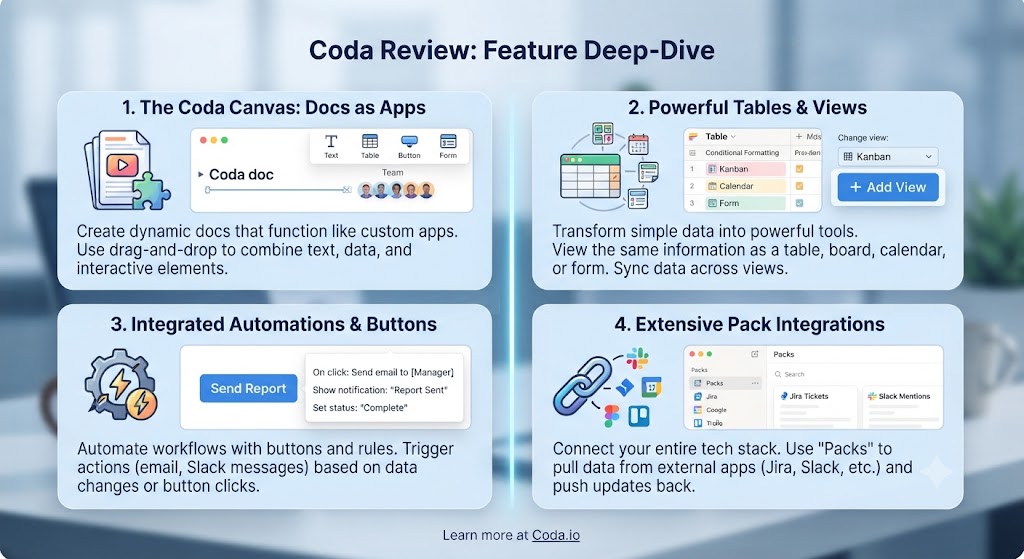
The canvas is the foundation of every Coda review, and what distinguishes it from traditional document tools is the seamless coexistence of rich text and structured data on the same page. In a Coda doc, you can write a project brief, embed a live table of project tasks with custom columns and filters, add a formula that calculates progress automatically, and place a button that updates task status — all on the same page without switching between applications.
This Coda review found the canvas model to be genuinely transformational for certain types of work. Project management docs in Coda combine the narrative context of a document with the structured tracking of a project tool, without the disconnect that comes from linking a Confluence page to a Jira board. Product roadmap docs include the rationale and the tracking in the same place. Operations playbooks contain the instructions and the data they reference on the same canvas. This Coda review found this unity of document and data to be Coda’s most compelling capability for teams that currently maintain parallel document and database systems.
The Formula Engine — The Coda Review’s Defining Feature
The formula engine is what separates this Coda review from every other document platform evaluation, and it’s the feature that most clearly defines Coda’s intended user. Coda’s formulas work across tables, across pages, and across the entire document — you can reference a value from a table on page three in a formula on page one, calculate aggregates across multiple tables, create conditional logic that changes page content based on data values, and build formulas that trigger automated actions based on calculated results.
This Coda review found the formula engine to be most comparable to Google Sheets or Excel in its logic structure, but applied to a document rather than a cell grid. For users comfortable with spreadsheet formulas, the learning curve in this Coda review is manageable and the payoff is significant. For users without a spreadsheet background, the formula engine is the steepest part of the Coda learning curve, and this Coda review recommends leaning on Coda AI’s formula assistant and the community template library to accelerate that process.
Coda AI — The AI Layer Assessed in This Coda Review
Coda AI was introduced in 2023 and has been significantly developed through 2026. This Coda review found three primary AI use cases in the platform, all of which are genuinely useful rather than superficially impressive.
First, Coda AI for content generation: you can prompt Coda AI to write sections of a document, summarise existing content, generate meeting notes from a transcript, or produce structured content in the format of your existing tables. This Coda review found the output quality to be on par with other GPT-4-powered tools — useful for first drafts that require human editing.
Second, Coda AI for formula assistance: you can describe what you want a formula to do in plain English and Coda AI generates the formula syntax for you. This Coda review found this feature to be exceptionally valuable for bridging the formula learning curve — users who would otherwise be stuck debugging formula errors can describe their intent and receive working formulas instantly.
Third, Coda AI for automation: you can use AI to build automated workflows — actions that trigger based on data changes, schedule-based updates, and condition-based notifications — by describing what you want rather than configuring each step manually. This Coda review found the automation builder to be one of the more capable no-code automation experiences available within a document platform.
Packs — Live Data in Your Coda Doc
Coda’s Packs system allows you to bring live data from external tools directly into your Coda doc and take actions in those tools from within Coda. Available Packs include GitHub, Jira, Salesforce, Google Analytics, Slack, Figma, Zoom, and dozens more. This Coda review found Packs to be one of the most powerful features for operations and product teams who work across multiple tools and want a single source-of-truth view.
A product team using Coda can pull live GitHub issues into a Coda table, filter and sort them alongside their product roadmap, and update issue status from within Coda — without opening GitHub. This Coda review found that for teams with complex multi-tool workflows, Packs reduce the overhead of context-switching and manual data copying significantly.
Views and Flexible Data Display
Coda allows you to create multiple views of the same table: grid view, kanban board, calendar, timeline, gallery, and chart. Any view can be placed anywhere in the doc. This Coda review found the multi-view flexibility to be valuable for teams that need different stakeholders to see the same data in different formats — engineers see the grid, the project manager sees the kanban, and leadership sees the timeline — without maintaining separate data sources.
Want The Time Savings Without Doing It Yourself?
These tools save you hours on your own tasks — but marketing is one job most people would rather hand off entirely. Tasknestly runs it for you, end to end.
Get a Free Marketing Quote →Coda Pricing: What This Coda Review Found
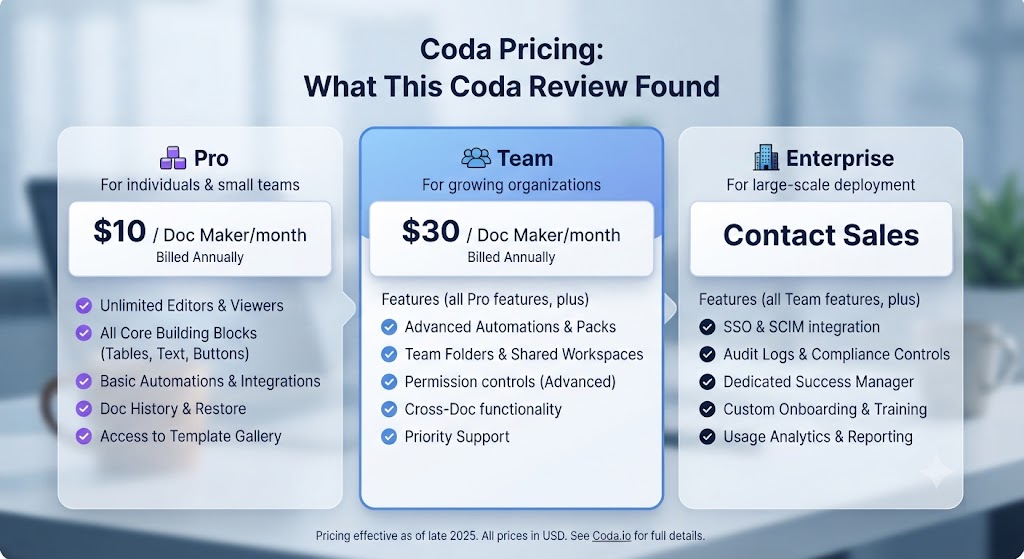
| Plan | Price | Key Features |
|---|---|---|
| Free | $0 | Unlimited docs, 1,000 rows per doc, limited Packs |
| Pro | $10/doc maker/month (annual) | Unlimited rows, all Packs, automations, version history |
| Team | $30/doc maker/month (annual) | Everything in Pro + admin controls, bulk sharing, Coda AI |
| Enterprise | Custom | SSO, advanced security, dedicated support |
This Coda review must address the pricing model carefully: Coda charges only “doc makers” — users who create and edit documents — while viewers and commenters are free. This is an advantage over per-seat tools for teams where most members only consume information rather than create it. However, for teams where most members are active creators, the $30/doc maker/month Team plan (required for Coda AI access) can become expensive relative to alternatives. This Coda review recommends the free plan as a genuine starting point and the Pro plan at $10/month for teams who need unlimited rows and full Pack access without Coda AI.
Want The Time Savings Without Doing It Yourself?
These tools save you hours on your own tasks — but marketing is one job most people would rather hand off entirely. Tasknestly runs it for you, end to end.
Get a Free Marketing Quote →Coda vs Competitors: The Coda Review Comparison
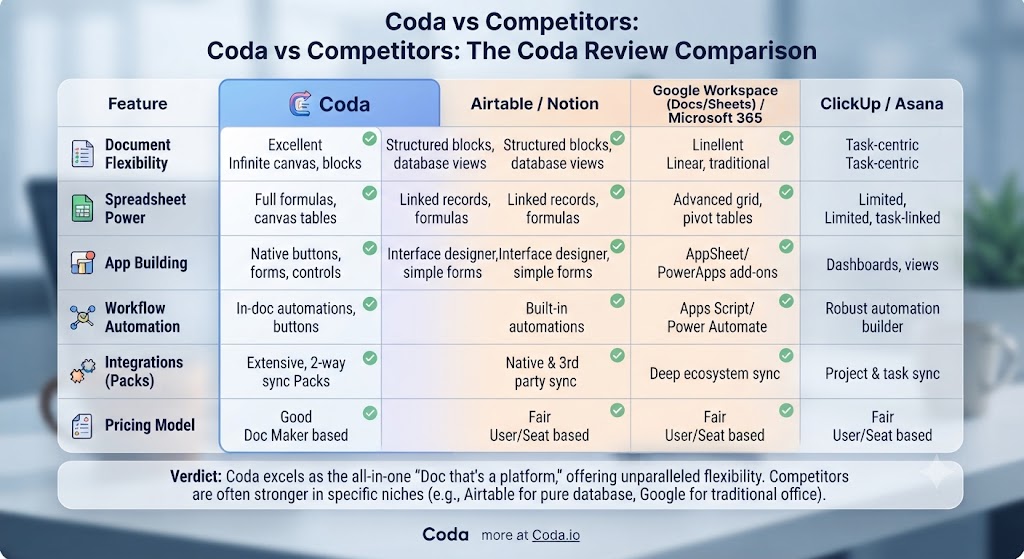
| Feature | Coda | Notion | Airtable | Confluence |
|---|---|---|---|---|
| Document and database on same canvas | ✅ Best-in-class | ✅ Good | ❌ Database only | ❌ Document only |
| Formula engine across tables | ✅ Powerful | ⚠️ Basic | ✅ Strong | ❌ No |
| AI content and formula assistant | ✅ Coda AI | ✅ Notion AI | ⚠️ Limited | ⚠️ Limited |
| Button / action automation | ✅ Yes | ❌ No | ✅ Yes | ❌ No |
| Live data Packs / integrations | ✅ Extensive | ⚠️ Limited | ✅ Good | ⚠️ Limited |
| Wiki / knowledge base | ⚠️ Functional | ✅ Excellent | ❌ No | ✅ Excellent |
| Mobile experience | ⚠️ Good | ✅ Excellent | ✅ Good | ✅ Good |
| Free plan generosity | ✅ Good | ✅ Good | ✅ Good | ❌ Limited |
| Starting paid price | $10/doc maker | $10/user | $20/user | $5.75/user |
This Coda review comparison against Notion — the most common evaluation pairing — shows Coda winning on formula power, button automation, and database-document integration depth. Notion wins on UI polish for pure writing and documentation, knowledge base structure, and mobile experience. For teams choosing between the two: this Coda review recommends Coda for teams that need structured data and interactive functionality at the centre of their work, and Notion for teams that primarily need a clean, collaborative writing and wiki environment. Our AI productivity tools hub covers both in full detail.
Want The Time Savings Without Doing It Yourself?
These tools save you hours on your own tasks — but marketing is one job most people would rather hand off entirely. Tasknestly runs it for you, end to end.
Get a Free Marketing Quote →Who Is Coda Best For? The Coda Review Audience Assessment

Coda works best for:
- Operations and process teams who need living documents that track data, trigger actions, and update automatically as conditions change
- Product managers who want roadmaps, sprint trackers, and product briefs in a single connected document rather than across Confluence, Jira, and Google Docs simultaneously
- Startups and growing companies building internal tools without engineering resources — Coda’s formula engine and Packs can replace lightweight custom tools
- Data-heavy teams who find Notion too limited for complex relational data but don’t want the overhead of a dedicated database tool like Airtable
- Power users with spreadsheet backgrounds who want spreadsheet-level logic inside a document that reads and writes like a human workspace
Coda is less ideal for:
- Teams primarily needing a clean wiki and knowledge base — Notion or Confluence serve that use case better with less complexity
- Non-technical users who find the formula engine intimidating and don’t need its power — simpler tools will deliver more immediate value
- Large teams where most members are active creators — the per-doc-maker pricing can become expensive at scale
Want The Time Savings Without Doing It Yourself?
These tools save you hours on your own tasks — but marketing is one job most people would rather hand off entirely. Tasknestly runs it for you, end to end.
Get a Free Marketing Quote →Get It / Skip It

✅ Get Coda if:
- You need documents and databases to coexist on the same canvas with formula logic and button automation
- Your team builds and maintains structured operational workflows that currently live across multiple disconnected tools
- You want to replace a lightweight internal tool or Airtable database with something that also serves as your team’s documentation layer
❌ Skip Coda if:
- Your primary need is a clean, polished wiki and knowledge base — Notion or Confluence are better fits with less overhead
- You don’t have the time to invest in learning the formula engine — simpler tools will get you productive faster
- Most of your team members are active doc creators rather than viewers — the per-doc-maker pricing gets expensive for creator-heavy teams
Want The Time Savings Without Doing It Yourself?
These tools save you hours on your own tasks — but marketing is one job most people would rather hand off entirely. Tasknestly runs it for you, end to end.
Get a Free Marketing Quote →Coda Review: Frequently Asked Questions
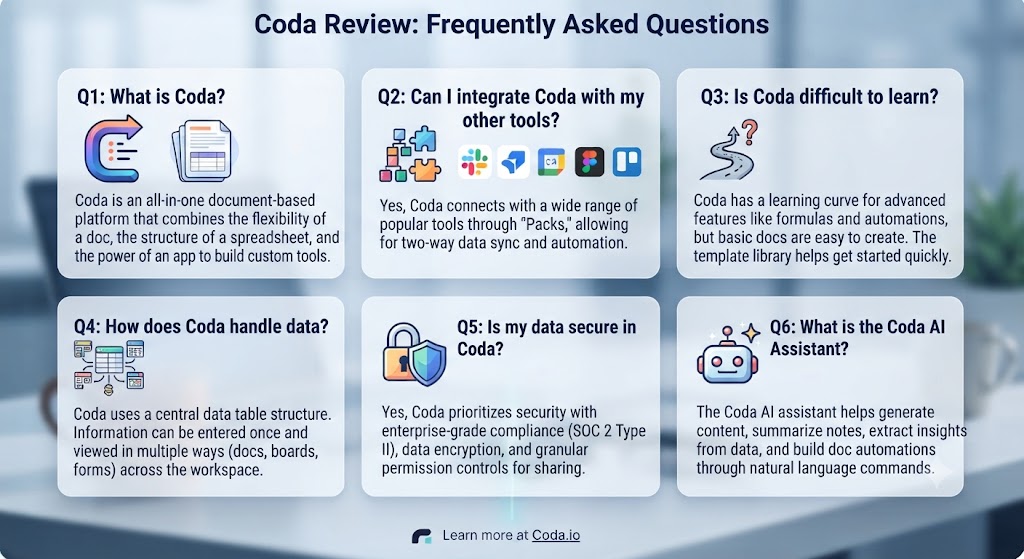
Q: Is this Coda review recommending it over Notion? This Coda review recommends Coda over Notion specifically for teams that need database-document integration with formula logic, button automation, and live data Packs. For teams whose primary need is a clean wiki, clean writing environment, or personal knowledge base, Notion remains the better choice. The Coda review conclusion is: choose based on whether your work is more writing-focused or data-focused.
Q: Is Coda free to use? Yes. Coda’s free plan allows unlimited documents with up to 1,000 rows per doc table and access to a limited set of Packs. This Coda review found the free plan genuinely useful for evaluation and small projects. The main limitation is the row cap, which becomes restrictive for data-heavy use cases. The Pro plan at $10/doc maker/month removes the row limit and unlocks all Packs.
Q: How does Coda AI compare to Notion AI? This Coda review found Coda AI to have a meaningful advantage in formula assistance — the ability to describe a formula in plain English and receive working Coda syntax is genuinely useful and has no direct equivalent in Notion AI. For pure content generation quality, both tools perform similarly as they’re both built on GPT-4. Coda AI’s automation builder is more capable than Notion’s AI automation features.
Q: Is Coda good for project management? Yes, for teams willing to build their workflow on the Coda canvas. This Coda review found Coda to be excellent for product roadmaps, sprint tracking, and project documentation — particularly because the formula engine allows automatic progress tracking and status rollups that would require manual updates in a pure document tool. It’s not a replacement for dedicated project management tools like Linear or Asana for engineering teams, but it is a strong alternative for operations and product workflows.
Q: Does Coda work on mobile? Yes. Coda has iOS and Android apps. This Coda review found the mobile experience to be functional for viewing and basic editing but less powerful than the web experience for complex formula work, automation setup, and multi-view management. Coda is primarily a desktop and web tool.
Q: Can Coda replace Google Sheets or Excel? For many use cases, this Coda review found Coda can replace Google Sheets — particularly for structured data that lives alongside related documentation. For heavy analytical work, advanced pivot tables, complex chart generation, or financial modelling, Google Sheets or Excel remain stronger. Coda’s strength is in operational data that needs to be readable and actionable, not in pure numerical analysis.
Q: What are the best Coda alternatives? The main alternatives this Coda review points to are Notion (better for wikis and writing, less formula power), Airtable (stronger pure database tool, no document layer), Confluence (better for enterprise knowledge management, no database layer), and ClickUp (stronger project management, more complex). Our AI productivity tools category covers all of these in depth.
Want The Time Savings Without Doing It Yourself?
These tools save you hours on your own tasks — but marketing is one job most people would rather hand off entirely. Tasknestly runs it for you, end to end.
Get a Free Marketing Quote →Conclusion: Final Coda Review Verdict

After putting the platform through a thorough Coda review, the verdict is clear for the right type of user: Coda is one of the most genuinely powerful productivity platforms available, and its formula engine and database-document integration are capabilities that no competing tool fully replicates. For operations teams, product managers, and power users who need structured data and rich documentation to live together, this Coda review places it ahead of every alternative.
The limitations this Coda review identified are real and worth planning for. The learning curve for the formula engine requires genuine investment. The pricing model — charging per doc maker rather than per user — can become expensive for active creator teams. The mobile experience is functional but not first-class. And for teams whose primary need is a clean writing and wiki environment, Coda’s complexity will feel like overhead rather than capability.
For the teams this Coda review describes — the operations team building living process documents, the product team combining roadmap and tracking on one canvas, the startup replacing three tools with one connected workspace — Coda is a transformational addition to the productivity stack. The free plan is a genuine place to start, and the formula assistant in Coda AI removes the steepest part of the learning curve. This Coda review’s recommendation: build one real workflow in Coda during the free tier, and the tool’s value will be immediately apparent. Find more options in our AI productivity tools hub.
Disclosure: This article contains affiliate links. TechBotHQ may earn a commission if you sign up through our links, at no extra cost to you. See our affiliate disclosure for full details.
Want The Time Savings Without Doing It Yourself?
These tools save you hours on your own tasks — but marketing is one job most people would rather hand off entirely. Tasknestly runs it for you, end to end.
Get a Free Marketing Quote →