ClickUp AI Review 2026: Is It Worth It for Your Team?

| ⚡ TechBotHQ Verdict This ClickUp AI review gives Brain a strong 4.5 out of 5 for teams already using ClickUp. The AI is genuinely embedded into the workspace — not bolted on as an afterthought — and the task summarization, standup automation, and Super Agents deliver real time savings. The catch is pricing: Brain is a $7/user/month add-on on top of your base plan, which adds up fast for larger teams. Rating: 4.5/5 | Best For: Teams and project managers who want AI embedded directly in their workflow |
Table of Contents
ClickUp AI Review 2026: What You Need to Know First
This ClickUp AI review is going to be direct. ClickUp is already one of the most feature-rich project management platforms available. When they launched their AI layer — now officially called ClickUp Brain — the question was not whether they could build AI features. It was whether those features would actually be useful inside a real team workflow, or just a gimmick to justify a higher price tag.
Having tested ClickUp Brain extensively, the answer is: it depends on how your team works. For project managers drowning in status updates, standup reports, and task admin, Brain is genuinely transformative. For teams that just need basic task tracking, it is probably more than you need.
The goal of this ClickUp AI review is to cut through the marketing and tell you exactly what ClickUp Brain does well, where it falls short, what it actually costs, and whether it is worth adding to your team’s subscription.
We will cover the full feature set, pricing breakdown, honest pros and cons, how it compares to Notion AI and Asana AI, and who should actually use it. By the end, you will know exactly whether ClickUp AI belongs in your workflow.
Want The Time Savings Without Doing It Yourself?
These tools save you hours on your own tasks — but marketing is one job most people would rather hand off entirely. Tasknestly runs it for you, end to end.
Get a Free Marketing Quote →1. What Is ClickUp AI? A Plain-English Overview
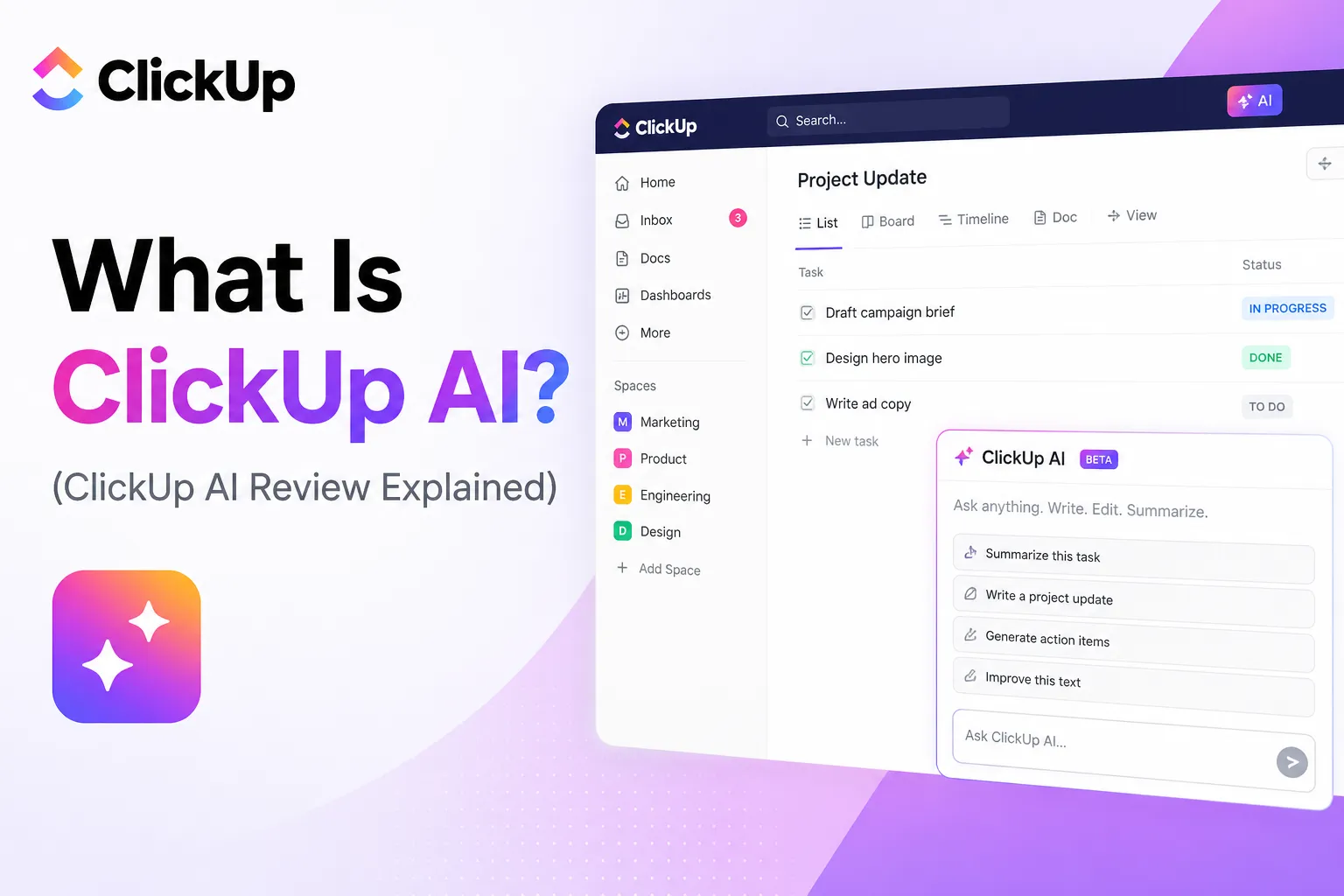
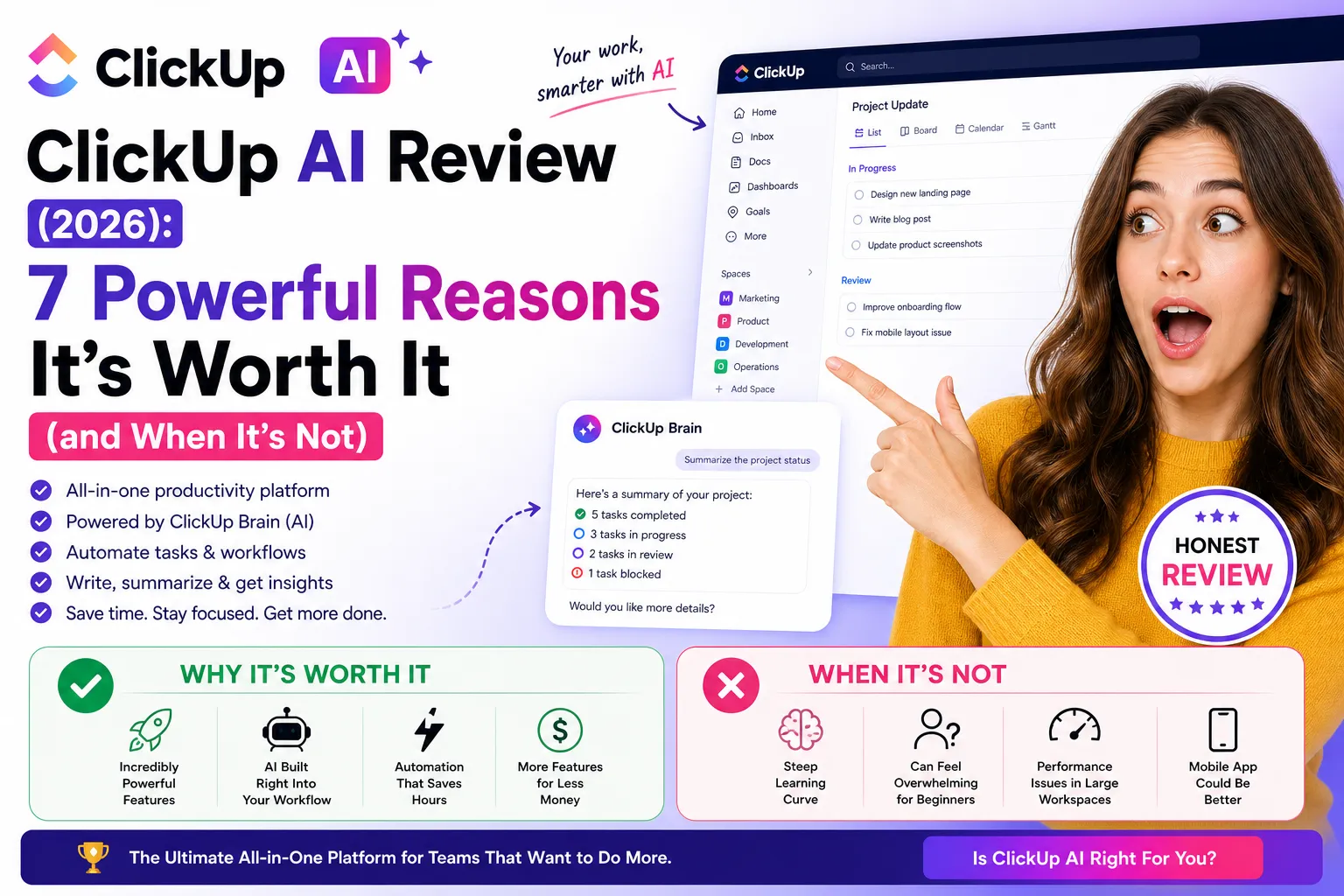
ClickUp AI — officially branded as ClickUp Brain — is an AI layer embedded throughout the ClickUp workspace. It is not a side panel chatbot or a separate product. It is woven directly into tasks, docs, comments, dashboards, and automations.
What separates ClickUp Brain from bolting ChatGPT onto a project management tool is context. Brain has access to everything in your ClickUp workspace: tasks, docs, comments, custom fields, time tracking data, sprint histories, and connected apps. When you ask it a question, it answers from your actual data — not a generic training set.
Ask it “what did the design team ship last week?” and it will pull from task activity across your workspace and give you a real answer. Ask it to generate a standup report and it will compile what each team member worked on from actual task updates — not guesswork. This is the core promise of this ClickUp AI review: AI that knows your work, not just AI that knows how to write.
ClickUp Brain launched in 2023 as a basic writing assistant and has evolved significantly. In 2026, it includes Super Agents — AI coworkers that live inside your workspace and can be @mentioned, assigned tasks, and scheduled — plus MCP integration that lets external AI tools like Claude and ChatGPT connect directly to your ClickUp data.
Want The Time Savings Without Doing It Yourself?
These tools save you hours on your own tasks — but marketing is one job most people would rather hand off entirely. Tasknestly runs it for you, end to end.
Get a Free Marketing Quote →2. How ClickUp AI Works
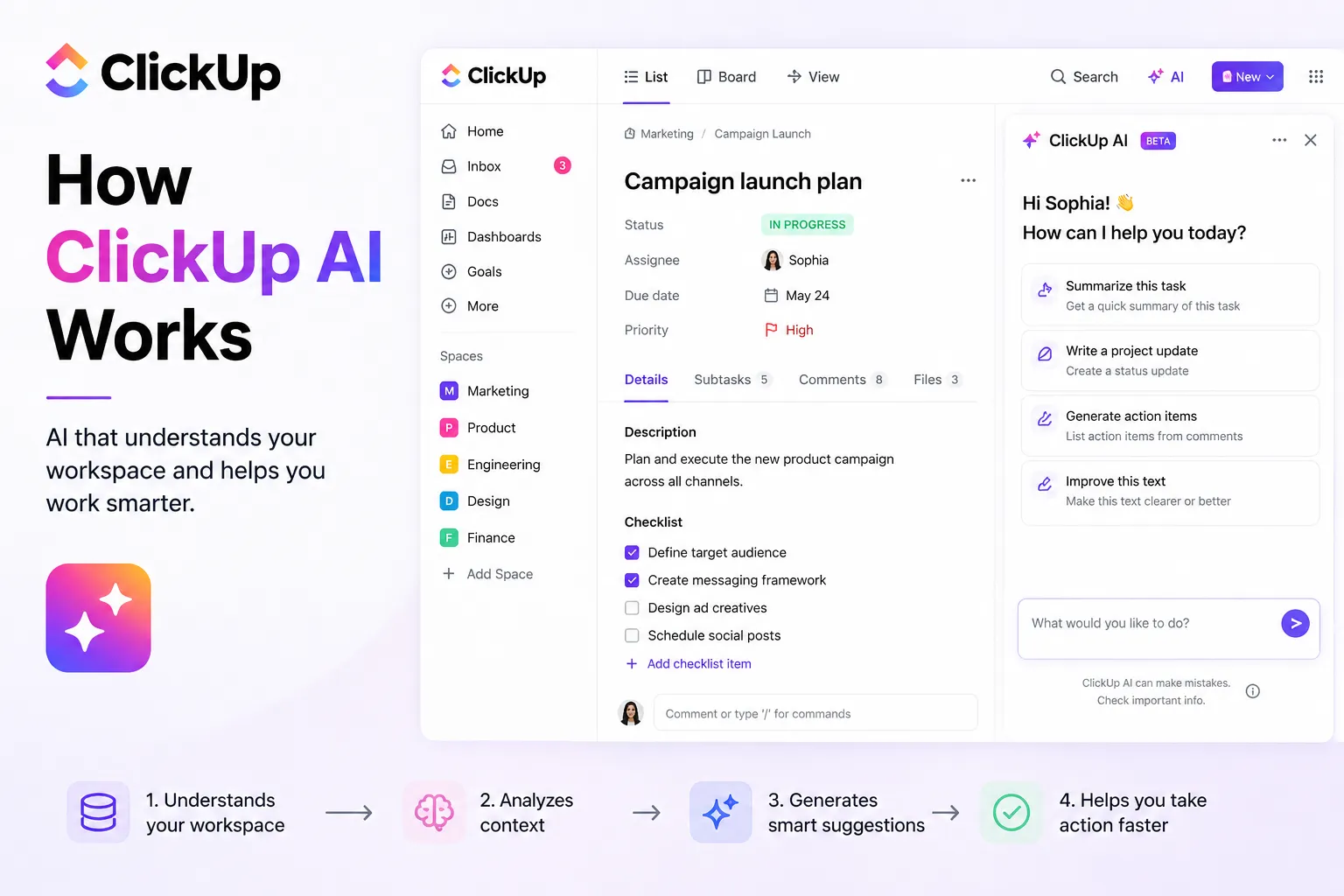
ClickUp Brain is built on OpenAI’s GPT models but adds a proprietary context layer that connects the AI to your workspace data. Here is how the main pillars work in practice.
Knowledge Manager
You can ask Brain natural language questions about your workspace and get context-aware answers. “Which tasks are overdue in the Engineering space?” “What are the blockers on Project X?” “Summarize the feedback thread on the homepage redesign.” Brain pulls from your actual task data, docs, and comments to answer — not from generic AI training.
AI Project Manager
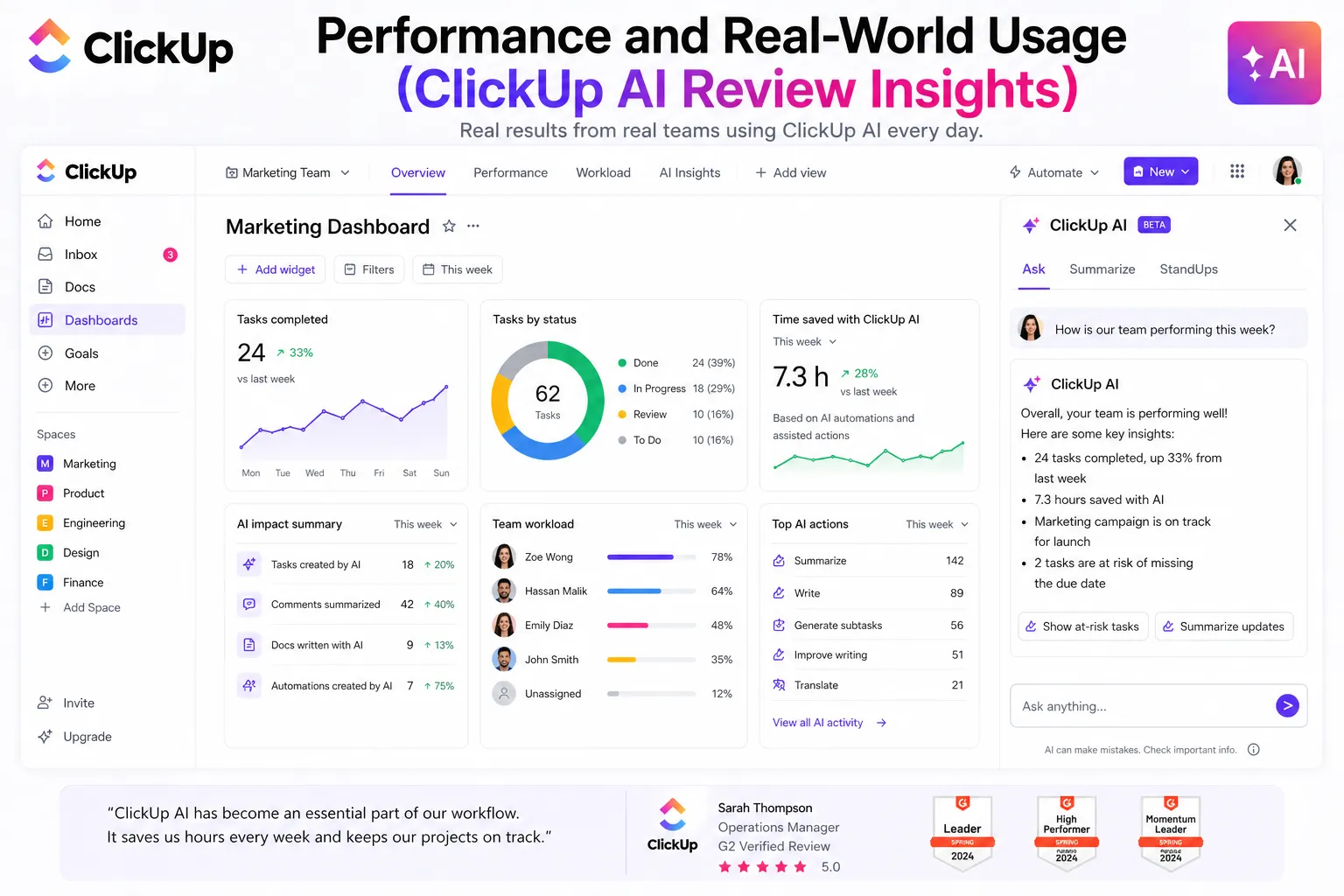
This is the standout feature in our ClickUp AI review testing. Brain can generate standup reports, project summaries, and status updates automatically by pulling from task activity. What used to take a manager 30+ minutes to compile manually — Brain generates in seconds. For teams that hold regular standups or send weekly status reports to stakeholders, the time savings here are significant and immediate.
AI Writing Assistant
Brain includes a writing assistant embedded directly in ClickUp Docs and task descriptions. You can generate campaign briefs, SOPs, meeting agendas, project plans, and email drafts with context from your workspace. It is not going to replace a professional copywriter, but for internal documentation where speed matters more than polish, it works well.
Super Agents
This is ClickUp’s most ambitious AI feature in 2026. Super Agents are AI coworkers that live inside your workspace as real users. You can @mention them, assign tasks to them, schedule them, and give them autonomous responsibilities. Examples include a Content Writer agent that drafts blog outlines from a brief doc, a Support Agent that classifies incoming customer requests by urgency, or a Sprint Summarizer that compiles completed tasks every Friday and posts a summary to Slack.
💡 Real example: A marketing team sets up a Content Writer Super Agent. Every Monday morning, it reviews the content calendar Doc and drafts outlines for that week’s blog posts. Writers review and edit rather than starting from scratch. What used to take 2 hours takes 20 minutes.
AI Automations and Fields
Brain can trigger automations based on natural language rules. “When a task is marked urgent and unassigned, assign it to the team member with the lowest workload” is something you can actually set up without touching code. AI Fields automatically categorize, summarize, or generate content in custom fields — for example, scanning a task description and auto-filling a priority level or client sentiment score.
AI Notetaker and Meeting Transcription
Brain’s AI Notetaker can join meetings on ClickUp SyncUps or external tools like Zoom and Microsoft Teams. It transcribes automatically, generates a summary, and creates tasks from action items. Every meeting becomes a searchable transcript with next steps captured without anyone needing to take notes manually.
MCP Integration
ClickUp’s Model Context Protocol support is a significant development for teams using external AI tools. MCP allows Claude, ChatGPT, and other AI assistants to connect directly to your ClickUp workspace. You can ask Claude to “create a task in the Design space for the homepage redesign and assign it to Sarah” and it executes directly in ClickUp without switching tabs.
Want The Time Savings Without Doing It Yourself?
These tools save you hours on your own tasks — but marketing is one job most people would rather hand off entirely. Tasknestly runs it for you, end to end.
Get a Free Marketing Quote →3. Key Features of ClickUp AI at a Glance
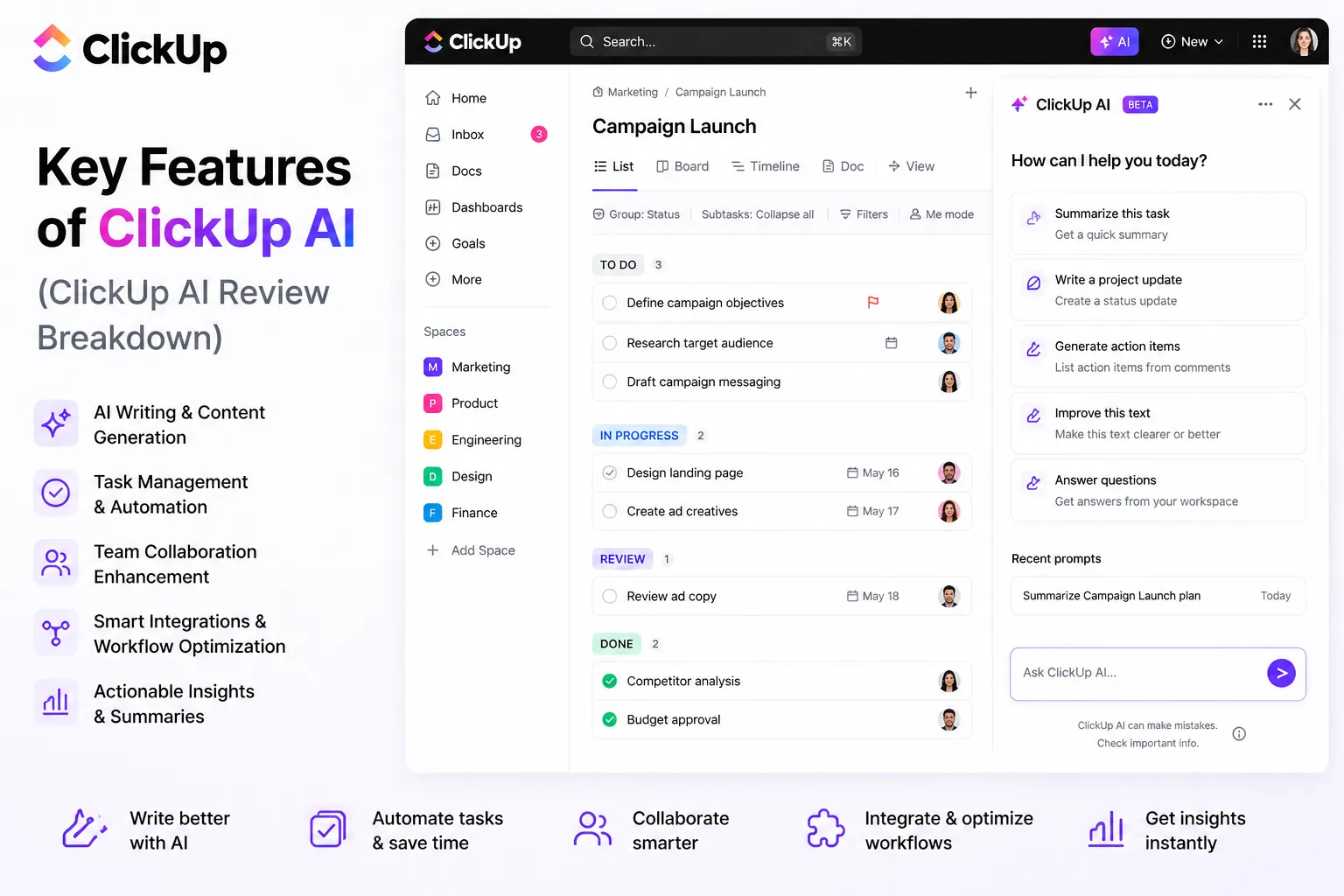
- Workspace-aware Q&A: Ask anything about your tasks, docs, and projects and get answers from your actual data.
- Automated standup reports: Generate team standups and project status updates from task activity in seconds.
- Task and subtask generation: Describe a high-level goal and Brain builds a structured list of subtasks automatically.
- AI writing assistant: Draft docs, briefs, SOPs, and meeting notes with workspace context built in.
- Super Agents: Autonomous AI coworkers you can @mention, assign tasks to, and schedule.
- AI Notetaker: Joins meetings, transcribes, summarizes, and creates tasks from action items.
- AI Fields: Auto-populate custom fields with AI-generated summaries, priorities, and sentiment analysis.
- MCP Integration: Connect Claude, ChatGPT, and other external AI tools directly to your ClickUp workspace.
- Image generation: Create visuals directly within ClickUp without leaving the platform.
- 1,000+ integrations: Slack, Google Workspace, Zoom, GitHub, HubSpot, Salesforce, and more.
Want The Time Savings Without Doing It Yourself?
These tools save you hours on your own tasks — but marketing is one job most people would rather hand off entirely. Tasknestly runs it for you, end to end.
Get a Free Marketing Quote →4. ClickUp AI Pricing: What Does It Actually Cost?
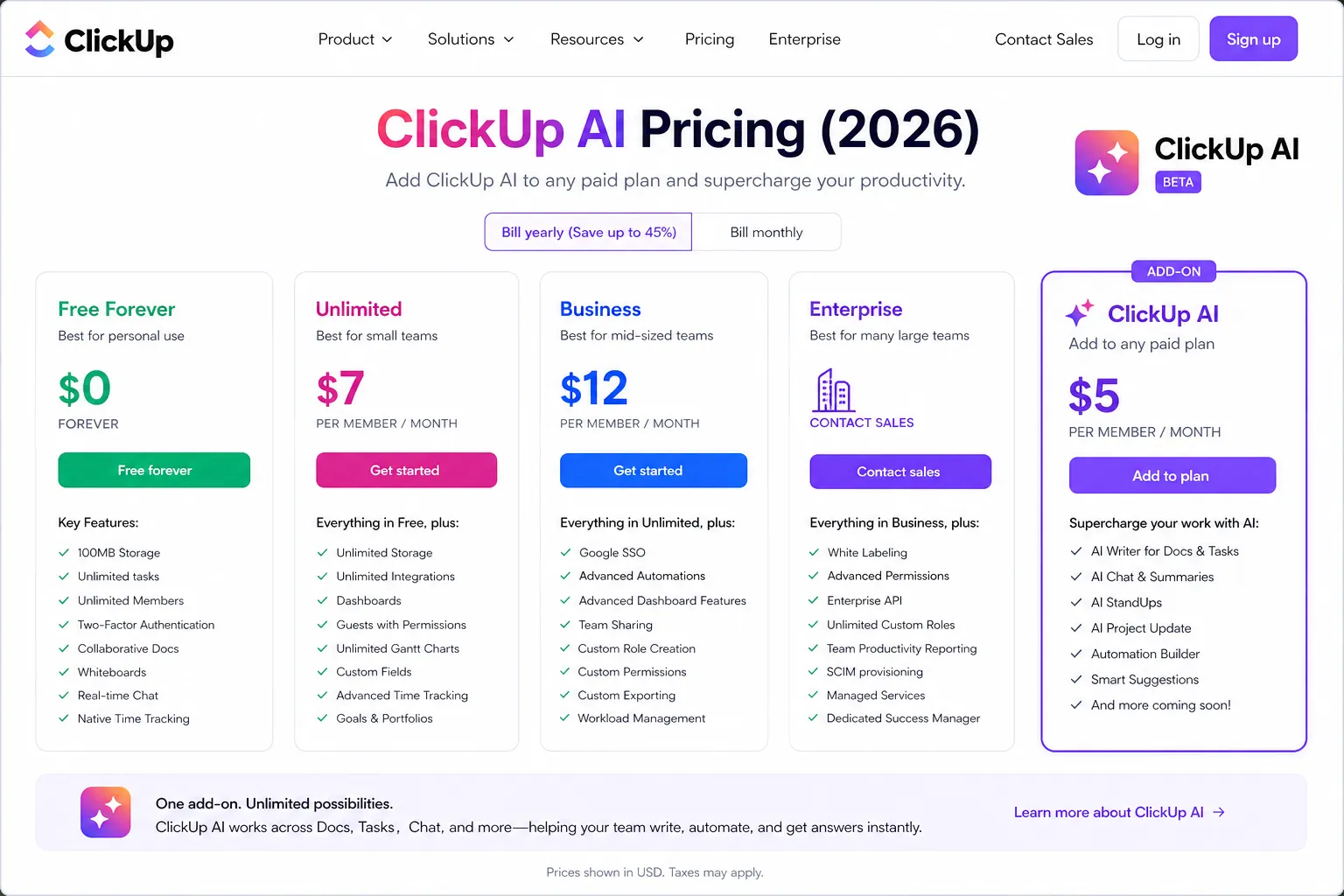
ClickUp AI pricing is where a lot of teams get caught off guard. The AI features are not included in the base plans — they are add-ons on top of your existing subscription. Here is the full breakdown.
| Plan | Price | What You Get |
|---|---|---|
| Free Forever | $0 | Unlimited tasks, unlimited members, basic features, limited AI access |
| Unlimited | $7/user/month | Unlimited storage, Gantt view, integrations, most features |
| Business | $12/user/month | Advanced automations, time tracking, workload management |
| Enterprise | Custom | Role-based access, SSO, dedicated support, highest automation limits |
ClickUp Brain add-on pricing:
| AI Add-On | Price | Includes |
|---|---|---|
| Brain | $7/user/month ($5 annual) | Summarization, Q&A, writing assistant, Super Agents, AI Fields, Notetaker |
| Everything AI | $28/user/month | Brain + AI image generation, higher credits, advanced features |
What this means in practice:
- Unlimited plan + Brain: $7 + $5 = $12/user/month annually. Brain roughly doubles your per-user cost on the entry paid plan.
- Business plan + Brain: $12 + $5 = $17/user/month annually. More reasonable for teams needing advanced automations alongside AI.
- Free plan users: Get limited AI access, but the full Brain feature set requires a paid base plan plus the add-on.
- Annual billing saves on Brain: The add-on drops from $7 to $5/user/month on annual billing — worth committing to if you are going all in.
💰 Honest take: The add-on pricing model is ClickUp’s biggest criticism in 2026. A team of 10 on the Unlimited plan pays $70/month for ClickUp plus $50/month for Brain — $120/month total. Competitors like Notion AI bundle their AI into the plan at a flat rate. Factor this into your evaluation carefully.
Want The Time Savings Without Doing It Yourself?
These tools save you hours on your own tasks — but marketing is one job most people would rather hand off entirely. Tasknestly runs it for you, end to end.
Get a Free Marketing Quote →5. ClickUp AI Review: Honest Pros and Cons
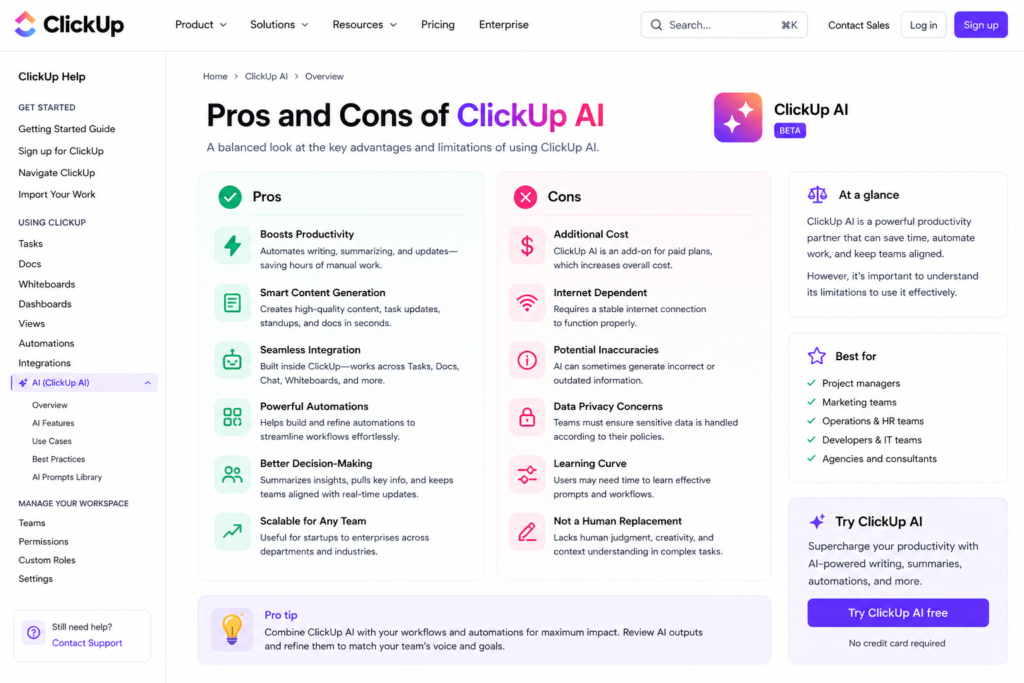
Every honest ClickUp AI review needs to be upfront about both sides. Here is what genuinely impressed us and what frustrated us during testing.
What ClickUp AI Gets Right
- AI that actually knows your work: The context-aware Q&A and summarization features are genuinely impressive. Asking Brain about your own projects and getting accurate, specific answers is a fundamentally different experience from using a generic AI chatbot.
- Standup and status report automation: This is the killer feature for project managers. Generating team standups and project summaries from actual task activity saves real hours every week. Teams that do this manually will see the ROI immediately.
- Super Agents are genuinely useful: Autonomous AI coworkers that fit into your existing team structure — @mentioned, assigned tasks, scheduled — is a compelling concept that works well in practice for repeatable content and workflow tasks.
- Subtask generation saves setup time: Describe a project goal and Brain generates a structured subtask list. For teams that manage complex multi-step projects, this alone justifies the add-on for many managers.
- MCP integration is forward-thinking: Connecting Claude or ChatGPT directly to your ClickUp workspace is a significant capability for teams already using external AI tools in their workflow.
- AI Notetaker removes a real pain point: Automatic meeting transcription, summarization, and task creation from action items is something every team can use and immediately benefit from.
- Strong base platform: Brain is built on top of one of the most powerful project management tools available. 15+ views, 1,000+ integrations, robust automations — the AI enhances an already excellent platform.
- Genuinely usable free tier: ClickUp’s free plan with unlimited tasks and unlimited members is rare in this category. Small teams can run real projects without paying anything.
Where ClickUp AI Falls Short
- Add-on pricing adds up fast: Brain is not included in any base plan. For larger teams, the per-user add-on cost is a real barrier and a common complaint in user reviews.
- Creative writing quality is generic: Brain is strong at summarization and Q&A. As a creative writing assistant, it produces competent but uninspired output. Do not expect Jasper-quality marketing copy from it.
- Learning curve on the base platform: ClickUp itself has a well-documented complexity problem. The AI features are approachable, but new users often need time to understand the overall platform before Brain becomes truly useful.
- Can feel overwhelming: With 15+ views, custom fields, automations, AI Fields, Super Agents, and Brain all available simultaneously, the interface can be a lot to navigate. Teams need to be intentional about which features they actually adopt.
- Automation suggestions need refinement: Brain’s automation suggestions are sometimes too broad or require more manual configuration than the marketing implies. Complex automations still need a human to design them properly.
- Pricing transparency issues: The advertised base plan prices do not include Brain. Teams comparing ClickUp to competitors need to add the AI cost to get an accurate picture. This feels deliberately opaque.
Want The Time Savings Without Doing It Yourself?
These tools save you hours on your own tasks — but marketing is one job most people would rather hand off entirely. Tasknestly runs it for you, end to end.
Get a Free Marketing Quote →6. Who Should Use ClickUp AI?
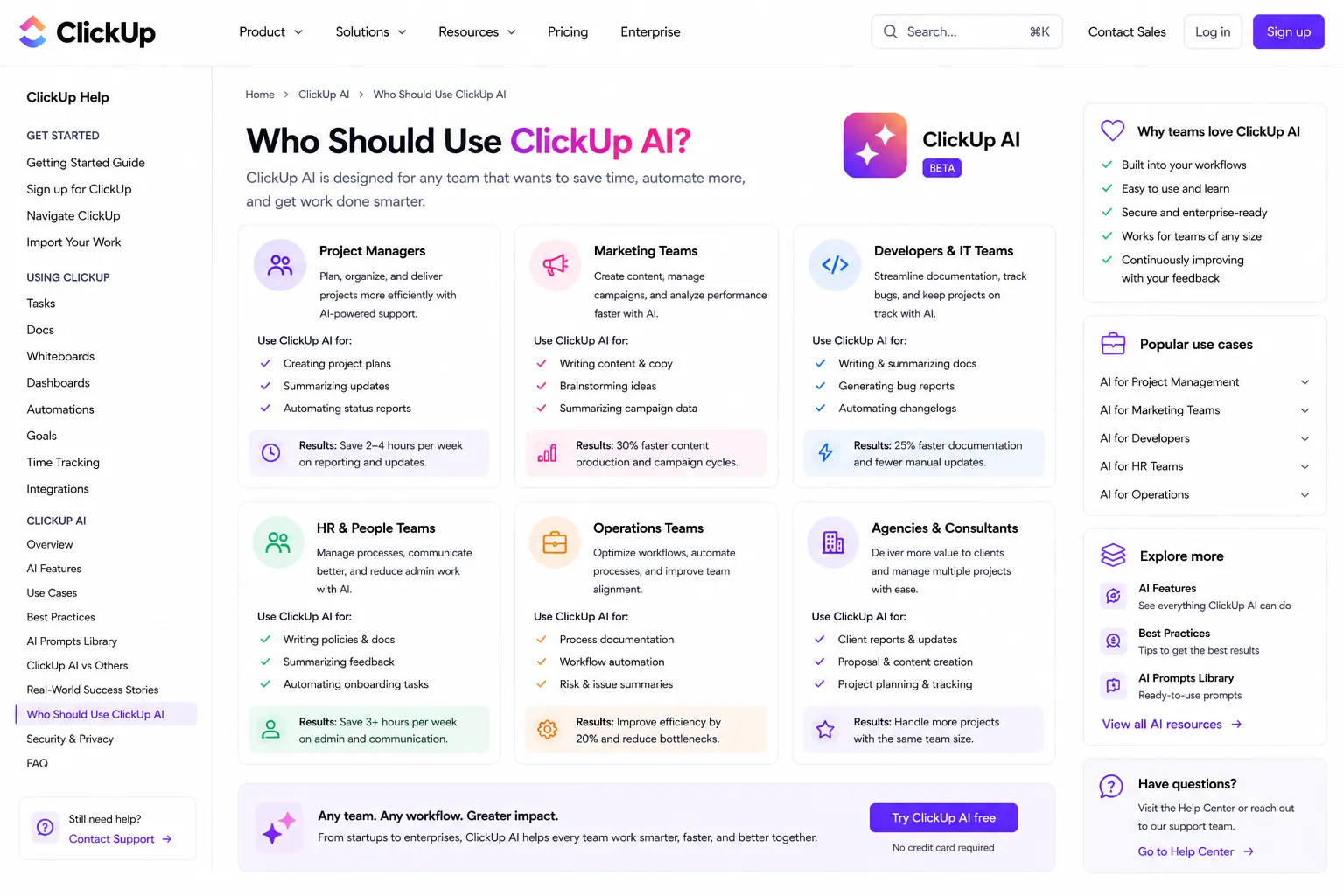
Our ClickUp AI review found clear patterns in who benefits most from Brain and who it is overkill for.
ClickUp AI Is a Great Fit If You Are:
- A project manager running multiple concurrent projects — standup automation, task summarization, and AI project updates solve real daily pain points at this level.
- A marketing or content team — Super Agents for content drafting, AI writing in Docs, and campaign brief generation all fit naturally into marketing workflows.
- A remote or distributed team — AI-generated standups and meeting transcription are especially valuable when teams are not in the same room.
- A team already using ClickUp — Brain is most powerful when it has months of workspace data to draw on. New ClickUp users get less value from Brain initially.
- An operations team managing complex workflows — AI automations and AI Fields that auto-categorize and prioritize work save significant time in ops-heavy environments.
- A development or product team running sprints — Sprint summarization, velocity tracking with AI summaries, and backlog management all work well with Brain.
ClickUp AI Is Probably Not Right If You Are:
- A solo user or very small team — the per-user add-on pricing is harder to justify without team-level use cases like standups and collaborative summaries.
- A team looking for a simple task manager — if you just need to track to-dos, ClickUp’s complexity and AI pricing are both overkill. Todoist or Trello serve this better.
- A team primarily needing AI for marketing content creation — Jasper AI is a much stronger choice if your primary AI use case is generating marketing copy and branded content.
- A team that has not yet adopted ClickUp — switching your entire workflow to a new project management platform just to access AI features is a significant investment. Consider whether the base platform fits before committing.
Want The Time Savings Without Doing It Yourself?
These tools save you hours on your own tasks — but marketing is one job most people would rather hand off entirely. Tasknestly runs it for you, end to end.
Get a Free Marketing Quote →7. ClickUp AI vs Competitors: How Does It Stack Up?
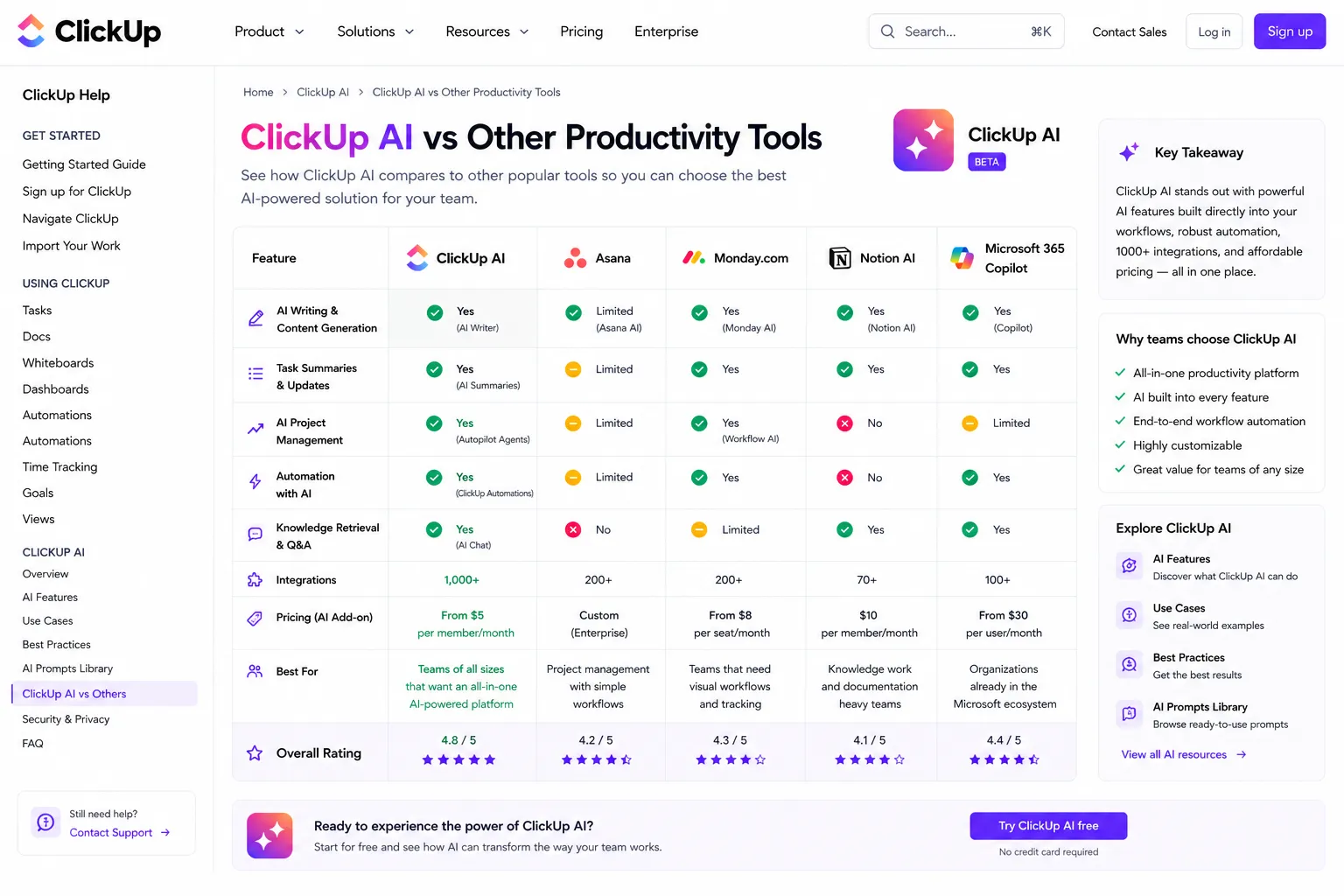
The ClickUp AI review comparison that comes up most often is ClickUp Brain vs Notion AI vs Asana AI. Here is the honest breakdown.
| Tool | AI Price | AI Strengths | Best For |
|---|---|---|---|
| ClickUp Brain | +$5-7/user/mo | Workspace Q&A, standups, Super Agents, MCP | Project teams, ops, marketing |
| Notion AI | Bundled in Plus+ | Knowledge management, writing, database queries | Documentation-heavy teams |
| Asana AI | Bundled in Advanced | Smart fields, project summaries, goal tracking | Enterprise project teams |
| Monday AI | Bundled in Pro+ | Automation suggestions, formula building | Sales and CRM workflows |
| Linear AI | Included | Engineering-focused, issue summaries | Software development teams |
The key distinction is depth vs cost. ClickUp Brain has the deepest AI integration of any project management tool in 2026 — Super Agents, MCP support, AI Fields, and workspace-aware Q&A go further than what Notion AI or Asana AI currently offer. But competitors bundle their AI into the base plan price, making the total cost comparison more favorable than ClickUp’s add-on model.
If you are already on Notion, Notion AI is the easier choice. If you are evaluating from scratch and your team is project-management-heavy rather than documentation-heavy, ClickUp Brain is the stronger platform.
Want The Time Savings Without Doing It Yourself?
These tools save you hours on your own tasks — but marketing is one job most people would rather hand off entirely. Tasknestly runs it for you, end to end.
Get a Free Marketing Quote →8. What Real Users Say About ClickUp AI
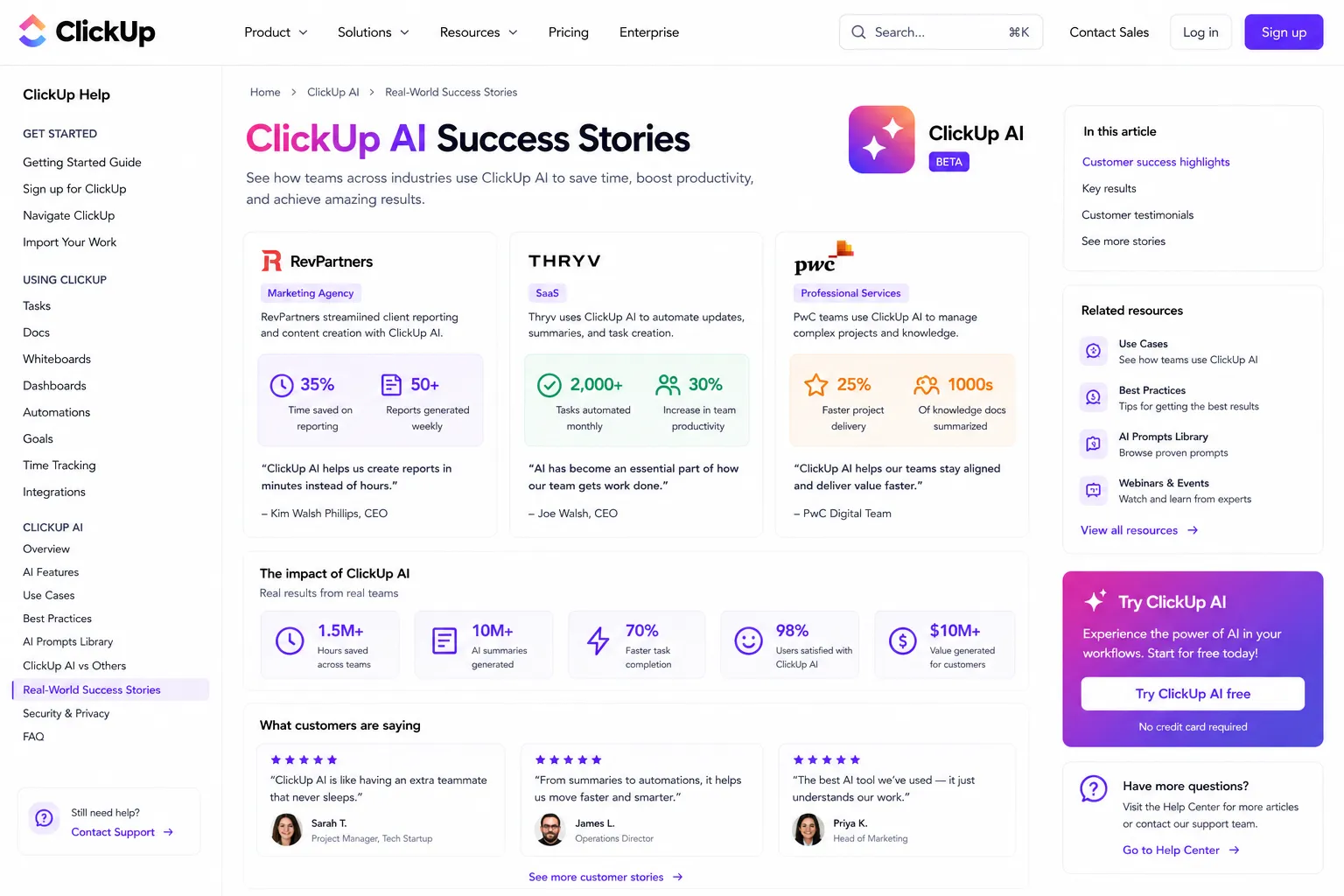
We looked at verified reviews on G2, Capterra, and Reddit to understand what teams actually experience day to day with ClickUp Brain.
What Users Love
The standup and status report automation gets the most consistent praise in any ClickUp AI review from real users. Managers who previously spent 30–60 minutes each morning compiling team updates report getting that time back almost immediately after enabling Brain. The fact that the summaries are generated from actual task data — not manually written — is cited repeatedly as the feature that makes it feel genuinely useful rather than gimmicky.
Teams also highlight the workspace Q&A as a significant win. Being able to ask “what is the status of the website redesign?” and get an accurate answer drawn from task comments and updates saves the back-and-forth that typically clutters Slack channels and wastes time in meetings.
Super Agents generate strong interest, particularly among marketing and content teams. Users who have set up content drafting agents or ticket triage agents report meaningful reductions in the time spent on routine cognitive work.
Where Users Get Frustrated
The add-on pricing is the most common complaint across every major review platform. Users feel the AI should be bundled into the base plan rather than priced separately — especially when Notion AI and Asana AI are included in their respective plans. For larger teams, the math becomes a real issue.
The overall complexity of ClickUp itself is the second recurring frustration. New users often report feeling overwhelmed before they even get to the AI features. The platform has so many capabilities that teams sometimes struggle to implement it effectively — and Brain adds another layer of features to navigate.
Finally, the writing assistant quality gets mixed reviews. Users comparing ClickUp Brain’s writing output to dedicated AI writing tools like Jasper find it underwhelming for marketing and creative content. As this ClickUp AI review noted earlier, Brain is excellent at project-specific tasks and significantly weaker at creative writing. Using both tools for their respective strengths is often the right approach.
Want The Time Savings Without Doing It Yourself?
These tools save you hours on your own tasks — but marketing is one job most people would rather hand off entirely. Tasknestly runs it for you, end to end.
Get a Free Marketing Quote →9. Our ClickUp AI Review Rating Breakdown
| Category | Score | Notes |
|---|---|---|
| Workspace AI Integration | 4.8 / 5 | Deepest AI integration of any project management tool in 2026 |
| Standup & Status Automation | 4.9 / 5 | Genuinely transformative for project managers — standout feature |
| Writing Assistant Quality | 3.8 / 5 | Solid for internal docs; not a match for dedicated AI writing tools |
| Super Agents | 4.5 / 5 | Ambitious and genuinely useful for repeatable workflow tasks |
| Pricing Value | 3.7 / 5 | Add-on model is the platform’s biggest weakness vs competitors |
| Ease of Use | 3.8 / 5 | Brain is approachable; base ClickUp platform has a learning curve |
| MCP & Integrations | 4.6 / 5 | MCP support for Claude/ChatGPT is forward-thinking and useful |
| Meeting Transcription | 4.4 / 5 | AI Notetaker is solid and removes a genuine team pain point |
| Overall | 4.5 / 5 | The most powerful AI project management tool available in 2026 |
Want The Time Savings Without Doing It Yourself?
These tools save you hours on your own tasks — but marketing is one job most people would rather hand off entirely. Tasknestly runs it for you, end to end.
Get a Free Marketing Quote →10. Final ClickUp AI Review Verdict: Is Brain Worth It in 2026?
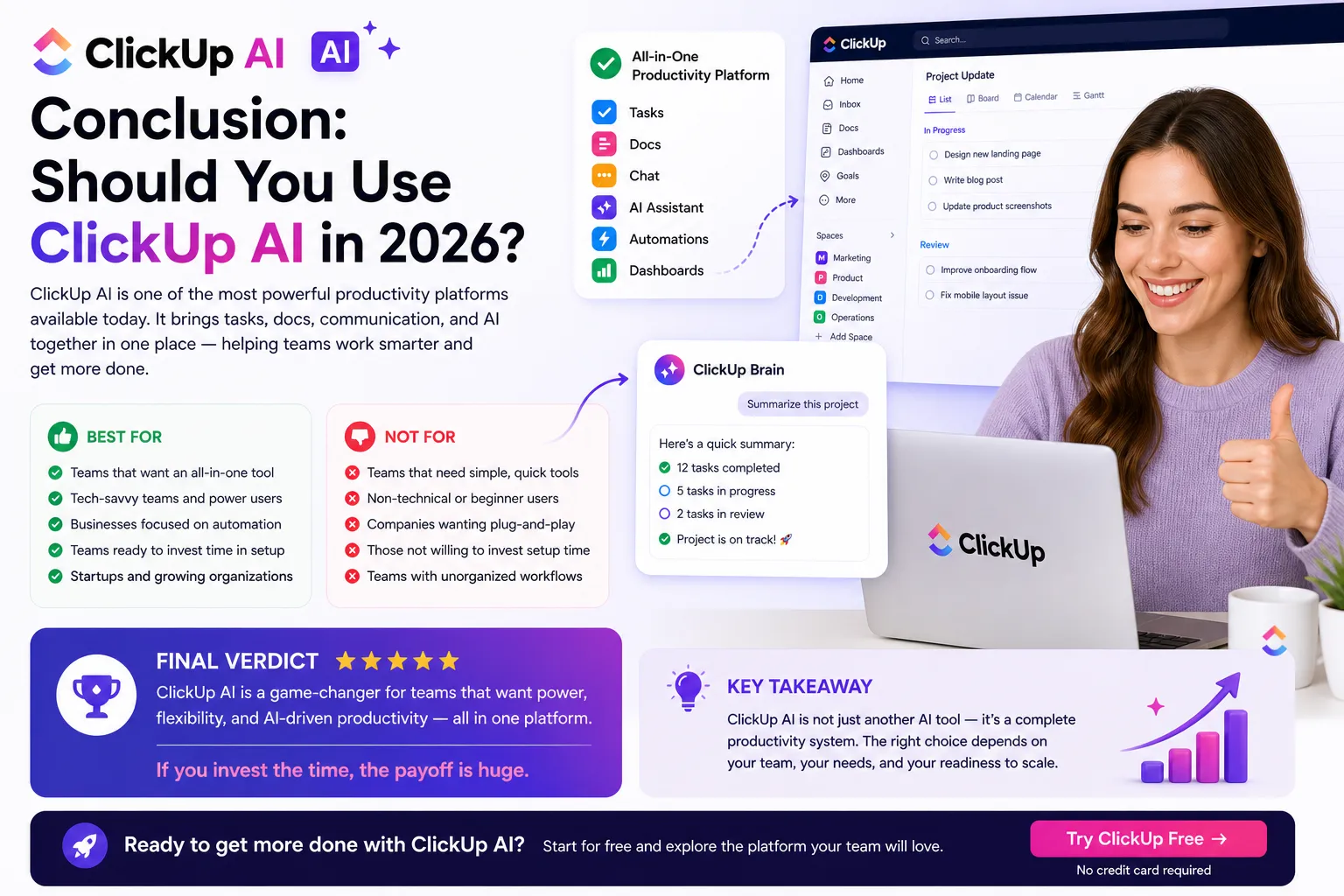
Here is the honest bottom line of this ClickUp AI review: ClickUp Brain is the most deeply integrated AI layer in any project management tool available in 2026. The standup automation, workspace Q&A, Super Agents, and MCP integration go further than what any competitor currently offers. For project managers, ops teams, and marketing teams producing work inside ClickUp daily, Brain delivers real ROI.
The caveat is pricing. The add-on model means Brain costs extra on top of an already paid base plan. For teams of 10 or more, this adds up to a meaningful monthly expense that competitors bundle into their plans. If cost per seat is a primary concern, Notion AI or Asana AI offer competitive AI capabilities without the add-on fee.
Our ClickUp AI review recommendation: if your team is already using ClickUp and you have project managers spending time on manual status reports, standup prep, and task admin — enable Brain immediately. The $5/user/month annual add-on will pay for itself within the first week. If you are not yet a ClickUp user, evaluate the base platform first before factoring in Brain.
If you are specifically looking for AI help with marketing content and branded writing rather than project management — check out our Jasper AI review instead. Brain and Jasper solve different problems and the best teams often use both.
| ✅ Get ClickUp AI If You…Already use ClickUp as your main PM toolSpend time on manual standup reportsRun multiple projects simultaneouslyHave a distributed or remote teamWant AI that knows your actual workNeed meeting transcription and task creation | ⚠️ Skip ClickUp AI If You…Just need simple task trackingAre a solo user or very small teamPrimary need is marketing content AIAre not yet using ClickUpWant AI bundled into the base priceFind ClickUp’s interface overwhelming |
Want The Time Savings Without Doing It Yourself?
These tools save you hours on your own tasks — but marketing is one job most people would rather hand off entirely. Tasknestly runs it for you, end to end.
Get a Free Marketing Quote →11. ClickUp AI Review: Frequently Asked Questions
Is ClickUp AI worth it in 2026?
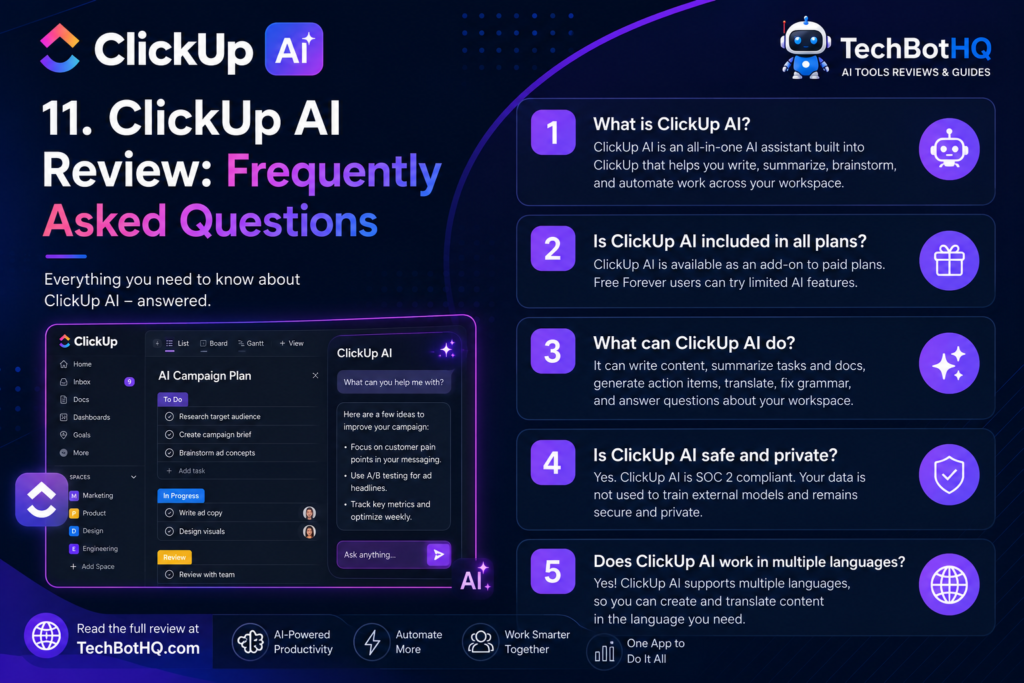
For teams already using ClickUp who spend time on manual project updates and standup reports, yes — our ClickUp AI review rates Brain 4.5/5 and considers it the most capable AI project management tool available. For solo users or simple task tracking needs, the add-on cost is hard to justify.
What is the difference between ClickUp Brain and Everything AI?
Brain ($5-7/user/month) covers summarization, Q&A, writing assistance, Super Agents, AI Fields, and meeting transcription. Everything AI ($28/user/month) adds higher AI credit limits, advanced image generation, and additional premium features. Most teams will find Brain more than sufficient.
Does ClickUp AI work with ChatGPT or Claude?
Yes — through ClickUp’s MCP integration, external AI tools including Claude and ChatGPT can connect directly to your ClickUp workspace. This is one of the most impressive features highlighted in this ClickUp AI review and a significant advantage over competitors.
How does ClickUp AI compare to Notion AI?
ClickUp Brain has deeper project management AI — Super Agents, automated standups, AI Fields, and MCP integration go further than Notion AI. Notion AI is bundled into the plan at no extra cost and excels at knowledge management and writing. The better choice depends on whether your team is more project-management-heavy or documentation-heavy.
Is ClickUp AI included in the free plan?
Limited AI access is available on the free plan, but the full ClickUp Brain feature set — including Super Agents, AI Notetaker, and workspace Q&A — requires a paid base plan plus the Brain add-on.
What are the best use cases for ClickUp AI?
Based on our ClickUp AI review testing, the strongest use cases are: automated standup and status reports, workspace Q&A for project managers, meeting transcription and task creation, subtask generation from high-level goals, and Super Agents for repeatable content or workflow tasks.
Can ClickUp AI replace a dedicated AI writing tool?
No — and it is not designed to. Brain’s writing assistant is built for internal documents, briefs, and project communication. For brand-consistent marketing content at scale, a dedicated AI writing tool is still necessary. The two tools are complementary, not competitive.
Want The Time Savings Without Doing It Yourself?
These tools save you hours on your own tasks — but marketing is one job most people would rather hand off entirely. Tasknestly runs it for you, end to end.
Get a Free Marketing Quote →