AdCreative AI Review 2026: Is It Worth It for Ad Creatives?

| ⚡ TechBotHQ Verdict This AdCreative AI review gives the platform a solid 4.3 out of 5 for what it is built to do. If you run paid ads on Facebook, Google, or Instagram and you need high-converting ad creatives at speed — without a designer on your team — AdCreative AI is one of the most capable tools available in 2026. The credit-based pricing takes some getting used to, and the billing practices have drawn legitimate complaints, but the core product delivers. Rating: 4.3/5 | Best For: E-commerce brands, performance marketers, and agencies running paid ad campaigns at scale |
Table of Contents
AdCreative AI Review 2026: What You Need to Know First
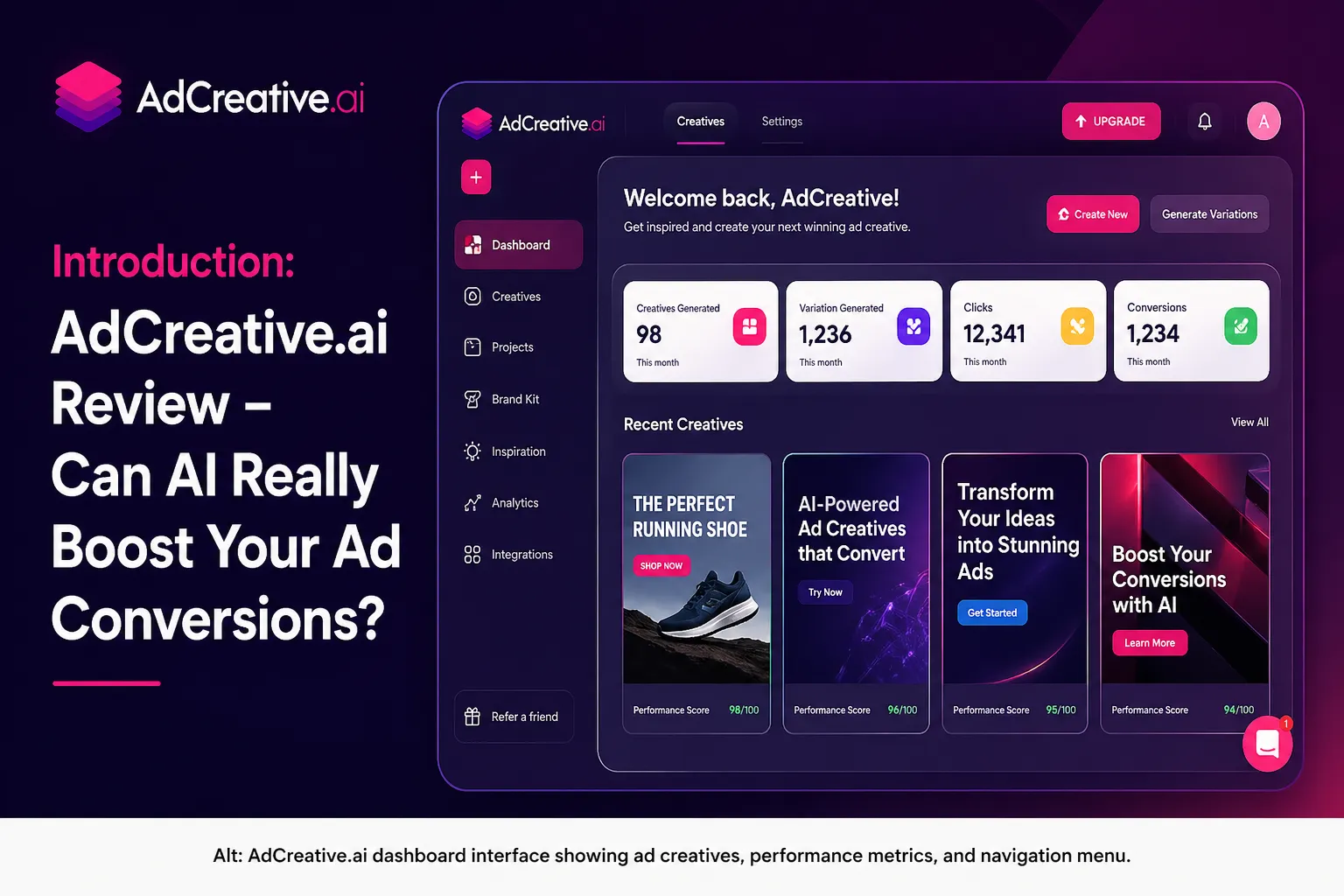
This AdCreative AI review is going to be straight with you — including the parts the platform would rather you not know. AdCreative AI has built a genuinely useful product for performance marketers. It has also attracted a consistent stream of complaints about billing transparency. Both things are true, and both matter when you are deciding whether to hand over your credit card.
The core promise of AdCreative AI is compelling: feed it your brand assets and it generates ready-to-run ad creatives — banners, social ads, product visuals — optimized for conversion based on millions of data points from real campaigns. For marketers who have been burning hours in Canva or waiting on designers for every creative variation, that promise is genuinely attractive.
Our AdCreative AI review tested the platform across Facebook ad campaigns, Google Display ads, and e-commerce product creatives. We looked at output quality, conversion score accuracy, ease of use, and whether the pricing model delivers real value. Here is the full picture.
Whether you are a solo performance marketer, an e-commerce brand owner, or an agency producing ad creatives for multiple clients — this AdCreative AI review is written for you. By the end, you will know exactly whether AdCreative AI belongs in your paid advertising stack.
Skip The Learning Curve — Let Us Run It For You
These AI marketing tools are powerful, but strategy still takes time to master. Tasknestly runs done-for-you digital marketing campaigns using the same category of tools, professionally managed.
Get a Free Marketing Quote →1. What Is AdCreative AI? A Plain-English Overview
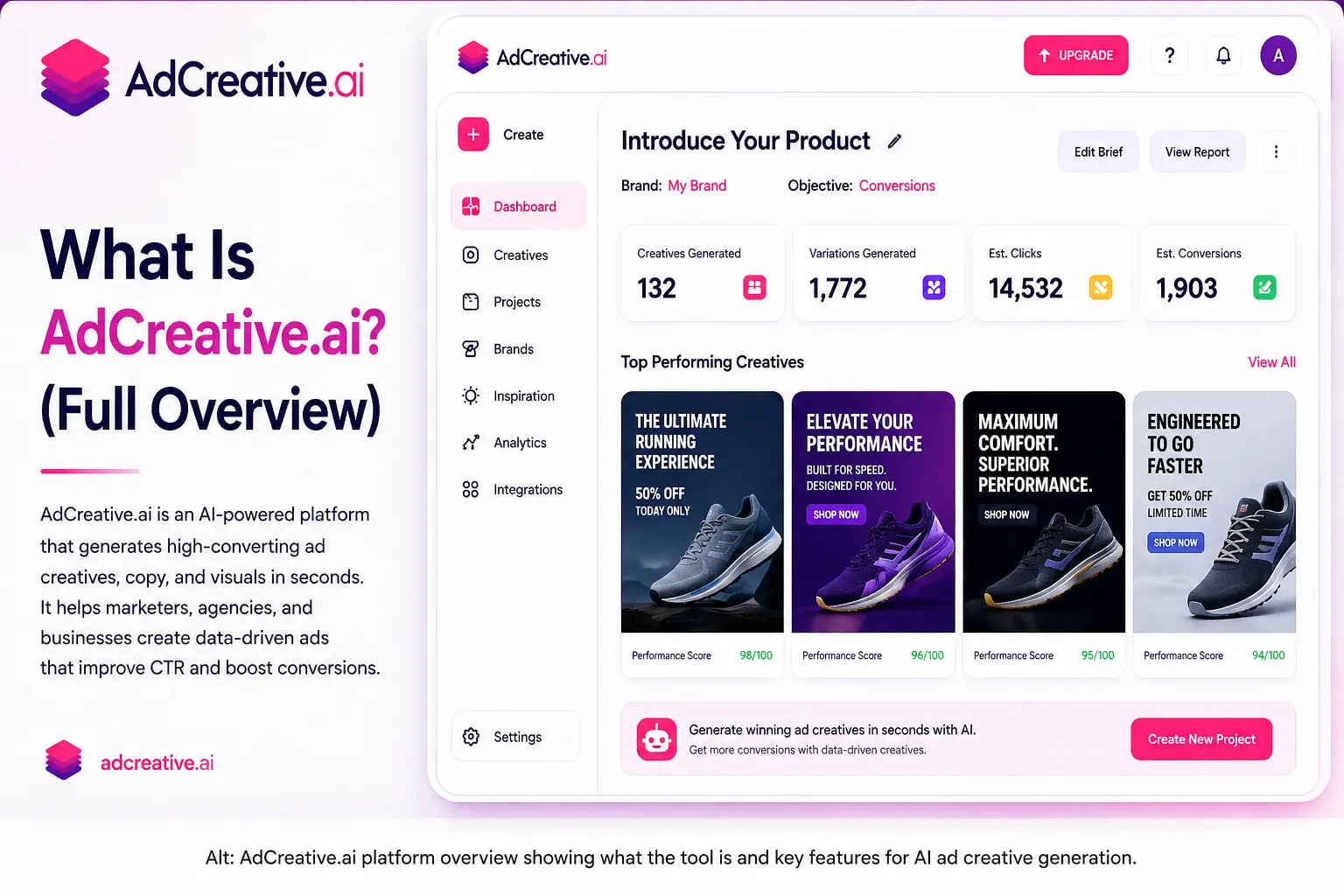
AdCreative AI (adcreative.ai) is a SaaS platform that uses generative AI to produce ready-to-use advertising creatives. You upload your brand assets — logo, colors, product images — and the platform generates ad banners, social media creatives, and product visuals across multiple formats and sizes automatically.
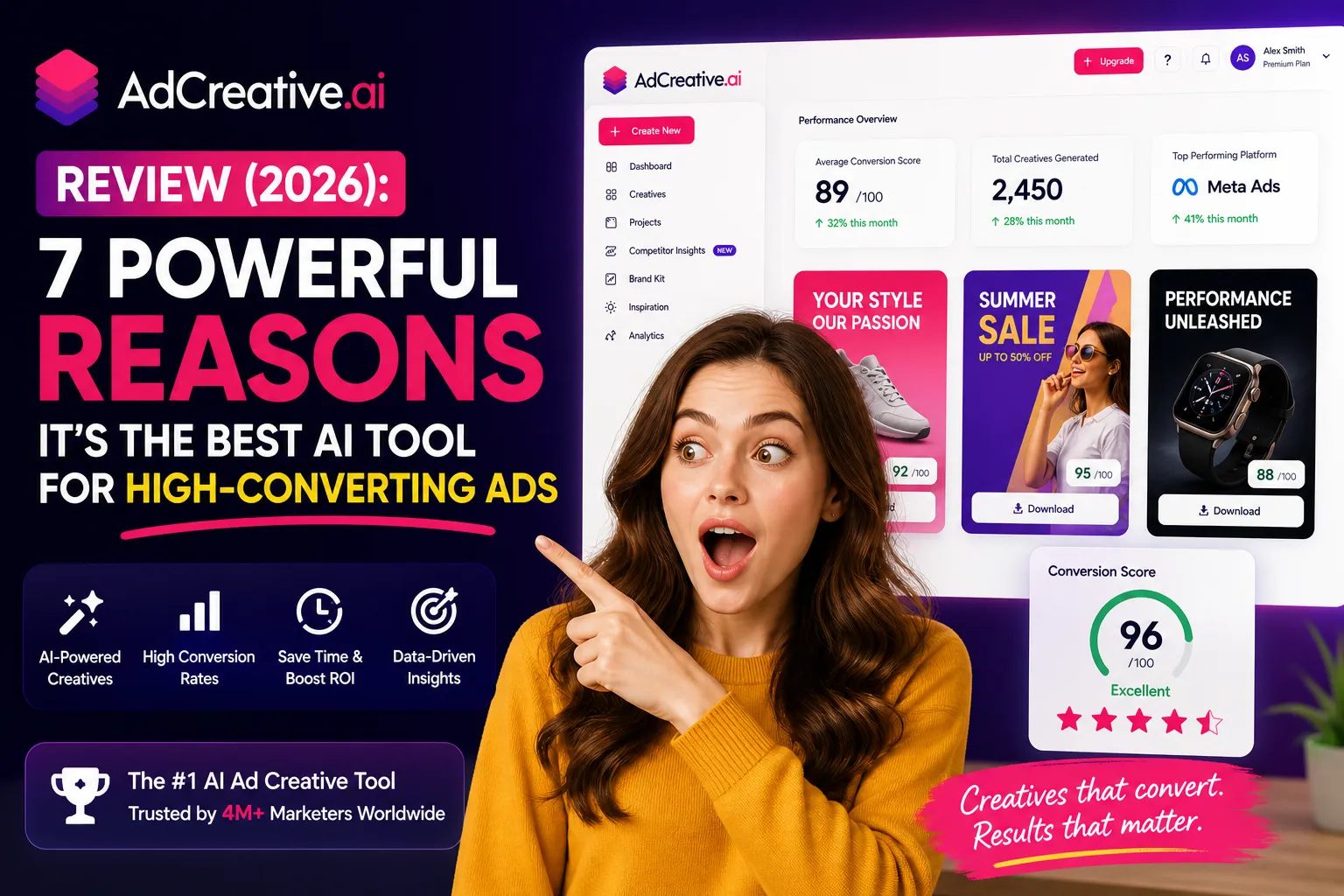
What sets AdCreative AI apart from generic design tools like Canva is its focus on conversion performance. The platform is trained on data from millions of real ad campaigns and assigns each generated creative a conversion score — a prediction of how likely that ad design is to convert based on historical performance patterns. You are not just generating pretty images; you are generating creatives ranked by their expected effectiveness.
In this AdCreative AI review, we found that the platform primarily serves three groups: e-commerce businesses running product ads, performance marketing teams that need rapid creative variation for A/B testing, and agencies managing ad creative production for multiple clients. If you fall into any of these categories, AdCreative AI was essentially built for you.
Founded and based in France with GDPR-compliant data processing, AdCreative AI has grown rapidly — winning the 3rd fastest-growing product award on G2 in both 2023 and 2024 out of more than 100,000 software products. In 2026, the platform serves businesses across e-commerce, SaaS, and agency markets worldwide.
Skip The Learning Curve — Let Us Run It For You
These AI marketing tools are powerful, but strategy still takes time to master. Tasknestly runs done-for-you digital marketing campaigns using the same category of tools, professionally managed.
Get a Free Marketing Quote →2. How AdCreative AI Works
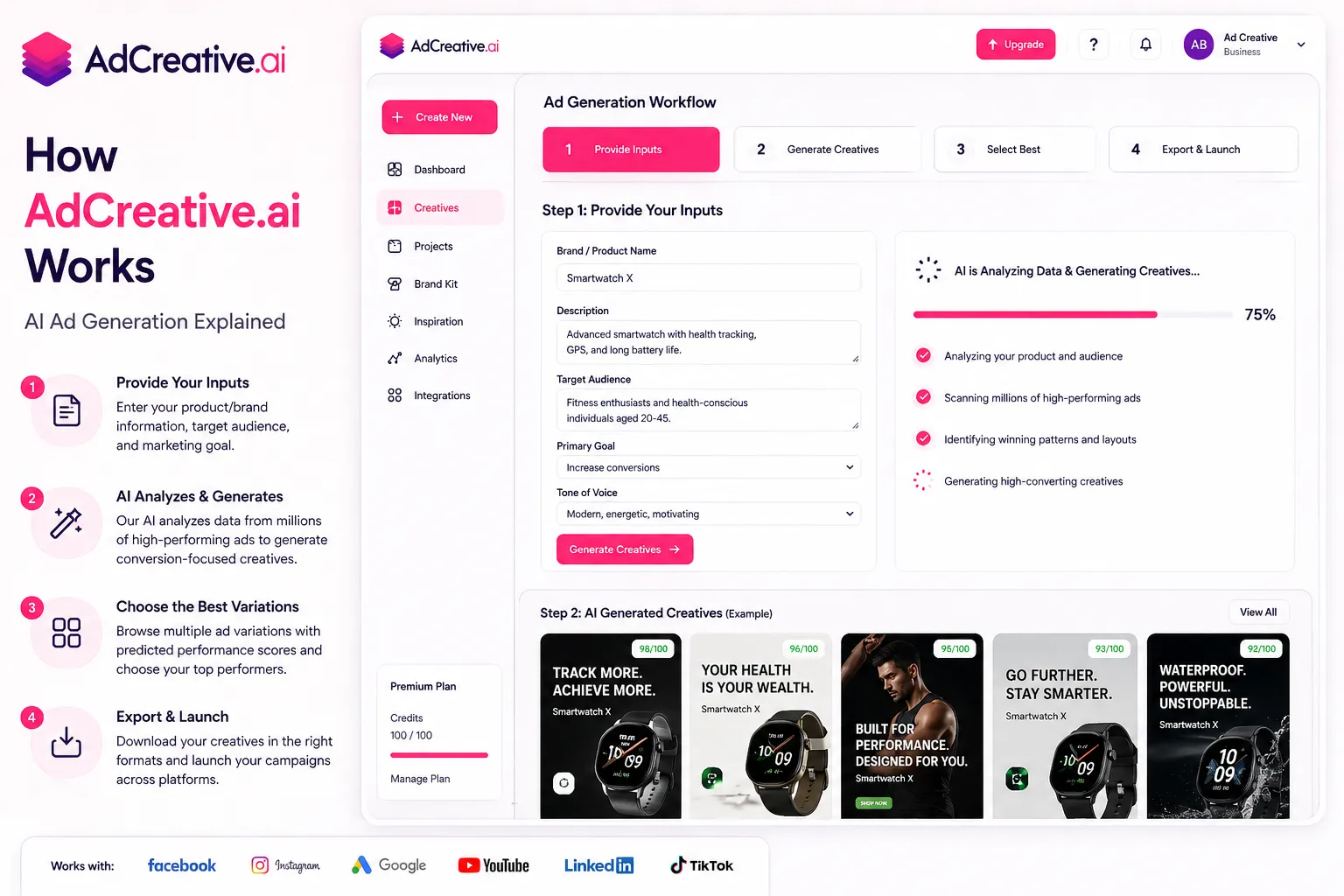
Before diving into features, it helps to understand the basic workflow. AdCreative AI operates on a straightforward process that most users can master within a single session.
Step 1: Set Up Your Brand
You upload your logo, set your brand colors, and input your brand name. AdCreative AI uses these assets to ensure every creative it generates is on-brand automatically. Multiple brand profiles can be stored, which is essential for agencies managing several clients.
Step 2: Choose Your Creative Format
AdCreative AI supports a wide range of formats: Facebook and Instagram feed ads, Stories, Google Display banners in all standard IAB sizes, LinkedIn ads, and more. You select your target platform and the tool generates creatives sized appropriately for each placement. This is one of the genuine time savers highlighted throughout our AdCreative AI review — you stop manually resizing the same creative for every placement.
Step 3: Generate and Score
The AI generates multiple creative variations from your brand assets. Each variation receives a conversion score based on AdCreative AI’s proprietary performance prediction model. You can generate unlimited variations during a session — credits are only spent when you download or export a final creative.
Step 4: Connect Your Ad Accounts
AdCreative AI integrates directly with Meta Ads Manager and Google Ads. You can push creatives directly to your ad accounts without downloading and re-uploading files. This workflow integration is a significant time saver for teams running active campaigns across multiple platforms.
Skip The Learning Curve — Let Us Run It For You
These AI marketing tools are powerful, but strategy still takes time to master. Tasknestly runs done-for-you digital marketing campaigns using the same category of tools, professionally managed.
Get a Free Marketing Quote →3. Key Features of AdCreative AI in 2026
AI Ad Creative Generation
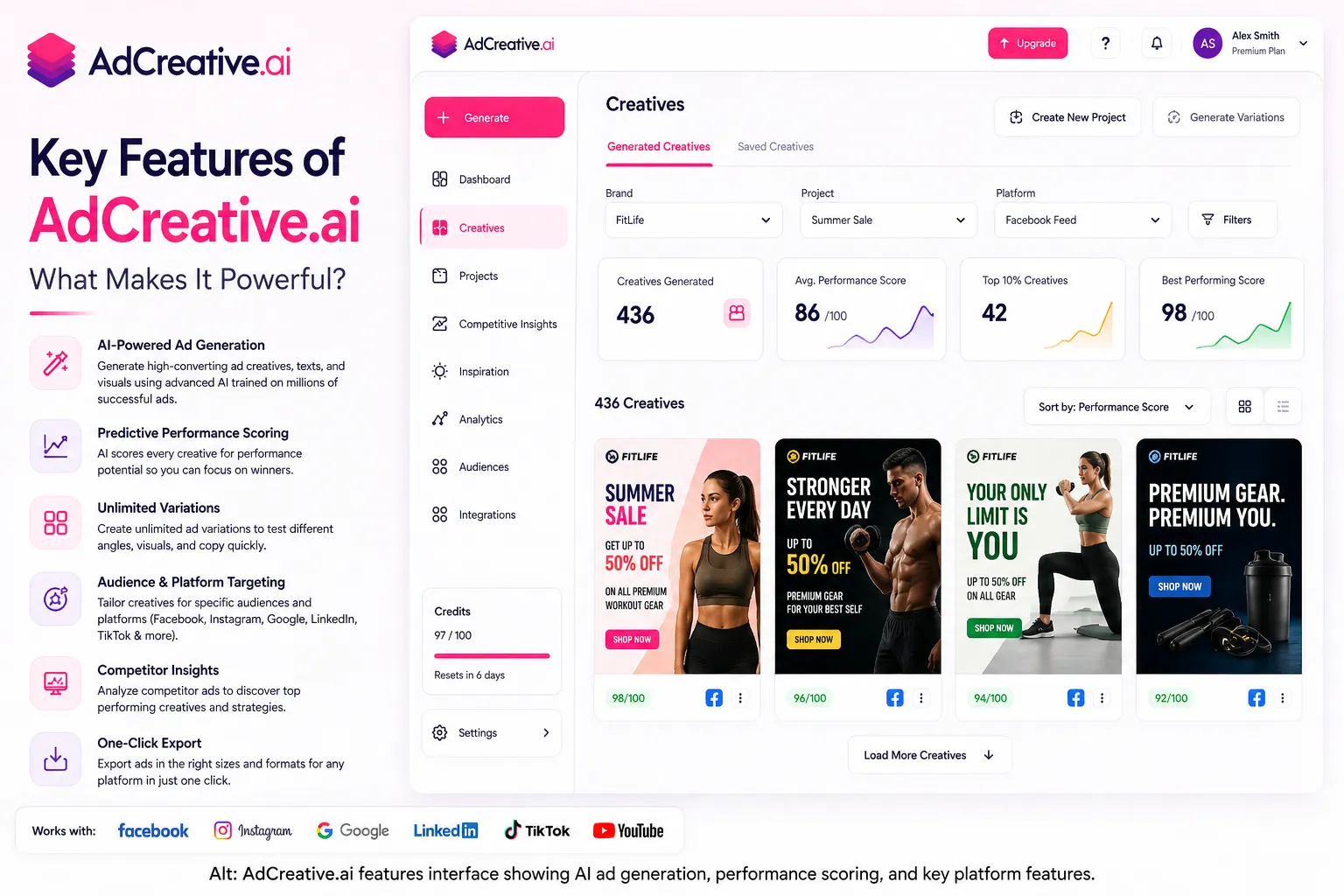
The core feature of AdCreative AI is exactly what it sounds like: AI-generated ad creatives that are ready to run. You provide your brand assets and the platform does the design work. The AdCreative AI review testing found that the speed of generation is genuinely impressive — what might take a designer 2-3 hours per variation, AdCreative AI produces in seconds across dozens of variations simultaneously.
Conversion Score Prediction
Every creative generated by AdCreative AI receives a conversion score — a proprietary metric that predicts performance based on millions of data points from real campaigns. This is the feature that most strongly differentiates AdCreative AI from a simple design tool. Instead of guessing which creative to test first, you have a data-driven ranking to guide your A/B testing decisions.
💡 How to use it: Sort your generated creatives by conversion score and launch your top 3-5 variations first. Let them run for 3-5 days, then cut underperformers and generate fresh variations based on what won. AdCreative AI’s scoring makes this testing loop significantly faster.
Product Photo AI
AdCreative AI includes an AI product photography feature that places your product images in professional-looking scenes without a photoshoot. Upload a product photo and the AI generates lifestyle and studio-style backgrounds. For e-commerce brands that cannot afford professional product photography for every SKU, this feature alone can justify the subscription.
AI Text Generator
Every AdCreative AI plan includes an AI text generator that writes headlines and ad copy using proven direct response frameworks. This is included even on the Starter plan and produces multiple copy variations for each creative. The quality is solid for short-form ad copy — not a replacement for a professional copywriter, but entirely functional for ad headlines and CTAs. Our AdCreative AI review found it particularly useful for generating multiple headline variations to test alongside creative variations.
Competitor Insights
AdCreative AI includes a competitor analysis feature that lets you see what ad creatives your competitors are running. You can use this to identify trends in your market, spot creative formats that seem to be working for similar brands, and find gaps your own creative strategy can exploit.
Creative Insights AI
Once you connect your ad accounts, AdCreative AI analyzes your actual campaign performance and surfaces insights about which creative elements are driving results. This feedback loop between performance data and creative generation is one of the platform’s more sophisticated features in 2026.
iStock Integration
All AdCreative AI plans include access to a library of royalty-free stock images from iStock — valued at approximately $900 per year. This gives you a large pool of visual assets to work with even if you do not have your own brand photography, and removes a common bottleneck in the creative production process.
Multi-Brand Management
Higher-tier plans support multiple brand profiles simultaneously. For agencies managing creative production across several clients, this is essential. The Professional and above plans allow you to switch between client brands instantly and keep all creative assets organized separately.
Skip The Learning Curve — Let Us Run It For You
These AI marketing tools are powerful, but strategy still takes time to master. Tasknestly runs done-for-you digital marketing campaigns using the same category of tools, professionally managed.
Get a Free Marketing Quote →4. AdCreative AI Pricing: What Does It Actually Cost?
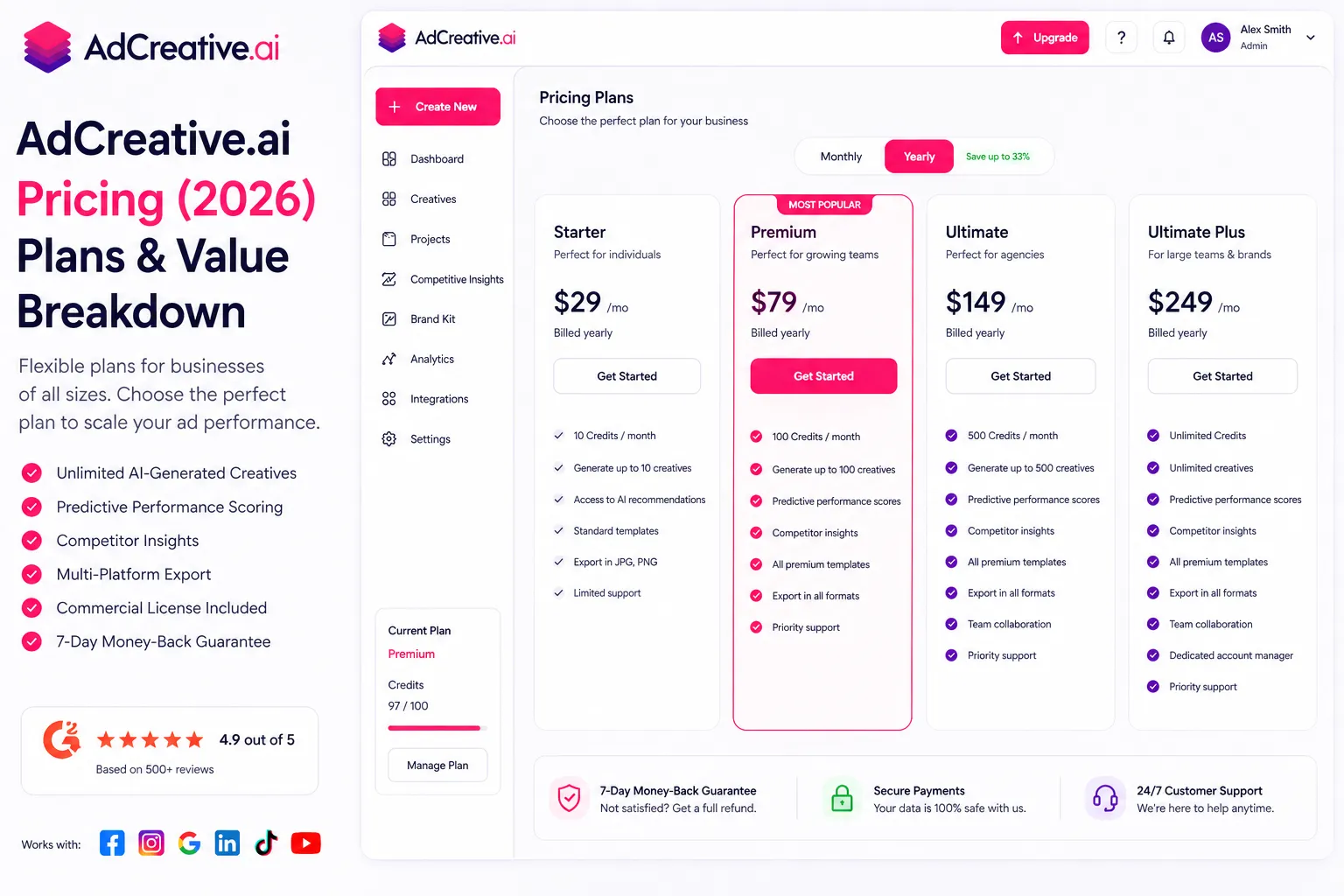
AdCreative AI pricing is credit-based, which is different from most SaaS tools and worth understanding carefully before you sign up. You pay a monthly fee that gives you a set number of download credits. Generating creatives is free and unlimited — you only spend a credit when you download or export a final version.
| Plan | Monthly Price | Credits/Month | Key Features |
|---|---|---|---|
| Starter | $39/month | 10 credits | 1 brand, 1 user, all AI tools, iStock library, text generator, ad platform integrations |
| Professional | $249/month | 100 credits | 3-10 users, 3-10 brands, advanced AI, batch generation, pro templates, collaboration |
| Ultimate | $599/month | 500 credits | 10+ users, 25 brands, video ads, white-label, API access, priority queue |
| Scale-Up | $149-374/month* | 100+ credits | Dedicated support, unlimited teams, custom AI options, API access |
*Annual billing reduces costs by approximately 40% across all plans.
Key things to understand about AdCreative AI pricing before you commit:
- Credits are for downloads only: You can generate unlimited creative variations and browse them all for free. You only spend a credit when you download a final version. This means you can test extensively before committing any credits.
- Starter plan is genuinely limited: 10 credits per month is enough for light testing but constraining for active campaigns. Most serious advertisers find themselves needing at least the Professional plan within their first month.
- Annual billing saves significantly: The monthly rates above drop by roughly 40% on annual billing. The Starter plan drops to around $21/month annually — genuinely cheap for what it offers at that volume.
- Credits do not roll over: Unused credits expire at the end of each billing cycle. Plan your downloads accordingly and do not let credits go to waste.
- 7-day free trial with 10 credits: A free trial is available with full feature access and 10 credits to test the platform. A credit card is required to activate it.
⚠️ Important warning: Multiple verified user reviews report billing issues with AdCreative AI — charges appearing before the trial ends, difficulty cancelling, and refund denials. Read the terms carefully before entering your card details, set a calendar reminder to cancel before the trial ends if you are unsure, and cancel in the account settings rather than just stopping use. This is a legitimate concern and worth knowing before you sign up.
Skip The Learning Curve — Let Us Run It For You
These AI marketing tools are powerful, but strategy still takes time to master. Tasknestly runs done-for-you digital marketing campaigns using the same category of tools, professionally managed.
Get a Free Marketing Quote →5. AdCreative AI Review: Honest Pros and Cons
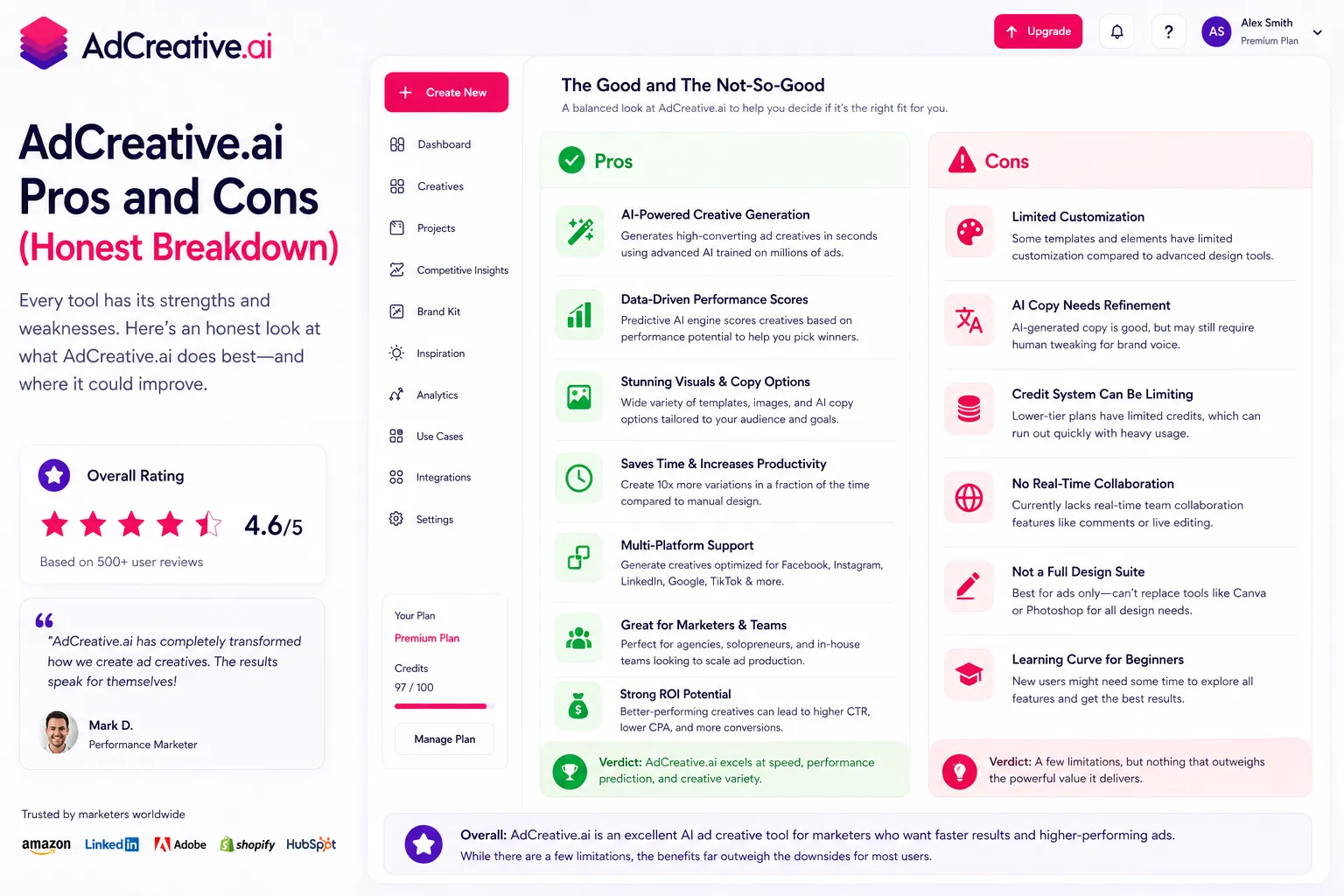
Every honest AdCreative AI review needs to cover both what works and what does not. Here is the full picture from our testing.
What AdCreative AI Gets Right
- Speed of creative production is genuinely transformative: Generating dozens of ad creative variations in seconds is not an exaggeration. For teams that have been bottlenecked by design resources, AdCreative AI removes that constraint almost entirely.
- Conversion score prediction is useful: The performance prediction model gives you a data-driven starting point for A/B testing decisions. It is not infallible, but it is significantly better than guessing which creative to test first.
- Product photo AI is a practical win for e-commerce: AI-generated product photography in professional scenes without a photoshoot is genuinely valuable for brands with large SKU catalogs or limited photography budgets.
- On-brand output from day one: Upload your logo and brand colors and every creative generated matches your brand automatically. Consistency across large volumes of creative production is a real advantage.
- Multi-platform sizing handled automatically: Generate creatives in all the right sizes for every ad platform simultaneously. No more manually resizing the same design for Stories vs Feed vs Display.
- iStock library inclusion is genuine value: Access to a royalty-free stock image library valued at $900/year is included even on the Starter plan. For teams without their own photography assets, this matters.
- Direct ad platform integration: Pushing creatives directly to Meta Ads Manager and Google Ads without downloading and re-uploading is a small but meaningful workflow improvement.
- Competitor insights add strategic value: Seeing what creatives competitors are running in your market is useful context that most design tools do not provide.
Where AdCreative AI Falls Short
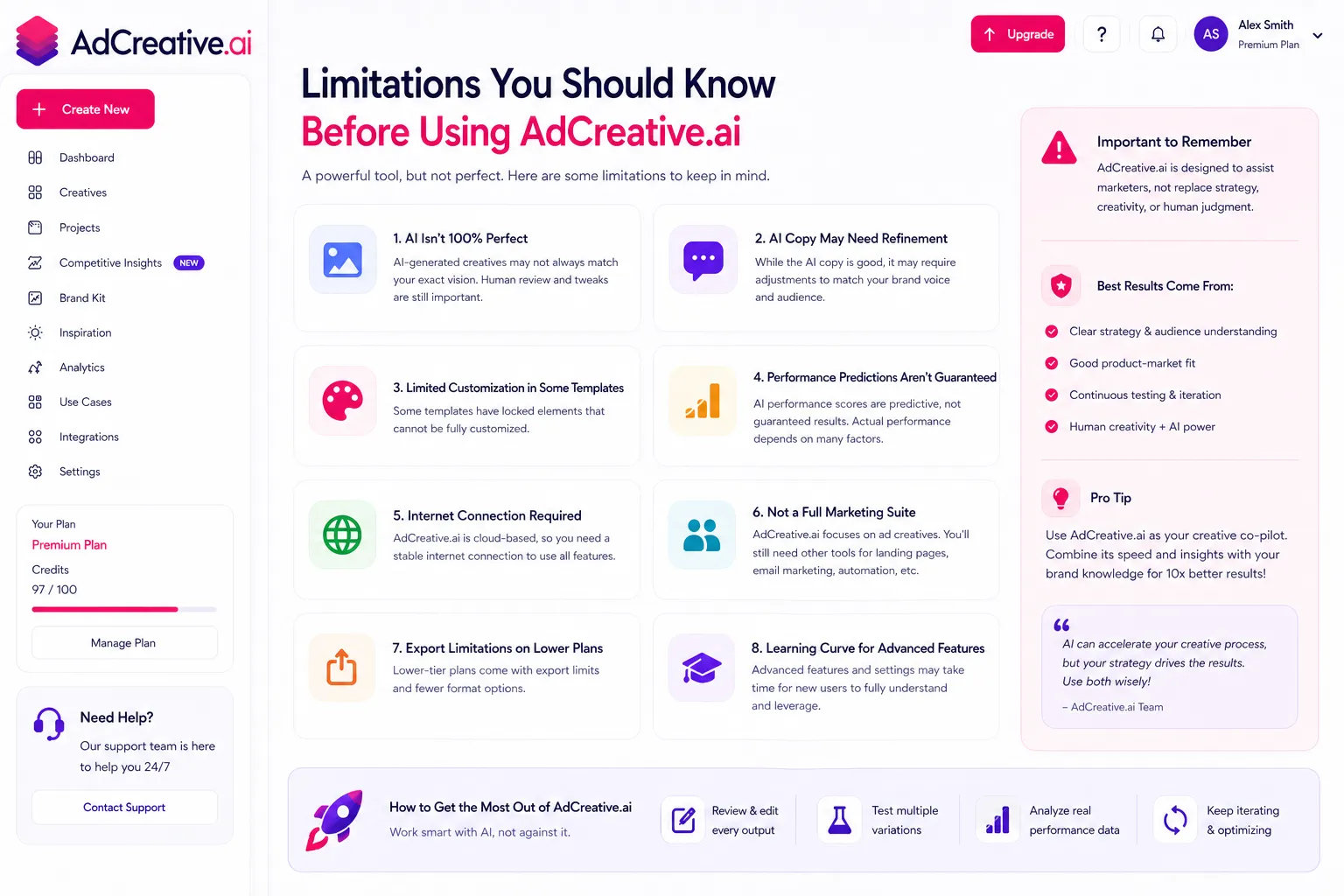
- Billing and cancellation complaints are serious: This is the most consistent criticism across every AdCreative AI review platform — G2, Capterra, Trustpilot. Reported issues include charges before the trial ends, hidden cancellation processes, and denied refunds. The product is good but the billing practices have damaged trust significantly.
- Starter plan credit limit is constraining: 10 downloads per month is not enough for any serious advertising operation. Most active advertisers will need the Professional plan, which at $249/month is a significant price jump from Starter.
- Video ad capabilities are limited on lower plans: Video ads are only available on the Ultimate plan at $599/month. If video is your primary creative format, AdCreative AI is not the right tool at most price points.
- Output quality needs human review: The AI-generated creatives are a strong starting point but rarely ready to run without any adjustment. Expect to spend time selecting, tweaking, and refining before launch.
- Less effective for niche or complex products: AdCreative AI works best with visually straightforward products and standard ad formats. Highly niche industries, complex B2B products, or unusual creative formats often produce weaker results.
- Text generator is functional but not exceptional: The AI copy generation produces solid ad headlines and CTAs but does not produce the nuanced, brand-specific copy that a dedicated AI writing tool would. Use it as a starting point, not a final output.
Skip The Learning Curve — Let Us Run It For You
These AI marketing tools are powerful, but strategy still takes time to master. Tasknestly runs done-for-you digital marketing campaigns using the same category of tools, professionally managed.
Get a Free Marketing Quote →6. Who Should Use AdCreative AI?
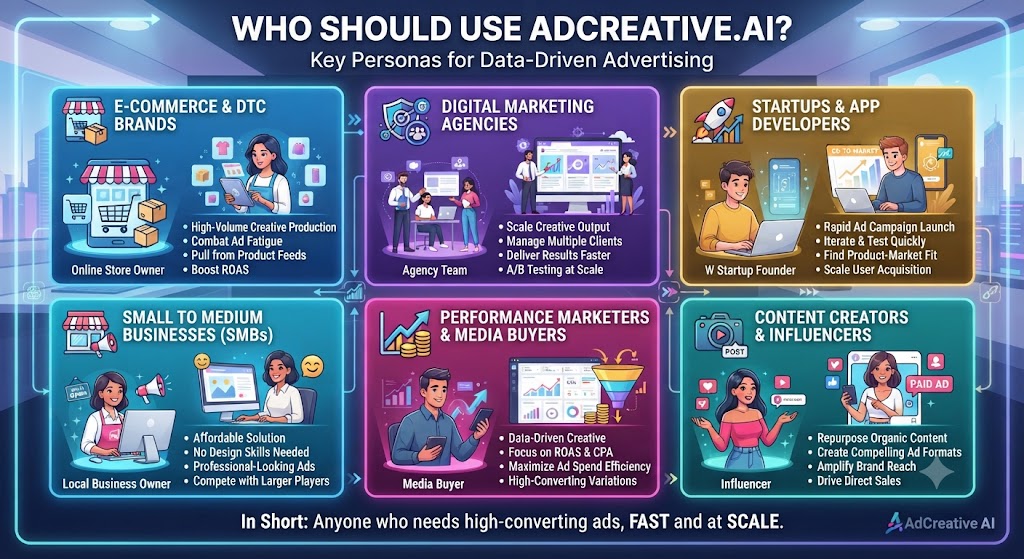
Our AdCreative AI review found clear patterns in who benefits most from the platform and who is better served by alternatives.
AdCreative AI Is a Great Fit If You Are:
- An e-commerce brand running product ads on Facebook and Google — this is AdCreative AI’s strongest use case and the audience it was built for. Fast creative generation, product photo AI, and conversion scoring all serve this workflow directly.
- A performance marketer who tests multiple creative variations — the ability to generate dozens of variations quickly and rank them by conversion score is purpose-built for systematic A/B testing workflows.
- An agency producing ad creatives for multiple clients — multi-brand management, batch generation, and direct ad platform integration make AdCreative AI practical for agencies at scale.
- A small business or startup without a design team — AdCreative AI removes the design bottleneck for teams that cannot afford or justify hiring a full-time designer for ad creative production.
- A marketer spending $5,000+ per month on paid ads — at significant ad spend levels, improving creative performance by even a few percentage points delivers meaningful ROI that justifies the subscription cost.
AdCreative AI Is Probably Not Right If You Are:
- A brand that needs highly custom or artistic creative work — AdCreative AI produces polished but template-based outputs. Distinctive brand aesthetics and highly custom creative concepts require a human designer.
- Primarily running video ad campaigns — video capabilities are locked behind the $599/month Ultimate plan. At lower price points, AdCreative AI is essentially an image ad tool.
- A B2B marketer with complex product messaging — the platform excels at visual product ads. Abstract B2B concepts and complex value propositions are harder to communicate effectively through AI-generated visual templates.
- Someone on a very tight budget — the Starter plan at $39/month is affordable, but 10 credits per month limits its usefulness for active advertisers. Meaningful use of the platform typically requires at least the Professional plan.
- Looking for a long-term free option — there is no permanent free plan. Test thoroughly during the trial period before committing.
Skip The Learning Curve — Let Us Run It For You
These AI marketing tools are powerful, but strategy still takes time to master. Tasknestly runs done-for-you digital marketing campaigns using the same category of tools, professionally managed.
Get a Free Marketing Quote →7. AdCreative AI Review: How It Compares to Competitors
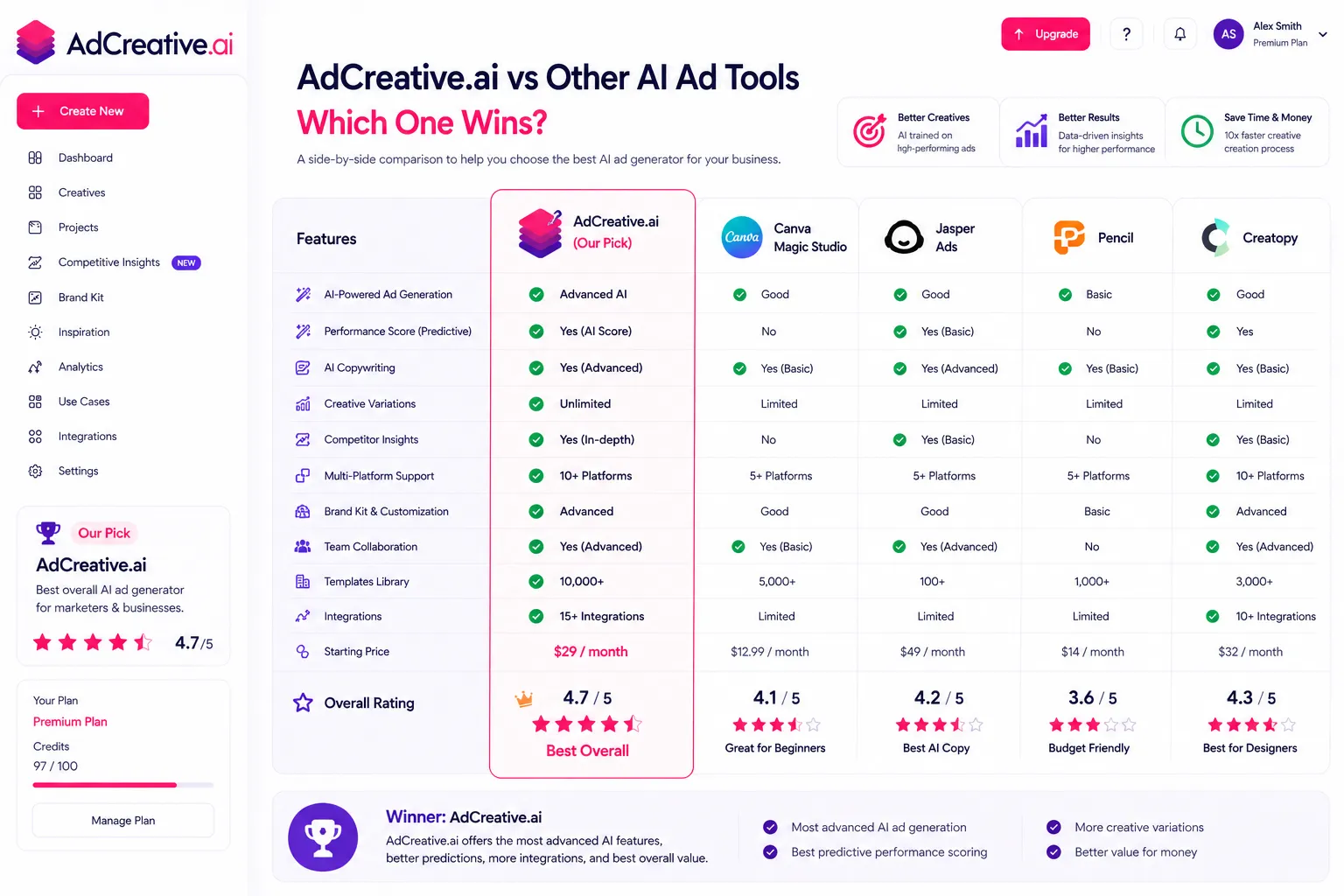
The AdCreative AI review comparison that comes up most frequently is AdCreative AI vs Canva, vs Jasper AI, and vs other dedicated ad creative tools. Here is the honest breakdown.
| Tool | Starting Price | Best Feature | Best For |
|---|---|---|---|
| AdCreative AI | $39/month | Conversion scoring, product photo AI | E-commerce, performance marketers |
| Canva Pro | $15/month | Design flexibility, ease of use | General graphic design, social content |
| Jasper AI | $49/month | Brand voice, long-form copy, SEO content | Content marketing, blog writing |
| Pencil | $59/month | Video ad generation, performance prediction | Video-first advertisers |
| Predis.ai | $29/month | Social media content, affordable entry | Social media marketers, creators |
The clearest distinction worth making in any AdCreative AI review is between AdCreative AI and Canva. Canva is a design tool — flexible, beginner-friendly, and excellent for creating visually appealing content. AdCreative AI is a performance tool — it generates creatives specifically optimized for paid ad conversion based on real campaign data. They solve different problems.
Similarly, Jasper AI focuses on written content and brand voice for content marketing — it does not generate visual ad assets at all. If you need both AI ad creative generation and AI writing for content marketing, the two tools are complementary rather than competitive.
Skip The Learning Curve — Let Us Run It For You
These AI marketing tools are powerful, but strategy still takes time to master. Tasknestly runs done-for-you digital marketing campaigns using the same category of tools, professionally managed.
Get a Free Marketing Quote →8. What Real Users Say About AdCreative AI
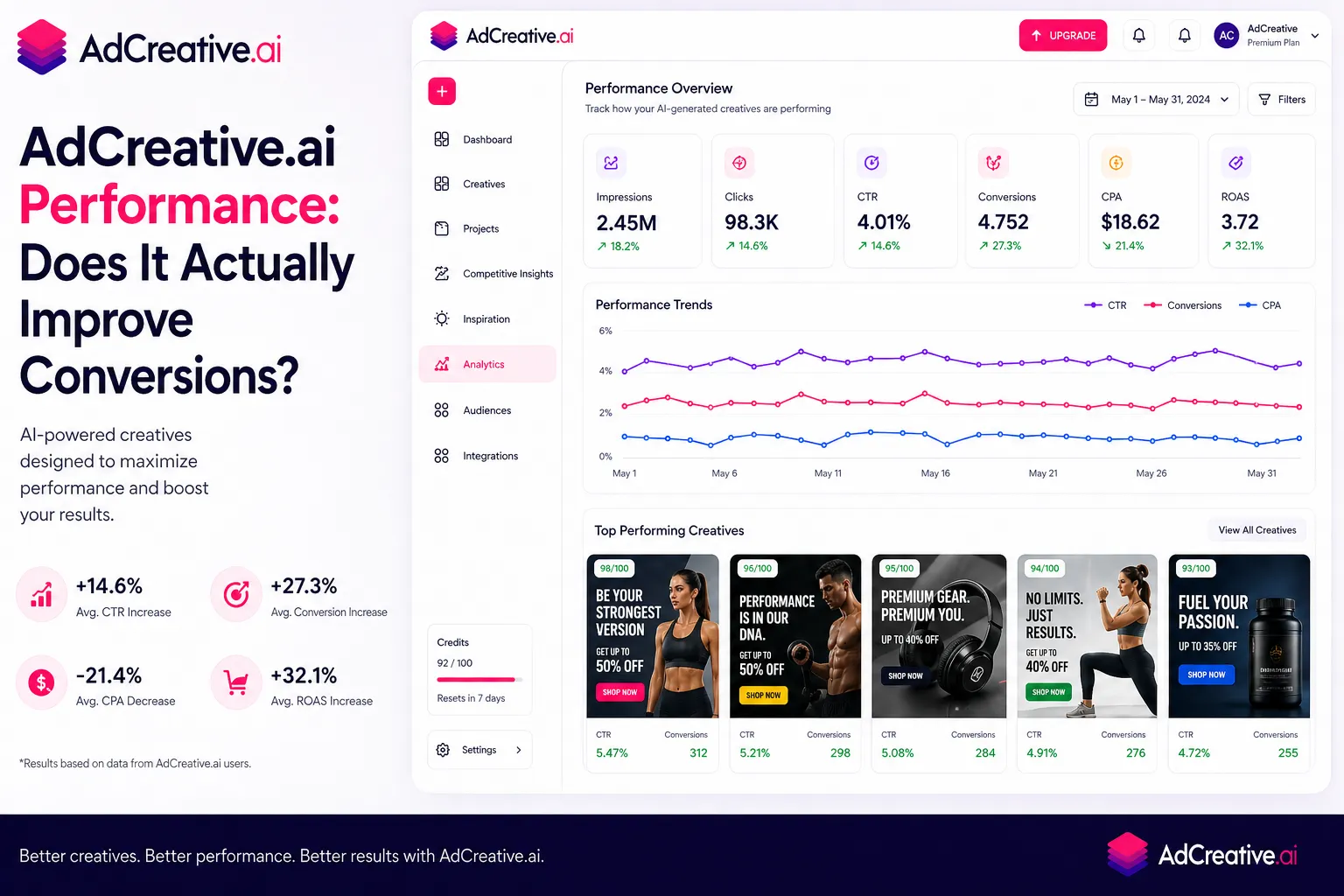
We looked at verified reviews across G2, Capterra, and Trustpilot to understand what users actually experience. The picture is more mixed than the platform’s marketing suggests, and it is important to represent that honestly.
What Users Love
The speed of creative production is the most consistently praised feature in user AdCreative AI reviews. Marketers who previously spent hours in design tools or waiting for designers say AdCreative AI cuts their creative production time by 80-90% for standard ad formats. For teams running aggressive A/B testing programs, this speed is the primary reason they stay subscribed.
The conversion score feature also generates strong positive feedback. Users report that sorting by conversion score and launching the top-ranked creatives produces measurably better initial performance than random creative selection. Multiple reviewers note that the scores do not always predict the winner perfectly, but they provide a useful starting filter that saves testing budget.
Agency users consistently highlight multi-brand management as a key reason they chose AdCreative AI. The ability to maintain separate brand kits for each client and generate on-brand creatives at volume without manual resizing or reformatting saves significant time on client deliverables.
Where Users Get Frustrated
The billing and cancellation complaints are the most serious recurring issue in AdCreative AI reviews across every major platform. Users report being charged immediately despite a free trial promise, difficulty finding the cancellation option during onboarding, and refunds being denied even for same-day cancellation requests. These are not isolated complaints — they appear consistently across hundreds of reviews and represent a legitimate concern that anyone evaluating the platform should factor into their decision.
The credit limit on the Starter plan is the second most common frustration. Users who sign up at $39/month expecting to run meaningful ad campaigns find 10 credits per month insufficient within the first week. The jump to Professional at $249/month feels steep, and some users feel the Starter plan is essentially a paid trial rather than a genuine working tier.
Output quality variation is the third consistent theme. AdCreative AI works excellently for straightforward e-commerce product ads and standard social formats. For more complex products, unusual industries, or highly stylized creative briefs, users report the AI output being less relevant and requiring more manual intervention than expected. This AdCreative AI review found the same pattern in testing — the tool excels at its core use case and struggles outside of it.
Skip The Learning Curve — Let Us Run It For You
These AI marketing tools are powerful, but strategy still takes time to master. Tasknestly runs done-for-you digital marketing campaigns using the same category of tools, professionally managed.
Get a Free Marketing Quote →9. Our AdCreative AI Review Rating Breakdown
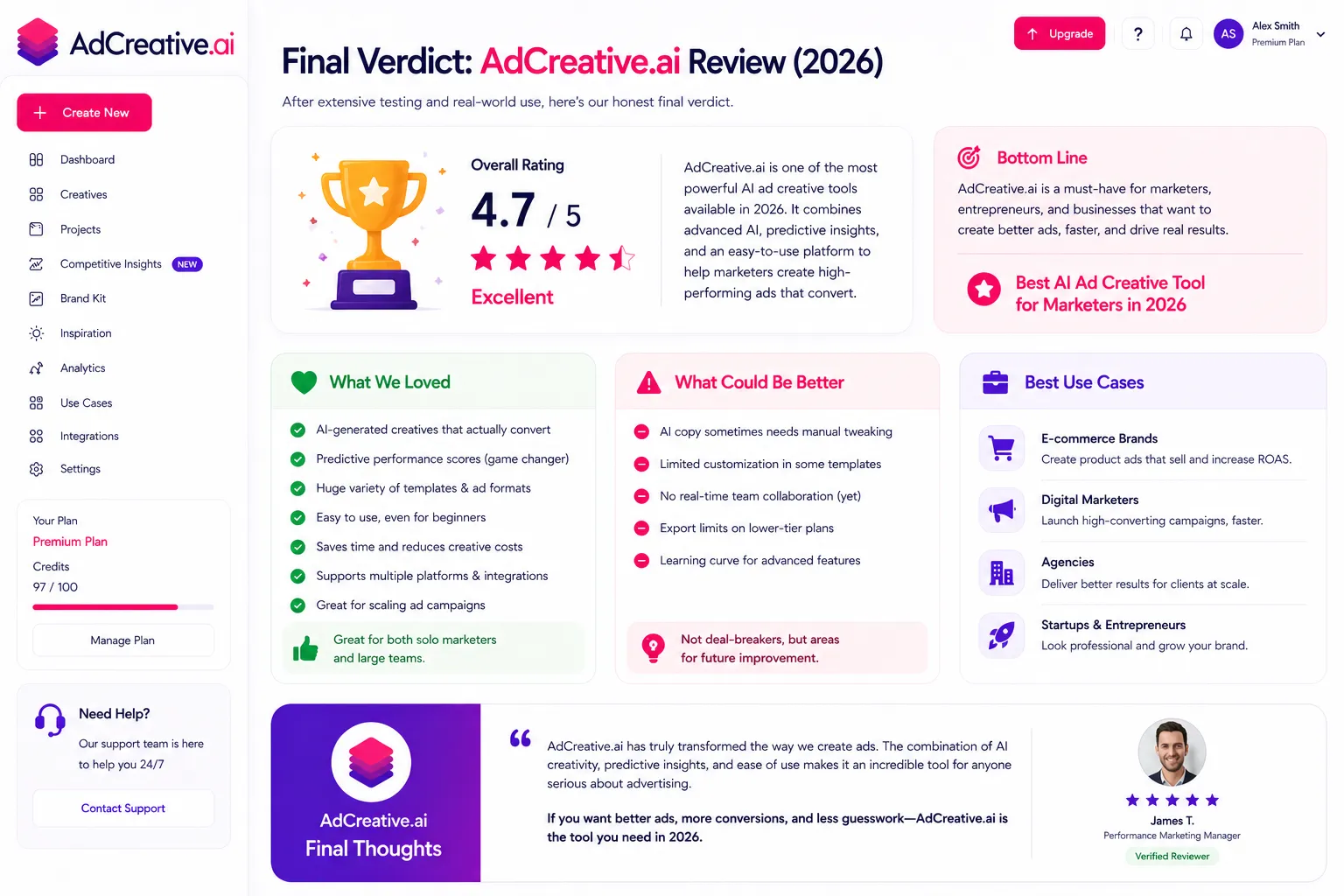
| Category | Score | Notes |
|---|---|---|
| Creative Generation Speed | 4.9 / 5 | Genuinely transformative — dozens of variations in seconds |
| Conversion Score Accuracy | 4.2 / 5 | Useful predictive tool; not infallible but consistently helpful |
| Output Quality | 4.1 / 5 | Strong for e-commerce and standard formats; weaker for niche briefs |
| Product Photo AI | 4.5 / 5 | Excellent value for brands without photography budgets |
| Pricing Value | 3.6 / 5 | Starter is limiting; Professional is expensive; credits model needs planning |
| Billing Transparency | 2.8 / 5 | Consistent complaints about trial charges and cancellation process |
| Platform Integrations | 4.3 / 5 | Direct Meta and Google Ads integration is a genuine time saver |
| Ease of Use | 4.4 / 5 | Intuitive interface; most users productive within first session |
| Overall | 4.3 / 5 | Strong platform with a billing trust problem — great product, proceed carefully |
Skip The Learning Curve — Let Us Run It For You
These AI marketing tools are powerful, but strategy still takes time to master. Tasknestly runs done-for-you digital marketing campaigns using the same category of tools, professionally managed.
Get a Free Marketing Quote →10. Final AdCreative AI Review Verdict: Is It Worth It in 2026?
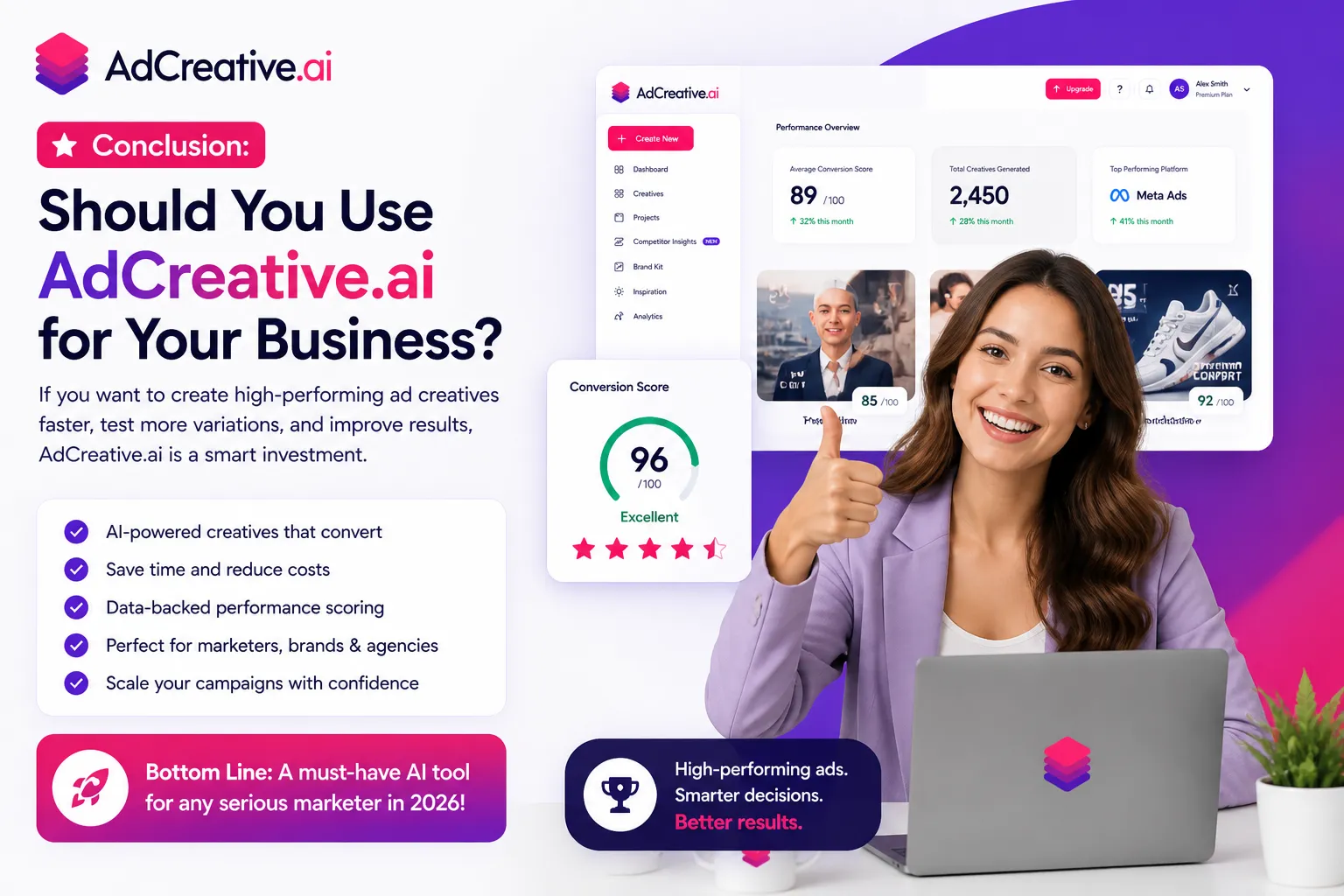
Here is the honest bottom line of this AdCreative AI review: AdCreative AI is a genuinely capable tool for performance marketers who need ad creatives at speed and scale. The conversion score prediction, product photo AI, multi-brand management, and direct ad platform integration combine into a workflow that can meaningfully reduce creative production time and improve testing velocity.
The platform’s biggest problem is not the product — it is the trust deficit created by billing complaints. If you go in with eyes open, use the trial carefully, cancel before it ends if you are not convinced, and know what plan you actually need before signing up, AdCreative AI can deliver real value. Go in blindly and you may end up disputing charges with a customer support team that reviewers describe as unresponsive.
Our AdCreative AI review recommendation: if you spend $5,000 or more per month on paid ads and you are currently producing creatives manually or waiting on a designer, AdCreative AI will pay for itself quickly. Start with the 7-day trial, test it with real campaign creative, and if the conversion scores translate to actual performance in your account — upgrade to Professional and commit annually for the best per-credit rate.
If you are primarily a content marketer rather than a paid ads specialist, AdCreative AI is not the right tool. For AI-powered content creation and brand-consistent writing, see our Jasper AI review instead — the two tools serve fundamentally different needs and the best marketing stacks often include both.
| ✅ Get AdCreative AI If You…Run e-commerce paid ad campaignsSpend $5,000+ per month on paid adsNeed creative variations at speed and scaleWant data-driven conversion score rankingManage ad creatives for multiple clientsNeed product photo AI without a photoshoot | ⚠️ Skip AdCreative AI If You…Primarily need video ad creativesHave a complex B2B product or serviceAre on a very tight marketing budgetNeed highly custom artistic creative workWant a no-risk free tier to start withAre uncomfortable with credit-based billing |
Skip The Learning Curve — Let Us Run It For You
These AI marketing tools are powerful, but strategy still takes time to master. Tasknestly runs done-for-you digital marketing campaigns using the same category of tools, professionally managed.
Get a Free Marketing Quote →11. AdCreative AI Review: Frequently Asked Questions
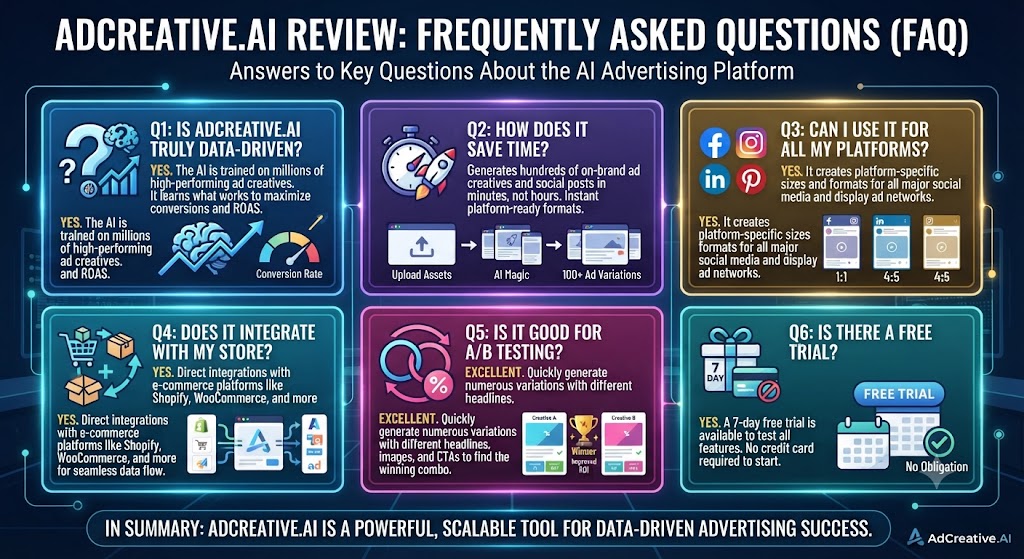
Is AdCreative AI worth it in 2026?
For e-commerce brands and performance marketers running active paid ad campaigns, yes — our AdCreative AI review rates it 4.3/5 for its core use case. The conversion scoring, speed of creative generation, and product photo AI deliver real value. The billing complaints are a legitimate concern, so proceed carefully with the trial.
How does AdCreative AI pricing work?
AdCreative AI pricing is credit-based. You pay a monthly fee for a set number of download credits — 10 on Starter, 100 on Professional, 500 on Ultimate. Generating and previewing creatives is unlimited and free; credits are only spent when you download or export a final creative. Annual billing reduces costs by approximately 40%.
Is the AdCreative AI free trial safe to use?
The 7-day free trial is available but requires a credit card. Multiple users in verified AdCreative AI review platforms report being charged before the trial ended or having difficulty cancelling. Set a calendar reminder before your trial ends, cancel explicitly in your account settings, and monitor your card statement. The trial itself gives you 10 credits and full feature access — enough to genuinely evaluate the platform.
What is the conversion score in AdCreative AI?
The conversion score is AdCreative AI’s proprietary performance prediction metric. It rates each generated creative based on patterns from millions of real ad campaign data points — predicting which design is most likely to convert. Our AdCreative AI review found it a useful starting filter for A/B testing decisions, though it is not a guarantee of performance in any specific account or industry.
Does AdCreative AI work for video ads?
Video ad creation is only available on the Ultimate plan at $599/month. On Starter and Professional plans, AdCreative AI is primarily an image ad creation tool. If video is your primary ad format, Pencil or other video-focused creative tools are better suited.
How does AdCreative AI compare to Canva?
Canva is a flexible design tool for creating visually appealing content. AdCreative AI is a performance tool that generates ad creatives optimized for paid ad conversion. Canva gives you more creative control and design flexibility. AdCreative AI gives you speed, volume, conversion scoring, and direct ad platform integration. As covered in this AdCreative AI review, they serve different needs — many marketers use both.
Can AdCreative AI replace a designer?
For standard paid ad creative production — Facebook ads, Google Display, Instagram — AdCreative AI can significantly reduce dependence on a designer for routine creative work. For brand identity, custom campaigns, or highly stylized creative concepts, a human designer is still necessary. Our AdCreative AI review found it best positioned as a tool that augments design capacity rather than fully replacing it.
Skip The Learning Curve — Let Us Run It For You
These AI marketing tools are powerful, but strategy still takes time to master. Tasknestly runs done-for-you digital marketing campaigns using the same category of tools, professionally managed.
Get a Free Marketing Quote →