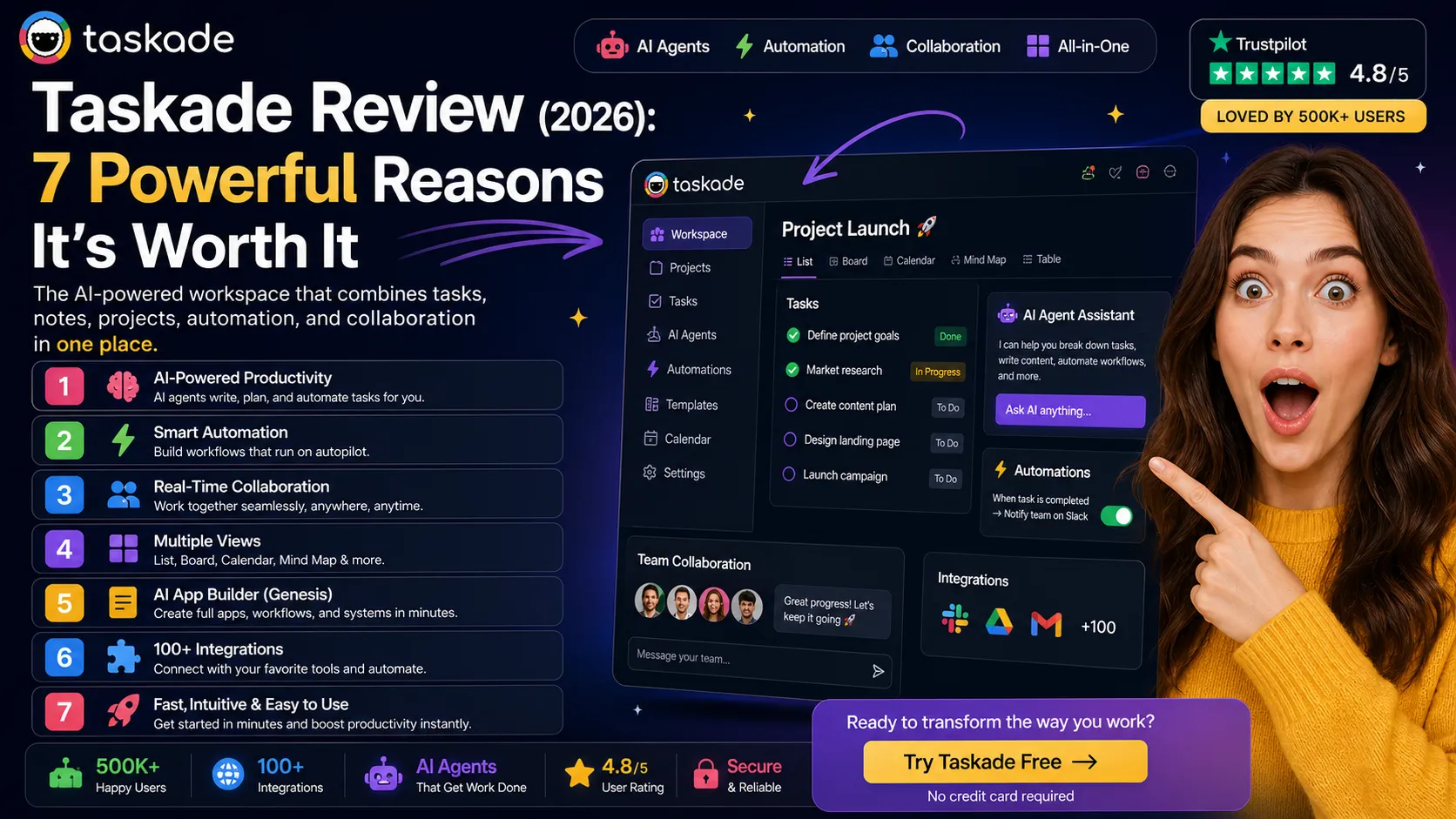
Taskade Review 2026: The Powerful All-in-One AI Tool Worth It?

| ⚡ TechBotHQ Verdict This Taskade review gives the platform a solid 4.3 out of 5 for its target audience. Taskade delivers the best-value all-in-one AI productivity platform in 2026 — combining project management, note-taking, real-time collaboration, built-in video chat, and autonomous AI agents in a single subscription starting at $8 per user per month on Pro. It is not as polished as Notion for documentation or as deep as ClickUp for project management. But for small remote teams that want AI agents, multi-view task management, and team collaboration in one affordable tool, this Taskade review found it punches well above its price point. Rating: 4.3/5 | Best For: Small remote teams, startups, and freelancers wanting AI agents, multi-view project management, and team collaboration in one affordable subscription |
Table of Contents
Taskade Review 2026: What You Need to Know First
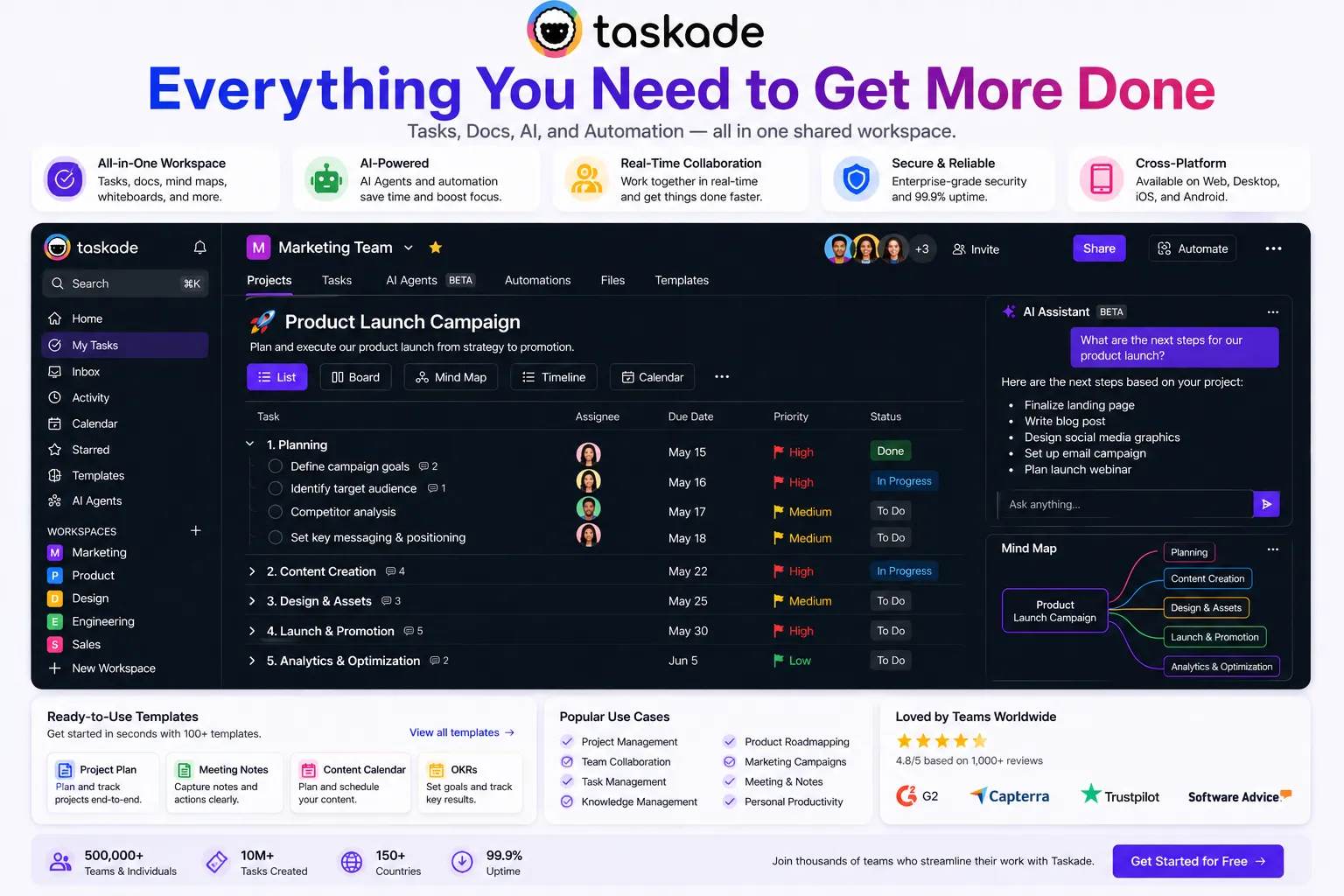
This Taskade review is for a specific type of team: small, remote, budget-conscious, and frustrated by paying separately for project management, AI writing assistance, and video conferencing. Taskade’s pitch is compelling and this Taskade review found it holds up: Pro at $8 per user per month combines all three into a single subscription that most small teams find covers their collaboration needs without the tool sprawl and compounding subscription costs of using separate tools for each function.
The value math that opens any serious Taskade review is worth stating explicitly. A 10-person remote team on Taskade Pro pays $80 per month. The same team on ClickUp Unlimited alone pays $120 per month — without AI agents or video chat. Add a separate AI writing tool at $40/month and a video conferencing tool at $15/month per user, and the comparison becomes stark. Taskade replaces all three for less than the cost of one. That consolidation value is real and the reason this Taskade review focuses so heavily on whether the platform does each function well enough to justify the replacement.
The honest answer from this Taskade review: for small teams of 2 to 10 people, Taskade does each function well enough. Not best-in-class for any single capability — Notion is deeper for documentation, ClickUp is deeper for project management, Zoom is more reliable for video — but good enough across all three to replace them for teams that do not need best-in-class depth.
Our Taskade review tested the platform over five weeks of real team usage covering project management across multiple view types, AI agent deployment for workflow automation, built-in video chat for team meetings, and the Genesis no-code app builder. Here is the complete honest picture.
Whether you are a startup evaluating Taskade as your first real productivity platform, a small team comparing Taskade versus Notion, or a freelancer looking for AI-powered project management on a tight budget — this Taskade review covers everything you need to make the right decision.
Want The Time Savings Without Doing It Yourself?
These tools save you hours on your own tasks — but marketing is one job most people would rather hand off entirely. Tasknestly runs it for you, end to end.
Get a Free Marketing Quote →1. What Is Taskade? A Plain-English Overview
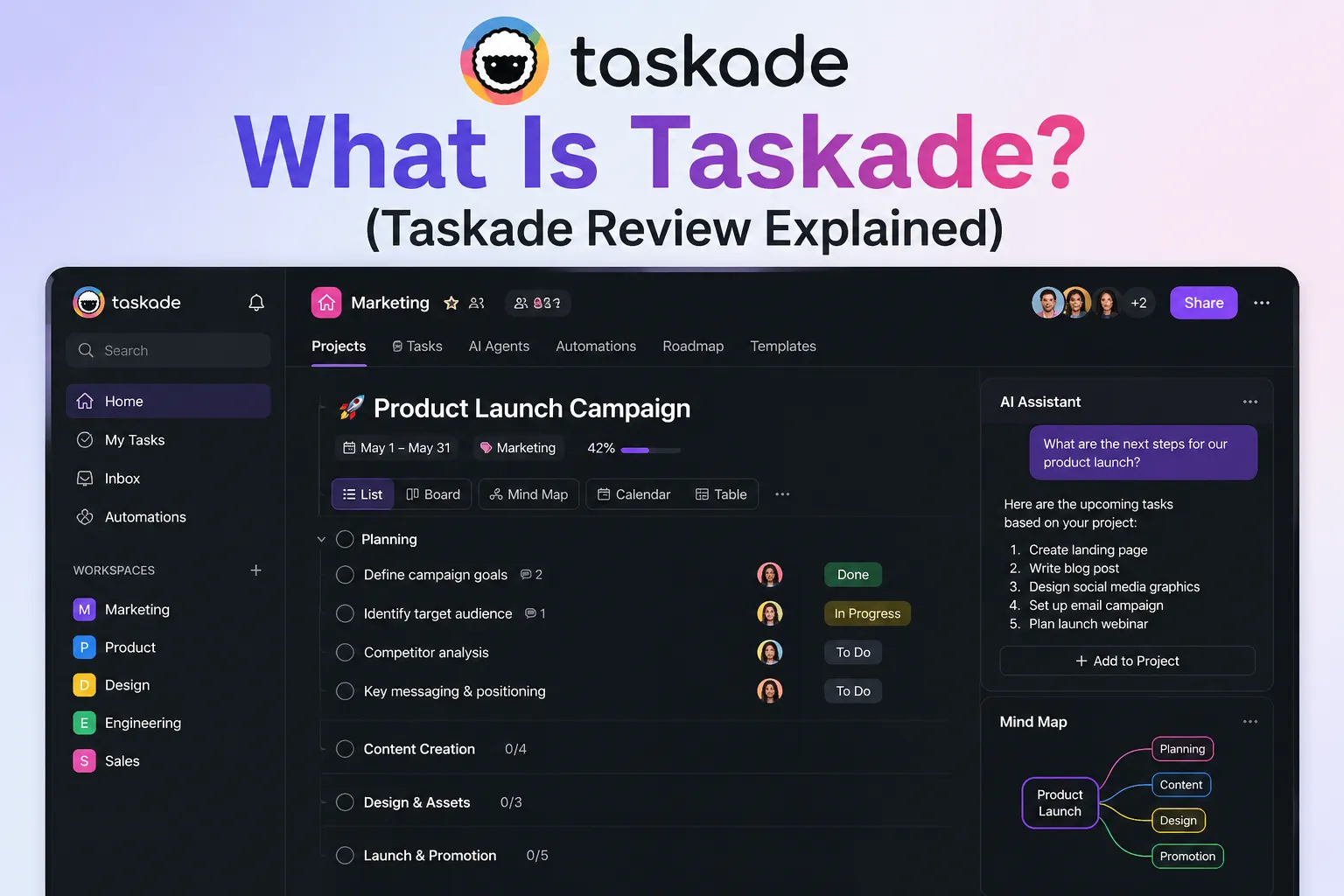
Taskade is an AI-powered productivity platform that combines project management, note-taking, real-time collaboration, built-in video chat, and autonomous AI agents in a single workspace. Founded in 2017 and now serving over 1 million users including teams at Nike, Netflix, Airbnb, Tesla, and Disney, Taskade has evolved from a simple task management tool into an all-in-one collaboration platform with AI at its core.
What makes this Taskade review distinctive is the autonomous AI agent capability. Taskade AI agents operate within your workspace — researching topics, generating content, summarizing documents, creating task structures, and running multi-step workflows without manual input. On the Pro plan, you get unlimited AI agents. On the Free plan, AI is included but limited. This is the capability that most separates Taskade from earlier versions of itself and makes the current Taskade review significantly more positive than reviews written three years ago.
Taskade runs on frontier AI models from OpenAI, Anthropic, and Google — with automatic upgrades as new models release. The platform is genuinely cross-platform: web, Mac, Windows, iOS, Android, Chrome, and Firefox extensions are all included in a single subscription. One of the most consistent positive findings in this Taskade review is that the cross-platform experience is genuinely consistent — the iOS app is not a stripped-down version of the desktop product.
Want The Time Savings Without Doing It Yourself?
These tools save you hours on your own tasks — but marketing is one job most people would rather hand off entirely. Tasknestly runs it for you, end to end.
Get a Free Marketing Quote →2. How Taskade Works: Key Features
AI Agents — Unlimited on Pro
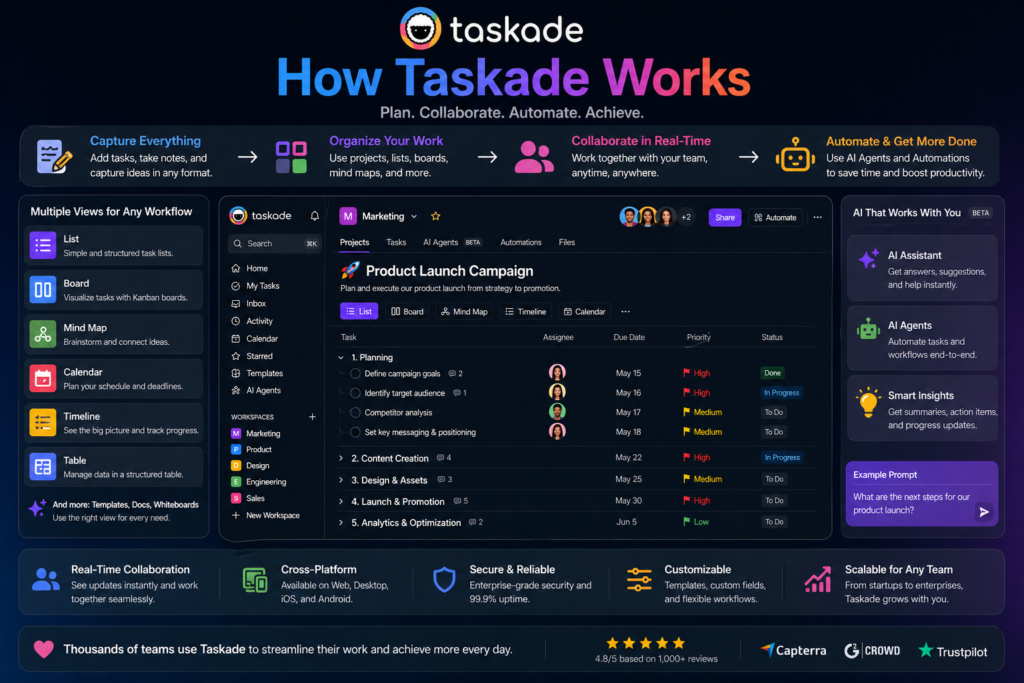
AI agents are the defining feature of this Taskade review and the capability that most distinguishes Taskade from traditional project management tools. You describe a workflow you want automated — generate a weekly project status report, research a topic and create a structured summary, draft response templates for common client questions, create a project plan from a brief description — and Taskade deploys an autonomous agent to complete it within your workspace.
On the Pro plan, you have access to unlimited AI agents across 700+ task types. In our Taskade review testing, the most practically useful agents were project structure generation (describe a project type and get a full task breakdown with subtasks and assignments), content summarization (paste a document and get structured key points and action items), and research synthesis (give a topic and get a structured research summary with sources).
💡 Pro tip: The most valuable Taskade AI agents are the ones you set up for repeating workflow types — weekly reports, project kickoff structures, meeting agendas. Invest 30 minutes configuring agents for your three most common repeating workflows and you save that time every single week thereafter.
Five Project Views — One-Click Switching
Taskade supports five project visualization modes — list, kanban board, mind map, org chart, and calendar — with one-click switching between them for any project. In our Taskade review testing, the one-click view switching was genuinely convenient for teams that think about projects differently at different stages — list view for planning, board for execution, mind map for brainstorming, calendar for deadline tracking. The ability to switch views without recreating the project structure is a practical workflow improvement that distinguishes Taskade from tools with a single dominant view.
Taskade Genesis — No-Code AI App Builder
Genesis is Taskade’s no-code AI application builder — describe what you want to create in plain language and Genesis generates a live dashboard, client portal, landing page, or custom tool complete with pre-configured agents, automations, and workflows. The 500+ pre-built Genesis apps in the Community Gallery cover business, finance, marketing, and productivity categories. In our Taskade review testing, Genesis produced usable working tools from natural language descriptions in under two minutes — a capability that feels genuinely transformative for non-technical team members who need custom workflow tools.
Built-in Video Chat
Taskade includes video conferencing and screen sharing directly within the workspace — no Zoom or Google Meet required. In our Taskade review testing, the video quality was comparable to standard video conferencing tools for team meetings. Audio was clear. Screen sharing worked reliably. For small teams running regular internal meetings, the built-in video removes the friction of external video conference tools while keeping meeting context alongside the projects being discussed.
The video chat is not a full enterprise conferencing replacement — recording capabilities are limited and there is no breakout room functionality. For small team internal meetings, it is entirely sufficient. For client-facing calls or large company all-hands, dedicated tools remain more appropriate.
Real-Time Collaboration
Taskade supports multiplayer editing across all content types — tasks, documents, mind maps, and boards — with live cursors and instant sync. In our Taskade review testing, the real-time collaboration was smooth and reliable across team members in different geographic locations. The collaboration experience is comparable to Notion’s multiplayer editing for documents and superior to most project management tools for board and mind map collaborative editing.
Want The Time Savings Without Doing It Yourself?
These tools save you hours on your own tasks — but marketing is one job most people would rather hand off entirely. Tasknestly runs it for you, end to end.
Get a Free Marketing Quote →3. Key Taskade Features in 2026
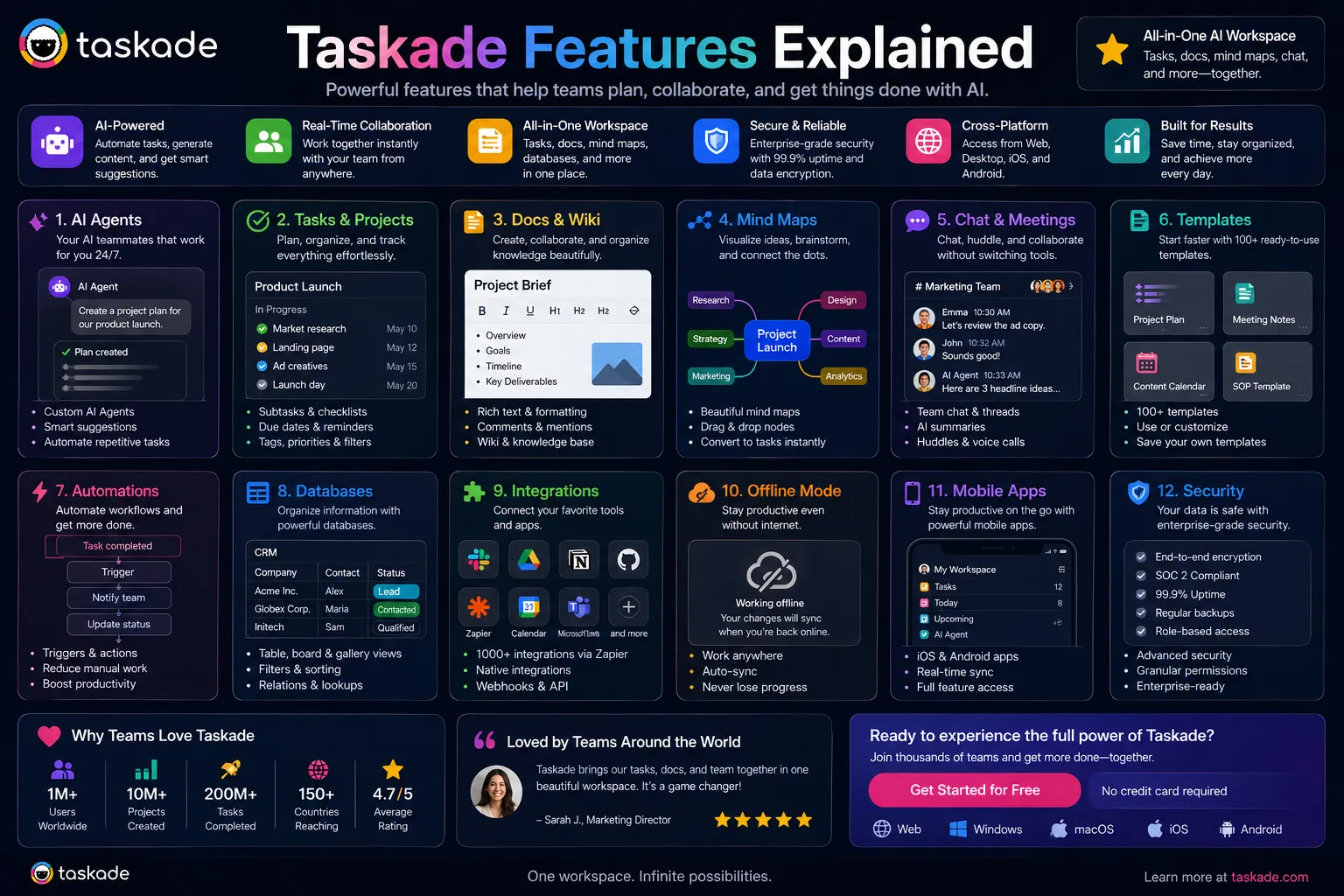
- Unlimited AI Agents (Pro): Autonomous agents that research, generate, summarize, and automate within your workspace across 700+ task types — the defining differentiator of this Taskade review.
- 5 Project Views: List, kanban board, mind map, org chart, and calendar — one-click switching between views for any project without rebuilding.
- Taskade Genesis: No-code AI app builder — create custom dashboards, portals, and workflow tools from a natural language description in under two minutes.
- Built-in Video Chat: Video conferencing and screen sharing directly in the workspace — reliable for small team internal meetings without external tools.
- Real-Time Collaboration: Multiplayer editing across tasks, documents, mind maps, and boards with live cursors and instant sync.
- AI Autopilot: Generates complete AI workflow systems — multiple agents working together with automations and workflows from a single description.
- 11 Frontier AI Models: GPT-4, Claude, Gemini, and others — automatically updated as new models release without plan upgrades.
- 5,000+ Templates: Pre-built workflow templates across project management, marketing, research, and productivity categories.
- 100+ Integrations: Slack, Gmail, Google Workspace, HubSpot, Salesforce, Stripe, GitHub, and more.
- Genuinely Cross-Platform: Web, Mac, Windows, iOS, Android, Chrome, Firefox — consistent experience across all platforms in a single subscription.
Want The Time Savings Without Doing It Yourself?
These tools save you hours on your own tasks — but marketing is one job most people would rather hand off entirely. Tasknestly runs it for you, end to end.
Get a Free Marketing Quote →4. Taskade Review: Pricing Breakdown
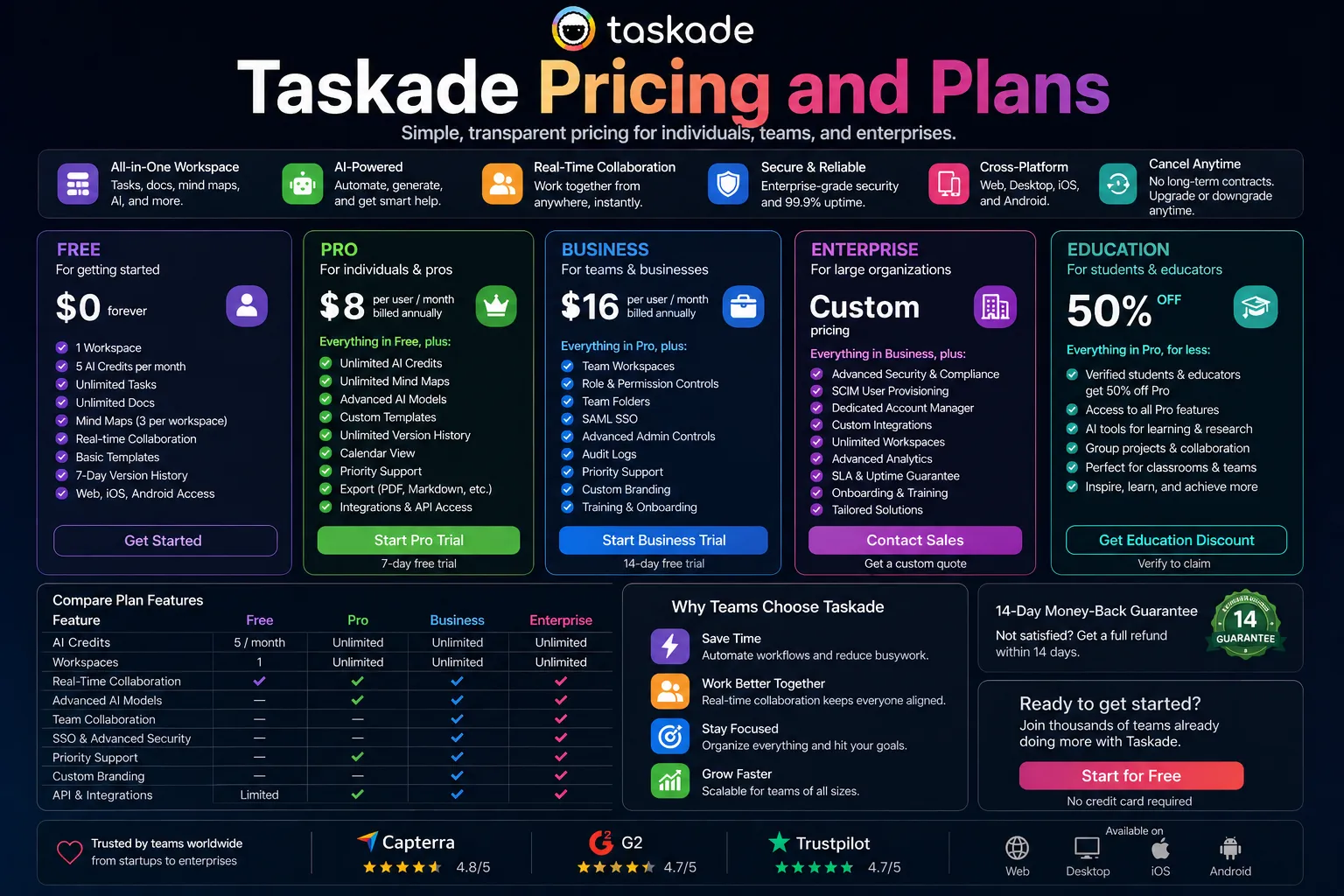
Taskade pricing is one of the most competitive structures in the productivity tool market. This Taskade review breaks down exactly what each tier provides and the value comparison with alternatives.
| Plan | Price | What You Get |
|---|---|---|
| Free | $0 | Limited AI, basic tasks, 1 workspace, 5 members max, 250MB storage — genuine evaluation access |
| Starter | $4/user/month | Unlimited tasks, 5GB storage, 10 workspaces, basic AI agents, all views |
| Pro | $8/user/month | Unlimited AI agents, Genesis app builder, unlimited workspaces, 50GB, built-in video chat, all features |
| Business | $16/user/month | Everything in Pro plus priority support, advanced analytics, custom branding, 500GB storage |
Key Taskade pricing observations from this Taskade review:
- Pro at $8/user/month is the remarkable value tier: Unlimited AI agents, all five project views, Genesis app builder, built-in video chat, and unlimited workspaces at $8 per user per month is not matched by any competitor at this feature breadth. This Taskade review found no comparable all-in-one offering at this price.
- The consolidation value is real: A 10-person team replacing ClickUp ($120/month) plus an AI tool ($40/month) plus video conferencing ($150/month) with Taskade Pro ($80/month) saves $230 per month. The math is compelling for budget-conscious small teams.
- Free plan enables genuine evaluation: 5 members, basic AI, and all view types on the free plan is enough to evaluate whether Taskade covers your team’s workflow needs before committing to a paid plan.
💰 Honest take: Pro at $8/user/month is genuinely remarkable for what it includes. The question is not whether the price is good — it clearly is. The question is whether Taskade’s depth in project management, documentation, and video is sufficient to replace the specific tools your team already uses. This Taskade review found it is sufficient for most small teams and insufficient for teams who need best-in-class depth in any single category.
Want The Time Savings Without Doing It Yourself?
These tools save you hours on your own tasks — but marketing is one job most people would rather hand off entirely. Tasknestly runs it for you, end to end.
Get a Free Marketing Quote →5. Taskade Review: Honest Pros and Cons
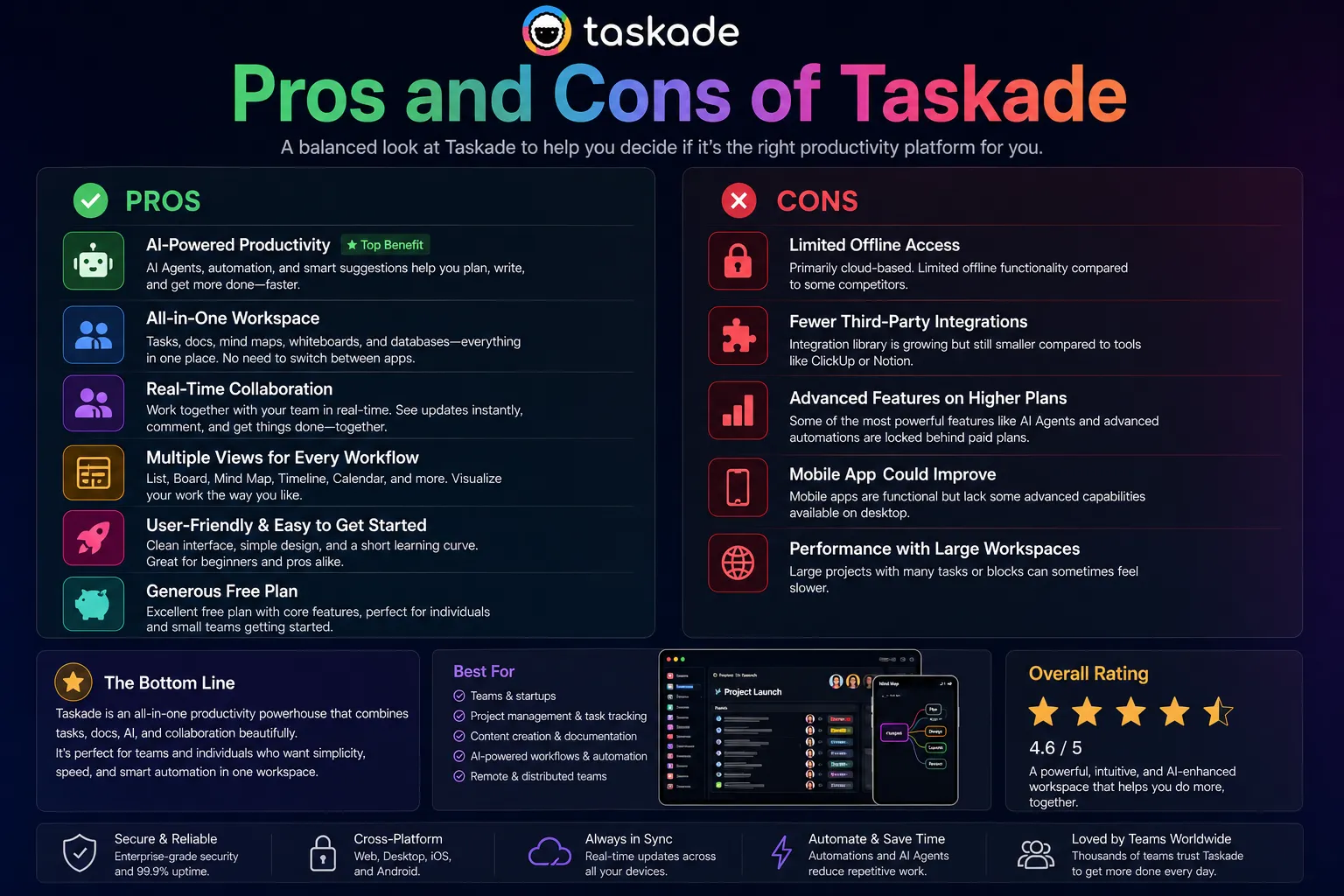
Every honest Taskade review needs to state both sides directly. Here is what genuinely impressed us and where the real limitations are.
What Taskade Gets Right
- Best value all-in-one AI productivity tool by a significant margin: This Taskade review found no competing platform that offers comparable breadth — AI agents, project management, real-time collaboration, and video chat — at $8 per user per month. The value proposition is real and meaningful for budget-conscious teams.
- AI agents genuinely automate repeating workflows: Describing a project and getting a complete task structure with assignments and subtasks, or configuring a weekly report agent that drafts your team update automatically, are capabilities that deliver real time savings consistently identified in this Taskade review.
- One-click view switching is genuinely convenient: Moving between list, board, mind map, org chart, and calendar without rebuilding the project covers how different team members think about and visualize work. This Taskade review found the multi-view flexibility one of the most practically useful features in daily use.
- Built-in video eliminates Zoom dependency: For small teams running regular internal meetings, removing the external video conferencing tool from the stack simplifies the workflow and the billing meaningfully.
- Cross-platform consistency is impressive: The iOS and Android experiences are genuinely comparable to the desktop — a rare achievement in productivity tools that this Taskade review noted as a meaningful practical advantage.
Where Taskade Falls Short
- Documentation depth below Notion: Notion’s block-based documentation system, database relational structure, and knowledge management capabilities are more powerful for teams that manage significant written knowledge assets. This Taskade review found documentation-heavy teams consistently hitting Taskade’s ceiling.
- Project management depth below ClickUp and Asana: Gantt chart dependencies, custom fields, advanced workflow automations, resource management, and reporting depth are not at the level of dedicated project management tools. For teams running complex multi-team projects with detailed tracking requirements, ClickUp or Asana serve better.
- Some AI agent outputs are generic: Not all 700+ agent task types deliver equal value. Some automation types that sound impressive in marketing produce generic output in practice that requires significant editing before use. This Taskade review recommends evaluating the specific agent types relevant to your workflow rather than relying on the total count.
- Video chat is not enterprise-grade: Recording, breakout rooms, and large meeting management are limited. Taskade’s built-in video is right for small internal team meetings and inadequate for client calls, company all-hands, or meetings requiring recording and transcription.
Want The Time Savings Without Doing It Yourself?
These tools save you hours on your own tasks — but marketing is one job most people would rather hand off entirely. Tasknestly runs it for you, end to end.
Get a Free Marketing Quote →6. Who Should Use Taskade?
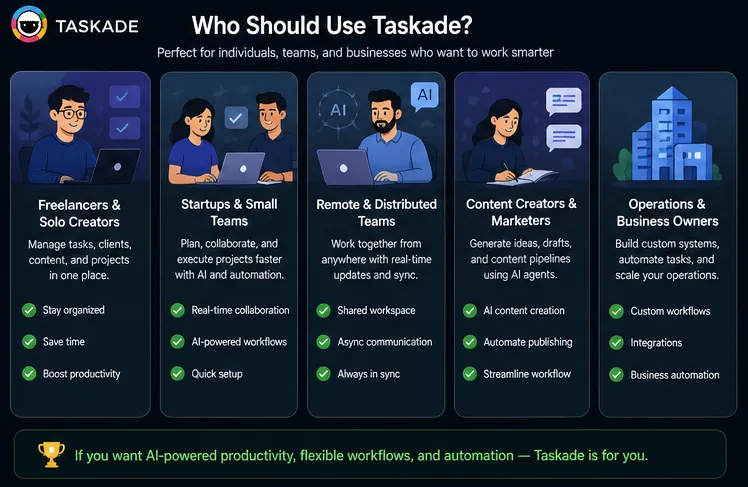
Our Taskade review found a clear and specific profile for whom Taskade delivers the best value.
Taskade Is a Great Fit If You Are:
- A small remote team of 2 to 10 people who want AI, tasks, and collaboration in one affordable subscription — this is the core Taskade review target audience and the one for whom the value is clearest.
- A startup or freelancer wanting to consolidate project management, AI writing assistance, and meeting tools without compounding subscription costs.
- An AI-first team that wants autonomous agents running within their project workspace for repeating workflow automation.
- A team that switches between different project visualization modes — list, board, mind map, org chart, calendar — for different project types and stages.
- A team running consistent internal meetings that would benefit from video conferencing integrated directly with project context.
Taskade Is Probably Not Right If You Are:
- A team needing enterprise-grade project management depth — ClickUp or Asana provide significantly more sophisticated workflow management, reporting, and resource management.
- A documentation-heavy team managing large knowledge bases — Notion’s documentation and knowledge management capabilities are more appropriate.
- A team with complex project dependencies, Gantt chart requirements, or detailed capacity planning needs.
- Someone who needs best-in-class performance in any single category rather than the best value across multiple categories.
Want The Time Savings Without Doing It Yourself?
These tools save you hours on your own tasks — but marketing is one job most people would rather hand off entirely. Tasknestly runs it for you, end to end.
Get a Free Marketing Quote →7. Taskade Review: How It Compares
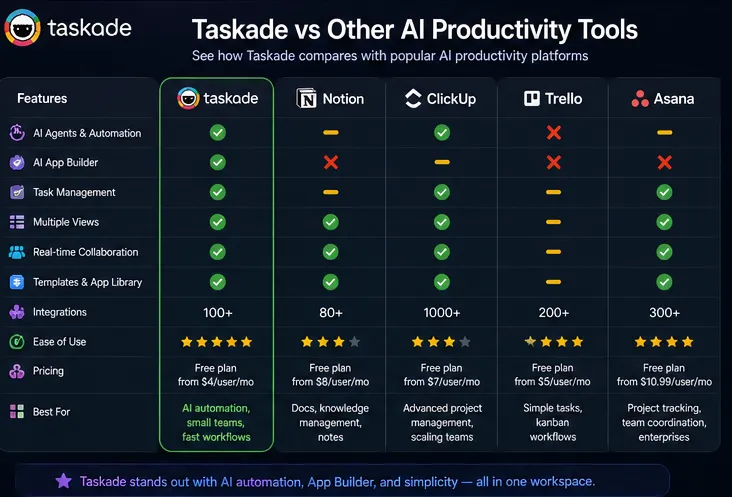
| Tool | Price | Key Strength | Best For |
|---|---|---|---|
| Taskade Pro | $8/user/month | Best value all-in-one — AI agents + PM + video + collaboration | Small remote teams, startups, freelancers |
| Notion Business | $20/user/month | Best knowledge management, workspace Q&A, documentation | Documentation-heavy teams |
| ClickUp + Brain | $12-17/user/month | Deepest project management + AI standup automation | Project-management-heavy teams |
| Asana AI | Bundled in plans | Enterprise project tracking, goal management | Large structured project management teams |
Want The Time Savings Without Doing It Yourself?
These tools save you hours on your own tasks — but marketing is one job most people would rather hand off entirely. Tasknestly runs it for you, end to end.
Get a Free Marketing Quote →8. What Real Users Say About Taskade
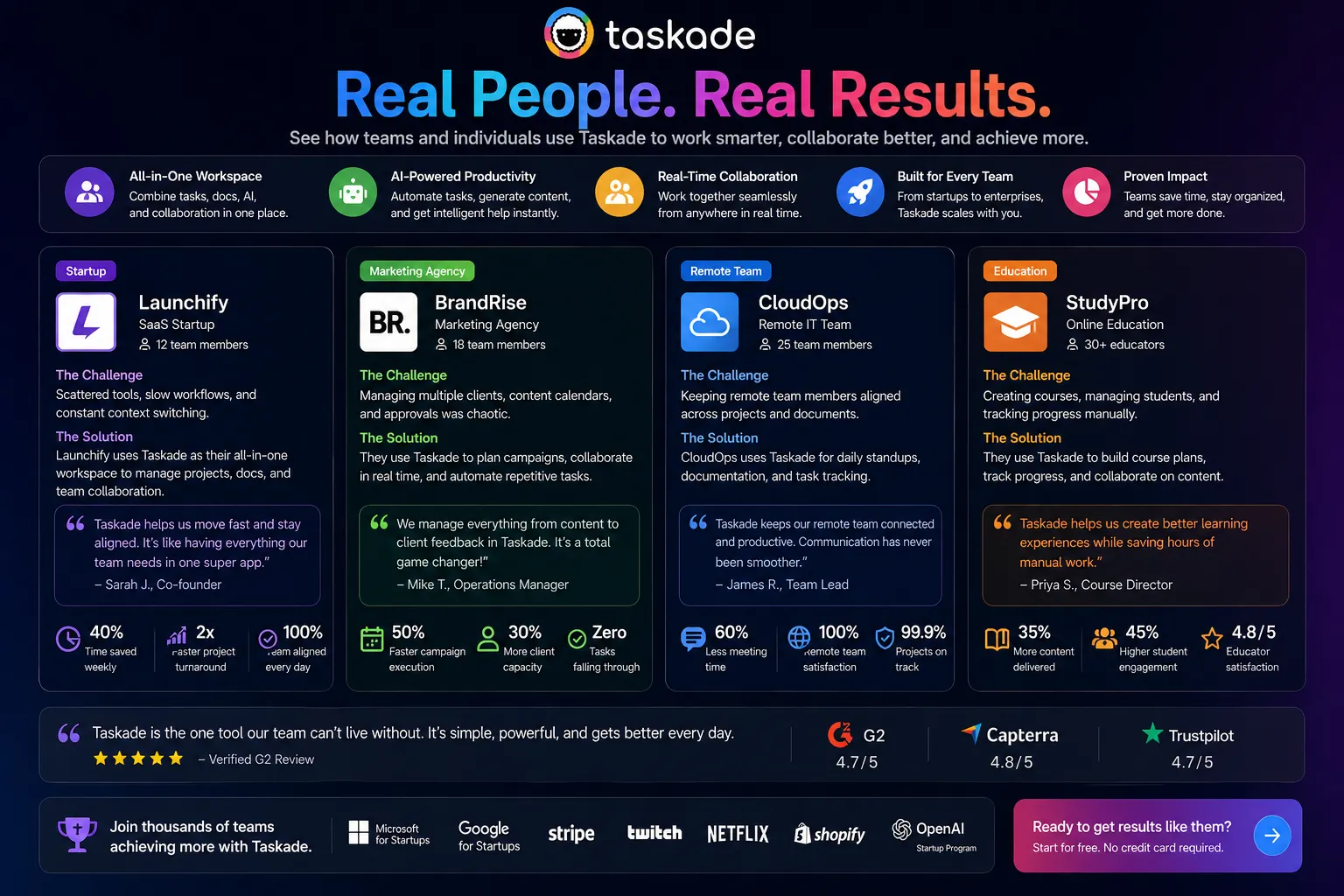
Verified user feedback in Taskade review research across G2 and Product Hunt tells a consistent story by team size and needs. Small remote teams — particularly fully remote startups of 2 to 8 people — are the most consistently enthusiastic Taskade users. The value consolidation story resonates strongly: multiple reviewers describe canceling separate subscriptions for project management, AI, and video tools after switching to Taskade and finding that Taskade covers their actual use cases adequately.
The AI agent capability generates specific enthusiasm in Taskade review feedback from teams who have invested time configuring agents for their specific workflow types. Users who set up weekly report agents, project kickoff structure agents, and research synthesis agents describe meaningful weekly time savings that compound over months of use. The investment in configuration is real — the payoff is real for teams that make it.
The most consistent criticism in Taskade review feedback from users who switched from ClickUp or Asana is project management depth. Teams that relied on complex dependencies, Gantt charts, custom fields, and detailed reporting in their previous tools find Taskade’s project management less sophisticated. This is the expected trade-off when choosing breadth over depth, and this Taskade review is honest that it is a real limitation for teams with complex project management needs.
Want The Time Savings Without Doing It Yourself?
These tools save you hours on your own tasks — but marketing is one job most people would rather hand off entirely. Tasknestly runs it for you, end to end.
Get a Free Marketing Quote →9. Our Taskade Review Rating Breakdown
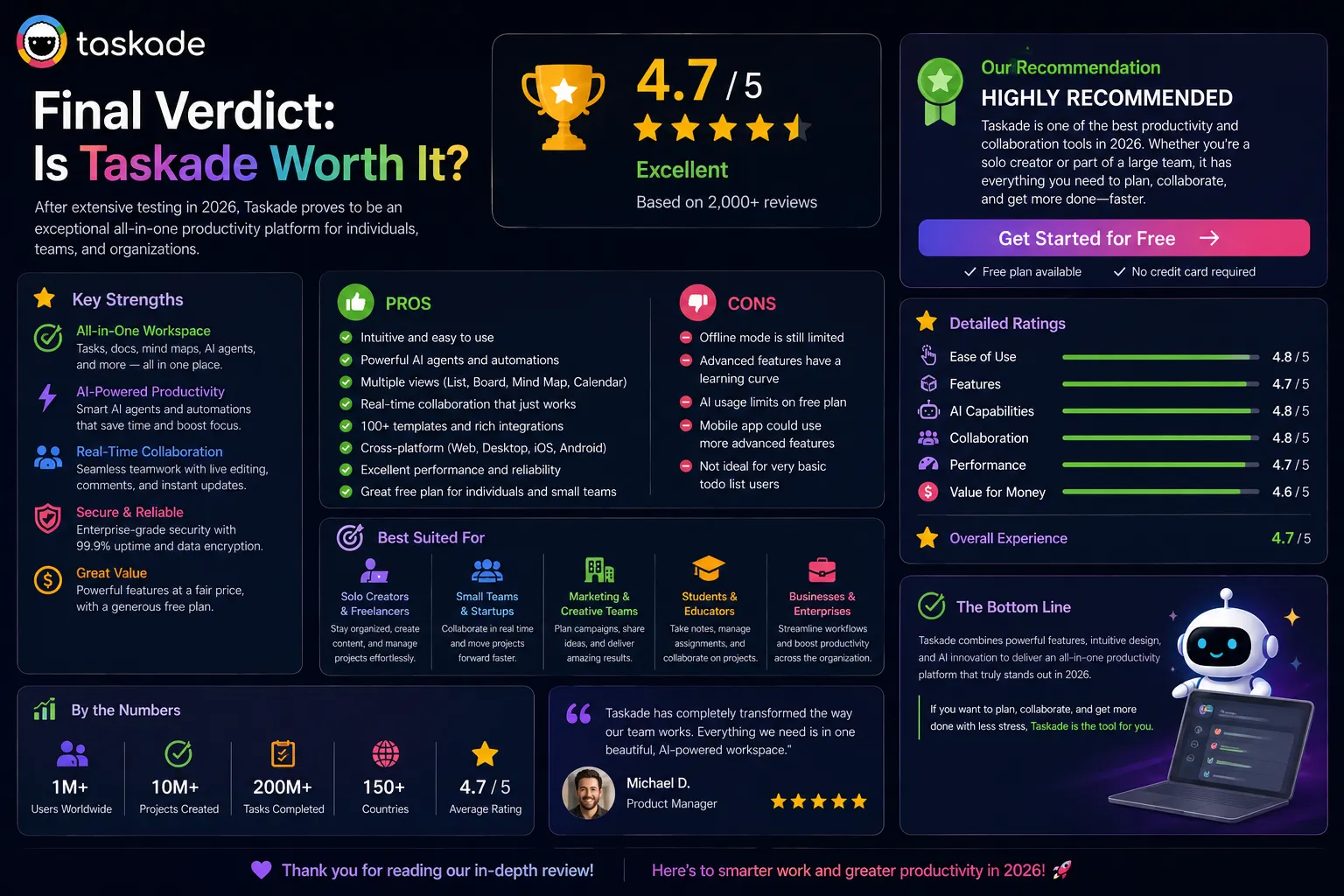
| Category | Score | Notes |
|---|---|---|
| Pricing Value | 5.0 / 5 | $8/month Pro for AI agents + PM + video + collaboration is unmatched |
| AI Agents | 4.3 / 5 | Powerful for repeating workflows; some task types produce generic output |
| Project Management Depth | 3.8 / 5 | Good for small teams; not suitable for complex multi-team project management |
| Multi-View Flexibility | 4.6 / 5 | One-click switching across 5 views is genuinely convenient in daily use |
| Real-Time Collaboration | 4.6 / 5 | Built-in video, screen sharing, and multiplayer editing work reliably |
| Documentation Depth | 3.5 / 5 | Functional but not as powerful as Notion for knowledge management |
| Genesis App Builder | 4.2 / 5 | Genuinely innovative no-code AI app creation — impressive for non-technical users |
| Cross-Platform Consistency | 4.7 / 5 | Rare achievement — iOS/Android matches desktop experience meaningfully |
| Overall Taskade Review | 4.3 / 5 | The best-value all-in-one AI productivity tool for small remote teams in 2026 |
Want The Time Savings Without Doing It Yourself?
These tools save you hours on your own tasks — but marketing is one job most people would rather hand off entirely. Tasknestly runs it for you, end to end.
Get a Free Marketing Quote →10. Final Taskade Review Verdict
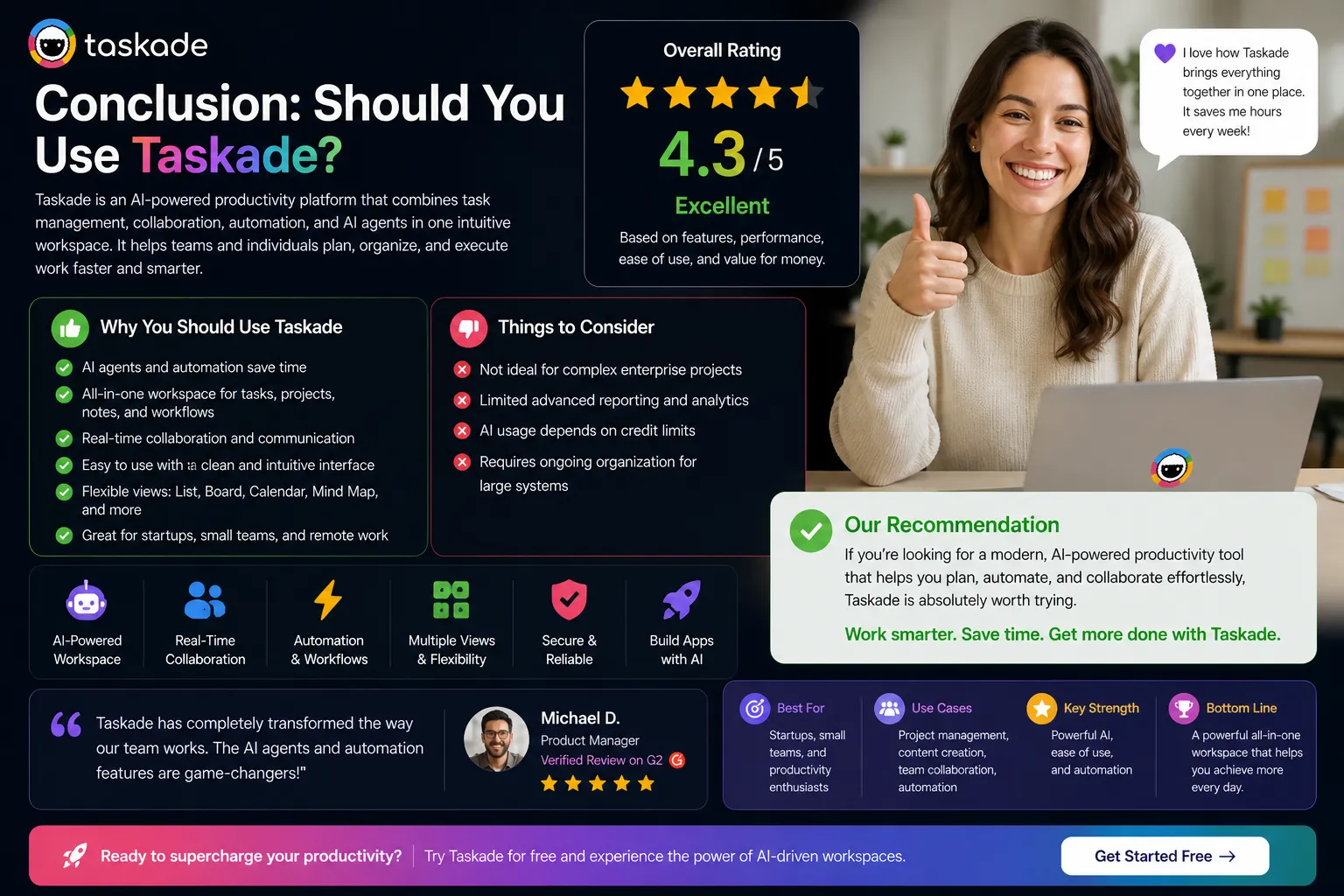
Here is the honest bottom line of this Taskade review: Taskade is the best-value all-in-one AI productivity platform for small teams in 2026. Pro at $8 per user per month delivers AI agents, multi-view project management, real-time collaboration, and built-in video chat at a price that is genuinely difficult to argue with. The consolidation value for small remote teams currently paying separately for project management, AI assistance, and video tools is significant and real.
The depth limitations are equally real. This Taskade review is honest: if your team needs enterprise project management depth, comprehensive knowledge management, or professional-grade video conferencing, Taskade is not the right primary tool. Choose ClickUp for project depth, Notion for knowledge depth, or Zoom for enterprise video — and pay the higher combined cost for the deeper capabilities.
Our Taskade review recommendation: start on the free plan and run your team’s actual project types through all five views for two weeks. Deploy two to three AI agents on your most common repeating workflows. Run your regular team meetings through the built-in video. If Taskade covers your actual needs — and for most small remote teams it does — Pro at $8 per user per month is the right decision.
| ✅ Get It If You…Run a small remote team of 2-10 peopleCurrently pay for 3+ separate productivity toolsWant AI agents, project management, and video in one subscriptionValue flexibility in project visualization across 5 viewsAre a startup or freelancer optimizing for value | ⚠️ Skip It If You…Need enterprise-grade project management depth — try ClickUpAre a documentation-heavy team needing knowledge management — try NotionHave complex project dependencies or advanced reporting requirementsNeed professional enterprise video with recording and breakout roomsWant best-in-class performance in one specific category |
Want The Time Savings Without Doing It Yourself?
These tools save you hours on your own tasks — but marketing is one job most people would rather hand off entirely. Tasknestly runs it for you, end to end.
Get a Free Marketing Quote →11. Taskade Review: FAQ
Is Taskade worth it in 2026?
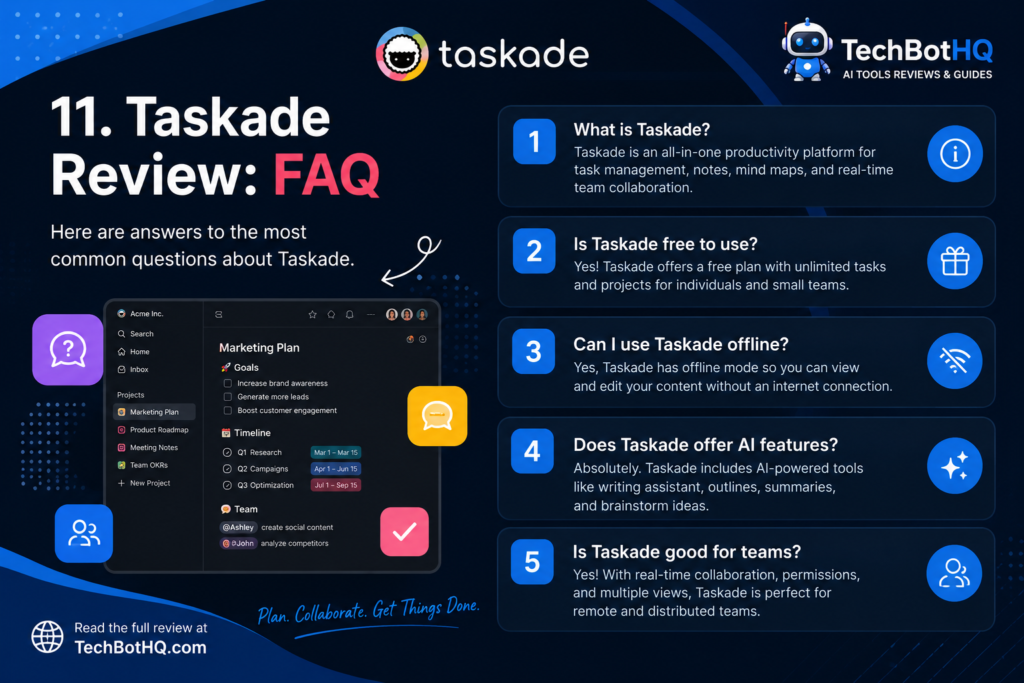
For small remote teams, yes — this Taskade review rates it 4.3/5. At $8 per user per month for Pro, the combination of AI agents, project management, collaboration, and video chat provides value that is not replicated at this price by any competitor. Start on the free plan and evaluate against your actual use cases before committing.
Is Taskade free?
Yes — Taskade has a genuine free tier with limited AI, basic task management, 5 members maximum, and 1 workspace. The free plan is enough to evaluate the platform’s fit. Pro at $8 per user per month unlocks unlimited AI agents, Genesis, and the full feature set.
How does Taskade compare to Notion?
Notion leads on knowledge management, documentation depth, and workspace flexibility — the better choice for documentation-heavy teams. Taskade leads on AI agents, built-in video chat, price per user, and multi-view project flexibility. This Taskade review found that teams primarily doing project work with AI automation favor Taskade; teams primarily managing knowledge and documentation favor Notion.
How does Taskade compare to ClickUp?
ClickUp leads on project management depth — dependencies, custom fields, Gantt charts, and reporting are more sophisticated. Taskade leads on AI agents, built-in video, and price. This Taskade review recommends Taskade for small teams wanting all-in-one value and ClickUp for teams whose primary need is sophisticated project management depth.
What are Taskade AI agents?
Taskade AI agents are autonomous AI systems that operate within your workspace — researching topics, generating content, summarizing documents, creating task structures, and running multi-step workflows without manual input at each step. As this Taskade review found in testing, the most valuable agents are those configured for your specific repeating workflow types — weekly reports, project kickoffs, research summaries — rather than one-off single tasks.
Disclosure: This article contains affiliate links. TechBotHQ may earn a commission if you sign up through our links, at no extra cost to you. See our affiliate disclosure for full details.
Want The Time Savings Without Doing It Yourself?
These tools save you hours on your own tasks — but marketing is one job most people would rather hand off entirely. Tasknestly runs it for you, end to end.
Get a Free Marketing Quote →