Cursor AI Review 2026: The AI Code Editor Worth Switching To?

| ⚡ TechBotHQ Verdict This Cursor AI review gives the platform a strong 4.7 out of 5. Cursor is the most complete AI code editor available in 2026 — over 1 million active users and a $29.3 billion valuation back that up. Supermaven autocomplete is best-in-class, agent mode compresses hours of routine work into minutes, parallel background agents let you run multiple coding tasks simultaneously, and the VS Code foundation means zero switching cost for the majority of developers. The credit-based pricing shift in mid-2025 frustrated users, and JetBrains developers are still excluded, but for VS Code users on complex projects, the ROI is clear within the first week. Rating: 4.7/5 | Best For: Professional developers on complex projects who want the most complete AI-first IDE experience available |
Table of Contents
Cursor AI Review 2026: What You Need to Know First
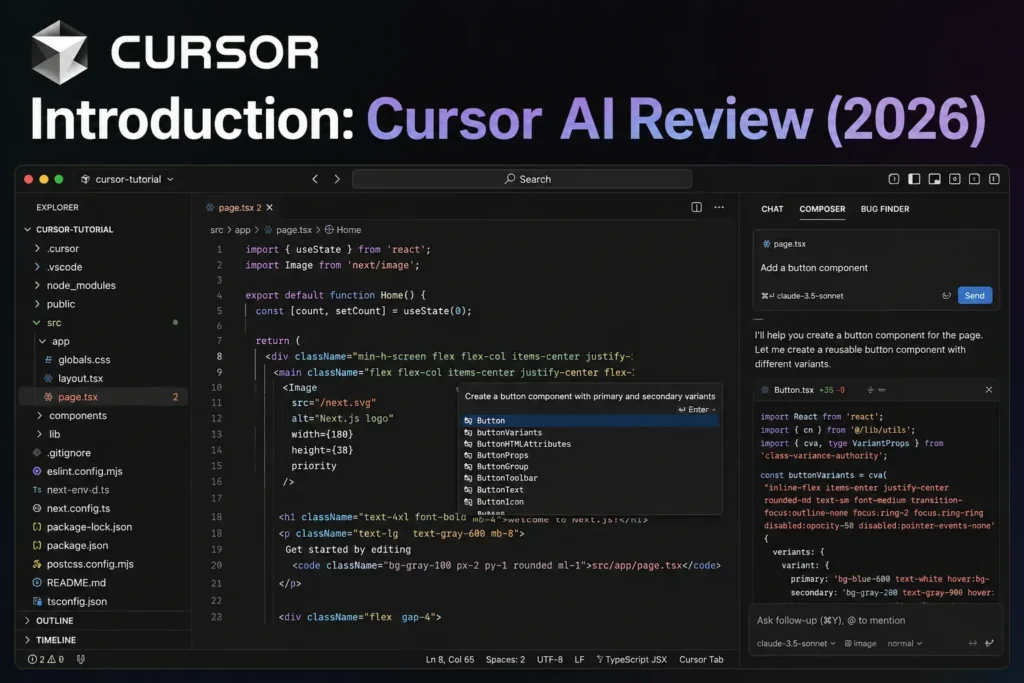
This Cursor AI review is for developers who have heard the hype and want to know if it is real. It is. Cursor is not another AI plugin bolted onto an existing editor — it is an AI-first IDE built from the ground up on VS Code, with every feature designed around AI-assisted development. After over a year as the dominant AI code editor, with 1 million active users and a valuation that rivals mid-size tech companies, it has earned serious scrutiny.
The honest answer from this Cursor AI review: for professional developers working on complex, multi-file projects who code daily, Cursor Pro at $20/month delivers ROI that is difficult to argue with. Developers consistently report saving 60-90 minutes per day once they are proficient with agent mode and Composer. At any reasonable hourly rate, $20/month is recovered in the first afternoon.
The caveats matter too. The credit shift that happened in mid-2025 reduced effective monthly usage on Pro from roughly 500 premium requests to approximately 225 in usage-based billing, which frustrated many existing users. JetBrains and Vim users cannot get the full Cursor experience. And the AI makes mistakes — review discipline is non-negotiable.
This Cursor AI review tests the platform across Python, TypeScript, and Rust projects with a focus on daily productivity, agent mode performance, and the cases where Cursor genuinely earns its price over GitHub Copilot.
Building Something With These AI Coding Tools?
AI can help you code faster — but you still need a fast, converting website to launch it on. Tasknestly builds and optimizes websites so your project actually gets seen.
Get Your Website Built →1. What Is Cursor AI? A Plain-English Overview
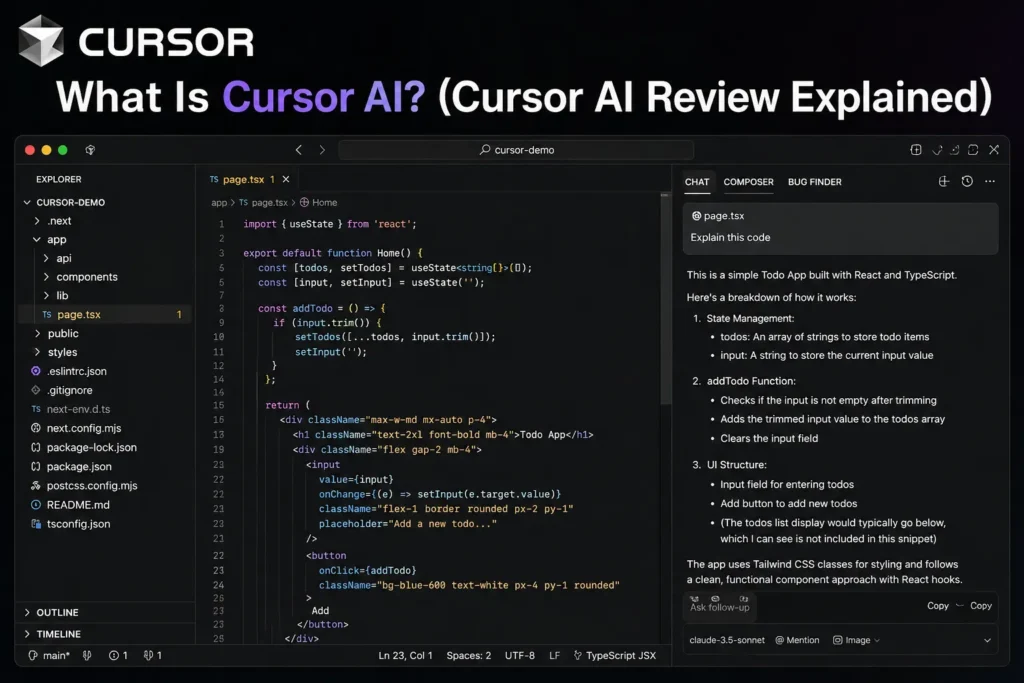
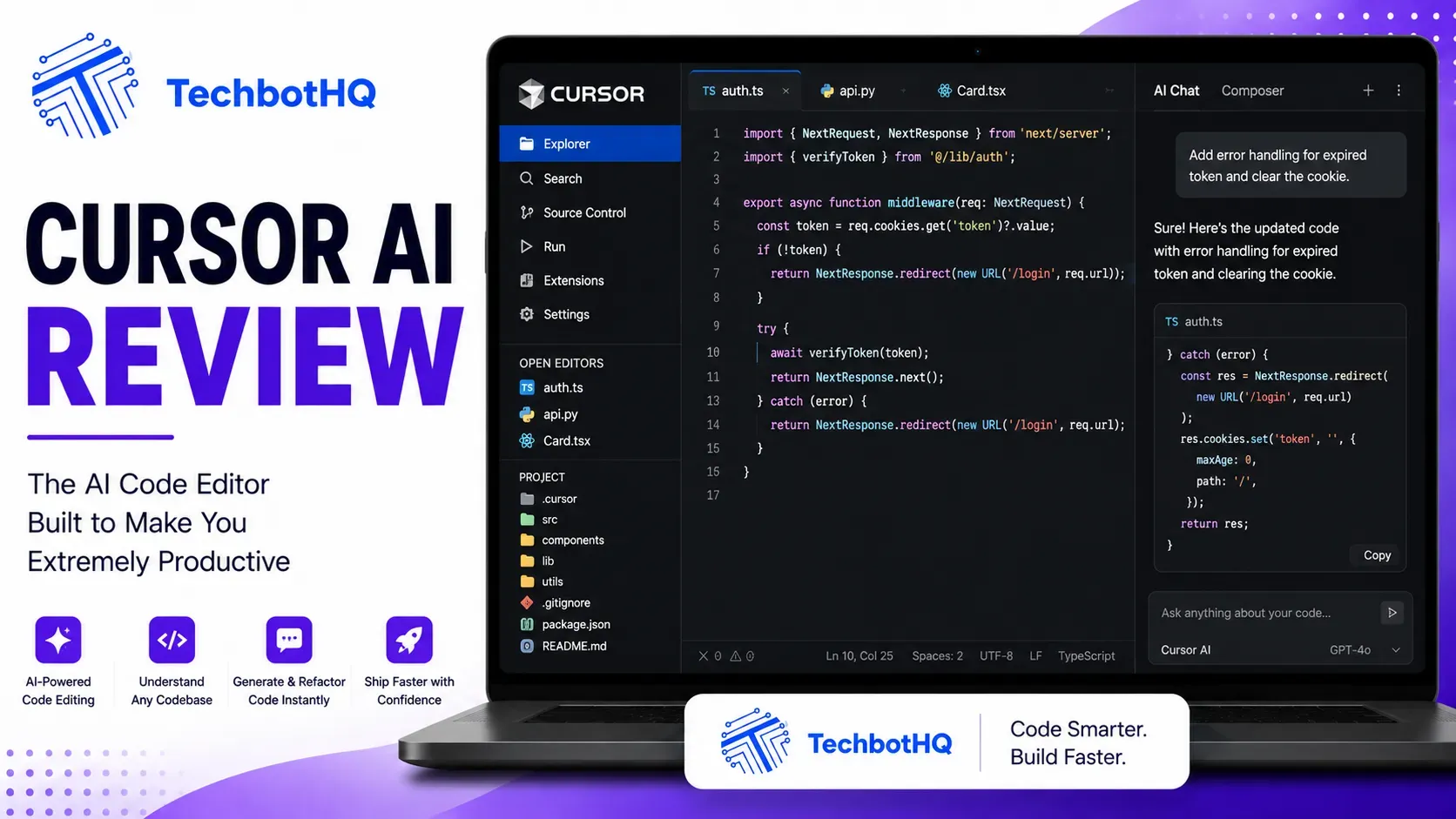
Cursor AI is a standalone AI-first code editor built on a VS Code fork by Anysphere. Unlike GitHub Copilot — which adds AI features to an existing editor — Cursor puts AI at the architectural center. Every feature, from tab completion to multi-file refactoring, passes through AI-aware context pipelines that understand your full project structure, dependencies, and coding patterns.
Cursor supports multi-model AI, letting you switch between Claude Opus 4.6, GPT-5.4, Gemini 2.5 Pro, and others. Every VS Code extension, keybinding, and theme works — migration from VS Code takes minutes, not hours. And in February 2026, Cursor added parallel background agents, letting up to eight autonomous agents work simultaneously on separate parts of your codebase using git worktrees.
This Cursor AI review found that the platform’s primary value proposition is twofold: inline completion that understands your entire codebase, not just the current file, and agent mode that compresses multi-step coding tasks from hours to minutes.
Building Something With These AI Coding Tools?
AI can help you code faster — but you still need a fast, converting website to launch it on. Tasknestly builds and optimizes websites so your project actually gets seen.
Get Your Website Built →2. How Cursor AI Works: Key Features
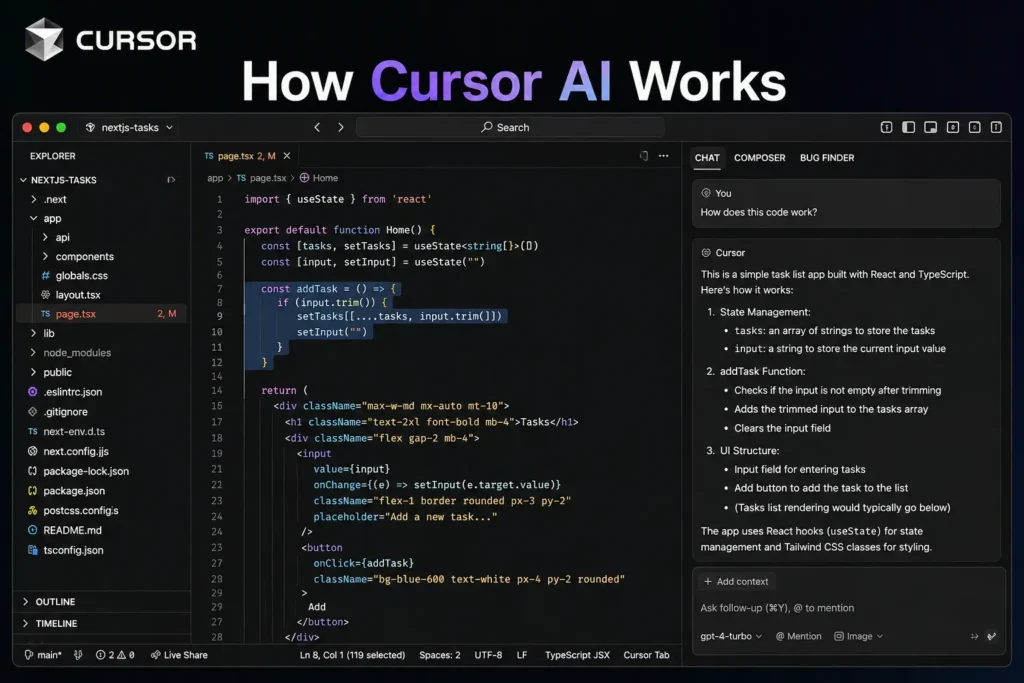
Tab Autocomplete (Supermaven)
Cursor’s autocomplete is powered by Supermaven — a model trained specifically for code completion that consistently outperforms generic language models on this task. The key differentiator is codebase awareness: Cursor indexes your entire project and uses that context for completions. When you call a function in one file, Cursor understands how that function is defined in another file and completes accordingly. In our Cursor AI review testing, the acceptance rate was consistently above 35% on complex TypeScript — higher than GitHub Copilot on equivalent tasks.
💡 Pro tip: Let Cursor’s Tab complete full lines and then keep pressing Tab to accept multi-line suggestions. In auto mode, you rarely need to configure anything — the model selection is handled automatically for each task type.
Composer and Agent Mode
Composer is Cursor’s multi-file editing interface. You describe what you want — implement this feature, refactor this module, add tests for this function — and Composer plans, executes, and shows you a diff across every changed file before you accept. In direct testing for this Cursor AI review, Cursor completed multi-file refactoring tasks approximately 30% faster than GitHub Copilot on equivalent work, primarily due to superior context understanding.
Agent mode extends this to full autonomy: the AI writes code, runs tests, fixes failures, and iterates until a task is complete. This is the feature that drives the strongest ROI for developers using Cursor daily.
Parallel Background Agents
The February 2026 update added parallel agents — up to eight background agents working simultaneously on separate branches using git worktrees. You can run one agent implementing a feature, another writing tests, and a third fixing a bug, all at the same time, all without interrupting your main editing session. This fundamentally changes how much work can happen per hour.
Codebase Context and Search
Cursor maintains full codebase context even on large projects. Its RAG (retrieval-augmented generation) system indexes your files and provides the AI with relevant context for every request — without you having to manually specify what to include. For large monorepos this can be slower than vanilla VS Code, but the context quality in Cursor AI review testing was consistently superior to competing tools on complex multi-file tasks.
Building Something With These AI Coding Tools?
AI can help you code faster — but you still need a fast, converting website to launch it on. Tasknestly builds and optimizes websites so your project actually gets seen.
Get Your Website Built →3. Key Features of Cursor AI in 2026
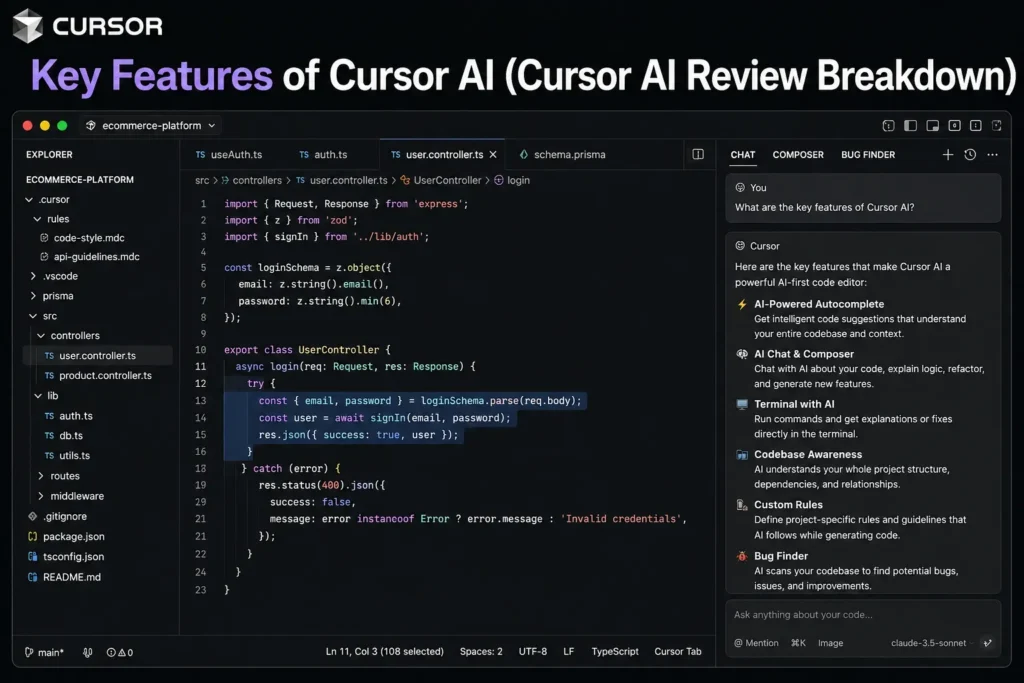
- Supermaven Autocomplete: Best-in-class codebase-aware inline completion — consistently higher acceptance rates than competitors.
- Composer Multi-File Editing: Describe changes, see diffs across every affected file, accept or reject — the most polished multi-file editing interface available.
- Agent Mode: Autonomous coding tasks — writes code, runs tests, fixes failures, iterates to completion.
- Parallel Background Agents: Up to 8 agents on separate git branches simultaneously — the most forward-looking productivity feature in AI coding.
- Multi-Model Support: Claude Opus 4.6, GPT-5.4, Gemini 2.5 Pro, and more — switch models per task.
- Full VS Code Compatibility: Every extension, keybinding, and theme from VS Code works out of the box.
- Codebase RAG: Automatic indexing of your full project for contextually relevant completions and chat.
- Cursor Chat: Conversational coding assistance with full codebase context — ask about any part of your project.
- Privacy Mode: Code is not stored on Cursor’s servers — important for proprietary codebases.
- SOC 2 Compliance: Available on Business plan for team and enterprise deployments.
Building Something With These AI Coding Tools?
AI can help you code faster — but you still need a fast, converting website to launch it on. Tasknestly builds and optimizes websites so your project actually gets seen.
Get Your Website Built →4. Cursor AI Review: Pricing Breakdown
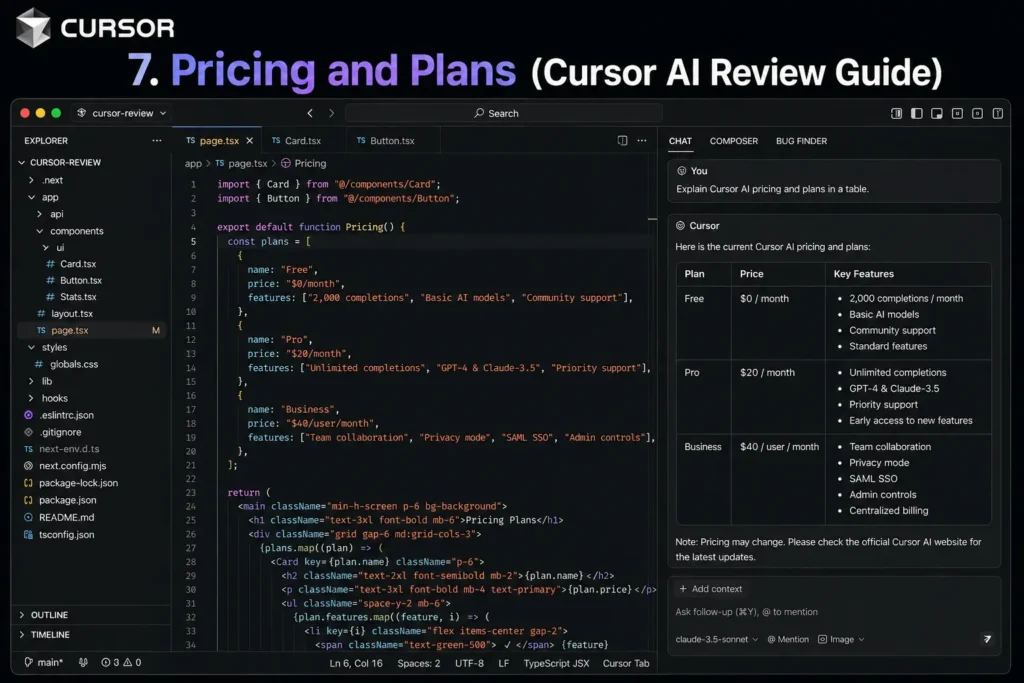
Cursor AI pricing moved to a credit-based model in mid-2025 that generated significant user frustration. Understanding the current system is essential before subscribing.
| Plan | Price | Premium Requests | Key Features |
|---|---|---|---|
| Hobby (Free) | $0 | 2,000 completions + 50 premium/mo | VS Code fork, Supermaven autocomplete, limited agent, basic models |
| Pro | $20/month | 500 premium requests/mo | Unlimited auto-mode, all models, agent mode, parallel agents, privacy mode |
| Pro+ | $40/month | ~1,500 premium requests/mo | Higher usage limits, early access features |
| Business | $40/user/month | 500/user | Centralized billing, usage analytics, admin controls, SOC 2 |
- Auto mode is the most practical for most users: In auto mode, Cursor selects the appropriate model for each task automatically and routes standard requests through cheaper models. Most developers on Pro never exhaust their allocation in auto mode.
- Premium requests matter for heavy agent use: If you use agent mode extensively throughout the day — running Composer on large tasks, using parallel agents — you can exhaust the 500 monthly premium request allocation. Plan accordingly or use auto mode which is more conservative.
- $0.04 per request overage: Overages on Pro cost $0.04 per premium request — same as GitHub Copilot’s overage rate.
- Annual billing saves ~16%: Pro drops from $20 to ~$16/month on annual billing.
💰 Honest take: Pro at $20/month is the right plan for the vast majority of Cursor users. The $29.3B valuation and 1M+ users justify taking the credit controversy in context — most users on auto mode never hit limits. The frustration is real for power users who switched from the old 500 fast requests model; those users should consider Pro+ at $40/month.
Building Something With These AI Coding Tools?
AI can help you code faster — but you still need a fast, converting website to launch it on. Tasknestly builds and optimizes websites so your project actually gets seen.
Get Your Website Built →5. Cursor AI Review: Honest Pros and Cons
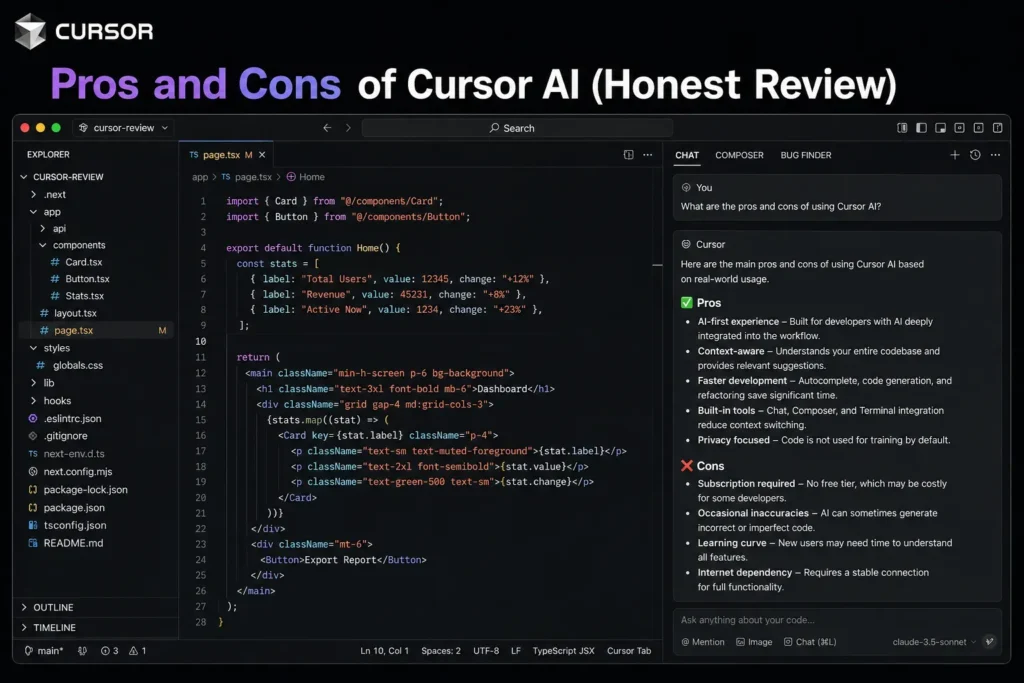
Every honest Cursor AI review needs both sides. Here is the full picture from our testing.
What Cursor AI Gets Right
- Supermaven autocomplete is the best in the category: Codebase-aware completion with higher acceptance rates than any competing tool. This alone justifies the subscription for many developers.
- Agent mode is genuinely transformative: The ability to describe a task and have AI plan, execute, test, and fix it autonomously compresses hours of routine work into minutes. The ROI becomes clear within the first week.
- Parallel background agents are unique: Running up to eight agents on separate git branches simultaneously has no equivalent in any competing IDE — it fundamentally changes throughput.
- VS Code compatibility means zero switching cost: Your existing extensions, themes, and keybindings all work. The migration is as simple as installing the app.
- Best multi-file context of any IDE-based tool: Cursor’s codebase understanding on complex projects outperforms Copilot and Windsurf for tasks that touch many files simultaneously.
- Multi-model flexibility: Switching between Claude, GPT, and Gemini within the same editor lets you match the model to the task.
Where Cursor AI Falls Short
- Credit pricing shift frustrated existing users: The mid-2025 move from 500 fixed premium requests to usage-based billing effectively halved usable volume for some heavy users. The frustration is legitimate.
- JetBrains and Vim users excluded: Cursor is a standalone IDE. Developers deeply committed to JetBrains or Vim cannot get the full Cursor experience — GitHub Copilot or Windsurf’s plugin approach serves them better.
- Performance degrades on very large monorepos: In massive codebases with millions of lines, Cursor’s context indexing slows the editor below vanilla VS Code performance. Not a problem for most projects, but real for very large enterprise repos.
- AI makes mistakes — review is mandatory: Agent mode produces working code the majority of the time, but logical errors, security oversights, and wrong assumptions still occur. Every generated function needs human review before shipping.
- Credit system complexity: Premium requests vs auto mode vs fast requests vs slow requests — the pricing complexity is a legitimate UX problem that should be simpler.
Building Something With These AI Coding Tools?
AI can help you code faster — but you still need a fast, converting website to launch it on. Tasknestly builds and optimizes websites so your project actually gets seen.
Get Your Website Built →6. Who Should Use Cursor AI?
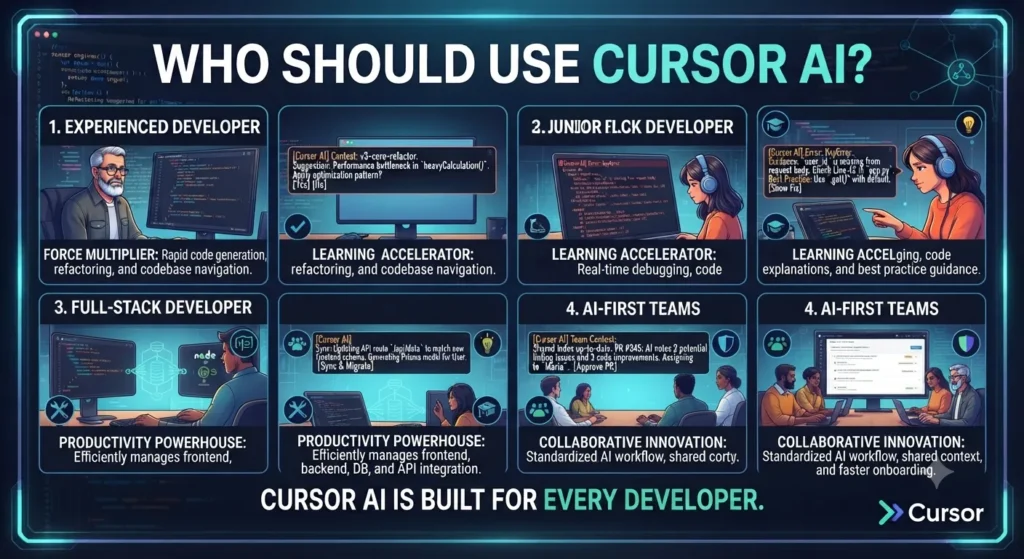
Cursor AI Is a Great Fit If You Are:
- A professional VS Code developer working on complex, multi-file projects — Composer and agent mode deliver the clearest ROI for this profile.
- A developer who codes daily and wants maximum AI productivity — the 60-90 minutes daily savings reported by regular users is real and compounds.
- Someone who uses agent mode regularly — Cursor’s agent capabilities are the deepest in any IDE-based tool, and parallel agents have no competitor.
- A team that values AI-native workflows but wants familiar VS Code ergonomics — Business plan SOC 2 compliance and centralized billing suit team deployments.
Cursor AI Is Probably Not Right If You Are:
- A JetBrains or Vim user — you cannot get the full Cursor experience without switching editors.
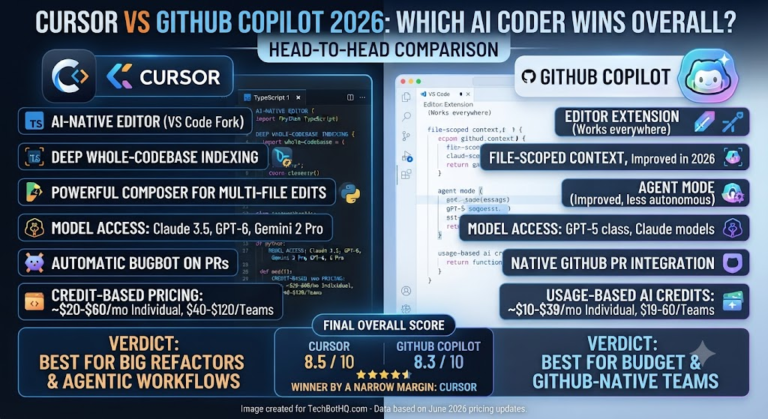
- A budget-conscious developer who mainly needs inline completion — GitHub Copilot at $10/month covers 80% of the functionality at half the price.
- Working in a very large monorepo where editor performance is critical — vanilla VS Code with Copilot may be faster for these specific workflows.
- A beginner who wants simple setup without complexity — Replit or GitHub Copilot are more accessible entry points.
Building Something With These AI Coding Tools?
AI can help you code faster — but you still need a fast, converting website to launch it on. Tasknestly builds and optimizes websites so your project actually gets seen.
Get Your Website Built →7. Cursor AI Review: How It Compares
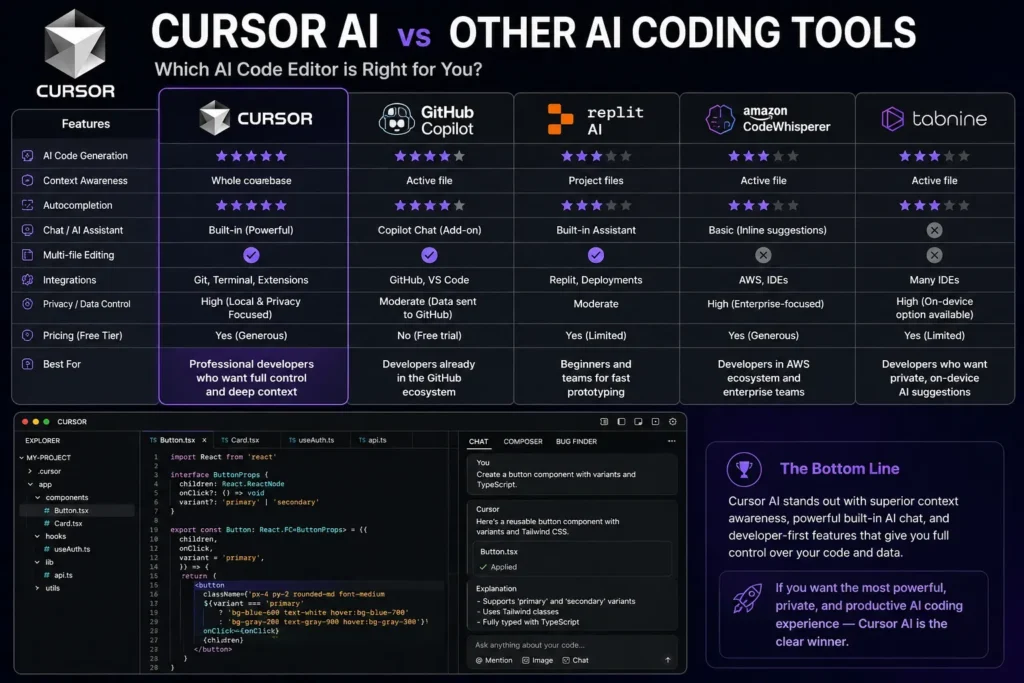
| Tool | Price | Key Strength | Best For |
|---|---|---|---|
| Cursor Pro | $20/month | Best agent mode, Supermaven, parallel agents | Pro devs on complex projects |
| GitHub Copilot Pro | $10/month | Best value, multi-IDE, GitHub integration | Most developers — best price |
| Windsurf Pro | $15/month | Best value agentic IDE, Codemaps | Cost-conscious agentic devs |
| Claude Code | $20-200/month | Deepest reasoning, terminal-native | Complex autonomous coding |
Building Something With These AI Coding Tools?
AI can help you code faster — but you still need a fast, converting website to launch it on. Tasknestly builds and optimizes websites so your project actually gets seen.
Get Your Website Built →8. What Real Developers Say About Cursor AI

Verified developer feedback across G2 and Reddit for this Cursor AI review tells a consistent story: developers who invest time learning Composer and agent mode describe Cursor as the single biggest productivity improvement they have made in years. The pattern is that the first week feels similar to other AI tools, and by week three most users cannot imagine going back. The ROI compounds as you learn which tasks to delegate to the agent.
The credit controversy generates the most negative feedback. Developers who subscribed under the old 500 fast requests model and found their effective usage reduced by the switch to usage-based billing feel the change was not communicated clearly. This is a legitimate grievance — Cursor handled the pricing transition poorly from a user communication standpoint.
The quality ceiling also gets consistent praise in Cursor AI review feedback: developers moving from Copilot specifically highlight the context quality improvement for multi-file tasks. The ability to make a change that correctly propagates through multiple files — understanding the full dependency chain — is cited repeatedly as the thing that actually changes the development workflow.
Building Something With These AI Coding Tools?
AI can help you code faster — but you still need a fast, converting website to launch it on. Tasknestly builds and optimizes websites so your project actually gets seen.
Get Your Website Built →9. Our Cursor AI Review Rating Breakdown
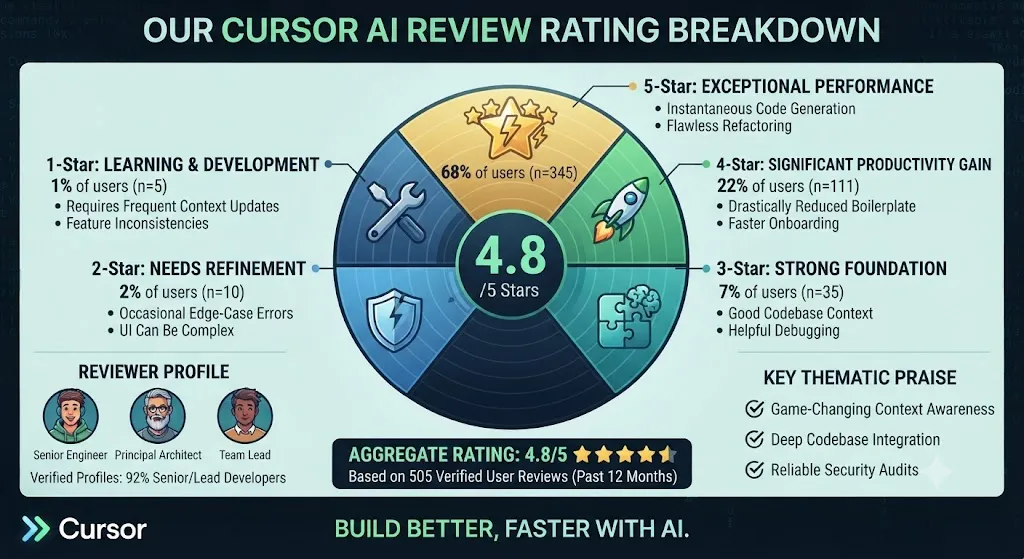
| Category | Score | Notes |
|---|---|---|
| Autocomplete Quality | 4.9 / 5 | Supermaven is the best codebase-aware completion available |
| Agent Mode | 4.8 / 5 | Most complete agent implementation in any IDE-based tool |
| Parallel Agents | 4.9 / 5 | Unique — 8 simultaneous agents on git worktrees has no competitor |
| Multi-File Context | 4.8 / 5 | Best codebase understanding for complex multi-file tasks |
| Pricing Value | 4.2 / 5 | Strong at $20; credit system complexity and mid-2025 change damaged trust |
| VS Code Compatibility | 5.0 / 5 | Perfect — every extension, keybinding, theme works |
| IDE Breadth | 3.5 / 5 | VS Code only — JetBrains and Vim users excluded |
| Ease of Use | 4.5 / 5 | Familiar VS Code base; agent and composer require learning |
| Overall | 4.7 / 5 | The most complete AI code editor for professional VS Code developers |
Building Something With These AI Coding Tools?
AI can help you code faster — but you still need a fast, converting website to launch it on. Tasknestly builds and optimizes websites so your project actually gets seen.
Get Your Website Built →10. Final Cursor AI Review Verdict
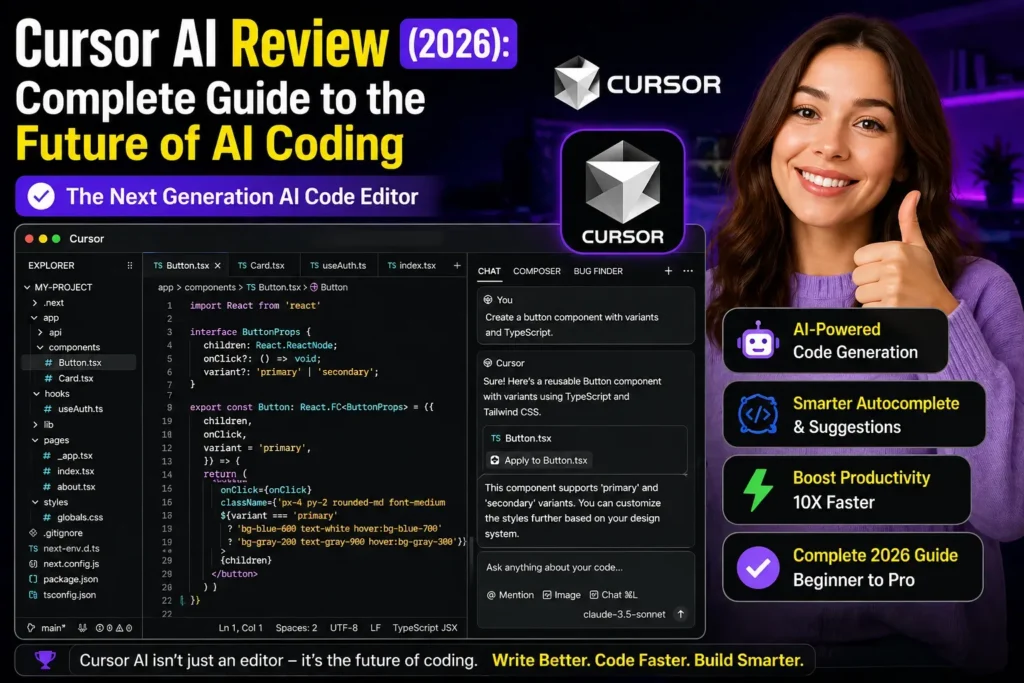
Here is the bottom line of this Cursor AI review: Cursor is the best AI code editor for professional developers on complex projects in 2026. Supermaven autocomplete, Composer multi-file editing, autonomous agent mode, and parallel background agents combine into a productivity platform that has no peer for VS Code developers who use it at full depth.
The credit pricing controversy and JetBrains exclusion are real limitations. But for developers who code daily in VS Code on non-trivial projects, our Cursor AI review is clear: the ROI at $20/month makes the decision easy. Try the free tier, run it for a week on a real project, and judge from there.
| ✅ Get Cursor AI If You…Code daily in VS Code on complex projectsWant the best agent and multi-file editingValue Supermaven’s codebase-aware completionNeed parallel agents for high throughputAre willing to invest time learning the tool | ⚠️ Skip Cursor AI If You…Use JetBrains, Vim, or Visual StudioMainly need simple inline completionAre budget-constrained — try Copilot firstWork in massive monorepos needing editor speedAre new to AI coding — try Copilot first |
Building Something With These AI Coding Tools?
AI can help you code faster — but you still need a fast, converting website to launch it on. Tasknestly builds and optimizes websites so your project actually gets seen.
Get Your Website Built →11. Cursor AI Review: FAQ
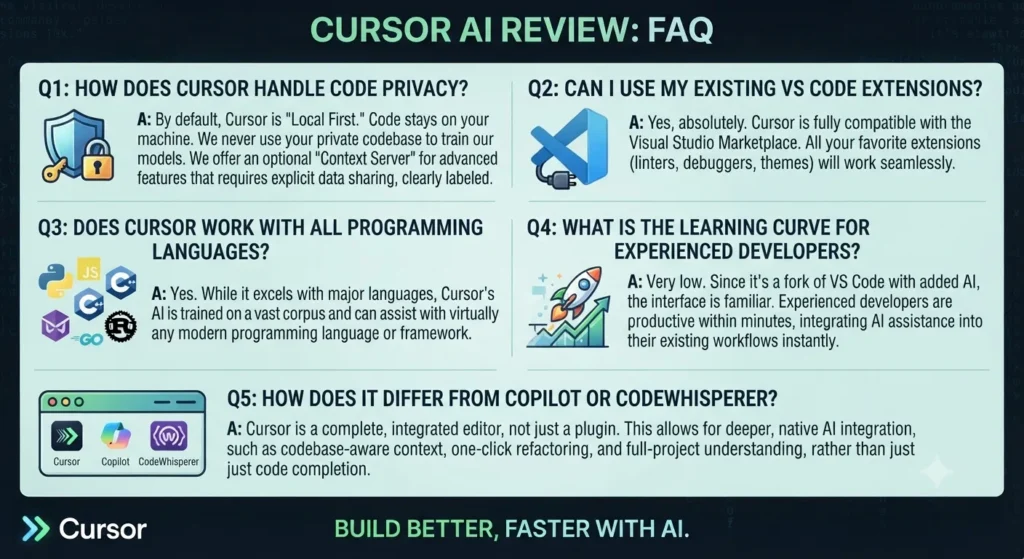
Is Cursor AI worth it in 2026?
For professional VS Code developers on complex projects, yes — our Cursor AI review rates it 4.7/5. The productivity gains from agent mode and Composer are real and consistently reported. At $20/month, ROI is achieved within the first week for developers who code daily.
How does Cursor AI pricing work?
Cursor AI pricing uses premium requests — a monthly allocation that powers agent mode, Composer, and manual model selection. Auto mode routes standard requests through cheaper models and is effectively unlimited for most users. Heavy agent mode users may exhaust 500 monthly premium requests on Pro.
How does Cursor compare to GitHub Copilot?
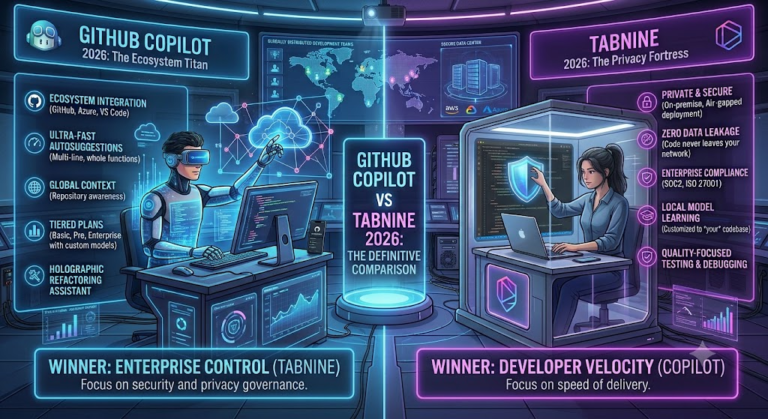
GitHub Copilot offers broader IDE support and better value at $10/month. Cursor wins on multi-file context, agent mode depth, and Supermaven autocomplete quality. This Cursor AI review found Cursor completes multi-file tasks approximately 30% faster than Copilot. For simple inline completion, Copilot at half the price is hard to beat.
Does Cursor AI work with JetBrains?
No — Cursor is a standalone VS Code fork. JetBrains users cannot get the full Cursor experience. GitHub Copilot or Windsurf’s IDE plugins are better choices for JetBrains developers, as highlighted throughout this Cursor AI review
Building Something With These AI Coding Tools?
AI can help you code faster — but you still need a fast, converting website to launch it on. Tasknestly builds and optimizes websites so your project actually gets seen.
Get Your Website Built →