Notion AI Review 2026: Is It Worth Paying For?

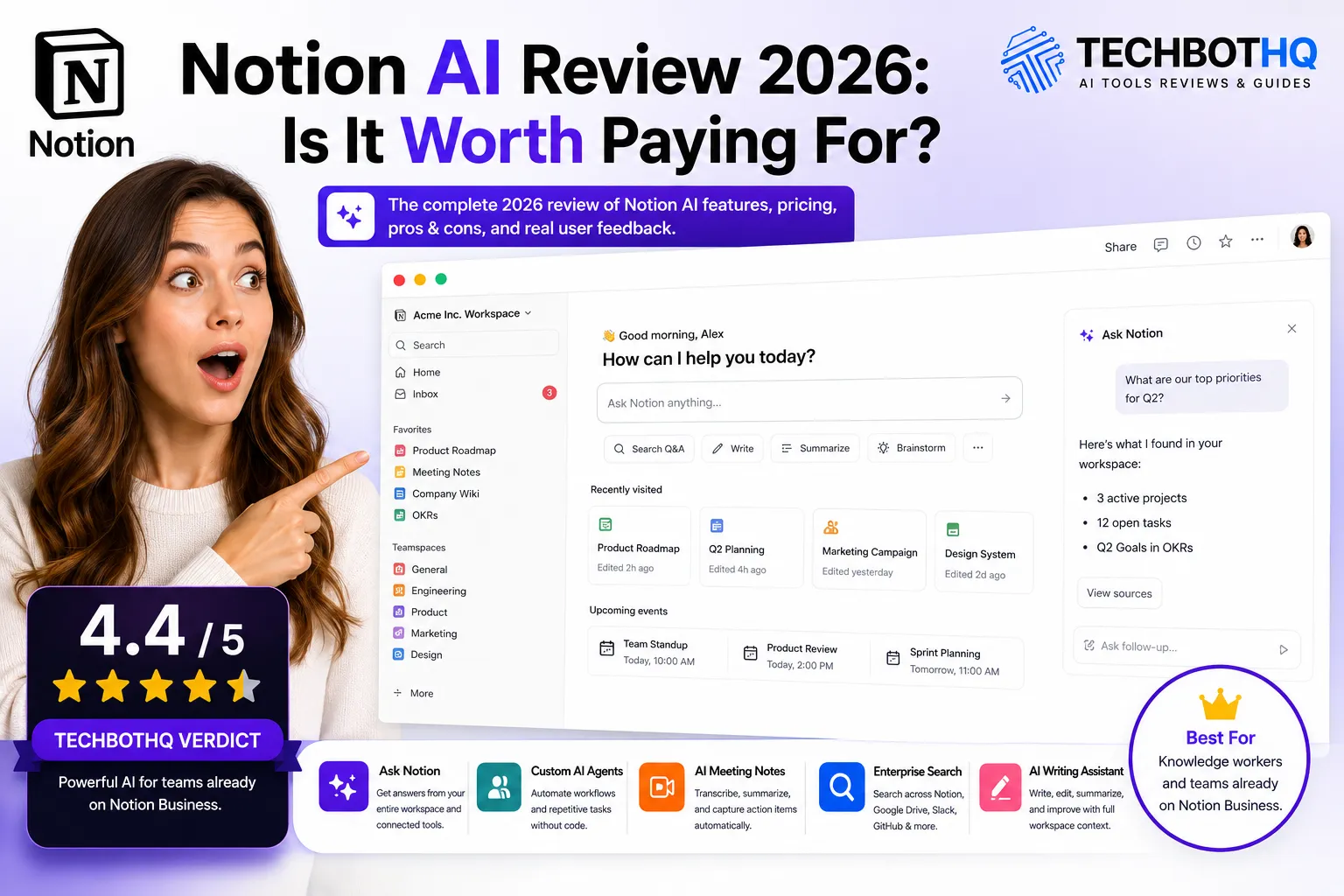
| ⚡ TechBotHQ Verdict This Notion AI review gives the platform a solid 4.4 out of 5 for teams already on Notion Business. The Ask Notion workspace Q&A, Custom Agents, AI Meeting Notes, and context-aware writing assistance are genuinely powerful when they have months of your team’s knowledge to draw from. The Notion AI review verdict is clear for Business plan users: you are getting serious AI capability at no additional per-seat cost. For Free or Plus users, the AI access gate is aggressive and the pricing math pushes you toward upgrading to Business rather than adding the AI add-on separately. Rating: 4.4/5 | Best For: Knowledge workers and teams already on Notion Business who want AI embedded across their documentation and project workflow |
Table of Contents
Notion AI Review 2026: What You Need to Know First
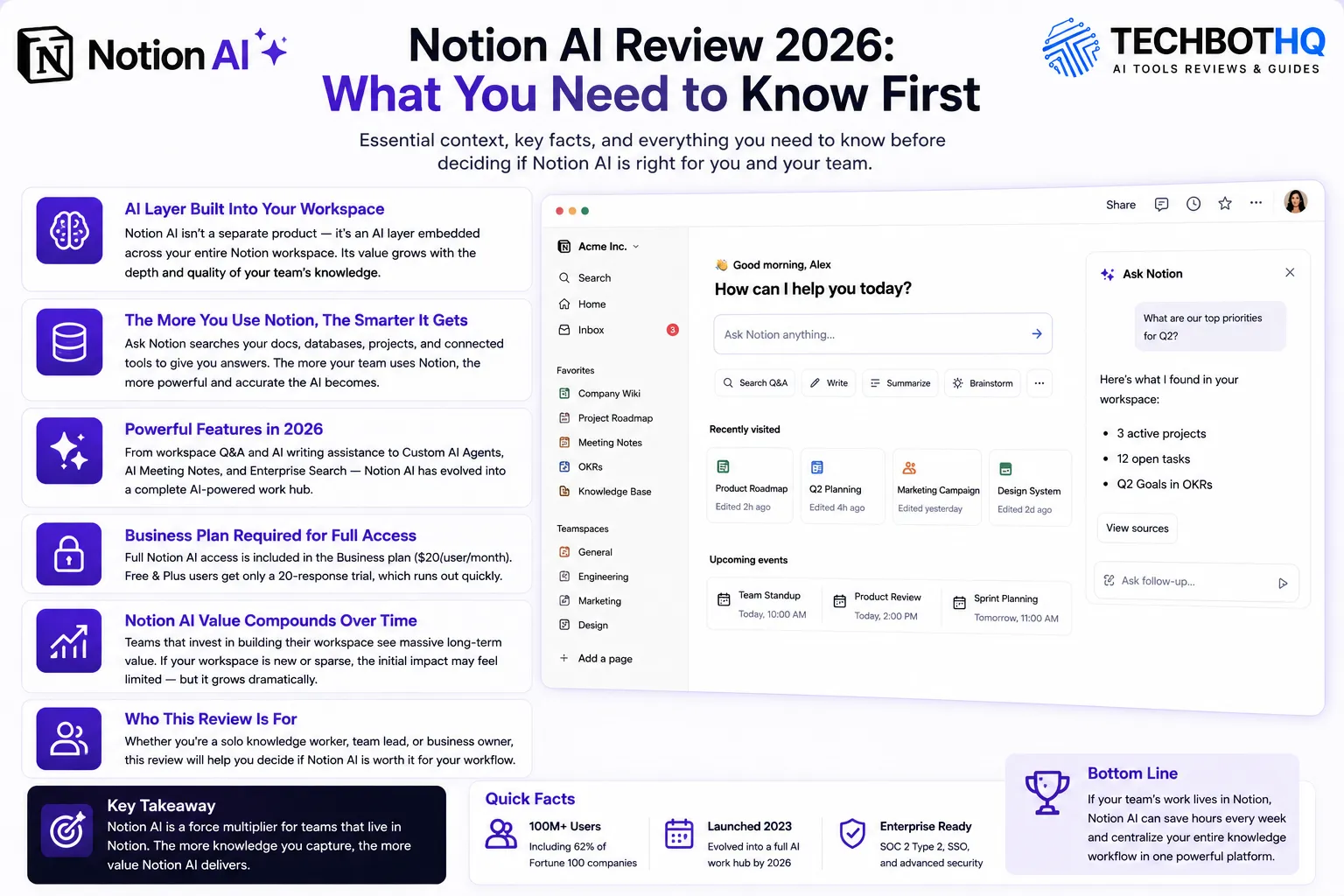
This Notion AI review starts with the most important context you need before evaluating the platform: Notion AI is not a standalone product. It is an AI layer woven throughout the Notion workspace, and its value is directly proportional to how much of your team’s work already lives in Notion. That is the single most important framing for any honest Notion AI review in 2026.
If your team uses Notion as its primary workspace — for documentation, project tracking, wikis, and meeting notes — the Notion AI review picture is genuinely impressive. Ask Notion answers questions across your entire workspace and connected tools. Custom AI Agents automate multi-step knowledge workflows. AI Meeting Notes transcribes and summarizes calls automatically. These Notion AI features compound in value as your workspace database grows richer over time.
If you are on the Free or Plus plan, this Notion AI review is more complicated. Full AI access requires upgrading to Business at $20 per user per month. The 20-response AI trial for lower-tier users runs out within a day of active testing, and the pricing gate has attracted real criticism from users who feel Notion AI should be accessible at lower plan tiers.
Our Notion AI review tested the platform across writing assistance, workspace Q&A, AI Agents, and meeting transcription over several weeks of real team usage. We evaluated what Notion AI does well, where it falls short, and exactly who should — and should not — pay for it. Here is the complete honest picture.
Whether you are a solo knowledge worker evaluating whether Notion AI is worth the Business plan upgrade, a team lead looking at AI-powered documentation tools, or someone trying to understand what Ask Notion actually does in practice — this Notion AI review is written for you.
Want The Time Savings Without Doing It Yourself?
These tools save you hours on your own tasks — but marketing is one job most people would rather hand off entirely. Tasknestly runs it for you, end to end.
1. What Is Notion AI? A Plain-English Overview
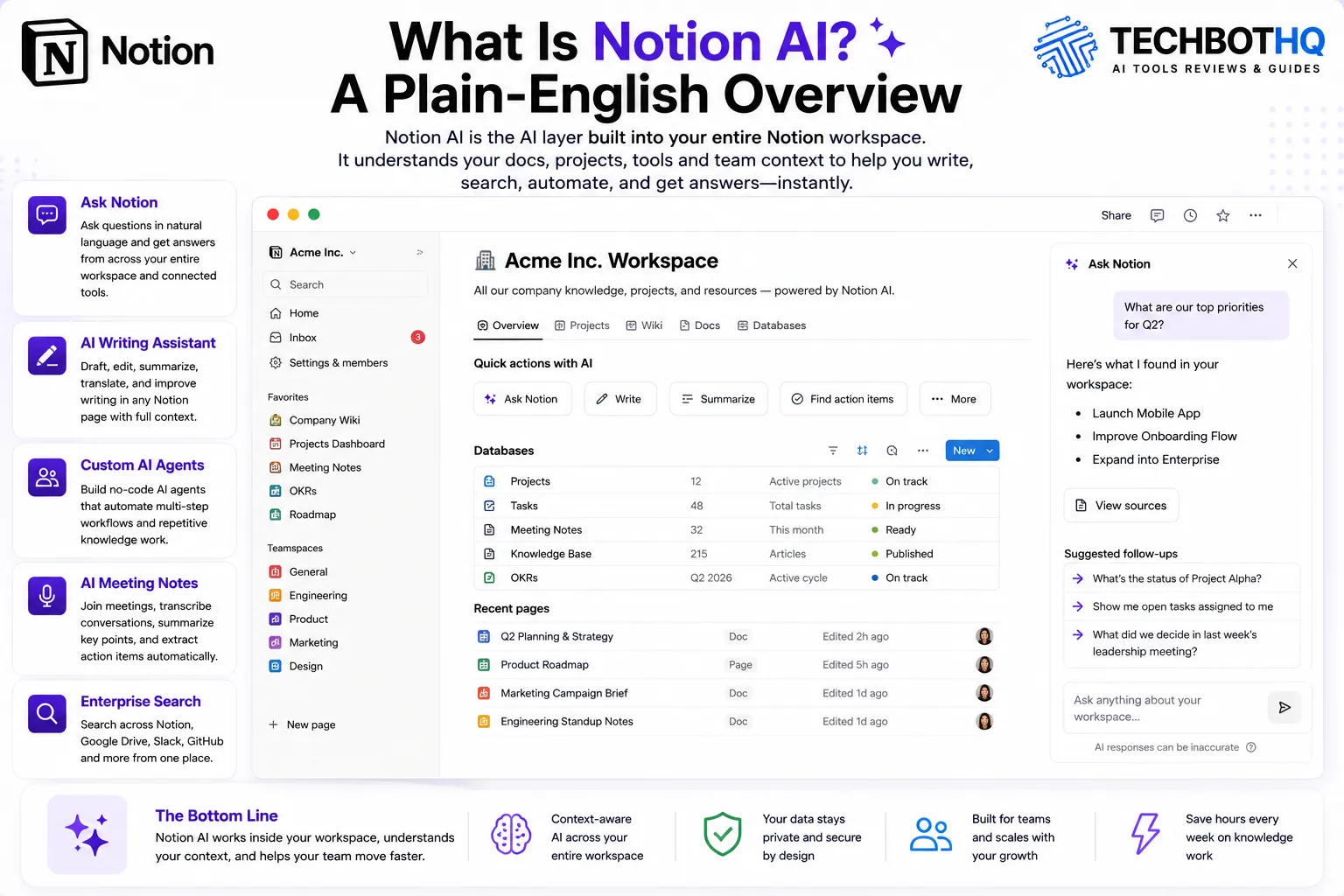
Notion AI is the AI layer embedded throughout the Notion workspace. It launched as a writing assistant in 2023, evolved into workspace Q&A in 2024, and in 2026 has expanded to include Custom AI Agents, AI Meeting Notes, and Enterprise Search — positioning Notion as what the company calls an AI-powered work hub rather than just a notes and project tool.
The key differentiator that makes this Notion AI review interesting is context. Notion AI understands everything in your workspace — your documents, databases, project pages, and now connected tools like Google Drive and Slack. When you ask Notion AI a question, it draws from this accumulated knowledge rather than a generic training set. This is what separates a Notion AI review from a review of standalone AI writing tools: the platform’s AI improves the more your team uses Notion itself.
Notion is used by over 100 million users including 62% of Fortune 100 companies. The platform’s 2026 positioning as an AI-powered work hub — not just a notes app — is a meaningful evolution that changes how teams should evaluate both Notion and its AI capabilities. This Notion AI review covers the platform as it stands in 2026, including features that were still in beta in earlier reviews.
Want The Time Savings Without Doing It Yourself?
These tools save you hours on your own tasks — but marketing is one job most people would rather hand off entirely. Tasknestly runs it for you, end to end.
2. How Notion AI Works: Key Features
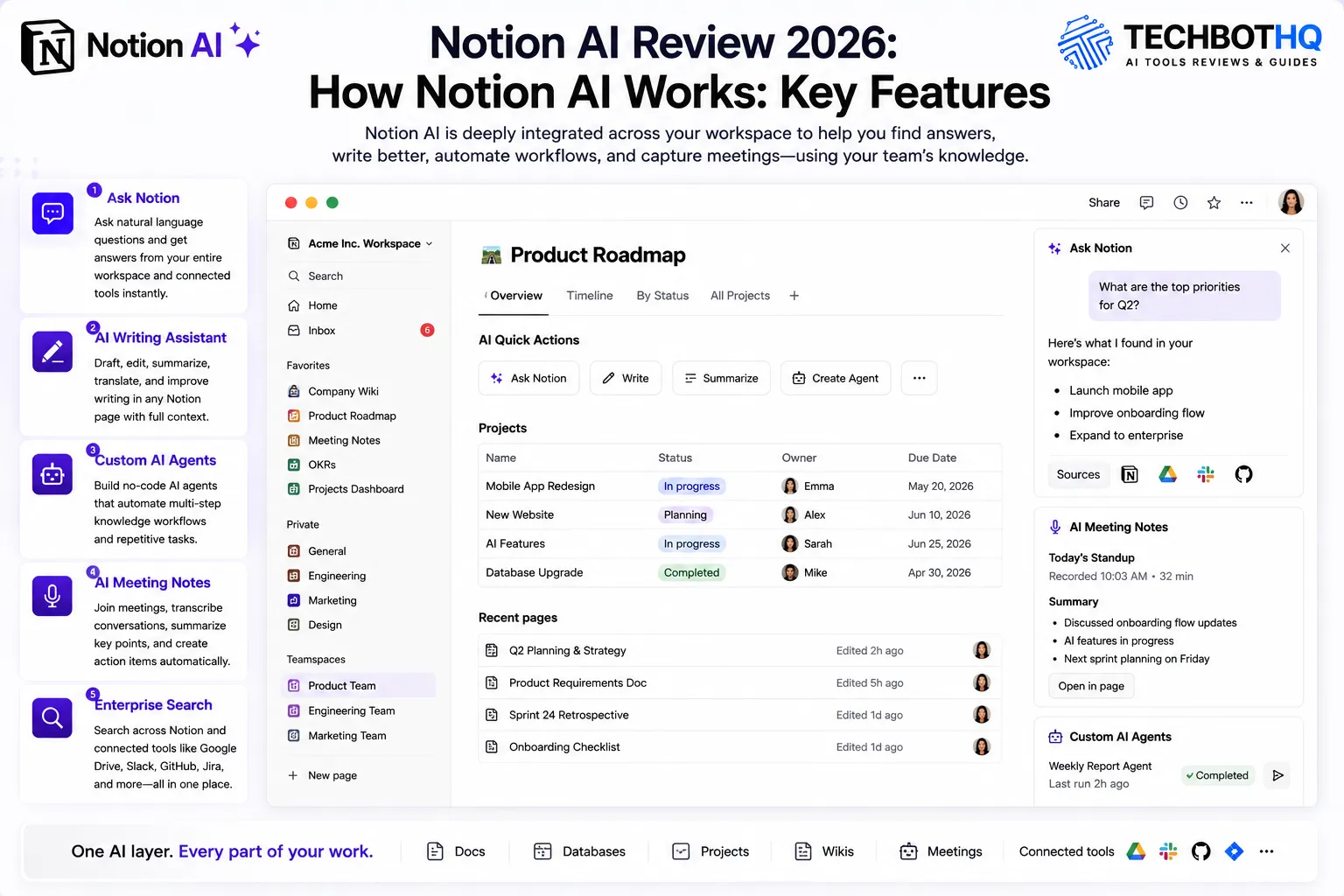
Ask Notion — Workspace Q&A
Ask Notion is the standout feature in our Notion AI review. You ask natural language questions — ‘What are the open action items from last quarter?’ ‘What did we decide about the pricing strategy?’ ‘Which projects are currently behind schedule?’ — and Notion AI searches your entire workspace plus connected tools including Google Drive and Slack to answer. For teams with months or years of documentation in Notion, Ask Notion replaces hours of manual searching with seconds of Q&A.
In direct testing for this Notion AI review, Ask Notion performed best on workspaces with structured, well-tagged content. On sparse or disorganized workspaces, the answers were less reliable. The quality of Ask Notion output is directly tied to the quality of what your team has put into Notion — which is an important consideration for any Notion AI review.
💡 Pro tip: Ask Notion works best after 3 to 6 months of active team use. Teams that try Notion AI on a new or sparse workspace often underestimate its value. Build the workspace content first and the Notion AI Q&A quality compounds dramatically.
AI Writing Assistant
Notion AI can draft, edit, summarize, translate, and improve writing directly within any Notion page. The writing quality is solid for internal documentation, meeting notes, project briefs, and knowledge base articles. For creative marketing content, dedicated tools produce better output — but for the internal knowledge work Notion is designed for, the AI writing assistance is genuinely time-saving for teams that already live in the platform.
Custom AI Agents
Custom Agents launched in February 2026 and let teams build specialized AI workflows without code — a morning standup summarizer, a ticket triage agent, a weekly report drafter, a client onboarding checklist generator. These are the most powerful Notion AI features in 2026 and the ones that most excite the teams featured in this Notion AI review. The credit system introduced with Custom Agents has generated frustration, however: simple daily automation agents can consume $20 to $30 per month in credits at scale, a cost that was not clearly communicated at launch and surprised many teams.
AI Meeting Notes
AI Meeting Notes joins your meetings, transcribes the conversation, summarizes key points, and creates action item tasks directly in Notion. The transcription quality is good across clear audio. Summaries are reliable for action items but sometimes miss nuanced context or prioritize the wrong discussion points. Human review before sharing notes externally is still recommended. In our Notion AI review testing, AI Meeting Notes saved approximately 10 to 15 minutes of post-meeting admin per call — genuinely useful, though not yet polished enough to fully replace a human note-taker on high-stakes external meetings.
Enterprise Search
Enterprise Search connects Notion to external tools — Google Drive, Slack, GitHub, Jira, and others — and lets you search across all connected sources from within Notion AI. For teams with information scattered across multiple platforms, this is a meaningful productivity feature that reduces context switching and helps Ask Notion pull from a broader knowledge base.
Want The Time Savings Without Doing It Yourself?
These tools save you hours on your own tasks — but marketing is one job most people would rather hand off entirely. Tasknestly runs it for you, end to end.
3. Key Notion AI Features in 2026
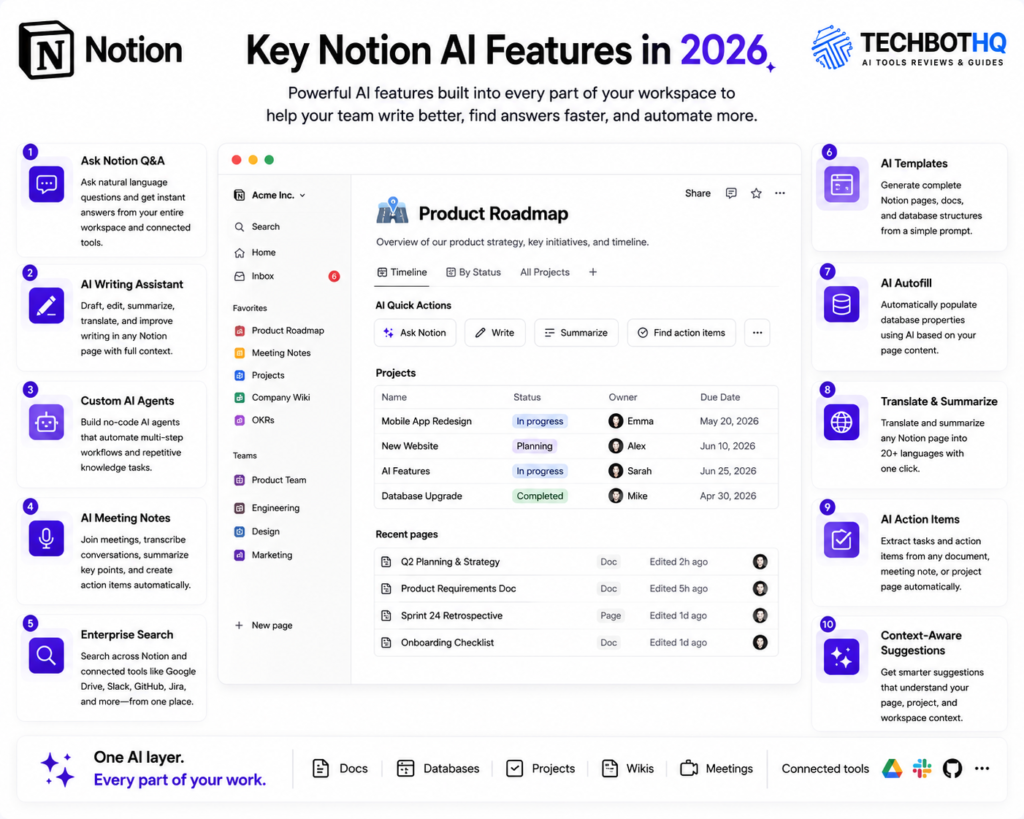
- Ask Notion Q&A: Natural language questions answered across your entire workspace and connected tools — the most valuable Notion AI feature for knowledge-heavy teams.
- AI Writing Assistant: Draft, edit, summarize, translate, and improve writing within any Notion page with full workspace context.
- Custom AI Agents: Build no-code multi-step AI automation workflows for repeating knowledge work processes.
- AI Meeting Notes: Automatic transcription, summarization, and action item creation from meetings — beta in early 2026.
- Enterprise Search: Search across Google Drive, Slack, GitHub, and Jira from within Notion AI.
- AI Templates: Generate complete Notion database and page structures from a natural language description.
- Notion AI Autofill: Automatically populate database properties using AI based on page content.
- Translate and Summarize: One-click translation and summarization of any Notion page content into 20+ languages.
- AI Action Items: Extract and create tasks from any document, meeting note, or project page automatically.
- Context-Aware Suggestions: Notion AI understands the specific page, project, and database you are working in for more relevant outputs.
Want The Time Savings Without Doing It Yourself?
These tools save you hours on your own tasks — but marketing is one job most people would rather hand off entirely. Tasknestly runs it for you, end to end.
4. Notion AI Review: Pricing Breakdown
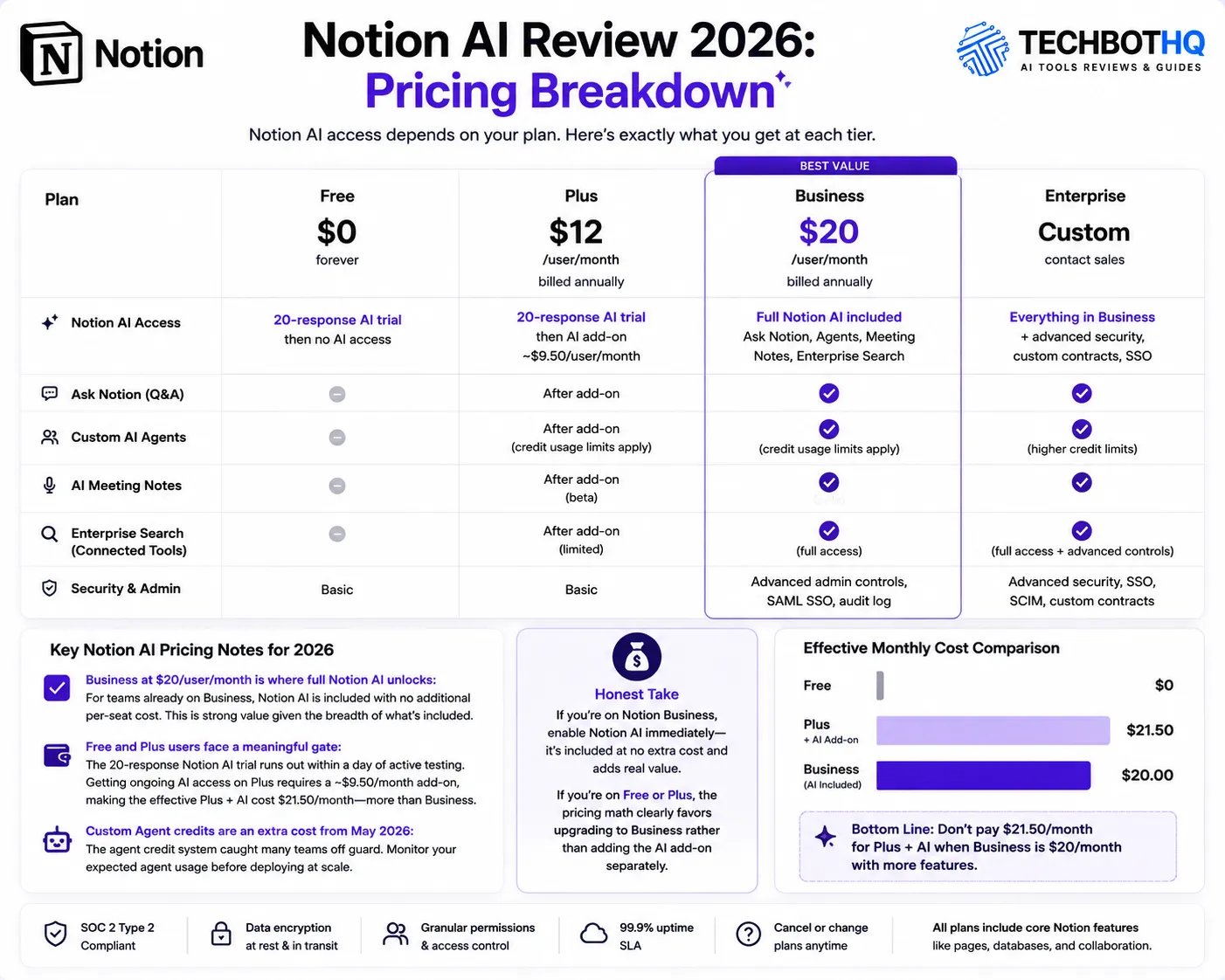
Notion AI pricing is where this platform’s biggest friction lives in 2026. Any complete Notion AI review has to address the pricing gate honestly — it is the most common concern in user feedback and the most important factor in deciding whether Notion AI is right for your situation.
| Plan | Price | Notion AI Access |
|---|---|---|
| Free | $0 | 20-response AI trial then no Notion AI access |
| Plus | $12/user/month | 20-response AI trial then AI add-on ~$9.50/month required |
| Business | $20/user/month | Full Notion AI included — Ask Notion, Agents, Meeting Notes, Enterprise Search |
| Enterprise | Custom | Everything in Business plus advanced security, custom contracts, SSO |
Key Notion AI pricing notes for 2026:
- Business at $20/user/month is where full Notion AI unlocks: For teams already on Business, Notion AI is included with no additional per-seat cost. This is strong value given the breadth of what is included — Ask Notion, Custom Agents, AI Meeting Notes, and Enterprise Search all come with the plan.
- Free and Plus users face a meaningful gate: The 20-response Notion AI trial runs out within a day of active testing. Getting ongoing AI access on Plus requires a ~$9.50/month add-on, making the effective Plus + AI cost $21.50/month — more expensive than simply upgrading to Business.
- Custom Agent credits are an extra cost from May 2026: The agent credit system caught many teams off guard. Monitor your expected agent usage before deploying Custom Agents at volume or the costs will surprise you.
💰 Honest take: If you are on Notion Business, enable Notion AI immediately — it is included at no extra cost and adds real value. If you are on Free or Plus, the pricing math clearly favors upgrading to Business rather than adding the AI add-on separately. Do not pay $21.50/month for Plus + AI when Business is $20/month with more features.
Want The Time Savings Without Doing It Yourself?
These tools save you hours on your own tasks — but marketing is one job most people would rather hand off entirely. Tasknestly runs it for you, end to end.
5. Notion AI Review: Honest Pros and Cons
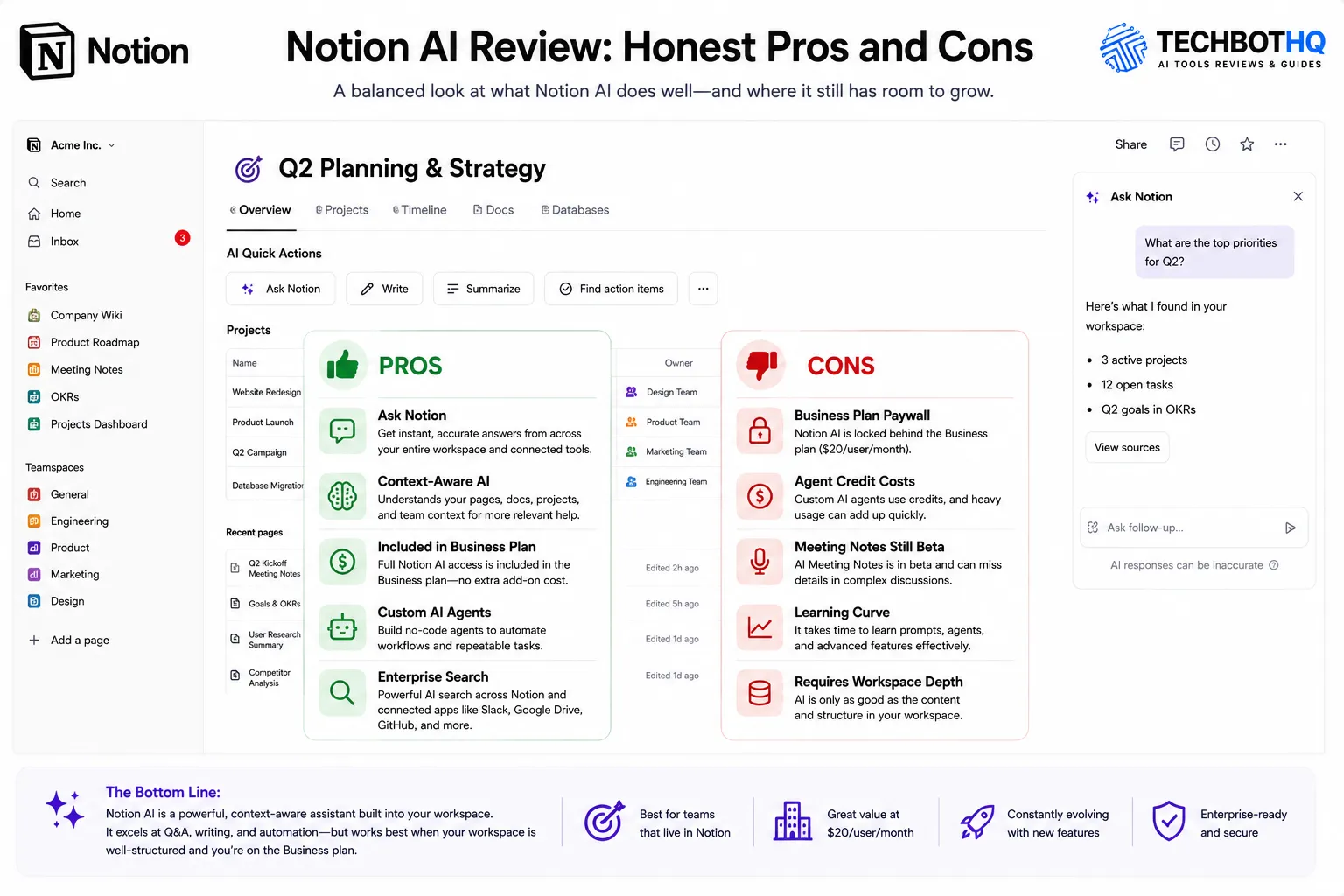
Every honest Notion AI review needs to give you both sides clearly. The Notion AI pros and cons break down as follows after weeks of real testing.
What Notion AI Gets Right
- Ask Notion is genuinely valuable for knowledge-heavy teams: Answering questions across your entire workspace and connected tools saves real time for teams with significant Notion documentation. This is the Notion AI feature that justifies the platform for most Business plan teams.
- Context-aware writing assistance is noticeably better than generic AI: Notion AI understands your existing documents, projects, and team context. The output is more relevant than standalone AI writing tools for the internal knowledge work Notion is designed for.
- Full Notion AI included in Business plan at no extra cost: No additional per-seat charge on the plan many teams are already on — genuine value when you compare to paying separately for AI writing tools.
- Custom Agents are powerful when configured well: Multi-step workflow automation without code handles real repeating knowledge work processes. Teams with consistent workflows — weekly reports, standup summaries, onboarding checklists — see meaningful time savings.
- All-in-one platform consolidation: Replacing separate tools for notes, project management, wikis, and AI assistance in one subscription reduces both cost and context switching.
- Enterprise Search expands the knowledge base: Pulling from Google Drive, Slack, and GitHub alongside Notion content makes Ask Notion significantly more useful for teams with distributed information.
Where Notion AI Falls Short
- AI access gate at Business tier is aggressive: Locking full Notion AI behind $20/user/month when competitors bundle AI at lower price points is a friction point that drives the most consistent criticism in user feedback.
- Custom Agent credit costs surprised users at launch: The credit pricing for Custom Agents was not clearly communicated. Teams deploying agents at scale discovered costs that were not anticipated in their budgets.
- AI Meeting Notes summaries are inconsistent: Beta quality as of early 2026. Reliable for action item extraction, but misses nuanced context on complex or fast-moving discussions. Not ready to fully replace human note-taking on high-stakes external meetings.
- Notion AI value requires workspace depth that takes time: Teams evaluating Notion AI on a new or sparse workspace consistently underestimate its value. The Ask Notion Q&A improves dramatically after 3 to 6 months of active usage — a slow payoff for teams that want immediate results.
- Performance degrades on very large databases: Complex relational Notion databases with millions of entries slow the interface on some plan tiers. Not universal but real for teams that push the platform hard.
Want The Time Savings Without Doing It Yourself?
These tools save you hours on your own tasks — but marketing is one job most people would rather hand off entirely. Tasknestly runs it for you, end to end.
6. Who Should Use Notion AI?
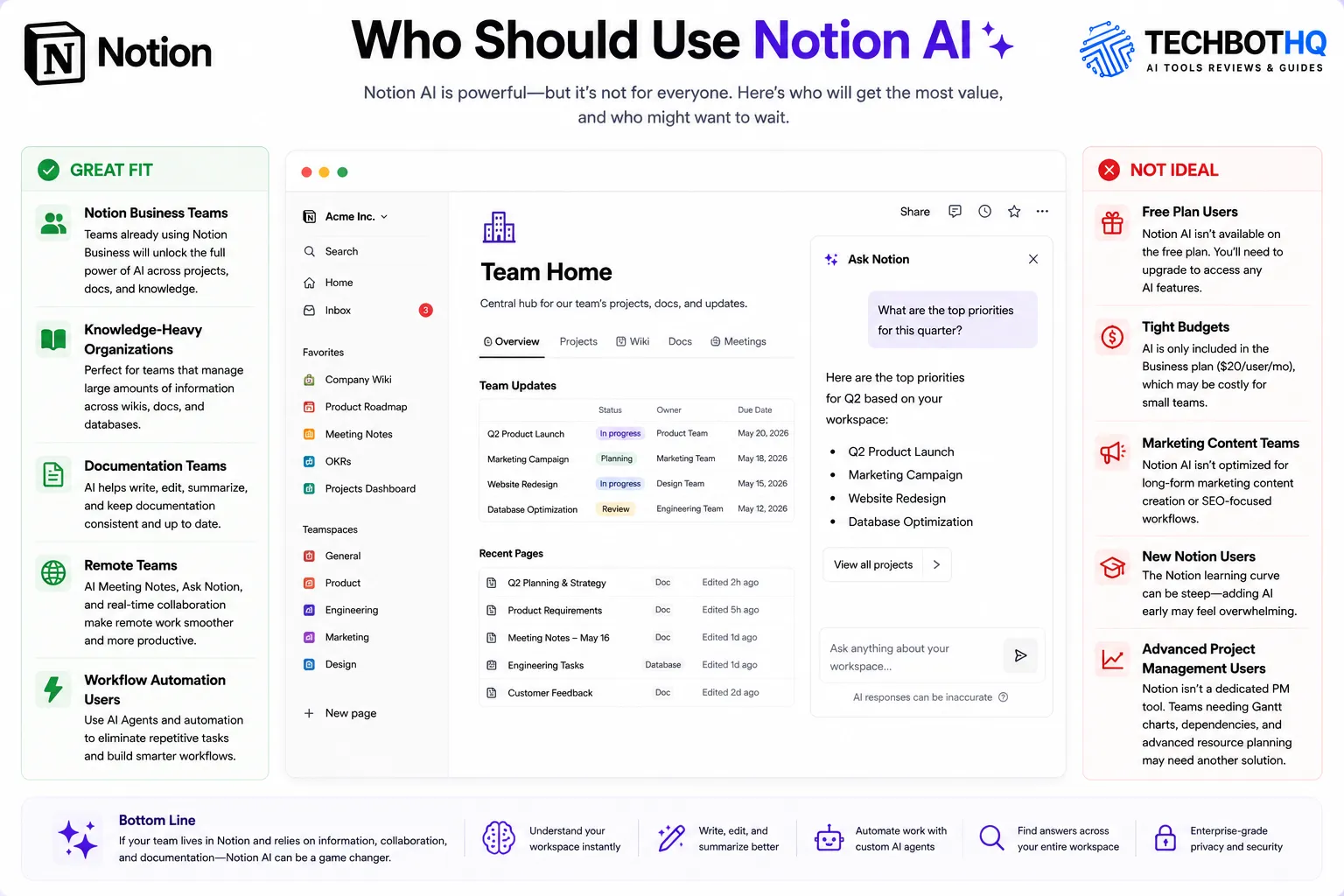
Our Notion AI review found a clear ideal user profile. Notion AI is not for everyone — and being honest about who should and should not use it is the most useful thing any Notion AI review can do.
Notion AI Is a Great Fit If You Are:
- A team already on Notion Business — Notion AI is included and adds real value from day one without any additional cost.
- A knowledge-intensive team with significant documentation in Notion — Ask Notion’s value compounds with the amount of content in your workspace, making this the most important factor in any Notion AI review.
- A team that wants to consolidate notes, projects, wikis, and AI in one platform — Notion’s all-in-one positioning reduces tool sprawl and subscription cost meaningfully.
- A team that runs repeating knowledge work workflows — Custom Agents automate standup summaries, onboarding checklists, weekly reports, and similar processes without code.
- A remote or distributed team that needs structured async knowledge sharing — Notion AI’s summarization and Q&A features work especially well for teams that rely heavily on documentation.
Notion AI Is Probably Not Right If You Are:
- On Free or Plus with a tight budget — the AI gate math pushes you toward Business at $20/month, which may not be justified if Notion AI is your only reason for upgrading.
- Primarily looking for AI content creation quality for marketing — Jasper and Writesonic produce better marketing content output than Notion AI for teams focused on external content production.
- A team that wants strong project management depth — ClickUp and Asana offer more sophisticated Gantt charts, custom fields, and reporting at comparable AI-inclusive pricing.
- Just getting started with Notion — the Notion AI value requires workspace depth that takes months to build. Evaluate Notion as a platform first before judging Notion AI on a fresh workspace.
Want The Time Savings Without Doing It Yourself?
These tools save you hours on your own tasks — but marketing is one job most people would rather hand off entirely. Tasknestly runs it for you, end to end.
7. Notion AI Review: How It Compares
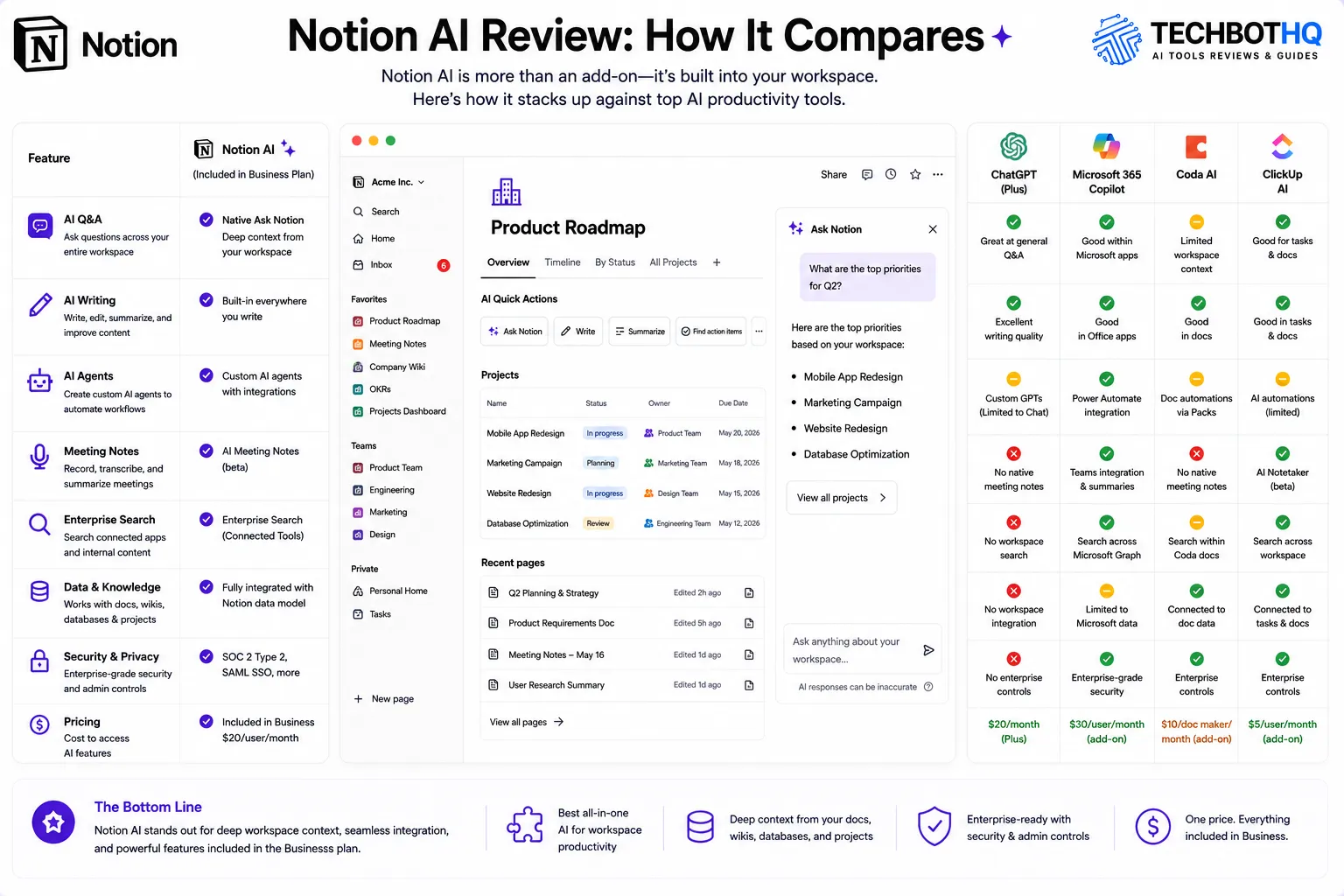
This Notion AI review compares Notion AI against the tools most commonly evaluated alongside it.
| Tool | AI Price | AI Strength | Best For |
|---|---|---|---|
| Notion AI | Included in Business $20 | Workspace Q&A, agents, meeting notes | Documentation-heavy teams |
| ClickUp Brain | $5-7/user add-on | Project AI, standups, task summaries | Project management teams |
| Confluence AI | Bundled in Standard+ | Enterprise documentation AI | Large Atlassian-ecosystem teams |
| Jasper AI | $49/month | Brand voice, marketing content at scale | Marketing content teams |
The most common comparison in any Notion AI review is Notion AI versus ClickUp Brain. Notion AI leads on workspace knowledge management — Ask Notion, document Q&A, and knowledge-based agents are stronger for documentation-heavy teams. ClickUp Brain leads on project management AI — standup automation, task summaries, and project-level intelligence are more sophisticated. Choose based on whether your primary need is knowledge management or project management.
Want The Time Savings Without Doing It Yourself?
These tools save you hours on your own tasks — but marketing is one job most people would rather hand off entirely. Tasknestly runs it for you, end to end.
8. What Real Users Say About Notion AI
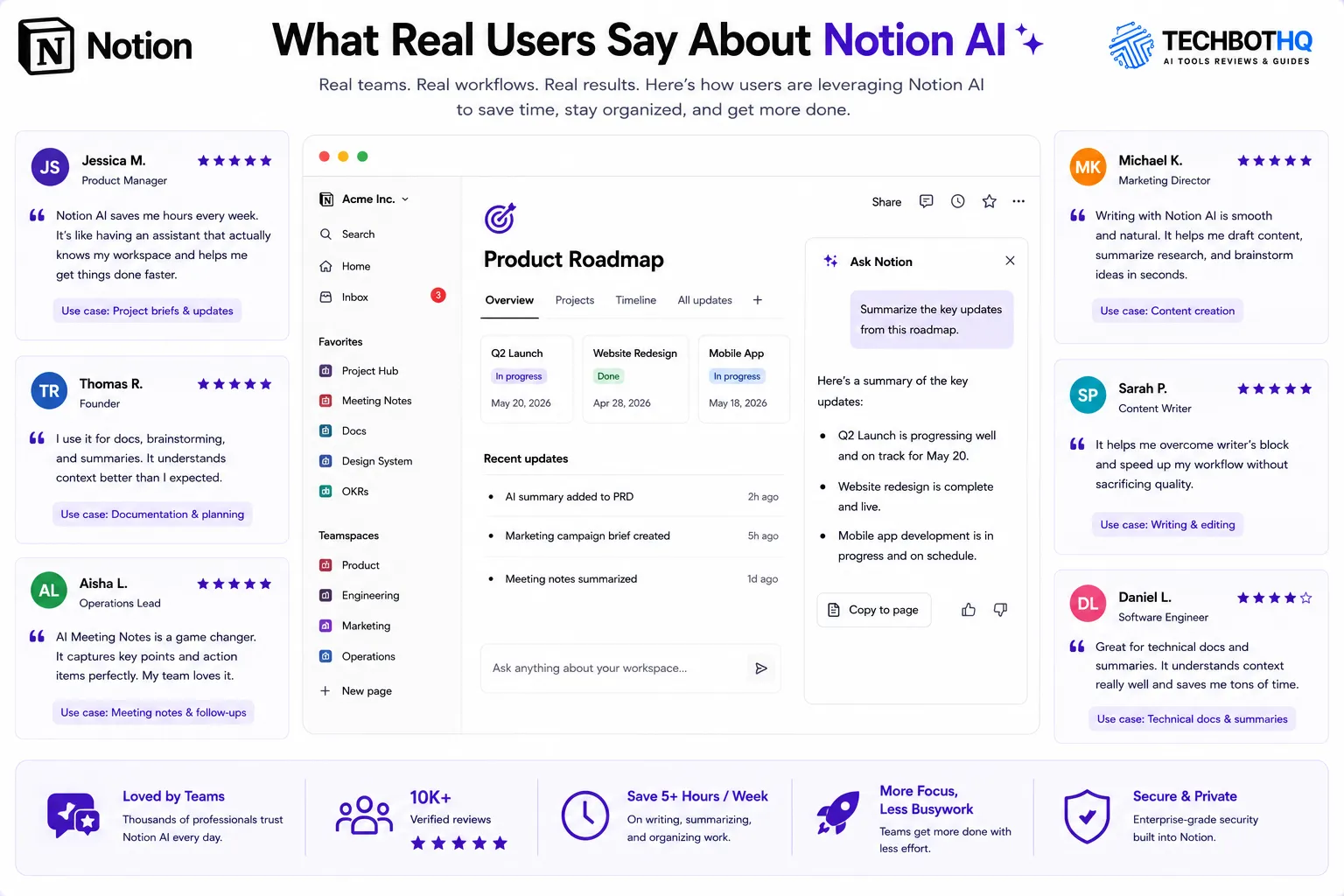
Verified user feedback across G2 and Product Hunt in this Notion AI review research tells a consistent story by team type. Teams that have invested in building out Notion as their primary workspace — with well-structured databases, active documentation habits, and consistent meeting notes — describe Notion AI as one of the most practical AI investments they have made. The Ask Notion Q&A in particular draws enthusiastic responses from teams who previously spent significant time searching for information across multiple documents.
Custom Agents generate the most excitement among power users who have taken the time to configure them well. Teams with repeating workflow types — weekly client reports, sprint retrospectives, onboarding sequences — report meaningful time savings once the agents are set up and running consistently. The setup investment is real, but the payoff is genuine for these use cases, which is an important nuance for any Notion AI review to capture.
The most consistent criticism in recent Notion AI review feedback relates to the pricing gate and the Custom Agent credit costs. Teams that upgraded to Business specifically for Notion AI and found the credits ran out quickly feel the value was oversold. Teams that were already on Business and added Notion AI as an included feature are almost universally positive. The experience gap between these two groups is the most important pattern in any honest Notion AI review.
Want The Time Savings Without Doing It Yourself?
These tools save you hours on your own tasks — but marketing is one job most people would rather hand off entirely. Tasknestly runs it for you, end to end.
9. Our Notion AI Review Rating Breakdown
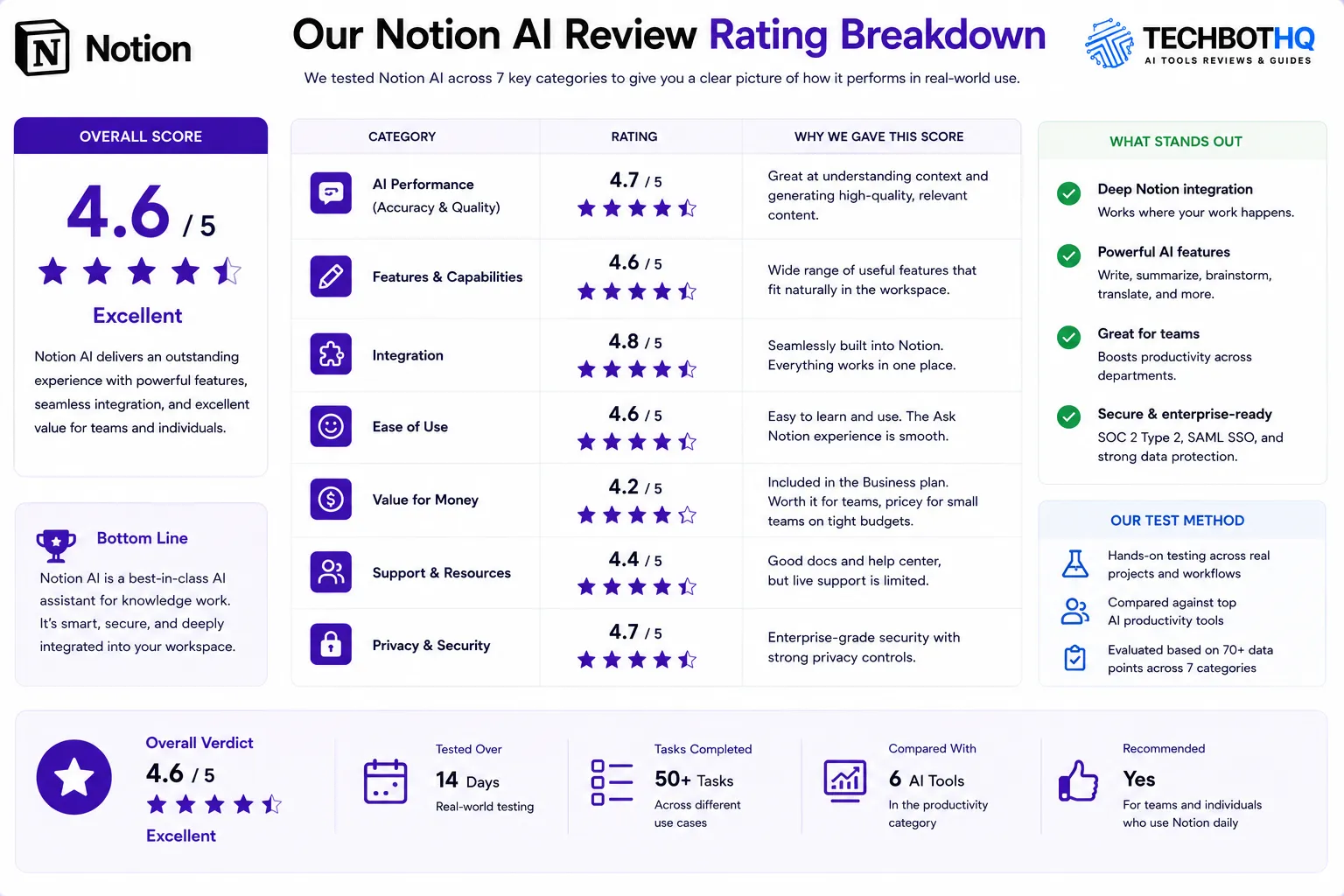
| Category | Score | Notes |
|---|---|---|
| Ask Notion Q&A | 4.7 / 5 | Genuinely powerful for knowledge-heavy teams with mature Notion workspaces |
| AI Writing Assistant | 4.3 / 5 | Solid for internal docs; standalone tools produce better marketing content |
| Custom AI Agents | 4.0 / 5 | Powerful when configured; credit costs surprised users at scale |
| AI Meeting Notes | 3.8 / 5 | Useful beta feature; not yet reliable enough for high-stakes external meetings |
| Enterprise Search | 4.4 / 5 | Google Drive, Slack, GitHub integration meaningfully expands Ask Notion’s reach |
| Pricing Value | 3.9 / 5 | Excellent value on Business; aggressive gate for Free and Plus users |
| Platform Flexibility | 4.6 / 5 | Most flexible all-in-one workspace available — genuine consolidation value |
| Ease of Use | 3.8 / 5 | Significant learning curve; rewards investment but intimidates new users |
| Overall Notion AI Review | 4.4 / 5 | The best AI-powered knowledge workspace for teams already committed to Notion |
Want The Time Savings Without Doing It Yourself?
These tools save you hours on your own tasks — but marketing is one job most people would rather hand off entirely. Tasknestly runs it for you, end to end.
10. Final Notion AI Review Verdict
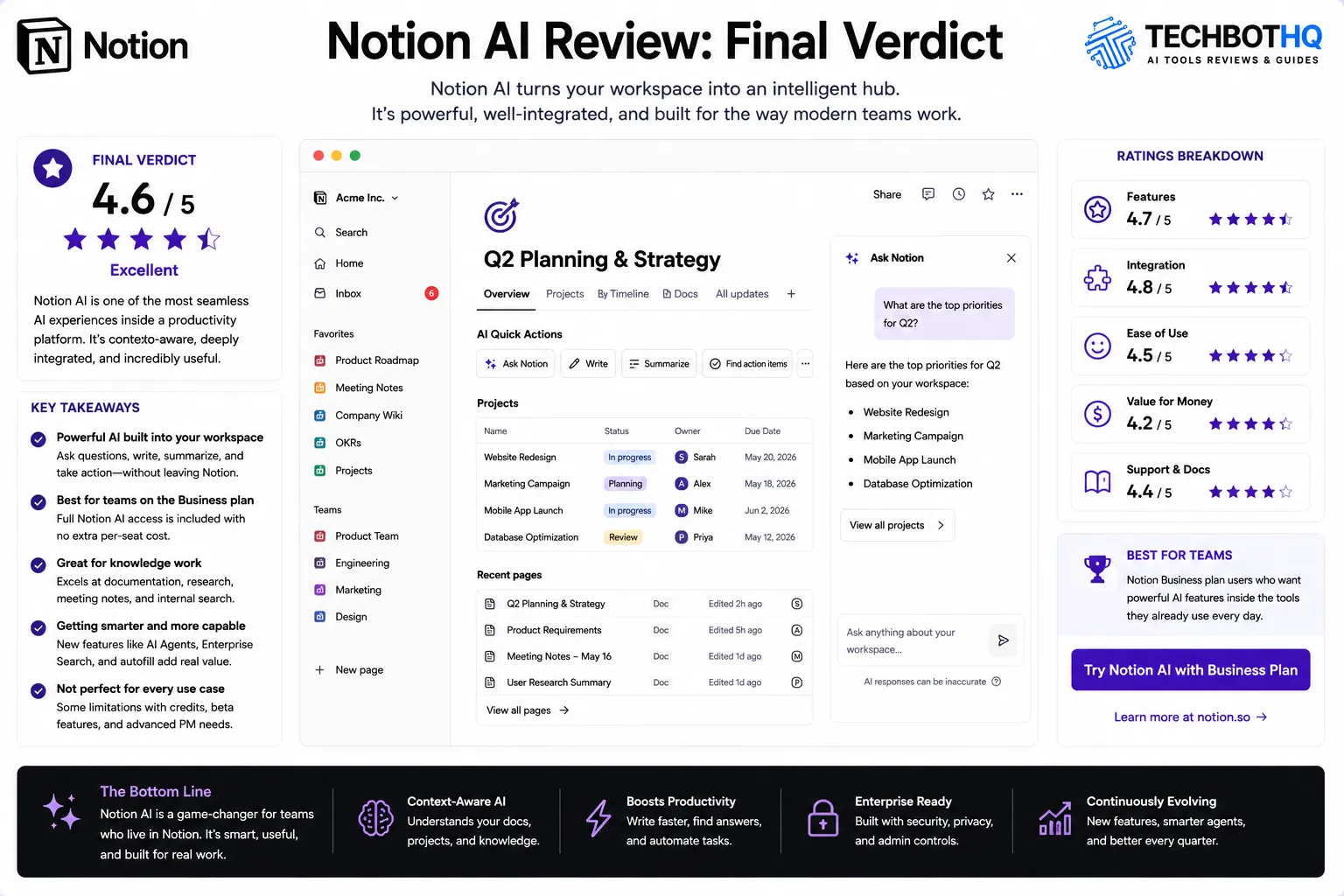
Here is the honest bottom line of this Notion AI review: for teams already on Notion Business, the Notion AI features add genuine value at no additional per-seat cost. Ask Notion alone saves meaningful time for teams with significant workspace content, Custom Agents provide real automation value when deployed thoughtfully, and Enterprise Search extends the platform’s reach across your full connected tool stack.
For teams evaluating Notion AI from scratch — meaning they are not yet on Business or do not have significant Notion content — this Notion AI review recommendation is to evaluate Notion as a platform first. The Notion AI value is inseparable from the workspace depth your team builds over time. Commit to Notion as your team’s primary workspace before evaluating whether the AI features justify the Business plan price.
The Notion AI review verdict for existing Business users is unambiguous: enable every Notion AI feature immediately, start with Ask Notion for daily Q&A, and give Custom Agents a serious trial on your three most repeating knowledge work workflows. The value is there — it just requires the workspace investment to unlock it.
| ✅ Get It If You…Already use Notion Business and have workspace depthHave significant team documentation in NotionWant workspace Q&A across your full knowledge baseNeed custom workflow automation without codeWant an all-in-one team workspace with embedded AI | ⚠️ Skip It If You…Are on Free or Plus with a tight budgetNeed deep project management — try ClickUp insteadWant the best AI content creation quality — try JasperAre just starting with Notion — build depth firstWant predictable agent costs without credit systems |
Want The Time Savings Without Doing It Yourself?
These tools save you hours on your own tasks — but marketing is one job most people would rather hand off entirely. Tasknestly runs it for you, end to end.
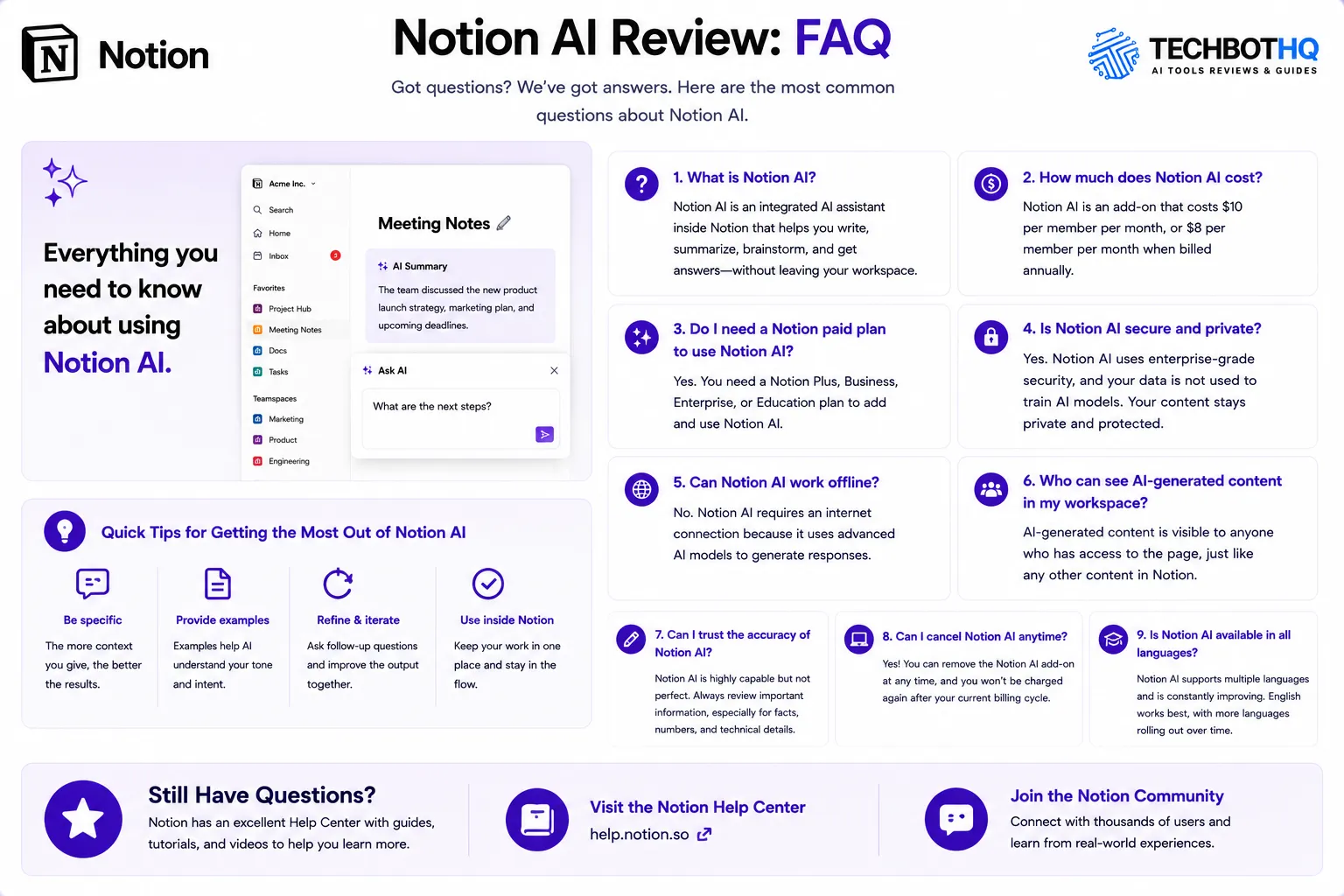
11. Notion AI Review: FAQ
Is Notion AI worth it in 2026?
For teams on Notion Business, yes — this Notion AI review rates it 4.4/5. The Notion AI features are included at no extra per-seat cost on Business and add real productivity value for documentation-heavy teams. For Free or Plus users, evaluate whether upgrading to Business is justified for the full Notion AI feature set.
What plan do you need for Notion AI?
Full Notion AI access — Ask Notion, Custom Agents, AI Meeting Notes, and Enterprise Search — requires the Business plan at $20/user/month. Free and Plus users get a 20-response Notion AI trial, after which an add-on at approximately $9.50/month is required. As this Notion AI review notes, the math makes Business the better value if Notion AI is important to your team.
How does Notion AI compare to ClickUp AI?
Notion AI leads on workspace knowledge management — Ask Notion, document Q&A, and knowledge-based agents are stronger for documentation-focused teams. ClickUp AI leads on project management intelligence — standup automation, task summaries, and project-level AI go deeper. This Notion AI review recommends Notion AI if your team’s primary pain point is knowledge management and finding information across your workspace, and ClickUp AI if your primary need is project management automation. See our [INTERNAL LINK: ClickUp AI Review 2026] for the detailed comparison.
What is Ask Notion?
Ask Notion is Notion AI’s workspace Q&A feature. You type a natural language question and Notion AI searches your entire workspace — plus connected tools like Google Drive and Slack on Enterprise Search — to answer. It is the feature that drives the most positive feedback in this Notion AI review from teams with mature, well-organized Notion workspaces. The more content your team has in Notion, the more powerful Ask Notion becomes.
Does Notion AI work for content marketing?
Notion AI can generate blog posts, social captions, and marketing copy, but it is not the best AI writing tool for external content production. For teams that primarily need marketing content at scale, Jasper produces higher-quality output with better brand voice control. Notion AI’s writing advantage is specifically the workspace context — it understands your internal brand, projects, and team knowledge in ways that standalone tools do not. This Notion AI review recommends Notion AI for internal documentation and knowledge work, and a dedicated tool like Jasper for external marketing content.
Is the Notion AI free plan useful?
The free Notion AI trial gives you 20 responses — enough to test the interface and understand what Ask Notion does, but not enough to evaluate its real value over time. The Notion AI value compounds over weeks and months as your workspace grows. This Notion AI review recommends using the trial specifically to test Ask Notion on your actual workspace content, then deciding whether the Business plan upgrade is justified based on that experience.
Want The Time Savings Without Doing It Yourself?
These tools save you hours on your own tasks — but marketing is one job most people would rather hand off entirely. Tasknestly runs it for you, end to end.