GitHub Copilot Review 2026: Still Worth It for Developers?

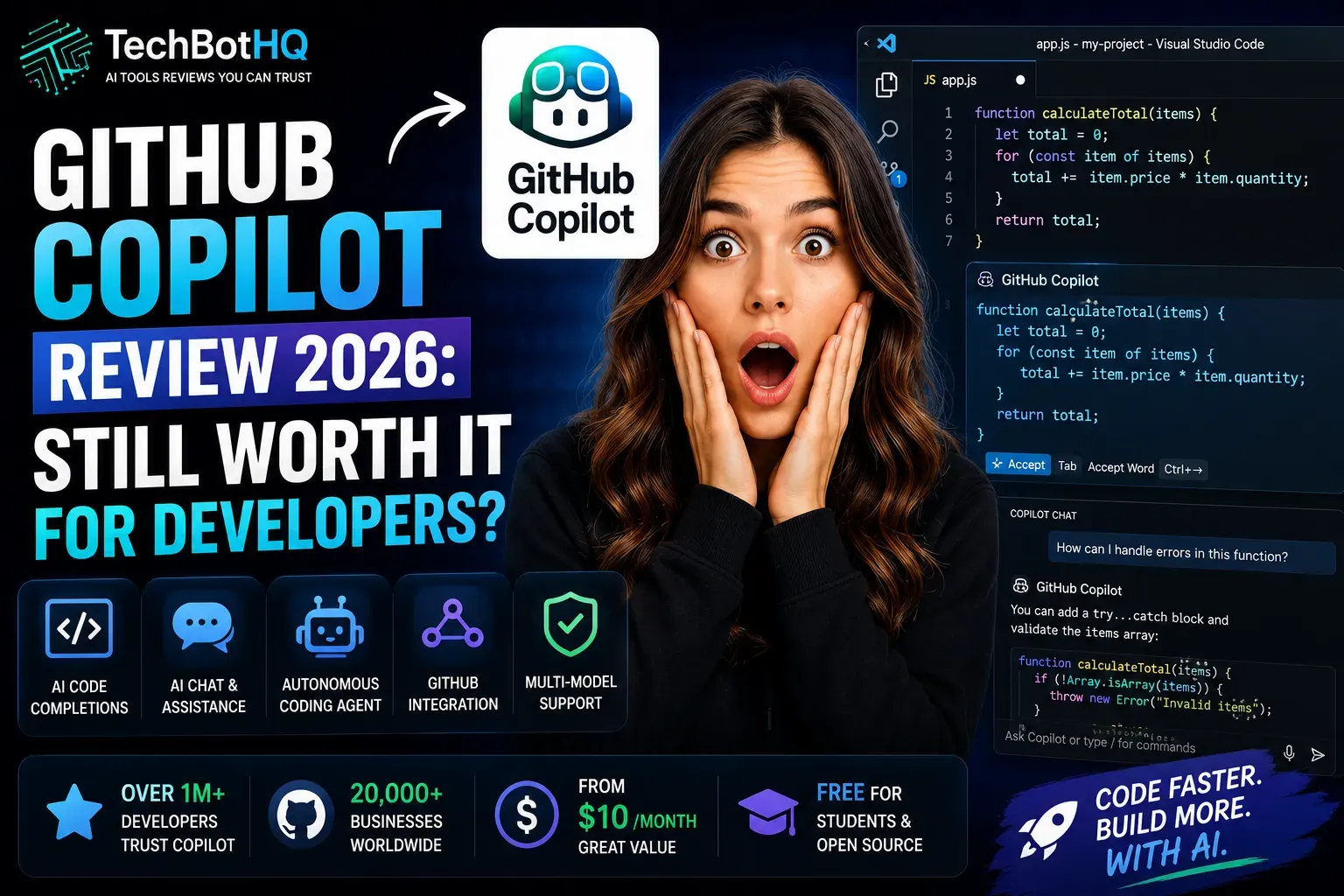
| ⚡ TechBotHQ Verdict This GitHub Copilot review gives the platform a strong 4.6 out of 5. At $10/month for the Pro plan, GitHub Copilot is the best-value AI coding assistant available in 2026 — full stop. Unlimited autocomplete, multi-model chat with GPT-5.4, Claude Sonnet 4.6, and Gemini 2.5 Pro, an autonomous coding agent, and unmatched GitHub ecosystem integration make it the obvious starting point for any developer. Cursor has better multi-file agentic editing, and Claude Code has a higher reasoning ceiling, but neither matches Copilot’s value per dollar. Rating: 4.6/5 | Best For: Individual developers, engineering teams, and anyone already working inside the GitHub ecosystem |
Table of Contents
GitHub Copilot Review 2026: What You Need to Know First

This GitHub Copilot review starts four years after launch. GitHub Copilot was the tool that introduced most developers to AI-assisted coding in 2022, and the question in 2026 is not whether it matters — it is whether it still leads a category that has exploded with competition from Cursor, Claude Code, Windsurf, and dozens of others.
The short answer is yes — but with important nuance. This GitHub Copilot review found that Copilot remains the best value AI coding tool available, especially for developers already embedded in the GitHub ecosystem. The Pro plan at $10/month is genuinely difficult to beat on a price-to-capability basis. However, if you are a power user who needs deep multi-file agentic editing, tools like Cursor and Claude Code have pulled ahead on specific capabilities.
We tested GitHub Copilot extensively across multiple languages — Python, TypeScript, Java, and Rust — across inline completions, Copilot Chat, agent mode, and the coding agent that converts GitHub issues into pull requests. We also compared it directly against Cursor and Claude Code on representative real-world tasks.
Whether you are a solo developer deciding whether Copilot is worth $10/month, an engineering manager evaluating AI tools for your team, or a developer already using Copilot wondering whether to upgrade or switch — this GitHub Copilot review will give you a clear, honest answer.
Building Something With These AI Coding Tools?
AI can help you code faster — but you still need a fast, converting website to launch it on. Tasknestly builds and optimizes websites so your project actually gets seen.
Get Your Website Built →1. What Is GitHub Copilot? A Plain-English Overview
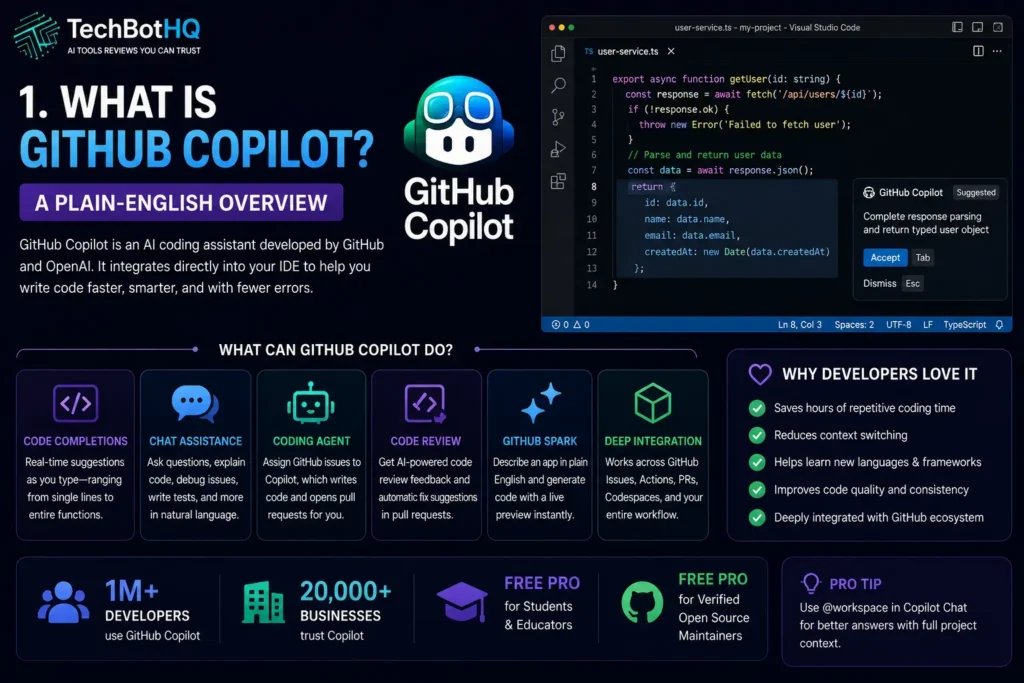
GitHub Copilot is an AI coding assistant built by GitHub (owned by Microsoft) and integrated directly into your existing development environment. Unlike Cursor — which is a standalone AI-first IDE — Copilot works as a plugin inside VS Code, Visual Studio, JetBrains IDEs, Neovim, and GitHub’s web interface. You keep your current editor and add AI capabilities on top of it.
In 2026, GitHub Copilot has expanded well beyond its original inline code completion functionality. It now includes Copilot Chat for conversational coding assistance, an autonomous coding agent that can take a GitHub issue and convert it into a complete pull request, multi-model support letting you choose between GPT-5.4, Claude Sonnet 4.6, Gemini 2.5 Pro, and other frontier models, and a code review feature that provides AI-generated feedback on pull requests.
What makes this GitHub Copilot review notable is how much the product has evolved. The GitHub Copilot CLI went generally available in February 2026, bringing specialized agents that auto-delegate to the right tool depending on your task. GitHub Spark — available on Pro+ and Enterprise — lets you describe an application in plain English and get generated code with a live preview. These are not incremental updates; they represent a fundamentally more capable tool than the Copilot of 2023.
GitHub Copilot is used by over one million developers and more than 20,000 businesses. Students and verified open source maintainers qualify for complimentary Pro access — one of the most genuinely useful free offerings in the entire AI tools market.
Building Something With These AI Coding Tools?
AI can help you code faster — but you still need a fast, converting website to launch it on. Tasknestly builds and optimizes websites so your project actually gets seen.
Get Your Website Built →2. GitHub Copilot Review: How GitHub Copilot Works in 2026

GitHub Copilot operates across several distinct modes that serve different developer workflows. Understanding which mode to use for which task is key to getting full value from the subscription.
Inline Code Completions
The original GitHub Copilot feature and still its most-used capability. As you type, Copilot suggests single-line and multi-line completions in real time based on the context of your current file, comments, and surrounding code. On the Pro plan, these completions are unlimited — you never get cut off mid-session. The acceptance rate on completion suggestions is consistently reported at around 30-40% by regular users, which sounds low until you realize how much time each accepted suggestion saves compared to typing it manually.
Copilot Chat
Copilot Chat brings a conversational AI interface directly into your IDE. You can ask it to explain code, debug errors, write tests, generate documentation, suggest refactoring approaches, or answer general programming questions — all with the context of your current workspace. In this GitHub Copilot review, Copilot Chat is where the multi-model support matters most. Switching to Claude Sonnet 4.6 for nuanced reasoning tasks or Gemini 2.5 Pro for specific code generation produces meaningfully different results than using the default model for everything.
💡 Pro tip: In Copilot Chat, use @workspace to give Copilot context of your full project rather than just the current file. For complex debugging or architecture questions, the difference in answer quality between single-file and workspace context is significant.
Agent Mode and Coding Agent
Agent mode allows GitHub Copilot to execute multi-step coding tasks autonomously — making changes across multiple files, running tests, and iterating based on the results. The coding agent goes further: it can take a GitHub issue, understand the requirements, write the code, and open a pull request — all without manual intervention beyond assigning the issue to Copilot.
In our GitHub Copilot review testing, the coding agent performed impressively on well-defined, self-contained tasks. Bug fixes with clear reproduction steps, adding test coverage to existing functions, and implementing straightforward feature requests from detailed issue descriptions all produced usable results. Complex, ambiguous tasks that required significant architectural decisions still benefit from more human direction.
Multi-Model Support
GitHub Copilot lets you choose your AI model for chat and agent tasks. Available models in 2026 include GPT-5.4 (OpenAI), Claude Sonnet 4.6 and Claude Opus 4.6 (Anthropic), Gemini 2.5 Pro (Google), and others depending on your plan tier. This model flexibility is a genuine differentiator — you are not locked into a single AI provider’s strengths and weaknesses. Different models excel at different tasks, and experienced Copilot users develop a sense of which model to reach for in different situations.
Code Review
GitHub Copilot’s code review feature — which went significantly more capable with the March 2026 agentic upgrade — now gathers full project context before suggesting changes and can pass those suggestions directly to the coding agent to generate fix PRs automatically. For teams doing regular code review, this integration between AI review feedback and automatic fix generation is a meaningful workflow improvement that reduces the back-and-forth of the traditional review cycle.
GitHub Spark
Available on Pro+ and Enterprise, GitHub Spark lets you describe an application in plain English and get generated code with a live preview. It bridges the gap between idea and working prototype more directly than any other feature in the Copilot ecosystem. For developers who frequently need to stand up quick proofs of concept or demonstrate ideas to stakeholders, Spark removes the scaffolding overhead that typically slows this down.
Building Something With These AI Coding Tools?
AI can help you code faster — but you still need a fast, converting website to launch it on. Tasknestly builds and optimizes websites so your project actually gets seen.
Get Your Website Built →3. GitHub Copilot Review: Key Features of GitHub Copilot in 2026
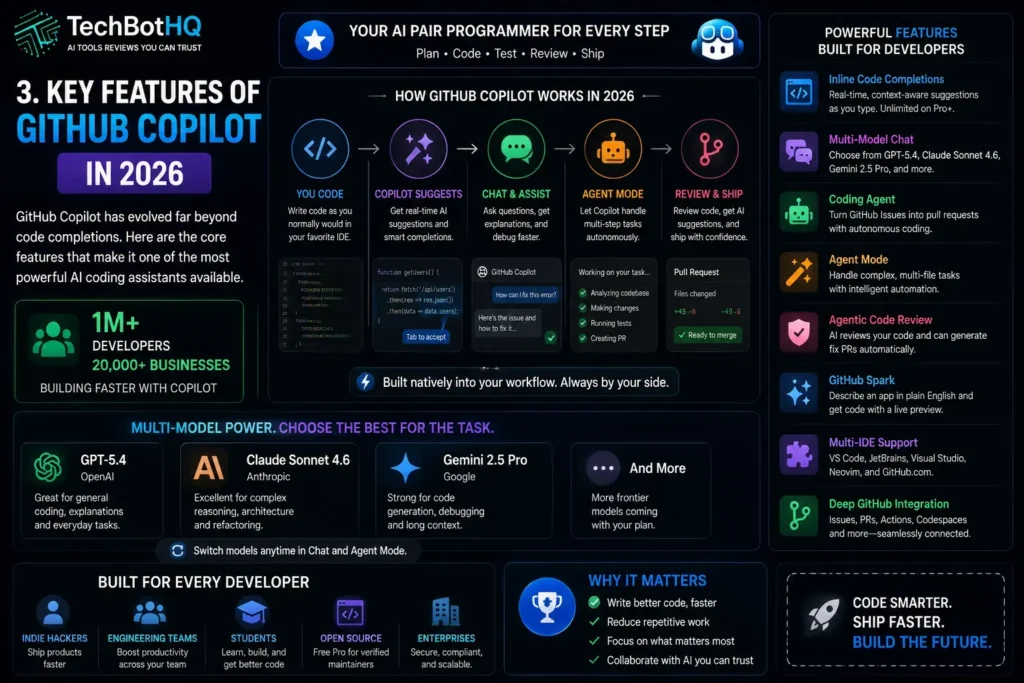
- Unlimited Inline Code Completions (Pro+): Real-time single and multi-line code suggestions in every supported IDE — the feature that started it all, still best-in-class for daily coding flow.
- Multi-Model Chat: Choose between GPT-5.4, Claude Sonnet 4.6, Gemini 2.5 Pro, and other models for chat and agent tasks depending on your specific needs.
- Autonomous Coding Agent: Assign a GitHub issue to Copilot and it writes the code and opens a pull request — the most practically useful agentic feature for teams using GitHub workflows.
- Agent Mode: Multi-step autonomous task execution within your IDE — makes changes across multiple files, runs tests, and iterates.
- Agentic Code Review: AI review that gathers full project context, suggests changes, and can automatically generate fix PRs.
- GitHub Spark: Natural language app building with live code preview — available on Pro+ and Enterprise.
- Multi-IDE Support: Works in VS Code, Visual Studio, JetBrains IDEs (IntelliJ, PyCharm, WebStorm, etc.), Neovim, and GitHub’s web interface.
- PR and Commit Assistance: AI-generated pull request descriptions, commit messages, and issue summaries directly in GitHub.
- Free for Students and Open Source: Verified students, educators, and open source maintainers get complimentary Pro access.
- GitHub Ecosystem Integration: Deep integration with GitHub Issues, Actions, Codespaces, and the full GitHub workflow that no standalone IDE replicates.
Building Something With These AI Coding Tools?
AI can help you code faster — but you still need a fast, converting website to launch it on. Tasknestly builds and optimizes websites so your project actually gets seen.
Get Your Website Built →4. GitHub Copilot Review: Pricing Breakdown
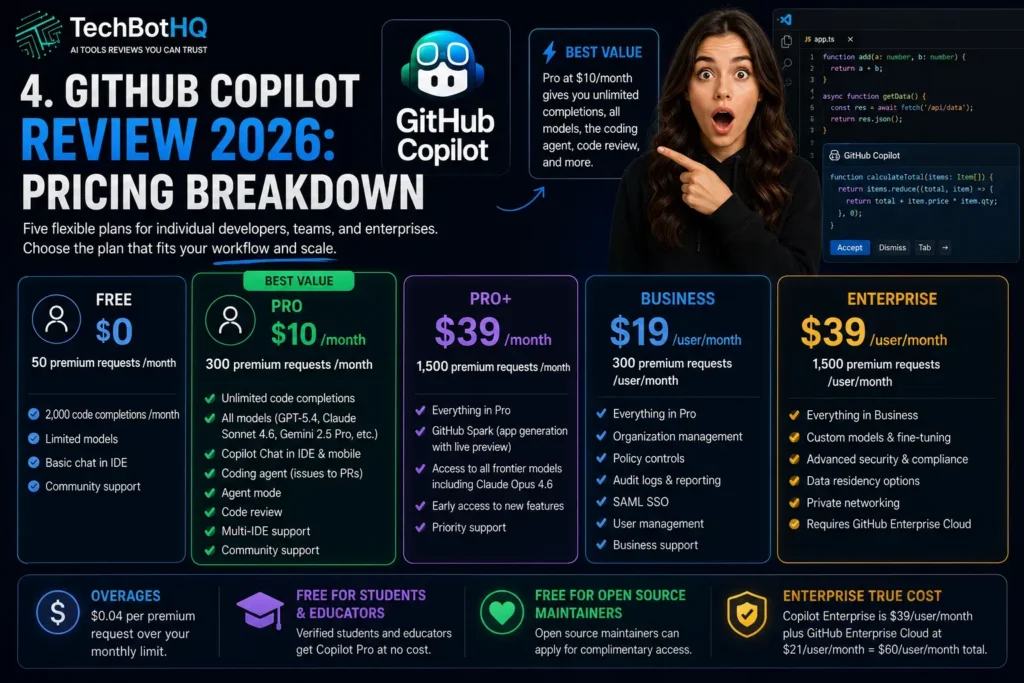
GitHub Copilot pricing has evolved from a simple two-tier model into a five-tier structure in 2026. The key currency on paid plans is premium requests — a monthly allocation that powers Chat, agent mode, and manual model selection. Here is the full breakdown.
| Plan | Price | Premium Requests | Key Features |
|---|---|---|---|
| Free | $0 | 50/month | 2,000 code completions/month, limited models, basic chat |
| Pro | $10/month | 300/month | Unlimited completions, all models, coding agent, code review, multi-IDE |
| Pro+ | $39/month | 1,500/month | Everything in Pro plus GitHub Spark, all frontier models including Opus 4.6, early access features |
| Business | $19/user/month | 300/user/month | Pro features plus org management, policy controls, audit logs, SAML SSO |
| Enterprise | $39/user/month | 1,500/user/month | Business features plus custom models, fine-tuning, advanced security, requires GitHub Enterprise Cloud |
Key things to understand about GitHub Copilot pricing:
- Pro at $10/month is the clear sweet spot: Unlimited completions, all models, the coding agent, code review, and multi-IDE support at half the price of Cursor. For most individual developers, this is the right plan.
- Premium requests are the real limit: 300 premium requests per month on Pro sounds generous until you use agent mode heavily — each agent task can consume multiple requests. Heavy agent mode users may hit this limit by mid-month.
- Overages cost $0.04 per request: If you exceed your monthly premium request allocation, additional requests are billed at $0.04 each. An extra 200 requests adds $8 to your bill — still cheaper than Cursor Pro at $20/month for many developers.
- Enterprise requires GitHub Enterprise Cloud: The true cost of the Enterprise plan is $39/user/month for Copilot plus $21/user/month for GitHub Enterprise Cloud — a real total of $60/user/month that is not always clear from the Copilot pricing page alone.
- Free for students and open source: This is genuinely valuable. Verified students get full Pro access at no cost, and open source maintainers can apply for complimentary access through GitHub’s program.
💰 Honest take: Pro at $10/month is one of the best deals in the entire AI tools market. The comparison that matters most in this GitHub Copilot review: Pro gives you everything a working developer needs for half the cost of Cursor. If you hit the 300 premium request limit regularly, the $8 in overages still keeps you below Cursor’s price. Pro+ at $39/month makes sense for developers who need Opus 4.6 or GitHub Spark specifically.
Building Something With These AI Coding Tools?
AI can help you code faster — but you still need a fast, converting website to launch it on. Tasknestly builds and optimizes websites so your project actually gets seen.
Get Your Website Built →5. GitHub Copilot Review: Honest Pros and Cons

Every honest GitHub Copilot review needs to give you both sides. Here is what genuinely impressed us and what frustrated us during testing.
What GitHub Copilot Gets Right
- Best value in AI coding at $10/month: Unlimited autocomplete, multi-model chat, autonomous coding agent, code review, and full GitHub integration for $10/month is a combination no competitor currently matches at the same price.
- Multi-model flexibility is a genuine differentiator: Being able to switch between GPT-5.4, Claude Sonnet 4.6, and Gemini 2.5 Pro within the same tool means you always have access to the best model for each specific task, without maintaining multiple subscriptions.
- Coding agent that converts issues to PRs is practically useful: For teams running GitHub Issues-based workflows, being able to assign a well-defined issue to Copilot and get a working PR back is a real productivity multiplier for routine feature work and bug fixes.
- Multi-IDE support is a significant advantage over Cursor: Copilot works in VS Code, JetBrains, Visual Studio, and Neovim. Cursor only works in its own editor or as a VS Code extension. For teams using JetBrains IDEs or Visual Studio, Copilot is currently the only serious option.
- Deep GitHub ecosystem integration: PR descriptions, commit messages, issue summaries, Actions integration, and Codespaces support — Copilot is embedded throughout the GitHub workflow in ways that standalone tools cannot replicate.
- Inline completions are still best-in-class: Four years in, Copilot’s inline code completion remains the benchmark for speed, accuracy, and natural integration into the coding flow.
- Free for students and open source: Complimentary Pro access for students and open source maintainers is one of the most practical gestures toward developer accessibility in the market.
- Proven at enterprise scale: Over 20,000 businesses use Copilot, with extensive security, compliance, and organizational management features on Business and Enterprise plans.
Where GitHub Copilot Falls Short
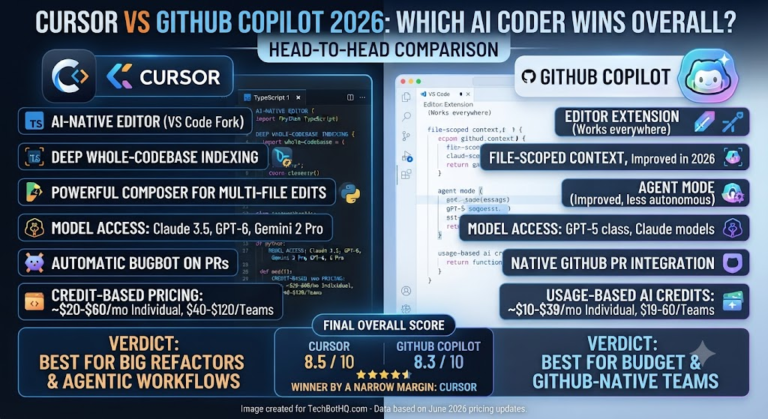
- Agent mode is weaker than Cursor for complex multi-file tasks: This is the most important limitation in this GitHub Copilot review for power users. Cursor’s Composer and agent mode handle complex, multi-file refactoring and architectural changes more effectively than Copilot’s current agent implementation.
- Premium request limits frustrate heavy users: 300 premium requests per month on Pro runs out quickly for developers who use agent mode extensively. The limit is the most consistent complaint in GitHub Copilot reviews from daily users.
- Plugin model has UX tradeoffs vs standalone IDEs: Copilot layers AI on top of your existing editor. Cursor, as a standalone AI-first IDE, has more deeply integrated AI-aware navigation, diff viewing, and multi-file context management. The plugin approach is more flexible but less seamless.
- Context window is smaller than Claude Code: Copilot’s 32K-128K context range limits agent mode to smaller, more focused tasks. Claude Code’s larger context window handles complex codebases and long refactoring sessions more effectively.
- Can confidently produce incorrect code: Like all AI coding tools in 2026, Copilot generates plausible-sounding code that may have subtle bugs or security issues. Review discipline is essential — every generated function needs human verification before shipping.
- Enterprise pricing can surprise teams: The real Enterprise cost of $60/user/month ($39 Copilot + $21 GitHub Enterprise Cloud) is not always clear from the marketing. Teams budgeting for Enterprise should factor in the full platform cost.
Building Something With These AI Coding Tools?
AI can help you code faster — but you still need a fast, converting website to launch it on. Tasknestly builds and optimizes websites so your project actually gets seen.
Get Your Website Built →6. GitHub Copilot Review: Who Should Use GitHub Copilot?
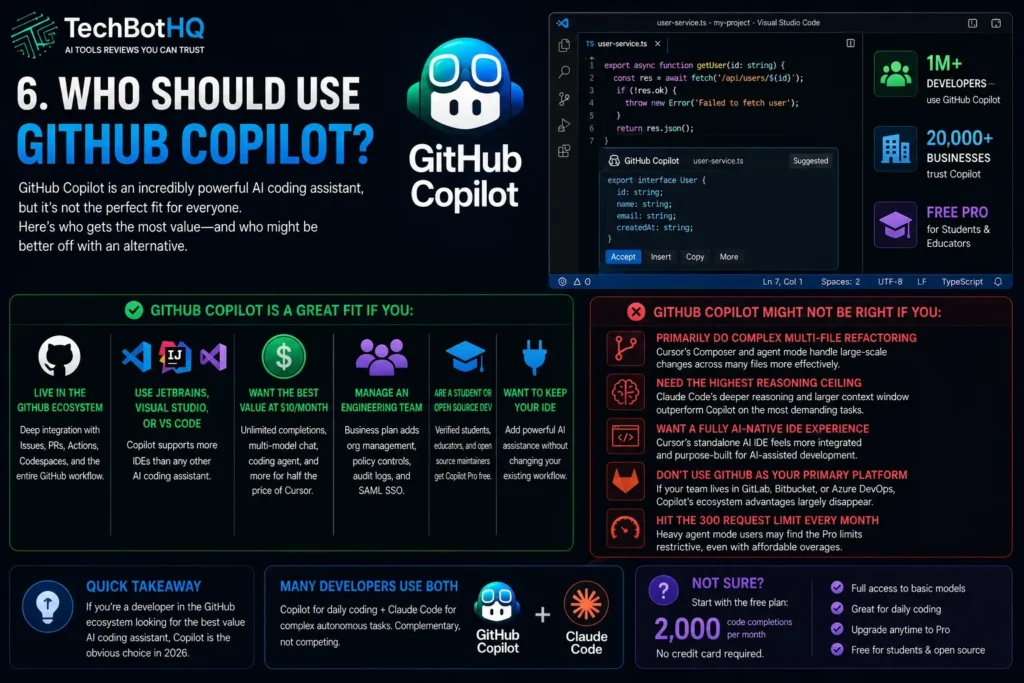
Our GitHub Copilot review found clear patterns in who benefits most from Copilot and who might be better served by alternatives.
GitHub Copilot Is a Great Fit If You Are:
- A developer already embedded in the GitHub ecosystem — Copilot’s deepest value comes from its integration with Issues, PRs, Actions, and Codespaces. If you live in GitHub, Copilot is the natural AI layer.
- A JetBrains or Visual Studio user — Copilot is currently the only serious AI coding assistant with full support across these IDEs. Cursor and Claude Code are limited to VS Code and terminal respectively.
- An individual developer looking for maximum value at minimum cost — $10/month for everything the Pro plan offers is genuinely difficult to beat.
- An engineering team needing organizational management and policy controls — the Business plan adds meaningful security, compliance, and team management features that individual-focused tools do not provide.
- A student or open source contributor — free Pro access through GitHub’s program is a significant benefit that deserves more attention than it typically gets.
- A developer who wants to keep their existing IDE — the plugin model means you get AI assistance without changing your development environment or rebuilding your workflow.
GitHub Copilot Might Not Be Right If You Are:
- A developer whose primary work involves large-scale multi-file refactoring — Cursor’s Composer and agent mode handle complex architectural changes across many files more effectively at comparable pricing.
- A developer who needs the highest possible reasoning ceiling for complex tasks — Claude Code’s deeper reasoning and larger context window outperform Copilot on the most demanding autonomous coding tasks.
- Someone building AI-first into a completely new workflow — if you are starting fresh and want the most deeply integrated AI coding experience available, Cursor’s standalone AI IDE approach feels more native.
- An enterprise team primarily using tools outside the GitHub ecosystem — if your team lives in GitLab, Bitbucket, or Azure DevOps rather than GitHub, the ecosystem integration advantage largely disappears.
Building Something With These AI Coding Tools?
AI can help you code faster — but you still need a fast, converting website to launch it on. Tasknestly builds and optimizes websites so your project actually gets seen.
Get Your Website Built →7. GitHub Copilot Review: How It Compares to Competitors

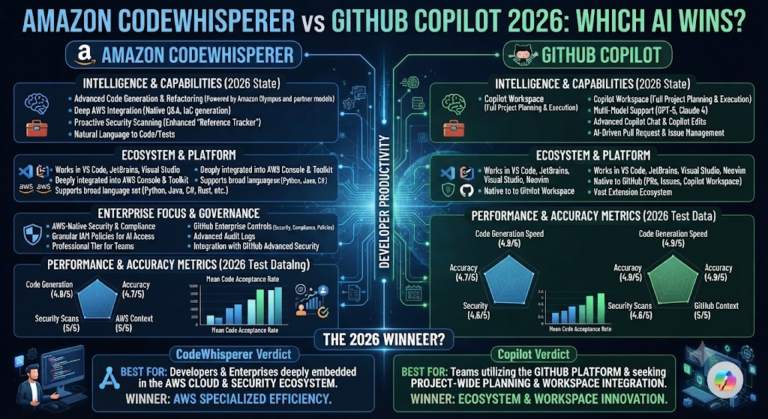
The most important comparisons in any GitHub Copilot review are GitHub Copilot vs Cursor and GitHub Copilot vs Claude Code — the two tools most seriously competing for the same developer workflow in 2026.
| Tool | Price | Key Strength | Best For |
|---|---|---|---|
| GitHub Copilot Pro | $10/month | Value, multi-model, GitHub integration, multi-IDE | Most developers — best value |
| Cursor Pro | $20/month | Multi-file agentic editing, Composer, visual diffs | Complex refactoring, AI-first workflow |
| Claude Code | $20-200/month | Deep reasoning, large context, terminal-native agent | Complex autonomous coding, large codebases |
| Windsurf | $15/month | Flow-based AI coding, intuitive UX | Developers wanting simpler AI integration |
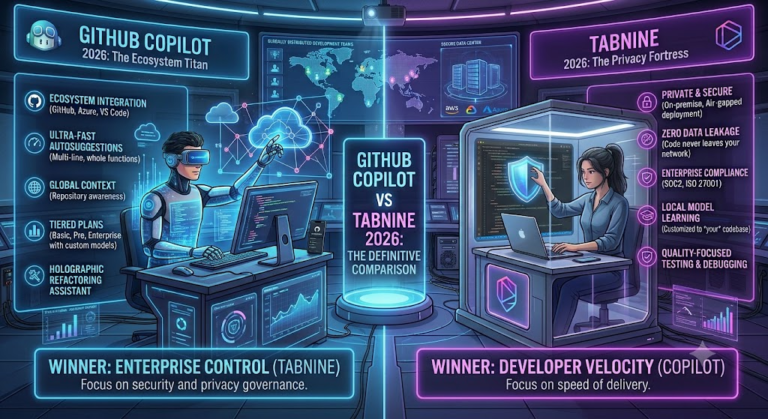
| Tabnine | $12/month | Privacy-focused, on-premise options | Enterprise teams with strict data policies |
The most useful framing from this GitHub Copilot review: Claude Code rewards terminal fluency and is best for the most complex autonomous tasks. Cursor rewards a visual, IDE-first multi-file editing workflow. GitHub Copilot rewards existing GitHub investment and offers the best value for most working developers. Many experienced developers in 2026 use Copilot for daily coding and reach for Claude Code for the most demanding autonomous tasks — treating them as complementary rather than competing.
Building Something With These AI Coding Tools?
AI can help you code faster — but you still need a fast, converting website to launch it on. Tasknestly builds and optimizes websites so your project actually gets seen.
Get Your Website Built →8. What Real Developers Say About GitHub Copilot ( GitHub Copilot Review )
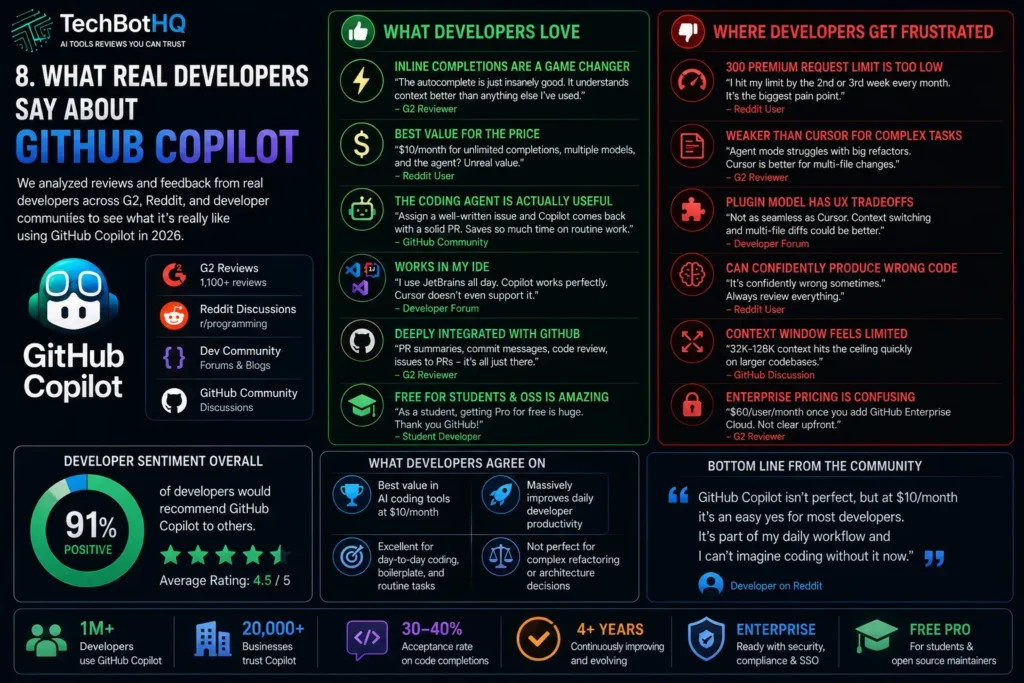
We reviewed verified developer feedback across G2, Reddit, and developer communities to understand what GitHub Copilot actually feels like to use day to day in 2026.
What Developers Love
The inline completion experience is still the most praised feature in virtually every GitHub Copilot review from real developers. After four years, it remains the smoothest, most natural-feeling code completion available — the suggestions appear fast, they understand context well, and when they hit right they feel less like AI assistance and more like a very fast brain extension. Developers who have tried to switch away from Copilot often come back specifically because the completion experience in other tools does not quite match it.
The multi-model support gets consistent praise from developers who understand its value. Being able to switch to Claude Sonnet 4.6 for complex reasoning tasks, use Gemini 2.5 Pro for certain code generation scenarios, and fall back to GPT-5.4 for general assistance — all within one $10/month subscription — is described as one of the best deals in the AI tools market by power users who have done the math on maintaining separate subscriptions.
The coding agent that converts GitHub issues into pull requests generates strong enthusiasm from teams that have actually deployed it in their workflow. Engineering leads report that well-scoped, clearly-written issues assigned to Copilot return usable PR drafts for routine work frequently enough to meaningfully reduce the backlog pressure on senior engineers.
Where Developers Get Frustrated
The 300 premium request limit on Pro is the most common complaint across GitHub Copilot reviews from daily users in 2026. Developers who use agent mode regularly — running Copilot to fix bugs, write tests, and implement features throughout the day — report hitting the monthly ceiling in the second or third week of the month. The $0.04 per overage request keeps total cost manageable, but the experience of watching a limit counter is disruptive to flow.
The plugin model gets criticism from developers who have spent time with Cursor and found the standalone IDE experience more deeply integrated. The specific frustrations are around multi-file context visibility, diff review, and the overall sense that Copilot is an excellent layer on top of VS Code or JetBrains but that Cursor feels more natively designed for AI-assisted development.
Code accuracy remains a consistent concern. Developers describe Copilot as confident — sometimes too confident. It generates plausible code that compiles but may have subtle logical errors, security vulnerabilities, or assumptions that do not match the actual codebase. The consensus is that GitHub Copilot speeds up code drafting significantly but does not meaningfully reduce the need for careful code review — if anything, it makes disciplined review more important.
Building Something With These AI Coding Tools?
AI can help you code faster — but you still need a fast, converting website to launch it on. Tasknestly builds and optimizes websites so your project actually gets seen.
Get Your Website Built →9. Our GitHub Copilot Review Rating Breakdown
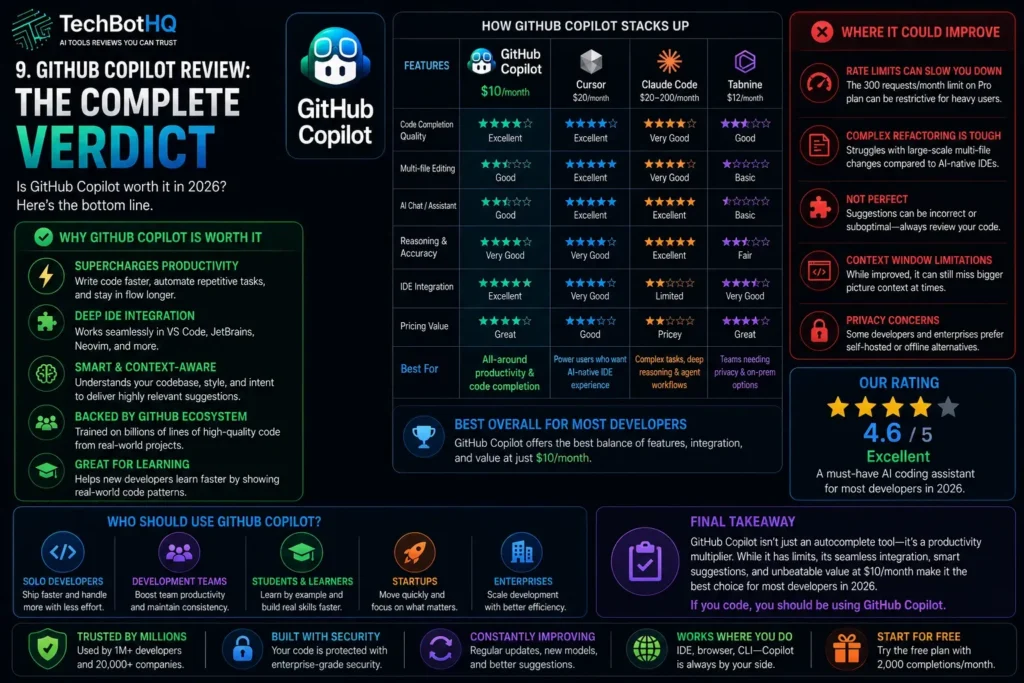
| Category | Score | Notes |
|---|---|---|
| Inline Code Completions | 4.8 / 5 | Still best-in-class for speed, naturalness, and daily coding flow |
| Pricing Value | 4.9 / 5 | $10/month Pro is the best value in AI coding tools — not close |
| Multi-Model Support | 4.7 / 5 | GPT-5.4, Claude Sonnet 4.6, Gemini 2.5 Pro in one subscription |
| Coding Agent / Agentic Mode | 4.2 / 5 | Strong for well-defined tasks; Cursor leads on complex multi-file editing |
| GitHub Ecosystem Integration | 4.9 / 5 | Unmatched — Issues, PRs, Actions, Codespaces, code review in one tool |
| Multi-IDE Support | 4.8 / 5 | VS Code, JetBrains, Visual Studio, Neovim — no competitor matches breadth |
| Copilot Chat Quality | 4.5 / 5 | Strong across models; workspace context significantly improves results |
| Enterprise Features | 4.4 / 5 | Solid org management and security; pricing transparency could be better |
| Overall | 4.6 / 5 | The best-value AI coding assistant for most developers in 2026 |
Building Something With These AI Coding Tools?
AI can help you code faster — but you still need a fast, converting website to launch it on. Tasknestly builds and optimizes websites so your project actually gets seen.
Get Your Website Built →10. Final GitHub Copilot Review Verdict: Is It Worth It in 2026?
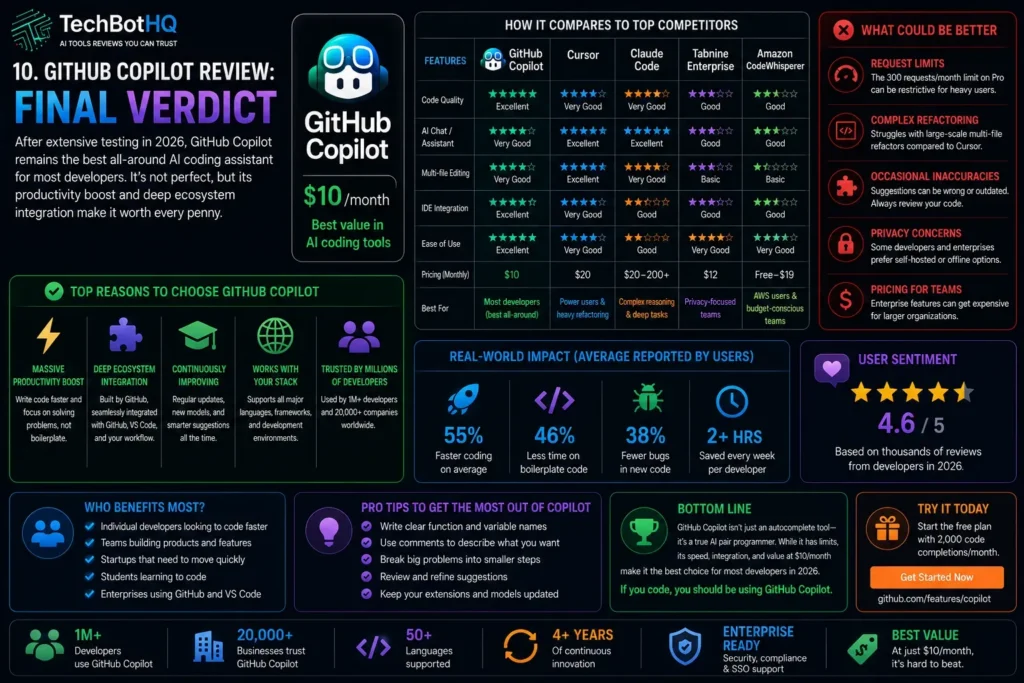
Here is the honest bottom line of this GitHub Copilot review: GitHub Copilot Pro at $10/month is the best-value AI coding tool available in 2026. The combination of unlimited autocomplete, multi-model chat, an autonomous coding agent, agentic code review, and deep GitHub ecosystem integration at half the price of the closest competitor is an offer that is genuinely difficult to refuse for any developer who codes daily.
The limitations are real and worth knowing. Cursor is better for complex multi-file agentic work. Claude Code has a higher reasoning ceiling for the most demanding autonomous tasks. The 300 premium request limit on Pro can constrain heavy agent mode users. And the plugin model, while flexible, never quite feels as natively AI-first as Cursor’s standalone IDE.
Our GitHub Copilot review recommendation: if you are not already using an AI coding tool, start here. The free plan with 2,000 completions per month is the most generous free tier in the market and gives you a real sense of the experience before spending anything. If the free plan converts you — and for most developers it will — upgrading to Pro at $10/month is an immediate improvement with no meaningful downside.
If you are a current Copilot Pro user wondering whether to switch to Cursor: do not unless multi-file refactoring is the majority of your daily work. Use both if your budget allows — Copilot for daily flow and Claude Code for complex autonomous tasks. That combination covers everything and costs less than a single Cursor Max subscription.
| ✅ Get GitHub Copilot If You…Code daily and want the best value AI toolAre already embedded in the GitHub ecosystemUse JetBrains, Visual Studio, or VS CodeWant multi-model flexibility in one subscriptionAre a student or open source contributorNeed team management and org-level controls | ⚠️ Consider Alternatives If You…Primarily do complex multi-file refactoringNeed the deepest agentic reasoning availableWant a fully AI-native standalone IDE experienceUse GitLab or Bitbucket as your primary platformNeed on-premise AI with strict data policiesHit the 300 request limit constantly every month |
Building Something With These AI Coding Tools?
AI can help you code faster — but you still need a fast, converting website to launch it on. Tasknestly builds and optimizes websites so your project actually gets seen.
Get Your Website Built →11. GitHub Copilot Review: Frequently Asked Questions
Is GitHub Copilot worth it in 2026?
Yes — our GitHub Copilot review rates it 4.6/5 and considers the Pro plan at $10/month the best-value AI coding tool available. The combination of unlimited autocomplete, multi-model chat, an autonomous coding agent, and GitHub integration at this price is genuinely difficult to beat.
How does GitHub Copilot pricing work?
GitHub Copilot pricing is subscription-based with five tiers. Free gives you 2,000 completions and 50 premium requests per month. Pro ($10/month) provides unlimited completions and 300 premium requests. Pro+ ($39/month) gives 1,500 premium requests and additional models. Business ($19/user/month) and Enterprise ($39/user/month) add team management and advanced security features.
What is the difference between GitHub Copilot and Cursor?
GitHub Copilot is a plugin that works inside your existing IDE. Cursor is a standalone AI-first IDE based on VS Code. Copilot wins on value ($10 vs $20/month), multi-IDE support, and GitHub integration. Cursor wins on complex multi-file agentic editing and a more deeply integrated AI-native experience. As noted throughout this GitHub Copilot review, many experienced developers use both.
Does GitHub Copilot work with JetBrains?
Yes — full GitHub Copilot support across all JetBrains IDEs including IntelliJ IDEA, PyCharm, WebStorm, GoLand, and others is one of Copilot’s key advantages. This GitHub Copilot review found JetBrains support to be a significant differentiator — Cursor does not support JetBrains IDEs natively, making Copilot the primary AI coding choice for developers on the JetBrains ecosystem.
What are premium requests in GitHub Copilot?
Premium requests are the monthly allocation that powers Copilot Chat with advanced models, agent mode tasks, and code review. Standard model usage consumes no premium requests. Using Claude Sonnet 4.6, GPT-5.4, or Gemini 2.5 Pro in chat, or running agent mode tasks, consumes premium requests from your monthly allocation. On Pro, you get 300 per month. Overages cost $0.04 each.
Is GitHub Copilot free for students?
Yes — verified students and educators get complimentary GitHub Copilot Pro access at no cost through GitHub Education. Open source maintainers can also apply for complimentary access. As highlighted in this GitHub Copilot review, this is one of the most practically valuable free offerings in the developer tools market.
Can GitHub Copilot write entire applications?
GitHub Spark (available on Pro+ and Enterprise) can generate working application code from natural language descriptions. The coding agent can implement self-contained features from well-written GitHub Issues. However, as this GitHub Copilot review makes clear, complex, large-scale application development still requires significant human direction, architecture decisions, and code review — Copilot accelerates the work, it does not replace the developer.
Building Something With These AI Coding Tools?
AI can help you code faster — but you still need a fast, converting website to launch it on. Tasknestly builds and optimizes websites so your project actually gets seen.
Get Your Website Built →