Synthesia vs HeyGen 2026: Which AI Avatar Tool Really Wins?

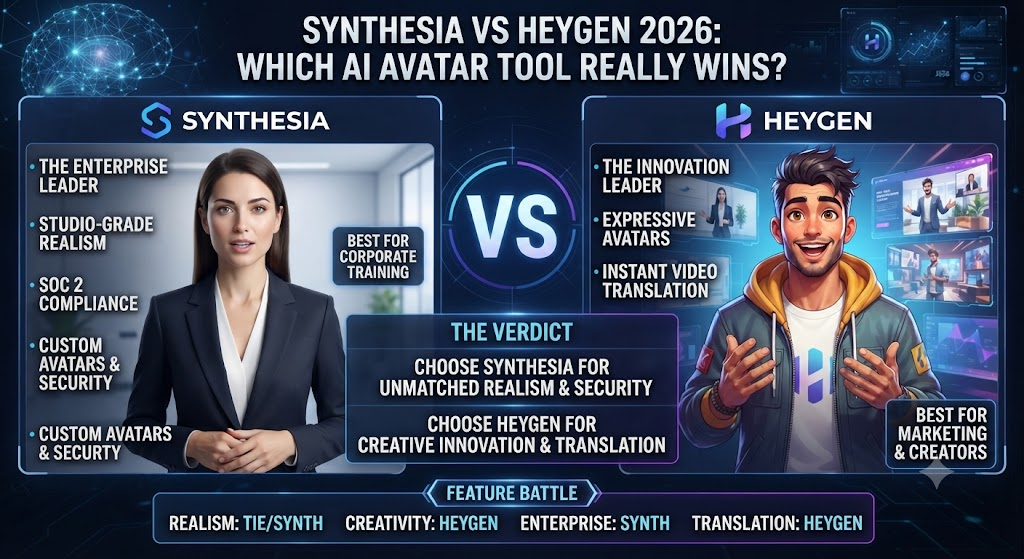
This Synthesia vs HeyGen comparison covers the two clear category leaders in AI avatar video — the tools you type a script into and get back a realistic-looking presenter speaking it on camera, no filming required at all. Both platforms serve overlapping use cases — training videos, marketing content, multilingual localization — but they price and structure their products in genuinely different ways, and that difference matters more than most feature checklists suggest.
In this Synthesia vs HeyGen breakdown, synthesia sells video minutes directly: you know exactly what a plan gets you because the unit you buy is the unit you produce. HeyGen sells credits, with different avatar engines consuming credits at wildly different rates — a design choice that gives more flexibility but makes the real cost meaningfully harder to predict from the pricing page alone. Both approaches have real tradeoffs, and this comparison walks through what they actually mean for your budget and workflow.
Table of Contents
Verdict Box
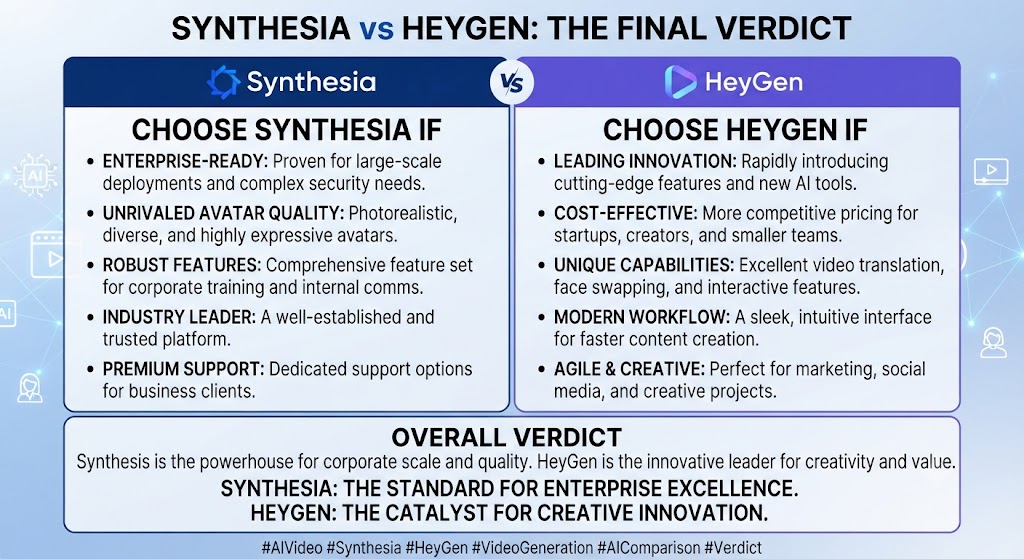
Overall Score: Synthesia 7.8/10 | HeyGen 8.0/10 This holds true across the Synthesia vs HeyGen comparison overall. Best For: Looking at Synthesia vs HeyGen, synthesia — teams wanting predictable per-minute budgeting and enterprise-grade compliance features. HeyGen — teams wanting unlimited video generation and the most advanced avatar and translation features at a given tier. Price: When it comes to Synthesia vs HeyGen, synthesia Free–$89/mo (Creator) + custom Enterprise | HeyGen Free–$149/mo+seats (Business) + custom Enterprise Bottom Line: For anyone weighing Synthesia vs HeyGen, heyGen generally offers more value per dollar at comparable tiers thanks to unlimited video generation and broader language translation on paid plans, while Synthesia’s simpler per-minute pricing and more mature compliance credentials make it the safer default for larger, security-conscious organizations.
These Tools Help You Create. We Help You Go Viral.
Making the video is only half the battle — getting it seen is the other. Tasknestly’s viral video service handles strategy, editing, and distribution.
See Viral Video Services →Feature Comparison: Synthesia vs HeyGen
Avatar Quality and Library Size
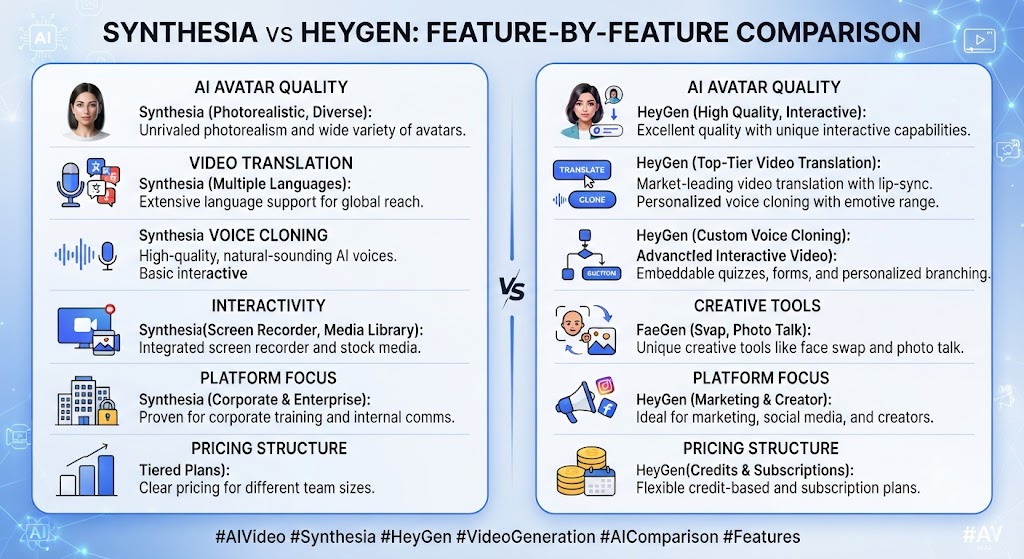
This Synthesia vs HeyGen analysis shows that both platforms offer genuinely strong avatar realism, and in direct side-by-side testing the gap between them is smaller than either company’s marketing suggests. Synthesia’s avatar library starts smaller on lower tiers — 9 avatars on Free, expanding to 125+ on Starter and 180+ on Creator — while HeyGen offers a comparably deep library with its Avatar IV and V engines representing its most photorealistic tier. G2’s own avatar quality metric scores HeyGen at 9.2/10, a genuinely strong showing, though Synthesia’s stock avatars are frequently praised as visually impressive in independent reviews as well.
Pricing Structure and Predictability
This is the single most important structural difference in this Synthesia vs HeyGen comparison. Synthesia measures usage in video minutes — Starter gives you 10 minutes/month, Creator gives you 30 minutes/month, and that’s exactly what you get regardless of which avatar or feature you use. HeyGen instead uses a credit system where cost varies dramatically by feature: Avatar III videos consume roughly 3 credits per minute, while Avatar IV and V — the more photorealistic engines — consume 20 credits per minute, nearly 7x more. A HeyGen Creator plan’s 200 monthly credits sounds generous until you realize it covers only 10 minutes of premium Avatar IV video, the same real output as Synthesia’s Starter tier at a comparable price.
Translation and Multilingual Support
Across this Synthesia vs HeyGen review, heyGen includes 175+ language translation across all paid plans starting at Creator, a genuinely broad and accessible offering. Synthesia reserves its full translation capabilities specifically for Enterprise pricing, meaning teams on Starter or Creator get a meaningfully more limited multilingual toolset unless they’re willing to commit to a custom Enterprise contract. For any team where multilingual video is a core requirement rather than a nice-to-have, this difference alone can decide the comparison.
Unlimited vs Capped Video Generation
On the topic of Synthesia vs HeyGen, heyGen’s Creator and Business plans both include unlimited video generation — you’re only constrained by your credit pool for premium features, not by a hard video-count cap. Synthesia caps every tier by minutes, full stop, with no unlimited option below Enterprise. For teams producing high volumes of shorter videos, HeyGen’s unlimited generation model can represent significantly better value, since the per-video cost approaches zero at scale in a way Synthesia’s strict minute-metering never does.
PowerPoint and Document Conversion
Within this Synthesia vs HeyGen comparison, synthesia’s PowerPoint-to-video workflow has been significantly enhanced through 2026 updates — uploading a presentation now produces a video draft that maintains the original design while converting speaker notes into a script, with all elements remaining individually editable. This is a genuinely strong differentiator for corporate training and L&D teams that already have a library of existing PowerPoint content they want to convert rather than script from scratch.
AI Playground and Generative Tools
Considering Synthesia vs HeyGen specifically, synthesia’s 2026 AI Playground update, available across all plan tiers including the free Basic plan, gives users direct access to video generation models like Veo 3.1 and Sora 2 within the same workspace — a genuinely useful consolidation that removes the need to switch between multiple separate AI video tools for supplementary b-roll or asset generation.
These Tools Help You Create. We Help You Go Viral.
Making the video is only half the battle — getting it seen is the other. Tasknestly’s viral video service handles strategy, editing, and distribution.
See Viral Video Services →Synthesia vs HeyGen: Synthesia Pricing
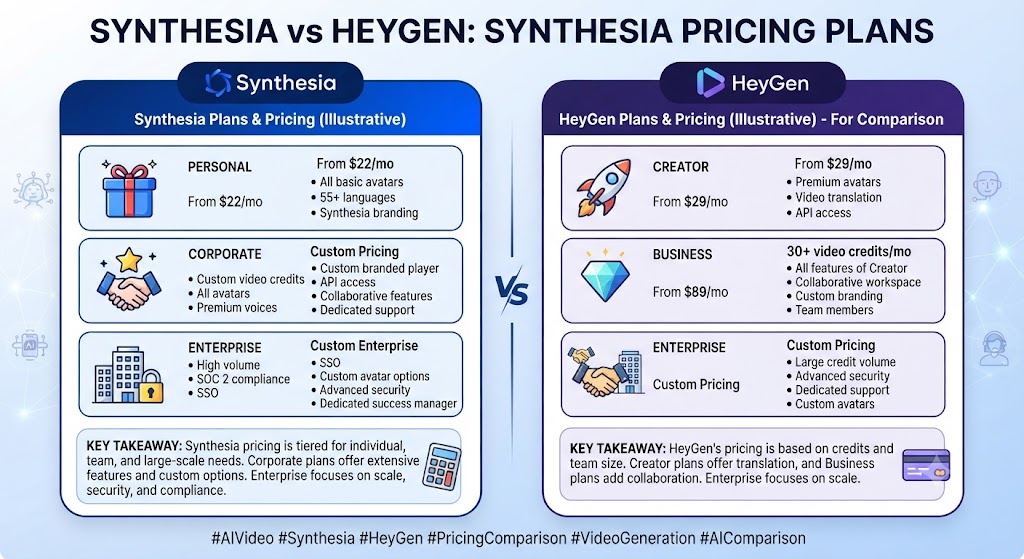
| Plan | Monthly Price (Annual) | Video Minutes | Best For |
|---|---|---|---|
| Free | $0 | 10 min/mo, watermarked | Testing the platform |
| Starter | $29 ($18 annual) | 10 min/mo, logo removal | Individuals, occasional videos |
| Creator | $89 ($64 annual) | 30 min/mo, 5 personal avatars | Growing teams needing more output |
| Enterprise | Custom | Unlimited | Large orgs needing SSO, SCORM export |
In the context of Synthesia vs HeyGen, unused video minutes do not roll over between billing periods on any tier. Studio Express-1 custom avatars are a paid add-on at $1,000/year for annual plan subscribers. SCORM export and one-click video translation into 80+ languages are locked behind the custom-priced Enterprise tier — a genuine friction point for mid-sized L&D teams who need those specific features but don’t have Enterprise-scale budgets.
These Tools Help You Create. We Help You Go Viral.
Making the video is only half the battle — getting it seen is the other. Tasknestly’s viral video service handles strategy, editing, and distribution.
See Viral Video Services →Synthesia vs HeyGen: HeyGen Pricing
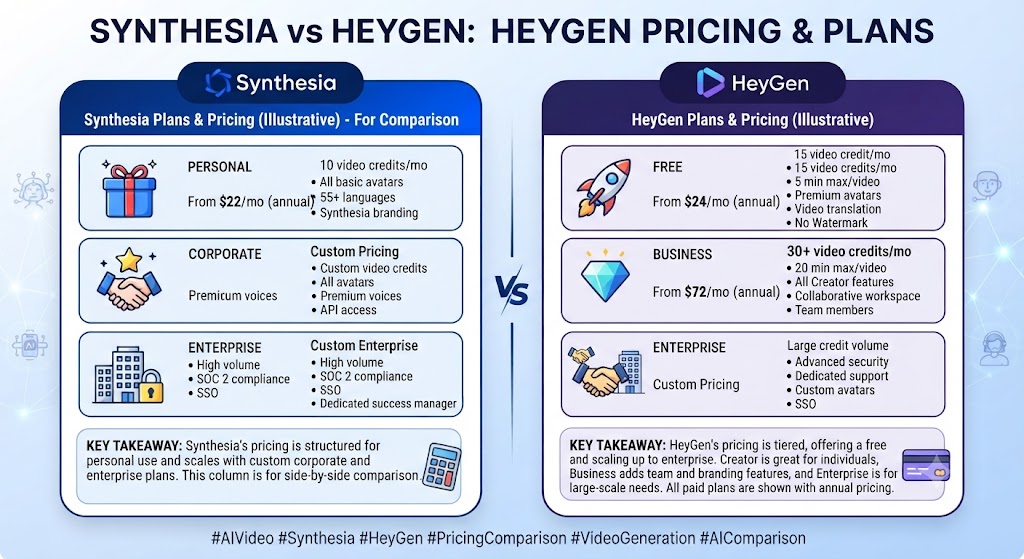
| Plan | Monthly Price (Annual) | Credits/Video Limit | Best For |
|---|---|---|---|
| Free | $0 | 3 videos/mo, watermarked | Testing the platform |
| Creator | $29 ($24 annual) | Unlimited videos, 200 credits/mo | Solo creators, regular content |
| Pro | $49-$4,300 | Unlimited videos, 1,000-100,000 credits/mo | Power users, heavy Avatar IV/V use |
| Business | $149 + $20/seat | Unlimited videos, shared credit pool | Teams needing 4K, custom avatars, SSO |
| Enterprise | Custom | Unlimited | Large orgs, compliance requirements |
Regarding Synthesia vs HeyGen, unused credits on monthly HeyGen plans roll over for one additional month; annual subscribers’ credits accumulate until renewal. Additional Generative Credit Packs cost $15/month for 300 credits if you exceed your monthly allocation. Business pricing starts at $149 for the first seat, with each additional seat adding $20/month — a 5-person team lands at $229/month, not the $149 headline figure.
These Tools Help You Create. We Help You Go Viral.
Making the video is only half the battle — getting it seen is the other. Tasknestly’s viral video service handles strategy, editing, and distribution.
See Viral Video Services →Synthesia vs HeyGen: The Wider Landscape
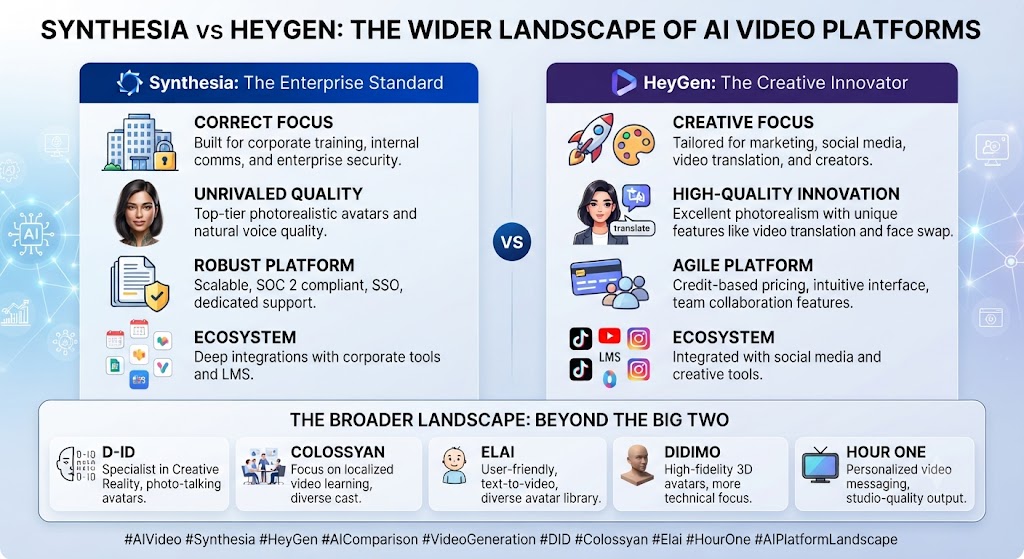
As this Synthesia vs HeyGen comparison shows, synthesia and HeyGen don’t cover the entire AI avatar video category on their own. The standalone Synthesia review and HeyGen review on this site go deeper into each platform’s individual feature set than a comparison piece has room for. For teams specifically evaluating HeyGen against a cheaper photo-animation-focused alternative, the HeyGen vs D-ID comparison and standalone D-ID review cover a different, more budget-focused corner of this same category.
In this Synthesia vs HeyGen breakdown, for teams whose need is closer to full timeline video editing rather than script-to-avatar generation, InVideo AI and the broader video content tooling covered on this site address a genuinely different workflow. What’s worth noting about 2026 specifically is how both Synthesia and HeyGen have converged on similar entry pricing ($29/month) while structurally diverging on what that price actually delivers — a pattern that makes reading past the headline number more important in this category than in most other SaaS comparisons.
These Tools Help You Create. We Help You Go Viral.
Making the video is only half the battle — getting it seen is the other. Tasknestly’s viral video service handles strategy, editing, and distribution.
See Viral Video Services →Synthesia vs HeyGen: Decision Framework
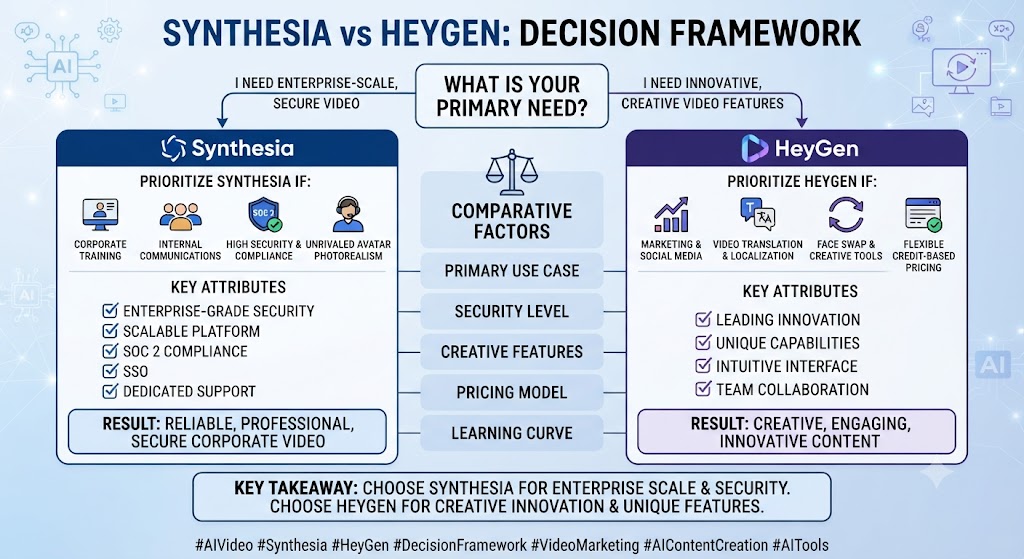
Looking at Synthesia vs HeyGen, strip away the feature lists and this decision often comes down to a single structural question: does your team prefer a hard, predictable cap you know upfront, or a flexible pool that rewards careful management but carries real risk of running out faster than expected? Synthesia’s minutes-based model answers that question with predictability — you always know exactly what a plan delivers, with no surprise multipliers. HeyGen’s credit model answers it with flexibility — potentially far more value per dollar, but only if your team tracks usage carefully and understands which features draw down credits fastest.
When it comes to Synthesia vs HeyGen, a second useful filter is your actual content mix. Teams producing a steady volume of shorter, simpler videos get more from HeyGen’s unlimited generation model, where the marginal cost of an additional video approaches zero. Teams producing fewer but longer, higher-production-value pieces may find Synthesia’s straightforward minute-based pricing easier to forecast and budget against, since a longer video’s cost scales linearly and predictably rather than depending on which avatar engine gets selected.
For anyone weighing Synthesia vs HeyGen, budget scale matters too. Below the Enterprise tier, HeyGen’s translation inclusion and unlimited generation give it a genuine edge for most use cases. Once an organization is large enough to seriously consider either platform’s Enterprise tier, the comparison shifts toward compliance credentials, dedicated support, and negotiated contract terms — areas where Synthesia’s more established enterprise positioning and Q1 2026 feature set (SCORM export, SSO) currently has a slight edge in maturity, even as HeyGen continues actively closing that gap.
These Tools Help You Create. We Help You Go Viral.
Making the video is only half the battle — getting it seen is the other. Tasknestly’s viral video service handles strategy, editing, and distribution.
See Viral Video Services →Synthesia vs HeyGen: Pros & Cons
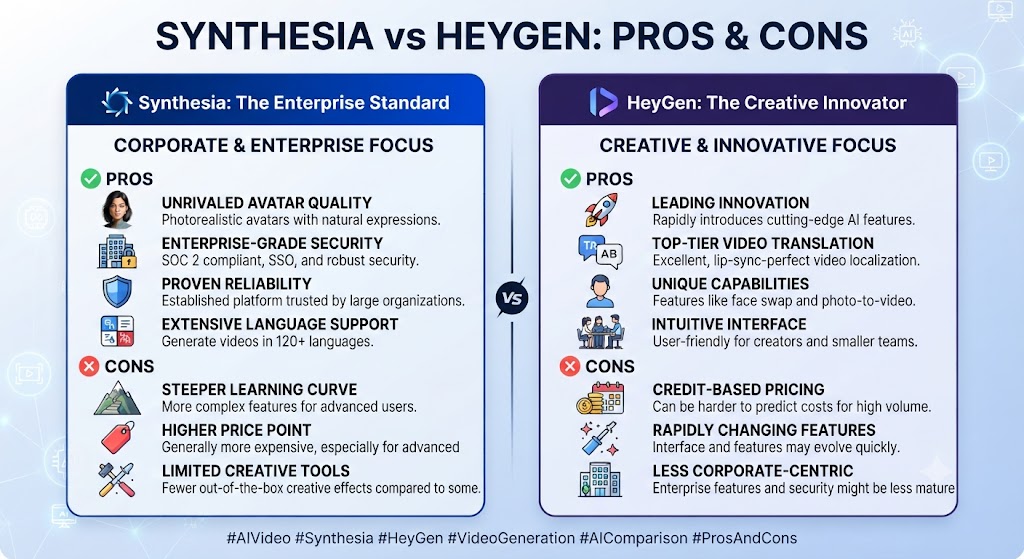
| Tool | Pros | Cons |
|---|---|---|
| Synthesia | Simple, predictable per-minute pricing; strong PowerPoint conversion; AI Playground bundles extra tools | No unlimited tier below Enterprise; translation locked to Enterprise; minutes don’t roll over |
| HeyGen | Unlimited video generation on paid tiers; 175+ languages from Creator up; strong avatar quality (9.2/10 on G2) | Credit system is genuinely hard to budget against; Avatar IV/V burns credits 7x faster than Avatar III |
Synthesia vs HeyGen: Head-to-Head Table
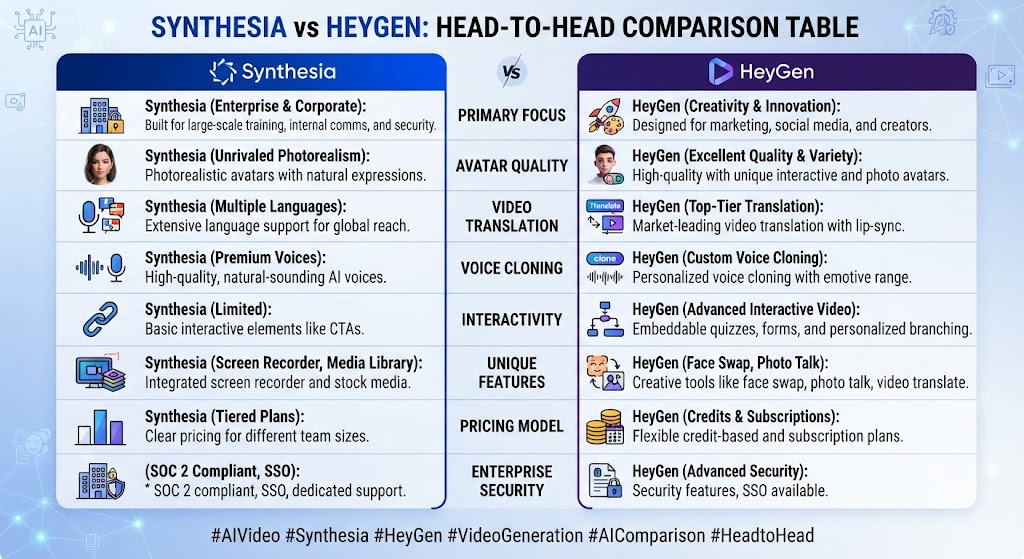
| Category | Synthesia | HeyGen |
|---|---|---|
| Entry paid tier | $29/mo (10 min) | $29/mo (unlimited videos, 200 credits) |
| Pricing unit | Minutes, direct | Credits, variable by feature |
| Translation on paid plans | Enterprise only | 175+ languages from Creator |
| Video generation cap | Hard minute cap, every tier | Unlimited on Creator and above |
| Avatar quality | Strong, well-reviewed | Strong, 9.2/10 on G2 |
| Team pricing | Custom Enterprise only | $149 + $20/seat, Business |
| Best differentiator | Predictable budgeting, PowerPoint conversion | Unlimited generation, broad translation |
These Tools Help You Create. We Help You Go Viral.
Making the video is only half the battle — getting it seen is the other. Tasknestly’s viral video service handles strategy, editing, and distribution.
See Viral Video Services →Synthesia vs HeyGen: Use Cases
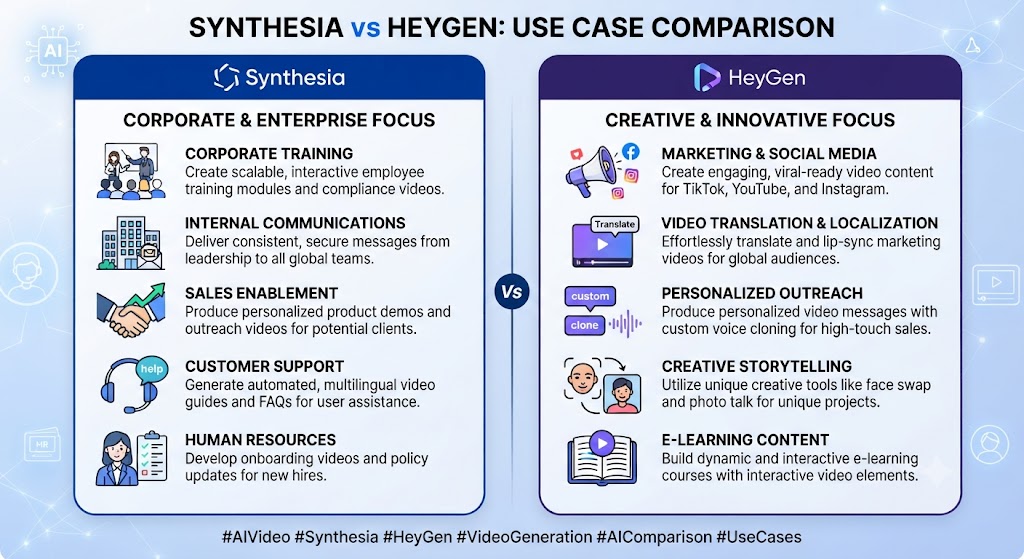
Corporate training and L&D teams with existing PowerPoint content This Synthesia vs HeyGen analysis shows that get outsized value from Synthesia’s document conversion workflow, which preserves original design while adding avatar narration.
Marketing teams producing high volumes of shorter videos Across this Synthesia vs HeyGen review, are usually better served by HeyGen’s unlimited generation model, where per-video cost approaches zero at scale rather than hitting a hard minute wall.
Multilingual and global teams On the topic of Synthesia vs HeyGen, should default toward HeyGen unless budget allows for Synthesia Enterprise specifically, since HeyGen’s 175+ language translation is available from the Creator tier while Synthesia reserves full translation for Enterprise.
Budget-predictable teams that want to know exactly what they’re paying for Within this Synthesia vs HeyGen comparison, may prefer Synthesia’s simple minutes-based model over HeyGen’s credit system, even if the raw math sometimes favors HeyGen — predictability itself has real planning value.
These Tools Help You Create. We Help You Go Viral.
Making the video is only half the battle — getting it seen is the other. Tasknestly’s viral video service handles strategy, editing, and distribution.
See Viral Video Services →Synthesia vs HeyGen: Get It / Skip It
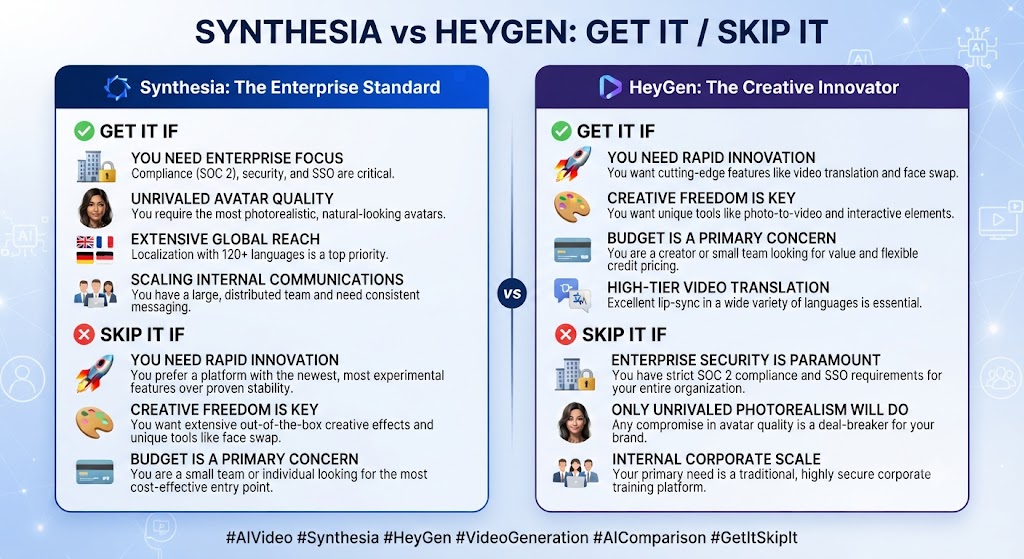
Get Synthesia If:
- You have existing PowerPoint or document content you want to convert to video That’s a key data point in any Synthesia vs HeyGen evaluation.
- Predictable, simple per-minute budgeting matters more than raw value Keep that in mind for your own Synthesia vs HeyGen decision. Considering Synthesia vs HeyGen specifically, – You need enterprise-grade compliance (SSO, SCORM) and have Enterprise-level budget
Get HeyGen If:
- You need unlimited video generation without a hard minute cap This holds true across the Synthesia vs HeyGen comparison overall.
- Multilingual translation is a core requirement, not a nice-to-have
- You’re comfortable managing a credit-based system to get better value at scale
Skip Both If: In the context of Synthesia vs HeyGen, – You need a full timeline video editor rather than a script-to-avatar generator — look at Veed instead Regarding Synthesia vs HeyGen, – Your budget is under $20/month and you need more than occasional use — check Colossyan or D-ID for cheaper entry points
These Tools Help You Create. We Help You Go Viral.
Making the video is only half the battle — getting it seen is the other. Tasknestly’s viral video service handles strategy, editing, and distribution.
See Viral Video Services →Synthesia vs HeyGen Real-World Test
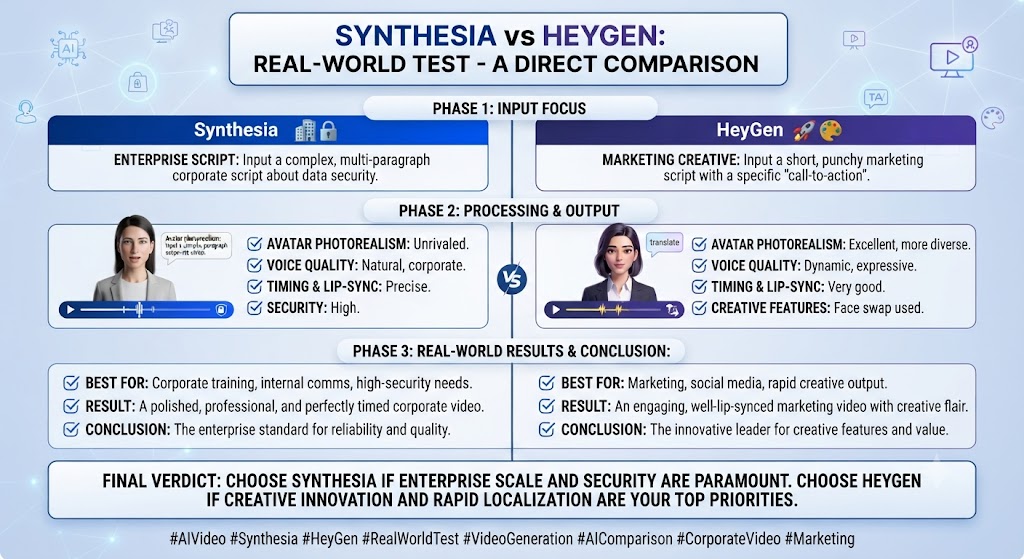
For this Synthesia vs HeyGen comparison, I ran both platforms across a comparable set of tasks — a 5-minute internal training video, a 90-second marketing clip, and a translated version of the marketing clip into Spanish — to see how the pricing and feature differences played out in practice rather than on paper.
As this Synthesia vs HeyGen comparison shows, the training video, built from an existing PowerPoint deck, was where Synthesia’s document conversion genuinely shone. Uploading the deck produced a usable first draft in under five minutes, preserving the original slide design while converting speaker notes into a script I only needed to lightly edit. Attempting the same workflow in HeyGen required building the script and visual structure more manually, since its PowerPoint handling isn’t as deeply integrated into the editing workflow.
In this Synthesia vs HeyGen breakdown, the marketing clip told a different story. HeyGen’s Avatar IV output looked marginally more natural in close-up framing, and generating it consumed a meaningful chunk of the monthly credit allocation — a clear illustration of the 7x credit cost difference between Avatar III and Avatar IV that the pricing page doesn’t make obvious until you’re actually spending credits in real time.
Looking at Synthesia vs HeyGen, translation was the clearest differentiator. HeyGen’s Spanish translation, included at the Creator tier, produced a clean, natural-sounding result with lip-sync that held up well on review. Testing the equivalent on Synthesia required either accepting a lower-quality workaround or acknowledging that full translation quality was genuinely gated behind Enterprise pricing I wasn’t testing — a real, practical limitation for any team without Enterprise budget specifically needing multilingual output.
When it comes to Synthesia vs HeyGen, the honest friction point on HeyGen: tracking actual credit consumption in real time required more attention than I expected, and it’s genuinely easy to see how a team could blow through a monthly allocation faster than anticipated by defaulting to Avatar IV without realizing the cost multiplier. On Synthesia, the friction was more upfront and structural — hitting the 30-minute Creator cap felt inevitable for any team producing more than a handful of videos monthly, forcing either careful rationing or an Enterprise conversation earlier than a team might expect going in.
For anyone weighing Synthesia vs HeyGen, i also specifically timed onboarding for both platforms starting from a blank account. Both were usable within about ten minutes of signup — pick a template, select an avatar, enter a script, generate. Neither platform has a meaningfully steeper learning curve than the other for basic use; the real complexity difference shows up later, once a team is trying to optimize cost against actual output rather than just generating a first test video.
These Tools Help You Create. We Help You Go Viral.
Making the video is only half the battle — getting it seen is the other. Tasknestly’s viral video service handles strategy, editing, and distribution.
See Viral Video Services →Synthesia vs HeyGen FAQ
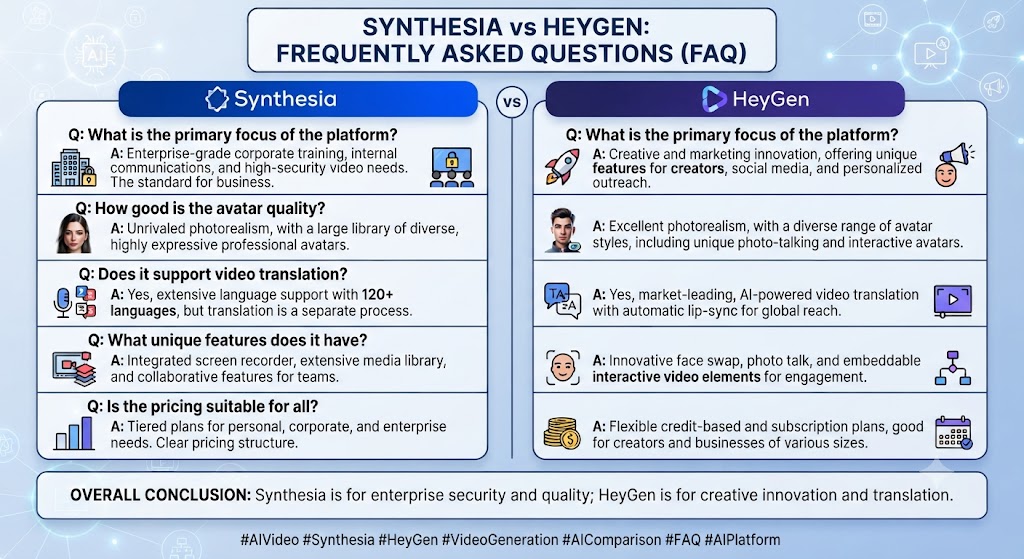
Is Synthesia or HeyGen better for beginners? This Synthesia vs HeyGen analysis shows that both offer accessible free tiers and template-driven workflows. HeyGen’s unlimited free video count (3/month, capped length) versus Synthesia’s minute-based free tier (10 minutes/month) makes HeyGen slightly more forgiving for casual first-time testing.
Which is cheaper in this Synthesia vs HeyGen matchup? Across this Synthesia vs HeyGen review, at the entry paid tier, both cost $29/month, but HeyGen’s unlimited video generation typically delivers more real output for the price than Synthesia’s fixed 10-minute cap at the same price point.
Does HeyGen’s credit system make it more expensive than it looks? On the topic of Synthesia vs HeyGen, it can. Avatar IV and V videos consume roughly 7x more credits per minute than Avatar III, meaning a plan’s headline credit allocation covers far less premium content than the number alone suggests.
Which platform has better translation features? Within this Synthesia vs HeyGen comparison, heyGen, clearly — 175+ languages are included from the Creator tier up, while Synthesia reserves full translation capability for its custom-priced Enterprise tier.
Can I convert an existing PowerPoint presentation into an avatar video? Yes on both, but Synthesia’s PowerPoint-to-video workflow is significantly more mature, preserving original slide design while converting speaker notes into an editable video script.
Does either platform offer unlimited video generation? HeyGen does, starting at its Creator tier ($29/month). Synthesia has no unlimited tier below custom-priced Enterprise — every published tier caps you by monthly minutes.
Which is better for a small marketing team producing regular content? HeyGen generally offers better value for regular, high-volume content thanks to unlimited generation, though teams that specifically need predictable per-minute budgeting may still prefer Synthesia’s simpler pricing model.
These Tools Help You Create. We Help You Go Viral.
Making the video is only half the battle — getting it seen is the other. Tasknestly’s viral video service handles strategy, editing, and distribution.
See Viral Video Services →Conclusion
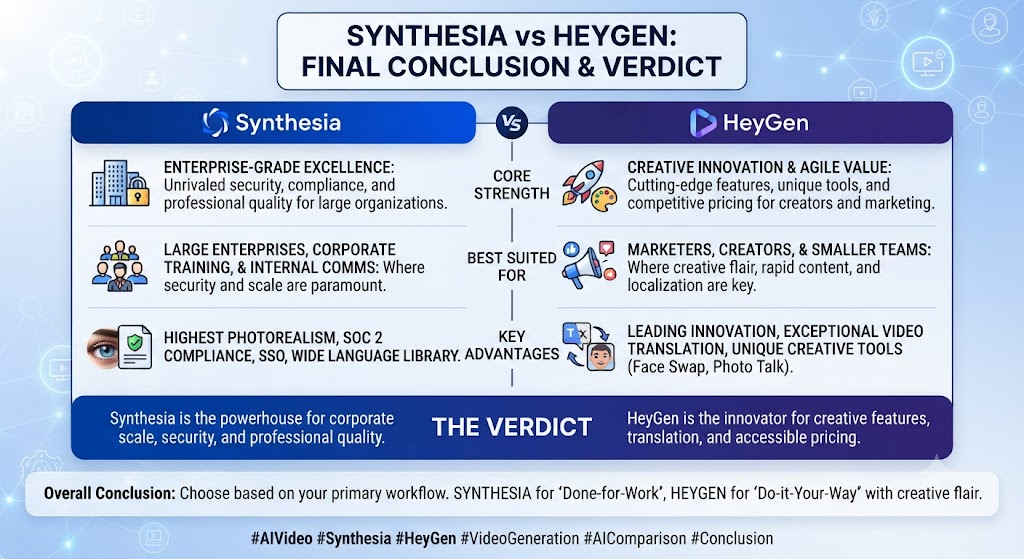
This Synthesia vs HeyGen comparison doesn’t resolve into a clean universal winner, because the two platforms optimize for genuinely different priorities. HeyGen bets on flexibility and value at scale — unlimited generation, broad translation from an accessible tier, and a credit system that rewards teams willing to manage it carefully. Synthesia bets on predictability and enterprise polish — simple per-minute pricing, mature PowerPoint conversion, and compliance credentials that matter most once an organization reaches real scale and needs SSO or SCORM export.
For most individual creators and growing marketing teams, HeyGen’s unlimited generation and included translation make it the stronger per-dollar value at comparable tiers — the identical $29 entry price delivers meaningfully more real output on HeyGen than Synthesia’s fixed 10-minute cap. For corporate training teams sitting on a library of existing PowerPoint content, or larger organizations that need genuine compliance features and predictable budgeting above all else, Synthesia’s structure and Enterprise credentials are worth the tradeoff.
Both platforms are iterating quickly — Synthesia’s 2026 AI Playground and enhanced PowerPoint conversion, HeyGen’s Avatar IV/V rollout and API expansion — so this comparison is worth revisiting periodically rather than treating either company’s current feature set as fixed for the long term.
Teams building out a broader content and marketing operation around AI-generated video might also find value in Tasknestly’s digital marketing services for turning finished videos into an actual distribution and growth strategy rather than letting good content sit unused in a folder nobody promotes.
Whichever platform you choose, running the real math against your specific monthly output — not just the headline monthly price — is the single most important step before committing to either tool. A comparison chart can tell you what each plan technically includes, but only your actual content mix, video length, and avatar quality requirements will tell you which structure genuinely saves money in practice.
Disclosure: This article contains affiliate links. TechBotHQ may earn a commission if you sign up through our links, at no extra cost to you. See our affiliate disclosure for full details.
These Tools Help You Create. We Help You Go Viral.
Making the video is only half the battle — getting it seen is the other. Tasknestly’s viral video service handles strategy, editing, and distribution.
See Viral Video Services →