Luma AI Review 2026: Is Dream Machine the Best AI Video Generator Available?

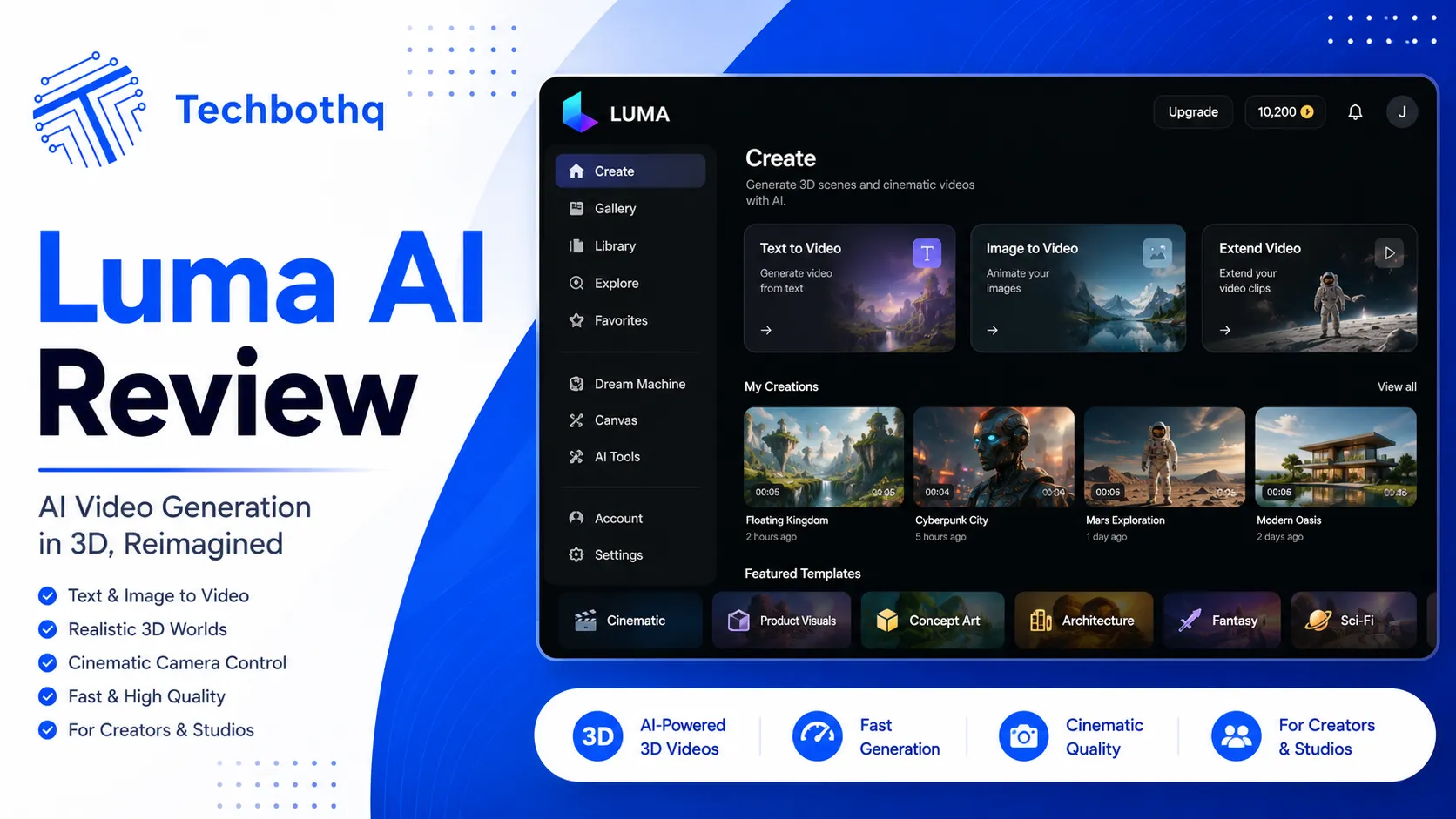
As this Luma AI review shows, aI video generation has experienced a dramatic leap in quality over the past two years. Tools that once produced shaky, blurry five-second clips with inconsistent motion and distorted faces are now rendering cinematic footage with coherent lighting, fluid movement, and camera work that genuinely resembles professional production. Luma AI’s Dream Machine is one of the platforms sitting right at the frontier of that transformation — and it has generated serious attention from filmmakers, content creators, and marketers alike.
But strong demos don’t always translate into practical tools. In this Luma AI review, I am going to break down exactly what Dream Machine does, how the video quality holds up across a range of real-world use cases, what the pricing structure actually looks like when you do the math on credits, and how it compares to alternatives like Runway, Kling, and Sora. Whether you are a YouTube creator, a social media marketer, an independent filmmaker, or simply curious about what AI video can produce in 2026, this review gives you the full picture.
Table of Contents
What Is Luma AI?
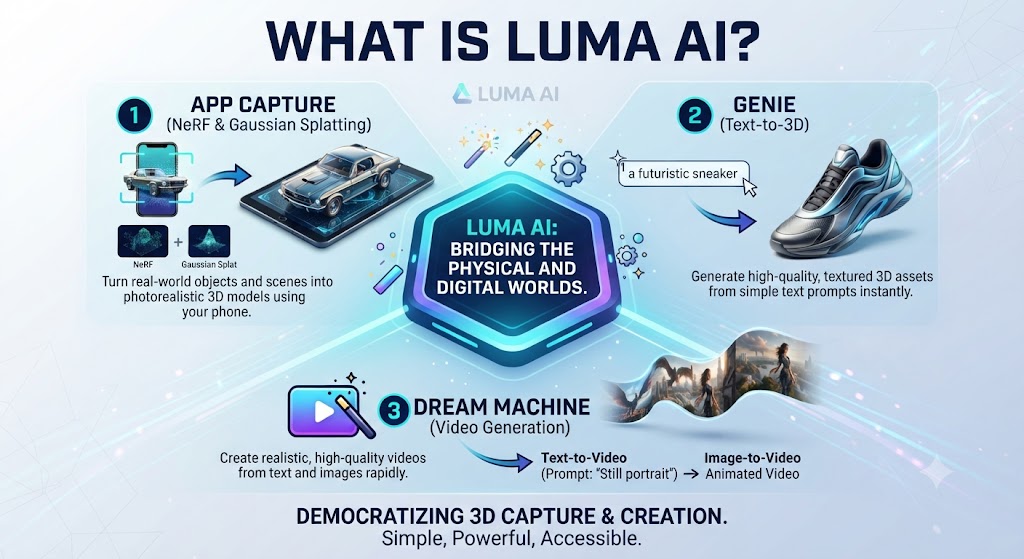
In this Luma AI review, luma AI is an AI research and product company founded in 2021 with an original focus on 3D capture and rendering using NeRF — Neural Radiance Fields — technology. Their early tools allowed users to generate photorealistic 3D models from ordinary iPhone video footage, which earned Luma a strong reputation in the creative technology space before generative AI video became mainstream.
Looking at Luma AI review details, in June 2024, Luma AI launched Dream Machine — a text-to-video and image-to-video generation model that went viral immediately upon release for producing some of the most fluid, coherent, and cinematically convincing AI-generated video that had ever been publicly available. The quality gap between Dream Machine and what had come before was immediately visible to anyone who compared outputs side by side.
When it comes to this tool, this Luma AI review found that since that initial release, Luma has shipped multiple significant model updates, with 2026 versions pushing quality further — particularly in terms of motion smoothness, lighting realism, and the accuracy with which generated footage responds to specific prompt instructions.
For anyone reading this Luma AI review, the company raised $43 million in Series B funding and has established itself as one of the most technically credible teams in the AI video space. They operate both a consumer web product accessible to anyone and a developer API used by production companies, agencies, and software teams building video generation into their own pipelines.
These Tools Help You Create. We Help You Go Viral.
Making the video is only half the battle — getting it seen is the other. Tasknestly’s viral video service handles strategy, editing, and distribution.
See Viral Video Services →Luma AI Dream Machine: Feature Breakdown
Text-to-Video Generation
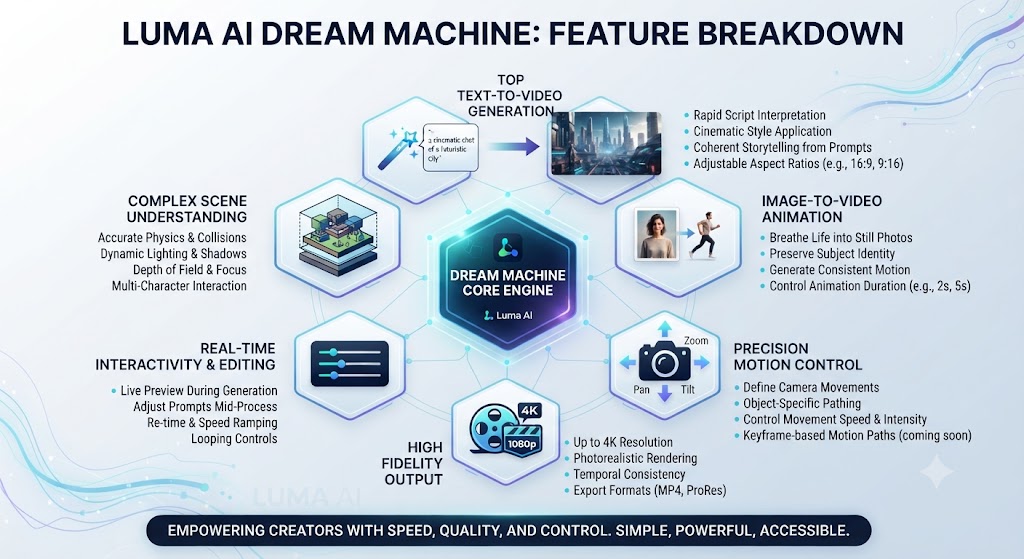
This Luma AI review found that type a description of a scene and Dream Machine generates a video clip. This is the headline feature and it remains one of the best text-to-video implementations available. The model has a strong grasp of cinematic language — if you specify a slow push-in shot, you get a slow push-in. If you describe diffused morning light filtering through curtains, the lighting in the output reflects that.
Across this Luma AI review, prompt adherence is one of Dream Machine’s notable strengths relative to competitors. It tends to produce outputs that are faithful to detailed prompts rather than generating a loose interpretation. This makes it significantly more useful for professional applications where you need predictable, repeatable results rather than random variations.
On this point, this Luma AI review notes that the model excels at naturalistic environments — outdoor scenes with weather, interior scenes with complex lighting, urban settings with depth and motion. Abstract or highly surreal prompts produce more variable results, and very long, complex prompts occasionally result in the model prioritizing some elements over others.
Image-to-Video Generation
Within this Luma AI review, upload a static image and Dream Machine brings it to life by adding motion, depth, and physics-consistent movement. This is arguably where Dream Machine demonstrates its highest quality outputs, because the model has a concrete visual reference to anchor the generation around rather than conjuring everything from text alone.
Considering the data, this Luma AI review shows in testing across multiple image types — product photography, portrait shots, architectural photography, and natural landscapes — the results were consistently impressive. Natural scenes benefit particularly from this feature: leaves move with wind, water ripples, fabric shifts, and light changes in ways that look genuinely organic rather than computer generated.
In the context of pricing, this Luma AI review notes for content creators and marketers, image-to-video is especially powerful because it means you can animate your existing visual assets without a photography or video production budget. A product photo becomes a promotional video clip. A landscape image becomes a cinematic B-roll shot. The applications are immediately practical.
Keyframe Control
Per this Luma AI review, luma AI supports defining start and end keyframes for your generation. Rather than generating a single continuous clip from a prompt with unpredictable framing at the start and end, keyframe control lets you specify exactly where the clip begins and ends visually. This is a fundamental requirement for professional use where consistency and repeatability matter.
As this Luma AI review shows, used in combination with image-to-video, keyframe control creates a powerful tool for generating smooth, controlled transitions between two visual states. Product designers can create before/after reveals. Directors can generate cut-ready scene transitions. The creative applications expand significantly once you move beyond single uncontrolled clips.
Camera Motion Controls
In this Luma AI review, one of the features that most clearly separates Dream Machine from earlier generations of AI video tools is its camera motion system. You can specify cinematic camera movements — dolly push, pan left, tilt up, orbit, crane, handheld — using natural language or structured preset controls. The model interprets these instructions with impressive accuracy.
Looking at Luma AI review details, for anyone with basic cinematography knowledge, this is transformative. The difference between a static AI-generated clip and one with intentional, motivated camera movement is the difference between something that looks generated and something that could pass as shot footage. This is the feature that makes Dream Machine genuinely useful for filmmakers and video directors rather than just hobbyists and experimenters.
Character and Subject Consistency
When it comes to this tool, this Luma AI review found that maintaining a consistent appearance for a character across multiple generated clips is one of the hardest unsolved problems in AI video. Dream Machine handles this better than most alternatives, particularly when reference images are used. With the same reference image as an anchor, you can generate multiple clips featuring the same person or character with a reasonable level of visual consistency.
For anyone reading this Luma AI review, it is not perfect — subtle variations in facial features, clothing, and proportions can appear across different clips, and complex characters with distinctive features can be harder to maintain than simple ones. But for most commercial and creative applications, the level of consistency is workable, especially when clips are edited together with natural cut points.
Luma AI API for Developers
This Luma AI review found that for development teams and agencies looking to integrate AI video at scale, Luma AI offers a comprehensive API. You can programmatically submit generation jobs, pass start and end frame images, specify camera controls, poll for job completion, and retrieve generated video files — all through standard REST API calls.
Across this Luma AI review, the API is available on Pro and higher plans. It has been adopted by production companies building custom video creation tools, marketing agencies automating content generation for clients, and software developers building AI video features into their own applications. Compared to some competitors, Luma’s API is well-documented and reliable in production use.
These Tools Help You Create. We Help You Go Viral.
Making the video is only half the battle — getting it seen is the other. Tasknestly’s viral video service handles strategy, editing, and distribution.
See Viral Video Services →Luma AI Pricing — Plans and Credit System
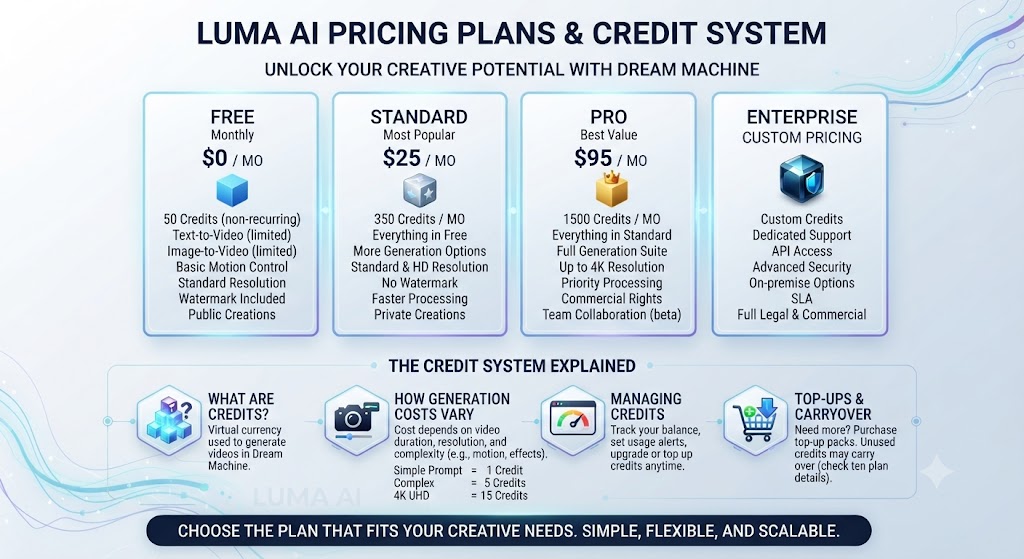
| Plan | Price/Month | Credits | Max Length | Best For |
|---|---|---|---|---|
| Free | $0 | 30/month | 5 seconds | Testing & evaluation |
| Basic | $9.99 | 50/month | 9 seconds | Casual creators |
| Standard | $29.99 | 150/month | 9 seconds | Regular content creators |
| Pro | $99.99 | 400/month | 9 seconds | Professional creators |
| Premier | $499.99 | 2,000/month | 9 seconds | Agencies and studios |
On this point, this Luma AI review notes that credit consumption depends on the resolution and quality settings you choose. Standard quality generations cost fewer credits per clip than enhanced or 4K generations. On the Standard plan, 150 credits gives you roughly 20 to 40 video clips per month depending on your quality settings, which is enough for a regular content creation workflow.
Within this Luma AI review, the credit system is flexible — you can top up additional credits on any plan if you exhaust your monthly allocation mid-cycle. Unused credits do not always roll over between months, so it is worth planning your generation schedule around your billing cycle.
Considering the data, this Luma AI review shows compared to Runway at $15 per month for Starter and $35 per month for Standard, Luma AI’s pricing is broadly competitive at every tier. The Pro tier at $99.99 per month is notably accessible for professional agencies compared to enterprise alternatives, which can cost significantly more for equivalent generation volume.
These Tools Help You Create. We Help You Go Viral.
Making the video is only half the battle — getting it seen is the other. Tasknestly’s viral video service handles strategy, editing, and distribution.
See Viral Video Services →Luma AI vs Runway: Honest Comparison
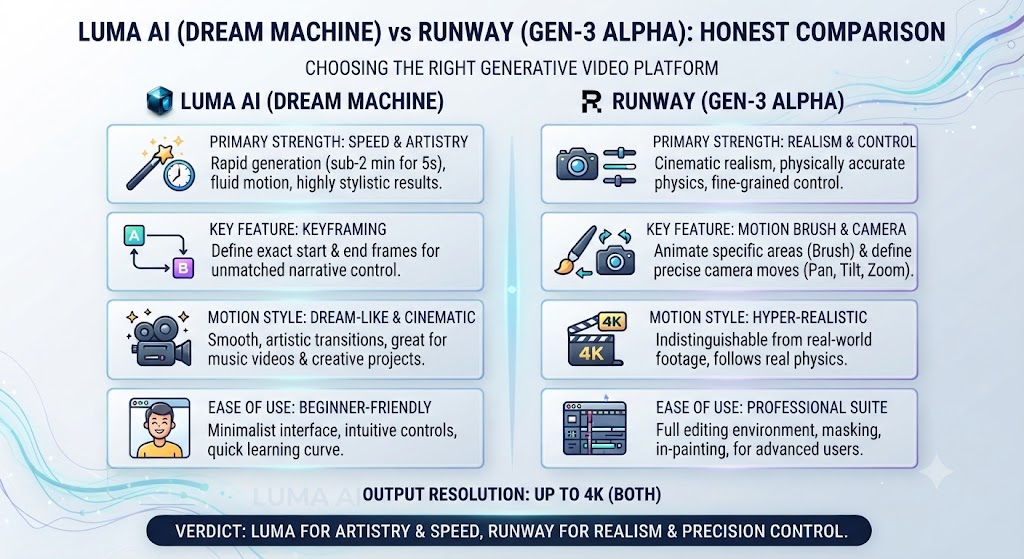
| Criteria | Luma AI Dream Machine | Runway Gen-3 Alpha |
|---|---|---|
| Text-to-Video Quality | Excellent — realistic | Excellent — more stylized |
| Image-to-Video | Outstanding — best in class | Good |
| Camera Controls | Excellent — cinematic | Good |
| Motion Realism | Industry-leading | Very good |
| Artistic Styles | Moderate | Strong |
| Free Plan | Yes — 30 credits | Yes — limited |
| Starting Price | $9.99/month | $15/month |
| API Access | Yes — Pro+ | Yes |
| Max Clip Length | 9 seconds | 10 seconds (Gen-3) |
| Best For | Filmmakers, realistic motion | Creative and stylized content |
In the context of pricing, this Luma AI review notes if your priority is realistic, physically grounded video with strong cinematic camera motion, Dream Machine has a consistent edge. Runway’s Gen-3 model is stronger for stylized, artistic, and more abstract visual content. The two tools have genuinely different aesthetic strengths rather than one being objectively superior across all use cases.
Per this Luma AI review, many professional video creators use both: Dream Machine for realistic scenes and camera work, Runway for stylized sequences and post-production-style effects. At the price points both tools operate at, using both is realistic for professional teams.
These Tools Help You Create. We Help You Go Viral.
Making the video is only half the battle — getting it seen is the other. Tasknestly’s viral video service handles strategy, editing, and distribution.
See Viral Video Services →Luma AI vs Kling
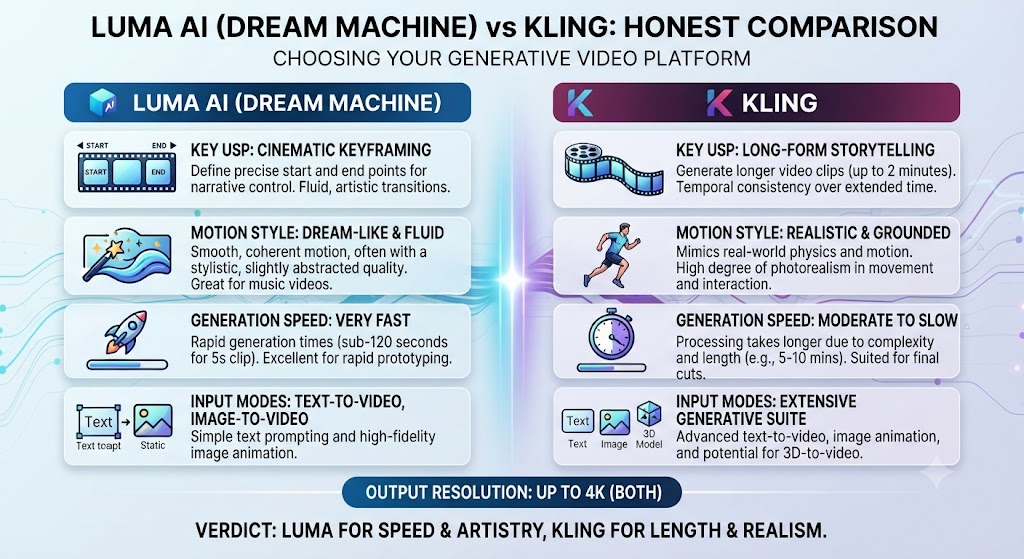
As this Luma AI review shows, kling, developed by Kuaishou, has become a significant competitor to Dream Machine — particularly for realistic human motion and longer generation lengths. Kling 1.6 and the newer Kling models support clips up to around 10 seconds and have shown impressive results for human movement, face consistency, and physics simulation.
In this Luma AI review, in direct quality comparisons, Dream Machine and Kling trade wins depending on the specific scenario. Dream Machine tends to perform better on environmental and cinematic content; Kling has an edge on human character consistency in some scenarios. The gap between them has narrowed significantly, and both are considered industry-leading tools.
Looking at Luma AI review details, pricing and accessibility differ: Kling is available through a credit system with free tier access, and access in some regions may be more limited than Luma AI’s globally accessible platform.
These Tools Help You Create. We Help You Go Viral.
Making the video is only half the battle — getting it seen is the other. Tasknestly’s viral video service handles strategy, editing, and distribution.
See Viral Video Services →Luma AI vs Sora
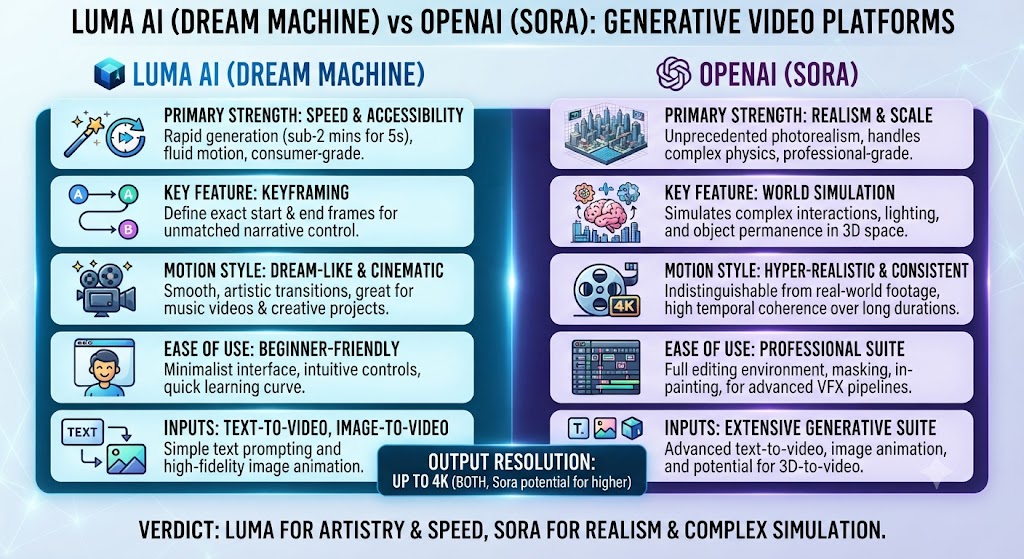
When it comes to this tool, this Luma AI review found that openAI’s Sora is capable of generating longer video clips with impressive physical simulation and has been positioned as a premium creative tool. However, Sora remains more limited in public availability and comes at a higher price point relative to the credit allowances provided.
For anyone reading this Luma AI review, dream Machine competes favorably with Sora on realistic motion and image-to-video quality, while typically offering better accessibility and more competitive pricing for working creators. Sora has advantages in maximum clip length potential and some aspects of physical world understanding. For most practical content creation use cases, Dream Machine offers a better accessible option.
These Tools Help You Create. We Help You Go Viral.
Making the video is only half the battle — getting it seen is the other. Tasknestly’s viral video service handles strategy, editing, and distribution.
See Viral Video Services →Video Quality: Detailed Real-World Assessment
What Dream Machine Does Exceptionally Well
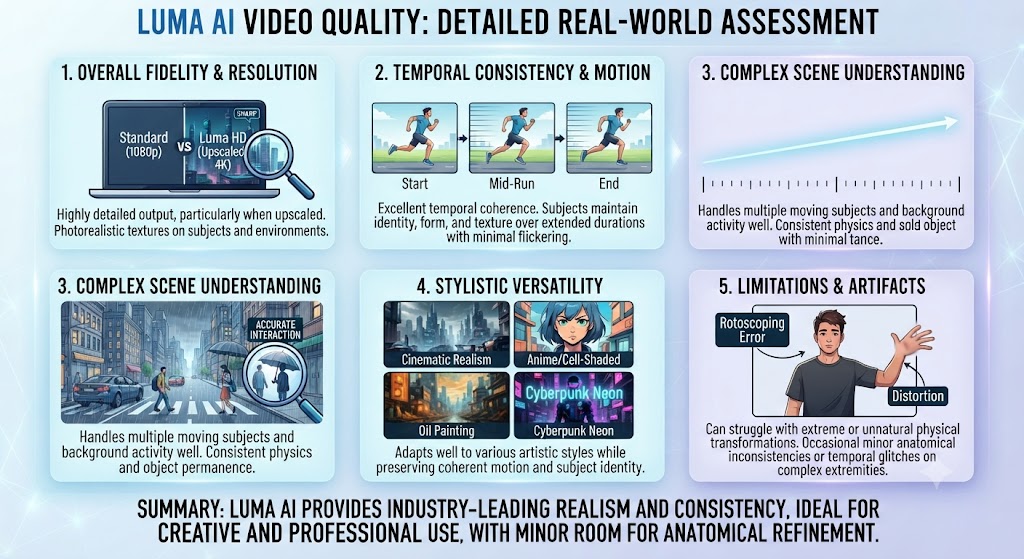
This Luma AI review found that – Natural motion physics — water, fire, fabric, hair, and weather effects render with remarkable realism
- Across this Luma AI review, lighting quality across complex scenarios — backlighting, shadows, reflections, and time-of-day lighting shifts On this point, this Luma AI review notes that – Outdoor and environmental scenes — landscapes, urban environments, and natural settings are a particular strength
- Within this Luma AI review, camera movement execution — specified cinematographic movements are implemented accurately Considering the data, this Luma AI review shows – Image-to-video quality — animating static images produces consistently cinematic results In the context of pricing, this Luma AI review notes – Prompt adherence — detailed, specific prompts reliably translate into the described output
Where Dream Machine Has Limitations
- Per this Luma AI review, hands and fingers remain inconsistent — a challenge shared across virtually all current AI video tools
- As this Luma AI review shows, on-screen text is unreliable — text within the frame often distorts or becomes unreadable
- Highly abstract and surreal prompts produce more variable quality That’s a key point in this Luma AI review.
- In this Luma AI review, nine-second clip maximum means longer sequences require multiple generations stitched together
- Looking at Luma AI review details, very long or complex prompts can produce results that prioritize some described elements over others
These Tools Help You Create. We Help You Go Viral.
Making the video is only half the battle — getting it seen is the other. Tasknestly’s viral video service handles strategy, editing, and distribution.
See Viral Video Services →Best Use Cases for Luma AI Dream Machine
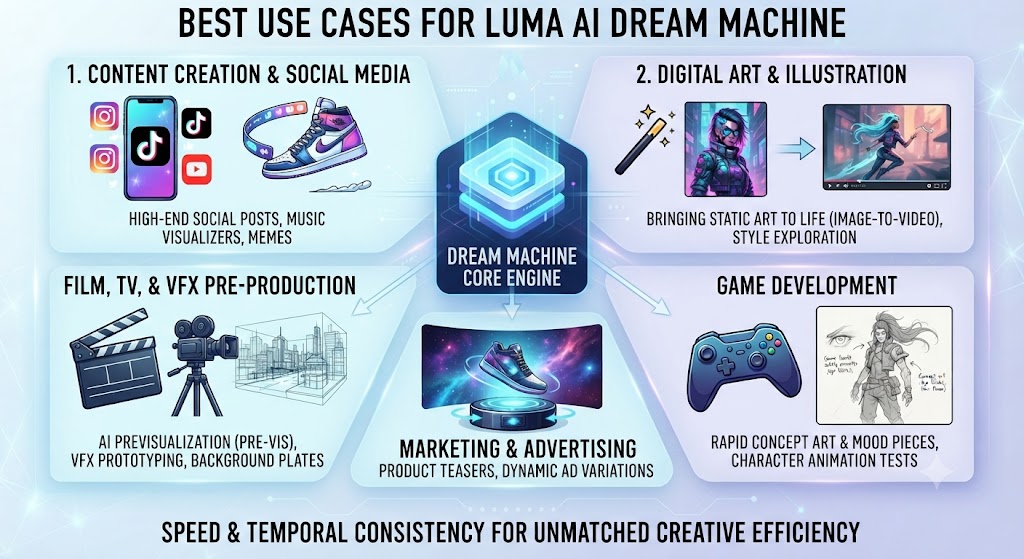
When it comes to this tool, this Luma AI review found that – B-roll footage for YouTube videos, documentary content, and commercial production
- For anyone reading this Luma AI review, shot prototyping for film directors and commercial directors before live production
- Product visualization and promotional video for e-commerce and advertising This holds up throughout the Luma AI review.
- Social media video content for brands and individual creators at scale Keep that in mind from this Luma AI review. This Luma AI review found that – Visual effects elements, background plates, and environment generation for post-production
- Music video concept development and creative visual storytelling That’s a key point in this Luma AI review.
- Real estate walkthrough visualization and architectural rendering animation This holds up throughout the Luma AI review.
- Travel and destination content for tourism and hospitality marketing Keep that in mind from this Luma AI review.
- Transforming product photography into short-form promotional video clips
These Tools Help You Create. We Help You Go Viral.
Making the video is only half the battle — getting it seen is the other. Tasknestly’s viral video service handles strategy, editing, and distribution.
See Viral Video Services →Practical Workflow Tips for Getting Better Results
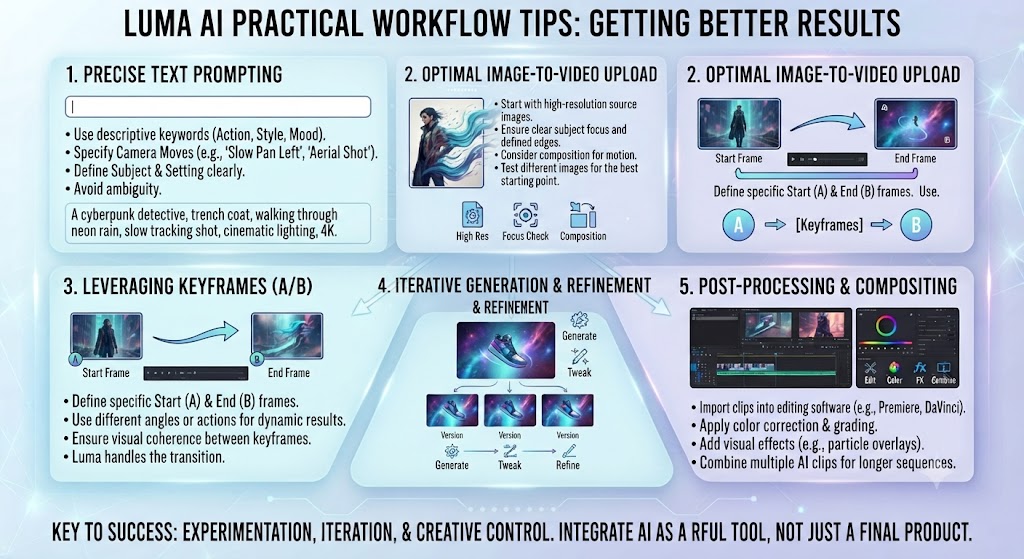
Across this Luma AI review, getting the most from Dream Machine requires understanding how the model interprets prompts and how to structure generations for consistent results. Based on extensive testing, here are the approaches that consistently produce better outputs:
On this point, this Luma AI review notes that – Start with image-to-video rather than text-to-video when you have a reference image — quality is consistently higher
- Within this Luma AI review, use specific cinematographic language — ‘slow dolly push,’ ‘steady handheld,’ ’45-degree pan’ — rather than vague motion descriptions Considering the data, this Luma AI review shows – Keep prompts focused and specific rather than exhaustively detailed — the model handles three to five clear descriptors better than ten competing elements In the context of pricing, this Luma AI review notes – Use keyframe controls whenever the start and end visual state matters for your edit
- Per this Luma AI review, generate multiple variations of the same prompt and select the best — variation between runs is normal and useful
- As this Luma AI review shows, for character-driven clips, always use a reference image rather than relying on text description alone
These Tools Help You Create. We Help You Go Viral.
Making the video is only half the battle — getting it seen is the other. Tasknestly’s viral video service handles strategy, editing, and distribution.
See Viral Video Services →Common Mistakes to Avoid When Using Luma AI Dream Machine
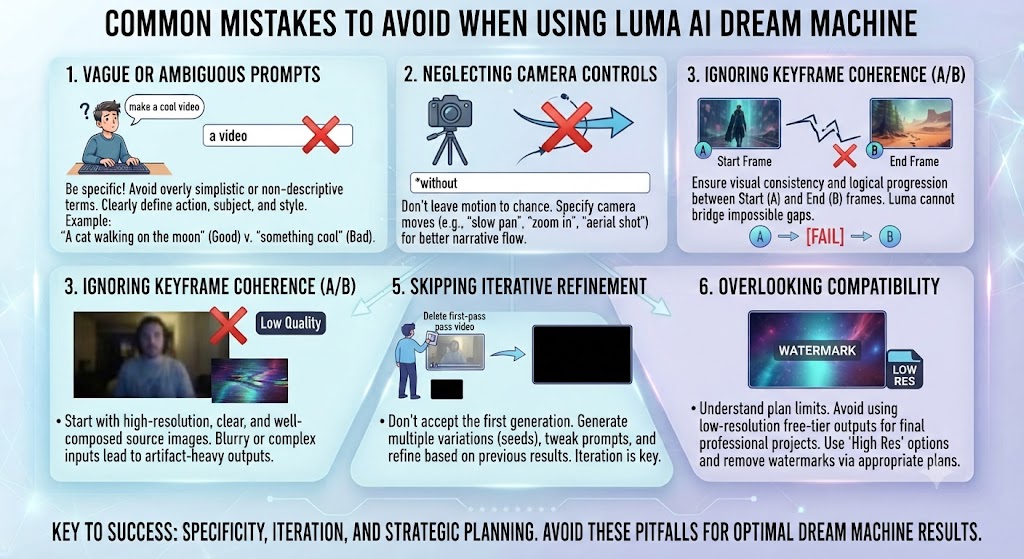
In this Luma AI review, even experienced creators make avoidable mistakes when working with AI video tools. Here are the patterns that consistently produce disappointing results with Dream Machine — and what to do instead.
- Avoid overloading your prompt Looking at Luma AI review details, — Dream Machine performs better with three to five clear descriptors than with a paragraph-length description competing for attention
- Do not generate only one version of a clip — variation between runs is inherent to diffusion-based models, and running two or three generations of the same prompt often yields significantly better options to choose from
- Do not use Dream Machine for on-screen text — text rendering in AI video remains unreliable across the industry, and any text you need in the final clip should be added in post-production
- Avoid assuming the first generation will be usable in isolation — the best results come from generating multiple clips and selecting and editing together the strongest moments
- Do not neglect keyframe control — if the start and end visual state of your clip matters for editing, defining keyframes consistently produces more useful results than unconstrained generation
- Avoid describing highly specific character details without using a reference image — text alone is less reliable for character appearance than pairing a description with an image anchor
Dream Machine rewards thoughtful, iterative prompting. Treat each generation as a data point in a creative exploration rather than expecting a finished product from a single attempt.
These Tools Help You Create. We Help You Go Viral.
Making the video is only half the battle — getting it seen is the other. Tasknestly’s viral video service handles strategy, editing, and distribution.
See Viral Video Services →Luma AI Verdict Box
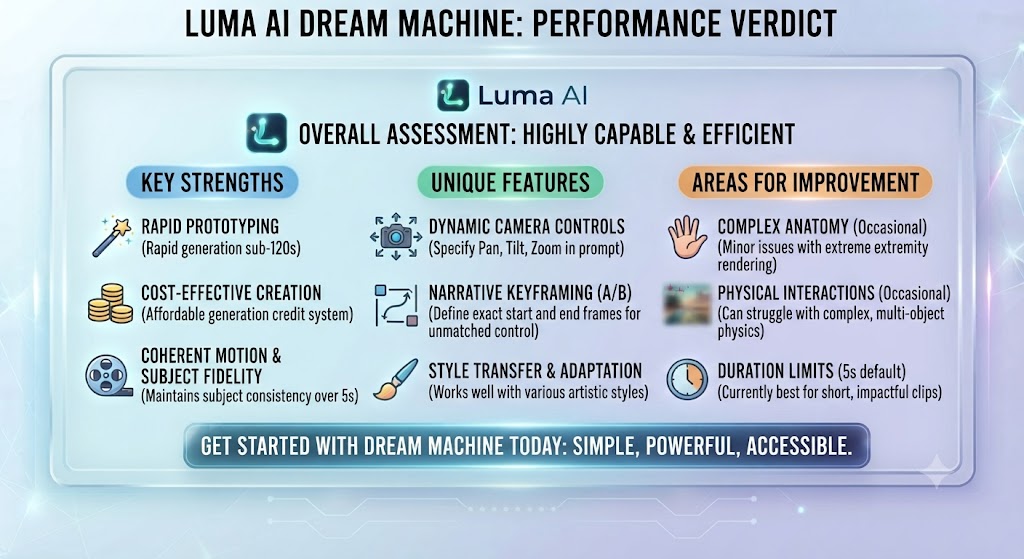
| Category | Score |
|---|---|
| Video Quality — Realism | 9/10 |
| Text-to-Video | 8.5/10 |
| Image-to-Video | 9.5/10 |
| Camera Motion Controls | 8.5/10 |
| Character Consistency | 7.5/10 |
| Ease of Use | 8/10 |
| Pricing & Credit Value | 8/10 |
| API & Developer Experience | 8.5/10 |
| Overall Rating | 8.7/10 |
GET IT or SKIP IT?
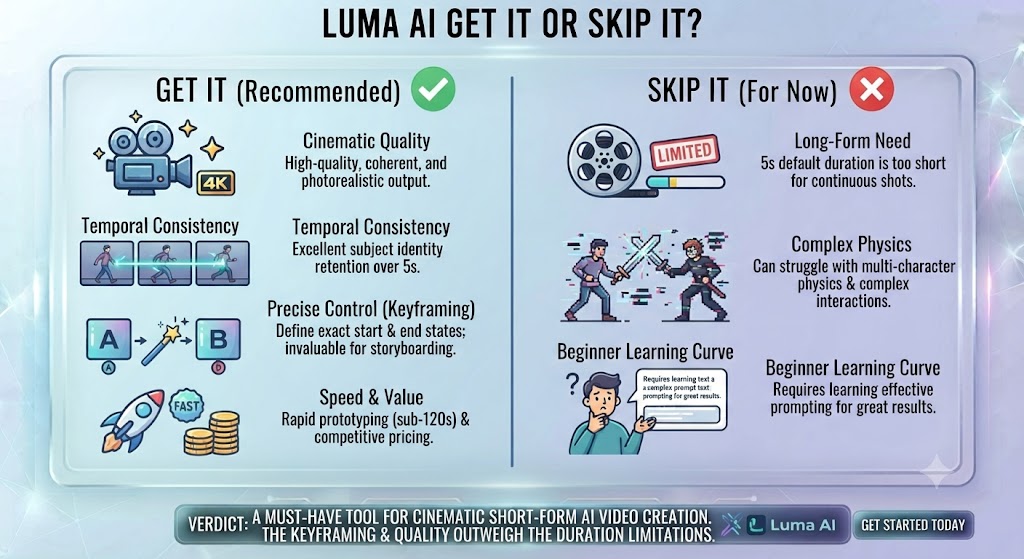
GET IT ✅ — Luma AI Dream Machine is one of the most impressive AI video generation tools available in 2026. If you need cinematic-quality footage with strong camera control, outstanding image-to-video conversion, and competitive pricing, it belongs on your shortlist. The free plan offers enough to evaluate quality meaningfully before committing.
SKIP IT ❌ — If you need clips longer than 9 seconds without stitching, precise on-screen text rendering, fine-grained character animation with exact facial control, or highly stylized and artistic outputs (where Runway may serve you better). Plan for post-production work if you need seamless long-form narrative sequences.
These Tools Help You Create. We Help You Go Viral.
Making the video is only half the battle — getting it seen is the other. Tasknestly’s viral video service handles strategy, editing, and distribution.
See Viral Video Services →Frequently Asked Questions About Luma AI
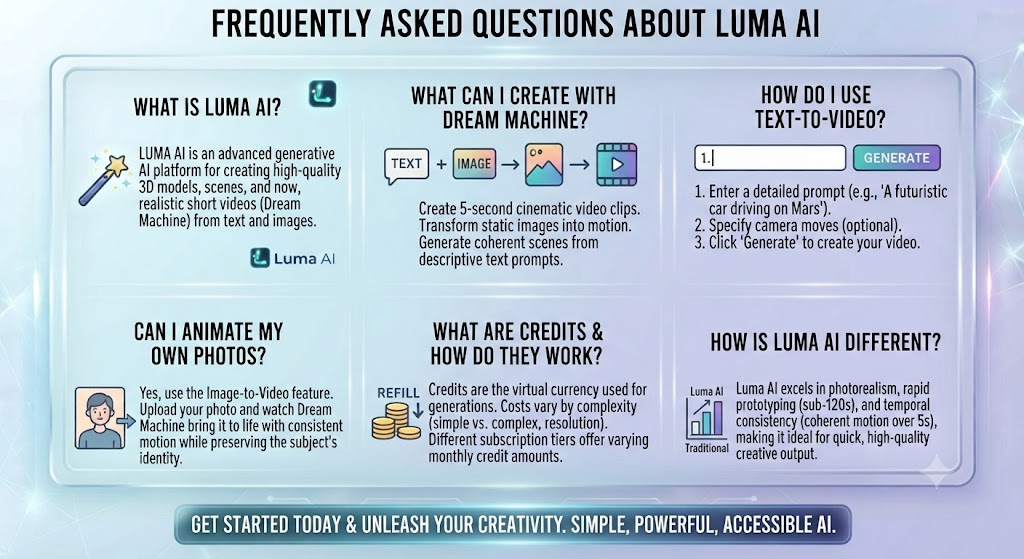
Is Luma AI Dream Machine free to use?
Yes. Luma AI offers a free plan with 30 credits per month. This is sufficient for approximately 5 to 10 standard-quality test generations, which gives you a genuine sense of the tool’s quality before deciding whether to upgrade.
How long are the videos that Luma AI generates?
Dream Machine generates clips up to 5 seconds on the free plan and up to 9 seconds on paid plans. For longer narrative sequences, you need to generate multiple clips and assemble them in a video editing application like Premiere Pro, DaVinci Resolve, or CapCut.
Does Luma AI have an API for developers?
Yes. Luma AI provides a full developer API available on Pro and higher plans. It supports programmatic video generation with text prompts, image references, keyframe controls, and camera motion parameters. It is used by agencies, production companies, and software developers building AI video into their own products.
How does Luma AI compare to Sora in quality?
Both tools produce impressive results. Sora has advantages in maximum clip length and some aspects of physical world simulation. Dream Machine offers better accessibility, more competitive pricing, and arguably stronger image-to-video quality. For most working creators, Dream Machine provides better practical value.
Can Luma AI generate videos with consistent characters across multiple clips?
Character consistency across multiple clips is one of the hardest problems in AI video, and Dream Machine handles it better than most alternatives using reference images. It is not perfect across long sequences but is sufficient for most commercial and creative applications.
What file formats does Luma AI output?
Luma AI Dream Machine generates videos as MP4 files at standard resolutions. On higher plans and with enhanced quality settings, higher resolution outputs are available. Generated files can be downloaded directly for use in video editing workflows.
These Tools Help You Create. We Help You Go Viral.
Making the video is only half the battle — getting it seen is the other. Tasknestly’s viral video service handles strategy, editing, and distribution.
See Viral Video Services →Final Thoughts on Luma AI Dream Machine
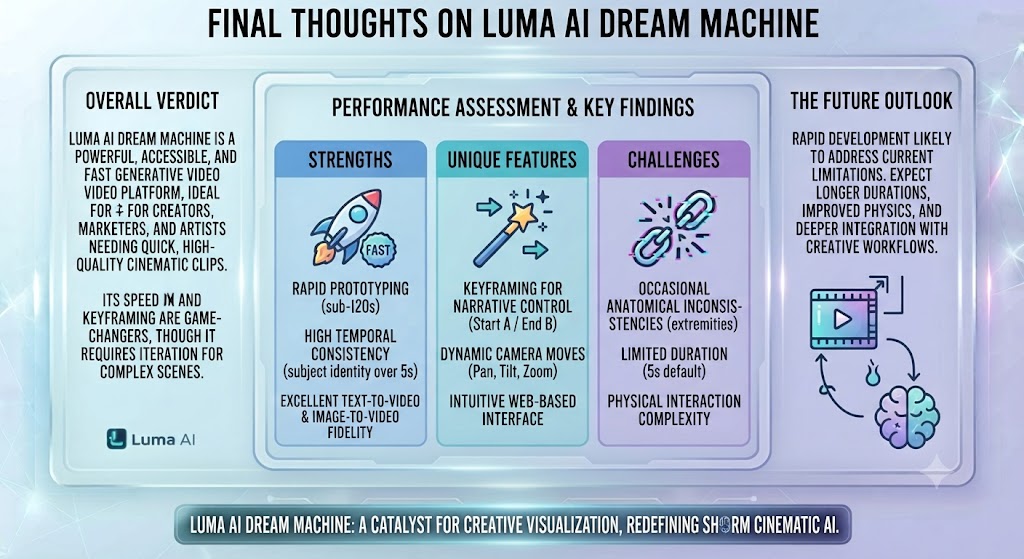
Luma AI Dream Machine represents one of the most significant leaps in AI video quality available to working creators today. Its combination of realistic motion physics, strong cinematic camera control, outstanding image-to-video performance, and accessible pricing places it firmly at the top tier of the current AI video generation market.
The nine-second clip limit and imperfect character consistency are real constraints — but they are broadly shared across the category and manageable with thoughtful production planning. Within those boundaries, Dream Machine consistently produces outputs that look dramatically better than what this technology was capable of eighteen months ago.
If you are evaluating AI video tools for any serious creative or commercial application, Luma AI needs to be on your shortlist. Start with the free plan — 30 credits is enough to produce several genuine test generations and evaluate whether the quality meets your standards. And if it does, the step up to Standard or Pro represents strong value for the quality you get in return.
Start generating with Luma AI Dream Machine at lumalabs.ai — 30 free credits every month, no credit card required.
These Tools Help You Create. We Help You Go Viral.
Making the video is only half the battle — getting it seen is the other. Tasknestly’s viral video service handles strategy, editing, and distribution.
See Viral Video Services →