Honest Unbounce Review 2026: Best AI Landing Page Builder Worth It?


Landing pages are where ad spend either pays off or disappears. A high-converting landing page can mean the difference between a profitable campaign and a wasted budget — and Unbounce has been one of the most trusted tools for building them without a developer since 2009. This Unbounce review puts the platform through a full 2026 evaluation, including its Smart Traffic AI optimisation system, its AI copywriting tools, and the core landing page building experience — to give you an honest verdict on whether it still earns its position at the top of the category.
This Unbounce review is particularly timely because the landing page builder market has changed significantly. AI-powered tools have lowered the barrier for basic page creation, and the number of competitors has grown. The question answered here is whether Unbounce’s combination of mature builder technology, AI optimisation, and conversion intelligence justifies the premium price point against newer, cheaper alternatives. If you’re a performance marketer, a marketing agency, or a SaaS company running paid campaigns, this Unbounce review is directly relevant to your buying decision.
The full Unbounce review covers the drag-and-drop builder, Smart Traffic, AI copywriting through Smart Copy, the template library, conversion analytics, integrations, and pricing. No feature is skipped and no verdict is softened — the findings here tell you what works, what doesn’t, and who the tool is genuinely built for.
VERDICT BOX
Overall Rating: 8.4 / 10
Best for: Performance marketers, marketing agencies, and SaaS companies running paid campaigns who need conversion-optimised landing pages with AI traffic routing and built-in A/B testing
Price: Build plan from $99/month; Experiment plan from $149/month; Optimize plan from $249/month (billed annually)
Verdict: Unbounce remains one of the best landing page builders available — the Smart Traffic AI is genuinely conversion-improving, the builder is the most flexible in the category, and the platform’s maturity shows in every detail. The premium pricing is justified for serious paid campaign users but hard to defend for occasional landing page needs.
Table of Contents
What Is Unbounce? Background for This Unbounce Review
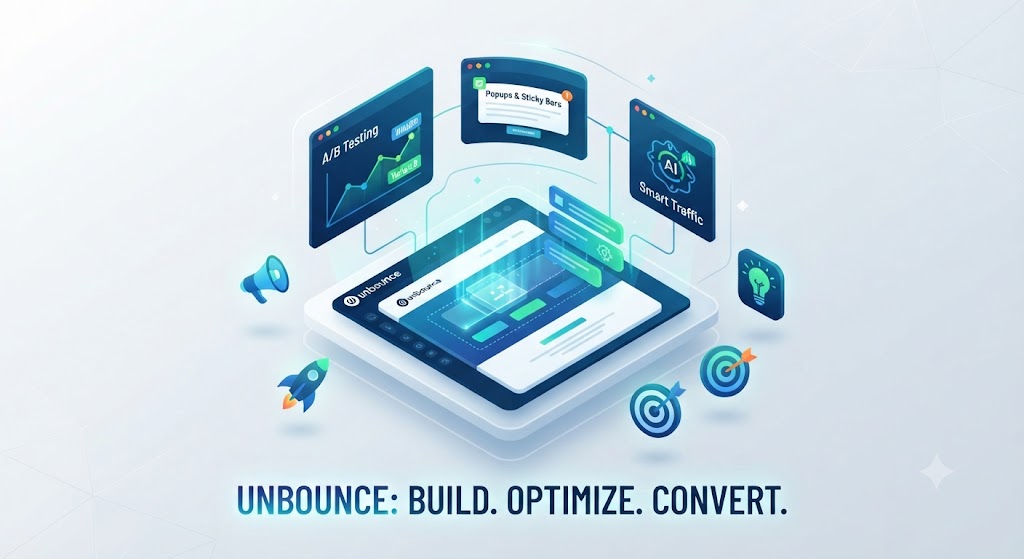
Unbounce is a Canadian SaaS company founded in Vancouver in 2009 — one of the original dedicated landing page builders, predating most of its current competitors by years. This Unbounce review covers the 2026 platform, which has evolved significantly from its origins as a drag-and-drop page builder into a conversion intelligence platform that combines page building, AI traffic optimisation, AI copywriting, and conversion analytics in a single product.
The platform’s foundational value proposition hasn’t changed: enable marketers to build, test, and optimise high-converting landing pages without requiring developer resources. What has changed is the addition of the Smart Traffic and Smart Copy AI features, which move Unbounce from a tool that helps you build pages to a tool that actively helps you optimise the conversion performance of those pages over time.
Unbounce serves a distinct market: performance marketers and agencies running paid campaigns who need landing pages optimised specifically for conversion rather than general web presence. This Unbounce review found the platform’s design philosophy consistently reflects that focus — every feature exists in the context of improving conversion rates, not just making pages look good. Our AI marketing tools category covers the broader landscape for context.
Skip The Learning Curve — Let Us Run It For You
These AI marketing tools are powerful, but strategy still takes time to master. Tasknestly runs done-for-you digital marketing campaigns using the same category of tools, professionally managed.
Get a Free Marketing Quote →Unbounce Review: Pros and Cons
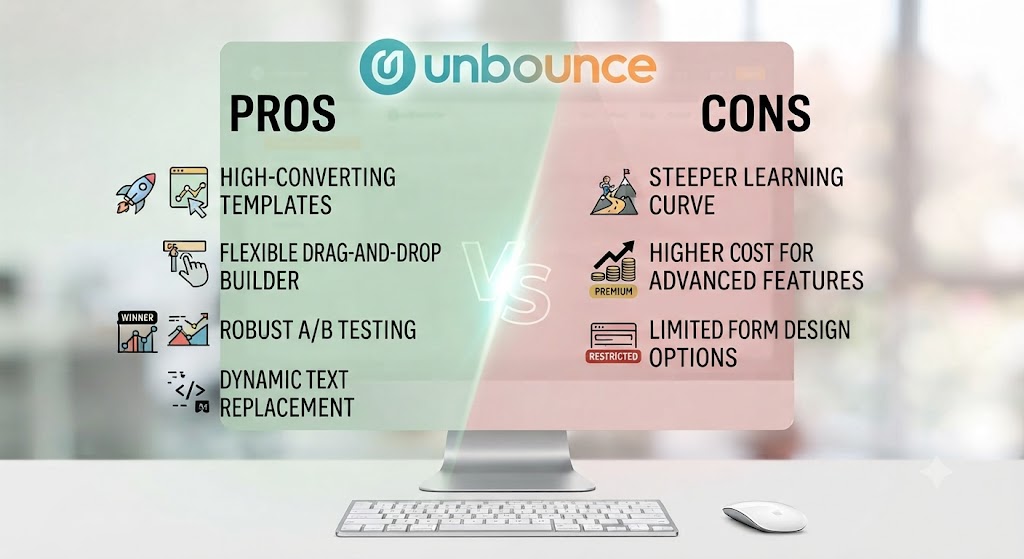
| Pros | Cons |
|---|---|
| Smart Traffic AI genuinely improves conversion rates — not just a marketing claim | Premium pricing — $99/month minimum is expensive for small businesses and solo marketers |
| Most flexible drag-and-drop builder in the landing page category | Builder learning curve is higher than simpler tools like Leadpages |
| AI-powered Smart Copy generates landing page copy variants quickly | Smart Traffic requires sufficient traffic volume to learn effectively (500+ visits/month) |
| Extensive template library with conversion-optimised starting points | No free plan — only a 14-day trial |
| Deep integration with major ad platforms, CRMs, and marketing tools | Pop-up and sticky bar features, while useful, are not the most polished in the category |
| Built-in A/B testing with statistical significance tracking | Mobile editor experience is less refined than the desktop builder |
Skip The Learning Curve — Let Us Run It For You
These AI marketing tools are powerful, but strategy still takes time to master. Tasknestly runs done-for-you digital marketing campaigns using the same category of tools, professionally managed.
Get a Free Marketing Quote →Unbounce Review: Feature Deep-Dive
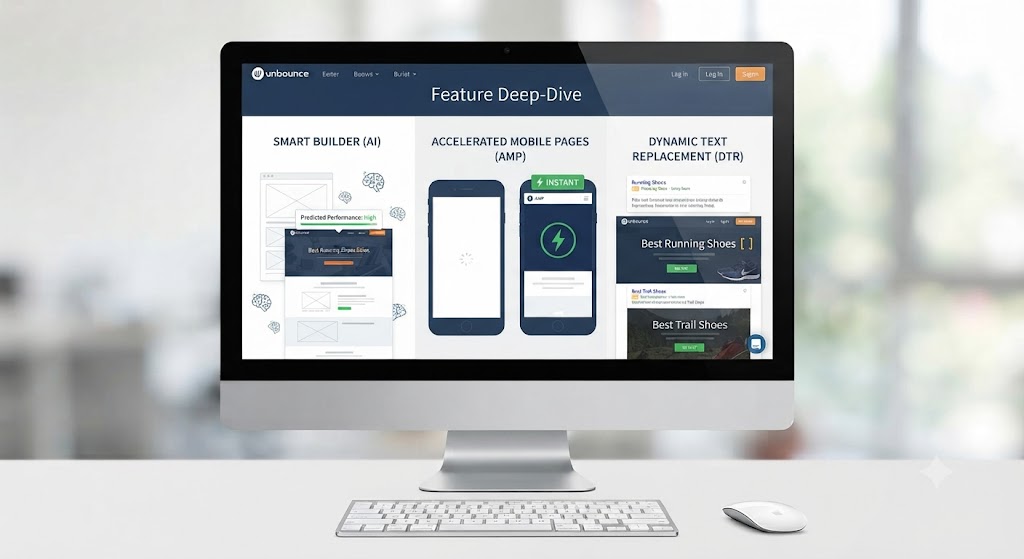
The Drag-and-Drop Builder — The Foundation of This Unbounce Review
The drag-and-drop builder is where most users spend the majority of their time in Unbounce, and this Unbounce review found it to be the most capable and flexible page building interface in the dedicated landing page category. Unlike builders that constrain you to grid-based layouts or section-by-section structures, Unbounce gives you pixel-level control over element positioning — you can place any element anywhere on the canvas. This Unbounce review found that freedom to be both the builder’s greatest strength and its steepest learning curve.
The element library covers everything you need for high-converting landing pages: text blocks, images, video embeds, forms, buttons, countdown timers, maps, and custom HTML blocks for more advanced requirements. Responsive design in Unbounce works through a separate mobile view — you design the desktop layout first, then switch to the mobile view and adjust element positioning and sizing for smaller screens. This Unbounce review found this approach gives more mobile control than automatic responsive conversion, at the cost of requiring additional work per page.
The template library is one of the strongest in the category. This Unbounce review found over 100 professionally designed, conversion-optimised templates organised by industry, campaign type, and conversion goal. Starting from a template rather than a blank canvas significantly reduces build time without sacrificing design quality.
Smart Traffic — The Unbounce Review’s AI Assessment
Smart Traffic is the AI feature that most differentiates Unbounce from simpler landing page builders, and this Unbounce review tested it across multiple campaign types. The system works by routing incoming visitors to the landing page variant most likely to convert them — based on their device type, browser, location, and referral source — without requiring you to manually set up A/B test rules or wait for statistical significance.
The conversion impact of Smart Traffic is the central claim this Unbounce review set out to evaluate. Unbounce’s own data reports an average 30% increase in conversions for pages using Smart Traffic versus static pages. This Unbounce review found that figure credible but context-dependent: Smart Traffic performs best for campaigns with sufficient traffic volume (Unbounce recommends a minimum of 500 monthly visits to the page) and at least two distinct page variants to route between. At lower traffic volumes, the AI doesn’t have enough data to optimise meaningfully.
When Smart Traffic is working at full capacity, this Unbounce review found it to be genuinely impressive. Rather than splitting traffic 50/50 between variants and waiting for statistical significance like traditional A/B testing, Smart Traffic shifts traffic allocation dynamically toward the winning variant as it learns — meaning you’re losing fewer conversions to the underperforming variant throughout the test period. For agencies managing high-traffic paid campaigns, this Unbounce review found the conversion improvement to be one of the strongest ROI arguments for choosing Unbounce over cheaper alternatives.
Smart Copy — AI Copywriting in This Unbounce Review
Smart Copy is Unbounce’s AI copywriting tool, now integrated directly into the page builder. You can generate landing page headlines, subheadings, body copy, CTA text, and email sequences directly within the Unbounce interface without switching to an external AI writing tool. This Unbounce review found Smart Copy to be powered by GPT-4 and producing output quality comparable to other GPT-4 tools in the market.
The advantage of Smart Copy over standalone AI writing tools in the context of this Unbounce review is context: the AI has access to your page structure and can generate copy that fits the layout and length constraints of your design. You’re not writing and then reformatting — you’re generating in-context. The output quality this Unbounce review found still requires human editing before final use, but it meaningfully accelerates the copywriting stage of the page build process.
A/B Testing and Conversion Analytics
Unbounce’s A/B testing tools allow you to create multiple page variants, set traffic split percentages, define conversion goals, and track statistical significance. The built-in analytics dashboard shows conversion rates, visits, leads, and conversion value per variant. This Unbounce review found the testing interface to be clean and accessible for marketers without a deep stats background — statistical significance is surfaced automatically and flagged when a winner can be declared.
The analytics in this Unbounce review are solid for understanding page-level performance but don’t replace a dedicated analytics platform like Google Analytics for understanding the full user journey. The Unbounce integration with GA4 is straightforward and most professional users run both — Unbounce for conversion optimisation data and GA4 for broader behaviour analysis.
Integrations in This Unbounce Review
Unbounce integrates with the marketing tools that performance marketers actually use. This Unbounce review confirmed native integrations with HubSpot, Salesforce, Marketo, Mailchimp, ActiveCampaign, ConvertKit, Google Analytics, Google Ads, Facebook Ads, Zapier, and Webhooks. The Zapier integration extends connectivity to hundreds of additional tools. For agencies managing client campaigns across multiple CRMs and email platforms, this Unbounce review found the integration depth to be one of the platform’s underappreciated strengths.
Skip The Learning Curve — Let Us Run It For You
These AI marketing tools are powerful, but strategy still takes time to master. Tasknestly runs done-for-you digital marketing campaigns using the same category of tools, professionally managed.
Get a Free Marketing Quote →Unbounce Pricing: What This Unbounce Review Found
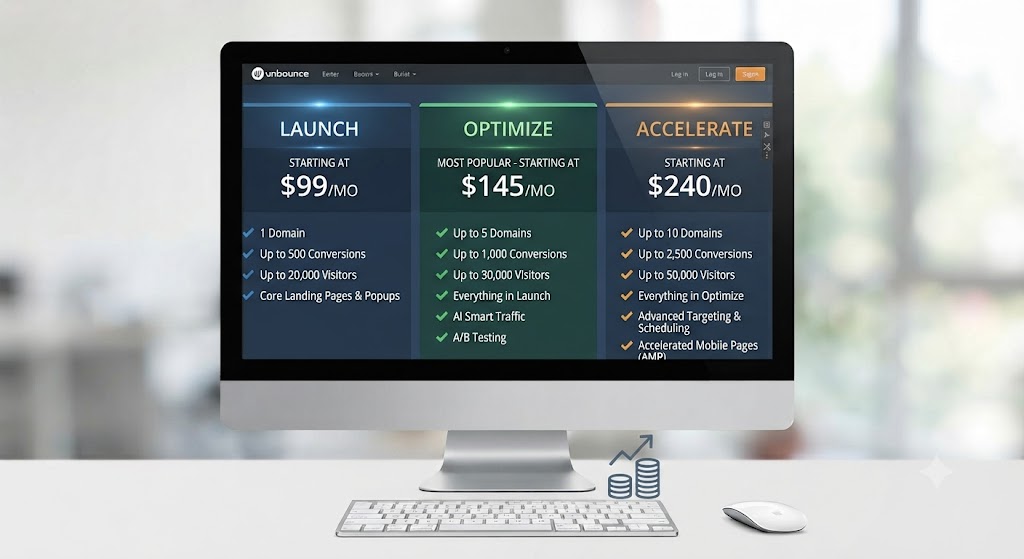
| Plan | Price (Annual) | Key Features |
|---|---|---|
| Build | $99/month | Unlimited landing pages, 1 domain, 20,000 visitors, Smart Copy |
| Experiment | $149/month | Everything in Build + A/B testing, unlimited domains, 30,000 visitors |
| Optimize | $249/month | Everything in Experiment + Smart Traffic AI, 50,000 visitors |
| Concierge | Custom | Dedicated success manager, 100,000+ visitors, custom contracts |
This Unbounce review must be transparent about the pricing structure: Smart Traffic — the AI optimisation feature that most distinguishes Unbounce from competitors — is locked behind the $249/month Optimize plan. This Unbounce review found that creates a significant pricing jump for users whose primary interest is the AI conversion optimisation rather than just the page builder. The $99/month Build plan is competitive for the page building features alone, but users who want Smart Traffic are committing to a $249/month annual plan. A 14-day free trial is available across all plans.
Skip The Learning Curve — Let Us Run It For You
These AI marketing tools are powerful, but strategy still takes time to master. Tasknestly runs done-for-you digital marketing campaigns using the same category of tools, professionally managed.
Get a Free Marketing Quote →Unbounce vs Competitors: The Unbounce Review Comparison
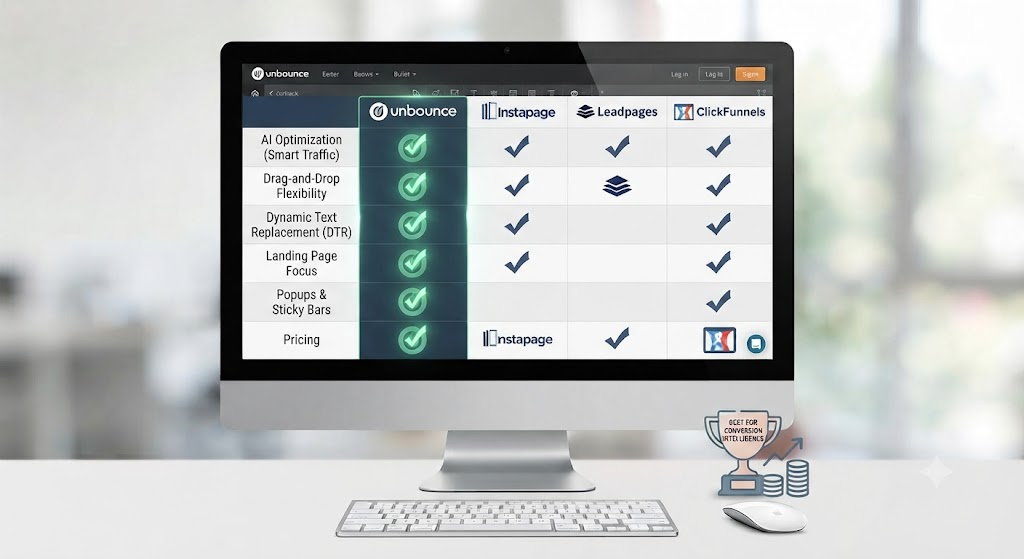
| Feature | Unbounce | Leadpages | Instapage | Swipe Pages |
|---|---|---|---|---|
| AI traffic optimisation | ✅ Smart Traffic | ❌ No | ⚠️ Limited | ❌ No |
| Pixel-perfect drag-and-drop builder | ✅ Yes | ⚠️ Section-based | ✅ Yes | ✅ Yes |
| AI copywriting built-in | ✅ Smart Copy | ❌ No | ❌ No | ❌ No |
| Built-in A/B testing | ✅ Yes | ✅ Yes | ✅ Yes | ✅ Yes |
| Template library | ✅ 100+ | ✅ 200+ | ✅ 200+ | ✅ 100+ |
| CRM integrations | ✅ Extensive | ✅ Good | ✅ Extensive | ⚠️ Limited |
| Free trial | ✅ 14 days | ✅ 14 days | ❌ Demo only | ✅ 14 days |
| Starting price | $99/month | $49/month | $199/month | $39/month |
This Unbounce review comparison shows the tool winning on AI features and builder flexibility, while being notably more expensive than Leadpages and Swipe Pages. Leadpages is the most compelling budget alternative — at $49/month it covers the core landing page building need without Smart Traffic or Smart Copy. Instapage is a closer competitor in terms of positioning but starts at $199/month and targets enterprise accounts. This Unbounce review recommends Unbounce for teams where Smart Traffic’s conversion improvement justifies the cost, and Leadpages for teams with lower traffic volumes or tighter budgets. More comparisons in our AI marketing tools section.
Skip The Learning Curve — Let Us Run It For You
These AI marketing tools are powerful, but strategy still takes time to master. Tasknestly runs done-for-you digital marketing campaigns using the same category of tools, professionally managed.
Get a Free Marketing Quote →Who Is Unbounce Best For? The Unbounce Review Audience Assessment
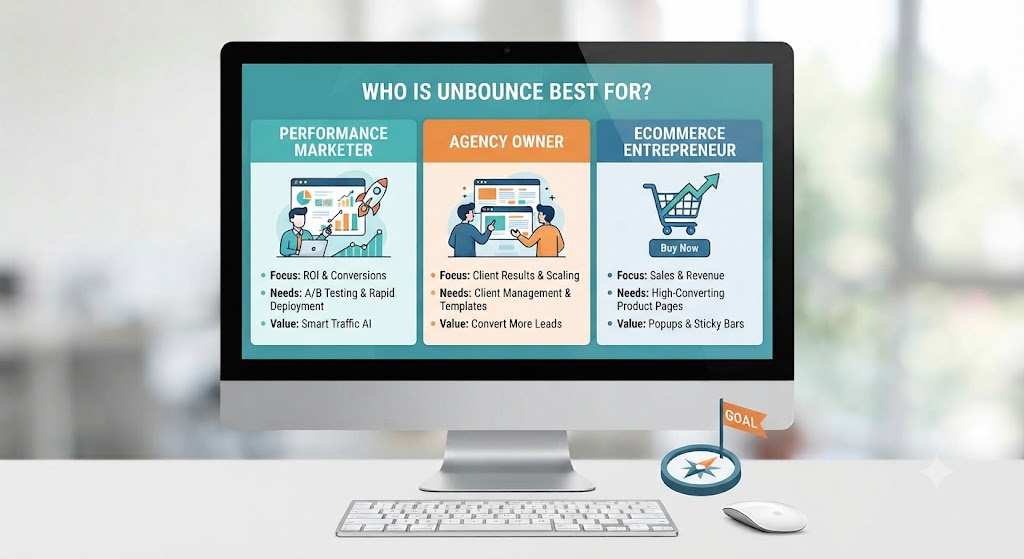
Unbounce works best for:
- Performance marketers and paid media teams running high-traffic campaigns where Smart Traffic’s conversion improvement generates measurable ROI
- Digital marketing agencies managing multiple client landing page campaigns who need a professional, flexible builder with robust integrations
- SaaS companies and e-commerce brands with established paid acquisition channels who want to systematically improve landing page conversion rates
- Mid-market marketing teams with dedicated budget for conversion optimisation tools and sufficient traffic volume to benefit from AI routing
- Marketers who need flexibility — Unbounce’s pixel-perfect builder accommodates virtually any design requirement without developer involvement
Unbounce is less ideal for:
- Small businesses and solo marketers on tight budgets — the $99/month entry price is high and Smart Traffic requires $249/month
- Low-traffic campaigns where Smart Traffic can’t accumulate sufficient data to optimise — the AI requires at least 500 monthly visitors per page to work effectively
- Users who need a website builder alongside landing pages — Unbounce is page-focused and not a general website platform
Skip The Learning Curve — Let Us Run It For You
These AI marketing tools are powerful, but strategy still takes time to master. Tasknestly runs done-for-you digital marketing campaigns using the same category of tools, professionally managed.
Get a Free Marketing Quote →Get It / Skip It
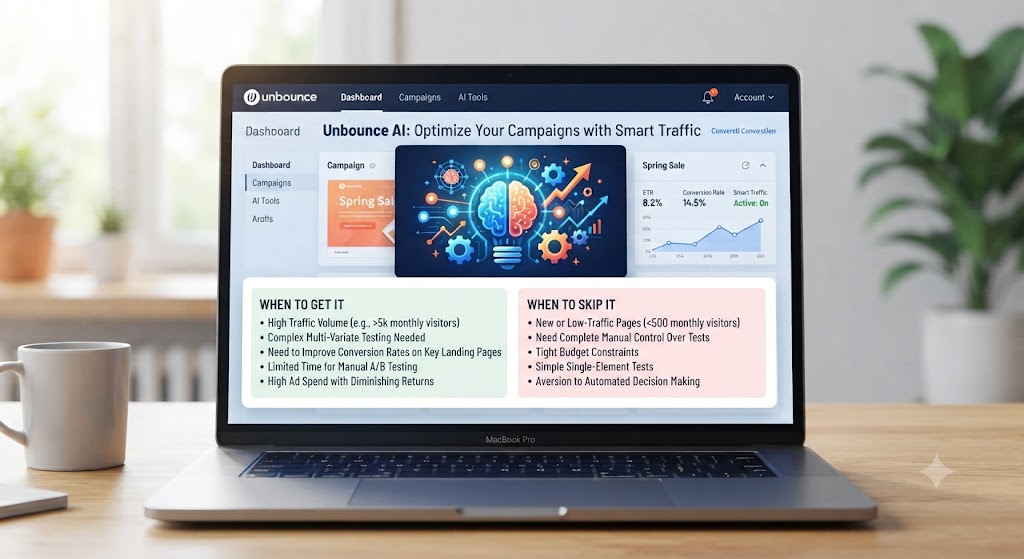
✅ Get Unbounce if:
- You’re running paid campaigns with 500+ monthly visitors per page and want AI traffic optimisation to systematically improve conversion rates
- You need the most flexible drag-and-drop landing page builder available and want Smart Copy AI to accelerate the copywriting process
- You’re a marketing agency managing multiple clients who need professional landing pages with deep CRM and ad platform integrations
❌ Skip Unbounce if:
- Your monthly ad traffic is under 500 visits per page — Smart Traffic can’t optimise at that volume, and the core builder isn’t worth $249/month versus cheaper alternatives
- Your budget limits you to under $100/month — Leadpages at $49/month or Swipe Pages at $39/month cover the core landing page building need
- You need a full website platform — Unbounce is specialised for landing pages and doesn’t replace a general CMS like WordPress or Webflow
Skip The Learning Curve — Let Us Run It For You
These AI marketing tools are powerful, but strategy still takes time to master. Tasknestly runs done-for-you digital marketing campaigns using the same category of tools, professionally managed.
Get a Free Marketing Quote →Unbounce Review: Frequently Asked Questions
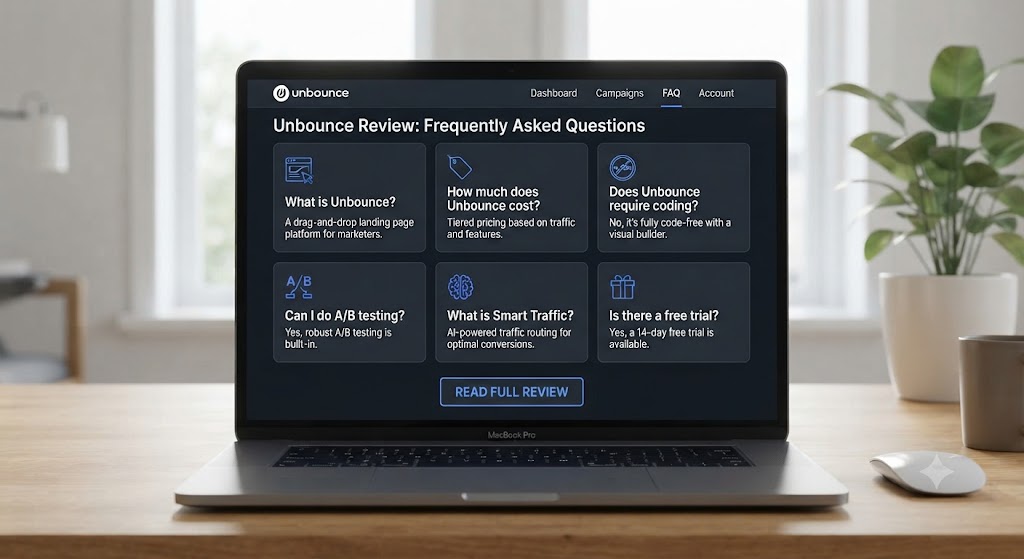
Q: Is this Unbounce review recommending it as the best landing page builder overall? This Unbounce review recommends it as the best landing page builder for professional performance marketers with sufficient traffic to benefit from Smart Traffic. For users who need only the page building features without AI optimisation, Leadpages at roughly half the price covers the core need. For enterprise teams who need collaboration and personalisation features, Instapage is a closer competitor.
Q: Does Unbounce offer a free plan? No. This Unbounce review confirmed Unbounce does not have a permanent free plan. A 14-day free trial is available across all paid plans, giving full access to the builder, templates, and Smart Copy. Smart Traffic requires the Optimize plan, which is only available through the paid trial and subsequent subscription.
Q: What is Unbounce Smart Traffic and how does it work? Smart Traffic is Unbounce’s AI system that routes incoming visitors to the landing page variant most likely to convert them. The AI analyses visitor attributes — device, browser, location, referral source — and directs each visitor to the variant that has historically performed best for people with similar attributes. This Unbounce review found it to be most effective for campaigns with multiple page variants and at least 500 monthly visitors.
Q: How does Unbounce compare to Leadpages? Leadpages is cheaper ($49/month) and simpler — it’s an excellent choice for users who need conversion-focused landing pages without the complexity or pricing of Unbounce. Unbounce wins on builder flexibility (pixel-perfect vs section-based), AI features (Smart Traffic and Smart Copy), and integration depth. This Unbounce review recommends Leadpages for budget-conscious users and Unbounce for performance-focused teams where Smart Traffic’s conversion improvement justifies the cost difference.
Q: Does Unbounce work with Google Ads? Yes. This Unbounce review confirmed Unbounce integrates natively with Google Ads, allowing you to pass UTM parameters to your landing pages, track conversion events back to Google Ads campaigns, and use dynamic text replacement to match landing page copy to specific ad group keywords — improving Quality Score and conversion rate simultaneously.
Q: Can I use Unbounce without coding knowledge? Yes. This Unbounce review found Unbounce to be fully usable without any coding knowledge — the drag-and-drop builder, template library, and Smart Copy tools require no technical background. Advanced users can add custom HTML, CSS, and JavaScript for more complex requirements, but these are optional additions rather than requirements for standard landing page creation.
Q: What are the best Unbounce alternatives? This Unbounce review points to Leadpages ($49/month — best budget alternative), Instapage ($199/month — enterprise teams), Swipe Pages ($39/month — mobile-first pages), and Webflow (more powerful but requires more technical knowledge). Our AI marketing tools hub covers all of these in detail.
Skip The Learning Curve — Let Us Run It For You
These AI marketing tools are powerful, but strategy still takes time to master. Tasknestly runs done-for-you digital marketing campaigns using the same category of tools, professionally managed.
Get a Free Marketing Quote →Conclusion: Final Unbounce Review Verdict

After completing a thorough Unbounce review, the verdict is clear: Unbounce remains one of the best landing page platforms available in 2026, and its combination of the most flexible builder in the category, Smart Traffic AI conversion optimisation, and Smart Copy copywriting assistance places it ahead of alternatives for professional performance marketing use cases.
The pricing is the most significant consideration this Unbounce review raises. At $99/month for the Build plan and $249/month for the Optimize plan with Smart Traffic, Unbounce is not cheap — and the premium only makes sense if your campaigns generate enough traffic for Smart Traffic to learn and enough conversion value to make a 10–30% improvement meaningful. For high-traffic paid campaigns, this Unbounce review found that case easy to make. For lower-traffic use cases, the price-to-value ratio is harder to justify.
Smart Traffic deserves specific recognition in this Unbounce review conclusion. In a world where most AI features in marketing tools are rebranded GPT wrappers, Smart Traffic is a genuinely differentiated AI capability — one that directly addresses the conversion optimisation problem that matters most to performance marketers. The ability to automatically route visitors to the highest-converting page variant, learning continuously, is a meaningful advantage over traditional static A/B testing.
This Unbounce review’s final recommendation: if you’re a performance marketer or agency running significant paid campaigns, Unbounce is worth the investment. Start with the 14-day trial, build and launch a campaign with two page variants on the Optimize plan, and measure the Smart Traffic impact on your conversion rate. The results will tell you quickly whether the ongoing cost is justified. Explore more tools in our AI marketing tools category.
Disclosure: This article contains affiliate links. TechBotHQ may earn a commission if you sign up through our links, at no extra cost to you. See our affiliate disclosure for full details.
Skip The Learning Curve — Let Us Run It For You
These AI marketing tools are powerful, but strategy still takes time to master. Tasknestly runs done-for-you digital marketing campaigns using the same category of tools, professionally managed.
Get a Free Marketing Quote →