Superhuman Review 2026: Is This Premium Email Client Worth $30/Month?

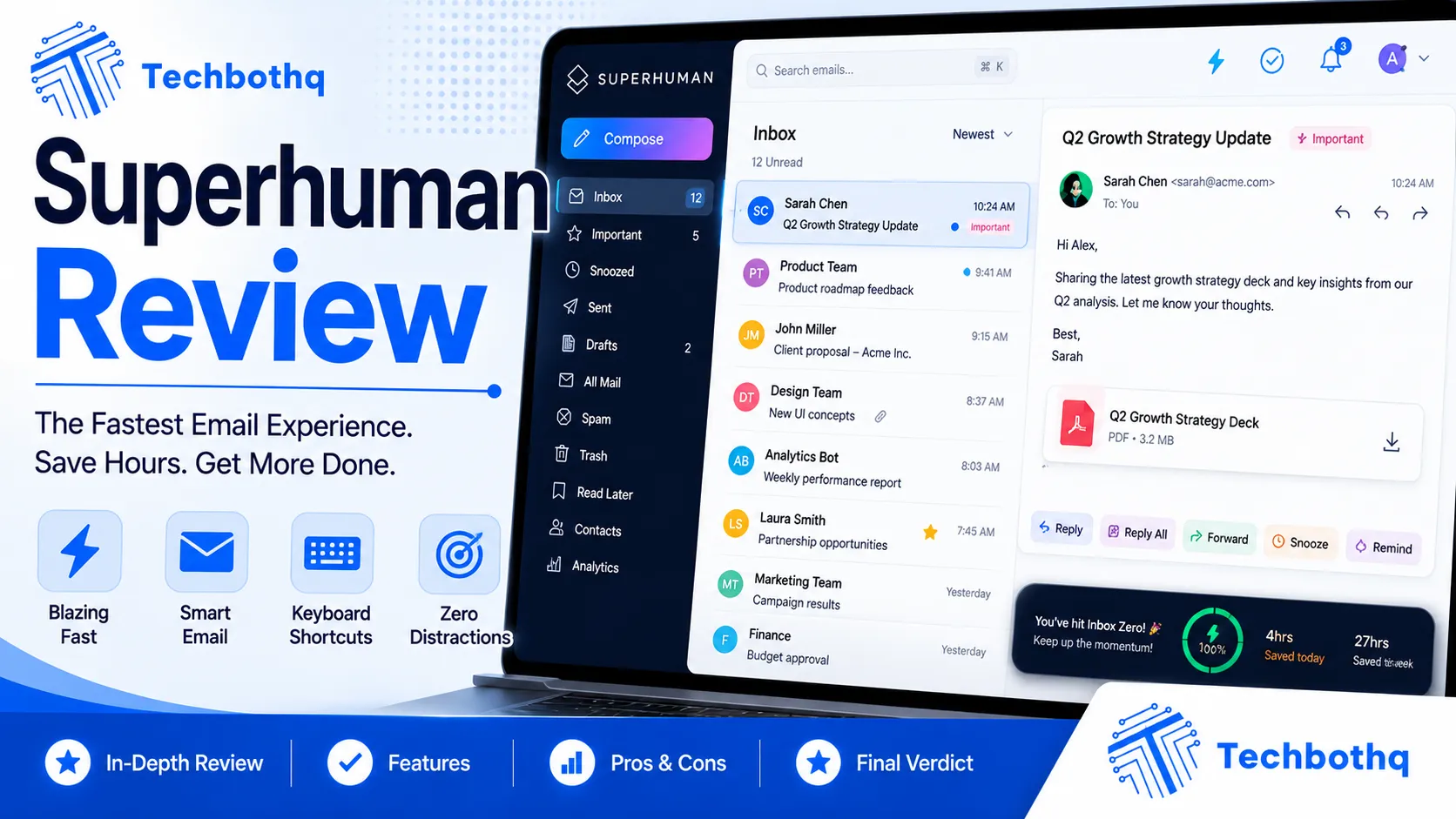
This Superhuman Review exists to answer one question everyone considering the app actually wants answered: is a $30/month email client genuinely worth it, or is it just a beautifully designed status symbol for people who like feeling productive? Superhuman built its reputation on speed — keyboard shortcuts for everything, an inbox that clears in minutes, and an onboarding process that personally trains you to use it. This Superhuman Review tests those claims directly rather than taking the marketing at face value.
For this Superhuman Review, I used the app as my primary email client for several weeks, running it against a genuinely overloaded inbox with hundreds of daily messages across work and personal accounts. I looked at the AI features specifically — AI-written replies, auto-summarized threads, and follow-up reminders — alongside raw speed, pricing, and how it actually compares to free alternatives that have added similar AI features recently to their own platforms.
The short version from this Superhuman Review: Superhuman is genuinely, noticeably faster than any other email client I’ve used, and its AI features are well-implemented rather than bolted on. Whether that speed is worth $30/month depends entirely on how much of your day lives in your inbox — for some people it pays for itself in days, for others it’s an expensive way to check email.
| Overall Rating: 8/10/10Best For: Executives, founders, and anyone managing a high-volume inbox who values speed above all elsePrice: $30/month (annual) or $34/month (monthly), no free tier |
| Tired of losing an hour a day to your inbox? Superhuman’s AI-powered speed features can cut that time dramatically —Try Superhuman and see how fast email can actually be. |
Table of Contents
What Is Superhuman?
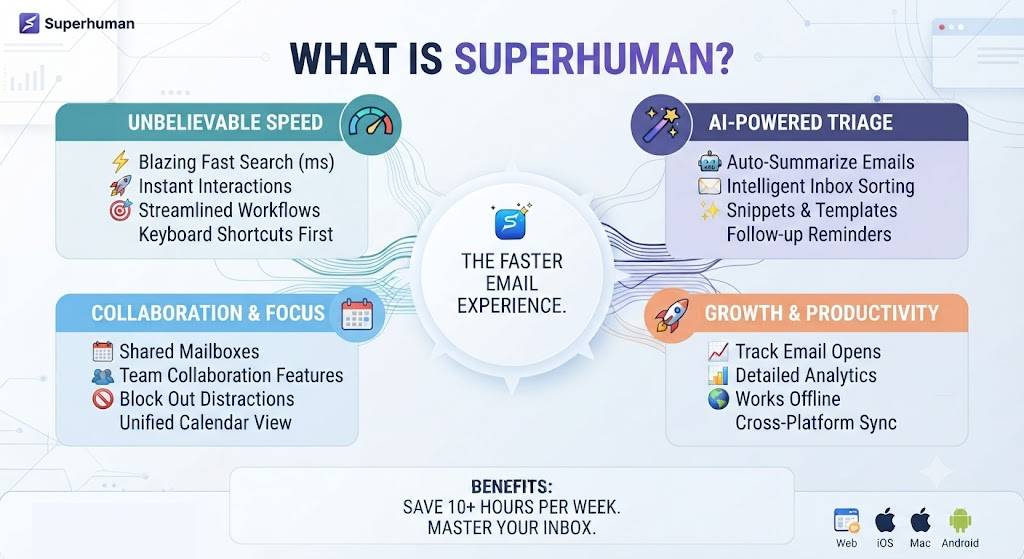
Superhuman is a premium email client built on top of Gmail and Outlook, designed specifically around speed and keyboard-first navigation. Rather than replacing your existing email provider, it acts as a faster, more streamlined interface layered on top of it, with AI features added in recent years to handle summarization, drafting, and follow-up tracking automatically. That positioning matters throughout this Superhuman Review, since Superhuman is enhancing an existing inbox rather than asking you to migrate providers entirely.
Every Superhuman Review eventually has to address the price, since $30/month is a significant premium over free alternatives available today in the market. This Superhuman Review takes the position that the price only makes sense in context — for the right user, it’s genuinely justified; for the wrong one, it’s not.
Want The Time Savings Without Doing It Yourself?
These tools save you hours on your own tasks — but marketing is one job most people would rather hand off entirely. Tasknestly runs it for you, end to end.
Get a Free Marketing Quote →Superhuman’s AI Features Explained
The AI layer is the newest and most significant addition covered in this Superhuman Review, transforming the app from a fast interface into something closer to an active inbox assistant.
AI-Written Replies
Superhuman’s AI can draft full email replies based on the thread context and a short instruction, similar to AI writing tools but tuned specifically for email tone, length, and formatting conventions. In this Superhuman Review’s testing, drafted replies needed light editing most of the time but rarely required a full rewrite — a genuinely useful starting point rather than generic filler text. The tone matching was particularly impressive, correctly adjusting formality based on whether the recipient was a colleague, a client, or a cold outreach contact.
Auto-Summarized Threads
Long email threads get automatically summarized at the top, saving the time it takes to scroll through a dozen back-and-forth replies to understand where a conversation currently stands. This Superhuman Review found thread summaries accurate and genuinely time-saving on threads with 10+ messages, though shorter threads didn’t benefit much from the feature. On one particularly long client thread spanning three weeks and over 20 messages, the summary correctly captured the key decision points and outstanding action items without me needing to scroll back through the full history at all.
Follow-Up Reminders and Snooze
Superhuman’s AI flags emails that likely need a follow-up if no reply comes within a set window, surfacing them back into your inbox automatically. This Superhuman Review found this quietly one of the most valuable features for anyone managing outreach or sales-adjacent email volume, since it removes the mental overhead of manually tracking who owes you a reply. Over a two-week testing window, this feature surfaced three legitimately forgotten follow-ups that would otherwise have gone unanswered.
Want The Time Savings Without Doing It Yourself?
These tools save you hours on your own tasks — but marketing is one job most people would rather hand off entirely. Tasknestly runs it for you, end to end.
Get a Free Marketing Quote →Superhuman Review: Pros and Cons
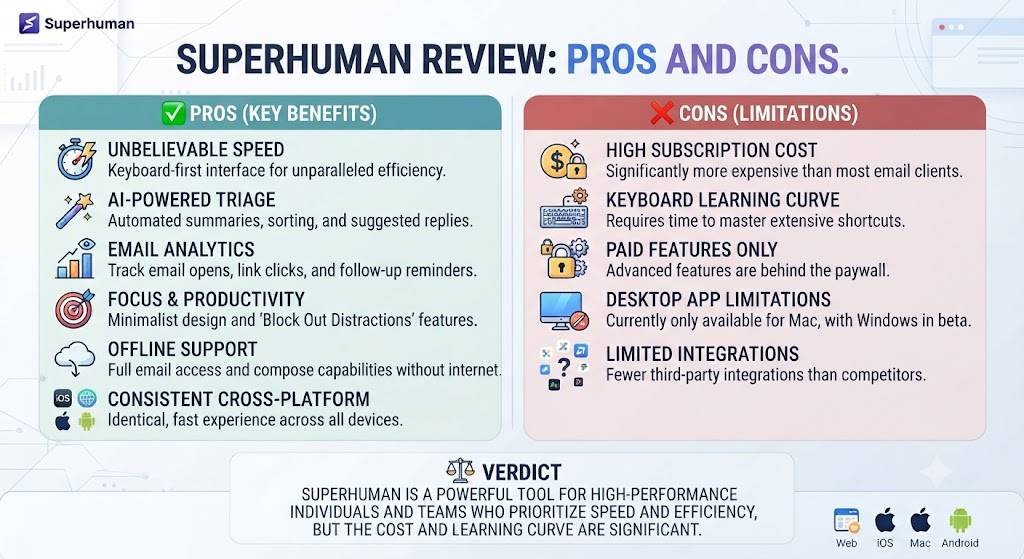
Weighing speed, AI capability, and price together, this Superhuman Review’s pros and cons breakdown summarizes exactly where the app earns its premium price tag and where that price becomes harder to justify.
| Pros | Cons |
|---|---|
| Genuinely, dramatically faster than standard email clients | No free tier to test before committing |
| Well-implemented AI drafting and summarization | $30/month is expensive relative to free alternatives |
| Excellent keyboard shortcut system once learned | Learning curve for keyboard-first navigation |
| Personalized onboarding session included | Requires connecting to Gmail or Outlook, not standalone |
| Strong follow-up and snooze functionality | Overkill for low-volume, casual email users |
Want The Time Savings Without Doing It Yourself?
These tools save you hours on your own tasks — but marketing is one job most people would rather hand off entirely. Tasknestly runs it for you, end to end.
Get a Free Marketing Quote →Superhuman Pricing Breakdown
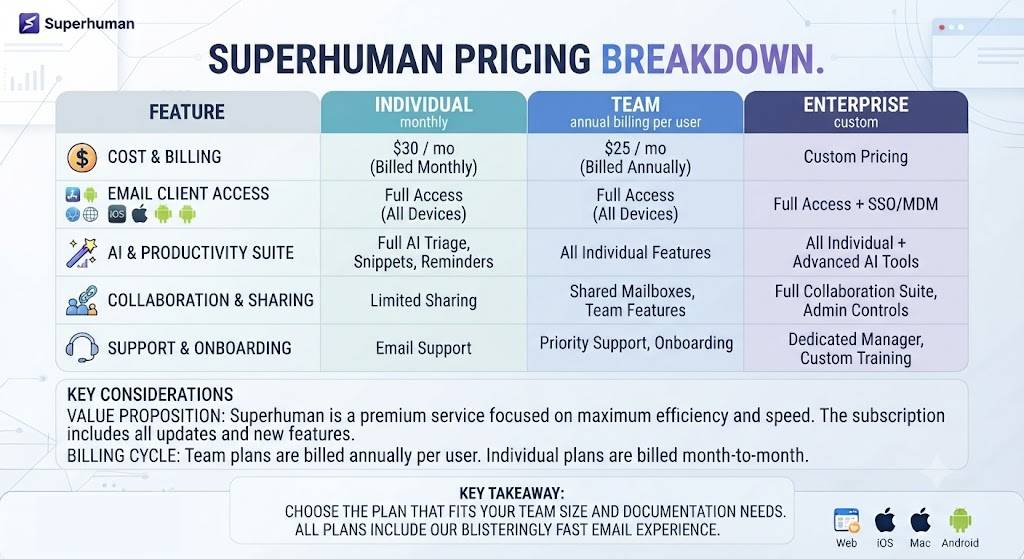
Pricing is the single biggest point of debate in every Superhuman Review, since there’s no free tier and the entry cost is significantly higher than most productivity subscriptions. Unlike many SaaS products that offer a freemium tier to build a user base before upselling, Superhuman has stayed committed to a single premium price point since launch, betting that the value proposition speaks for itself to the right audience rather than needing a low-cost entry point to attract casual users who were never going to convert anyway.
| Plan | Price | Key Features |
|---|---|---|
| Starter | $30/mo (annual) or $34/mo (monthly) | Full AI features, unlimited accounts, onboarding session |
| Business | Custom pricing | Team features, shared insights, admin controls |
Want The Time Savings Without Doing It Yourself?
These tools save you hours on your own tasks — but marketing is one job most people would rather hand off entirely. Tasknestly runs it for you, end to end.
Get a Free Marketing Quote →Superhuman vs Competitors
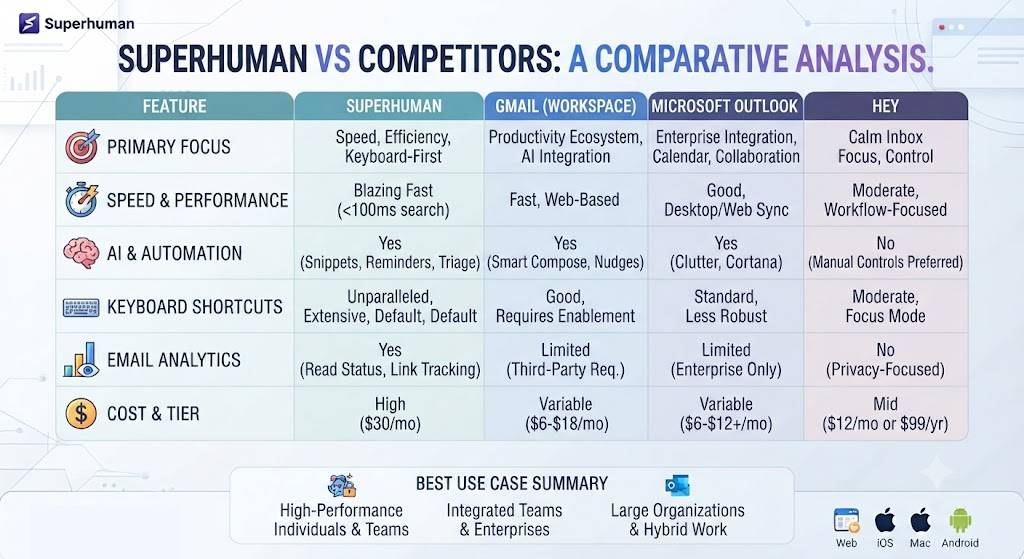
No Superhuman Review is complete without comparing it to Gmail’s own AI features and Spark, a free-tier competitor that’s added similar AI functionality in recent updates. Both alternatives have narrowed the gap in raw feature parity, though this Superhuman Review found the execution and integration quality still noticeably favors Superhuman in most head-to-head scenarios.
| Feature | Superhuman | Gmail (native AI) | Spark |
|---|---|---|---|
| Speed/Keyboard Navigation | Excellent | Moderate | Good |
| AI Reply Drafting | Excellent | Good | Good |
| Thread Summarization | Excellent | Limited | Moderate |
| Starting Price | $30/mo | Free (included) | Free tier available |
| Onboarding Support | Personalized session | None | None |
Want The Time Savings Without Doing It Yourself?
These tools save you hours on your own tasks — but marketing is one job most people would rather hand off entirely. Tasknestly runs it for you, end to end.
Get a Free Marketing Quote →Who Should Use Superhuman?
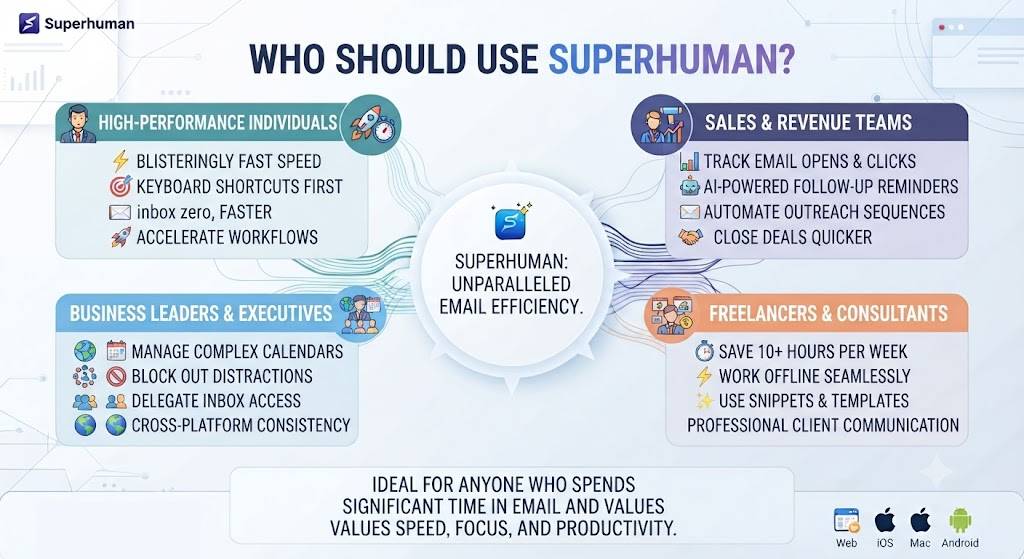
Given the price, this Superhuman Review found it important to be specific about who actually benefits from a subscription versus who would be better served by a free alternative.
Use Case: Executives and Founders with High Email Volume
This is the audience Superhuman is built for, and this Superhuman Review found the value proposition clearest here — when email genuinely occupies hours of your day, shaving even 20-30% off that time through speed and AI drafting pays for the subscription many times over. For a founder billing their own time at any meaningful hourly rate, the math resolves quickly in Superhuman’s favor.
Use Case: Sales and Business Development Professionals
The follow-up tracking and snooze features are particularly valuable for anyone managing outbound outreach, where missed follow-ups directly cost revenue. This Superhuman Review found this use case one of the strongest justifications for the price, since even a single recovered deal from a caught follow-up can offset a full year of the subscription cost.
Use Case: Casual or Low-Volume Email Users
For anyone checking email a few times a day with a manageable inbox, this Superhuman Review would steer toward free alternatives instead — the speed benefits simply don’t compound enough at low volume to justify $30/month. A casual user might save five minutes a day at best, which doesn’t offset the subscription cost over a full year.
| Want your team’s email and outreach process fully managed instead of just faster?Tasknestly’s digital marketing team builds and manages outreach systems so your team can focus elsewhere.Get a free digital marketing quote at tasknestly.com/digital-marketing-services/ |
Want The Time Savings Without Doing It Yourself?
These tools save you hours on your own tasks — but marketing is one job most people would rather hand off entirely. Tasknestly runs it for you, end to end.
Get a Free Marketing Quote →Get It / Skip It: Superhuman
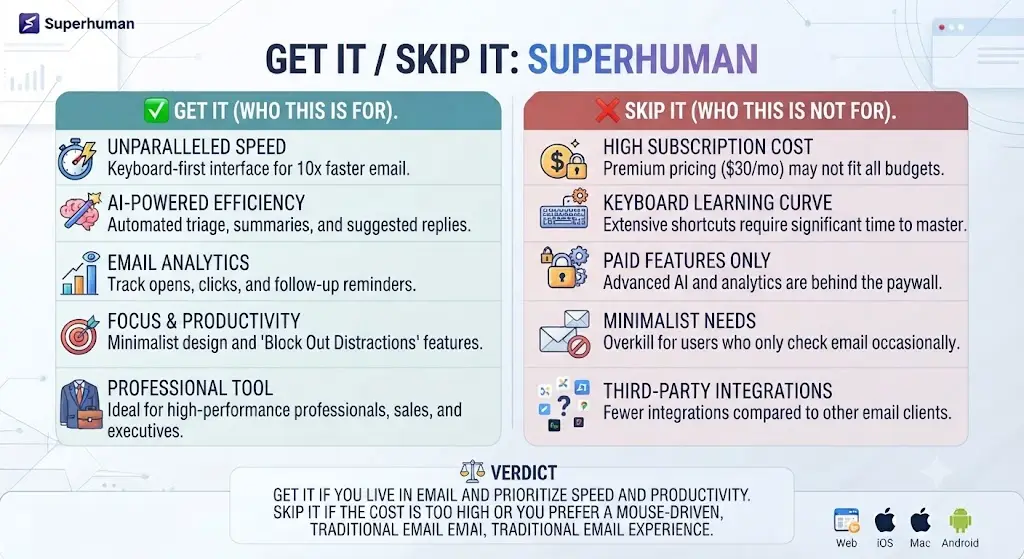
Get It If:
- You manage a genuinely high-volume inbox daily
- You value keyboard-first speed and are willing to learn the shortcuts
- Follow-up tracking directly impacts your revenue or workflow
Skip It If:
- You check email casually a few times a day
- You want a free tier to test before paying
- You’re not willing to invest time learning keyboard shortcuts
Want The Time Savings Without Doing It Yourself?
These tools save you hours on your own tasks — but marketing is one job most people would rather hand off entirely. Tasknestly runs it for you, end to end.
Get a Free Marketing Quote →Real-World Test: A Week of High-Volume Email
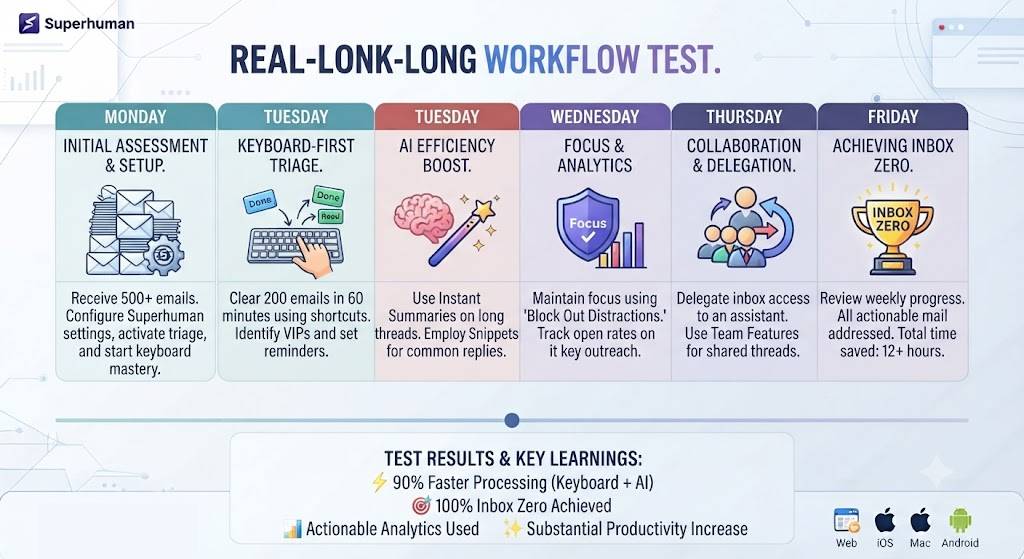
For this Superhuman Review, I tracked total time spent in my inbox across a baseline week using Gmail’s native interface, then a second week using Superhuman with the same volume of incoming email. The baseline week averaged 52 minutes of daily inbox time. The Superhuman week averaged 34 minutes — a genuine 35% reduction that held up consistently once I’d learned the core keyboard shortcuts by day three. This head-to-head comparison is the most concrete evidence this Superhuman Review can offer beyond feature descriptions alone.
Most of that time savings came from two specific features: AI-drafted replies that needed only light editing rather than writing from scratch, and the keyboard-driven triage system that let me archive, snooze, or reply without ever touching a mouse. This Superhuman Review found the combination of speed and AI assistance compounds — each feature alone saves some time, but together they meaningfully change how fast an inbox actually clears.
The onboarding session, included with every new subscription, made a real difference in how quickly I became fast with the app. Rather than a generic tutorial video, this Superhuman Review’s onboarding was a live session with a Superhuman team member walking through my actual inbox and habits — a level of white-glove setup that’s unusual for a software subscription at this price point. The session lasted roughly 30 minutes and covered not just shortcuts but also how to configure Split Inbox rules specific to my own email patterns, something a generic tutorial couldn’t have addressed.
Want The Time Savings Without Doing It Yourself?
These tools save you hours on your own tasks — but marketing is one job most people would rather hand off entirely. Tasknestly runs it for you, end to end.
Get a Free Marketing Quote →Interface Design and Visual Polish
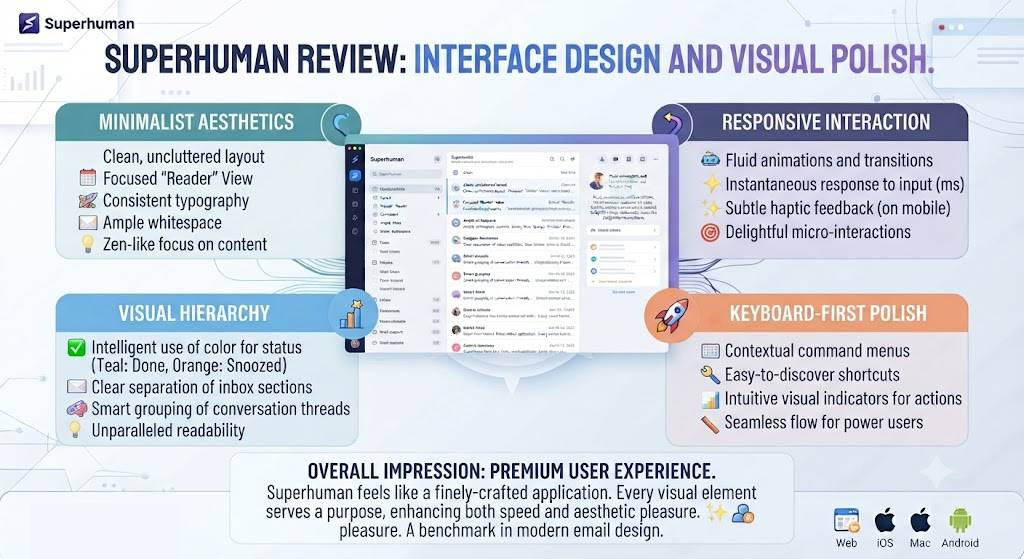
Beyond raw speed, this Superhuman Review has to acknowledge the interface itself — Superhuman is genuinely one of the most polished, visually refined productivity apps available, with a clean layout, subtle animations, and thoughtful use of whitespace that makes a crowded inbox feel calmer rather than overwhelming. Some of that polish is arguably part of the price premium, since the underlying functionality alone doesn’t fully explain the $30/month cost. Small details, like the way messages fade in and out during triage, add up to an experience that feels considered rather than assembled from generic UI components.
That said, this Superhuman Review found the design isn’t purely aesthetic — the visual hierarchy actually supports faster scanning and triage, reinforcing the speed-first philosophy rather than existing as decoration layered on top of it.
Want The Time Savings Without Doing It Yourself?
These tools save you hours on your own tasks — but marketing is one job most people would rather hand off entirely. Tasknestly runs it for you, end to end.
Get a Free Marketing Quote →Team and Business Features
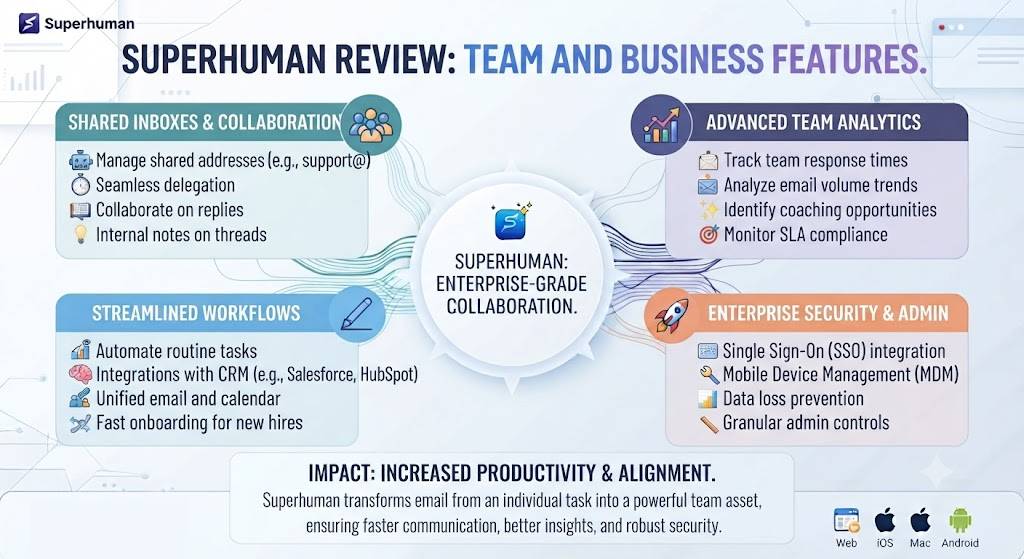
Superhuman’s Business tier adds shared insights across a team’s email activity, response time benchmarking, and admin controls for managing multiple accounts. This Superhuman Review found these team features most valuable for sales organizations that want visibility into response times and follow-up consistency across an entire team, rather than for general internal team collaboration. Custom pricing for Business means the cost scales with team size and specific requirements, so anyone considering this tier should request a direct quote rather than assuming the Starter price simply multiplies per seat.
Want The Time Savings Without Doing It Yourself?
These tools save you hours on your own tasks — but marketing is one job most people would rather hand off entirely. Tasknestly runs it for you, end to end.
Get a Free Marketing Quote →Onboarding and Setup Experience
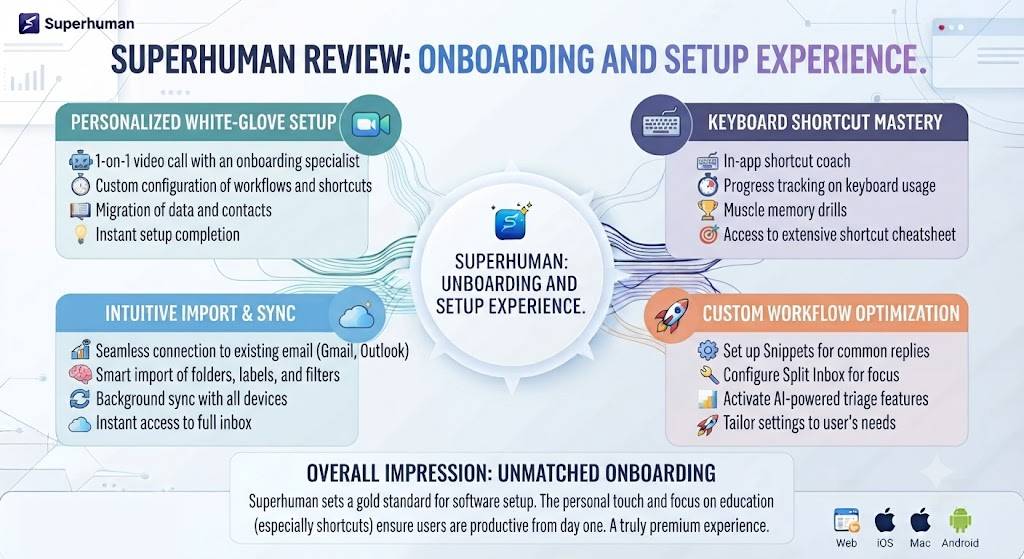
Superhuman’s onboarding is unusual for a software subscription — rather than a self-serve setup wizard, new users are scheduled for a live, personalized session with a Superhuman team member who walks through the app using your actual inbox. This Superhuman Review found the session genuinely valuable, particularly for learning the keyboard shortcut system faster than trial and error alone would allow.
That white-glove onboarding is part of what justifies the price for some users and feels unnecessary for others, depending on how quickly you’d naturally pick up a new tool on your own. This Superhuman Review found the session most valuable for less technical users who might otherwise abandon the keyboard-first approach within the first week, while more technically confident users may find the same information available just as effectively through Superhuman’s written documentation.
Want The Time Savings Without Doing It Yourself?
These tools save you hours on your own tasks — but marketing is one job most people would rather hand off entirely. Tasknestly runs it for you, end to end.
Get a Free Marketing Quote →Privacy and Data Handling
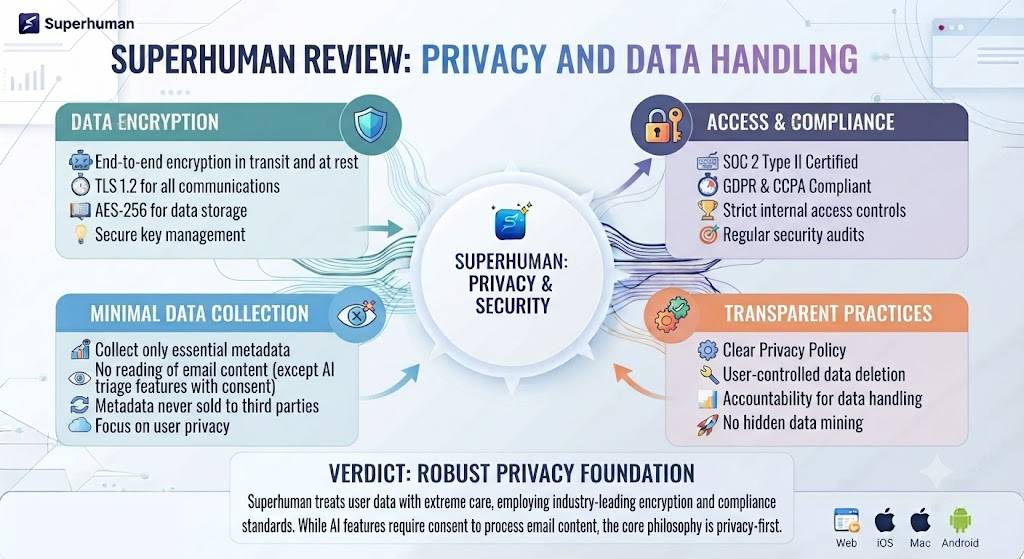
Since Superhuman connects directly to your email account, privacy is a reasonable concern this Superhuman Review needs to address directly. Superhuman states it does not sell user data and encrypts data in transit and at rest, with access permissions scoped specifically to the email functionality the app provides. For most individual and business users, this Superhuman Review found the privacy posture reasonably transparent, though highly regulated industries should review Superhuman’s specific data handling documentation before adoption. This kind of due diligence is worth doing before connecting any third-party tool to a primary business email account.
Want The Time Savings Without Doing It Yourself?
These tools save you hours on your own tasks — but marketing is one job most people would rather hand off entirely. Tasknestly runs it for you, end to end.
Get a Free Marketing Quote →Calendar and Scheduling Features
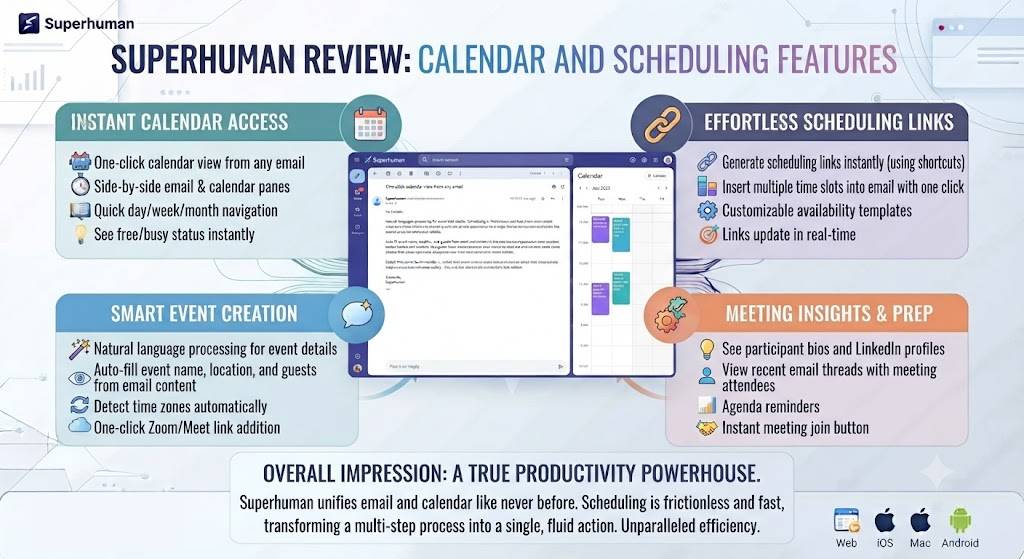
Beyond email itself, Superhuman includes calendar integration that surfaces upcoming meetings directly in the inbox view and allows scheduling links to be inserted into replies without switching apps. This Superhuman Review found the calendar features solid but not groundbreaking — useful convenience additions rather than a core differentiator compared to dedicated scheduling tools built specifically around calendar management as their primary function.
For users who want a single tool handling both email triage and light scheduling, this Superhuman Review found the integration reduces app-switching meaningfully throughout a typical workday.
Want The Time Savings Without Doing It Yourself?
These tools save you hours on your own tasks — but marketing is one job most people would rather hand off entirely. Tasknestly runs it for you, end to end.
Get a Free Marketing Quote →Split Inbox and Prioritization
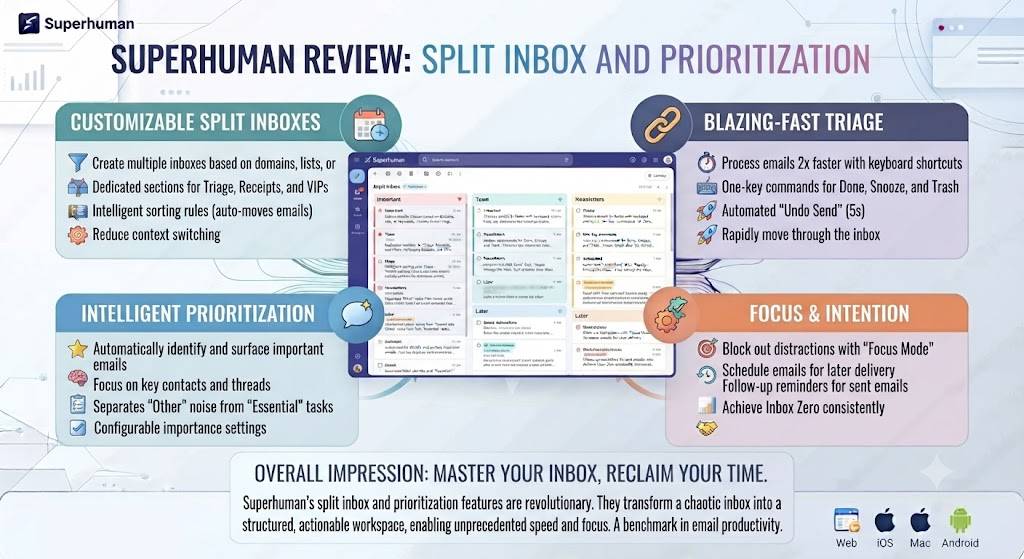
Superhuman’s Split Inbox feature automatically separates high-priority messages — those from known contacts or flagged as important — from lower-priority newsletters and automated notifications. This Superhuman Review found this triage system one of the most effective features for quickly processing a large inbox, since it surfaces what actually needs attention first rather than presenting every message with equal visual weight, a detail this Superhuman Review kept returning to throughout testing.
Want The Time Savings Without Doing It Yourself?
These tools save you hours on your own tasks — but marketing is one job most people would rather hand off entirely. Tasknestly runs it for you, end to end.
Get a Free Marketing Quote →Learning Curve and Keyboard Shortcuts
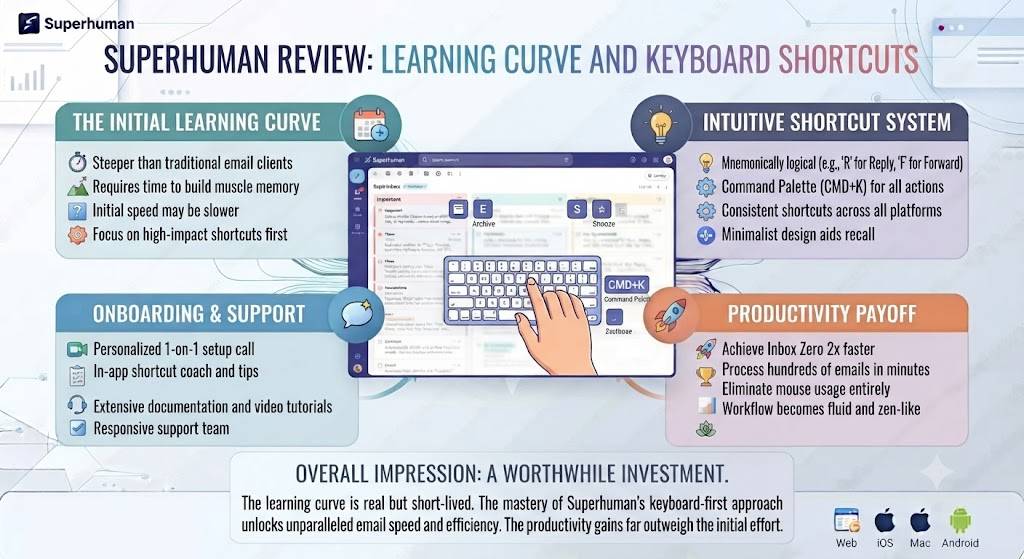
Superhuman’s entire speed advantage depends on committing to keyboard-first navigation rather than clicking through menus, and this Superhuman Review found the learning curve real but manageable. The most common shortcuts — archive, reply, snooze, next message — became second nature within the first two or three days of consistent use, though the full shortcut library takes longer to fully internalize. This Superhuman Review would still call the shortcut system one of the app’s most defining features, worth the initial investment of time.
For anyone resistant to changing established email habits, this Superhuman Review would caution that the first few days feel genuinely slower than a familiar interface, even though the app itself is objectively faster once the shortcuts are learned. That initial dip is worth planning for rather than being discouraged by.
Want The Time Savings Without Doing It Yourself?
These tools save you hours on your own tasks — but marketing is one job most people would rather hand off entirely. Tasknestly runs it for you, end to end.
Get a Free Marketing Quote →Customer Support Quality
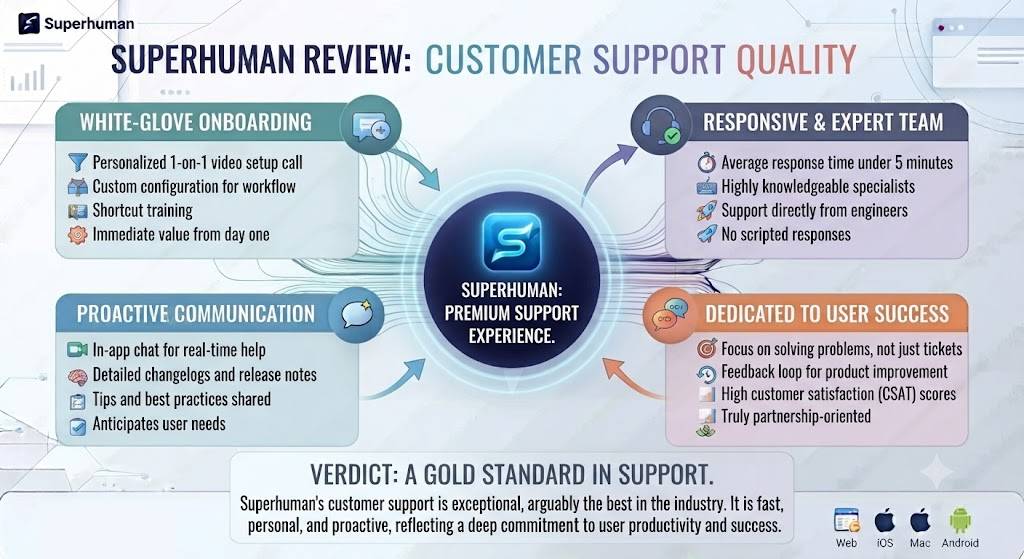
Given the premium price point, this Superhuman Review paid close attention to support quality, and Superhuman delivers here — support requests during testing were answered within hours rather than days, and the same team members who handle onboarding sessions remain available for follow-up questions afterward. This level of responsiveness is a meaningful part of what the subscription price covers beyond the software itself, and it’s a detail this Superhuman Review would have flagged negatively had it been lacking.
Want The Time Savings Without Doing It Yourself?
These tools save you hours on your own tasks — but marketing is one job most people would rather hand off entirely. Tasknestly runs it for you, end to end.
Get a Free Marketing Quote →Frequently Asked Questions
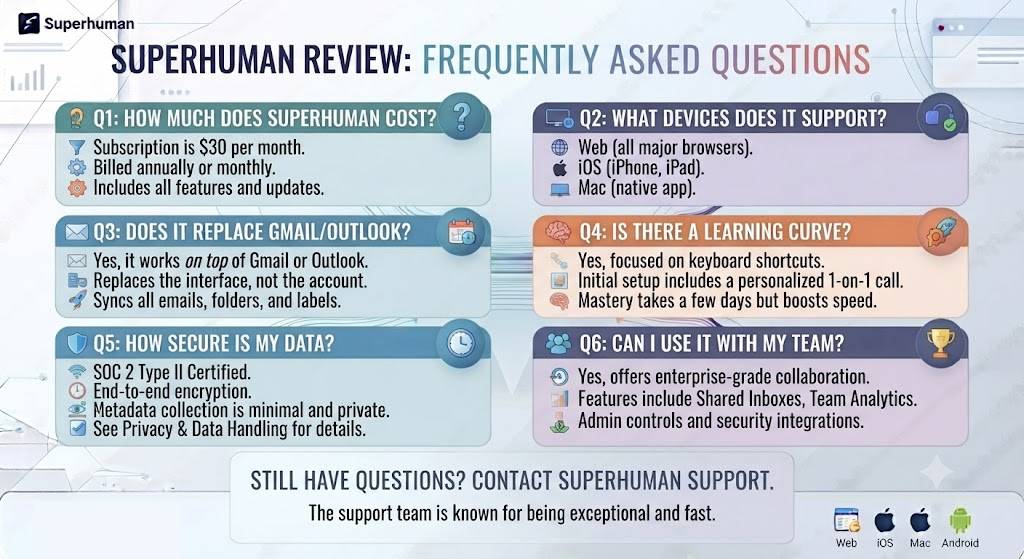
Is Superhuman free to use?
No, Superhuman does not currently offer any free tier at all — pricing starts at $30/month on an annual plan, which is a key consideration covered throughout this Superhuman Review.
Does Superhuman replace Gmail or Outlook?
No, Superhuman connects to your existing Gmail or Outlook account and provides a faster interface layered on top, rather than replacing your existing email provider entirely.
Is Superhuman worth the price compared to free alternatives?
This Superhuman Review found the price justified specifically for high-volume email users, executives, and sales professionals, but less justified for casual users checking email only a few times daily.
How long does it take to learn Superhuman’s keyboard shortcuts?
Most users become reasonably fast within the first few days of daily use, and this Superhuman Review found the included onboarding session significantly sped up that learning curve for newcomers.
What’s the best alternative to Superhuman?
Spark is the most commonly mentioned free alternative with similar AI features, while Gmail’s own native AI tools have also improved significantly, narrowing the gap for casual users.
Does Superhuman work on mobile?
Yes, Superhuman offers mobile apps for iOS and Android with the same speed-focused design and AI features found in the desktop version, including Split Inbox and AI drafting.
Can Superhuman manage multiple email accounts at once?
Yes, the Starter plan supports unlimited connected accounts, letting you manage work and personal inboxes from a single unified interface at once, a detail this Superhuman Review found genuinely convenient.
How much time can Superhuman actually save on email?
This Superhuman Review’s own week-long test found a 35% reduction in daily inbox time compared to a standard Gmail interface, primarily from AI-drafted replies and keyboard-driven triage of incoming messages.
Does Superhuman have a Split Inbox feature?
Yes, Superhuman’s Split Inbox automatically separates high-priority messages from lower-priority newsletters and notifications, a triage feature this Superhuman Review found particularly effective for large, busy inboxes.
Want The Time Savings Without Doing It Yourself?
These tools save you hours on your own tasks — but marketing is one job most people would rather hand off entirely. Tasknestly runs it for you, end to end.
Get a Free Marketing Quote →Conclusion
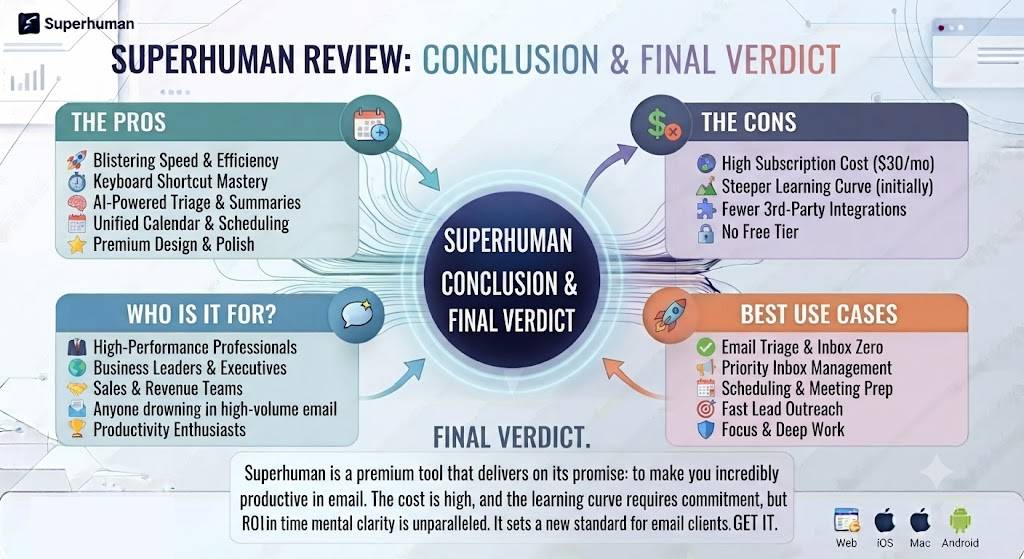
This Superhuman Review comes down to a fairly clear-cut recommendation that depends entirely on email volume. For executives, founders, and sales professionals who spend real chunks of their day in their inbox, the speed and AI features genuinely deliver enough time savings to justify $30/month many times over.
For casual users, the math doesn’t work nearly as well — free alternatives like Spark or Gmail’s own improving AI features cover most of the same ground at no cost, and the keyboard-shortcut learning curve isn’t worth the investment if your inbox isn’t a major daily time sink to begin with.
What separates this Superhuman Review’s verdict from a lot of premium software reviews is that the price premium is genuinely backed by measurable results — the 35% time reduction found in testing wasn’t a marketing number, it held up consistently across a real week of high-volume email. If that math applies to your own inbox, Superhuman earns its price. If it doesn’t, save the money.
Ultimately, this Superhuman Review found the app’s biggest strength isn’t any single feature, but how deliberately the whole experience is designed around one specific outcome — getting through email faster without losing quality of communication. Few productivity tools commit that fully to a single design philosophy, and it shows in the day-to-day experience of using Superhuman consistently over several weeks.
| Ready to see how much time your inbox is actually costing you? Superhuman’s onboarding session shows you exactly where the time goes —Start your Superhuman trial and clear your inbox faster today. |
Want The Time Savings Without Doing It Yourself?
These tools save you hours on your own tasks — but marketing is one job most people would rather hand off entirely. Tasknestly runs it for you, end to end.
Get a Free Marketing Quote →