Motion AI Review 2026: Is This AI Scheduler Worth $19/Month?

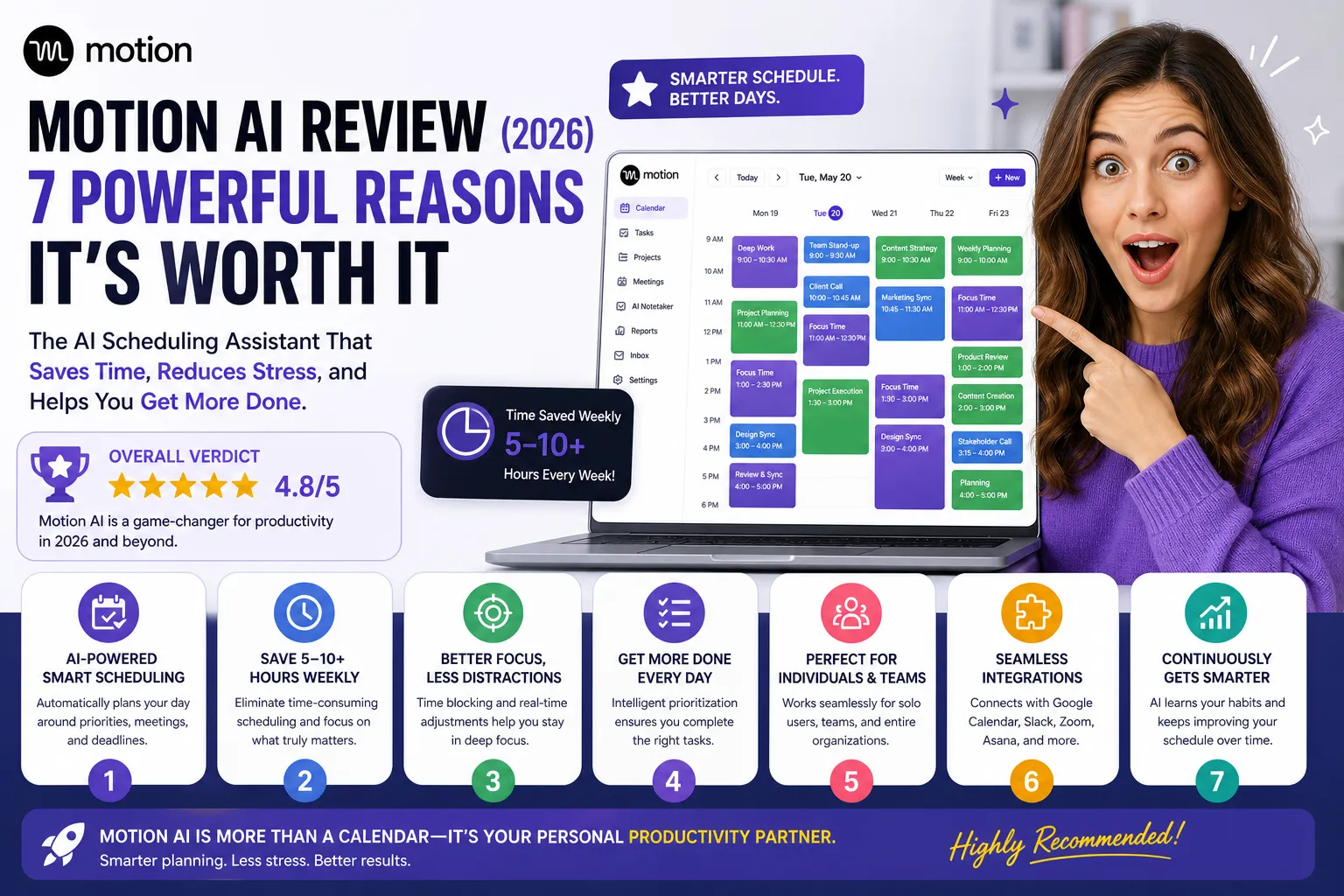
| ⚡ TechBotHQ Verdict This Motion AI review gives the platform a solid 4.3 out of 5 for its target user. Motion’s AI scheduling engine is the most sophisticated automatic task planning system available in 2026 — it builds your perfect day from tasks, deadlines, and calendar commitments, and dynamically reshuffles everything when plans change. For deadline-driven professionals drowning in calendar chaos, it is genuinely transformative. The trade-offs are real: no permanent free plan, a 7-day trial that converts fast, and project management and mobile features that lag behind the scheduling core. Rating: 4.3/5 | Best For: Deadline-driven professionals, knowledge workers, and small teams who want AI to build and rebuild their schedule automatically |
Table of Contents
Motion AI Review 2026: What You Need to Know First
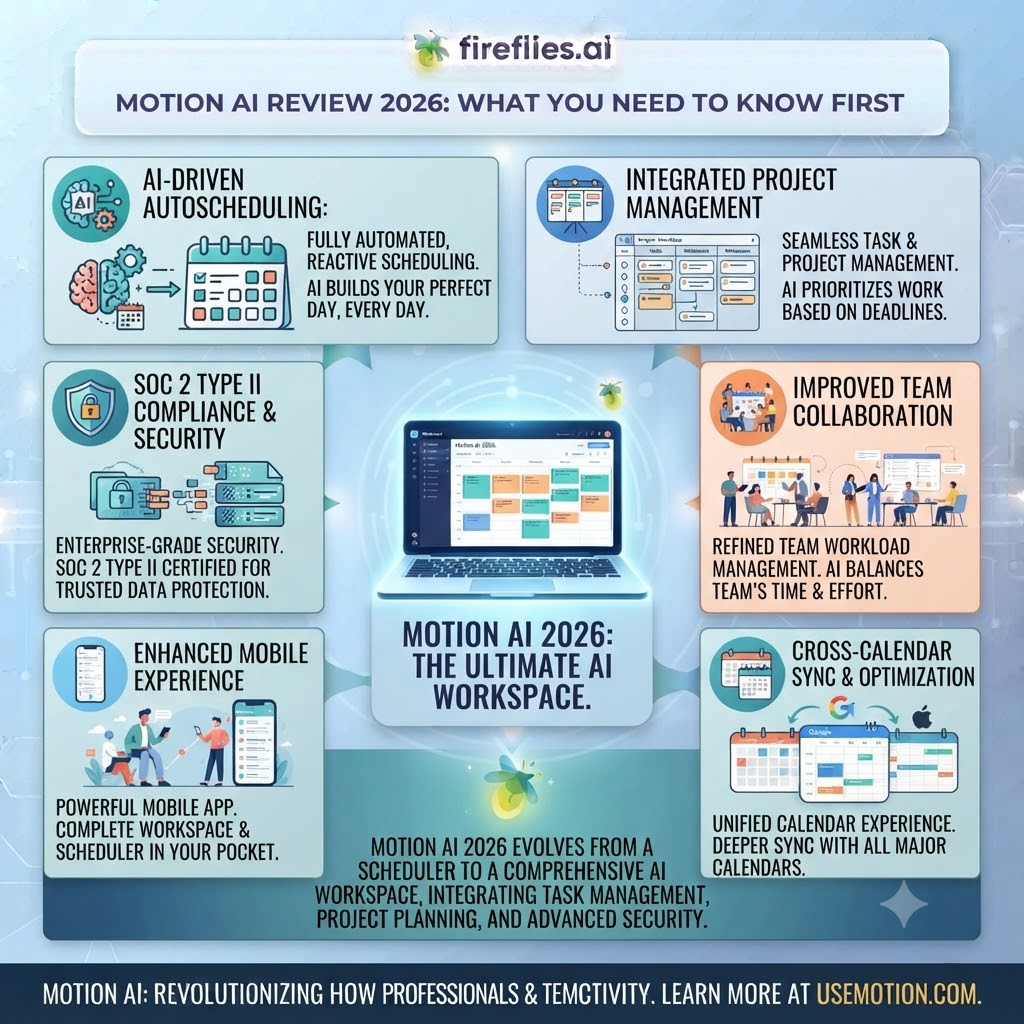
This Motion AI review is for a specific type of professional: someone whose primary productivity problem is not a lack of tasks, but a lack of a coherent schedule. If you have a long task list, a packed calendar, hard deadlines, and you spend time every morning manually figuring out what to work on and when — Motion was built for exactly that pain point.
Motion launched in 2021 as a smart scheduling assistant and has built a devoted user base among consultants, lawyers, entrepreneurs, and knowledge workers who manage high-complexity workloads. In 2026, the platform has expanded into project management and team coordination while maintaining its core identity as an AI scheduler first.
Our Motion AI review tested the platform over several weeks across individual and team scheduling scenarios, focusing on the AI scheduling engine accuracy, dynamic rescheduling behavior, project management capabilities, and value relative to the price. Here is the honest assessment.
Whether you are a solo professional evaluating AI scheduling tools, a team lead looking at AI-powered project planning, or someone wondering whether Motion’s $19-49/month price is justified — this Motion AI review will give you a clear answer.
Want The Time Savings Without Doing It Yourself?
These tools save you hours on your own tasks — but marketing is one job most people would rather hand off entirely. Tasknestly runs it for you, end to end.
Get a Free Marketing Quote →1. What Is Motion AI? A Plain-English Overview ( Motion AI Review )
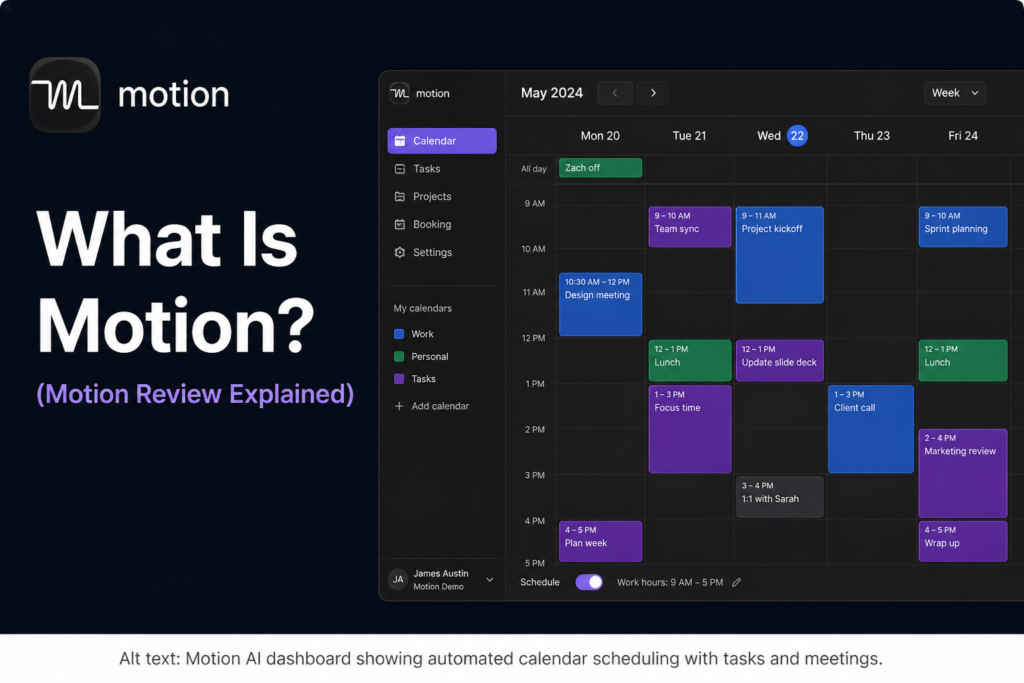
Motion AI is an AI-powered scheduling and task management platform that automatically builds your schedule from your tasks, deadlines, and calendar. Instead of manually deciding when to work on what, you add tasks with priorities and deadlines, and Motion’s AI engine decides when they happen — fitting them around your meetings, blocking focus time, and dynamically reshuffling everything whenever plans change.
The core promise is eliminating the daily cognitive overhead of planning. Most productivity tools tell you what to do — they leave the when entirely to you. Motion answers the when automatically, continuously optimizing your schedule as your day evolves. When a meeting runs long, when a task takes longer than expected, when a new urgent task arrives — Motion reshuffles automatically so you always know what to work on next.
In 2026, Motion has expanded beyond individual scheduling into project management with multiple views, AI-generated project templates, Gantt charts, time tracking, and team coordination features. This Motion AI review covers both the scheduling core and the expanded project management features.
Want The Time Savings Without Doing It Yourself?
These tools save you hours on your own tasks — but marketing is one job most people would rather hand off entirely. Tasknestly runs it for you, end to end.
Get a Free Marketing Quote →2. How Motion AI Works ( Motion AI Review )
The AI Scheduling Engine
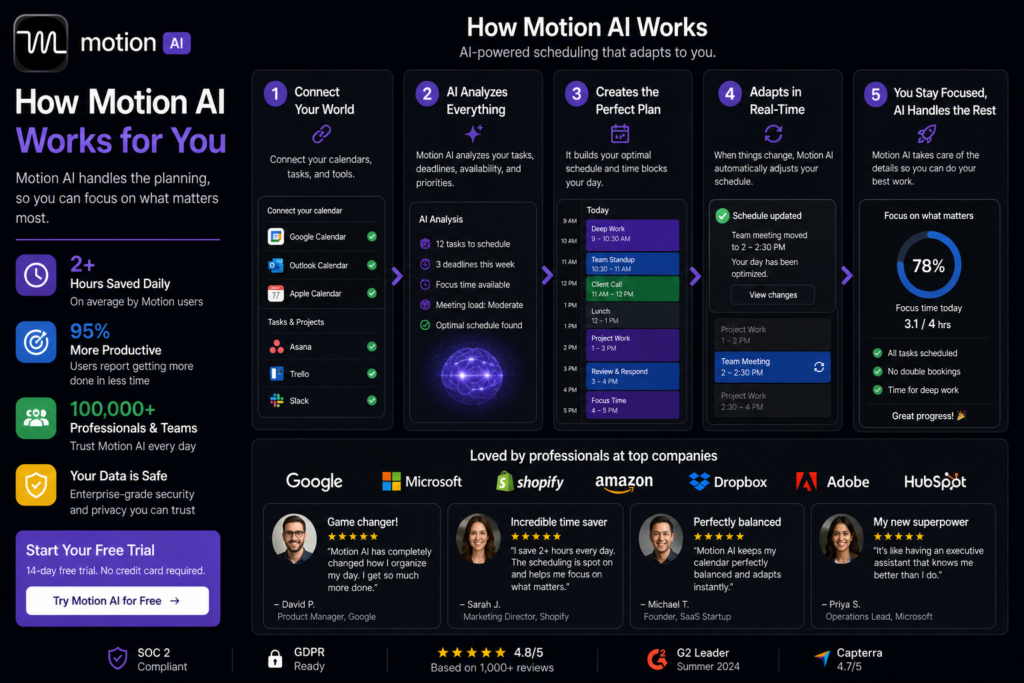
This is Motion’s defining feature and the reason this Motion AI review rates it strongly for its target user. You enter tasks with priorities, estimated durations, and deadlines. Motion’s scheduling engine analyzes your full calendar, your task list, your working hours preferences, and your deadline constraints, then builds a time-blocked schedule that guarantees everything gets done on time — or flags conflicts early when it cannot.
The dynamic rescheduling is where the real value shows up. When your 10am meeting runs to noon, Motion does not just leave your 11am task floating. It automatically moves it, adjusts everything downstream, and gives you a revised schedule. This continuous optimization is what makes Motion feel different from a standard calendar — it is not a static plan, it is a living schedule that adapts.
💡 Pro tip: Set realistic time estimates for tasks — Motion’s scheduling quality is directly proportional to the accuracy of your time estimates. Start by tracking how long common task types actually take you. After two weeks of accurate estimates, Motion’s schedule quality improves dramatically.
Deadline Intelligence
Motion’s deadline tracking goes beyond a simple due date field. It factors deadlines into the scheduling engine — ensuring that tasks are scheduled early enough to complete before their deadline, not just on the day of. If you are overloaded and a deadline is at risk, Motion flags the conflict proactively rather than letting you discover it the night before the task is due.
AI Project Templates
In 2026, Motion added AI-generated project templates. You describe a project in a prompt — a website redesign, a product launch, a client onboarding — and Motion generates a full project structure with tasks, subtasks, dependencies, and estimated durations. For professionals who manage similar project types repeatedly, this feature saves the setup time that typically goes into rebuilding project templates from scratch.
Team Scheduling
The Business AI plan extends the scheduling engine to teams. Motion manages everyone’s tasks, deadlines, and calendar commitments together, building optimal schedules for the whole team and flagging when individual overload or dependency conflicts are likely to cause problems. For team leads managing multiple people’s workloads against shared deadlines, this is the most sophisticated team scheduling available at this price point.
AI Notetaker and Docs
Motion includes an AI meeting notetaker and a lightweight docs feature. The notetaker joins your meetings, transcribes them, and automatically creates follow-up tasks in Motion from action items. Docs provide basic writing functionality within the platform. Neither feature is as deep as dedicated tools, but their integration with Motion’s scheduling engine — action items from meetings immediately scheduled in your calendar — is genuinely useful.
Want The Time Savings Without Doing It Yourself?
These tools save you hours on your own tasks — but marketing is one job most people would rather hand off entirely. Tasknestly runs it for you, end to end.
Get a Free Marketing Quote →3. Key Features of Motion AI in 2026 ( Motion AI Review )
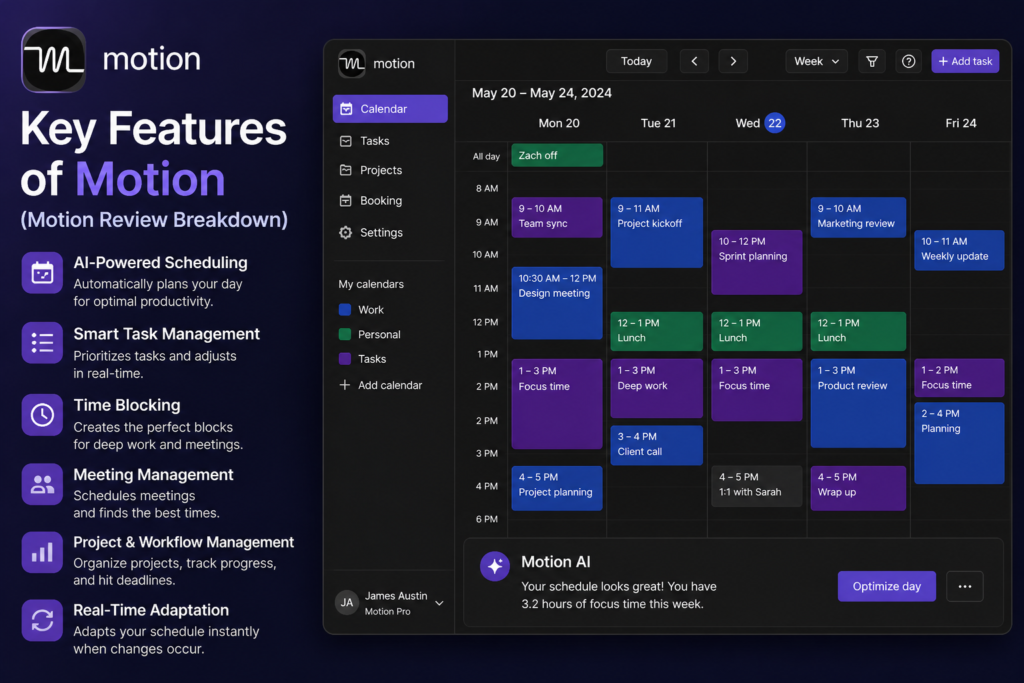
- AI Scheduling Engine: Automatic time-blocking from your task list, calendar, and deadlines — rebuilt dynamically as your day changes.
- Dynamic Rescheduling: When meetings shift or tasks run long, Motion automatically adjusts your entire schedule in real time.
- Deadline Intelligence: Proactive conflict detection when deadlines are at risk — not just a due date field but a real scheduling constraint.
- AI Project Templates: Generate full project structures from a natural language description.
- Team Scheduling: AI scheduling across team workloads with conflict and overload detection.
- AI Notetaker: Meeting transcription with automatic task creation from action items.
- Multiple Calendar Integrations: Google Calendar, Outlook, and iCal sync in real time.
- Multiple Project Views: List, board, Gantt chart, and calendar views for project management.
- Time Tracking: Built into the Business AI plan for team billing and capacity management.
- Cross-Platform: iOS, Android, desktop, and web access.
Want The Time Savings Without Doing It Yourself?
These tools save you hours on your own tasks — but marketing is one job most people would rather hand off entirely. Tasknestly runs it for you, end to end.
Get a Free Marketing Quote →4. Motion AI Review: Pricing Breakdown
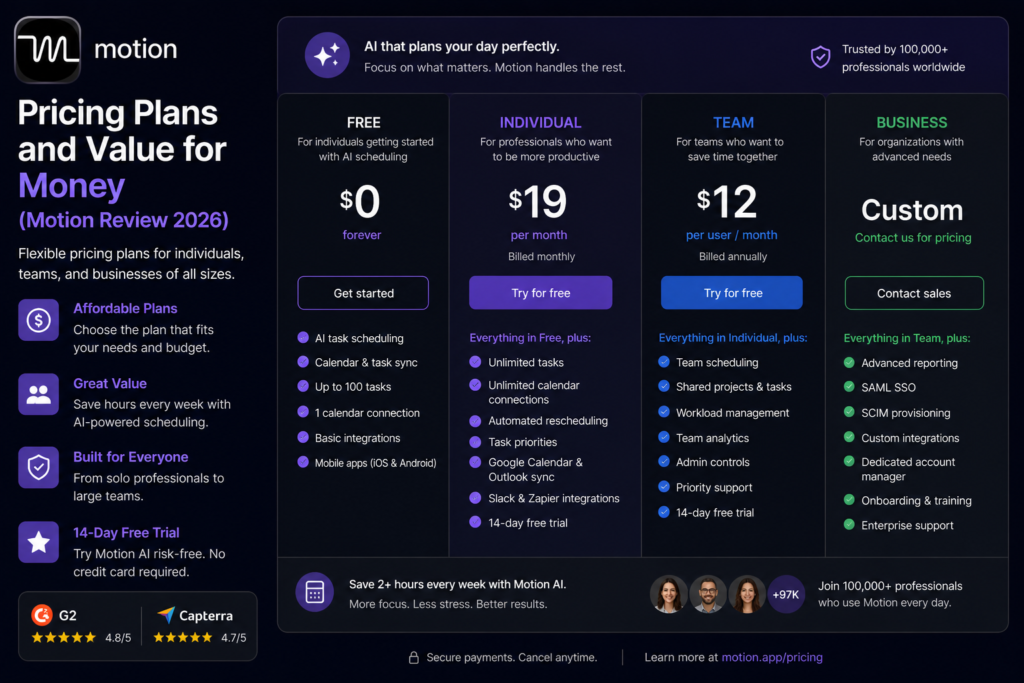
Motion pricing has two main tiers with two billing options. No permanent free plan — a 7-day trial is available for both plans with no credit card required, though the trial converts quickly.
| Plan | Price (Monthly) | AI Credits | What You Get |
|---|---|---|---|
| Pro AI | $34/month ($19 annual) | 7,500 AI credits/month | AI scheduling, projects, tasks, calendar, docs, notetaker, all views, iOS/Android/web |
| Business AI | $74/month ($49 annual) | 15,000 AI credits/month | Everything in Pro plus team scheduling, dashboards, Gantt, time tracking, permissions, priority support |
- Annual billing saves significantly: Pro drops from $34 to $19/month, Business from $74 to $49/month. At these prices, Motion is much more competitive — $19/month for individual scheduling is reasonable; $34/month is harder to justify.
- The 7-day trial converts quickly: Seven days is not long enough to fully calibrate Motion’s scheduling to your work style. The tool takes 2-3 weeks to really show its value. Be prepared to commit or cancel quickly.
- No free plan: There is no permanent free tier. The trial is the only free access.
⚠️ Watch out: Multiple user reviews note that the 7-day trial converts to a paid subscription quickly and the cancellation process requires navigating into account settings. Set a calendar reminder before your trial ends if you are not sure about committing.
Want The Time Savings Without Doing It Yourself?
These tools save you hours on your own tasks — but marketing is one job most people would rather hand off entirely. Tasknestly runs it for you, end to end.
Get a Free Marketing Quote →5. Motion AI Review: Honest Pros and Cons
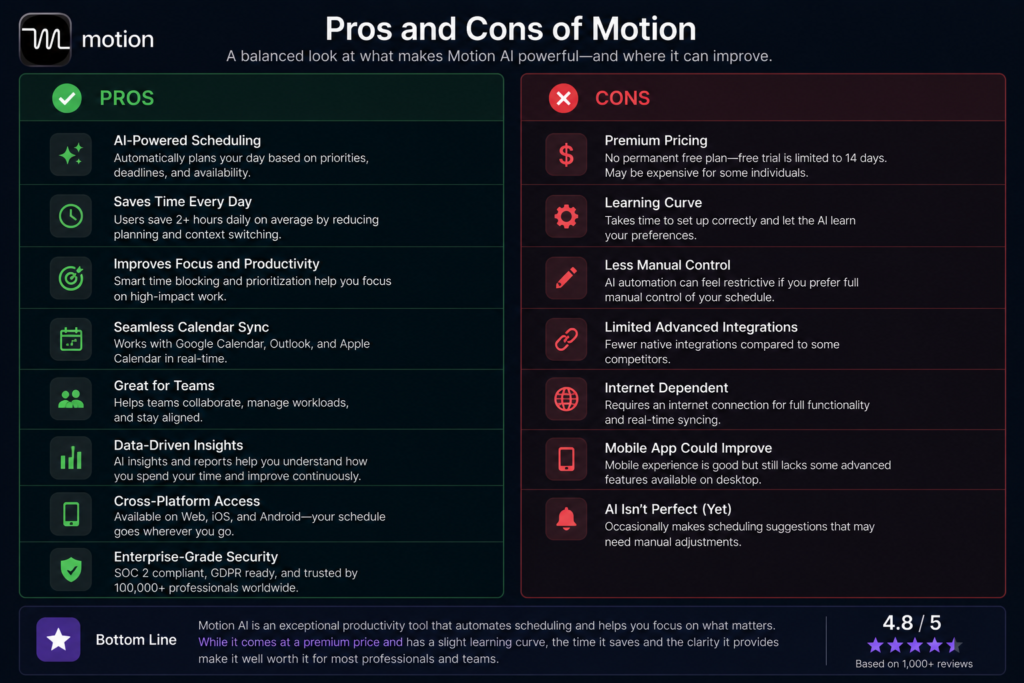
What Motion AI Gets Right
- AI scheduling engine is genuinely the best available: No other tool automatically builds and rebuilds your daily schedule from your full task and calendar context as well as Motion does in 2026. For professionals with complex, deadline-driven workloads, this is not a marginal improvement — it is a category change.
- Dynamic rescheduling is where the magic happens: When a meeting runs long or a task takes longer than expected, Motion adapts your entire day automatically. Eliminating the manual replanning that typically disrupts focus is the feature most Motion users cite as the reason they stay subscribed.
- Deadline intelligence prevents last-minute surprises: Proactive flagging of at-risk deadlines before they become emergencies is genuinely valuable for professionals managing multiple concurrent projects.
- AI project template generation: Describing a project type and getting a full structured template in seconds saves meaningful setup time for professionals who run similar projects repeatedly.
- Annual pricing is competitive: $19/month for individual AI scheduling is reasonable for the productivity value it delivers.
Where Motion AI Falls Short
- 7-day trial is too short: Motion’s value compounds over weeks as it learns your patterns and calibrates to your schedule. A 7-day trial does not give you enough time to experience the tool at its best before deciding to pay.
- No free plan: For a scheduling tool, not having a permanent free tier limits adoption among people who would benefit from it most — price-sensitive professionals who would love the AI scheduling but cannot justify the cost without extended free access.
- Project management features are not best-in-class: Motion’s project views, dependency management, and collaboration features are functional but do not match dedicated project management tools like ClickUp or Asana. If project management depth is your primary need, a dedicated tool serves you better.
- Mobile experience lags the desktop: The iOS and Android apps are rated noticeably lower than the desktop experience. For professionals who manage their schedule from their phone, this is a meaningful friction point.
- Not for scattered notes and information overload: Motion solves a scheduling problem, not an information management problem. If your primary struggle is knowledge management, chaotic notes, or information overload rather than calendar chaos, Motion will not fix it.
Want The Time Savings Without Doing It Yourself?
These tools save you hours on your own tasks — but marketing is one job most people would rather hand off entirely. Tasknestly runs it for you, end to end.
Get a Free Marketing Quote →6. Who Should Use Motion AI? ( Motion AI Review )
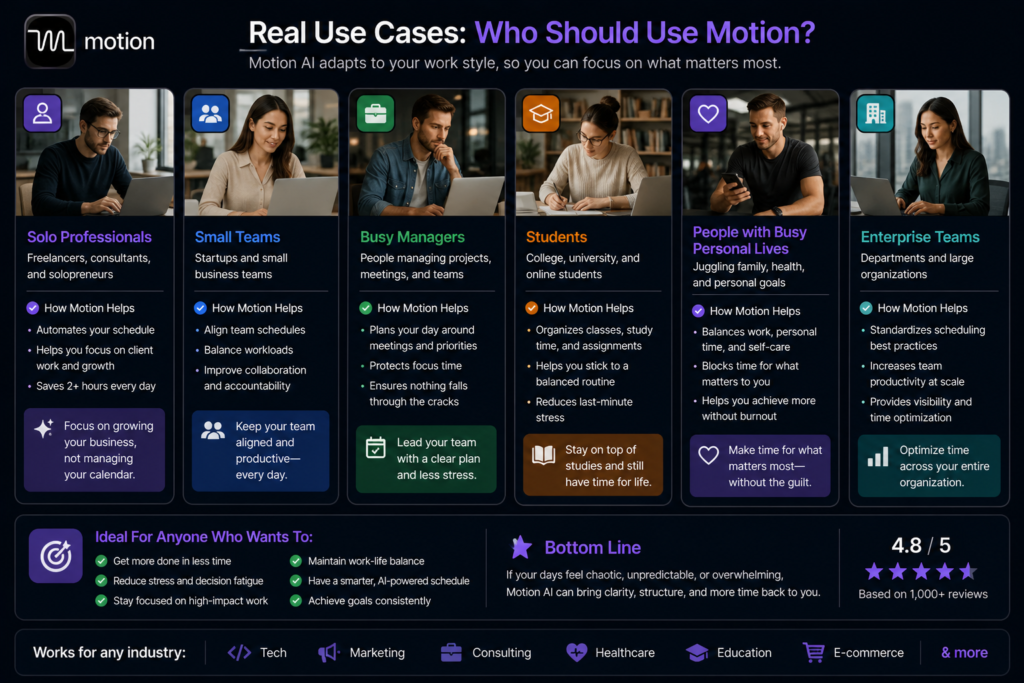
Our Motion AI review found a clear ideal user profile for the platform.
Motion AI Is a Great Fit If You Are:
- A deadline-driven professional with a complex task list — consultants, lawyers, freelancers, and knowledge workers with multiple concurrent projects and hard deadlines get the most value from Motion’s scheduling engine.
- Someone who spends too much time planning rather than doing — if you find yourself rescheduling tasks manually every time something changes, Motion’s dynamic rescheduling eliminates that overhead.
- A team lead managing workloads against shared deadlines — the Business AI plan’s team scheduling features handle workload distribution and conflict detection across a team more automatically than any competing tool.
- A professional who runs similar projects repeatedly — AI project template generation is most valuable when you have repeating project types to template.
Motion AI Is Probably Not Right If You Are:
- Someone whose primary problem is scattered notes and information overload rather than scheduling chaos — Motion is a scheduling tool, not a second brain.
- A developer or technical professional wanting deep project management — ClickUp or Linear offer significantly more depth for technical project workflows.
- Someone who wants to manage their schedule from a mobile device — the desktop-first experience is noticeably better than mobile.
- A budget-conscious individual who needs to try before committing long-term — the 7-day trial and no free tier make evaluation under-supported for the tool’s adoption curve.
Want The Time Savings Without Doing It Yourself?
These tools save you hours on your own tasks — but marketing is one job most people would rather hand off entirely. Tasknestly runs it for you, end to end.
Get a Free Marketing Quote →7. Motion AI Review: How It Compares
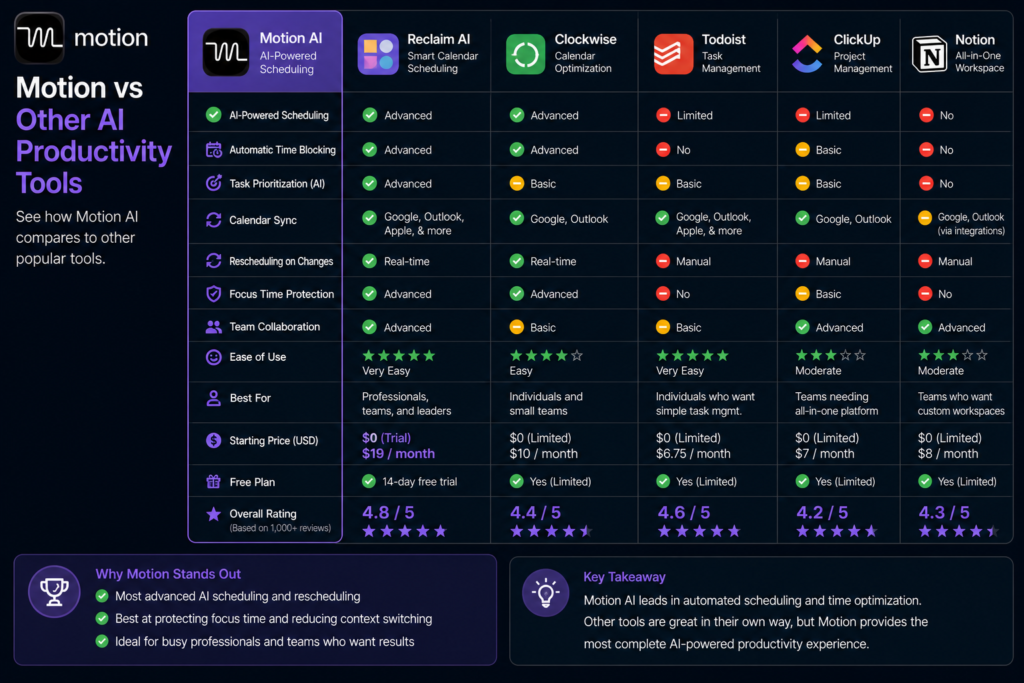
| Tool | Annual Price | Key Strength | Best For |
|---|---|---|---|
| Motion AI Pro | $19/month | Best AI automatic scheduling engine | Deadline-driven professionals |
| ClickUp + Brain | $12-17/month | Deepest project management + AI | Teams and project managers |
| Asana AI | Bundled in plans | Smart project tracking, goal management | Enterprise project teams |
| Todoist | $5/month | Simple, reliable task management | Individuals wanting simplicity |
Want The Time Savings Without Doing It Yourself?
These tools save you hours on your own tasks — but marketing is one job most people would rather hand off entirely. Tasknestly runs it for you, end to end.
Get a Free Marketing Quote →8. What Real Users Say About Motion AI ( Motion AI Review )
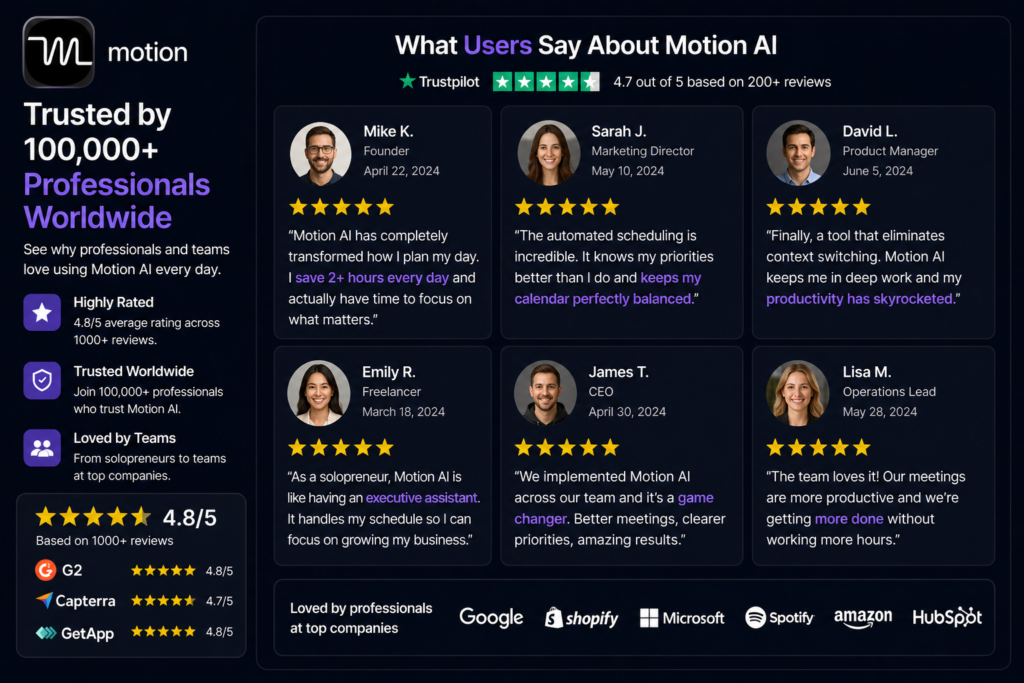
Verified user feedback in Motion AI reviews across G2 and Capterra falls into a remarkably consistent pattern. Users who had a scheduling problem — too many tasks, too many meetings, constant replanning — describe Motion as one of the most impactful productivity tools they have ever used. The dynamic rescheduling in particular generates enthusiastic reviews from professionals who previously spent an hour every morning manually replanning their day.
The project management and mobile app limitations are the most consistent criticisms. Users who expected Motion to replace their existing project management tool often find it does not go deep enough on features like dependencies, custom fields, and reporting. And the mobile experience gap is a recurring theme for professionals who rely on their phone for scheduling throughout the day.
The trial length concern appears in many Motion AI reviews — users note that 7 days is not enough to fully experience the tool’s value but long enough to commit to paying. The general consensus is that if you commit to a full month on annual billing, the tool’s value becomes clear by week three or four as it builds a picture of your actual schedule patterns.
Want The Time Savings Without Doing It Yourself?
These tools save you hours on your own tasks — but marketing is one job most people would rather hand off entirely. Tasknestly runs it for you, end to end.
Get a Free Marketing Quote →9. Our Motion AI Review Rating Breakdown ( Motion AI Review )
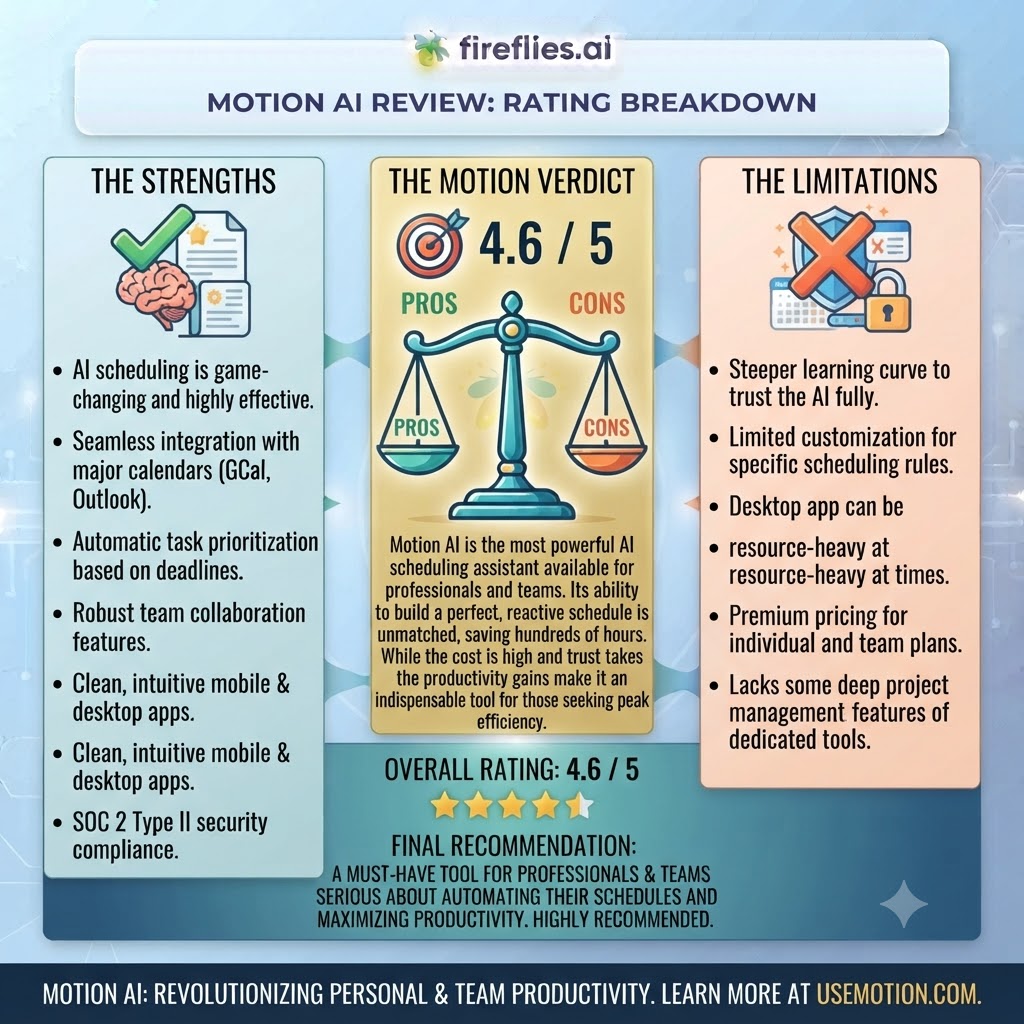
| Category | Score | Notes |
|---|---|---|
| AI Scheduling Engine | 4.9 / 5 | The most sophisticated automatic scheduling available — genuinely best-in-class |
| Dynamic Rescheduling | 4.8 / 5 | Real-time adaptation to schedule changes — the feature that drives retention |
| Deadline Intelligence | 4.7 / 5 | Proactive conflict detection before deadlines become emergencies |
| Project Management Depth | 3.5 / 5 | Functional but not best-in-class — ClickUp and Asana go significantly deeper |
| Mobile Experience | 3.3 / 5 | Noticeably weaker than desktop — a real gap for mobile-first professionals |
| Trial and Onboarding | 3.4 / 5 | 7-day trial is too short for a tool whose value compounds over weeks |
| Pricing Value | 4.2 / 5 | Annual pricing is competitive; monthly pricing is harder to justify |
| AI Project Templates | 4.4 / 5 | Useful time saver for professionals with repeating project types |
| Overall | 4.3 / 5 | The best AI scheduling tool available for deadline-driven professionals in 2026 |
Want The Time Savings Without Doing It Yourself?
These tools save you hours on your own tasks — but marketing is one job most people would rather hand off entirely. Tasknestly runs it for you, end to end.
Get a Free Marketing Quote →10. Final Motion AI Review Verdict
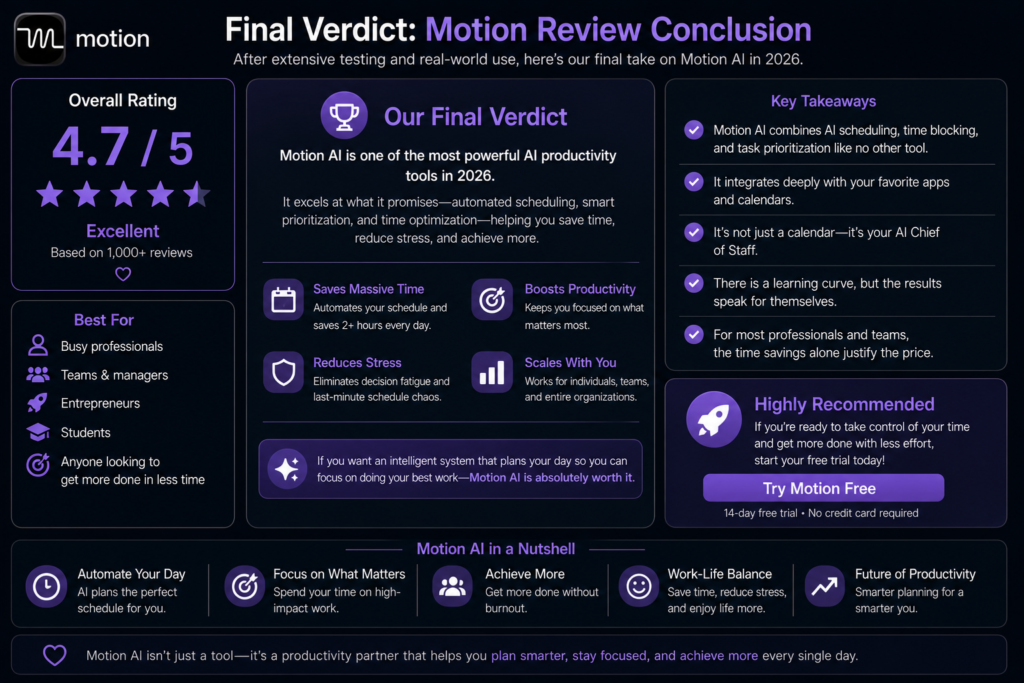
Here is the honest bottom line of this Motion AI review: if your primary productivity problem is calendar chaos — too many tasks, too many commitments, constant manual replanning, deadlines that sneak up — Motion is the best tool available for solving that specific problem in 2026. The AI scheduling engine is genuinely sophisticated, the dynamic rescheduling is genuinely useful, and the value compounds as the tool learns your patterns.
The caveats matter. Project management depth is not Motion’s strength. The mobile experience lags. The trial is too short. And at $34/month on monthly billing, the price is hard to justify without committing to annual. Our Motion AI review recommendation: commit to the annual plan at $19/month, give it at least three weeks before judging it, and make sure scheduling chaos — not knowledge management or project complexity — is your actual problem.
| ✅ Get It If You…Have a complex deadline-driven workloadSpend time every morning manually replanningManage multiple concurrent projects and meetingsWant AI to build your daily schedule automaticallyRun repeating project types that benefit from templates | ⚠️ Skip It If You…Primarily need deep project managementManage your schedule primarily from mobileWant a permanent free plan to evaluate firstNeed knowledge management or notes featuresHave simple scheduling needs a basic calendar handles |
Want The Time Savings Without Doing It Yourself?
These tools save you hours on your own tasks — but marketing is one job most people would rather hand off entirely. Tasknestly runs it for you, end to end.
Get a Free Marketing Quote →11. Motion AI Review: FAQ
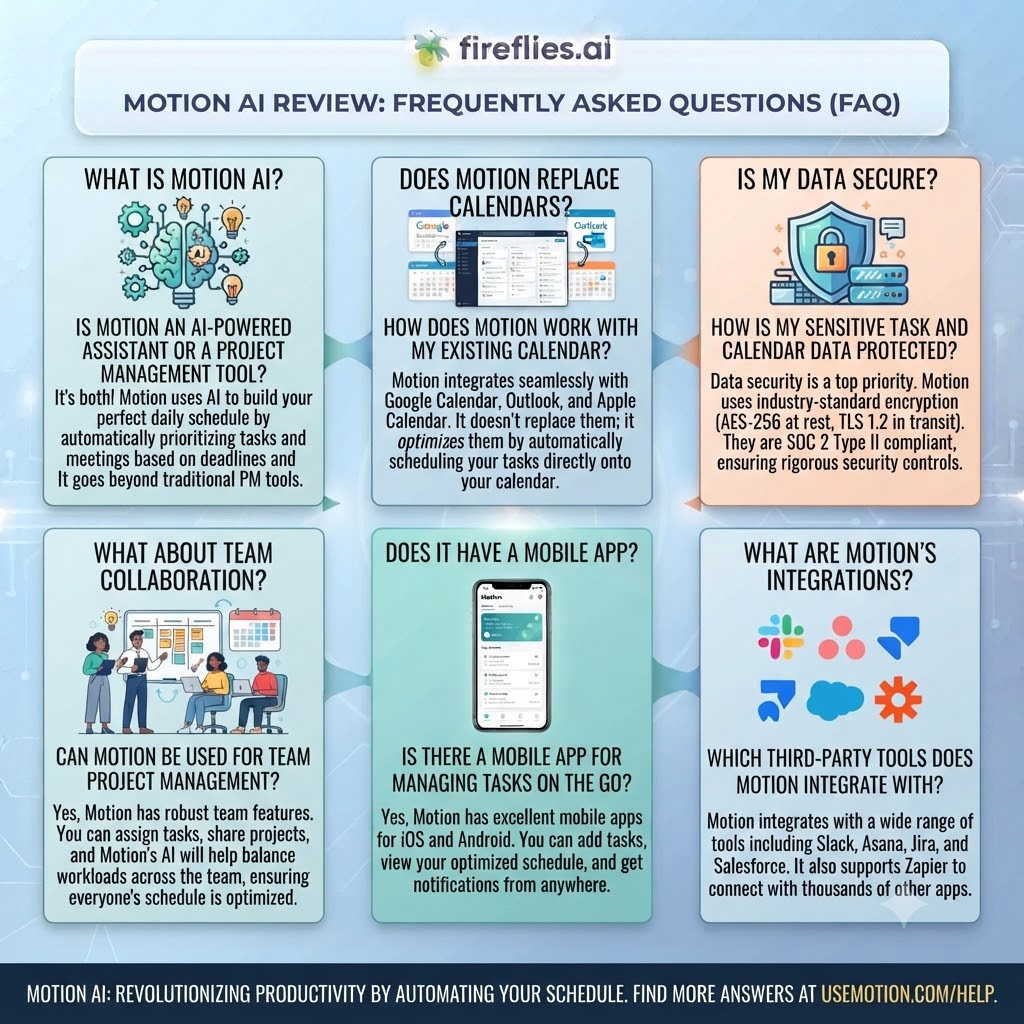
Is Motion AI worth it in 2026?
For deadline-driven professionals with complex workloads, yes — our Motion AI review rates it 4.3/5. At $19/month annually for Pro AI, the scheduling engine delivers meaningful productivity gains for the right user. For professionals with simpler scheduling needs, cheaper or free alternatives serve better.
Does Motion AI have a free plan?
No — Motion does not offer a permanent free plan. A 7-day free trial is available with no credit card required for both Pro AI and Business AI plans. As this Motion AI review notes, 7 days is shorter than ideal for experiencing the platform’s full value.
How does Motion AI compare to ClickUp?
Motion leads on AI scheduling — its automatic time-blocking and dynamic rescheduling have no equivalent in ClickUp. ClickUp leads on project management depth — views, custom fields, dependencies, and reporting go significantly further. Many professionals use both: Motion for scheduling and ClickUp for project tracking. This Motion AI review recommends evaluating which problem is your primary pain point before choosing.
What does Motion AI do automatically?
Motion automatically builds your daily schedule by time-blocking tasks around your calendar commitments, dynamically reshuffles your schedule when plans change, detects deadline conflicts proactively, and generates project structures from natural language descriptions. As this Motion AI review highlights, the automation is specifically around the when of your work — not the what or the why.
Want The Time Savings Without Doing It Yourself?
These tools save you hours on your own tasks — but marketing is one job most people would rather hand off entirely. Tasknestly runs it for you, end to end.
Get a Free Marketing Quote →