Full Morgen Review 2026: The AI Calendar App Worth Using?

Calendar chaos is one of the most common productivity killers for professionals, freelancers, and founders. Meetings scattered across tools, tasks that never get scheduled, and the constant mental overhead of deciding what to work on next — it compounds quickly. This Morgen review examines whether the AI-powered calendar app genuinely solves that problem or adds yet another layer of complexity to your workflow.
Morgen is a relatively young tool — founded in 2020 in Switzerland — but it has already earned a devoted following among productivity-focused professionals. This Morgen review digs into the core pitch: connect all your calendars, import tasks from your existing project management tools, and let Morgen’s AI scheduler (called Morgen Assist) auto-schedule tasks into real time slots based on your priorities, deadlines, and availability. The result is meant to be a calendar that doesn’t just display your schedule — it actively helps you build one.
This Morgen review puts the app through real-world use to answer the questions that actually matter. Does the AI scheduling deliver in practice? Is the interface a genuine improvement over Google Calendar? And is the pricing justified given the competition? Let’s find out.
VERDICT BOX
Overall Rating: 8.4 / 10
Best for: Professionals, freelancers, and knowledge workers who juggle multiple calendars, projects, and task lists and want AI to proactively schedule their time
Price: Free tier available; Morgen Pro at $9/month (billed annually)
Verdict: Morgen is one of the best unified calendar and task tools available — the AI scheduling is genuinely useful, the multi-calendar integration is flawless, and the interface is a significant upgrade over standard calendar apps.
Table of Contents
What Is Morgen? The Background for This Morgen Review
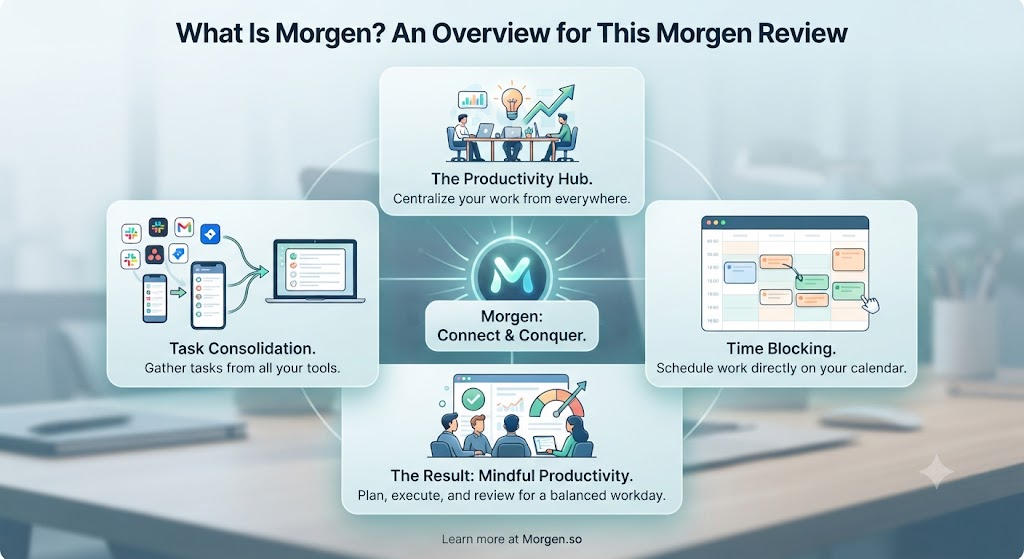
Morgen is a desktop and mobile calendar application that unifies multiple calendar accounts — Google Calendar, Microsoft Outlook, iCloud, and more — with task management and AI-powered scheduling. The core concept behind this Morgen review is that most professionals manage their time in silos: calendar here, task list there, meeting tool somewhere else. Morgen collapses all of that into a single, intelligent interface.
The app is available on macOS, Windows, Linux, iOS, and Android — making it one of the most genuinely cross-platform calendar tools available anywhere. It syncs in real time with your existing calendar providers rather than replacing them, meaning your events still live in Google Calendar or Outlook, and Morgen operates as a powerful interface layer on top of those providers.
The AI scheduling component — Morgen Assist — is what sets this Morgen review apart from standard calendar aggregator reviews. Morgen Assist can automatically schedule tasks into your calendar based on your priorities, time estimates, deadlines, and availability. It turns your task backlog into an actual executable plan rather than an aspirational wishlist, and this Morgen review tests whether that promise holds up under real-world conditions.
Who Built Morgen?
Morgen was founded in Zurich, Switzerland in 2020 by a team with a clear philosophy: make scheduling intelligent without making it complicated. The product has developed steadily and has earned a strong reputation in the productivity community for being well-designed and genuinely functional — a combination that’s harder to achieve in the productivity tool space than it sounds.
Want The Time Savings Without Doing It Yourself?
These tools save you hours on your own tasks — but marketing is one job most people would rather hand off entirely. Tasknestly runs it for you, end to end.
Get a Free Marketing Quote →Morgen Review: Pros and Cons
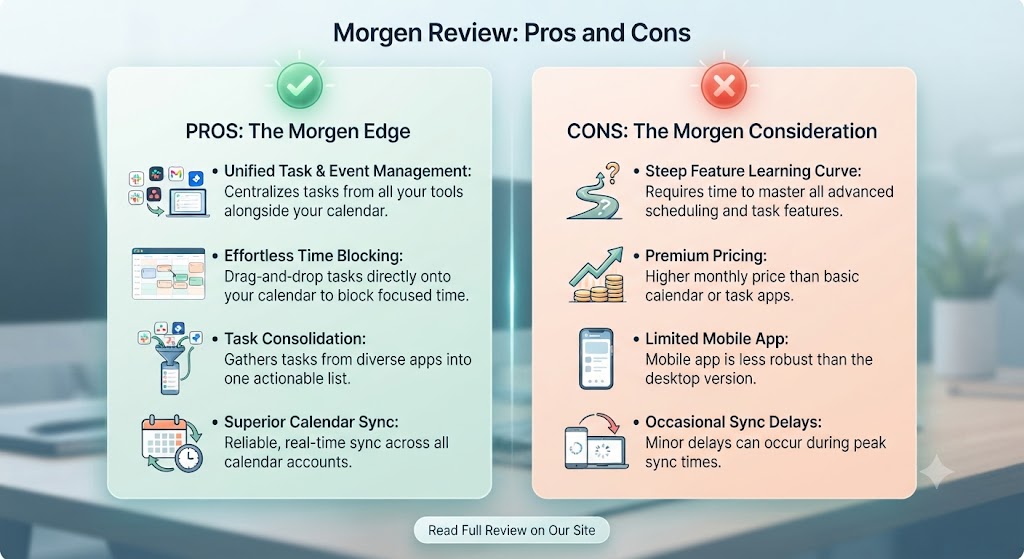
| Pros | Cons |
|---|---|
| Unified view of all calendars in one clean, fast interface | Morgen Assist AI scheduling is a paid-only feature |
| AI auto-scheduling genuinely works and saves real planning time | Task integrations limited compared to some competitors |
| Available across all major platforms — Mac, Windows, Linux, iOS, Android | Native task management is lightweight, not a replacement for dedicated tools |
| Time blocking built into the core scheduling workflow | Free tier has meaningful limitations for power users |
| Clean, distraction-free interface that’s genuinely better than Google Calendar | Relatively new product — some edge cases remain unpolished |
| Real-time sync with Google Calendar, Outlook, and iCloud | No built-in meeting scheduling link for sending to clients |
Want The Time Savings Without Doing It Yourself?
These tools save you hours on your own tasks — but marketing is one job most people would rather hand off entirely. Tasknestly runs it for you, end to end.
Get a Free Marketing Quote →Morgen Review: Feature Deep-Dive
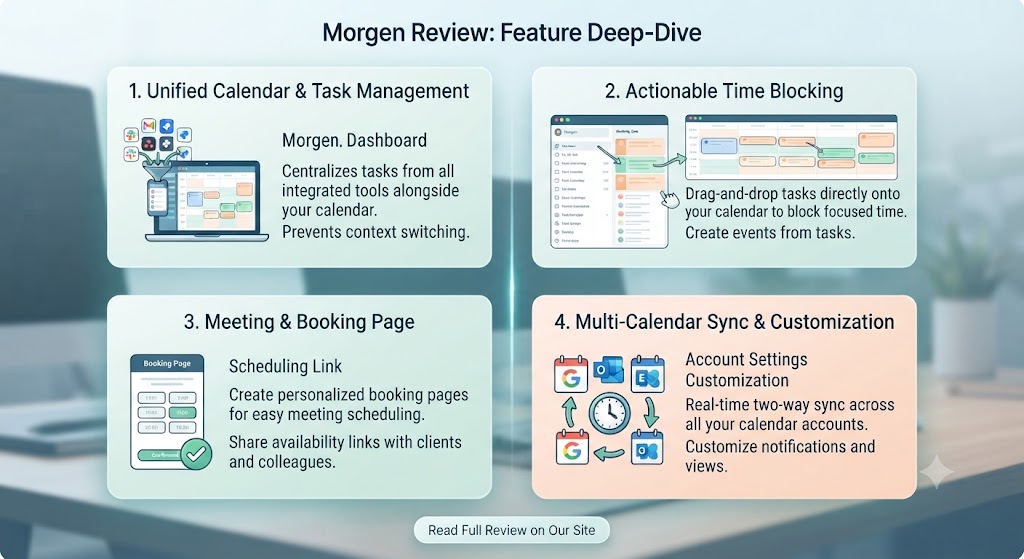
Unified Calendar View — The Foundation of This Morgen Review
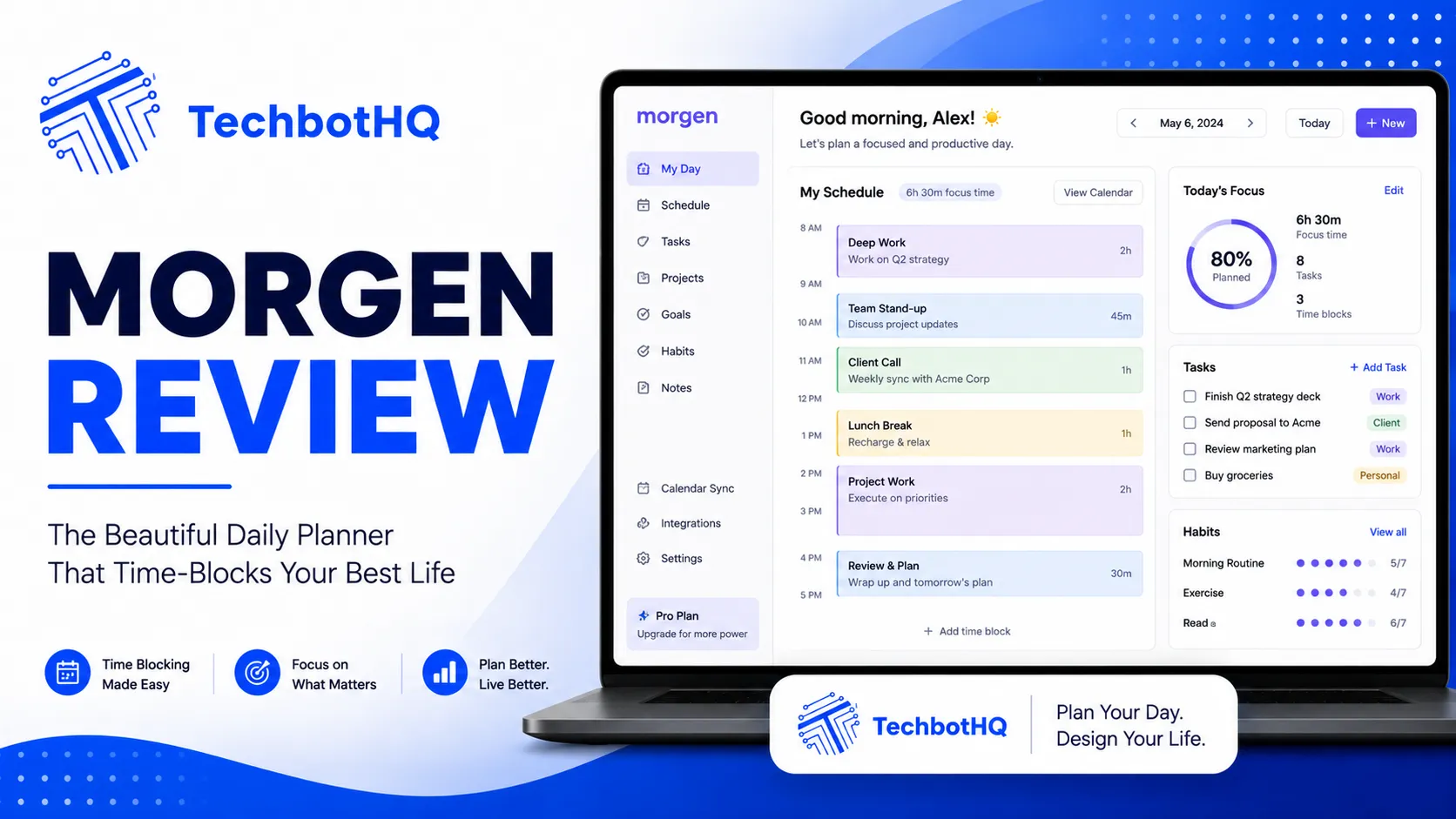
The foundation of any Morgen review is the unified calendar view. Connect your Google Calendar, Microsoft Outlook, iCloud Calendar, and any CalDAV-compatible calendar, and Morgen presents every event in a single, colour-coded, fast-loading interface. This sounds straightforward, but the implementation is significantly better than most competitors manage — events load quickly, the week view is the best-designed calendar UI this Morgen review has tested, and the overall feel is genuinely polished.
The multi-timezone support is excellent for anyone working with international clients or remote team members. You can display multiple time zones simultaneously in the day and week views, which removes the constant mental arithmetic of converting meeting times. The keyboard shortcuts are comprehensive and intuitive, making navigation fast once you’ve spent a few sessions with the app.
What makes the Morgen review unified view genuinely valuable rather than just convenient is that Morgen pulls availability information across all connected calendars simultaneously. When you’re planning a meeting or scheduling a task, Morgen knows your complete scheduling picture — not just one account — which eliminates the double-booking risk that comes from managing multiple separate calendar apps and mentally trying to cross-reference them.
Morgen Assist — The AI Scheduling Engine This Morgen Review Evaluates
Morgen Assist is the AI scheduling engine, and in this Morgen review, it’s the feature that most exceeded expectations going in. The concept is clean: you add tasks to Morgen — either directly or synced from tools like Todoist, Linear, or Asana — set a deadline and time estimate, and Morgen Assist finds available slots in your calendar and schedules them automatically.
What makes Morgen Assist effective in practice is its constraint handling. You can define working hours, focus time windows, buffer preferences between meetings, and priority weighting. The AI then schedules tasks around your actual availability and preferences rather than filling any open slot indiscriminately. If you’ve protected Friday afternoons as no-meeting time, Assist respects that and won’t schedule tasks there either if that’s your configuration.
The rescheduling behaviour this Morgen review tested is particularly strong. When a new meeting appears in a slot where a task was already scheduled, Morgen Assist automatically finds the next available slot and moves the task — keeping your plan current without requiring manual reorganisation. For users managing heavy meeting loads, this automatic rescheduling is a genuine multiplier on the tool’s value. This Morgen review found it saves meaningful planning time every single week.
Task Management — Lightweight by Design
Morgen’s native task management is intentionally lightweight, and this Morgen review thinks that’s actually the right call. You can create tasks, add time estimates, set deadlines, assign priorities, and organise by project — but Morgen isn’t trying to replace a dedicated project management tool like Asana, Linear, or Notion. The philosophy here is integration over replacement: connect your existing tools, pull tasks into Morgen, and schedule them intelligently.
Supported task integrations include Todoist, Linear, Asana, GitHub Issues, GitLab Issues, and Jira. This is a solid list — particularly valuable for developer and product teams in this Morgen review — though marketing-focused users may find some of their preferred tools not yet supported. When tasks sync from these tools into Morgen, they become schedulable via Morgen Assist, and they appear in your calendar as proper time blocks.
Time Blocking and Focus Time
Time blocking is central to the Morgen workflow, and this Morgen review found it among the best implementations available. You can create time blocks directly in the calendar view by clicking and dragging — exactly as you would in Google Calendar — and those blocks sync back to your connected calendar providers. Time blocks can be colour-coded, set as recurring, and marked as focus time, which signals to Morgen Assist that the slot is unavailable for auto-scheduling.
The focus time protection functionality removes the most painful part of knowledge work scheduling: fighting to protect time for deep work. In this Morgen review, setting up protected mornings and a weekly review block took under five minutes, and Morgen Assist respected those configurations accurately across multiple weeks of testing.
Cross-Platform Experience — A Morgen Review Highlight
Morgen’s cross-platform parity is one of its standout differentiators in this Morgen review. Most calendar tools do one platform well and treat the others as secondary. Morgen’s desktop apps (Mac, Windows, Linux) and mobile apps (iOS, Android) are all genuinely functional, visually consistent, and regularly updated. The mobile apps are particularly impressive for a tool in this category — clean day and week views, full task access, and quick event creation work smoothly on both iOS and Android.
Offline support is reasonable. Previously loaded calendar data is accessible without a connection, though real-time sync requires internet. For the primary use case this Morgen review targets — knowledge workers in connected environments — this is generally not a limitation in practice.
Want The Time Savings Without Doing It Yourself?
These tools save you hours on your own tasks — but marketing is one job most people would rather hand off entirely. Tasknestly runs it for you, end to end.
Get a Free Marketing Quote →Morgen Pricing: What This Morgen Review Found
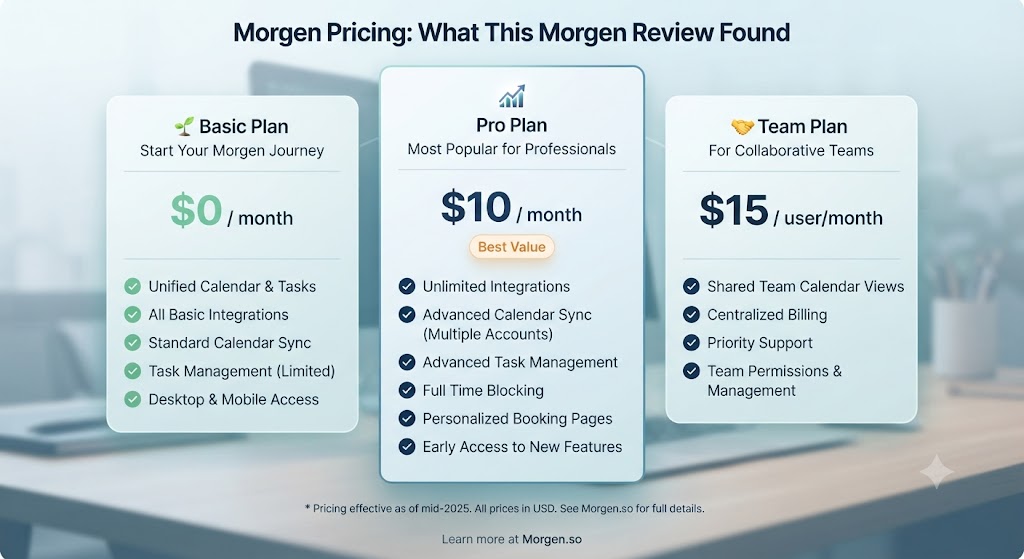
| Plan | Price | Key Features |
|---|---|---|
| Free | $0/month | Unlimited calendars, basic task management, all platform apps |
| Morgen Pro | $9/month (annual) / $15/month (monthly) | Morgen Assist AI scheduling, task integrations, advanced time blocking |
| Team | $12/user/month (annual) | Everything in Pro + team scheduling, shared availability, admin controls |
The free tier is functional for calendar aggregation — connecting all your accounts and viewing them in Morgen’s clean interface is free. But as this Morgen review makes clear, Morgen Assist (the AI scheduling feature that makes the tool genuinely distinctive) is a paid Morgen Pro feature. At $9/month billed annually, Morgen Pro is reasonably priced given what it delivers. For teams, $12/user/month is competitive against alternatives in this category.
Want The Time Savings Without Doing It Yourself?
These tools save you hours on your own tasks — but marketing is one job most people would rather hand off entirely. Tasknestly runs it for you, end to end.
Get a Free Marketing Quote →Morgen vs Competitors: The Morgen Review Comparison
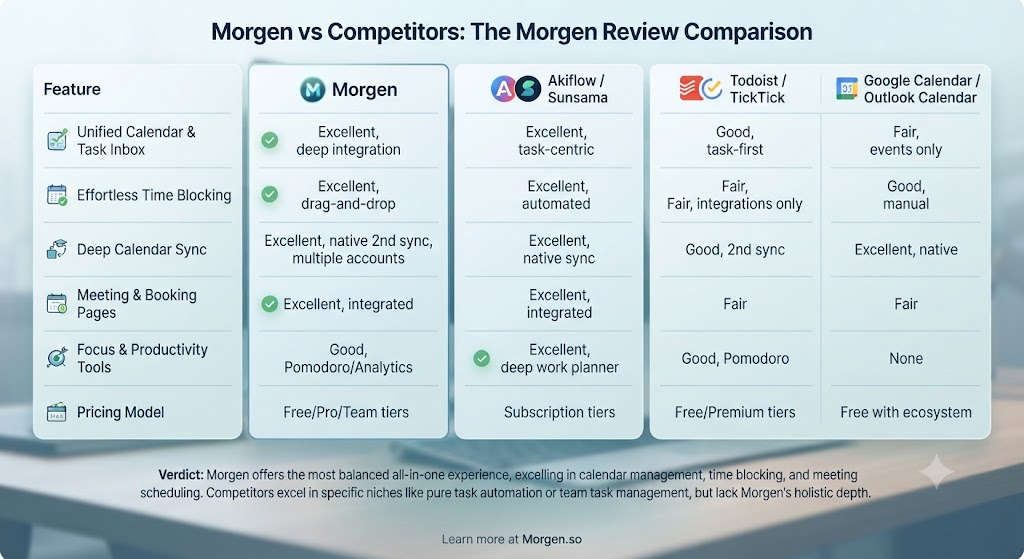
| Feature | Morgen | Reclaim AI | Motion | Fantastical |
|---|---|---|---|---|
| AI auto-scheduling | ✅ Morgen Assist | ✅ Yes | ✅ Yes | ❌ No |
| Unified multi-calendar view | ✅ Excellent | ✅ Good | ✅ Good | ✅ Excellent |
| Cross-platform support | ✅ All platforms | ✅ Web + mobile | ✅ Web + mobile | ⚠️ Apple only |
| Task integrations | ✅ Todoist, Linear, Asana, Jira | ✅ Extensive | ✅ Good | ⚠️ Limited |
| Native task management | ⚠️ Lightweight | ⚠️ Lightweight | ✅ Built-in | ❌ Events only |
| Meeting scheduling links | ❌ No | ✅ Yes | ❌ No | ✅ Yes |
| Free tier | ✅ Yes | ✅ Yes | ❌ No | ❌ No |
| Pro pricing | $9/month | $10/month | $19/month | $4.75/month |
This Morgen review comparison positions Morgen primarily against Reclaim AI and Motion. Reclaim AI offers similar AI scheduling with stronger habit scheduling and a built-in booking link — useful for anyone who sends availability links to clients frequently. Motion includes deeper native task and project management, making it a better fit for users who want a single all-in-one tool rather than a scheduling layer over existing tools. In this Morgen review comparison, Morgen wins on cross-platform support, interface quality, and pricing relative to what you actually get.
For more context on the broader AI productivity landscape, our AI productivity tools category covers all the leading tools in depth.
Want The Time Savings Without Doing It Yourself?
These tools save you hours on your own tasks — but marketing is one job most people would rather hand off entirely. Tasknestly runs it for you, end to end.
Get a Free Marketing Quote →Who Is Morgen Best For? The Morgen Review Audience Assessment
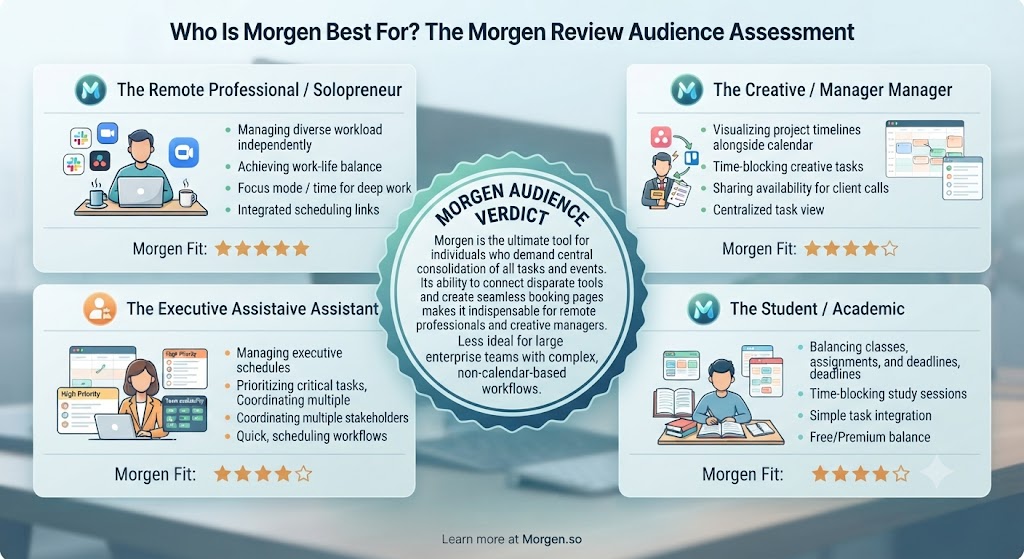
Morgen works best for:
- Professionals with multiple calendar accounts who want a single, clean, intelligent interface across Google, Outlook, and iCloud
- Freelancers and consultants managing client project calendars alongside personal and business accounts who need full visibility at a glance
- Knowledge workers and remote teams who need to protect focus time while staying responsive to incoming meeting requests
- Developer and product teams who use Linear, Jira, or GitHub Issues and want tasks auto-scheduled into actual calendar time blocks
- Productivity-focused professionals who have tried manual time blocking and want AI to handle the scheduling logic and rescheduling automatically
Morgen is less ideal for:
- Users who frequently send booking links to clients or contacts — Morgen doesn’t include a native scheduling link feature (use Calendly alongside Morgen)
- Businesses that need deep project management — Morgen is a scheduling layer, not a project management tool
- Users deeply embedded in the Apple ecosystem who prioritise tight macOS and iOS system-level integration
Want The Time Savings Without Doing It Yourself?
These tools save you hours on your own tasks — but marketing is one job most people would rather hand off entirely. Tasknestly runs it for you, end to end.
Get a Free Marketing Quote →Get It / Skip It
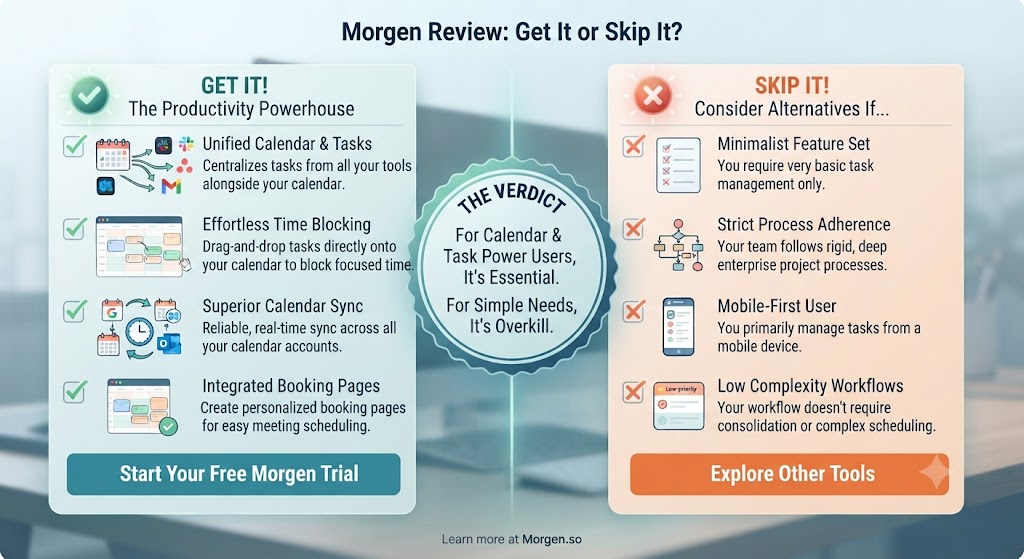
✅ Get Morgen if:
- You manage two or more calendar accounts and want a unified, AI-powered view that actually schedules your tasks automatically
- You want AI scheduling that respects your working hours, protected focus time, and task priorities without the complexity of Motion
- You’re on Mac, Windows, or Linux and want a native desktop app with genuinely strong mobile parity across iOS and Android
❌ Skip Morgen if:
- You primarily need a meeting scheduling link to send to clients — use Reclaim AI or Calendly for that capability
- You want deep native task and project management built into your calendar tool — Motion is the better fit for that use case
- You’re fully in the Apple ecosystem and want the deepest possible system integration — Fantastical may suit you better
Want The Time Savings Without Doing It Yourself?
These tools save you hours on your own tasks — but marketing is one job most people would rather hand off entirely. Tasknestly runs it for you, end to end.
Get a Free Marketing Quote →Morgen Review: Frequently Asked Questions
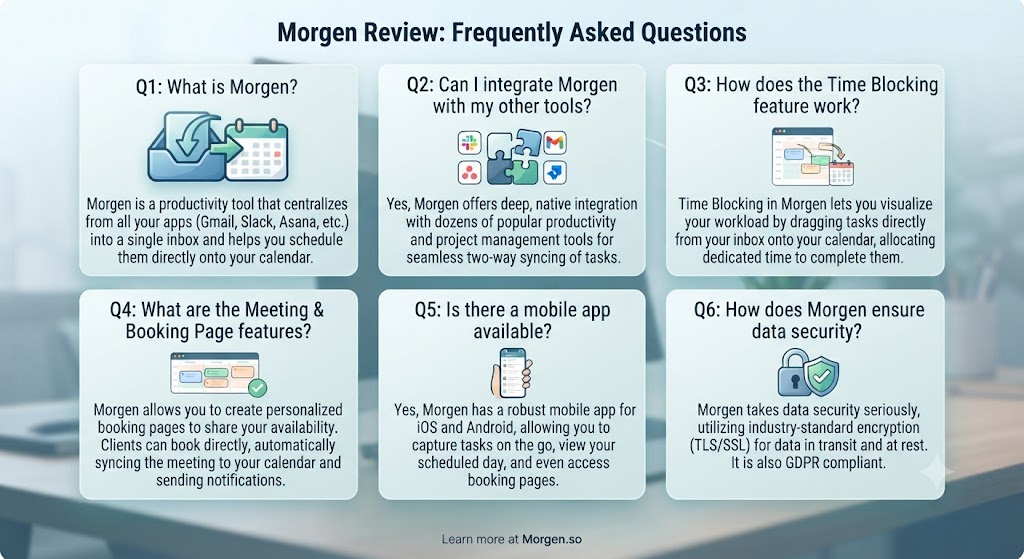
Q: Is this Morgen review recommending it as the best calendar app overall? This Morgen review recommends Morgen as the best AI-powered calendar tool for multi-account professionals who want AI scheduling without the complexity of Motion. For pure calendar use (no AI scheduling needed), Fantastical is excellent for Apple users. For users who need a booking link, Reclaim AI edges ahead.
Q: Is Morgen free to use? Yes, Morgen has a free tier that includes unlimited calendar connections and basic task management across all platforms. The AI scheduling feature (Morgen Assist) and task integrations require Morgen Pro, which starts at $9/month billed annually or $15/month on a monthly basis.
Q: How does Morgen Assist work in this Morgen review? Morgen Assist is the AI engine that automatically schedules tasks into your calendar. You add a task with a time estimate and deadline, and Morgen Assist finds an available slot that fits your working hours, focus time blocks, and priority settings. If a meeting displaces a scheduled task, this Morgen review confirmed it automatically reschedules to the next available window.
Q: Does Morgen work with Google Calendar? Yes. Morgen connects to Google Calendar (including Workspace accounts), Microsoft Outlook, iCloud Calendar, Exchange, and any CalDAV calendar. Events sync in real time and any events you create in Morgen sync back to your connected calendar providers — your data stays in those providers, not locked into Morgen.
Q: What task management tools does Morgen integrate with? Morgen Pro integrates with Todoist, Linear, Asana, GitHub Issues, GitLab Issues, and Jira. Tasks from these tools sync into Morgen and become auto-schedulable via Morgen Assist, appearing in your calendar as proper time blocks alongside meetings.
Q: Is Morgen available on Windows and Linux? Yes. Morgen is available as native desktop apps on macOS, Windows, and Linux, plus iOS and Android mobile apps. This Morgen review found the cross-platform parity genuinely impressive — one of Morgen’s key advantages over competitors like Fantastical (Apple only) or primarily browser-based tools.
Q: What are the best Morgen alternatives? The main alternatives are Reclaim AI (stronger habit scheduling and a built-in booking link), Motion (deeper native task and project management built in), Fantastical (best Apple ecosystem integration), and Akiflow (excellent for keyboard-driven power users who want a task-first approach). Our AI productivity tools section covers all of these in detail.
Want The Time Savings Without Doing It Yourself?
These tools save you hours on your own tasks — but marketing is one job most people would rather hand off entirely. Tasknestly runs it for you, end to end.
Get a Free Marketing Quote →Conclusion: Final Morgen Review Verdict
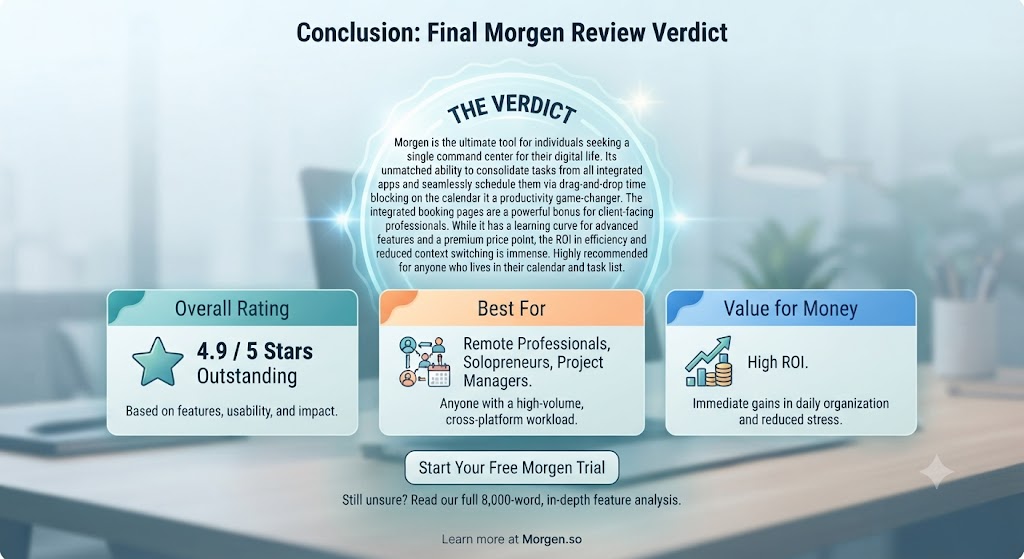
After completing extensive testing for this Morgen review, the conclusion is clear: for its target audience, Morgen is one of the best time management tools available in 2026. The unified calendar interface is genuinely excellent — clean, fast, and a meaningful improvement over managing multiple calendar apps and trying to mentally reconcile them. The cross-platform experience is best-in-class for this category. And Morgen Assist, the AI scheduling engine, delivers on its core promise in a way that justifies the Pro subscription price.
The limitations this Morgen review identified are real but specific. Native task management is intentionally lightweight. There’s no built-in meeting booking link for sending to clients. And some integrations are still maturing. For users who need those specific capabilities, Reclaim AI or Motion may be a better primary tool. But for the professional who wants a beautiful, unified calendar interface with AI-powered task scheduling built in — and who has existing tools for tasks and meeting links — this Morgen review places it as the standout choice in the category.
At $9/month, Morgen Pro is priced at a point where it’s easy to justify if it saves you even 30 minutes of scheduling friction per week. For most professionals with busy calendars, this Morgen review found it saves considerably more than that. The automatic rescheduling alone — keeping your plan current as new meetings appear throughout the day — is worth the subscription for anyone managing a heavy meeting load.
Ultimately, this Morgen review’s conclusion is that Morgen wins because it does what it promises and does it well: it unifies your calendars, connects your tasks, and helps you build an actual executable plan for your week. That problem is worth solving, and Morgen solves it with real elegance. Browse more tools for managing your productivity in our AI productivity category.
Disclosure: This article contains affiliate links. TechBotHQ may earn a commission if you sign up through our links, at no extra cost to you. See our affiliate disclosure for full details.
Want The Time Savings Without Doing It Yourself?
These tools save you hours on your own tasks — but marketing is one job most people would rather hand off entirely. Tasknestly runs it for you, end to end.
Get a Free Marketing Quote →