Canva AI Review 2026: The Honest Truth About Magic Studio

| ⚡ TechBotHQ Verdict This Canva AI review gives the platform a powerful 4.5 out of 5 for non-designers and marketing teams. Canva’s Magic Studio AI features have transformed the platform from a template-based design tool into a genuinely capable AI-powered creative suite. Dream Lab — now powered by Leonardo AI’s Phoenix model following Canva’s acquisition — produces photorealistic images that rival dedicated generators. Magic Edit, Erase, and Expand handle practical editing needs. And the new Grow Insights feature uses AI to analyze your actual social media performance and suggest content variants. At $15 per month for Pro, the AI features are bundled at a price that is hard to beat for what is included. Rating: 4.5/5 | Best For: Non-designers, marketers, small businesses, and social media managers who want AI-powered design and image generation in one accessible platform |
Table of Contents
Canva AI Review 2026: What You Need to Know First
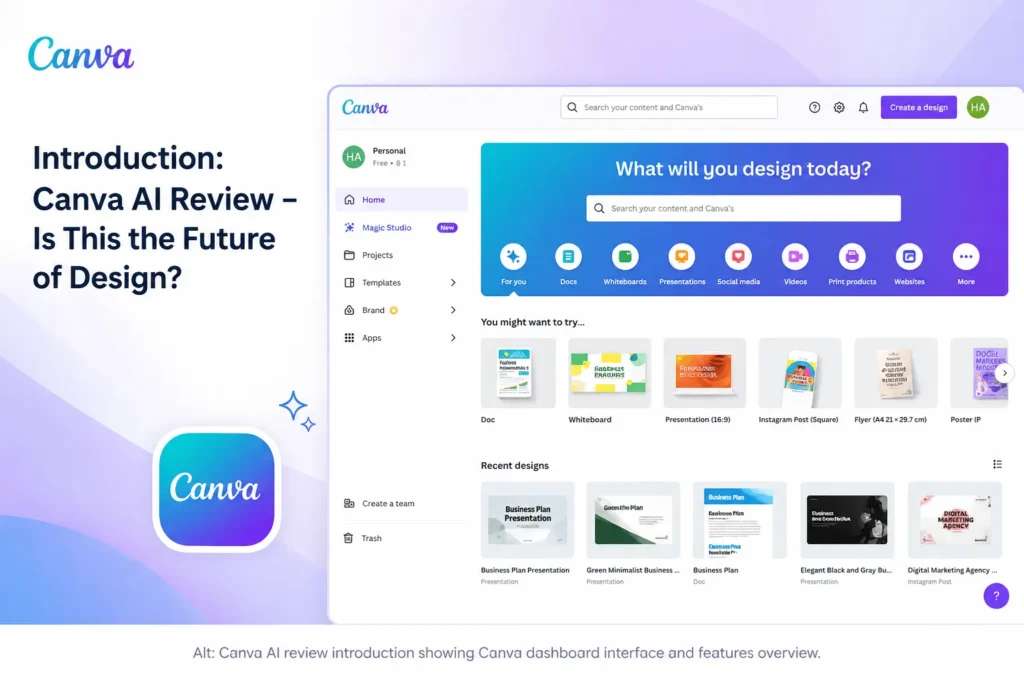
This Canva AI review starts with the update that changes everything you may have read about Canva’s AI capabilities in 2024: Canva acquired Leonardo AI in 2025, and the Dream Lab image generation feature is now powered by Leonardo’s Phoenix model — the same photorealistic engine that was independently rated among the best available before the acquisition. That single change makes this Canva AI review significantly more positive than reviews written 12 months ago.
The Canva AI review question most people are really asking is whether Canva Pro at $15 per month is worth upgrading to from the free plan, specifically for the AI features. The honest answer in this Canva AI review: yes, for the vast majority of Canva users. The Magic Studio AI toolkit included in Pro — Dream Lab, Magic Edit, Magic Expand, Magic Erase, Magic Write, and Grow Insights — adds up to a genuinely capable AI creative suite that would cost significantly more if you assembled the same capabilities from separate tools.
There is a catch worth naming in this Canva AI review: Canva’s IP indemnification story is not as strong as Adobe Firefly’s at the Pro tier. For agencies delivering commercial content to clients with strict IP requirements, this matters and this Canva AI review is honest about it. For the vast majority of Canva users — marketers, small business owners, educators, content creators — it is not a meaningful concern.
Our Canva AI review tested the platform extensively across Dream Lab image generation, Magic Edit, Grow Insights, and Magic Write over four weeks of real marketing workflow usage. Here is the complete and honest picture of what Canva AI delivers in 2026 and who it is genuinely built for.
Whether you are a small business owner on the free plan deciding whether to upgrade, a social media manager evaluating AI content tools, or a non-designer wondering whether Canva AI can replace a more expensive creative stack — this Canva AI review will give you the clear, honest answer.
Love What These AI Design Tools Can Do?
Great AI-generated visuals still need a cohesive brand identity holding them together. Let Tasknestly build your full branding — logo, guidelines, and visual system.
Explore Branding Services →1. What Is Canva AI? A Plain-English Overview
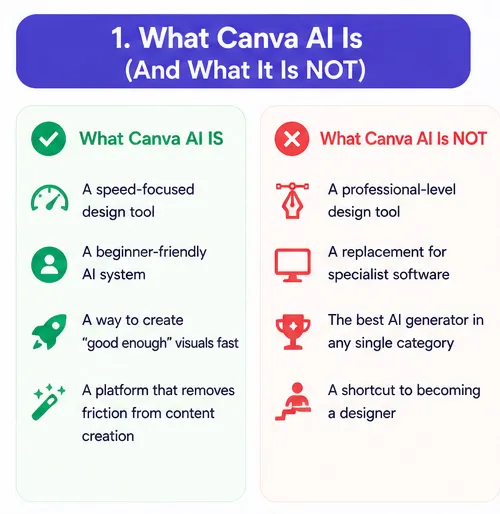
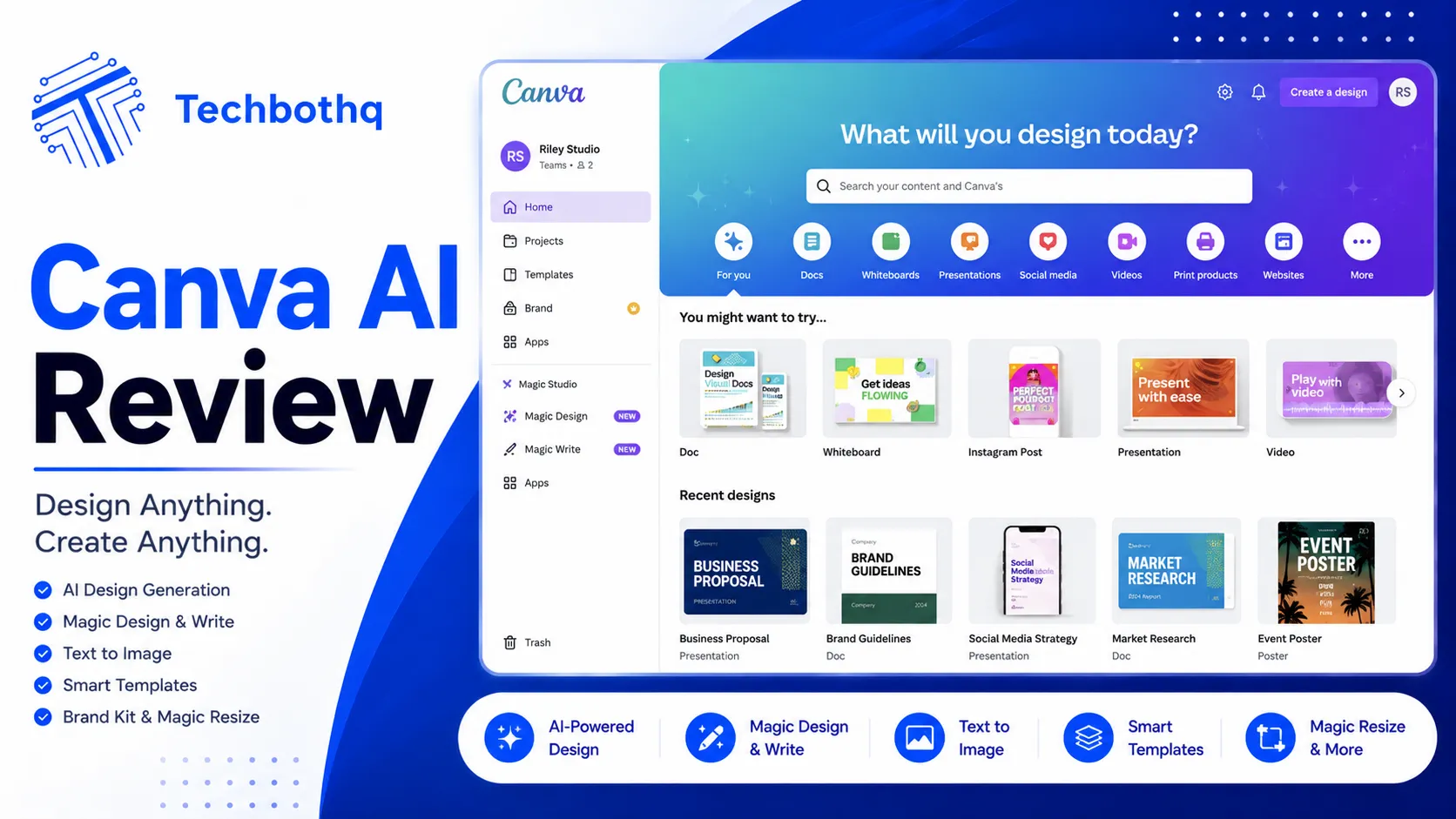
Canva AI refers to the suite of AI features within Canva’s design platform, collectively branded as Magic Studio. Since Canva acquired Leonardo AI in 2025, the AI capabilities have expanded significantly beyond the template-based generation that earlier Canva AI reviews described. Dream Lab now uses Leonardo’s Phoenix model. Magic Edit handles object replacement and addition. Magic Expand extends canvases. And Grow Insights — the newest feature in this Canva AI review — analyzes your social media performance data and uses AI to generate new content variants informed by what has actually worked.
The distinctive value of this Canva AI review versus a review of a standalone AI image generator is platform integration. Every Canva AI feature works directly within the design workflow 150 million users already use daily. You do not switch tabs to generate an image and import it. You do not use a separate tool to remove a background or extend a photo. The AI is embedded in the workflow at every step — which makes this Canva AI review relevant to a very large audience of existing Canva users who may not realize how much has changed.
Canva AI is used by teams at companies including American Airlines, Zoom, and Salesforce for internal and external marketing content. The platform’s scale — 150 million monthly active users and 18 billion designs created — is the reason the Canva AI review from TechBotHQ focuses so heavily on practical value for real users rather than benchmark comparisons with specialized tools.
Love What These AI Design Tools Can Do?
Great AI-generated visuals still need a cohesive brand identity holding them together. Let Tasknestly build your full branding — logo, guidelines, and visual system.
Explore Branding Services →2. How Canva AI Works: Key Features
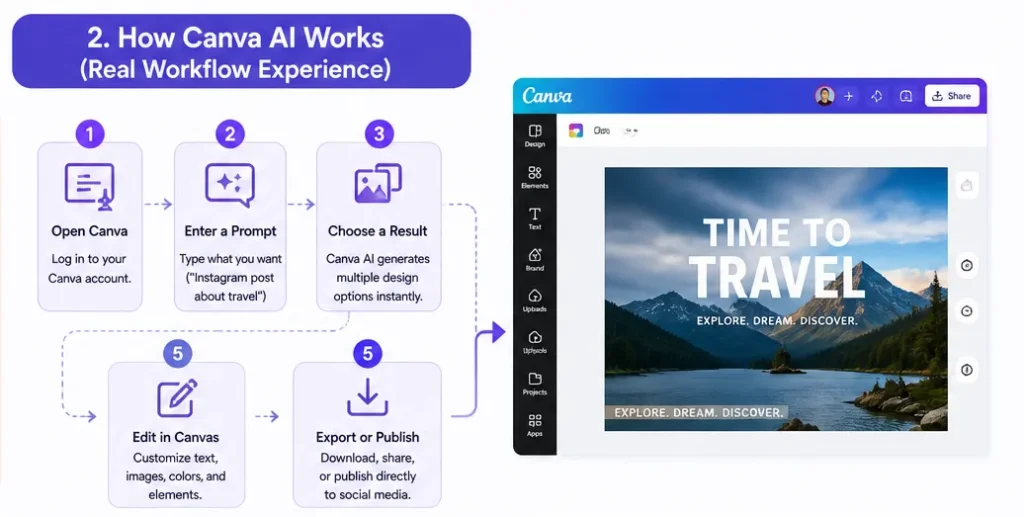
Dream Lab — AI Image Generation
Dream Lab is the centerpiece of any Canva AI review in 2026. Powered by Leonardo AI’s Phoenix model since the acquisition, Dream Lab generates photorealistic images from text prompts directly within the Canva editor. Pro users get 500 Dream Lab generations per month. In our Canva AI review testing, the output quality was a significant step up from the earlier Canva image generation — producing detailed, photorealistic results that are comparable to dedicated image generators for standard commercial and marketing use cases.
💡 Pro tip: Use the Style Reference feature in Dream Lab to maintain visual consistency across generated images. Upload an existing brand image as a style reference and Dream Lab generates new images that match the aesthetic — a Canva AI feature that saves significant time on brand-consistent content production.
Magic Edit — Object Replacement and Addition
Magic Edit lets you replace, add, or transform elements within any image using a text prompt. Select the area you want to change, describe what you want, and Canva AI generates a replacement that integrates naturally with the surrounding image. In our Canva AI review testing, Magic Edit performed well on straightforward replacements — changing backgrounds, replacing clothing, adding props — and less reliably on complex compositional changes. For everyday marketing image editing, the success rate is high enough to be genuinely useful.
Magic Expand — Canvas Extension
Magic Expand extends images beyond their original borders with AI-generated content that matches the original. This is one of the most practically useful Canva AI features for marketers who need to reformat existing images for different platform sizes — extending a square Instagram image to landscape for LinkedIn or widescreen for a website banner without losing the original composition.
Magic Erase — Object Removal
Magic Erase removes unwanted objects, people, logos, or elements from photos with background reconstruction. The Canva AI implementation of background removal has improved significantly from earlier versions, and in our Canva AI review testing it handled standard product photography background removal reliably. For complex removals — crowds, overlapping objects, intricate backgrounds — the results are more variable and may require multiple attempts.
Grow Insights — Performance-Informed Content Generation
Grow Insights is the most strategically distinctive feature in this Canva AI review. Connect your Instagram, LinkedIn, or TikTok account and Canva AI analyzes your historical post performance — identifying which content formats, visual styles, and caption approaches generated the most engagement. It then generates new content variants informed by that performance data rather than generic AI assumptions. For social media managers who create consistent content, this Canva AI feature closes the gap between content creation and content strategy.
Magic Write — AI Copywriting
Magic Write generates captions, presentation text, product descriptions, and other written content within Canva pages and designs. The output is solid for short-form social captions and straightforward product descriptions. For longer content or sophisticated brand voice, dedicated AI writing tools produce better results — but for the quick caption or slide text that most Canva users need, Magic Write handles it without switching platforms.
Love What These AI Design Tools Can Do?
Great AI-generated visuals still need a cohesive brand identity holding them together. Let Tasknestly build your full branding — logo, guidelines, and visual system.
Explore Branding Services →3. Key Canva AI Features in 2026
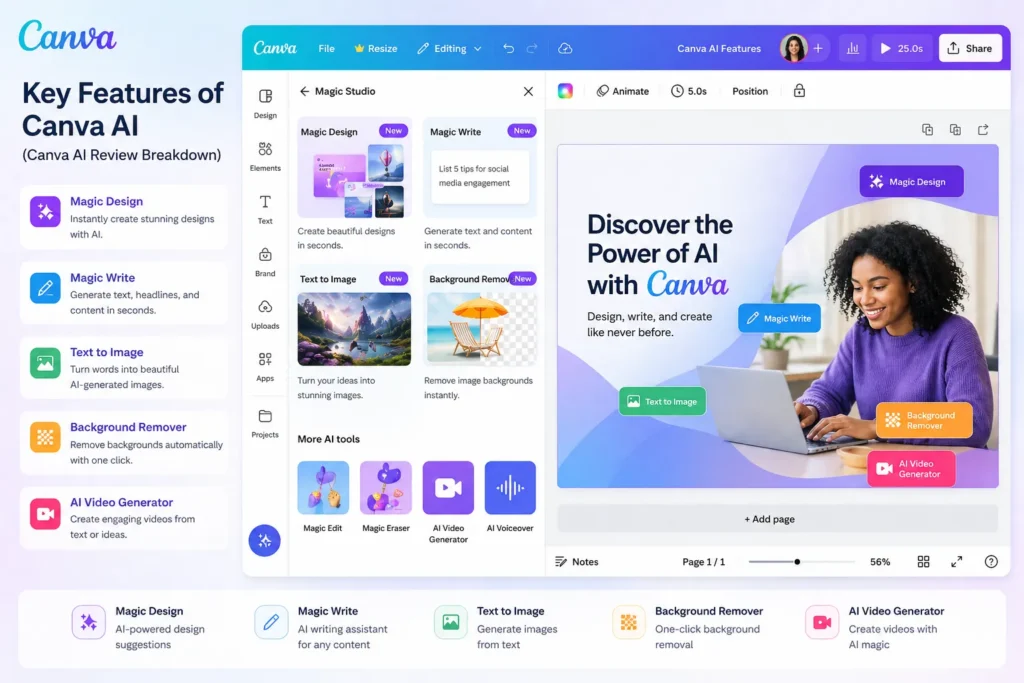
- Dream Lab (Leonardo Phoenix): Text-to-image generation producing photorealistic output — 500 generations per month on Pro, comparable quality to dedicated image generators for standard use cases.
- Magic Edit: Replace, add, or transform image elements using a text prompt — object-level AI editing within the Canva editor.
- Magic Expand: Extend images beyond their original borders with AI-generated content — essential for reformatting across platform sizes.
- Magic Erase: Remove unwanted objects, people, or elements from photos with background reconstruction.
- Background Remover: One-click background removal on any image — available on all paid plans.
- Grow Insights: AI analyzes your actual social media performance and generates new content variants based on what performed best.
- Magic Write: AI copywriting for captions, slide text, product descriptions, and social content within Canva designs.
- Magic Design: Generate complete design layouts from a text prompt or uploaded content brief.
- Magic Switch: Automatically resize and reformat designs for different platforms and dimensions.
- Brand Hub: Store brand colors, fonts, and logos that Canva AI applies consistently across all generated content.
- Canva AI Video: Basic AI video generation and editing features for social-format video content.
- Magic Layers (Beta): Advanced AI-assisted image composition and layer management — available in beta to Pro users.
Love What These AI Design Tools Can Do?
Great AI-generated visuals still need a cohesive brand identity holding them together. Let Tasknestly build your full branding — logo, guidelines, and visual system.
Explore Branding Services →4. Canva AI Review: Pricing Breakdown
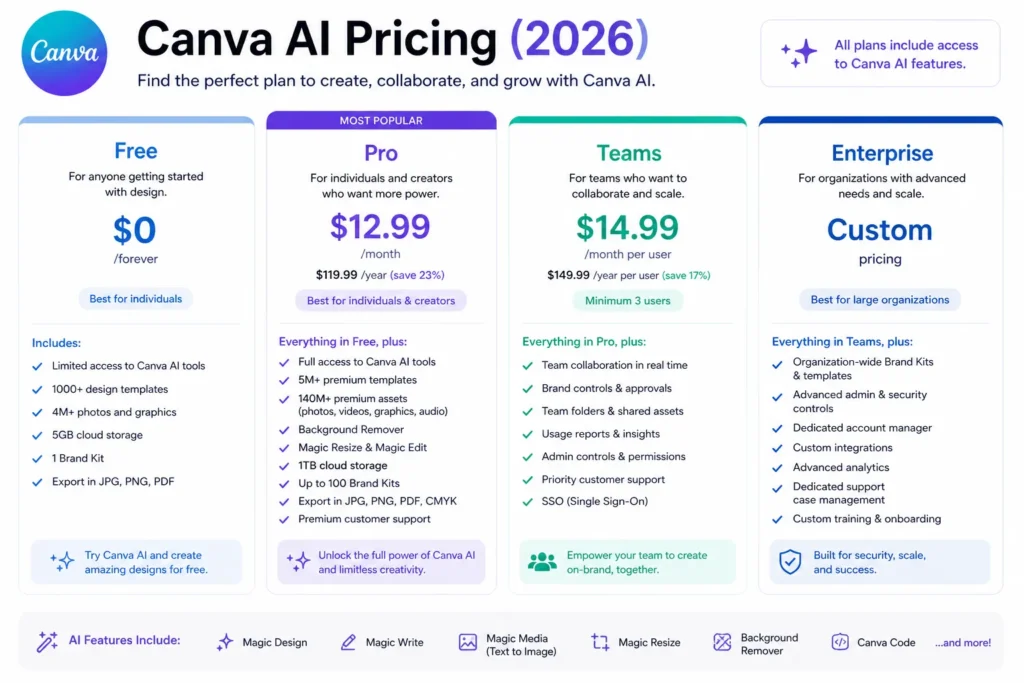
Canva AI pricing is primarily structured around the Canva Pro plan. This Canva AI review breaks down exactly what you get at each tier and whether the upgrade is worth it.
| Plan | Price | Canva AI Access |
|---|---|---|
| Free | $0 | 50 lifetime Dream Lab generations, basic Magic Write, limited AI tools |
| Pro | $15/month | 500 Dream Lab/month, full Magic Studio, Magic Edit, Expand, Erase, Grow Insights, Brand Hub |
| Teams | $10/user/month (min 3) | All Pro AI features plus brand controls, admin tools, team collaboration, shared Brand Hub |
| Enterprise | Custom | Advanced brand controls, SSO, Canva Shield IP indemnification, dedicated support |
- Pro at $15/month is the clear upgrade for regular Canva users: 500 Dream Lab generations plus the full Magic Studio toolkit is exceptional value. This Canva AI review found that the AI features alone justify the Pro upgrade for any user creating content more than twice per week.
- Free tier is genuinely limited for Canva AI: 50 lifetime Dream Lab generations runs out within the first week of active use. The free tier is enough to evaluate whether you like the interface, not enough to judge the Canva AI value.
- IP indemnification requires Enterprise: This Canva AI review flagged this as the main commercial risk for agencies. Canva Shield’s IP protection is only available on the Enterprise plan. For most small business and marketing team users, this is not a concern — but it matters for agency work.
💰 Honest take: Pro at $15/month is one of the strongest value propositions in AI creative tools in 2026. Consider what you are currently paying separately for image generation, background removal, and social analytics — Canva AI Pro bundles all of it at a price that almost certainly beats the sum of parts.
Love What These AI Design Tools Can Do?
Great AI-generated visuals still need a cohesive brand identity holding them together. Let Tasknestly build your full branding — logo, guidelines, and visual system.
Explore Branding Services →5. Canva AI Review: Honest Pros and Cons
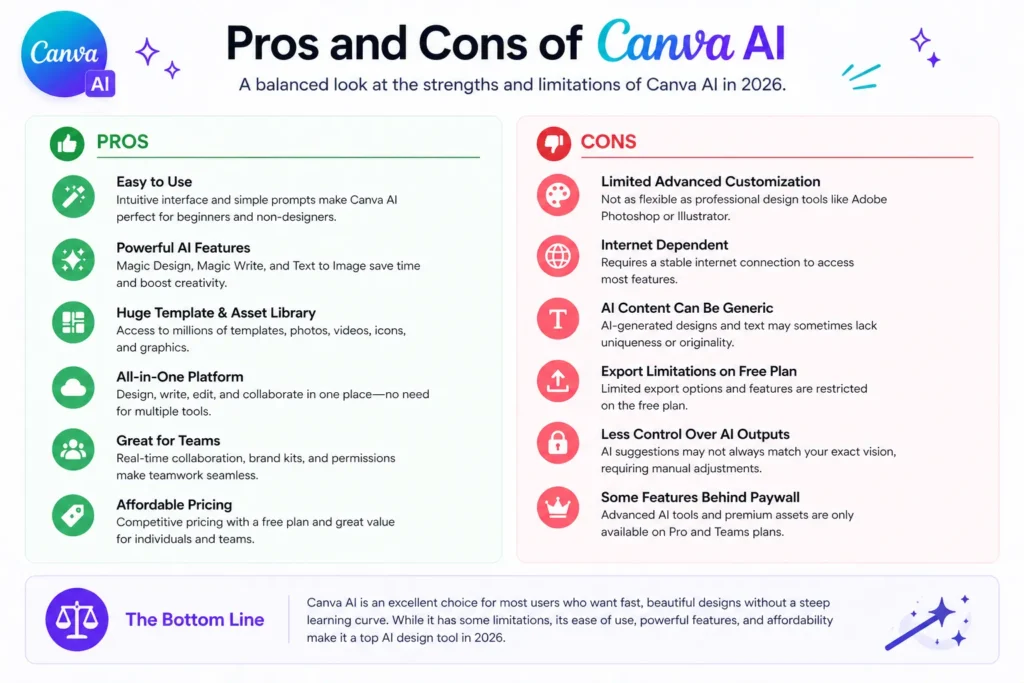
Every honest Canva AI review needs both sides. Here is what genuinely impressed us and what you need to know before buying.
What Canva AI Gets Right
- Dream Lab quality is now genuinely strong: The Leonardo Phoenix integration makes this Canva AI review significantly more positive than reviews from 12 months ago. The photorealistic output quality is competitive with dedicated image generators for standard commercial use cases.
- Magic Studio breadth is exceptional for the price: Generation, editing, expansion, removal, writing, analytics, resizing — the breadth of Canva AI features under one $15 Pro subscription is remarkable and this Canva AI review found genuine time savings across every major feature.
- Workflow integration is the biggest practical advantage: The Canva AI features are already in the platform 150 million users use daily. No workflow disruption. No new tools to learn. The AI is simply there when you need it, which makes adoption frictionless in a way that standalone AI tools cannot match.
- Grow Insights is a genuine strategic differentiator: AI that analyzes your actual past social media performance and generates new content variants based on what worked is a feature most social media tools do not offer at this price point. This Canva AI review found it particularly valuable for consistent content creators.
- Brand Hub ensures visual consistency: Storing brand colors, fonts, and logos that Canva AI applies consistently across generated content solves one of the biggest practical problems in AI-assisted marketing content production.
Where Canva AI Falls Short
- IP indemnification only at Enterprise: The commercial safety story that makes Adobe Firefly attractive for agencies is not available on Canva Pro or Teams. This Canva AI review recommends Enterprise evaluation for agencies delivering to risk-averse clients.
- Dream Lab generations cap at 500/month on Pro: Heavy users generating 20+ images per day will find the monthly cap limiting. For high-volume image generation workflows, Leonardo AI’s dedicated plans offer better economics.
- Magic Edit is less reliable on complex compositions: Straightforward object replacement and addition works well. Complex compositional changes, overlapping subjects, and intricate backgrounds produce more variable results in our Canva AI review testing.
- Not a professional design tool: Canva AI Pro is excellent for marketing content and social media. For complex print design, publication layout, or precise typographic work, Adobe InDesign or Figma remain more appropriate. This Canva AI review is honest that there is a ceiling on what the platform handles.
- AI training data transparency below Adobe Firefly: Canva’s approach to AI training data is less clearly documented than Adobe’s committed licensed-content policy. For teams where this matters, Adobe Firefly provides a clearer and stronger assurance.
Love What These AI Design Tools Can Do?
Great AI-generated visuals still need a cohesive brand identity holding them together. Let Tasknestly build your full branding — logo, guidelines, and visual system.
Explore Branding Services →6. Who Should Use Canva AI?
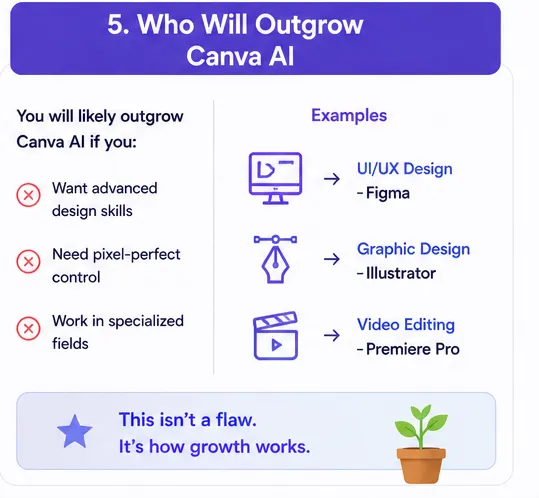
Our Canva AI review found a clear and specific profile of users who benefit most from the platform.
Canva AI Is a Great Fit If You Are:
- A non-designer or marketer already using Canva — the Canva AI features add genuine value within the workflow you already use daily, making this Canva AI review recommendation straightforward.
- A social media manager needing AI-generated visuals, captions, and performance-informed content variants — Grow Insights and Dream Lab together cover this workflow better than most alternatives at the price.
- A small business owner creating marketing materials, social content, and presentations regularly — Pro at $15/month provides more AI creative capability per dollar than any comparable subscription.
- An educator or nonprofit needing professional-looking content without design expertise — Canva AI’s template-informed generation produces polished results that require no design skill to achieve.
- A content creator who wants AI image generation integrated into their existing design workflow rather than as a separate tool to manage.
Canva AI Is Probably Not Right If You Are:
- An agency delivering commercial content to clients with strict IP requirements — Enterprise is necessary for IP indemnification and the cost may not be justified if Canva AI is the only reason.
- A professional designer who needs precision tools and full creative control — Adobe Creative Cloud provides more appropriate professional design capabilities.
- Someone needing the absolute best artistic image quality available — Midjourney produces more visually striking, artistically sophisticated output for creative work.
- A high-volume image generator producing 30+ images per day — Leonardo AI’s dedicated plans are more cost-efficient at that scale than the 500/month Pro cap.
Love What These AI Design Tools Can Do?
Great AI-generated visuals still need a cohesive brand identity holding them together. Let Tasknestly build your full branding — logo, guidelines, and visual system.
Explore Branding Services →7. Canva AI Review: How It Compares
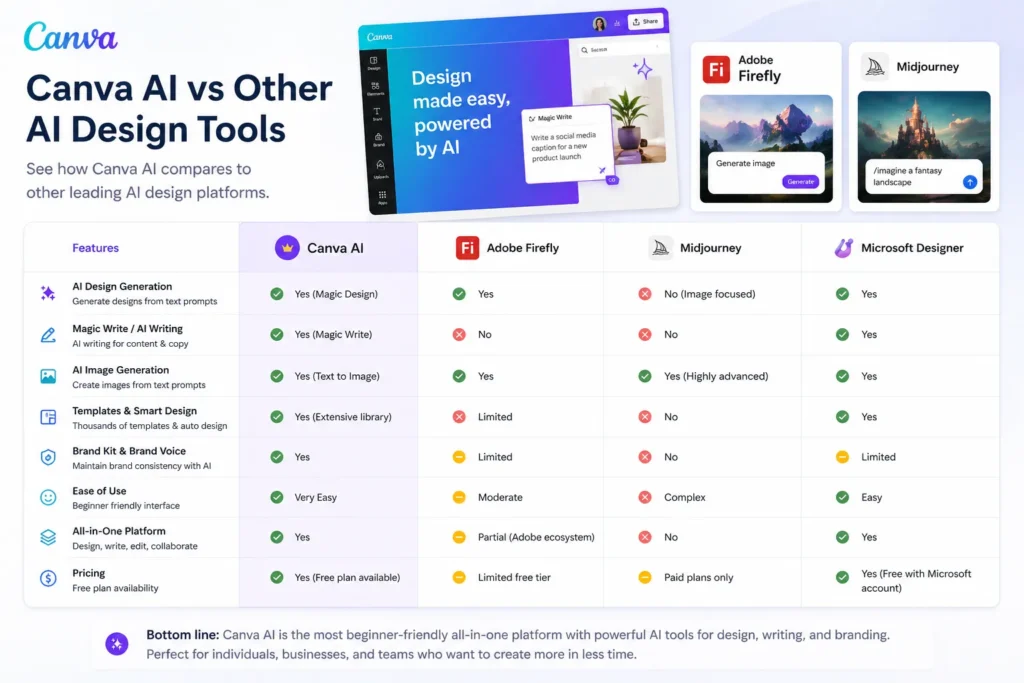
This Canva AI review compares Canva AI against the tools most commonly evaluated alongside it.
| Tool | Price | Key Strength | Best For |
|---|---|---|---|
| Canva AI Pro | $15/month | All-in-one design + AI, 150M ecosystem, Grow Insights | Non-designers, marketers, social media |
| Adobe Firefly | $9.99/month | Commercial safety, Photoshop integration, IP indemnification | Agencies, creative professionals |
| Midjourney | $10/month | Best artistic image quality and aesthetic sophistication | Artists, concept designers |
| Leonardo AI | Free/$12/month | Character consistency, fine-tuning, best free tier | Game devs, digital artists |
Love What These AI Design Tools Can Do?
Great AI-generated visuals still need a cohesive brand identity holding them together. Let Tasknestly build your full branding — logo, guidelines, and visual system.
Explore Branding Services →8. What Real Users Say About Canva AI
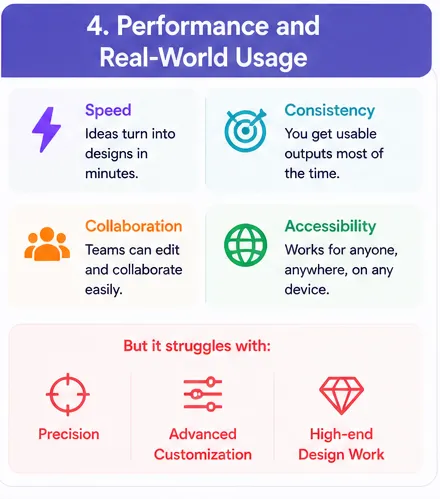
Verified user feedback in Canva AI review research across G2 and Trustpilot is overwhelmingly positive for Canva’s core user base of marketers, small business owners, and non-designers. The most consistent theme is time savings — users describe the Magic Studio AI features as cutting design and content creation time by 40 to 60 percent for standard social media and marketing material production. Dream Lab in particular draws strong positive feedback since the Leonardo Phoenix integration, with users noting the quality improvement over earlier Canva AI image generation.
Grow Insights generates some of the most enthusiastic Canva AI review feedback from social media managers. The ability to connect your actual social accounts, see which content is performing, and generate new variants informed by that performance data is described repeatedly as the feature that elevated Canva from a design tool to a real strategic content platform. Multiple reviewers in our Canva AI review research described it as the feature that justified upgrading to Pro on its own.
The most common criticism in Canva AI review feedback from professional designers relates to the ceiling on creative control. Professionals who need precise typographic control, complex layout management, or pixel-perfect design consistency find Canva AI’s template-informed approach limiting compared to professional tools. This is consistent with what this Canva AI review found in testing — the platform is exceptional for its target audience and genuinely not designed for professional design workflows.
Love What These AI Design Tools Can Do?
Great AI-generated visuals still need a cohesive brand identity holding them together. Let Tasknestly build your full branding — logo, guidelines, and visual system.
Explore Branding Services →9. Our Canva AI Review Rating Breakdown
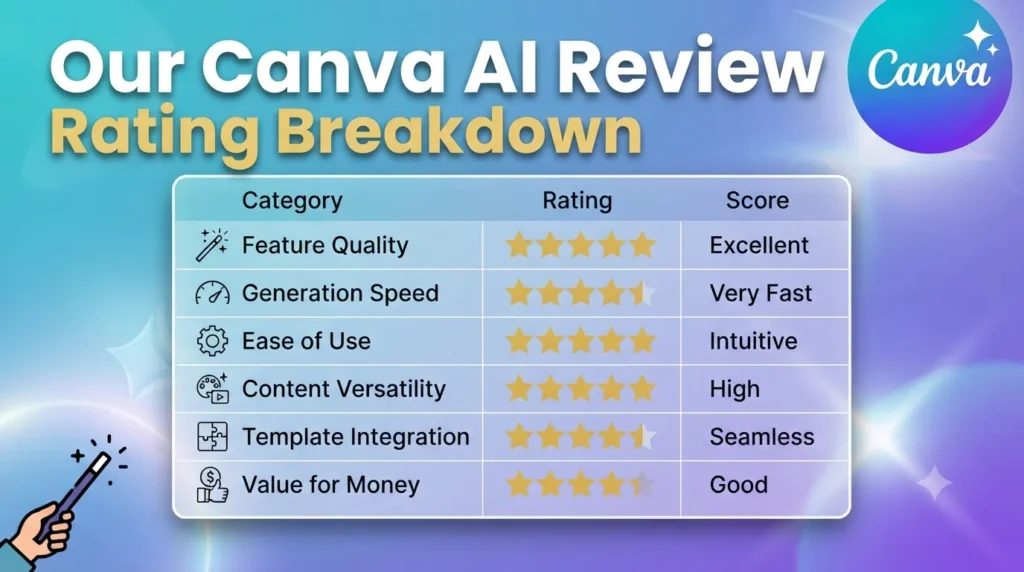
| Category | Score | Notes |
|---|---|---|
| Dream Lab Quality | 4.5 / 5 | Leonardo Phoenix integration significantly upgraded Canva AI image output |
| Magic Studio Breadth | 4.9 / 5 | Most comprehensive AI feature set in any design platform at this price |
| Workflow Integration | 5.0 / 5 | AI embedded in the platform 150M users already use — zero adoption friction |
| Grow Insights | 4.4 / 5 | Performance-informed content generation — genuinely strategic differentiator |
| Commercial IP Safety | 3.5 / 5 | Indemnification only at Enterprise — less safe than Firefly for agency use |
| Pricing Value | 4.8 / 5 | $15/month for full Magic Studio is exceptional value for the feature breadth |
| Professional Design Depth | 3.2 / 5 | Not a professional design tool — excellent for its audience, limited beyond it |
| Magic Edit Reliability | 4.0 / 5 | Strong on standard edits; variable on complex compositions |
| Overall Canva AI Review | 4.5 / 5 | The best AI-powered design platform for non-designers and marketers in 2026 |
Love What These AI Design Tools Can Do?
Great AI-generated visuals still need a cohesive brand identity holding them together. Let Tasknestly build your full branding — logo, guidelines, and visual system.
Explore Branding Services →10. Final Canva AI Review Verdict
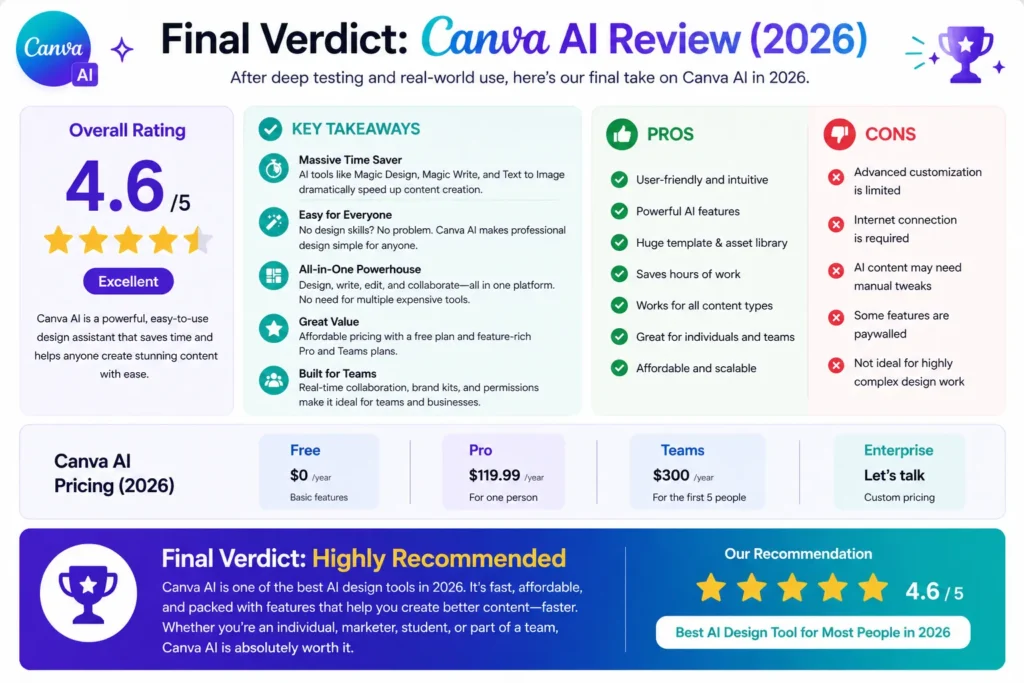
Here is the honest bottom line of this Canva AI review: Canva Pro at $15 per month with Magic Studio AI is one of the strongest value propositions in AI creative tools in 2026 for its target audience. Dream Lab image quality is now genuinely competitive, Magic Edit and Expand handle practical editing needs reliably, Grow Insights adds real strategic value for consistent content creators, and Magic Write covers basic copywriting — all within the platform that 150 million users already use daily.
The commercial safety caveat is real for agency work. The professional design ceiling is real for experienced designers. This Canva AI review is honest about both. But for the non-designer, the marketer, the small business owner, and the social media manager — the Canva AI review verdict is clear: upgrade to Pro, activate Magic Studio immediately, and start with Dream Lab and Grow Insights first.
| ✅ Get It If You…Already use Canva regularly for design and contentCreate social media content or marketing materials regularlyWant AI image generation within your existing design workflowAre a non-designer needing professional-looking content fastValue the breadth of features in one $15/month subscription | ⚠️ Skip It If You…Deliver commercial content requiring IP indemnificationAre a professional designer needing precision toolsNeed high-volume image generation beyond 500/monthWant the best pure artistic image quality — try MidjourneyNeed enterprise security and governance controls |
11. Canva AI Review: FAQ
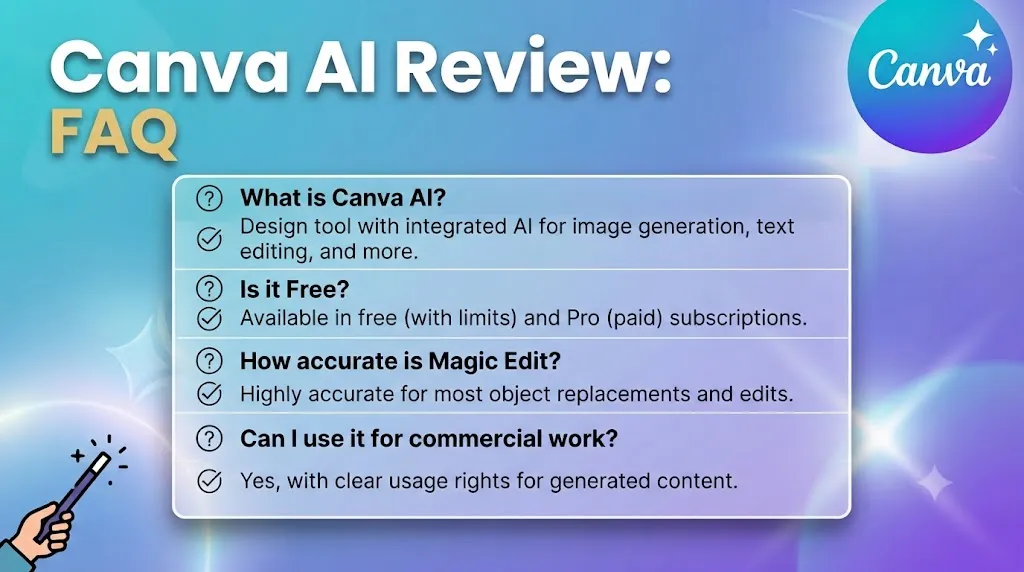
Is Canva AI worth it in 2026?
For regular Canva users and non-designers, yes — this Canva AI review rates it 4.5/5. The Magic Studio features bundled into Canva Pro at $15 per month provide exceptional value for the breadth of AI-powered creative capabilities included. The Dream Lab quality improvement from the Leonardo Phoenix integration makes this Canva AI review significantly more positive than any review written before the acquisition.
What is Dream Lab in Canva AI?
Dream Lab is Canva’s AI image generation feature, now powered by Leonardo AI’s Phoenix model following Canva’s 2025 acquisition. It generates photorealistic images from text prompts directly within the Canva editor. Pro users get 500 generations per month. As this Canva AI review notes, the quality improvement from the Phoenix model integration is substantial — meaningfully better than the Canva AI image generation available 12 months ago.
Is Canva AI safe to use commercially?
Canva Pro provides commercial usage rights for designs created with Canva AI features. However, IP indemnification — a formal guarantee against third-party IP claims — is only available on the Enterprise plan. For risk-averse commercial clients, this Canva AI review recommends evaluating Adobe Firefly’s stronger indemnification policy. For most small business and marketing team use, the commercial rights included in Pro are sufficient.
How does Canva AI compare to Adobe Firefly?
Canva AI Pro leads on feature breadth, workflow integration, Grow Insights, and price per feature. Adobe Firefly leads on commercial safety — licensed training data, IP indemnification, and Photoshop integration for professional workflows. This Canva AI review recommends Canva AI for non-designers, marketers, and small business owners, and Adobe Firefly for creative professionals and agencies where IP compliance is a client requirement.
What is Grow Insights in Canva AI?
Grow Insights is Canva AI’s performance analytics and content generation feature. Connect your social media accounts and Canva AI analyzes your historical post performance to identify what content generates the most engagement, then generates new content variants informed by that performance data. As this Canva AI review highlights, it is the feature that elevates Canva from a design tool to a real strategic content platform for social media managers.
Love What These AI Design Tools Can Do?
Great AI-generated visuals still need a cohesive brand identity holding them together. Let Tasknestly build your full branding — logo, guidelines, and visual system.
Explore Branding Services →