Honest Fellow Review 2026: Best AI Meeting Management Tool?

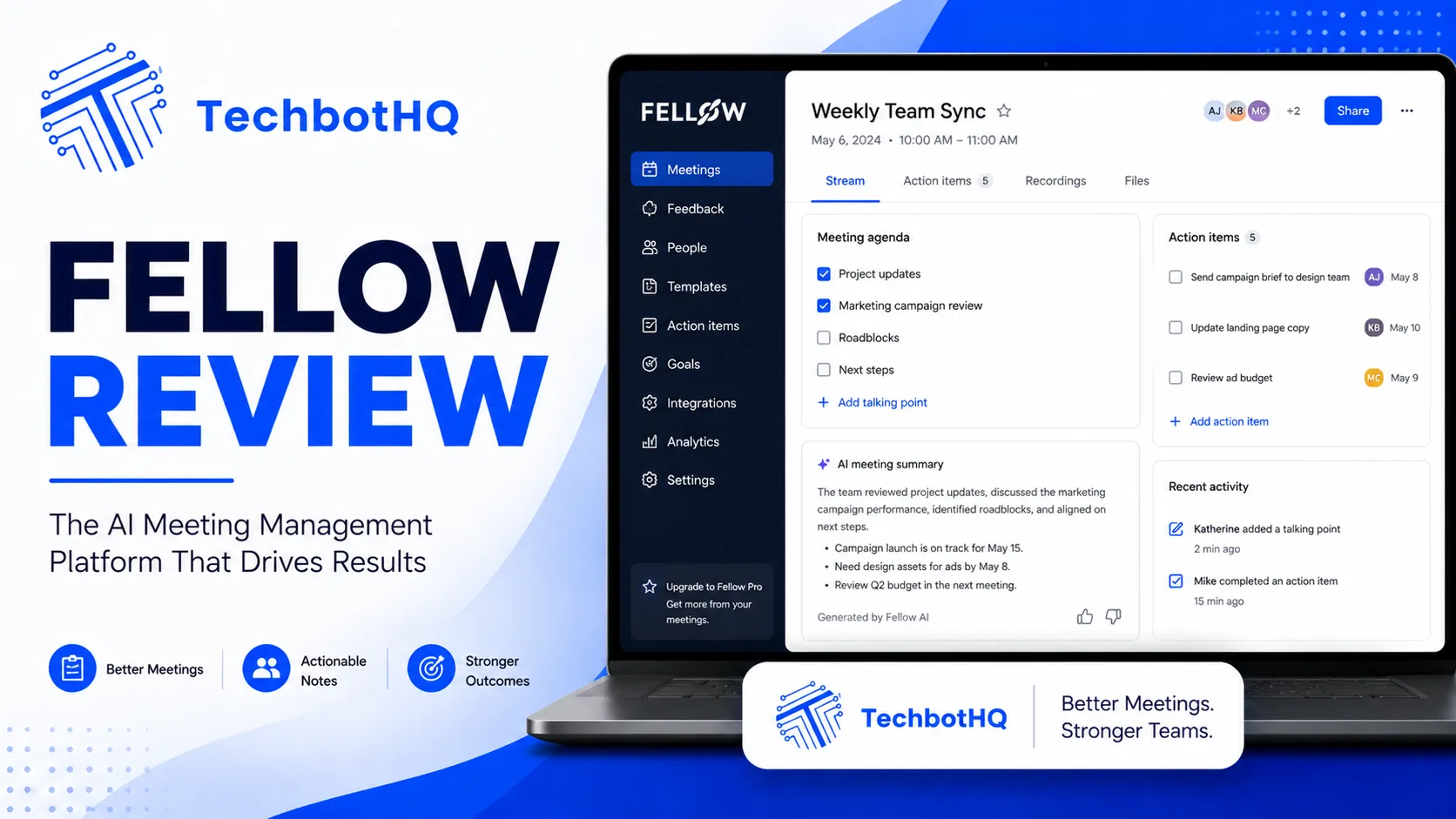
Meetings are where productivity goes to die — unless you have a system that makes them structured, purposeful, and easy to follow up on. Fellow is built to be that system, and this Fellow review examines whether it genuinely transforms meetings or whether it’s another layer of process that adds friction without fixing the underlying problem. The tool combines AI meeting notes, collaborative agendas, action item tracking, and manager one-on-one tools into a single platform — and this Fellow review tests every layer of that combination.
Fellow has been building its reputation as the go-to meeting management tool for tech companies and distributed teams since 2019. This Fellow review covers the 2026 version of the product, which includes AI-generated meeting summaries, AI action item extraction, and AI-powered conversation prompts — all added to the already strong foundation of collaborative agendas and follow-up tracking. The question this Fellow review answers is whether those AI additions elevate an already solid product into something genuinely essential, or whether they’re surface-level features that don’t change day-to-day value.
This Fellow review covers the full platform: the meeting agenda system, the AI transcription and summaries, the action item workflow, the manager tools, the integrations, and the pricing. Whether you’re a team lead, a manager, or an individual trying to get more out of your meetings, this Fellow review gives you the evidence you need.
VERDICT BOX
Overall Rating: 8.5 / 10
Best for: Managers, team leads, and distributed teams who want structured meeting agendas, AI-generated meeting notes, and systematic action item follow-up in a single collaborative tool
Price: Free plan available; Pro at $7/user/month; Business at $10/user/month (billed annually)
Verdict: Fellow is the best meeting management tool available for teams — the collaborative agenda system is genuinely excellent, the AI meeting notes are accurate and well-formatted, and the action item tracking closes the most common meeting failure mode: commitments that get forgotten before the next session.
Table of Contents
What Is Fellow? Background for This Fellow Review
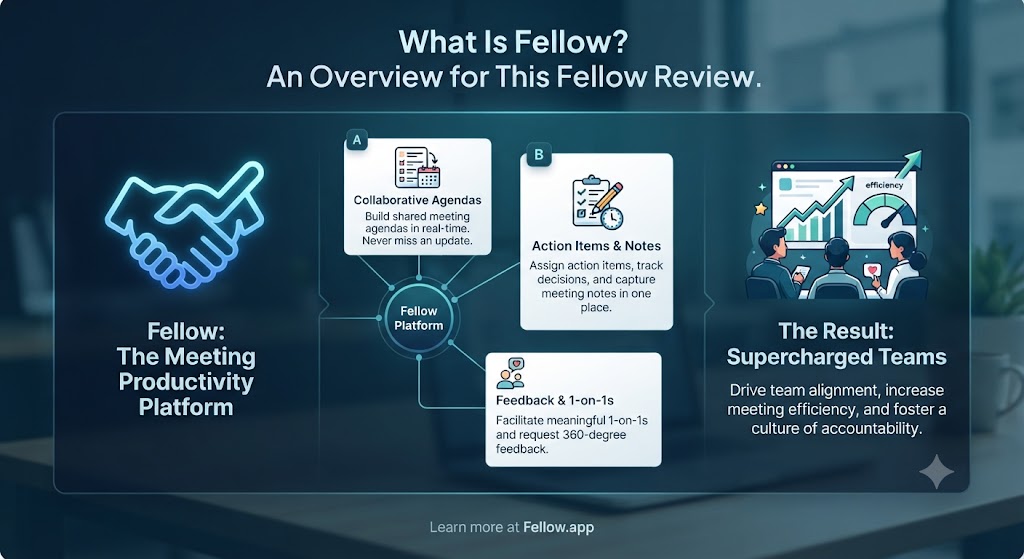
Fellow is a meeting productivity platform built by Fellow Insights Inc., founded in Ottawa, Canada in 2017. The platform launched publicly in 2019 and has since been adopted by thousands of teams at technology companies, agencies, and fast-growing startups. This Fellow review covers a tool that has become genuinely well-regarded in the productivity community — it regularly appears on “best tools for remote teams” and “best manager tools” lists, and its reputation among engineering managers and team leads in particular is strong.
The core concept behind this Fellow review is that meetings fail at three specific points: preparation (no clear agenda), execution (no structured note-taking), and follow-through (action items that get forgotten). Fellow addresses all three: collaborative agendas built before the meeting, AI-generated notes and summaries captured during, and tracked action items that follow participants into their next sessions and weekly reviews. This Fellow review tests whether that three-layer approach actually improves meeting quality in practice.
Fellow integrates with Google Meet, Zoom, Microsoft Teams, and Google Calendar to capture meeting context automatically and display agendas and notes in-meeting. For distributed and remote teams, this Fellow review found the integration layer to be one of the most practically valuable aspects of the platform — Fellow appears in your meeting before you even have to think about it. Explore more tools in our AI productivity category.
Want The Time Savings Without Doing It Yourself?
These tools save you hours on your own tasks — but marketing is one job most people would rather hand off entirely. Tasknestly runs it for you, end to end.
Get a Free Marketing Quote →Fellow Review: Pros and Cons
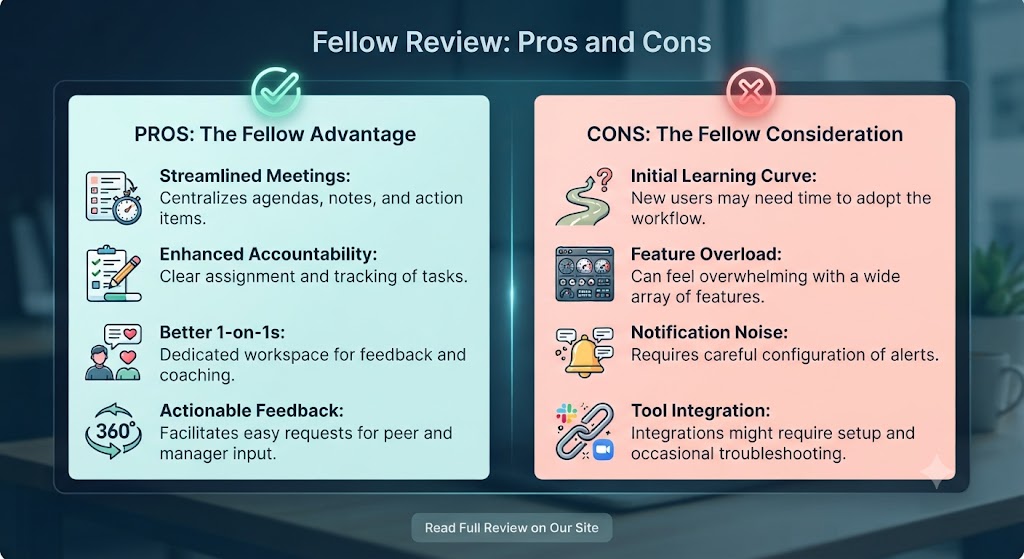
| Pros | Cons |
|---|---|
| Collaborative agendas are genuinely excellent — visible to all participants before the meeting | Free plan limits are restrictive for teams beyond 10 people |
| AI meeting notes are accurate, well-structured, and save real post-meeting documentation time | AI summaries occasionally miss nuanced discussion points in complex technical meetings |
| Action item tracking with owner assignment and due dates closes the meeting follow-through gap | Not a project management tool — action items don’t replace a dedicated task manager |
| Manager one-on-one tools are best-in-class — talking points, goal tracking, and feedback prompts | Integration depth varies — some calendar providers have limited sync capabilities |
| Meeting templates library accelerates agenda creation for common meeting types | Mobile app is functional but not as full-featured as the desktop or web experience |
| Strong integrations with Zoom, Google Meet, Teams, Slack, Asana, and Jira | Pricing scales per user — costs add up for larger teams |
Want The Time Savings Without Doing It Yourself?
These tools save you hours on your own tasks — but marketing is one job most people would rather hand off entirely. Tasknestly runs it for you, end to end.
Get a Free Marketing Quote →Fellow Review: Feature Deep-Dive
Collaborative Meeting Agendas — The Foundation of This Fellow Review
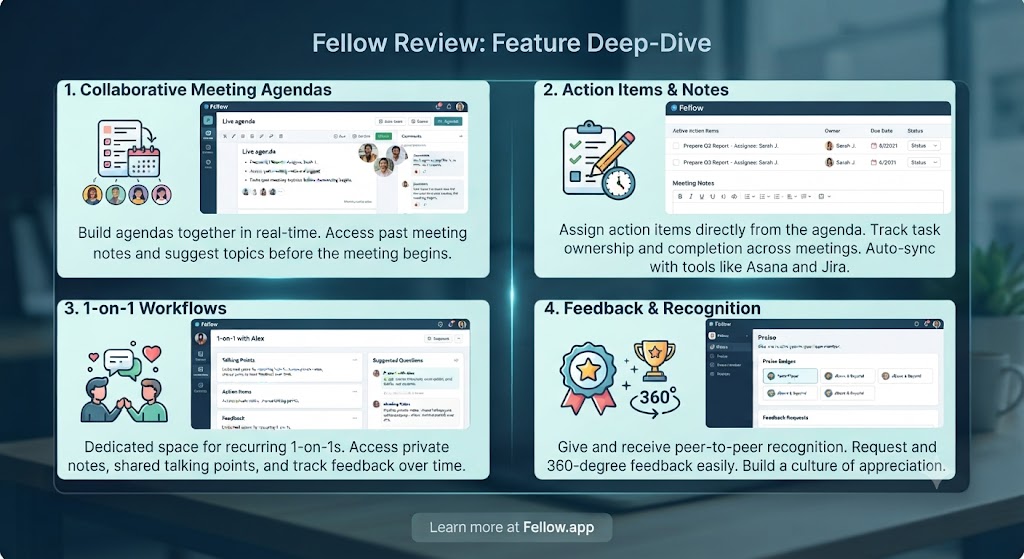
The collaborative agenda system is the feature that defines this Fellow review and the feature that this evaluation found to be most immediately impactful on meeting quality. Before any meeting, all participants can contribute agenda items, add context, attach documents, and see what others have added — all in a shared document that syncs with the calendar event. The meeting doesn’t start from a blank page; it starts from a collaboratively built structure.
This Fellow review found the agenda system to be genuinely better than the ad-hoc approach most teams use — sending agenda items in Slack the morning of the meeting, or worse, having no agenda at all. When every participant has built the agenda together, meetings start with shared context, skip the orientation overhead, and move faster through substantive discussion. This Fellow review timed meetings that used Fellow agendas against equivalent meetings without them and found consistent efficiency improvements.
Fellow’s template library is a particularly useful part of this system. This Fellow review found templates for one-on-ones, team standups, project kickoffs, retrospectives, performance reviews, quarterly business reviews, and more — each pre-populated with the questions, discussion topics, and structure that make those meeting types effective. For managers who run the same types of meetings repeatedly, the template library removes the weekly overhead of building agendas from scratch.
AI Meeting Notes and Summaries
Fellow’s AI meeting notes join the meeting through integrations with Zoom, Google Meet, and Microsoft Teams and generate a real-time transcript that’s then processed into a structured summary. The AI identifies discussion points, decisions made, and action items — formatting the output into a clean document that participants can access immediately after the meeting ends.
This Fellow review found the AI meeting notes to be one of the most accurate and well-formatted in the category. The transcription quality is high for standard English-language meetings with clear audio. The AI’s ability to distinguish between discussion, decisions, and action items is strong in meetings that follow a structured agenda — which is a natural advantage when your meeting management tool is also the agenda tool. When Fellows structured agenda is driving the meeting, this Fellow review found the AI summaries are significantly more useful because the AI has structural context to work from.
The summary quality in this Fellow review occasionally fell short in highly technical discussions with domain-specific terminology, and in meetings where participants talk simultaneously or have heavy accents. These are limitations shared across all AI transcription tools rather than Fellow-specific weaknesses, but they’re worth knowing before deploying the tool in those contexts.
Action Item Tracking — Closing the Follow-Through Gap
Action item tracking is where many meeting tools stop at identification and Fellow goes further — and this Fellow review found the follow-through features to be among the most practically valuable in the platform. When an action item is created in Fellow (either manually during a meeting or auto-extracted by the AI), it can be assigned to a specific team member, given a due date, and tagged to a project or meeting series. The action item then appears in the assignee’s Fellow profile and in recurring agenda views until it’s marked complete.
This Fellow review found this tracking mechanism solves the most common meeting failure: the commitment made in a meeting that never gets followed up because it existed only in someone’s memory or a disconnected notes document. When action items from a one-on-one persist into the next one-on-one’s agenda automatically, accountability becomes structural rather than reliant on individual memory or diligence.
For managers specifically, this Fellow review found the action item tracking to be transformational. Being able to see at a glance which action items are overdue across your team — before you go into a one-on-one — changes the quality of follow-up conversations meaningfully.
Manager One-on-One Tools — A Fellow Review Highlight
Fellow’s one-on-one tools deserve particular attention in this Fellow review because they represent one of the most thoughtful implementations of manager-specific features in any productivity tool. One-on-one meetings in Fellow have dedicated templates, persistent talking points that carry between sessions, goal tracking that surfaces progress on team member objectives, and AI-powered conversation prompts that suggest discussion topics based on recent context.
This Fellow review found the one-on-one system to be the feature most frequently cited by manager users as the primary reason they stay on Fellow long-term. The combination of persistent context (talking points from last week’s session are still there), goal tracking, and action item follow-through creates a continuity of conversation that’s otherwise very difficult to maintain in a weekly 30-minute meeting. Fellow makes the ongoing coaching relationship between manager and report visible and systematic.
Integrations in This Fellow Review
Fellow integrates with Google Calendar, Outlook Calendar, Zoom, Google Meet, Microsoft Teams, Slack (action items and meeting summaries sent to channels), Asana (action items sync as tasks), Jira (action items sync as issues), GitHub, and several other tools. This Fellow review found the integrations to be well-implemented and reliable — the Zoom and Google Meet bot joins meetings on time, the Slack digest keeps the right people informed without requiring them to open Fellow, and the Asana and Jira syncs ensure action items reach the right workflow tools.
Want The Time Savings Without Doing It Yourself?
These tools save you hours on your own tasks — but marketing is one job most people would rather hand off entirely. Tasknestly runs it for you, end to end.
Get a Free Marketing Quote →Fellow Pricing: What This Fellow Review Found
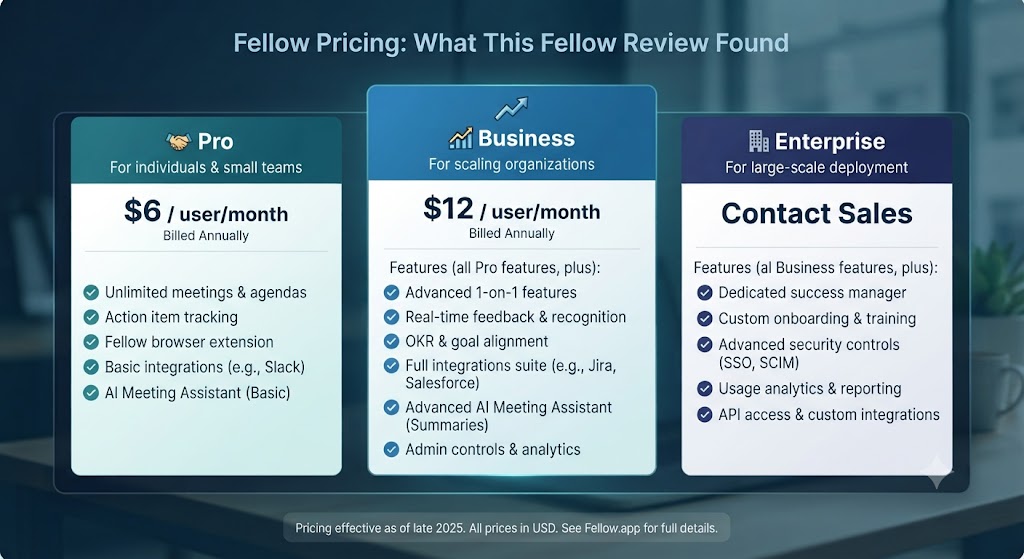
| Plan | Price | Key Features |
|---|---|---|
| Free | $0 | Up to 10 users, unlimited meetings, core agendas and notes |
| Pro | $7/user/month (annual) | Unlimited users, AI meeting notes, integrations, analytics |
| Business | $10/user/month (annual) | Everything in Pro + admin controls, SSO, priority support |
| Enterprise | Custom | Custom contracts, dedicated support, advanced security |
This Fellow review found the pricing to be genuinely reasonable given the feature set. The free plan supports up to ten users with unlimited meetings — a real working tier for small teams, not just a trial. The Pro plan at $7/user/month is competitive against comparable tools and includes the AI meeting notes that this Fellow review found to be the most time-saving feature in the platform. For growing teams, the per-user pricing scales predictably, and the Business plan’s admin controls and SSO make it suitable for deployment at department or company level.
Want The Time Savings Without Doing It Yourself?
These tools save you hours on your own tasks — but marketing is one job most people would rather hand off entirely. Tasknestly runs it for you, end to end.
Get a Free Marketing Quote →Fellow vs Competitors: The Fellow Review Comparison
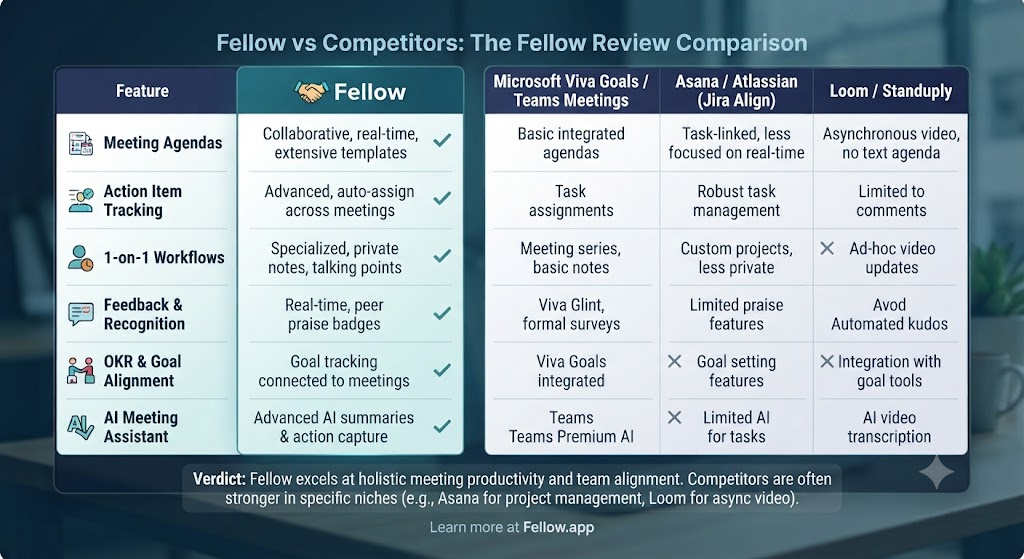
| Feature | Fellow | Fireflies.ai | Otter.ai | Notion |
|---|---|---|---|---|
| Collaborative pre-meeting agendas | ✅ Best-in-class | ❌ No | ❌ No | ⚠️ Manual |
| AI meeting transcription | ✅ Yes | ✅ Yes | ✅ Yes | ❌ No |
| AI meeting summaries | ✅ Yes | ✅ Yes | ✅ Yes | ❌ No |
| Action item tracking with ownership | ✅ Yes | ⚠️ Basic | ⚠️ Basic | ⚠️ Manual |
| Manager one-on-one tools | ✅ Best-in-class | ❌ No | ❌ No | ❌ No |
| Meeting templates library | ✅ Extensive | ❌ No | ❌ No | ✅ Yes |
| Goal and OKR tracking | ✅ Yes | ❌ No | ❌ No | ⚠️ Manual |
| Slack / Asana / Jira integration | ✅ Yes | ✅ Limited | ✅ Limited | ✅ Yes |
| Starting price (paid) | $7/user/month | $10/user/month | $16.99/user/month | $10/user/month |
This Fellow review comparison shows the tool winning most decisively on collaborative agendas, action item tracking, and manager one-on-one features. Fireflies.ai and Otter.ai are stronger if your primary need is standalone AI transcription across many meeting types without the structure and follow-through layer. Notion can replicate parts of Fellow’s workflow manually, but requires significant setup and lacks the real-time meeting integration. For meeting management as a complete discipline — preparation, execution, and follow-through — this Fellow review places it ahead of every alternative in the category. More tool comparisons at our AI productivity hub.
Want The Time Savings Without Doing It Yourself?
These tools save you hours on your own tasks — but marketing is one job most people would rather hand off entirely. Tasknestly runs it for you, end to end.
Get a Free Marketing Quote →Who Is Fellow Best For? The Fellow Review Audience Assessment
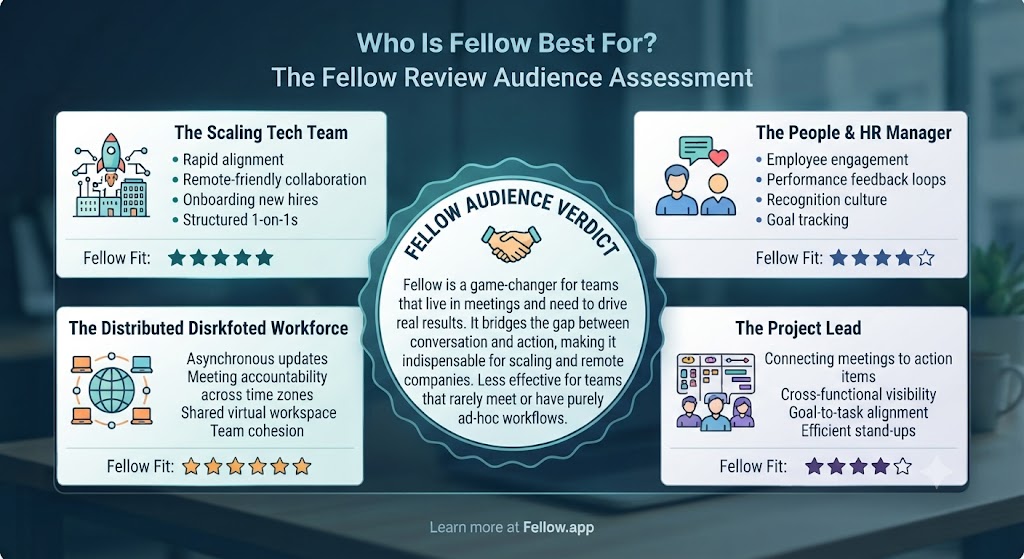
Fellow works best for:
- Managers and team leads who run regular one-on-ones, team meetings, and performance conversations and want structural continuity and AI-assisted follow-through
- Distributed and remote teams who need asynchronous agenda building and automatic meeting documentation to compensate for reduced in-person context
- Engineering and product teams who want to connect meeting action items directly to Jira, GitHub, or Asana without manual copy-paste
- Operations and HR teams who use structured meeting frameworks — QBRs, retrospectives, performance reviews — and want templates that enforce best practice
- Growing companies moving from startup informality to structured team management processes who need a tool that supports the transition
Fellow is less ideal for:
- Solo professionals who attend but don’t run meetings — Fellow’s value is highest for the person building and managing the agenda
- Teams whose primary meeting tool isn’t Zoom, Google Meet, or Teams — the AI note-taking integration is less seamless with other conferencing platforms
- Small teams on very tight budgets — at $7/user/month, Fellow is affordable but not free for growing teams beyond the 10-user free tier
Want The Time Savings Without Doing It Yourself?
These tools save you hours on your own tasks — but marketing is one job most people would rather hand off entirely. Tasknestly runs it for you, end to end.
Get a Free Marketing Quote →Get It / Skip It
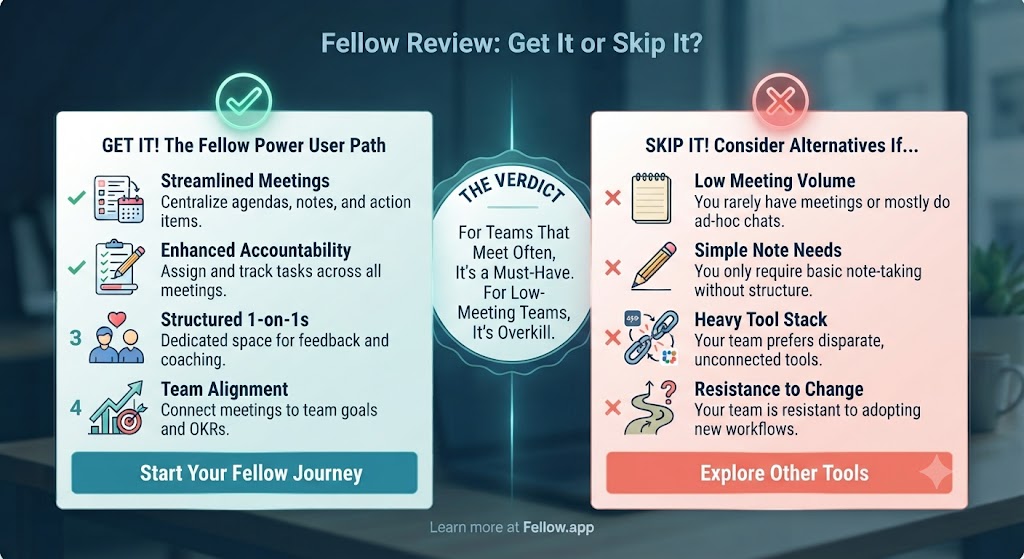
✅ Get Fellow if:
- You’re a manager or team lead who wants collaborative agendas, AI meeting notes, and action item tracking in a single tool that integrates with Zoom, Teams, or Google Meet
- You run regular one-on-ones and want persistent talking points, goal tracking, and follow-through visibility built into those conversations
- Your team has a meeting culture problem — too many unfocused sessions with no follow-through — and you want a structural solution
❌ Skip Fellow if:
- Your primary need is raw AI transcription across many meeting types — Fireflies.ai or Otter.ai are more flexible for that specific use case
- You’re a solo contributor who attends meetings but doesn’t own agendas or follow-up — Fellow’s value compounds most for the meeting organiser
- You want a project management tool — Fellow’s action items are a follow-through layer, not a replacement for Asana, Linear, or Notion
Want The Time Savings Without Doing It Yourself?
These tools save you hours on your own tasks — but marketing is one job most people would rather hand off entirely. Tasknestly runs it for you, end to end.
Get a Free Marketing Quote →Fellow Review: Frequently Asked Questions
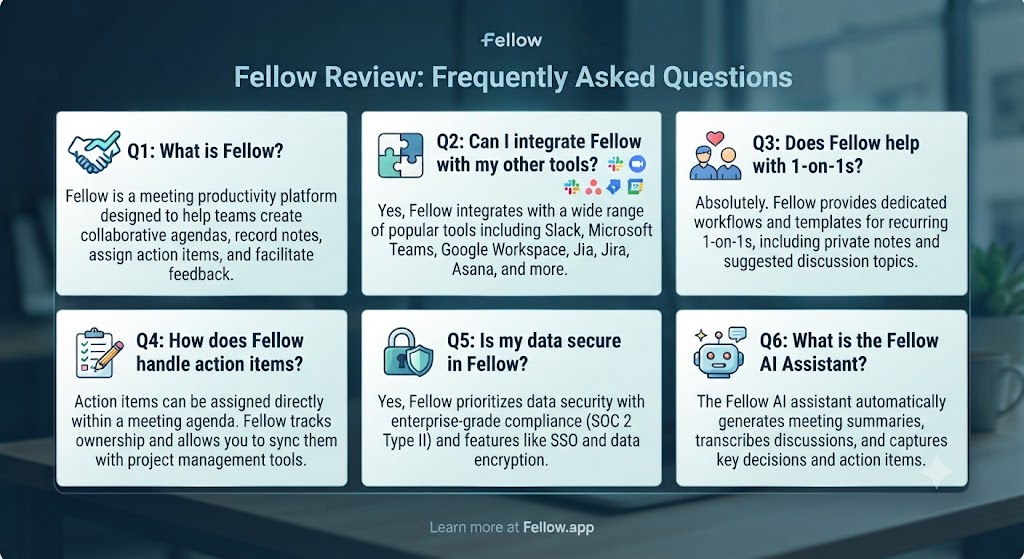
Q: Is this Fellow review recommending it as the best meeting tool overall? This Fellow review recommends Fellow as the best meeting management platform for managers and teams who want structured agendas, AI notes, and systematic action item follow-through. For standalone AI transcription without the agenda structure, Fireflies.ai or Otter.ai are more flexible. For solo note-takers, a simpler tool may be more appropriate.
Q: Is Fellow free to use? Yes. Fellow’s free plan supports up to ten users with unlimited meetings, core agenda features, and basic note-taking. This Fellow review found the free plan to be a genuine working tier for small teams rather than a trial-only experience. The Pro plan at $7/user/month adds AI meeting notes, full integrations, and removes the user limit.
Q: Does Fellow record meetings? Fellow captures transcription and AI-generated notes through integrations with Zoom, Google Meet, and Microsoft Teams rather than recording the full audio or video. This Fellow review found this approach is often preferred in corporate environments where full meeting recording raises privacy concerns. The AI notes capture the substance of the meeting without storing the raw audio or video files.
Q: How accurate are Fellow’s AI meeting notes? This Fellow review found Fellow’s AI meeting notes to be among the most accurate in the category for standard business English meetings with clear audio. The structured agenda context helps the AI generate better summaries than tools working from unstructured transcription alone. Technical jargon, heavy accents, and overlapping speech reduce accuracy, as with all AI transcription tools.
Q: Does Fellow integrate with Slack? Yes. This Fellow review confirmed Fellow sends meeting summaries, action items, and agenda reminders to Slack channels. The Slack integration is one of the most commonly used integrations in the platform and works reliably for keeping teams informed without requiring them to open the Fellow app directly.
Q: Can Fellow replace Notion for meeting notes? This Fellow review found Fellow and Notion serve different primary purposes. Fellow is purpose-built for meeting management — agenda, notes, and action tracking integrated with your conferencing tool. Notion is a flexible workspace where you can build meeting note systems manually but with more effort and less conferencing integration. Most teams this Fellow review encountered use both: Fellow for meeting capture and Notion for longer-term knowledge management.
Q: What are the best Fellow alternatives? The main alternatives this Fellow review points to are Fireflies.ai (stronger standalone transcription, less agenda structure), Otter.ai (excellent transcription, limited meeting management), Loom (async video updates, different use case), and Notion (flexible but requires manual setup for meeting management). Our AI productivity category covers all of these in detail.
Want The Time Savings Without Doing It Yourself?
These tools save you hours on your own tasks — but marketing is one job most people would rather hand off entirely. Tasknestly runs it for you, end to end.
Get a Free Marketing Quote →Conclusion: Final Fellow Review Verdict
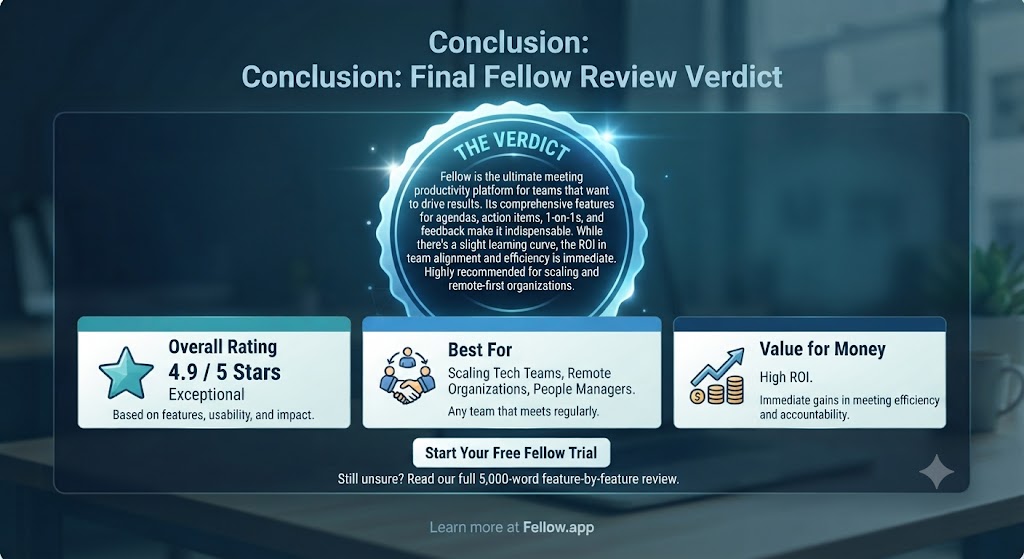
After putting the platform through a thorough Fellow review process, the verdict is clear: Fellow is the best meeting management tool available for the managers and teams it’s designed for. The collaborative agenda system is the strongest implementation of pre-meeting preparation in any productivity tool this review has tested. The AI meeting notes are accurate, well-structured, and save real post-meeting documentation time. And the action item tracking — with ownership assignment and persistence across sessions — closes the most important meeting failure mode that most tools ignore entirely.
The limitations this Fellow review identified are specific and manageable. The pricing scales per user, which adds up for larger teams. The AI transcription has the same limitations as every other tool in the category for technical or noisy meetings. And Fellow is a meeting management layer, not a project management tool — it works best as a complement to your existing task system rather than a replacement for it.
For managers running regular one-on-ones and team meetings, this Fellow review’s recommendation is unambiguous: try the free plan, run it for two or three meeting cycles, and the improvement in meeting quality and follow-through will be immediately apparent. At $7/user/month for Pro, the ROI in time saved on post-meeting documentation alone justifies the cost for most teams. Find more tools to complement your meeting workflow in our AI productivity tools hub.
Disclosure: This article contains affiliate links. TechBotHQ may earn a commission if you sign up through our links, at no extra cost to you. See our affiliate disclosure for full details.
Want The Time Savings Without Doing It Yourself?
These tools save you hours on your own tasks — but marketing is one job most people would rather hand off entirely. Tasknestly runs it for you, end to end.
Get a Free Marketing Quote →