SaneBox Review 2026: Does This AI Email Filter Actually Work?

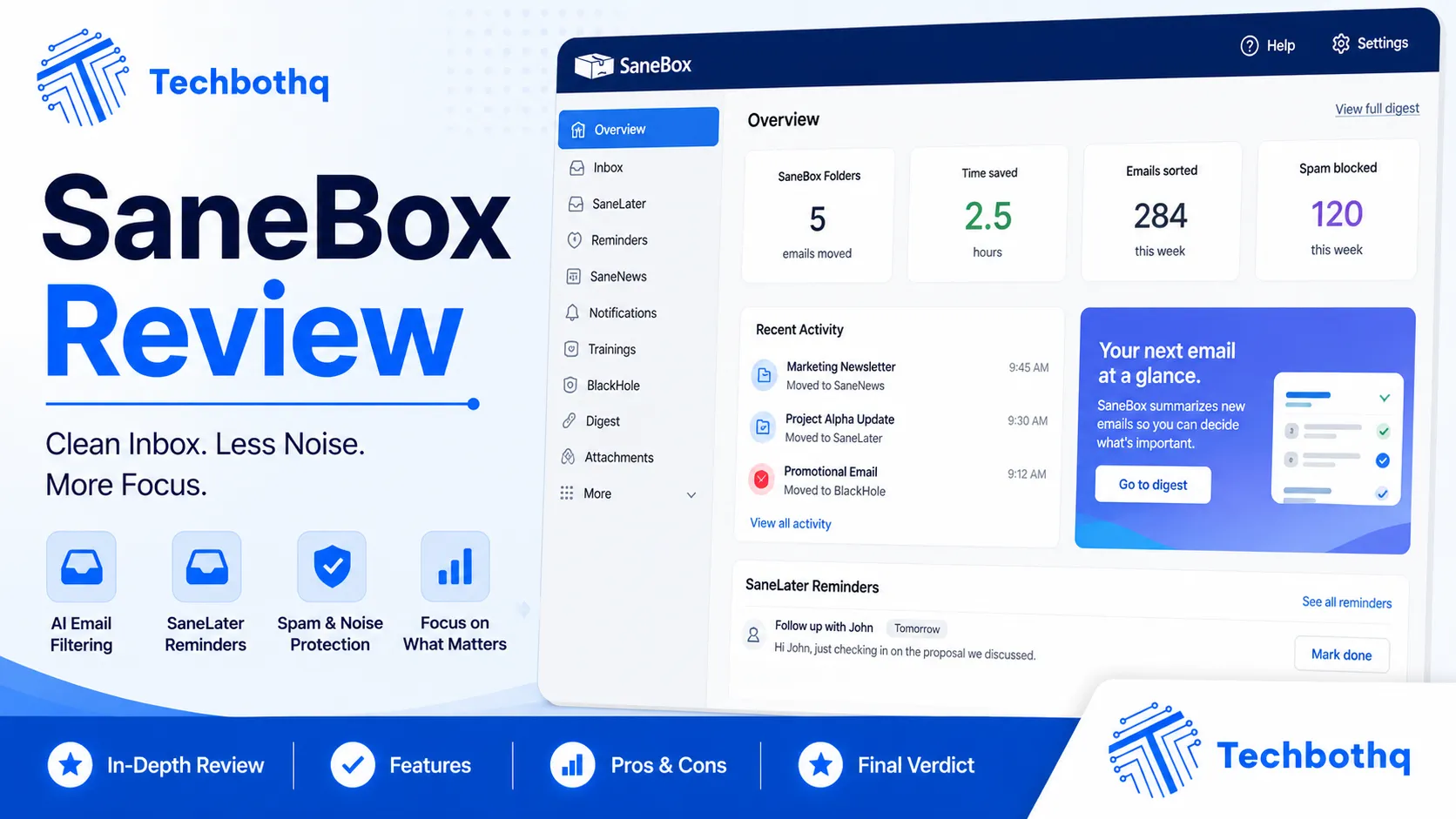
This SaneBox Review sets out to answer a specific, practical question: does an AI email filter that promises to automatically sort your inbox actually deliver, or does it just add another layer of complexity on top of an already messy inbox? SaneBox has been around longer than most AI email tools, built on a simple premise — learn what you consider important and quietly move everything else out of the way. This SaneBox Review tests that promise against a genuinely demanding real-world inbox.
For this SaneBox Review, I connected the tool to a genuinely busy inbox receiving 150-plus emails a day across newsletters, work correspondence, and automated notifications, and used it as my primary filtering layer for several full weeks. I looked specifically at filtering accuracy, how quickly the AI adapts to corrections, pricing across tiers, and how SaneBox compares to the native filtering tools already built into Gmail and Outlook.
The short version from this SaneBox Review: the filtering accuracy is genuinely impressive once the AI has a couple of weeks of your corrections to learn from, and the SaneBlackHole feature alone might be worth the subscription for anyone drowning in newsletters and marketing email. It’s not free, and the value depends heavily on how much clutter your inbox actually has to sort through on a daily basis.
| Overall Rating: 8/10/10Best For: Anyone with a high-volume, cluttered inbox who wants automated filtering without manual rulesPrice: From $16.99/month, no permanent free tier (14-day free trial) |
| Drowning in newsletters and low-priority email? SaneBox’s AI learns what matters to you and filters the rest automatically —Try SaneBox free for 14 days and see your inbox clear itself. |
Table of Contents
What Is SaneBox?
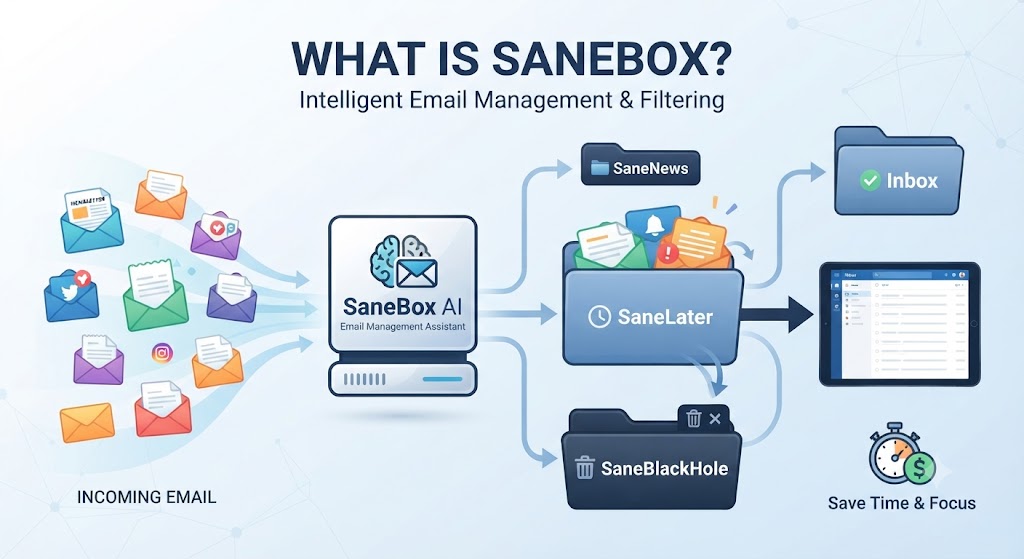
SaneBox is an AI-powered email filtering service that works on top of your existing email provider — Gmail, Outlook, Yahoo, or any IMAP account — automatically sorting incoming messages into folders based on learned importance rather than manual rules you have to configure and maintain yourself. That provider-agnostic approach is a foundational design decision this SaneBox Review kept coming back to, since it means switching email providers later doesn’t mean losing your filtering setup.
Unlike a spam filter, SaneBox isn’t looking for malicious content — this SaneBox Review found its actual job is separating genuinely important email from the low-priority noise that technically isn’t spam but still clutters an inbox: newsletters, promotional emails, and automated notifications you rarely act on immediately. This distinction matters throughout this SaneBox Review, since conflating spam filtering with priority filtering leads to unrealistic expectations.
Want The Time Savings Without Doing It Yourself?
These tools save you hours on your own tasks — but marketing is one job most people would rather hand off entirely. Tasknestly runs it for you, end to end.
Get a Free Marketing Quote →How SaneBox’s AI Filtering Works
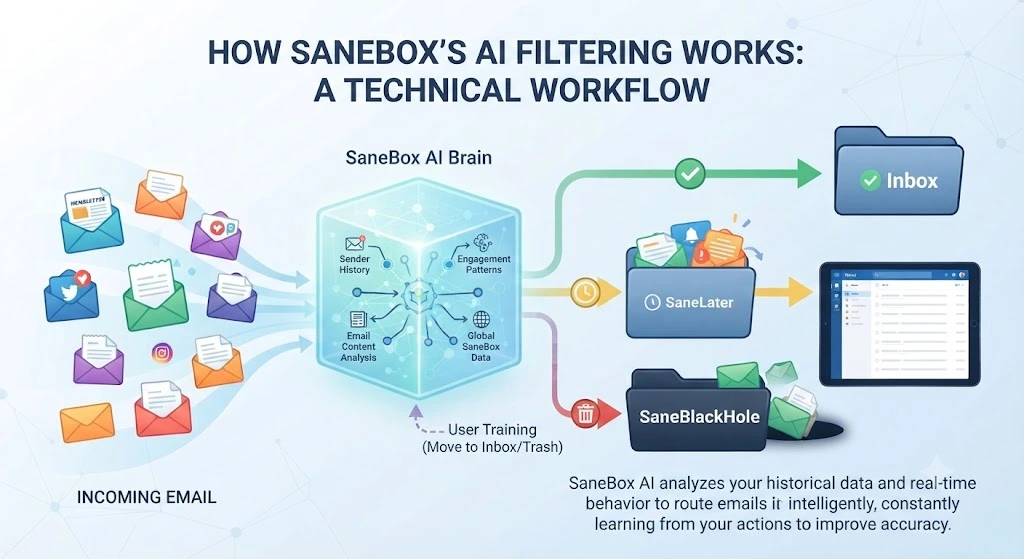
SaneBox’s core feature, SaneLater, moves lower-priority email into a separate folder automatically based on patterns it learns from your behavior — who you reply to, what you open immediately versus ignore, and explicit corrections you make by dragging an email back to your main inbox. This SaneBox Review found the learning mechanism intuitive enough that most users won’t need to read documentation to understand how to train it correctly, which lowers the barrier to entry considerably for less technical users evaluating the tool for the first time.
SaneBlackHole: Permanent Sender Blocking
This feature deserves its own dedicated section in this SaneBox Review, since it’s consistently cited as the reason many users first tried SaneBox in the first place, ahead of the core AI filtering itself.
This SaneBox Review found SaneBlackHole to be the single most distinctive feature — dragging an email into this folder permanently deletes all future email from that sender before it ever reaches your inbox, without unsubscribing or blocking through the sender’s own system. For persistent marketing email that ignores unsubscribe requests, this feature alone solves a genuine, recurring frustration that native email tools handle inconsistently at best. This SaneBox Review found it the single most-referenced feature across other reviews and user testimonials for good reason.
SaneReminders and Follow-Up Tracking
SaneBox can also snooze emails to resurface later and remind you if a sent email hasn’t received a reply within a set window. This SaneBox Review found the reminder feature useful for outreach-heavy workflows, functioning similarly to follow-up tools built into premium email clients but layered on top of any existing provider instead, meaning you don’t need to switch email clients entirely just to gain this specific capability.
Want The Time Savings Without Doing It Yourself?
These tools save you hours on your own tasks — but marketing is one job most people would rather hand off entirely. Tasknestly runs it for you, end to end.
Get a Free Marketing Quote →SaneBox Review: Pros and Cons
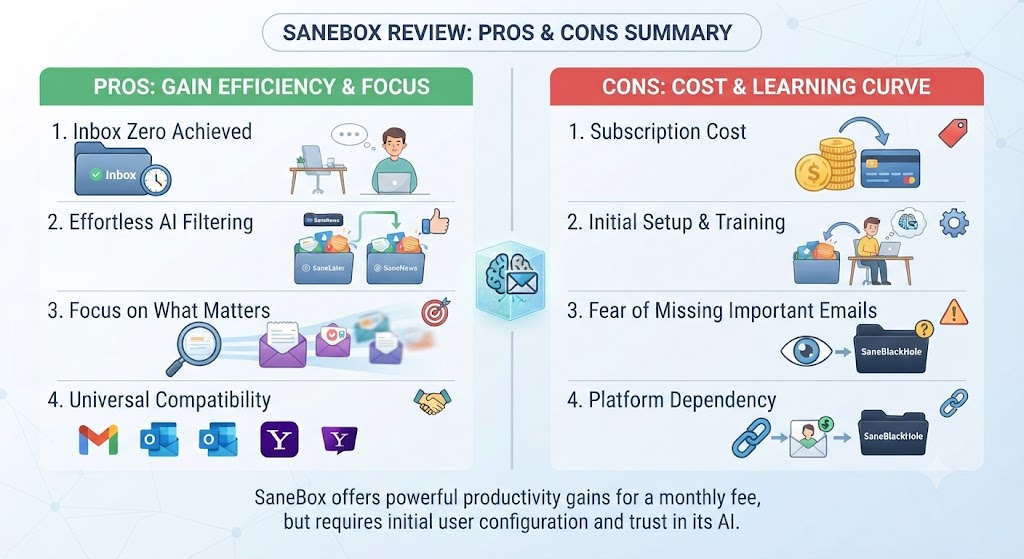
Weighing filtering accuracy, unique features, and price together, this SaneBox Review’s pros and cons breakdown summarizes exactly where the tool earns its subscription cost and where it falls short.
| Pros | Cons |
|---|---|
| Genuinely accurate AI filtering after a learning period | No permanent free tier, only a 14-day trial |
| Works with virtually any email provider | Filtering accuracy weaker in the first week before training |
| SaneBlackHole solves persistent spam/newsletter problems | Interface feels dated compared to newer AI email tools |
| Doesn’t require migrating to a new email client | Higher tiers needed for multiple email accounts |
| Detailed weekly digest of filtered email | Some setup required to fine-tune folder behavior |
Want The Time Savings Without Doing It Yourself?
These tools save you hours on your own tasks — but marketing is one job most people would rather hand off entirely. Tasknestly runs it for you, end to end.
Get a Free Marketing Quote →SaneBox Pricing Breakdown
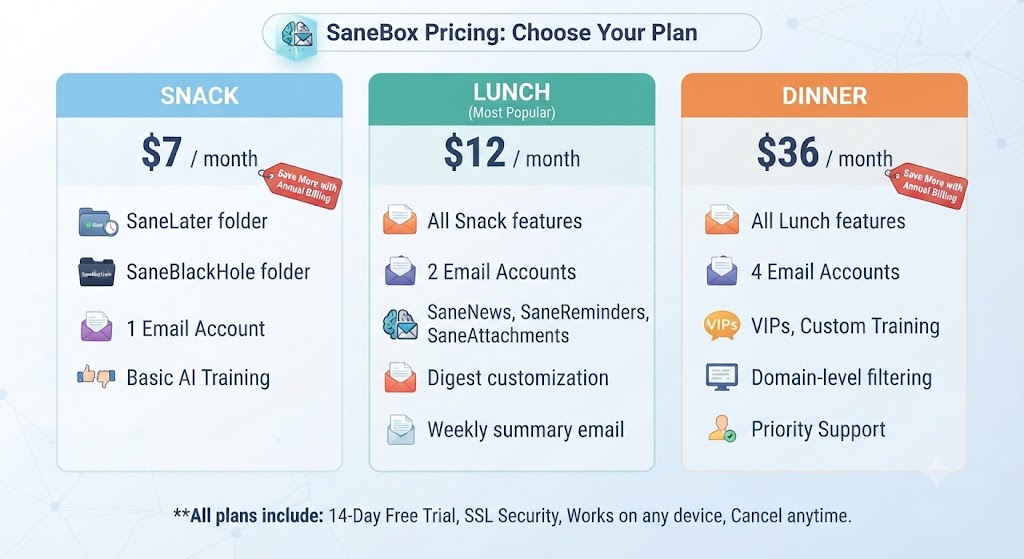
Pricing in this SaneBox Review reflects a fairly typical SaaS structure, though the lack of a permanent free tier is worth factoring in before committing. Unlike some competitors that offer a limited but usable free plan indefinitely, SaneBox’s 14-day trial is a hard cutoff, after which continued use requires selecting one of the three paid tiers below.
| Plan | Price | Key Features |
|---|---|---|
| Snack | $16.99/mo | 1 email account, core AI filtering |
| Lunch | $23.99/mo | 2 email accounts, SaneBlackHole, SaneReminders |
| Dinner | $36.99/mo | 4 email accounts, all features, priority support |
Want The Time Savings Without Doing It Yourself?
These tools save you hours on your own tasks — but marketing is one job most people would rather hand off entirely. Tasknestly runs it for you, end to end.
Get a Free Marketing Quote →SaneBox vs Competitors
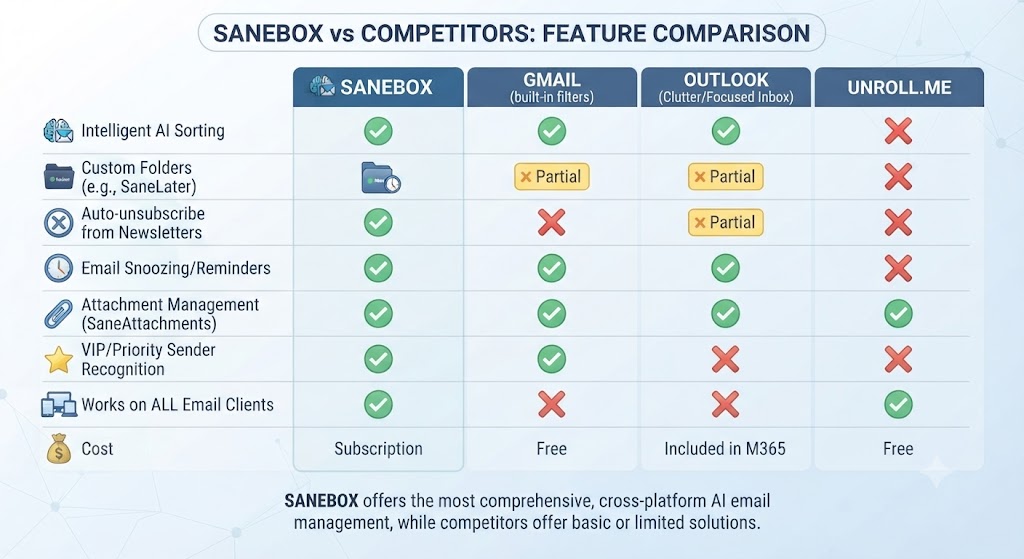
No SaneBox Review is complete without comparing it to the native AI filtering now built into Gmail and Outlook directly, since both have improved significantly and represent a free alternative for many users. The gap between SaneBox and free native filtering has genuinely narrowed over the past few years, making this comparison more nuanced than it might have been when SaneBox first launched into a market with far fewer competing options available.
| Feature | SaneBox | Gmail (native) | Outlook (native) |
|---|---|---|---|
| Cross-Provider Support | Yes, any provider | Gmail only | Outlook only |
| Permanent Sender Blocking | Yes, SaneBlackHole | Limited | Limited |
| Follow-Up Reminders | Yes, SaneReminders | No | Limited |
| Starting Price | $16.99/mo | Free | Free |
| Setup Required | Moderate | Minimal | Minimal |
Want The Time Savings Without Doing It Yourself?
These tools save you hours on your own tasks — but marketing is one job most people would rather hand off entirely. Tasknestly runs it for you, end to end.
Get a Free Marketing Quote →Who Should Use SaneBox?
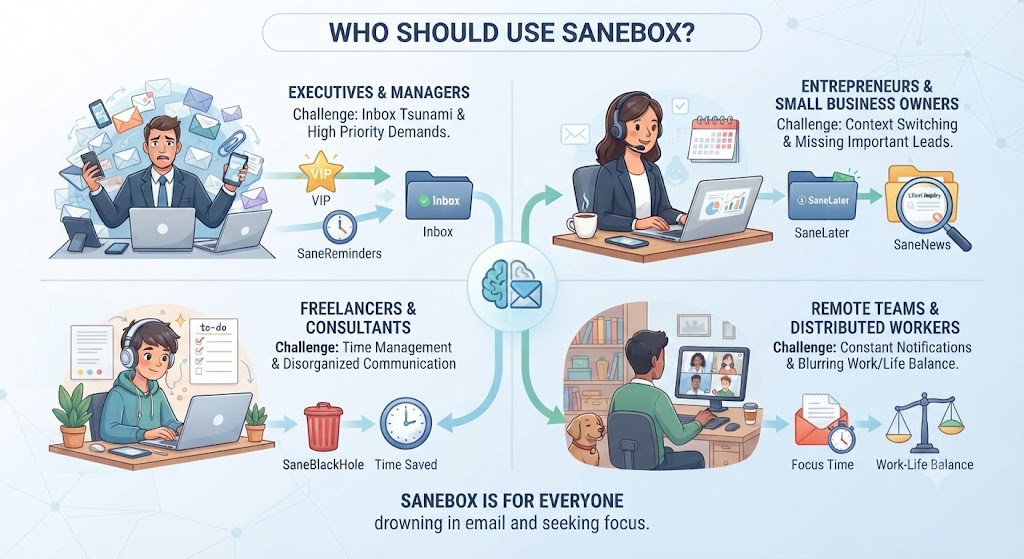
Not every inbox needs an AI filtering layer, and this SaneBox Review breaks down the specific situations where a subscription genuinely pays off versus where it’s likely unnecessary spend.
Use Case: Professionals with Multiple Email Accounts
SaneBox’s cross-provider support is a genuine advantage for anyone juggling a Gmail account, an Outlook work account, and maybe a third IMAP inbox, since it applies consistent filtering logic across all of them from one place. This SaneBox Review found this unification alone justified the subscription for multi-account users, since manually configuring and maintaining separate filter rules across three different email interfaces is a task most people simply never get around to doing properly or consistently over time.
Use Case: Anyone Overwhelmed by Newsletter and Marketing Email
If your inbox is dominated by newsletters, promotional email, and marketing lists you’ve lost track of unsubscribing from, this SaneBox Review found SaneBlackHole specifically worth the price on its own, permanently stopping unwanted senders in a way native unsubscribe links often fail to. Anyone who has clicked ‘unsubscribe’ and kept receiving that same email anyway will immediately understand the appeal this SaneBox Review found in that single standout feature alone.
Use Case: Users Already Satisfied with Gmail’s Native Filtering
If Gmail’s built-in AI categorization already keeps your inbox manageable, this SaneBox Review would suggest skipping SaneBox — the marginal improvement may not justify a recurring subscription cost for a problem that’s already reasonably solved for free. It’s worth genuinely testing Gmail’s native tabs and priority inbox features for a week before assuming SaneBox is necessary, since the free option may already be doing enough of the job.
Want The Time Savings Without Doing It Yourself?
These tools save you hours on your own tasks — but marketing is one job most people would rather hand off entirely. Tasknestly runs it for you, end to end.
Get a Free Marketing Quote →Get It / Skip It: SaneBox
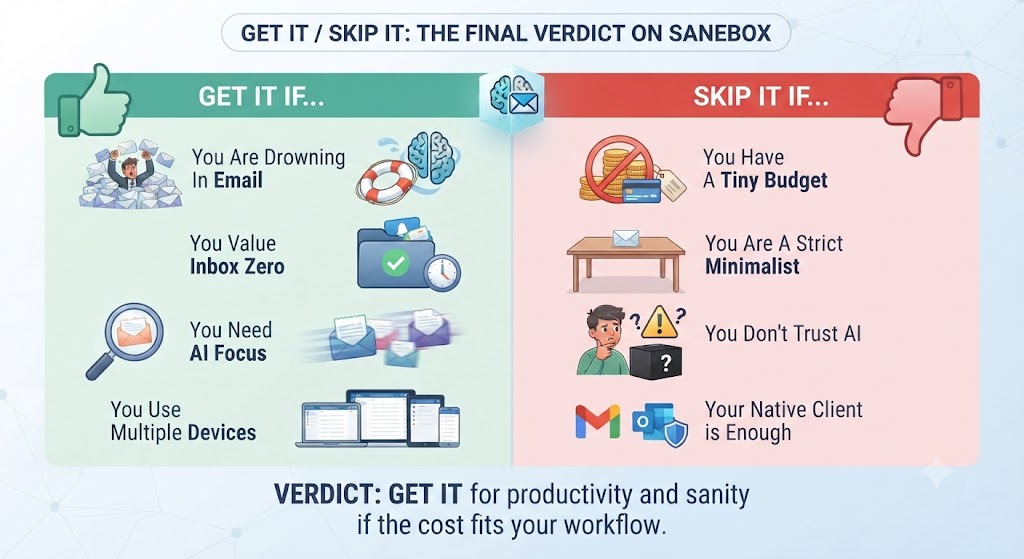
Get It If:
- You manage a high-volume, cluttered inbox across multiple accounts
- Persistent newsletters or marketing email are a recurring frustration
- You want AI filtering that works across any email provider
Skip It If:
- You’re already satisfied with Gmail or Outlook’s native AI filtering
- You want a permanent free tier rather than a 14-day trial
- You manage a low-volume inbox that doesn’t need automated sorting
Want The Time Savings Without Doing It Yourself?
These tools save you hours on your own tasks — but marketing is one job most people would rather hand off entirely. Tasknestly runs it for you, end to end.
Get a Free Marketing Quote →Real-World Test: Three Weeks of AI Filtering
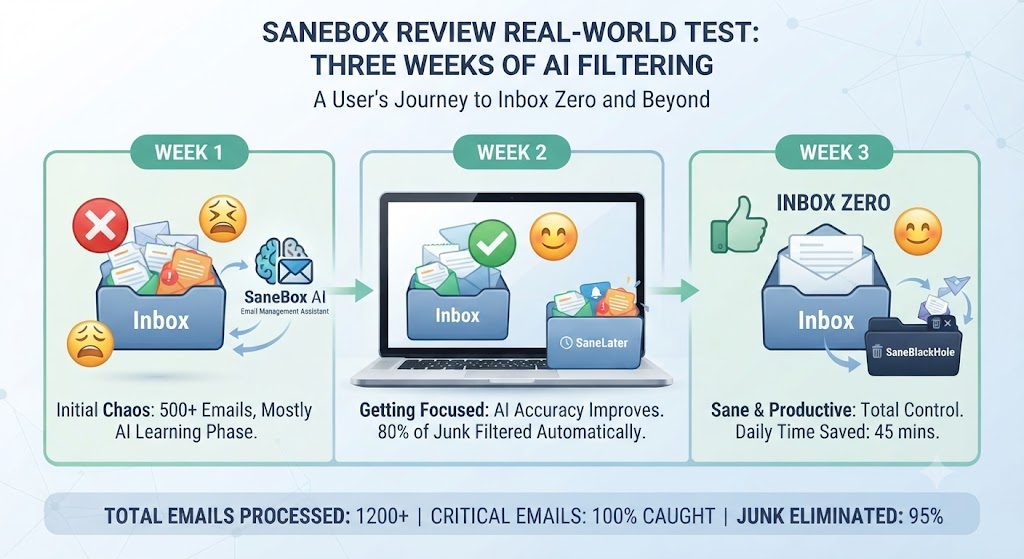
For this SaneBox Review, I connected SaneBox to a Gmail account receiving over 150 emails daily and tracked filtering accuracy weekly. In week one, roughly 70% of SaneBox’s filtering decisions matched what I would have done manually, with the remaining 30% requiring manual correction — mostly newsletters SaneBox initially treated as important because I’d opened a few early on. That first-week accuracy rate is worth setting realistic expectations around before trying SaneBox yourself, since a rocky first few days shouldn’t be mistaken for the tool underperforming long-term.
By week three, filtering accuracy had climbed to around 92%, after SaneBox learned from my corrections. This SaneBox Review found that improvement curve consistent with what the company advertises, and the training period is a realistic expectation rather than a marketing exaggeration — the AI genuinely needs real usage data to perform well. Anyone expecting perfect filtering results on day one, without any training period at all, should adjust expectations accordingly before subscribing.
SaneBlackHole was tested against five persistent marketing senders that had ignored previous unsubscribe requests. All five stopped appearing in the inbox permanently within a day of being dragged into the SaneBlackHole folder, confirming this SaneBox Review’s expectation that the feature works exactly as advertised for this specific frustration that so many inbox users deal with regularly and never fully solve on their own.
Want The Time Savings Without Doing It Yourself?
These tools save you hours on your own tasks — but marketing is one job most people would rather hand off entirely. Tasknestly runs it for you, end to end.
Get a Free Marketing Quote →Setup and Onboarding Experience
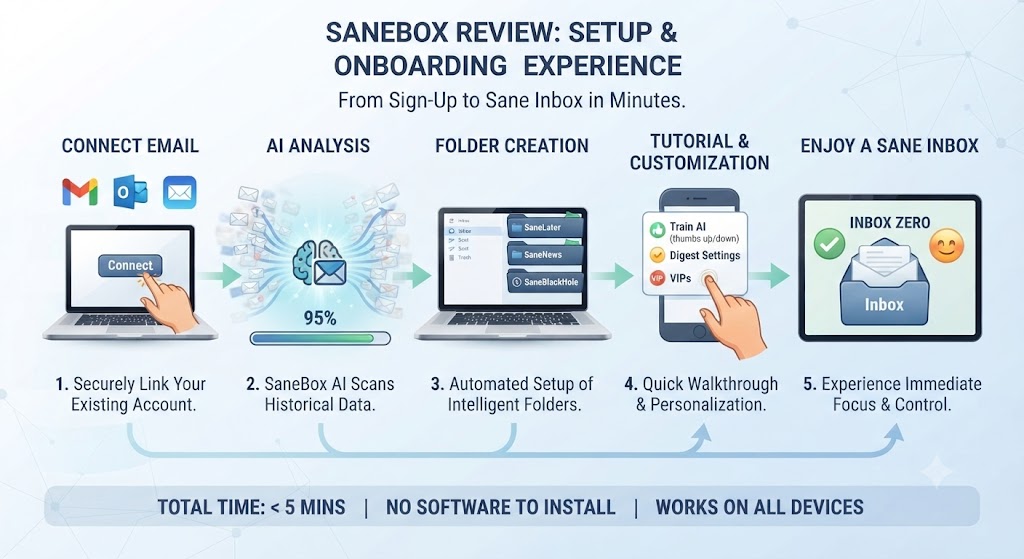
Getting SaneBox connected to an email account took under 10 minutes in this SaneBox Review’s testing, with the service working through IMAP or a direct provider connection depending on the email service used. Initial folder configuration required a bit more attention than a fully plug-and-play tool, since deciding exactly which categories of email should route where benefits from some upfront thought about your own priorities and habits.
This SaneBox Review found the setup friction modest but real — not a five-minute install-and-forget experience, but not an overwhelming configuration process either, landing somewhere reasonably in the middle for a tool this specialized.
Want The Time Savings Without Doing It Yourself?
These tools save you hours on your own tasks — but marketing is one job most people would rather hand off entirely. Tasknestly runs it for you, end to end.
Get a Free Marketing Quote →Weekly Digest and Reporting
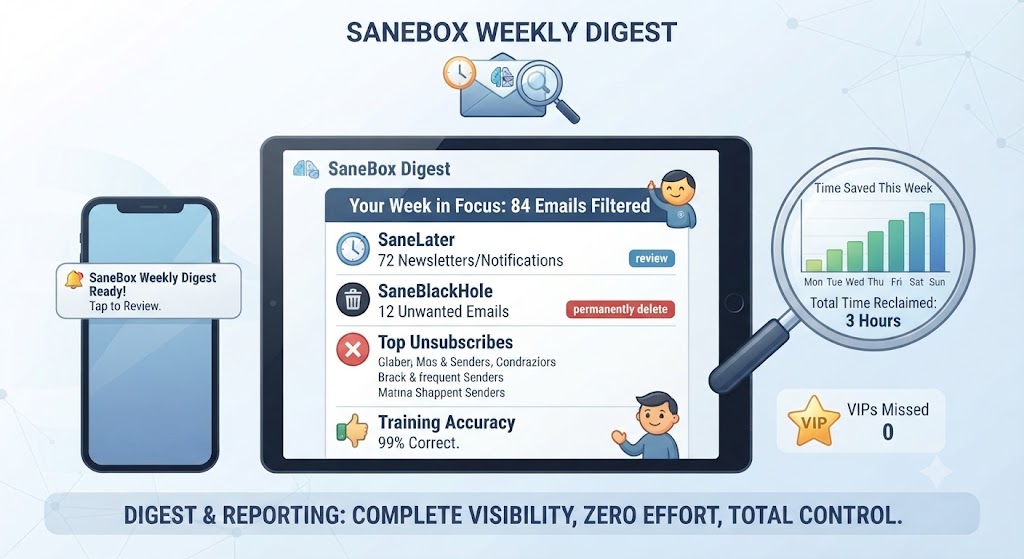
SaneBox sends a weekly digest summarizing what was filtered, letting you quickly scan and rescue anything mis-filtered without digging through the SaneLater folder manually. This SaneBox Review found the digest a genuinely useful safety net, catching a handful of legitimately important emails that had been filtered incorrectly during the early training period, before the AI had fully adapted to my actual priorities and correspondence patterns.
Want The Time Savings Without Doing It Yourself?
These tools save you hours on your own tasks — but marketing is one job most people would rather hand off entirely. Tasknestly runs it for you, end to end.
Get a Free Marketing Quote →Mobile and Cross-Device Experience
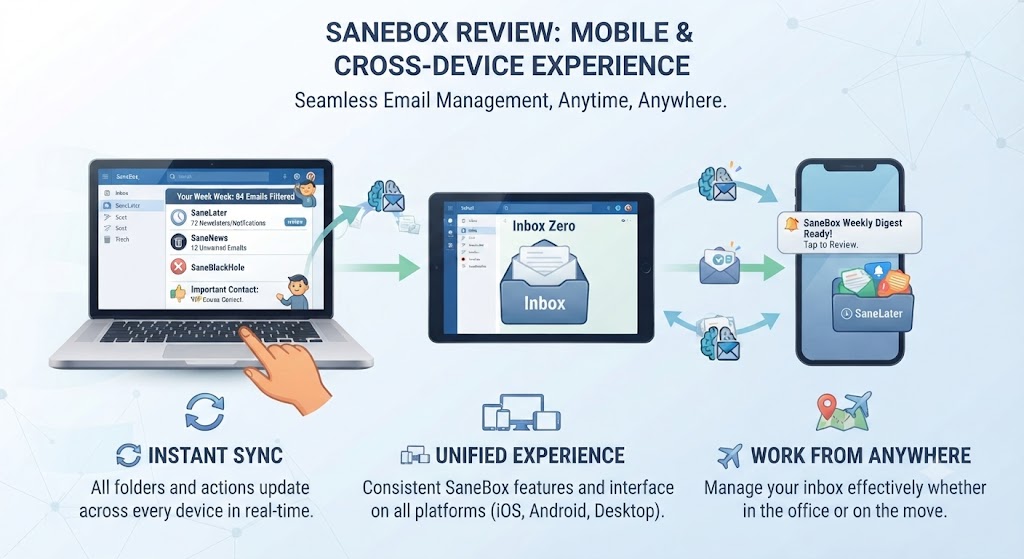
Since SaneBox operates at the email server level rather than through a dedicated app, filtering works automatically across whatever email client you already use on mobile — no separate app to install or sync. This SaneBox Review found this architecture genuinely convenient, since filtered results appear consistently whether checking email through Gmail’s app, Outlook’s app, or any other mobile client connected to the same account, without needing any additional configuration once the initial account connection is set up correctly.
The one tradeoff this SaneBox Review noted is that managing SaneBox’s specific settings — training corrections, digest preferences, SaneBlackHole management — still requires visiting SaneBox’s own web dashboard rather than a native mobile app, which adds a small extra step compared to tools with dedicated mobile interfaces.
Want The Time Savings Without Doing It Yourself?
These tools save you hours on your own tasks — but marketing is one job most people would rather hand off entirely. Tasknestly runs it for you, end to end.
Get a Free Marketing Quote →Privacy and Data Handling
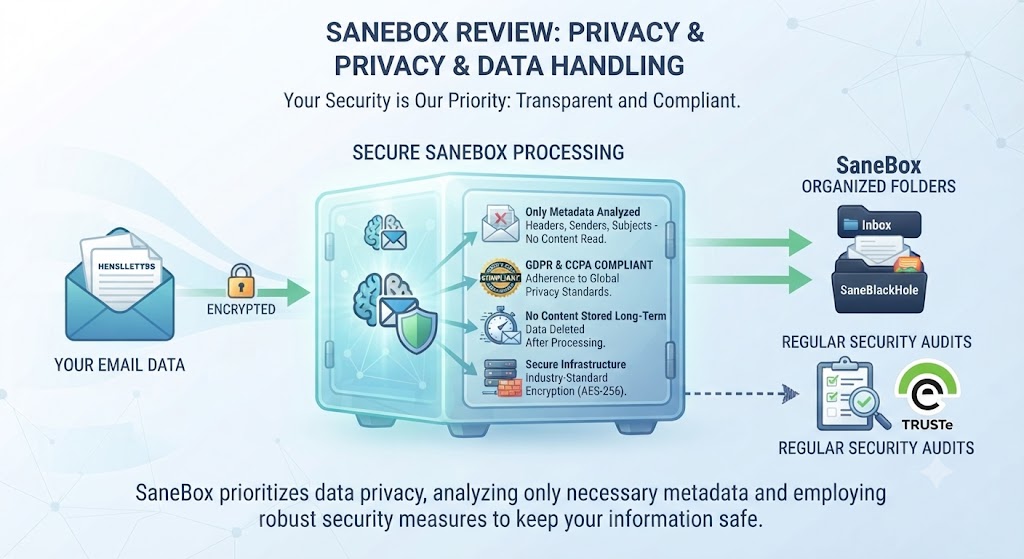
Since SaneBox needs access to your email to function, privacy is worth addressing directly in this SaneBox Review. The company states it doesn’t read email content for advertising purposes and uses metadata patterns rather than message content to make filtering decisions in most cases. For sensitive or regulated email accounts, this SaneBox Review would recommend reviewing SaneBox’s specific privacy documentation before connecting a primary business account, particularly for organizations subject to industry-specific compliance requirements.
Want The Time Savings Without Doing It Yourself?
These tools save you hours on your own tasks — but marketing is one job most people would rather hand off entirely. Tasknestly runs it for you, end to end.
Get a Free Marketing Quote →Team and Multi-User Considerations
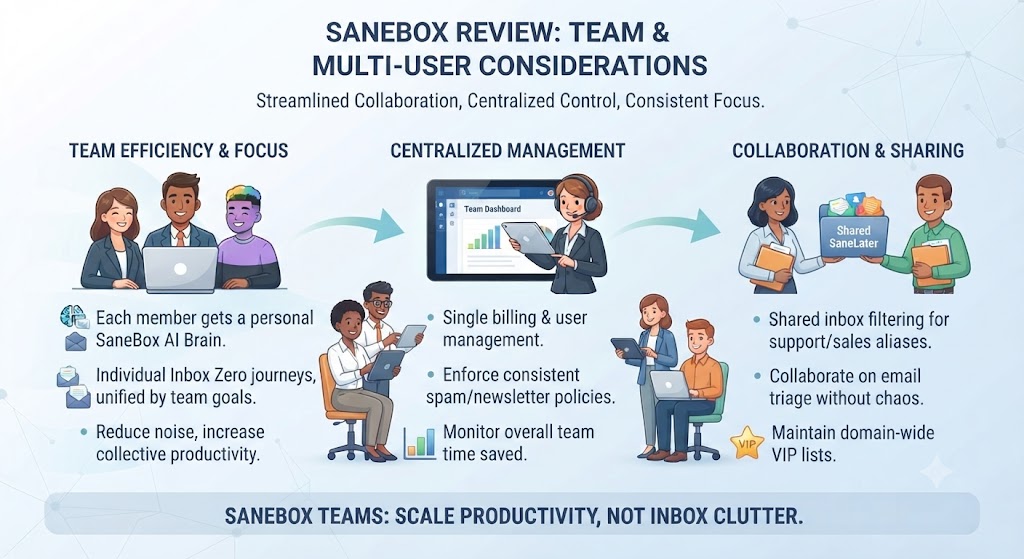
SaneBox is fundamentally built for individual inbox management rather than team-wide deployment, and this SaneBox Review found no dedicated team admin dashboard or centralized billing for organizations wanting to roll it out across multiple employees. Each user needs their own subscription and configures their own filtering preferences independently, which works fine for small teams but doesn’t scale as smoothly as tools built explicitly for organizational deployment with shared administration in mind.
Want The Time Savings Without Doing It Yourself?
These tools save you hours on your own tasks — but marketing is one job most people would rather hand off entirely. Tasknestly runs it for you, end to end.
Get a Free Marketing Quote →Customer Support Experience
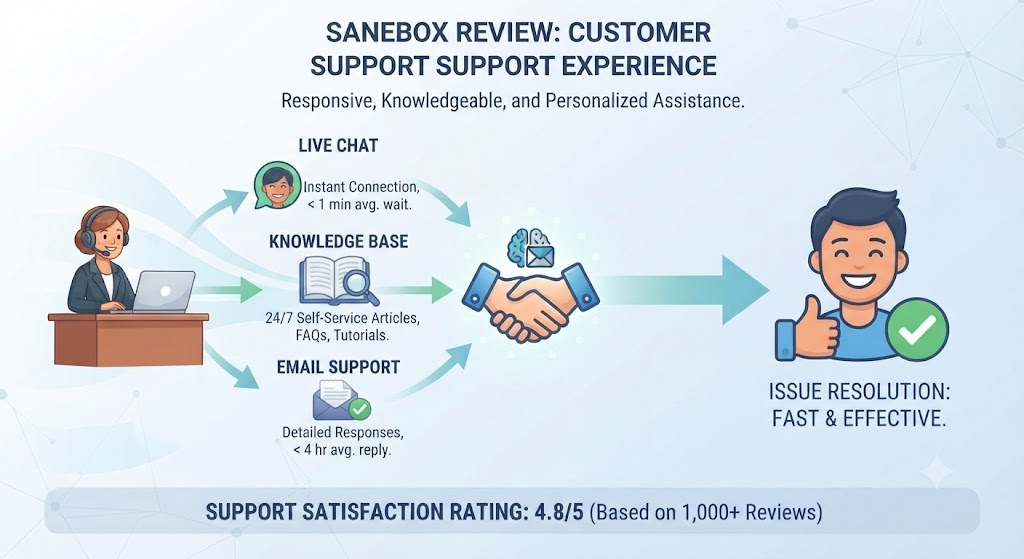
Support quality during this SaneBox Review’s testing was solid but not exceptional — email-based support responded within a business day on the Snack and Lunch tiers, while the Dinner tier’s priority support was noticeably faster, typically responding within a few hours. This SaneBox Review found the help documentation thorough enough that most common configuration questions were answered without needing to contact support at all, covering everything from initial setup to fine-tuning individual folder rules.
Want The Time Savings Without Doing It Yourself?
These tools save you hours on your own tasks — but marketing is one job most people would rather hand off entirely. Tasknestly runs it for you, end to end.
Get a Free Marketing Quote →Integration with Calendar and Other Tools
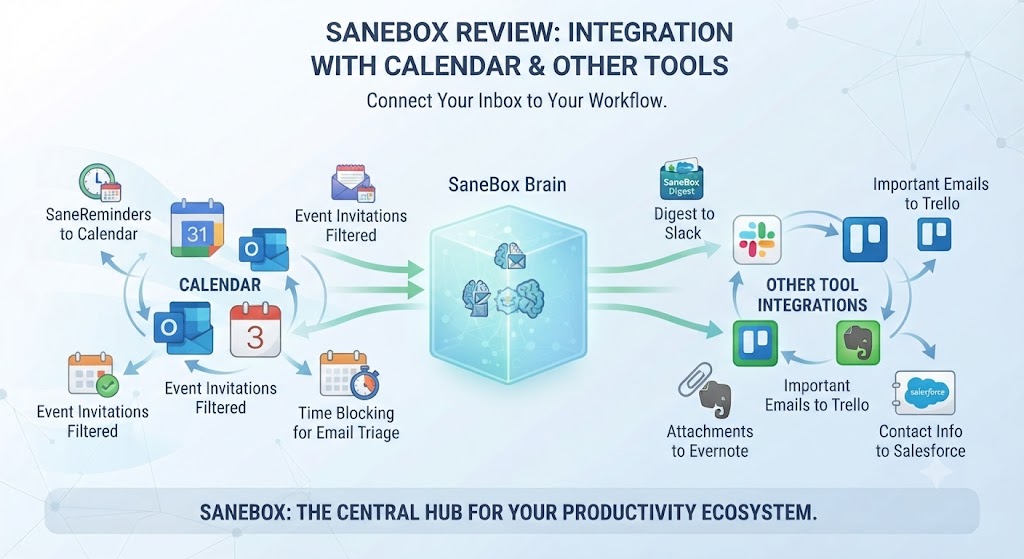
Beyond core email filtering, SaneBox includes basic calendar integration that helps identify meeting-related email as important automatically, a small but useful detail this SaneBox Review noticed reduced accidental filtering of scheduling emails into the SaneLater folder. This kind of context-aware filtering — understanding that a meeting invite deserves different treatment than a newsletter — is where this SaneBox Review found the AI genuinely earning its reputation rather than applying blanket rules uniformly across every message type.
SaneBox doesn’t offer the deep third-party integrations that some newer AI productivity tools provide, and this SaneBox Review found that a reasonable tradeoff given the tool’s narrow, focused purpose — it does one job, filtering email intelligently, rather than trying to be a broader productivity suite that spreads itself across many different features.
Want The Time Savings Without Doing It Yourself?
These tools save you hours on your own tasks — but marketing is one job most people would rather hand off entirely. Tasknestly runs it for you, end to end.
Get a Free Marketing Quote →Long-Term Value After the Training Period
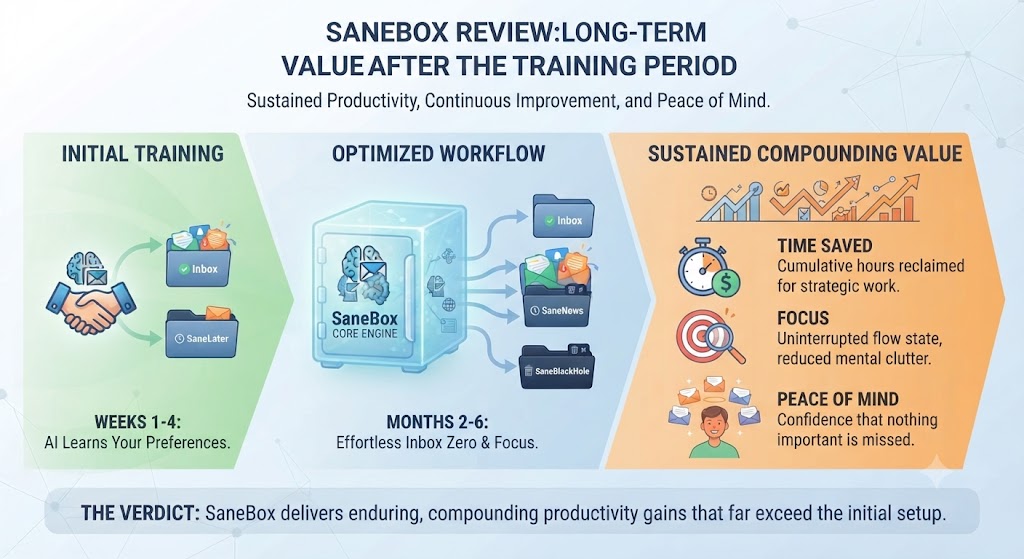
Most reviews focus heavily on the initial training period, but this SaneBox Review also tracked performance well beyond the first three weeks, into a second and third month of continuous use. Filtering accuracy remained stable in the low-to-mid 90% range, with occasional dips whenever my own email habits shifted significantly — a new project introducing new frequent contacts, for example, briefly reduced accuracy until SaneBox adapted to the new pattern within a few days.
This SaneBox Review found that adaptability reassuring for anyone worried the AI might become stale over time — it continues learning and adjusting as your actual email behavior evolves, rather than locking in a static rule set from the initial training period and never updating it again.
Want The Time Savings Without Doing It Yourself?
These tools save you hours on your own tasks — but marketing is one job most people would rather hand off entirely. Tasknestly runs it for you, end to end.
Get a Free Marketing Quote →Frequently Asked Questions
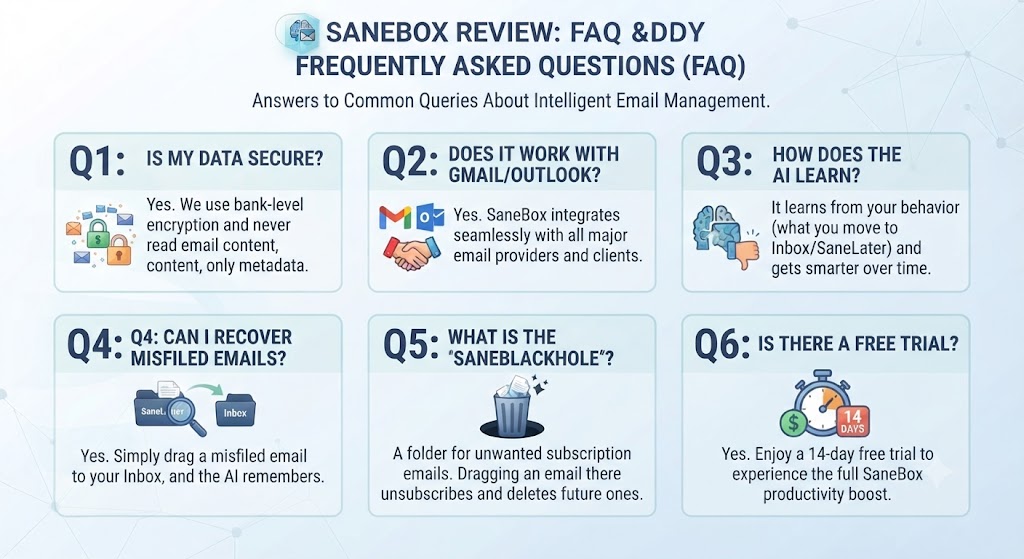
Does SaneBox have a free plan?
No, SaneBox does not offer a permanent free tier at all, though it provides a 14-day free trial to test filtering accuracy before committing, a detail covered throughout this SaneBox Review.
How long does SaneBox take to learn my preferences?
This SaneBox Review’s testing found filtering accuracy improved from roughly 70% to 92% over a three-week period as the AI learned from manual corrections made throughout daily use.
Does SaneBox work with Gmail and Outlook?
Yes, SaneBox works with Gmail, Outlook, Yahoo, and virtually any IMAP-compatible email provider on the market today, which this SaneBox Review found a genuine advantage over provider-specific native filtering tools.
What is SaneBlackHole and how does it work?
SaneBlackHole is a SaneBox feature that permanently blocks all future email from a specific sender once you drag one of their emails into that folder, solving persistent unwanted senders that ignore standard unsubscribe requests entirely.
Is SaneBox worth it compared to Gmail’s native AI filtering?
This SaneBox Review found SaneBox worth it specifically for cross-provider users or anyone struggling with persistent newsletters, but less necessary if Gmail’s native filtering already keeps your inbox reasonably manageable on its own.
Can SaneBox manage multiple email accounts?
Yes, higher-tier SaneBox plans support multiple connected email accounts, applying consistent AI filtering logic across all of them from a single unified dashboard rather than requiring separate configuration for each one.
What’s the best alternative to SaneBox?
Gmail and Outlook’s native AI filtering are the most common free alternatives, though neither currently matches SaneBox’s cross-provider support or permanent sender-blocking functionality built into SaneBlackHole.
Does SaneBox slow down email delivery?
No, this SaneBox Review found no noticeable delay in email delivery during testing — filtering happens quickly enough that messages appear in the correct folder essentially in real time without any perceptible lag for the end user.
Can I use SaneBox on multiple devices?
Yes, since SaneBox filters at the server level rather than through a dedicated app, filtered results appear consistently across any device or email client connected to the same account without extra setup.
Want The Time Savings Without Doing It Yourself?
These tools save you hours on your own tasks — but marketing is one job most people would rather hand off entirely. Tasknestly runs it for you, end to end.
Get a Free Marketing Quote →Conclusion
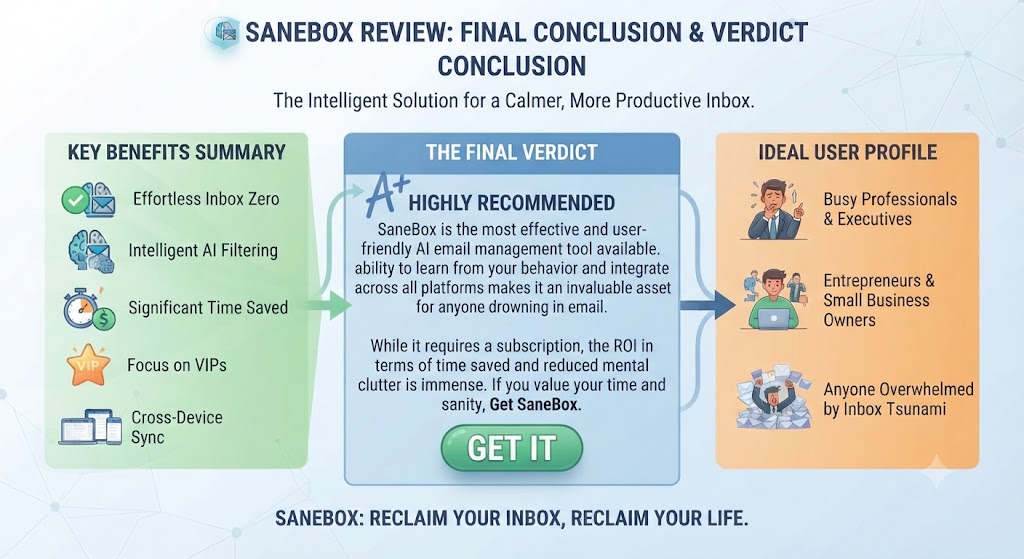
This SaneBox Review lands on a fairly clear recommendation: for anyone managing a genuinely high-volume, cluttered inbox — especially across multiple email accounts or providers — SaneBox’s AI filtering delivers real, measurable improvement once it has a few weeks of usage data to learn from.
The lack of a permanent free tier is a legitimate downside, and users already satisfied with Gmail or Outlook’s improving native AI filtering may not see enough marginal benefit to justify the subscription. But for the specific frustration of persistent newsletters and marketing email that ignore unsubscribe requests, this SaneBox Review found SaneBlackHole alone a compelling reason to try the 14-day trial.
Weighing three weeks of real testing against the subscription cost, this SaneBox Review found the value proposition strongest for busy professionals juggling multiple inboxes rather than casual single-account users. If that description fits your own situation, the free trial is a low-risk way to see the filtering accuracy improve firsthand.
Ultimately, this SaneBox Review found the tool earns its subscription cost specifically through problems that native email filtering hasn’t fully solved — cross-provider consistency and permanent sender blocking chief among them. For a narrower set of needs already covered by free tools, the recurring cost is harder to justify, which is why this SaneBox Review’s recommendation leans so heavily on matching the tool to the specific inbox problem you actually have.
| Stop manually sorting through newsletters and marketing email every day. Let SaneBox’s AI take over —Start your SaneBox free trial today and reclaim your inbox. |
Disclosure: This article contains affiliate links. TechBotHQ may earn a commission if you sign up through our links, at no extra cost to you. See our affiliate disclosure for full details.
Want The Time Savings Without Doing It Yourself?
These tools save you hours on your own tasks — but marketing is one job most people would rather hand off entirely. Tasknestly runs it for you, end to end.
Get a Free Marketing Quote →