Honest Mem Review 2026: Is This AI Note-Taking App Worth Using?

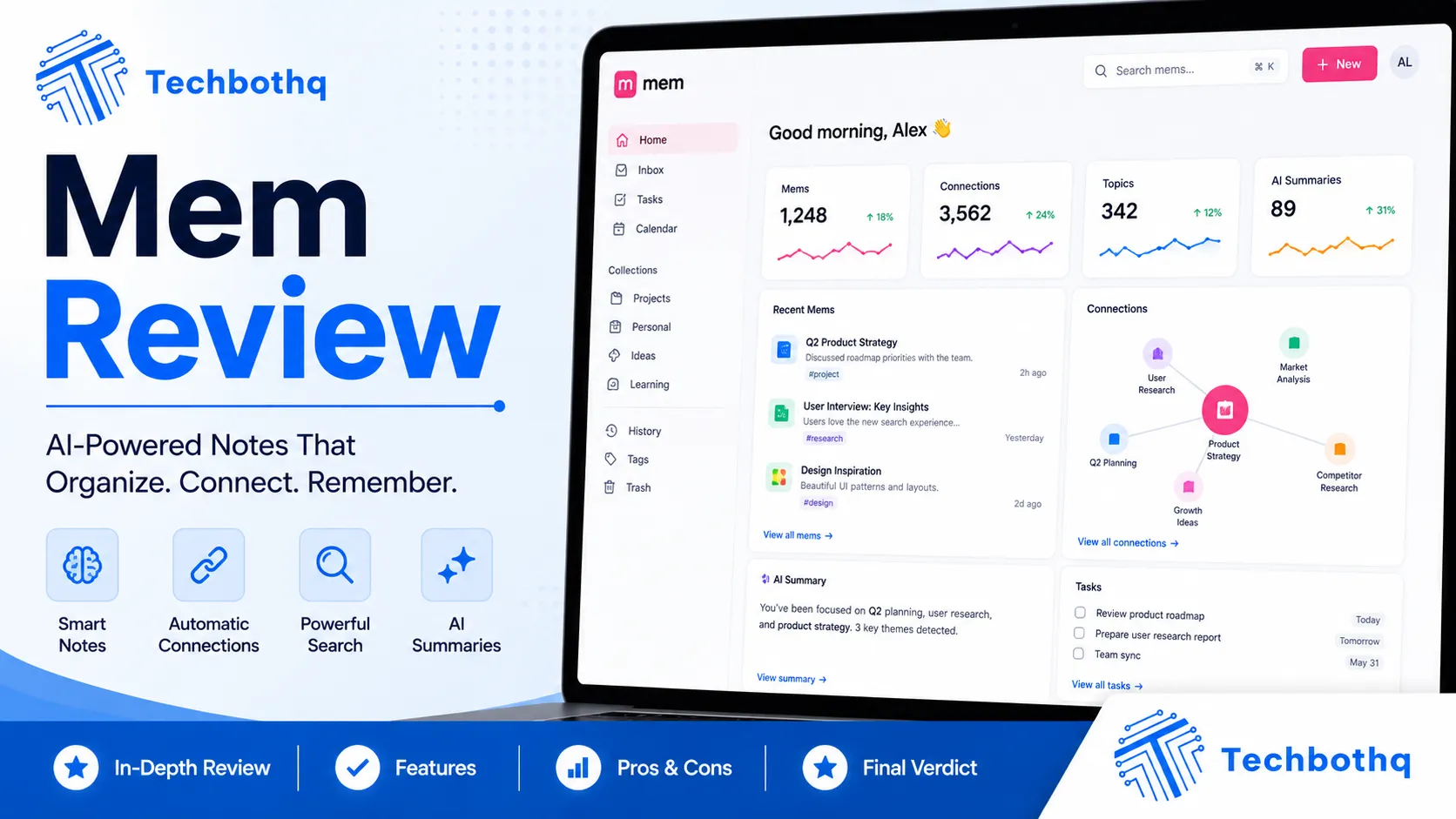
Most note-taking apps put the burden of organisation entirely on you — create the right folders, apply the right tags, build the right structure, and hope you remember where you filed everything six months later. Mem takes the opposite approach, and this Mem review examines whether its AI-powered automatic organisation actually works or whether it’s a clever concept that breaks down in real-world use. The promise is simple: capture anything, and let the AI surface what you need when you need it — no filing system required.
Mem launched in 2020 and quickly generated significant buzz in the productivity community for its AI-first approach to knowledge management. This Mem review covers the 2026 version of the product, which includes Mem AI — the platform’s large language model layer that can answer questions across your notes, generate new content from your existing knowledge base, and surface relevant information proactively. The Mem review process tests whether those AI capabilities are genuinely useful in daily knowledge work or whether they’re impressive in demos and frustrating in practice.
This Mem review is relevant for professionals who feel overwhelmed by the maintenance burden of tools like Notion or Roam Research and are looking for a note-taking alternative that organises itself. If you’ve spent more time organising your notes than using them, this Mem review is for you.
VERDICT BOX
Overall Rating: 7.9 / 10
Best for: Knowledge workers, writers, researchers, and solo professionals who want AI-powered note organisation that removes the burden of manual filing, tagging, and structure maintenance
Price: Free plan available; Mem Pro at $14.99/month; Mem Teams at $24.99/user/month
Verdict: Mem delivers on its core promise — AI that organises and surfaces notes without manual structure — and the Mem AI question-answering layer is genuinely useful for researchers and knowledge workers. The trade-off is less structural control than Notion or Roam, which makes it better suited to capture-first workflows than complex project management.
Table of Contents
What Is Mem? Background for This Mem Review
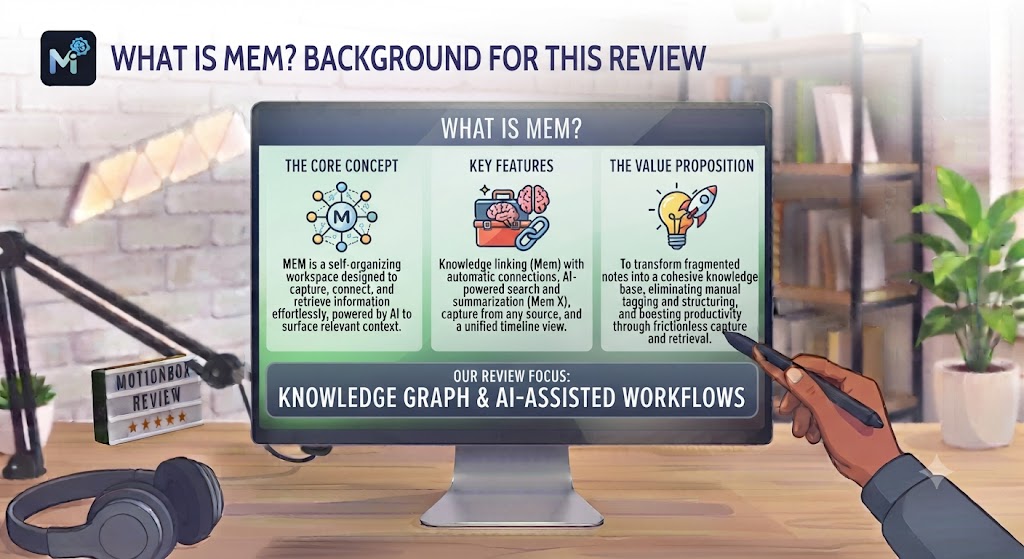
Mem is an AI-native note-taking and knowledge management platform founded in San Francisco in 2020 by Kevin Moody and Dennis Xu. The company attracted significant venture investment on the premise that the future of personal knowledge management is AI-driven organisation rather than user-defined structure. This Mem review covers the current version of the platform, which has matured considerably from its early beta into a more complete product with AI chat, writing assistance, and cross-note relationship surfacing.
The core concept behind this Mem review is what the team calls “the self-organising workspace.” In Mem, you create notes (called “mems”) without assigning them to folders or applying tags — though you can add tags if you want them. Mem’s AI automatically identifies related mems, surfaces relevant past notes when you’re writing a new one, and creates a browsable knowledge graph of everything you’ve captured. Over time, the AI builds a more accurate model of how your knowledge connects, making the surfacing more useful as your library grows.
This Mem review positions the tool against Notion (the most common comparison), Roam Research (for graph-based thinkers), and Obsidian (for local-first users). The fundamental question this Mem review answers is not which tool has more features, but which approach to knowledge organisation — user-defined structure versus AI-driven organisation — fits your actual working style. Our AI productivity tools category covers the full range of alternatives.
Want The Time Savings Without Doing It Yourself?
These tools save you hours on your own tasks — but marketing is one job most people would rather hand off entirely. Tasknestly runs it for you, end to end.
Get a Free Marketing Quote →Mem Review: Pros and Cons
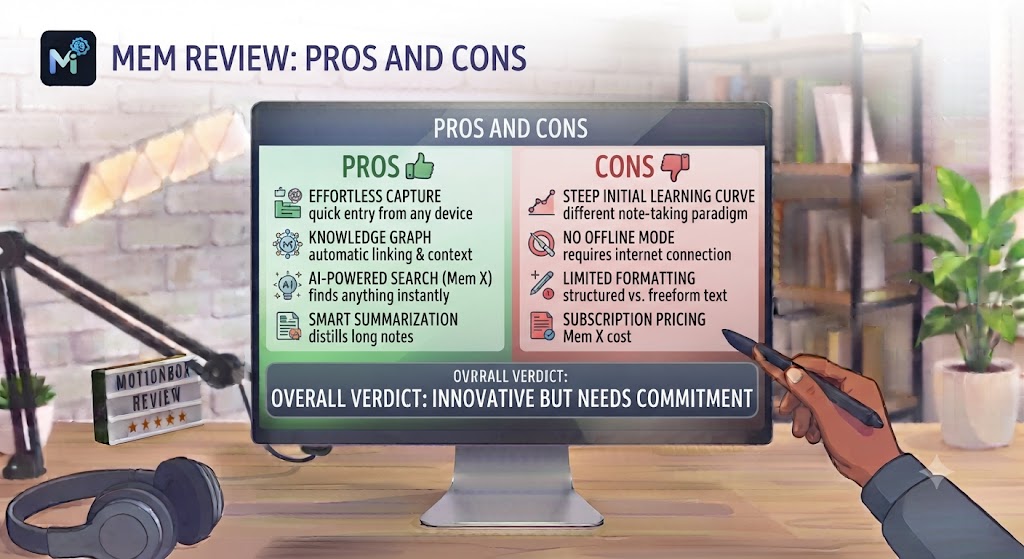
| Pros | Cons |
|---|---|
| Genuinely removes the organisational burden — capture without filing is real | Less structural control than Notion or Roam for users who want explicit hierarchies |
| Mem AI answers questions across your entire note library accurately | AI organisation is less useful for small note libraries — value compounds with volume |
| Related note surfacing improves research and writing workflows meaningfully | Web-based with a mobile app — no native desktop app for Mac or Windows |
| Clean, distraction-free writing interface with markdown support | Team features are functional but less developed than collaborative tools like Notion |
| AI writing assistance generates content from your existing knowledge base | Pricing is competitive but AI features require the Pro plan at $14.99/month |
| Quick capture from browser extension and mobile makes it frictionless to add notes | Search quality, while improving, can miss relevant notes without keyword precision |
Want The Time Savings Without Doing It Yourself?
These tools save you hours on your own tasks — but marketing is one job most people would rather hand off entirely. Tasknestly runs it for you, end to end.
Get a Free Marketing Quote →Mem Review: Feature Deep-Dive
The Self-Organising AI — The Core of This Mem Review
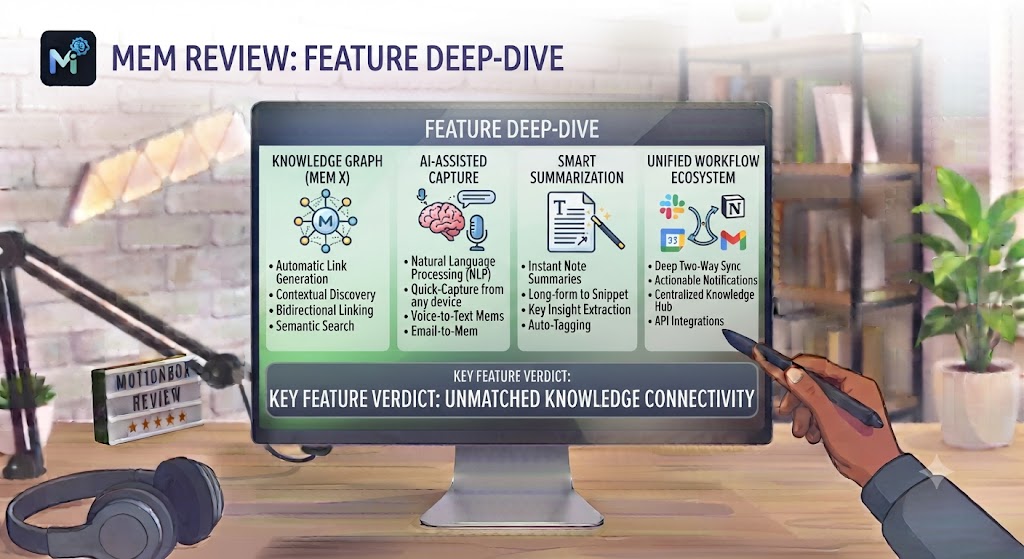
The self-organising AI layer is the centrepiece of this Mem review and the feature that most fundamentally differentiates Mem from every other note-taking tool. When you create a new mem — whether it’s a meeting note, a research excerpt, a task list, or a fleeting idea — Mem’s AI analyses the content and connects it to related mems across your entire library. These connections surface as “related mems” suggestions in the sidebar when you’re viewing or writing a note, creating a contextual network of related knowledge without any manual linking.
This Mem review found the related mem surfacing to be one of the most genuinely useful AI features in any note-taking tool. When writing a research piece and drafting a section on a topic you’ve captured notes about previously, Mem surfaces those older notes automatically — pulling in relevant context you might have forgotten you had. This Mem review consistently found the suggestions to be accurate and relevant rather than noisy, which is the critical distinction between useful AI surfacing and unhelpful information overload.
The organisation that emerges over time in this Mem review is organic rather than imposed. Rather than building a filing system upfront and hoping future content fits into it, you capture freely and let the AI build the organisation retrospectively. For users who have experienced the frustration of elaborate Notion databases that become harder to maintain as the library grows, this Mem review found the Mem approach to be a genuinely liberating alternative.
Mem AI — Conversational Knowledge Retrieval
Mem AI is the conversational AI layer that allows you to ask questions across your entire note library and receive answers synthesised from your captured knowledge. You can ask “What were the key points from my meeting with [Client] last month?”, “What do I know about competitive pricing in my industry?”, or “What tasks did I set for myself after the Q3 review?” — and Mem AI searches across your mems and generates an answer with citations to the specific notes it drew from.
This Mem review found Mem AI to be genuinely useful for knowledge retrieval in a way that distinguishes it from general AI tools like ChatGPT. Because Mem AI is working from your specific captured knowledge rather than general training data, its answers are personalised and grounded in what you’ve actually written and saved. For researchers, consultants, and knowledge workers who accumulate large libraries of notes and struggle to retrieve specific insights across them, this Mem review found Mem AI to be a meaningful productivity improvement.
The answer quality in this Mem review is strong for factual retrieval (what did I capture about X?) and for synthesis across multiple notes on the same topic. It’s less reliable for complex reasoning tasks that require nuanced judgment rather than information retrieval — for those tasks, taking the retrieved context to a general AI tool produces better results. This Mem review found the combination of Mem AI for retrieval plus a general LLM for synthesis to be a powerful workflow.
Writing and Content Generation
Mem’s AI writing assistance allows you to generate new content by drawing on your existing note library. You can ask Mem to draft a document, summarise your notes on a topic, or expand a brief outline into structured content — all informed by the knowledge you’ve already captured. This Mem review found the writing assistance to be particularly valuable for professionals who maintain detailed notes and want to convert that raw material into polished outputs without starting from scratch.
For writers, content creators, and consultants who use their note-taking system as a research reservoir, this Mem review found the AI writing assistance to be one of the clearest workflow accelerators. A consultant who has captured detailed notes from 20 client projects can ask Mem to draft a case study or proposal template, and the AI surfaces relevant patterns and examples from across those captured notes rather than generating generic content.
Quick Capture and Daily Notes
Mem’s capture experience is notably frictionless, and this Mem review found it to be one of the best quick-capture implementations in the note-taking category. The browser extension allows you to clip web content with one click. The mobile app provides a minimal interface for voice and text capture. And the daily note feature creates an automatic dated entry each day as a default capture space — reducing the decision of “where should I put this?” to zero for daily captures.
This Mem review found the daily note approach to be particularly effective for professionals who want a journal-style daily capture layer that connects automatically to their broader knowledge library. Meeting notes, ideas, reading clips, and tasks all go into the daily note and are automatically organised into the broader Mem library without requiring any additional filing steps.
Collaboration and Teams
Mem Teams extends the self-organising knowledge base to shared workspaces, allowing teams to create a collective intelligence layer where everyone’s contributions are automatically related and surfaced. This Mem review found the Teams functionality to be useful for small teams — particularly research teams, consulting teams, and content teams — where collective knowledge management is valuable.
The collaboration features in this Mem review are less developed than Notion’s collaborative editing and commenting system, and Mem Teams doesn’t position itself as a project management tool. For teams that primarily need shared knowledge capture and AI-powered retrieval, this Mem review found the Teams product to work well. For teams that also need task assignment, project tracking, and structured databases, Notion or Coda are more appropriate.
Want The Time Savings Without Doing It Yourself?
These tools save you hours on your own tasks — but marketing is one job most people would rather hand off entirely. Tasknestly runs it for you, end to end.
Get a Free Marketing Quote →Mem Pricing: What This Mem Review Found
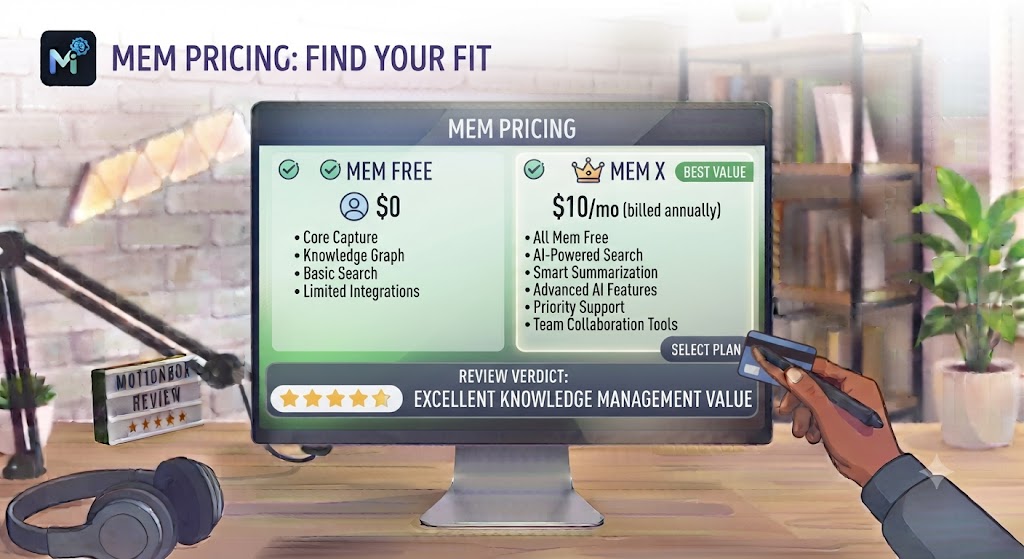
| Plan | Price | Key Features |
|---|---|---|
| Free | $0 | Basic mems, limited AI features, 1 user |
| Mem Pro | $14.99/month | Unlimited mems, full Mem AI, writing assistance, priority support |
| Mem Teams | $24.99/user/month | Everything in Pro + shared workspace, team AI, admin controls |
This Mem review found the pricing to be competitive for the feature set. The free plan is functional for evaluation but limits the AI capabilities that make Mem distinctive. Mem Pro at $14.99/month is the practical starting point for solo users who want the full AI experience — this Mem review found it well-priced relative to the value the AI organisation and retrieval deliver for active note-takers. The Teams plan at $24.99/user/month is competitive for small teams implementing a shared knowledge management system with AI.
Want The Time Savings Without Doing It Yourself?
These tools save you hours on your own tasks — but marketing is one job most people would rather hand off entirely. Tasknestly runs it for you, end to end.
Get a Free Marketing Quote →Mem vs Competitors: The Mem Review Comparison
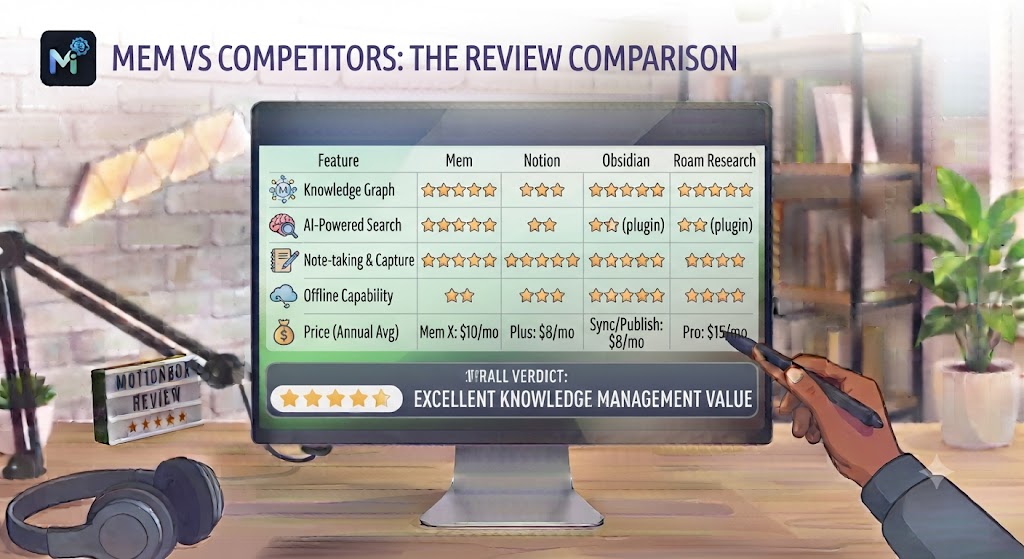
| Feature | Mem | Notion | Roam Research | Obsidian |
|---|---|---|---|---|
| AI automatic organisation | ✅ Core feature | ❌ No | ❌ No | ❌ No |
| AI question answering on notes | ✅ Mem AI | ✅ Notion AI | ❌ No | ❌ Plugin only |
| Manual folder / hierarchy structure | ⚠️ Tags only | ✅ Full hierarchy | ⚠️ Graph only | ✅ Full folders |
| Bidirectional linking | ✅ AI-generated | ✅ Manual | ✅ Core feature | ✅ Core feature |
| Native desktop app | ❌ Web + mobile | ✅ Yes | ✅ Yes | ✅ Yes |
| Offline support | ❌ Limited | ✅ Yes | ✅ Yes | ✅ Full offline |
| Collaboration / teams | ✅ Teams plan | ✅ Excellent | ❌ No | ❌ Limited |
| Starting price (paid) | $14.99/month | $10/month | $15/month | $10/month |
This Mem review comparison makes the fundamental trade-off clear: Mem wins on AI-driven organisation and knowledge retrieval; Notion wins on structural flexibility, database features, and collaboration; Roam and Obsidian win on graph-based thinking and offline/local-first workflows. This Mem review recommends choosing based on your primary friction point — if it’s organisation overhead, Mem solves it better than any alternative. If it’s structural flexibility or team collaboration, look at Notion. More comparisons in our AI productivity hub.
Want The Time Savings Without Doing It Yourself?
These tools save you hours on your own tasks — but marketing is one job most people would rather hand off entirely. Tasknestly runs it for you, end to end.
Get a Free Marketing Quote →Who Is Mem Best For? The Mem Review Audience Assessment

Mem works best for:
- Researchers and academics who capture large volumes of notes across many topics and want AI to surface connections they haven’t consciously made themselves
- Writers and content creators who use note-taking as a research system and want AI to help them synthesise and generate content from their captured material
- Consultants and knowledge workers with growing libraries of client notes, meeting records, and research who want AI-powered retrieval rather than manual search
- Professionals burned out on Notion maintenance who want a note-taking tool that organises itself rather than requiring constant structural upkeep
- Solo practitioners who want personal knowledge management without the overhead of complex database-style tools
Mem is less ideal for:
- Users who need explicit folder hierarchies and structured databases — Mem’s tag-based organisation is less controlled than Notion’s structure
- Teams that need robust real-time collaboration, task assignment, and project management alongside note-taking
- Users who require a native desktop app or full offline access — Mem is primarily web and mobile
Want The Time Savings Without Doing It Yourself?
These tools save you hours on your own tasks — but marketing is one job most people would rather hand off entirely. Tasknestly runs it for you, end to end.
Get a Free Marketing Quote →Get It / Skip It
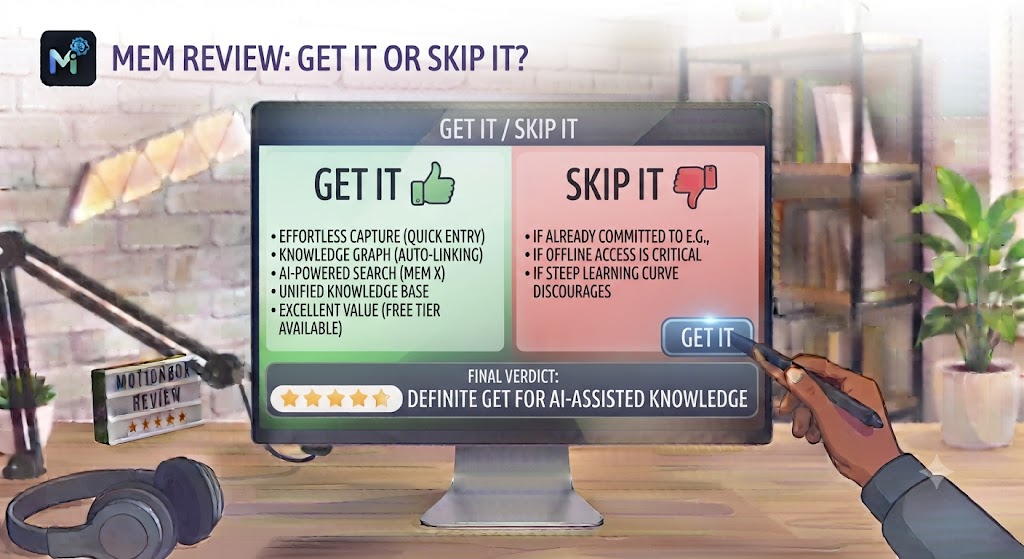
✅ Get Mem if:
- You want to capture notes without maintaining a filing system and trust AI to surface what you need when you need it
- You accumulate large volumes of research notes and want to ask questions across your entire library to retrieve insights quickly
- You’re a writer or content creator who wants AI to help synthesise your captured notes into new content without starting from scratch
❌ Skip Mem if:
- You need explicit folder hierarchies, relational databases, and structural control over your information — Notion or Coda are better fits
- You need a native desktop app or full offline access — Mem’s web-first architecture is a real limitation for those use cases
- Your primary need is team collaboration and project management alongside notes — Notion’s collaboration features are significantly more developed
Want The Time Savings Without Doing It Yourself?
These tools save you hours on your own tasks — but marketing is one job most people would rather hand off entirely. Tasknestly runs it for you, end to end.
Get a Free Marketing Quote →Mem Review: Frequently Asked Questions
Q: Is this Mem review recommending it over Notion? This Mem review recommends Mem over Notion specifically for users whose primary frustration is the organisational maintenance burden of Notion. For users who need Notion’s database features, project management capabilities, or team collaboration tools, Notion remains the stronger choice. The decision in this Mem review comes down to whether you prefer AI-driven organisation or user-defined structure.
Q: Is Mem free to use? Yes. Mem has a free plan that provides basic note capture and limited AI features. This Mem review found the free plan to be sufficient for evaluating the core capture and organisation experience, but the full Mem AI question-answering and writing assistance capabilities require the Pro plan at $14.99/month.
Q: How does Mem AI work? Mem AI uses a large language model trained on and connected to your personal note library. When you ask a question, Mem AI searches across your mems, identifies the most relevant content, and generates an answer with citations to the specific notes it drew from. This Mem review found the retrieval accuracy to be strong and the citations to be helpful for verifying the source of AI-generated answers.
Q: Does Mem have a mobile app? Yes. Mem has iOS and Android apps. This Mem review found the mobile app to be genuinely functional for capture — voice note capture, quick text entry, and web clipping all work well on mobile. The mobile reading and review experience is clean but less powerful than the web interface for complex navigation across large note libraries.
Q: Can Mem replace a physical notebook or daily journal? This Mem review found Mem to be an excellent digital equivalent of a daily journal or capture notebook. The daily note feature creates a dated entry automatically each day, and the frictionless capture experience makes it fast to get thoughts out of your head and into the system. The AI then connects those captures to your broader library over time.
Q: Is Mem good for team knowledge management? Mem Teams provides shared knowledge management with AI-powered organisation for small teams. This Mem review found it to work well for research teams and consulting teams where shared knowledge capture and retrieval are the primary needs. For teams that need task management, project tracking, and collaborative editing alongside knowledge management, Notion or Confluence are more appropriate.
Q: What are the best Mem alternatives? This Mem review points to Notion (best structural flexibility and collaboration), Roam Research (best for graph-based thinking and academic research), Obsidian (best for local-first, offline-capable knowledge management), and Tana (most structured knowledge management with supertags). Our AI productivity category covers all of these in detail.
Want The Time Savings Without Doing It Yourself?
These tools save you hours on your own tasks — but marketing is one job most people would rather hand off entirely. Tasknestly runs it for you, end to end.
Get a Free Marketing Quote →Conclusion: Final Mem Review Verdict

After completing a thorough Mem review, the conclusion is clear for the right type of user: Mem is one of the most genuinely innovative note-taking tools available, and its AI-powered automatic organisation delivers on the promise of reducing the maintenance burden that makes most note-taking systems eventually collapse under their own weight. The related mem surfacing works, Mem AI’s question-answering across your note library is a genuine capability upgrade over manual search, and the capture experience is as frictionless as any tool in the category.
The limitations this Mem review identified are structural and intentional. Mem’s lack of explicit folder hierarchies is not a bug — it’s a philosophical choice. But that choice makes Mem poorly suited for users who want precise control over how their information is organised, who need relational databases, or who need robust team project management alongside note-taking.
For the professional this Mem review describes — the researcher, the writer, the consultant who captures voraciously and struggles to retrieve and connect what they’ve captured — Mem is a genuinely compelling alternative to the structural overhead of Notion or the learning curve of Roam Research. The free plan gives you enough to evaluate the core concept, and the $14.99/month Pro plan is fairly priced for the AI retrieval and writing assistance it unlocks. Explore more tools in our AI productivity tools hub.
Disclosure: This article contains affiliate links. TechBotHQ may earn a commission if you sign up through our links, at no extra cost to you. See our affiliate disclosure for full details.
Want The Time Savings Without Doing It Yourself?
These tools save you hours on your own tasks — but marketing is one job most people would rather hand off entirely. Tasknestly runs it for you, end to end.
Get a Free Marketing Quote →