Ocoya Review 2026: Is It the Best All-in-One Social Media Tool?


| ⚡ TechBotHQ Verdict This Ocoya review gives the platform a solid 4.2 out of 5 for solo creators, solopreneurs, and small teams. Combining AI content creation, graphic design, and social media scheduling into one affordable platform is genuinely useful — and at $15/month for the Bronze plan, it is one of the best-value all-in-one social media tools available. The AI credit limits and customer support complaints are real issues, but for the right user, Ocoya punches well above its price point. Rating: 4.2/5 | Best For: Solo creators, small businesses, and growing agencies wanting AI content creation and scheduling in one tool |
Table of Contents
Ocoya Review 2026: What You Need to Know First
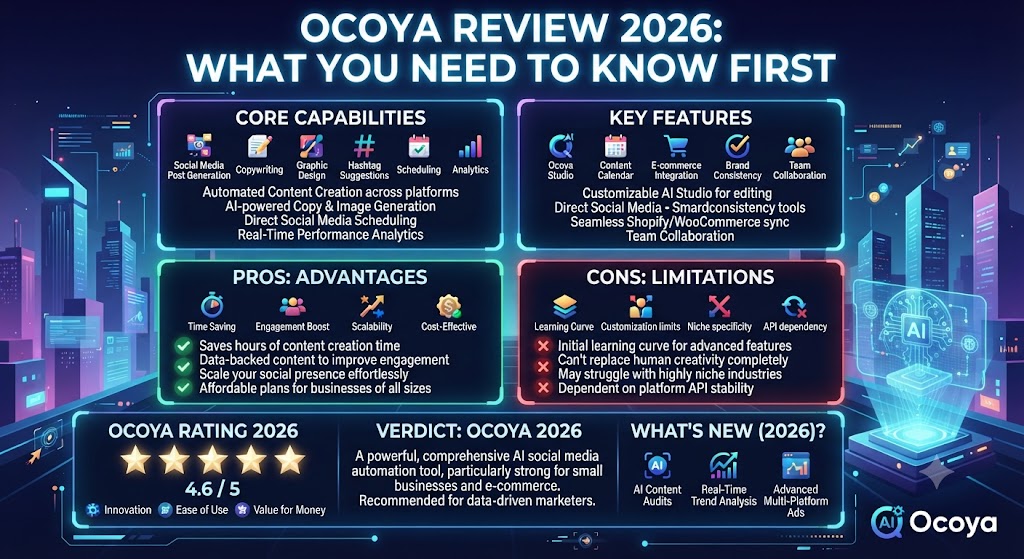
This Ocoya review is going to cut straight to what matters. The social media management tool market is crowded in 2026 — Buffer, Hootsuite, Later, Sprout Social — and most of them do scheduling well. What makes Ocoya different is the combination: AI content creation, graphic design, and social media scheduling in a single platform, at a price point that most competitors cannot match.
The promise is genuinely compelling. Instead of paying separately for a writing tool, a design tool, and a scheduling tool, Ocoya bundles all three. For solo creators and small business owners juggling too many subscriptions, that consolidation is attractive. Whether it actually delivers on the promise is what this Ocoya review is here to answer.
We tested Ocoya across content creation, scheduling, and design workflows for multiple social media platforms. We looked at AI output quality, scheduling reliability, the design tools, and whether the platform is worth it compared to building a stack of individual tools. Here is the full, honest picture.
Whether you are a solo creator building your personal brand, a small business owner managing your own social media, a freelancer handling client accounts, or a growing agency looking for a scalable all-in-one solution — this Ocoya review is written for you.
Skip The Learning Curve — Let Us Run It For You
These AI marketing tools are powerful, but strategy still takes time to master. Tasknestly runs done-for-you digital marketing campaigns using the same category of tools, professionally managed.
Get a Free Marketing Quote →1. What Is Ocoya? A Plain-English Overview
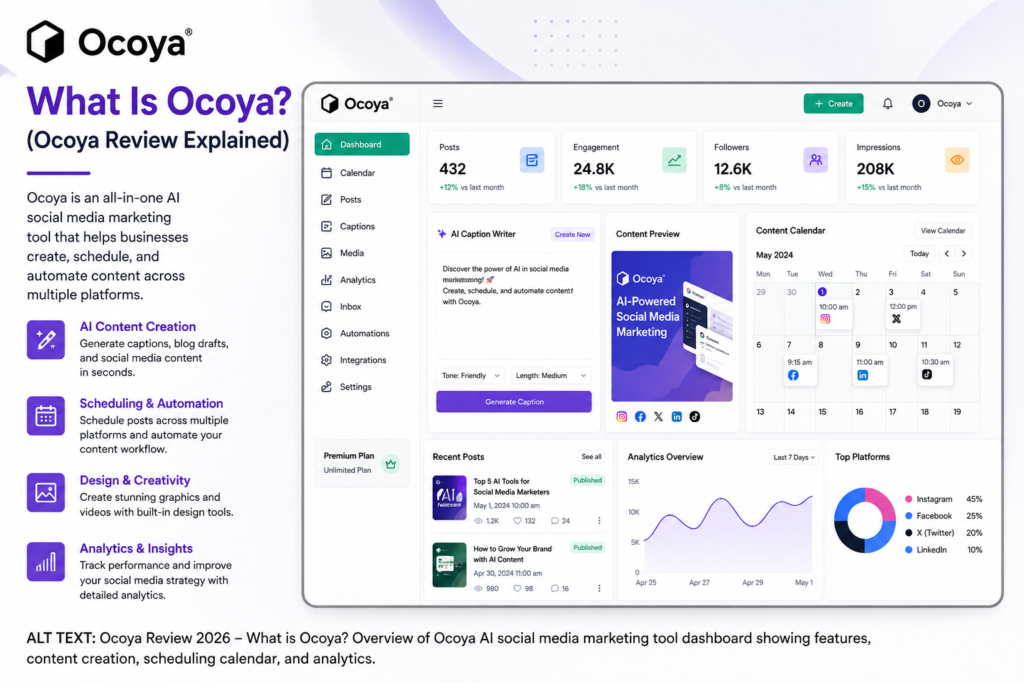
Ocoya is an AI-powered social media management platform that combines three things most marketers currently handle with separate tools: AI-driven content creation, graphic design, and multi-platform post scheduling. You create your content, design your visuals, and schedule your posts — all from one dashboard.
The AI content engine — called Travis AI — generates captions, hashtags, ad copy, blog post ideas, product descriptions, and more in over 26 languages. The design tool lets you create branded social media visuals using templates or by integrating with Canva. The scheduling feature supports all major social media platforms including Instagram, Facebook, Twitter/X, LinkedIn, TikTok, Pinterest, and Google Business Profile.
What makes this Ocoya review interesting is the positioning. Ocoya is not trying to beat Hootsuite on enterprise analytics or beat Jasper on long-form content quality. It is specifically targeting the solo creator, small business, and growing agency market that wants to consolidate their social media workflow without paying for three separate tools.
Ocoya also stands out for its e-commerce integrations. Direct connections with Shopify and WooCommerce allow you to pull in product lines and generate social media content for your catalog automatically — a feature that most pure social media schedulers do not offer.
Skip The Learning Curve — Let Us Run It For You
These AI marketing tools are powerful, but strategy still takes time to master. Tasknestly runs done-for-you digital marketing campaigns using the same category of tools, professionally managed.
Get a Free Marketing Quote →2. How Ocoya Works
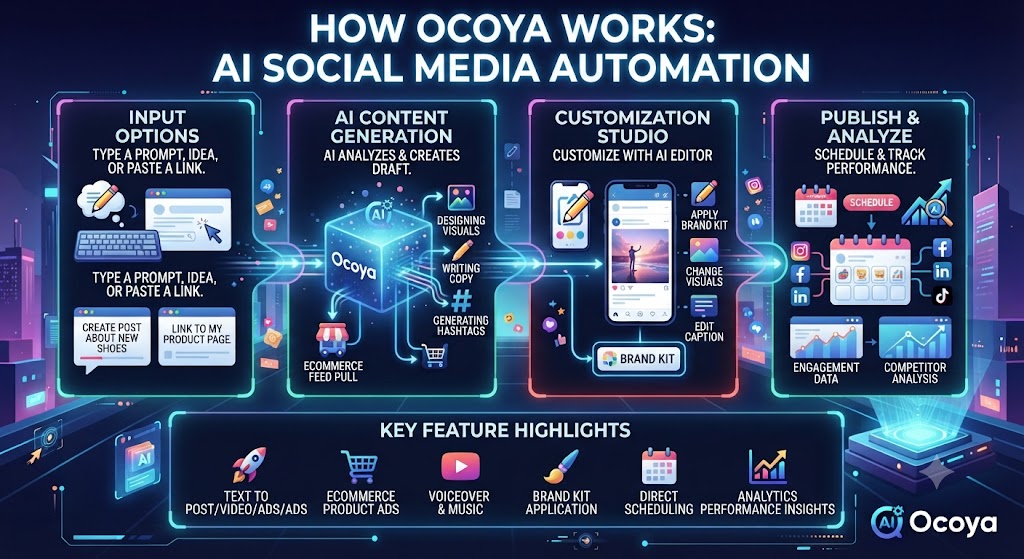
Ocoya’s workflow is built around three interconnected pillars. Understanding how they connect explains why the platform works well for some users and frustrates others.
Travis AI Content Creation
Travis AI is Ocoya’s built-in content generation engine. You give it a topic, product, or brief and it generates captions, hashtags, ad copy, email subject lines, and more in seconds. It supports 26 languages, which makes it useful for multilingual brands and international marketing teams.
In our Ocoya review testing, Travis AI produced solid results for short-form social media captions and hashtag sets — about 80% usable out of the box with minor tweaks. Long-form content quality was more variable. The AI is best used as a first-draft generator for short-form content rather than a replacement for a dedicated AI writing tool.
Post Editor and Design Tools
Ocoya’s post editor allows you to create social media visuals using built-in templates or by connecting your Canva account. You can add your logo, brand colors, and custom assets to maintain visual consistency across posts. The design capabilities are solid for standard social media graphics — not as powerful as standalone design tools, but entirely functional for most content creation needs.
The editor also includes a background remover, link shortener, and AI art generation features. For teams that want to produce basic branded visuals without jumping into a separate design tool, this Ocoya review found the editor genuinely convenient.
Content Calendar and Scheduling
The content calendar gives you a visual overview of all scheduled posts across every connected platform. You can drag and drop to reschedule, bulk upload posts via CSV for weeks or months of content at once, and manage multiple brands from separate workspaces. The scheduling covers all major platforms and includes direct publishing rather than reminder-based scheduling.
💡 Pro tip: Use Ocoya’s CSV bulk upload to batch-schedule a month of content in one session. Pair it with Travis AI to generate caption variations in bulk first, then review and refine before scheduling. This workflow cuts social media management time significantly for teams with consistent posting schedules.
E-Commerce Integrations
One of the more distinctive features in this Ocoya review is Ocoya’s direct integration with Shopify and WooCommerce. You can import your product catalog and generate social media content for specific products automatically. For e-commerce brands running product-focused social media, this removes a significant manual step from the content creation process.
Analytics
Ocoya provides basic analytics covering engagement, reach, and follower growth across connected platforms. The Diamond plan adds advanced analytics and branded performance reports. To be honest about this in our Ocoya review: the analytics are functional but not deep. If detailed performance analysis is a priority, dedicated social media analytics tools offer significantly more insight.
Skip The Learning Curve — Let Us Run It For You
These AI marketing tools are powerful, but strategy still takes time to master. Tasknestly runs done-for-you digital marketing campaigns using the same category of tools, professionally managed.
Get a Free Marketing Quote →3. Key Features of Ocoya in 2026
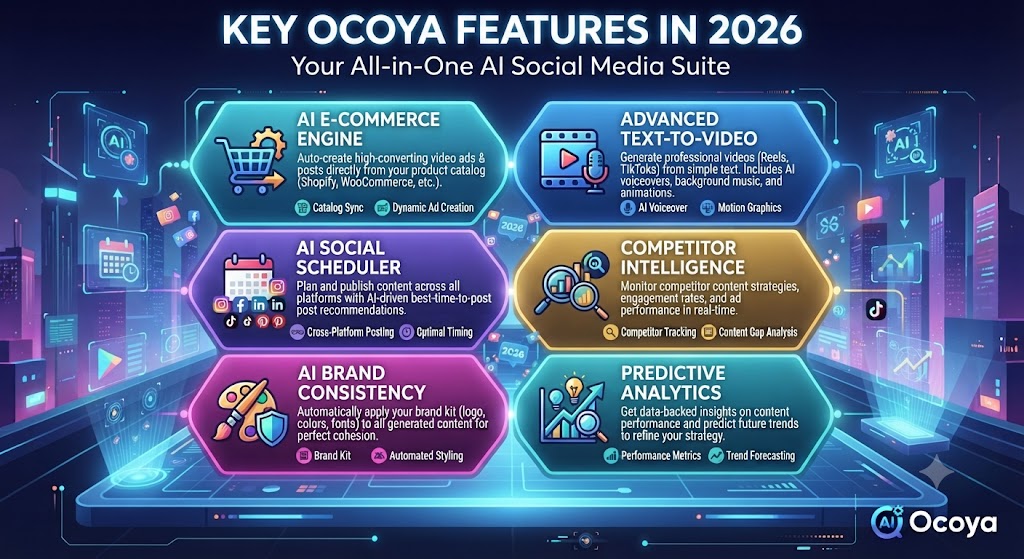
- Travis AI Content Generation: AI-powered captions, hashtags, ad copy, and content ideas in 26 languages. Solid for short-form social content.
- Visual Post Editor: Built-in design tool with branded templates, Canva integration, background remover, and AI art generation.
- Multi-Platform Scheduling: Schedule to Instagram, Facebook, Twitter/X, LinkedIn, TikTok, Pinterest, Google Business Profile, and more from one dashboard.
- Content Calendar: Visual calendar with drag-and-drop rescheduling and bulk CSV upload for mass scheduling.
- Multiple Workspaces: Separate workspaces for different brands or clients — essential for agencies and freelancers managing multiple accounts.
- Shopify and WooCommerce Integration: Import product catalogs and generate social content for e-commerce products directly.
- AI Art Generation: Generate AI images directly within the platform for use in social media posts.
- Link Shortener: Built-in URL shortener for tracking link clicks from social media posts.
- RSS Feed Integration: Auto-publish content from RSS feeds — useful for blogs and content-heavy brands.
- Keyword Automation: Trigger automated direct message replies based on keywords — basic chatbot functionality for social engagement.
Skip The Learning Curve — Let Us Run It For You
These AI marketing tools are powerful, but strategy still takes time to master. Tasknestly runs done-for-you digital marketing campaigns using the same category of tools, professionally managed.
Get a Free Marketing Quote →4. Ocoya Review: Pricing Breakdown
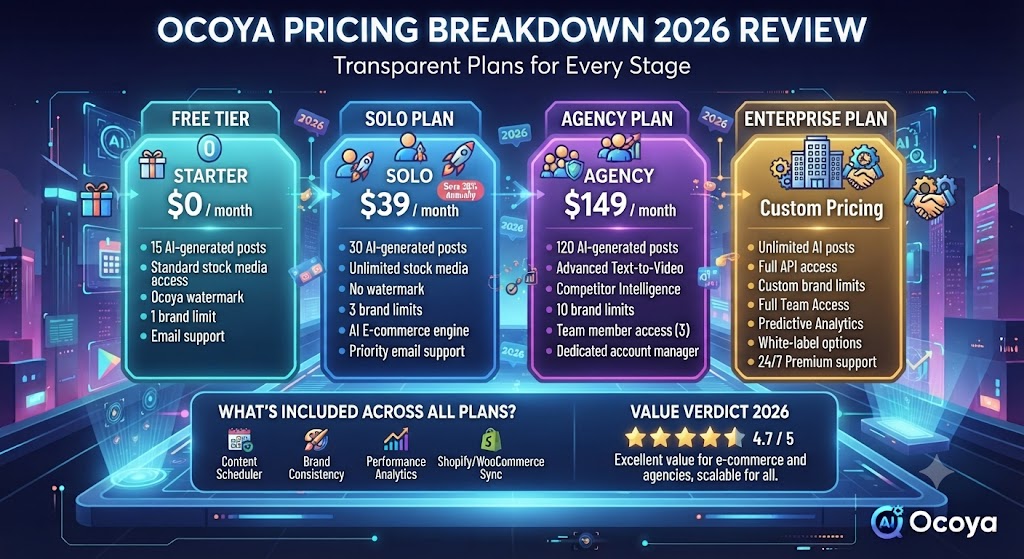
Ocoya pricing is one of the platform’s strongest selling points. Four clear tiers at accessible price points, with a 20% discount for annual billing. Here is the full breakdown.
| Plan | Monthly Price | AI Credits | Key Limits |
|---|---|---|---|
| Bronze | $15/month | 100 credits | 1 user, 1 workspace, 5 social profiles |
| Silver | $39/month | 500 credits | 5 users, 5 workspaces, 20 social profiles, Travis AI in 26 languages |
| Gold | $79/month | 1,500 credits | 20 users, 20 workspaces, 50 social profiles, RSS feeds, automation |
| Diamond | $159/month | Unlimited | 50 users, unlimited workspaces, 150 social profiles, advanced analytics, branded reports, REST API |
Key things to understand about Ocoya pricing:
- Annual billing saves 20%: The Bronze plan drops to $12/month annually, Silver to $31/month, Gold to $63/month, and Diamond to $127/month. Worth committing to if Ocoya fits your workflow.
- AI credits reset monthly and do not roll over: Each credit generates roughly one piece of AI content. On the Bronze plan, 100 credits per month can run out quickly for active content creators. Plan your usage accordingly.
- Only Diamond gets unlimited AI credits: If unlimited AI generation is important to you, the Diamond plan at $159/month is the only tier that removes the credit cap entirely.
- Price jumps between tiers are steep: The jump from Bronze ($15) to Silver ($39) to Gold ($79) to Diamond ($159) is significant. This is the most common pricing complaint in user Ocoya reviews — you may find yourself forced to upgrade sooner than expected.
- 7-day free trial available: No permanent free plan, but a 7-day trial gives you full access to test the platform before committing. No credit card required.
- Extra credits can be purchased: If you run out of AI credits mid-month, additional credits can be purchased at tiered per-credit rates depending on your plan.
💰 Honest take: The Bronze plan at $15/month is genuinely remarkable value for a solo creator who posts consistently. The jump to Silver and Gold feels steep for what the credit limits offer. Most small teams will find the Gold plan necessary for meaningful use — at $79/month, compare it carefully against building a stack of Buffer plus a basic AI writing tool.
Skip The Learning Curve — Let Us Run It For You
These AI marketing tools are powerful, but strategy still takes time to master. Tasknestly runs done-for-you digital marketing campaigns using the same category of tools, professionally managed.
Get a Free Marketing Quote →5. Ocoya Review: Honest Pros and Cons
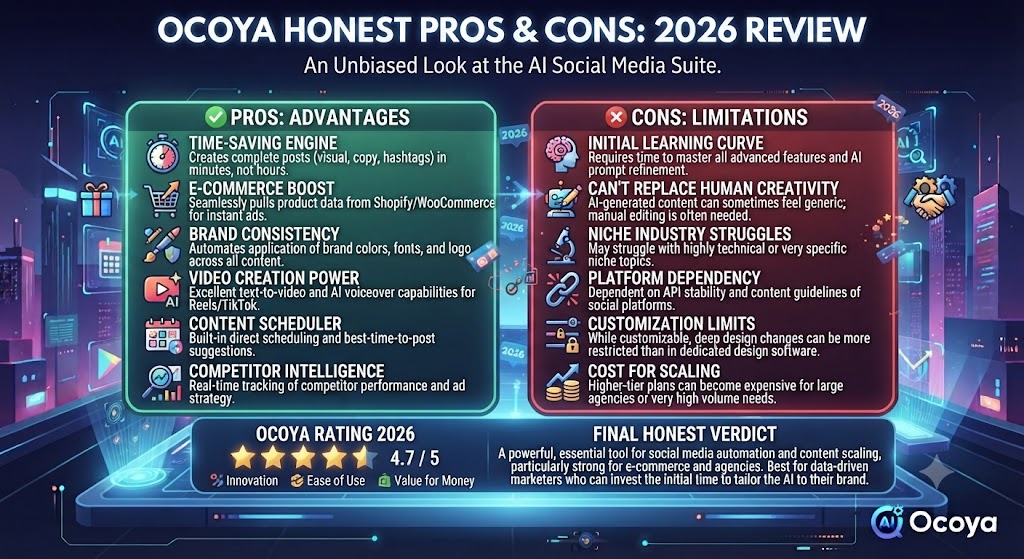
Every honest Ocoya review needs to give you both sides. Here is what genuinely impressed us and what fell short during testing.
What Ocoya Gets Right
- All-in-one value at an affordable price: Getting AI content generation, design tools, and scheduling in a single platform starting at $15/month is genuinely competitive. The consolidation saves money and reduces tool-switching friction for solo creators and small teams.
- Travis AI is solid for short-form content: Captions, hashtags, and short social media copy are produced quickly and at a quality level that is roughly 80% usable without significant editing. For teams posting daily, this saves real time.
- E-commerce integration is a genuine differentiator: The Shopify and WooCommerce integration for automatic product content generation is a feature most social media schedulers do not offer. For e-commerce brands, this is a meaningful advantage.
- Multiple workspace management: Separate workspaces for different brands or clients — starting from Silver — make Ocoya practical for freelancers and small agencies managing several accounts simultaneously.
- Canva integration works well: For teams already using Canva, the direct integration within Ocoya’s editor removes the need to export and re-upload designs manually.
- Bulk CSV scheduling saves time: Upload weeks of pre-planned content via spreadsheet and schedule it all at once. This is a significant time saver for teams with consistent content calendars.
- Multi-language AI support: Travis AI in 26 languages makes Ocoya genuinely useful for multilingual brands and international marketing teams — a feature most competitors at this price point do not offer.
- Strong value at Bronze tier: For solo creators who post regularly to 5 or fewer social profiles, $15/month is hard to beat for this feature set.
Where Ocoya Falls Short
- Customer support is a recurring complaint: This is the most consistent criticism across every Ocoya review platform — G2, Capterra, AppSumo. Slow response times, unhelpful replies, and issues going unresolved for days are reported regularly. For a tool your business depends on daily, unreliable support is a serious concern.
- AI credit limits feel restrictive on lower plans: 100 credits per month on Bronze runs out quickly for active content creators. The credits reset monthly without rollover, which means heavy users hit the wall regularly and face a significant price jump to the next tier.
- Scheduling reliability has room for improvement: Some users report missed posts and API disconnections — particularly with TikTok and Instagram. API token drops require manual reconnection and can disrupt scheduled content without warning.
- Analytics are basic: Engagement, reach, and follower growth data is available, but there are no audience demographics, competitor tracking, or deep performance insights. Teams that need meaningful analytics data will need a separate tool.
- Long-form content quality is inconsistent: Travis AI excels at short-form captions and hashtags. For blog posts, longer copy, or nuanced brand messaging, the quality varies and requires more editing than the short-form output.
- No social listening or inbox management: Ocoya does not include social listening tools or direct message management in any meaningful way. You still need to monitor conversations natively in each platform.
- Video editing is limited: Basic video support is available for scheduling, but complex video editing and timeline tools are not part of the platform. Dedicated video tools are still needed for video-first content strategies.
Skip The Learning Curve — Let Us Run It For You
These AI marketing tools are powerful, but strategy still takes time to master. Tasknestly runs done-for-you digital marketing campaigns using the same category of tools, professionally managed.
Get a Free Marketing Quote →6. Who Should Use Ocoya?
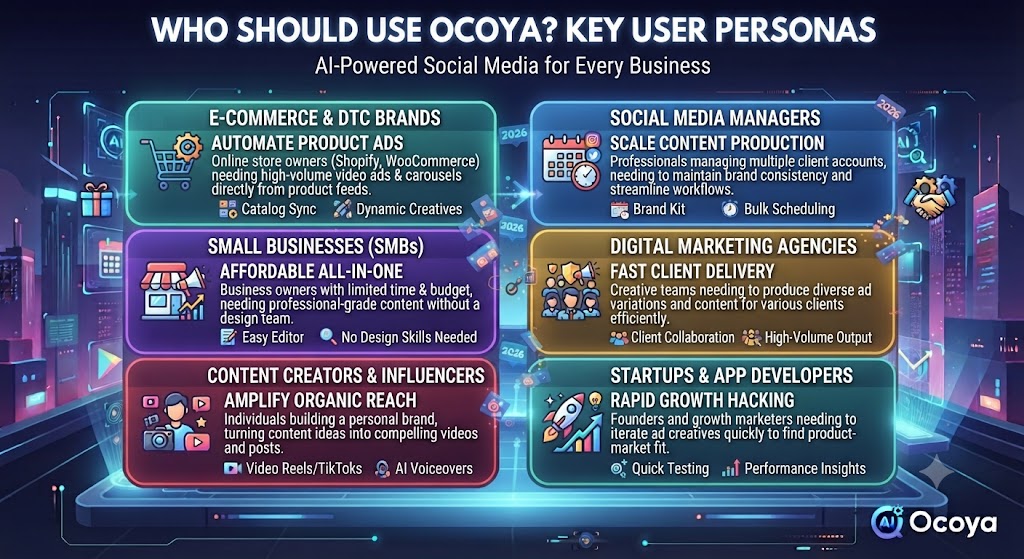
Our Ocoya review found a clear profile of who Ocoya serves well and who is better off with a different tool.
Ocoya Is a Great Fit If You Are:
- A solopreneur or solo creator posting consistently to 5 or fewer social profiles — the Bronze plan at $15/month is exceptional value for this use case.
- A small business owner who wants to handle social media without managing three separate subscriptions — the all-in-one approach saves money and simplifies the workflow.
- A freelancer or small agency managing a handful of client accounts — the workspace system from Silver upward handles multi-client management cleanly.
- An e-commerce brand on Shopify or WooCommerce — the direct product catalog integration for social content generation is a genuine time saver that most competitors do not offer.
- A multilingual brand needing social content in multiple languages — Travis AI in 26 languages covers most international marketing needs at a price point no competitor matches.
- A content creator who batch-schedules in advance — the bulk CSV upload and visual content calendar make Ocoya genuinely efficient for teams that plan content weeks ahead.
Ocoya Is Probably Not Right If You Are:
- A large agency needing enterprise-grade analytics and approval workflows — Hootsuite, Sprout Social, or Agorapulse are better suited for complex agency operations.
- A team that needs reliable daily posting without technical issues — scheduling reliability complaints make Ocoya a risk for brands where missed posts are unacceptable.
- Primarily a video content creator — Ocoya’s video capabilities are basic and not a replacement for dedicated video management tools.
- Someone who needs deep social listening and competitor tracking — Ocoya’s analytics and monitoring capabilities are too basic for serious social media strategy work.
- A team whose primary AI need is long-form content — for blog posts, articles, and extended copy, a dedicated tool like Jasper produces significantly better results.
Skip The Learning Curve — Let Us Run It For You
These AI marketing tools are powerful, but strategy still takes time to master. Tasknestly runs done-for-you digital marketing campaigns using the same category of tools, professionally managed.
Get a Free Marketing Quote →7. Ocoya Review: How It Compares to Competitors
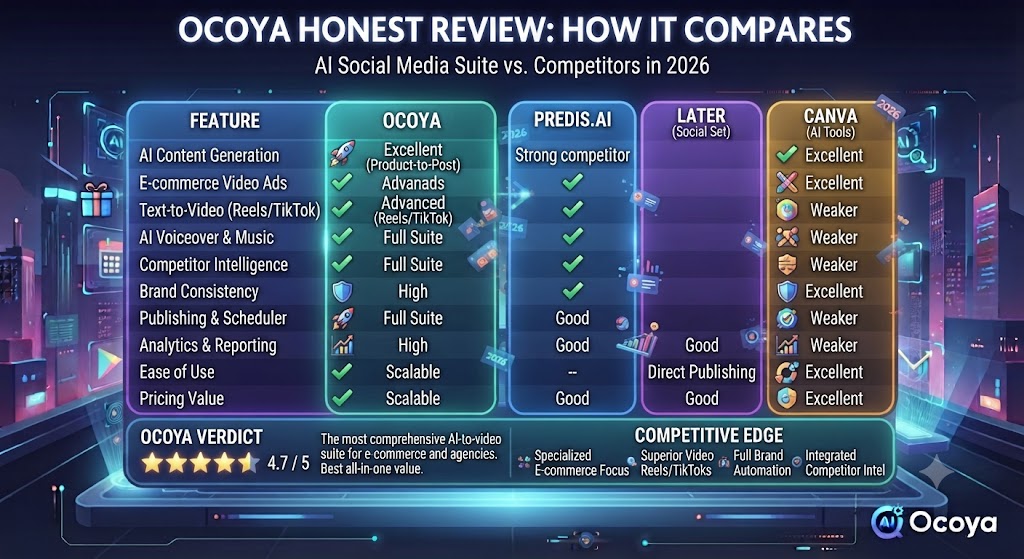
The most common Ocoya review comparisons are Ocoya vs Buffer, Ocoya vs Hootsuite, and Ocoya vs Later. Here is the honest breakdown.
| Tool | Starting Price | Key Strength | Best For |
|---|---|---|---|
| Ocoya | $15/month | AI content + design + scheduling in one | Solo creators, small teams, e-commerce |
| Buffer | Free tier / $6/month | Simplicity, reliability, generous free tier | Individuals, simple scheduling needs |
| Hootsuite | $99/month | Enterprise analytics, team workflows | Large teams, agencies, enterprise brands |
| Later | $18/month | Visual planning, Instagram focus | Instagram-first creators and brands |
| Sprout Social | $249/month | Deep analytics, social listening, CRM | Enterprise social media teams |
The clearest distinction in any Ocoya review comparison is that Ocoya is the only tool at this price point that combines AI content generation, design tools, and scheduling together. Buffer is simpler and more reliable but does not generate content. Hootsuite has enterprise-grade analytics but costs six times more. Later is excellent for Instagram but limited for multi-platform strategies.
Skip The Learning Curve — Let Us Run It For You
These AI marketing tools are powerful, but strategy still takes time to master. Tasknestly runs done-for-you digital marketing campaigns using the same category of tools, professionally managed.
Get a Free Marketing Quote →8. What Real Users Say About Ocoya
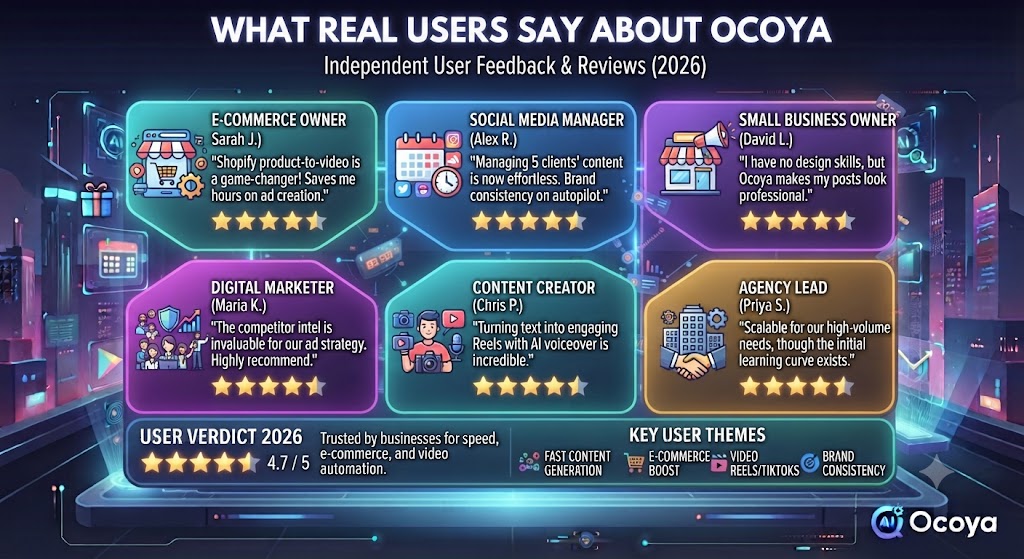
We reviewed verified feedback across G2, Capterra, and AppSumo to understand what users actually experience with Ocoya day to day.
What Users Love
The all-in-one convenience is the most praised aspect in virtually every Ocoya review from real users. Solo creators and small business owners who were previously juggling Canva for design, ChatGPT for captions, and Buffer for scheduling consistently say that consolidating into Ocoya simplifies their workflow significantly. The time saved from not switching between tools adds up quickly when you are posting daily.
The e-commerce integrations generate strong positive feedback from Shopify and WooCommerce users. Being able to import a product and generate social media content for it in a few clicks removes a manual step that previously ate into content production time. Several e-commerce reviewers describe this as the single feature that made them choose Ocoya over alternatives.
The Travis AI quality for caption generation also gets consistent praise from users who set realistic expectations. Reviewers who treat the AI output as a starting point to refine rather than a finished product are generally satisfied. The 26-language support in particular stands out as a differentiator for international users who note that most competitors at this price point do not offer multilingual AI generation.
Where Users Get Frustrated
Customer support is the most serious recurring issue in user Ocoya reviews across every major review platform. Users report waiting days for responses, receiving unhelpful replies, and having technical issues go unresolved for extended periods. For a platform that teams rely on for daily social media publishing, this is a significant concern. Several AppSumo lifetime deal purchasers mention being unable to publish content for days with no meaningful support response.
Scheduling reliability is the second consistent complaint. Missed posts, API token disconnections — particularly with TikTok and Instagram — and the need to manually reconnect integrations after drops are reported by a meaningful number of users. This is particularly frustrating for teams with time-sensitive content tied to campaigns or product launches.
The AI credit limits on lower plans also generate frustration in this Ocoya review analysis. Users who sign up at the Bronze tier expecting to generate content freely find the 100 monthly credit cap more restrictive than they anticipated. The jump to Silver at $39/month for 500 credits is the most common upgrade path, but some users feel the pricing jump is steeper than it should be for the incremental feature increase.
Skip The Learning Curve — Let Us Run It For You
These AI marketing tools are powerful, but strategy still takes time to master. Tasknestly runs done-for-you digital marketing campaigns using the same category of tools, professionally managed.
Get a Free Marketing Quote →9. Our Ocoya Review Rating Breakdown
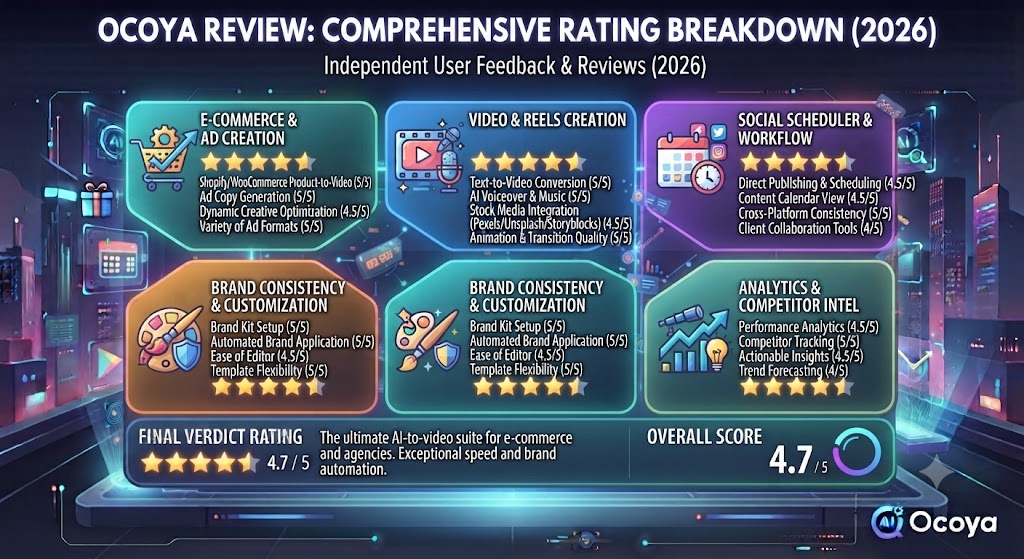
| Category | Score | Notes |
|---|---|---|
| All-in-One Value | 4.7 / 5 | Best combination of AI, design, and scheduling at this price point |
| AI Content Quality | 4.0 / 5 | Solid for short-form captions; inconsistent for longer content |
| Scheduling Reliability | 3.6 / 5 | Generally works but API drops and missed posts are reported too frequently |
| Design Tools | 4.1 / 5 | Good for basic social graphics; Canva integration is convenient |
| E-Commerce Integration | 4.5 / 5 | Shopify/WooCommerce product content generation is a genuine differentiator |
| Pricing Value | 4.4 / 5 | Bronze is exceptional value; tier jumps are steep but competitive |
| Customer Support | 3.2 / 5 | Consistently criticized — slow, unhelpful, and a real concern for daily users |
| Analytics | 3.5 / 5 | Basic metrics only; not suitable for teams needing deep performance data |
| Overall | 4.2 / 5 | Strong all-in-one value with real reliability and support concerns to know about |
Skip The Learning Curve — Let Us Run It For You
These AI marketing tools are powerful, but strategy still takes time to master. Tasknestly runs done-for-you digital marketing campaigns using the same category of tools, professionally managed.
Get a Free Marketing Quote →10. Final Ocoya Review Verdict: Is It Worth It in 2026?
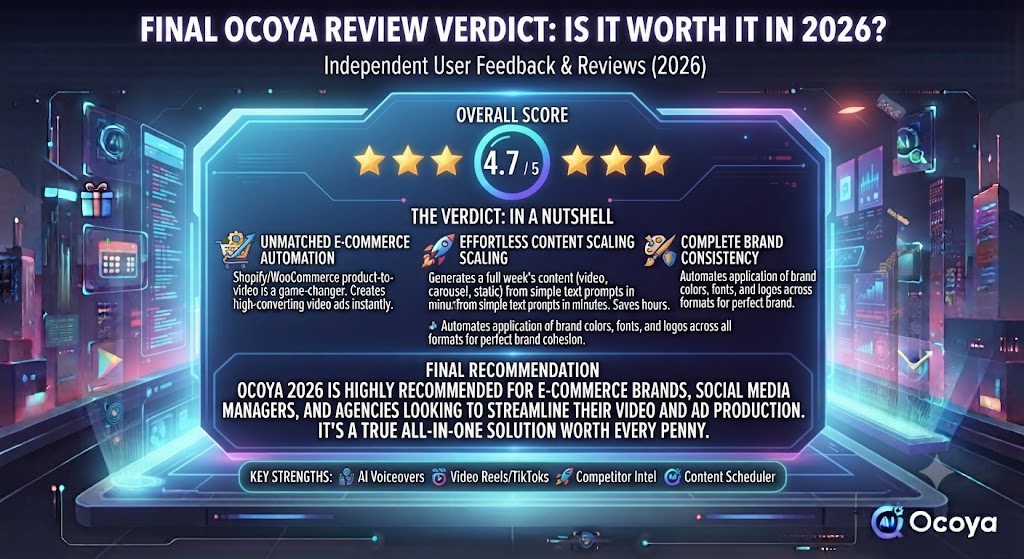
Here is the honest bottom line of this Ocoya review: Ocoya is one of the best-value all-in-one social media tools available in 2026 for solo creators, small businesses, and growing agencies. The combination of AI content generation, design tools, and scheduling at a starting price of $15/month is genuinely competitive — and the e-commerce integrations are a real differentiator for Shopify and WooCommerce brands.
The two issues you need to go in with eyes open about are scheduling reliability and customer support. These are not isolated complaints — they appear consistently across hundreds of verified reviews. For teams where a missed post or a multi-day support blackout would be a serious problem, these issues are worth factoring heavily into your decision.
Our Ocoya review recommendation: start with the 7-day free trial and test the scheduling reliability with your specific platform mix. If TikTok or Instagram are your primary channels, pay particular attention to whether the integration holds up consistently. If the trial goes smoothly — and for many users it does — the Bronze or Silver plan is a strong value for the workflow consolidation it delivers.
If deep analytics, social listening, or enterprise-grade reliability are non-negotiable for your team, this Ocoya review points you toward Hootsuite or Sprout Social instead. And if your primary need is AI writing quality rather than scheduling, see our [INTERNAL LINK: Jasper AI Review 2026] for a dedicated content creation tool.
| ✅ Get Ocoya If You…Are a solo creator or small business ownerWant AI, design, and scheduling in one toolRun an e-commerce store on Shopify/WooCommerceManage multiple brands or client accountsNeed multilingual social contentWant to consolidate your tool subscriptions | ⚠️ Skip Ocoya If You…Need enterprise-grade analyticsRely on TikTok/Instagram for time-sensitive postsNeed social listening or inbox managementAre a video-first content creatorNeed fast and reliable customer supportWant deep long-form AI writing quality |
11. Ocoya Review: Frequently Asked Questions
Is Ocoya worth it in 2026?
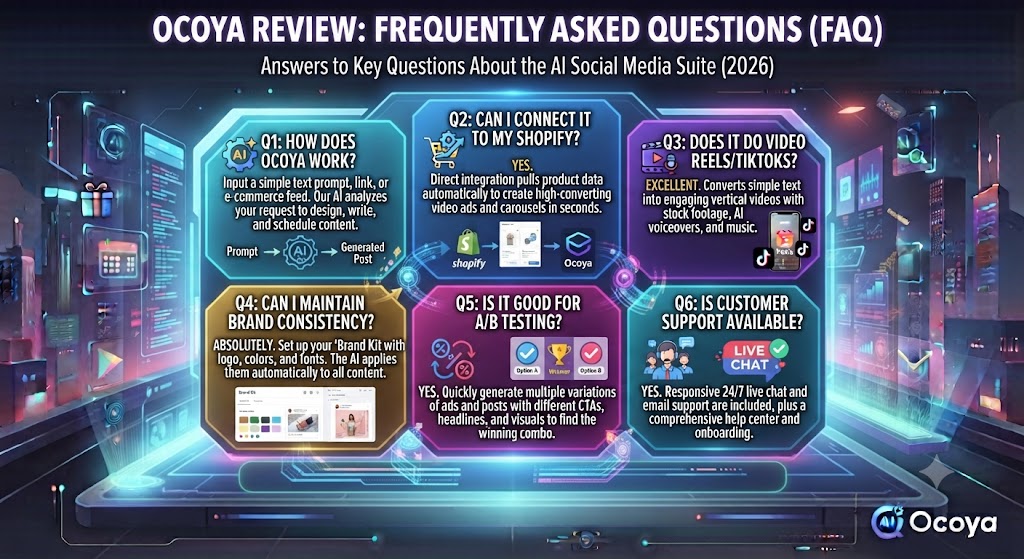
For solo creators and small teams wanting AI content generation, design tools, and scheduling in one affordable platform, yes — our Ocoya review rates it 4.2/5. The Bronze plan at $15/month is exceptional value. The customer support and scheduling reliability issues are real concerns that you should factor into your decision.
What is the best Ocoya plan for a small business?
For most small businesses, the Silver plan at $39/month is the sweet spot. It adds 5 workspaces, 20 social profiles, 500 AI credits, and Travis AI in 26 languages. As noted in this Ocoya review, the Bronze plan is genuinely useful for solo creators but feels limiting once you are managing more than one brand or need consistent daily content generation.
Does Ocoya have a free plan?
Ocoya does not offer a permanent free plan, but a 7-day free trial gives you full access to all features. No credit card is required to start the trial, giving you a genuine opportunity to test the platform before committing.
How does Ocoya compare to Buffer?
Buffer is simpler, more reliable, and has a free tier — but it does not generate content. Ocoya adds AI content creation and design tools on top of scheduling, making it more of an all-in-one solution. Our Ocoya review found that teams who only need scheduling are better served by Buffer’s simplicity and reliability, while teams that want to create and schedule from one platform benefit from Ocoya’s broader feature set.
Can Ocoya post to TikTok?
Yes, TikTok is a supported platform in Ocoya. However, this Ocoya review flagged TikTok as one of the integrations most commonly cited for API disconnection issues. If TikTok is your primary or most critical channel, test this integration specifically during your trial period before committing to a paid plan.
Does Ocoya work with Shopify?
Yes — and this is one of Ocoya’s strongest differentiators highlighted in this Ocoya review. The Shopify integration lets you import your product catalog and generate social media content for specific products automatically. WooCommerce is also supported. For e-commerce brands running product-focused social media, this integration alone is worth serious consideration.
How many social profiles can I connect to Ocoya?
It depends on your plan. Bronze allows 5 social profiles, Silver allows 20, Gold allows 50, and Diamond allows 150. For most solo creators and small businesses, the Bronze or Silver limits are sufficient. Agencies managing many clients should look at the Gold or Diamond plan based on their total profile count.
Disclosure: This article contains affiliate links. TechBotHQ may earn a commission if you sign up through our links, at no extra cost to you. See our affiliate disclosure for full details.
Skip The Learning Curve — Let Us Run It For You
These AI marketing tools are powerful, but strategy still takes time to master. Tasknestly runs done-for-you digital marketing campaigns using the same category of tools, professionally managed.
Get a Free Marketing Quote →