Unbiased Looka Review 2026: Best AI Logo Maker Worth It?

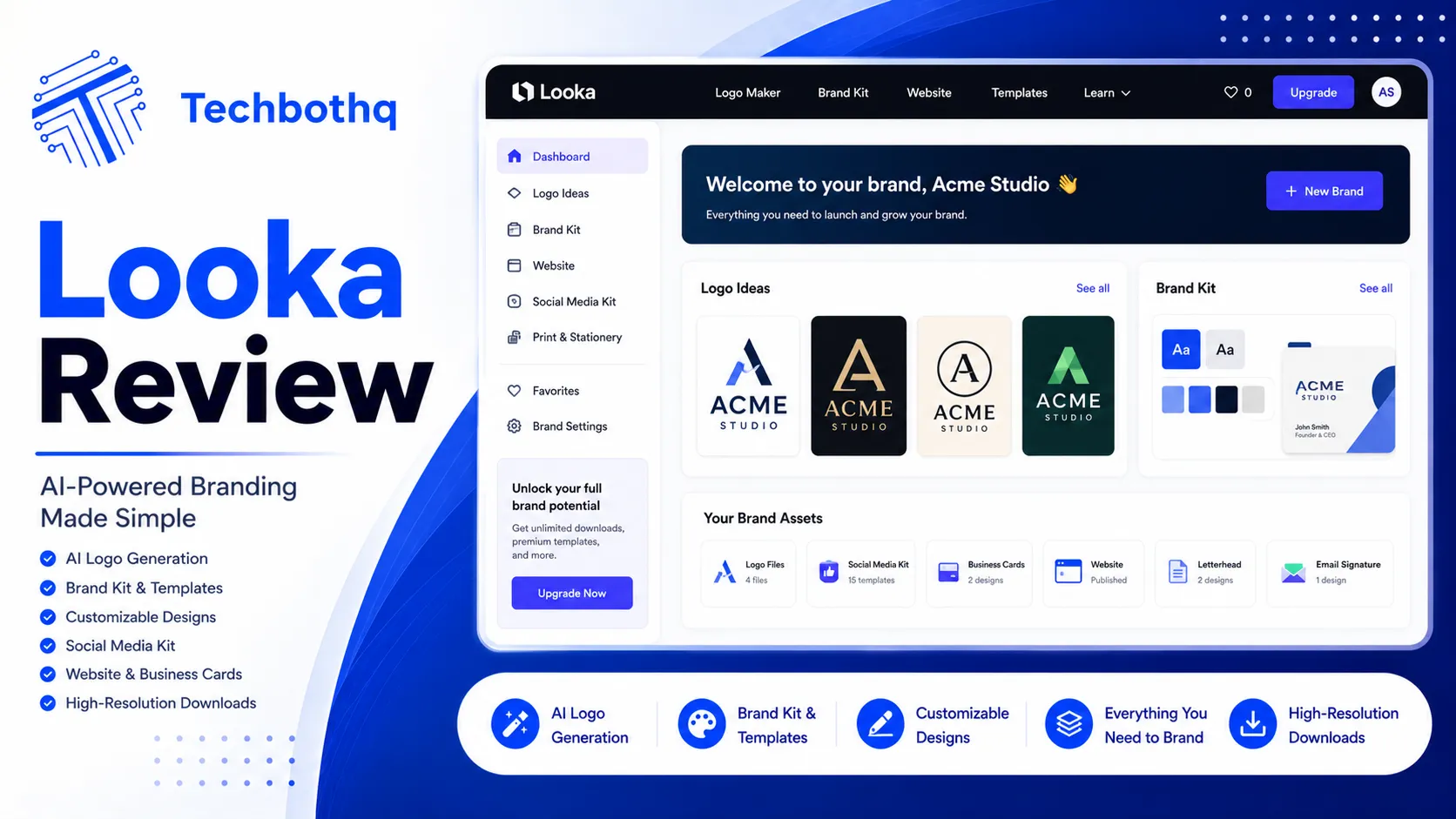
Building a professional brand used to mean paying a designer hundreds — sometimes thousands — of dollars for a logo. Looka promises to change that entirely, and this Looka review is here to tell you whether it actually delivers. The AI-powered logo generator has generated millions of logos since its launch, making it one of the most widely used tools in the AI design category. But popularity isn’t the same as quality, and this Looka review goes deeper than surface-level impressions to give you a real verdict.
This Looka review puts the full workflow to the test: from the initial AI generation process through to the editor, file downloads, and the Brand Kit. The pitch is simple — answer a few questions about your business and style preferences, and Looka’s AI generates polished logo concepts in seconds. You customise, purchase, and download files ready to use across your website, social profiles, and marketing materials. No designer required. No design skills needed.
The real Looka review question isn’t whether it works in a demo. It’s whether the logos it produces are genuinely professional enough for real business use, whether the pricing model is fair, and whether Looka holds up against a crowded field of AI design competitors. We’ve been through the complete workflow so you don’t have to guess.
VERDICT BOX
Overall Rating: 8.0 / 10
Best for: Small business owners, freelancers, and startups who need professional branding fast without a design budget
Price: Free to design; Logo Package from $20 one-time; Brand Kit from $96/year
Verdict: Looka delivers genuinely professional AI-generated logos at a fraction of traditional design costs — the output quality is strong, and the Brand Kit is excellent value for businesses that want complete visual consistency from day one.
Table of Contents
What Is Looka? Background for This Looka Review
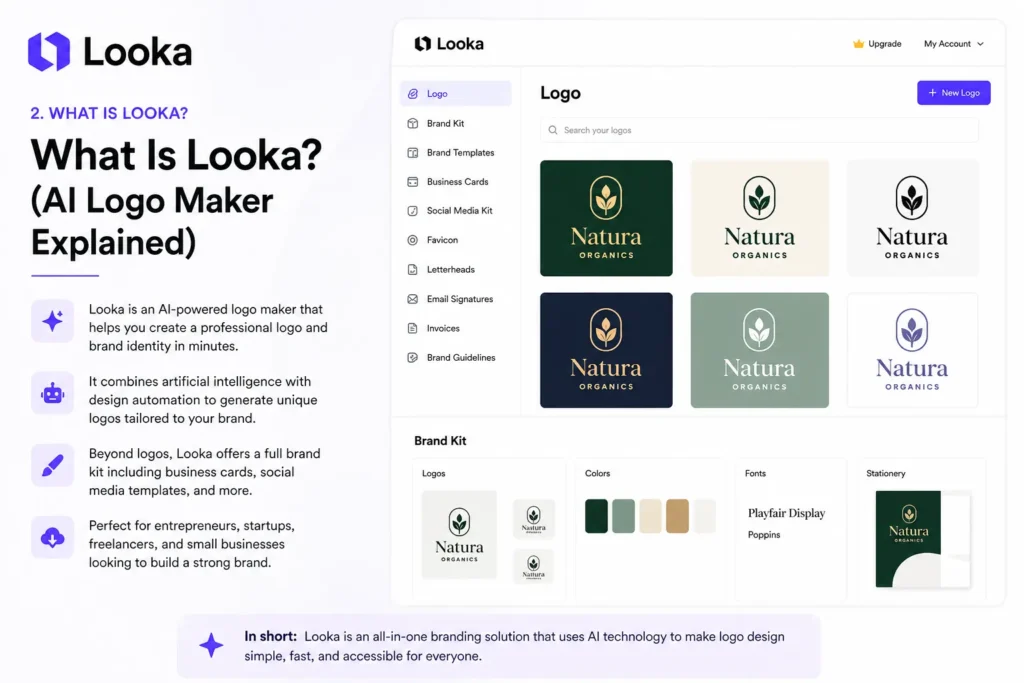
Looka (formerly known as Logojoy) is a Canadian AI-powered branding platform founded in 2016. The product has evolved significantly since its early days — what started as a focused AI logo generator has grown into a full branding suite that covers logos, brand guidelines, business cards, social media assets, and more. This Looka review covers the current 2026 version of the product, which is considerably more capable than what launched nearly a decade ago.
The platform works by combining machine learning with a curated library of design assets to generate logo options based on your inputs. You tell Looka your business name, industry, style preferences (chosen from example logo styles), and preferred colour palette, and it produces dozens of AI-generated logo concepts. You then select a direction, customise it in Looka’s editor, and purchase your files when you’re satisfied. The Looka review process is intuitive even for users who have never touched a design tool.
Looka sits in a competitive space alongside tools like Canva, Wix Logo Maker, and Hatchful — but positions itself as a step above pure template-drag-and-drop tools by leading with AI generation rather than template browsing. For businesses without design resources, this distinction matters. The AI generation process produces concepts that feel more tailored and less obviously templated than many competitors — a key finding in this Looka review. For a broader look at the AI design landscape, our AI design tools hub covers the leading options in depth.
Love What These AI Design Tools Can Do?
Great AI-generated visuals still need a cohesive brand identity holding them together. Let Tasknestly build your full branding — logo, guidelines, and visual system.
Explore Branding Services →Looka Review: Pros and Cons
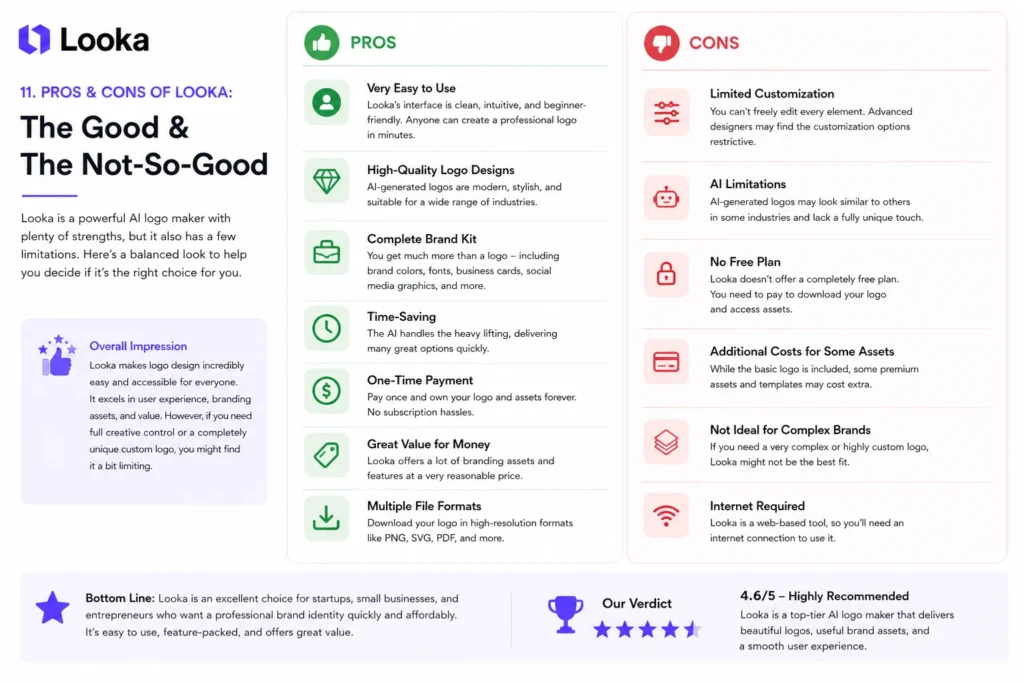
Every honest Looka review needs to address both sides of the equation. Here’s a balanced breakdown.
| Pros | Cons |
|---|---|
| AI generates high-quality, professional-looking logos quickly | Cannot download anything without purchasing |
| Brand Kit is exceptional value for full visual brand consistency | Logo file access is locked behind a hard paywall |
| Extensive customisation options available in the editor | Generated concepts can feel similar across some style categories |
| One-time logo purchase is affordable (from $20) | No true vector editing at the node level in the browser editor |
| Full brand asset suite covering social, cards, letterhead, and more | Subscription required for ongoing Brand Kit access and new assets |
| Clean, intuitive interface — genuinely usable without design skills | Font library is limited compared to dedicated design platforms |
Love What These AI Design Tools Can Do?
Great AI-generated visuals still need a cohesive brand identity holding them together. Let Tasknestly build your full branding — logo, guidelines, and visual system.
Explore Branding Services →Looka Review: Feature Deep-Dive
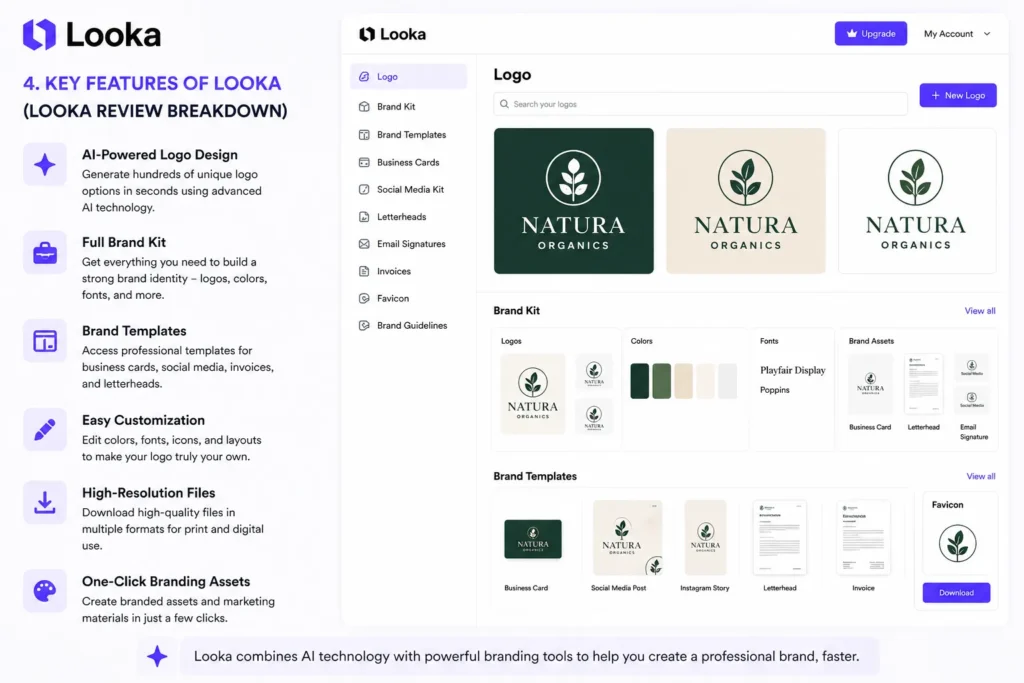
AI Logo Generation — What This Looka Review Actually Found
The Looka AI generation flow starts with a brand questionnaire: your business name, optional tagline, industry, style preferences, and colour choices. This takes roughly three to five minutes to complete, and the generated results appear almost instantly. For a Looka review, this is the moment of truth — and the results are genuinely impressive.
The quality of the initial AI-generated concepts is strong for a tool in this category. Looka generates dozens of logo variations across different layout styles — stacked, horizontal, icon-only, and text-only — and the overall aesthetic feels polished rather than generic. The AI is particularly good at combining icon shapes and typography in ways that feel cohesive and intentional, which is actually the hardest part of logo design to get right algorithmically.
That said, an honest Looka review has to note that the icon library is finite. If you generate logos for multiple businesses in the same industry back to back, you’ll notice some overlap in icon shapes and styles. For a small business owner who just needs their one logo, this is irrelevant. For someone operating in a highly competitive local market where visual differentiation is critical, it’s a limitation worth considering.
The Looka Editor — Real-World Customisation in This Looka Review
Once you’ve selected a concept direction in the Looka review process, the editor lets you fine-tune every element: font pairing, colour palette, icon, layout style, text sizing, and tagline. The editor is genuinely well-designed — easy enough for a complete non-designer to use effectively, with live preview mockups across business card, letterhead, and social profile formats updating as you make changes.
You can swap the icon for any other in Looka’s library, adjust colours to your exact brand hex codes, and resize layout proportions. What the Looka review process confirmed you can’t do is edit at the node level — Looka doesn’t expose the underlying vector paths the way Illustrator or Figma would. For the vast majority of small business users, this isn’t a problem. For anyone who needs precise custom vector path manipulation, you’ll want to export files and take them into Illustrator for further work.
Brand Kit — The Feature That Elevates This Looka Review Assessment
The Brand Kit is where this Looka review gets significantly more enthusiastic. For $96/year billed annually, you get ongoing access to a complete suite of branded assets built around your logo: social media profile images, cover photos across platforms, business card designs, letterhead, email signatures, invoice templates, and more — all auto-generated in your exact brand colours and fonts.
For a small business that would otherwise commission each of these assets individually from a designer, the Brand Kit represents extraordinary value. A designer charging $50–100 per asset would exceed the annual Brand Kit cost in a single project. The assets themselves are professionally formatted for each specific use case — social media images come in the correct dimensions for each platform, which eliminates a constant source of friction for small business owners managing their own profiles.
Logo File Formats and Downloads
Upon purchase, Looka provides logo files in multiple formats: PNG (transparent background, multiple resolutions), SVG (scalable vector), PDF, and EPS. The SVG and EPS files are proper vector files that can be scaled to any size — billboard, van wrap, or postage stamp — without quality loss. The PNG files are high-resolution and suitable for web and digital use.
One important point this Looka review must emphasise: you need to purchase before downloading any files. The entire design and customisation process is free, but there is a hard paywall before you can export. This is standard practice in the AI logo generator category, but it’s critical to understand upfront — the free experience is a preview and design sandbox, not a usable output.
Looka Print — Physical Branded Materials
Looka also offers a print-on-demand service for physical branded materials including business cards, stickers, and other print products. This is a convenient option for users who want to go from logo to physical materials without coordinating with a separate print vendor. Print quality based on user feedback is solid, and the ordering process integrates seamlessly with your existing Looka account and brand assets.
Love What These AI Design Tools Can Do?
Great AI-generated visuals still need a cohesive brand identity holding them together. Let Tasknestly build your full branding — logo, guidelines, and visual system.
Explore Branding Services →Looka Pricing: Full Breakdown for This Looka Review
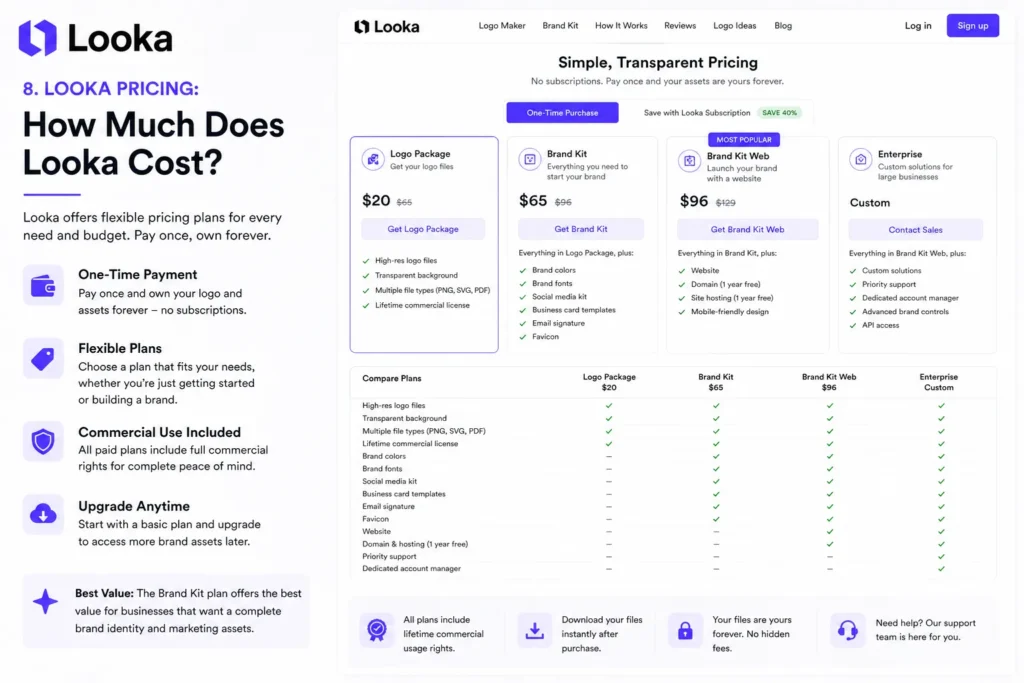
| Plan | Price | What You Get |
|---|---|---|
| Logo Package (Basic) | From $20 (one-time) | Logo files in PNG format only |
| Logo Package (Full) | From $65 (one-time) | PNG + SVG + EPS + PDF — all file formats |
| Brand Kit | $96/year | Full logo files + ongoing brand asset suite |
| Brand Kit + Website | $129/year | Everything in Brand Kit + Looka website builder |
The pricing structure this Looka review uncovered deserves careful attention. The $20 entry point only includes PNG files — useful for basic digital use, but insufficient for print applications. Any business that needs vector files (which almost every serious application will eventually require) needs either the full Logo Package at $65 or the Brand Kit at $96/year. For most users, the Brand Kit at $96/year is the right call — you get the full file suite plus ongoing access to branded asset generation.
Love What These AI Design Tools Can Do?
Great AI-generated visuals still need a cohesive brand identity holding them together. Let Tasknestly build your full branding — logo, guidelines, and visual system.
Explore Branding Services →Looka vs Competitors: The Looka Review Comparison
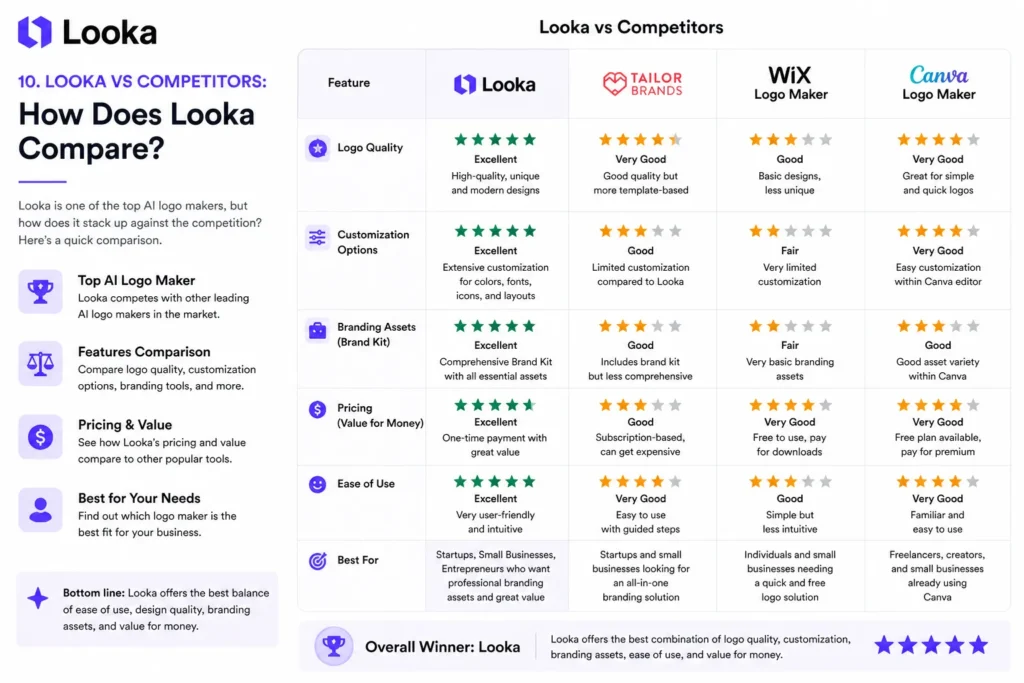
| Feature | Looka | Canva | Wix Logo Maker | Hatchful (Shopify) |
|---|---|---|---|---|
| AI logo generation | ✅ Strong AI-led | ⚠️ Template-first | ✅ AI-assisted | ⚠️ Template-first |
| Vector file export | ✅ SVG/EPS/PDF | ✅ (Pro plan) | ✅ Yes | ✅ Yes |
| Brand Kit / asset suite | ✅ Comprehensive | ✅ Extensive | ⚠️ Limited | ❌ Logo only |
| One-time purchase option | ✅ Yes | ❌ Subscription only | ✅ Yes | ✅ Free |
| Editor design flexibility | Medium | High | Medium | Low |
| Print integration | ✅ Yes | ✅ Yes | ❌ No | ❌ No |
| Starting price | $20 one-time | $15/month | Free | Free |
| Full Brand Kit price | $96/year | $120/year | N/A | N/A |
Canva is the most direct competitor in this Looka review comparison, and the choice between them comes down to workflow: Canva is a broader design platform where you build assets from scratch or from templates, while Looka leads with AI generation and keeps the experience laser-focused on brand identity. For users who want a complete brand package without learning a design tool, Looka wins on the Looka review comparison. For users who want maximum creative control across all design types, Canva is the stronger long-term choice. More comparisons are available in our AI design tools section.
Love What These AI Design Tools Can Do?
Great AI-generated visuals still need a cohesive brand identity holding them together. Let Tasknestly build your full branding — logo, guidelines, and visual system.
Explore Branding Services →Who Is Looka Best For? The Looka Review Audience Assessment
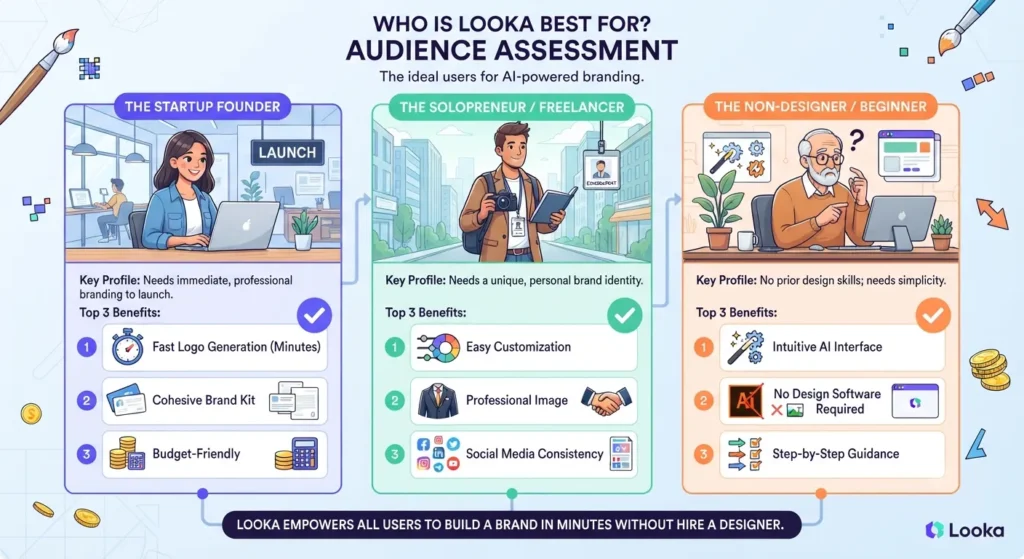
This Looka review is clear that Looka is purpose-built for a specific type of user — and it genuinely excels for that audience.
Looka works best for:
- Small business owners and sole traders who need a professional logo quickly without a design budget or design skills
- Startups and early-stage founders who want to establish visual brand identity before investing in a custom designer
- Freelancers and consultants building a personal brand who need cohesive logo, business card, and social profile assets
- E-commerce sellers launching on Shopify, Etsy, or Amazon who need professional branded storefronts and packaging
- Local service businesses such as restaurants, salons, and tradespeople who need professional materials without ongoing design costs
Looka is less ideal for:
- Established brands with a strong existing visual identity that need refinement rather than a fresh start
- Businesses in highly competitive markets where truly unique visual differentiation is non-negotiable
- Design-savvy users who will find the editor limiting compared to professional tools like Figma or Adobe Illustrator
Love What These AI Design Tools Can Do?
Great AI-generated visuals still need a cohesive brand identity holding them together. Let Tasknestly build your full branding — logo, guidelines, and visual system.
Explore Branding Services →Looka Review: Real-World Use Cases and Workflow Examples
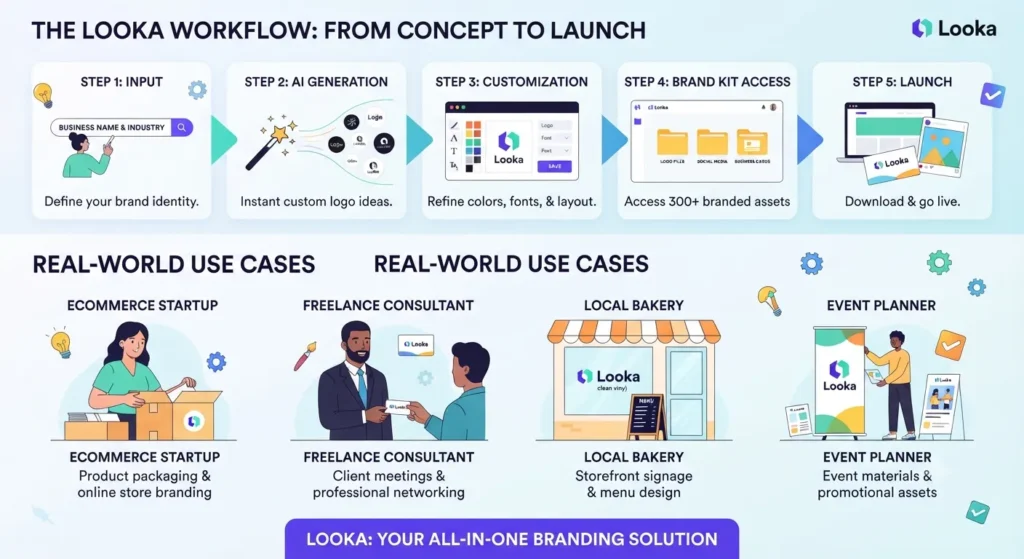
A practical Looka review should go beyond feature listings to show how the tool performs in real business scenarios. Understanding the actual workflow — from first login to finished brand assets — gives you a clearer picture of whether Looka fits your situation.
The Solo Founder Launch Workflow
The most common Looka review use case is the solo founder who needs to launch fast. The typical workflow this Looka review documents looks like this: complete the brand questionnaire (5 minutes), browse and select a logo concept direction (10 minutes), customise in the editor (15–20 minutes), purchase the Brand Kit, and immediately start applying branded assets across social profiles, email signatures, and website header. Total time from zero to complete brand package: under 90 minutes in most Looka review scenarios.
The value of this Looka review workflow is clearest when you contrast it against the alternative: briefing a designer, waiting for initial concepts (typically 3–5 business days), revising, finalising, and receiving files. That process takes weeks and costs hundreds to thousands of dollars. For early-stage founders, speed and cost matter as much as output quality — and this Looka review confirms Looka delivers strongly on both.
The Rebrand Exploration Workflow
Another compelling Looka review use case is rebrand exploration — using Looka’s generation engine to explore visual directions quickly before committing to a human designer. Because the design process is free, you can generate dozens of concept directions across different colour palettes, icon styles, and layout types in under an hour.
This Looka review found this approach genuinely useful for founders and marketing managers who want to develop a strong brief before approaching a designer. Seeing AI-generated concepts crystallises preferences and helps articulate what “right” looks like — which saves significant revision time and cost when you do engage professional design services. Many agencies actually recommend using tools like Looka this way as part of their discovery process.
The E-Commerce Seller Workflow
For e-commerce sellers launching on Shopify, Etsy, or Amazon, this Looka review highlights a specific value proposition: instant, professional branded assets at launch scale. The Brand Kit’s social media assets come pre-sized for each platform, the business card templates are ready for supplier and trade show use, and the logo vector files work immediately on packaging without additional designer involvement.
This Looka review found that for sellers operating at early stages — where professional appearance matters for conversion but design budgets are zero — Looka’s $96/year Brand Kit represents one of the best dollar-for-output investments available anywhere in the business toolkit.
Love What These AI Design Tools Can Do?
Great AI-generated visuals still need a cohesive brand identity holding them together. Let Tasknestly build your full branding — logo, guidelines, and visual system.
Explore Branding Services →Looka Review: Get It / Skip It
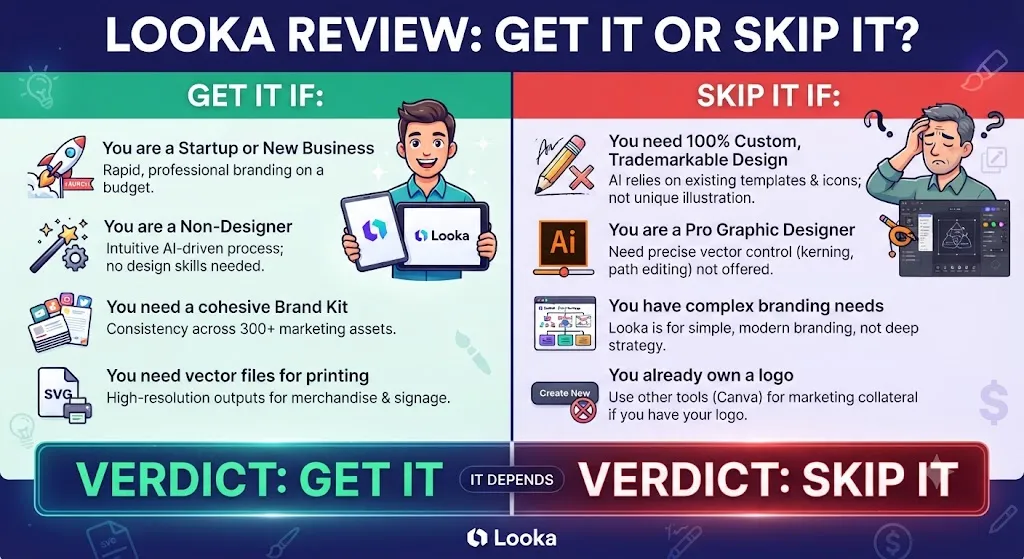
✅ Get Looka if:
- You’re launching a business or personal brand and need professional logo and brand assets without hiring a designer
- You want a complete Brand Kit — logo, social assets, business cards, print templates — for under $100/year
- You need a fast, polished result with minimal design knowledge and a clean, guided workflow
❌ Skip Looka if:
- You need full vector-level customisation and node-level design control (use Figma or Illustrator instead)
- Your brand already has established design assets you want to evolve rather than replace entirely
- Your budget is zero — the free Looka review design experience is useful, but any usable file requires payment
Love What These AI Design Tools Can Do?
Great AI-generated visuals still need a cohesive brand identity holding them together. Let Tasknestly build your full branding — logo, guidelines, and visual system.
Explore Branding Services →Looka Review: Frequently Asked Questions
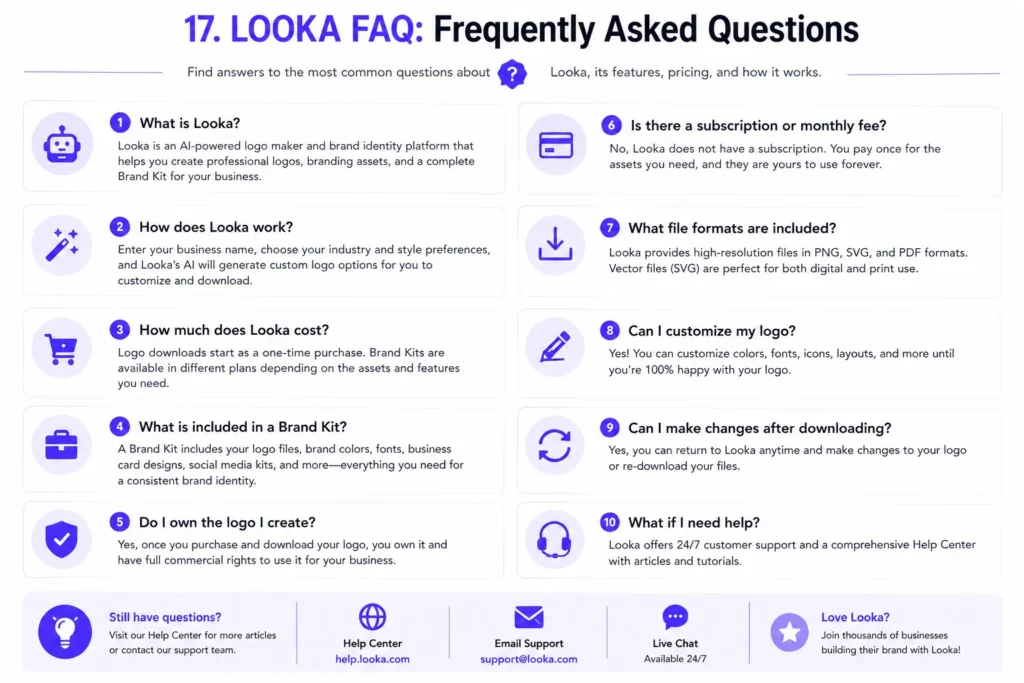
Q: Is this Looka review recommending it for all businesses? This Looka review recommends Looka specifically for small businesses, startups, freelancers, and sole traders who need professional branding without a design budget. For large enterprises or businesses in highly competitive markets where truly original visual identity is essential, a human designer will still outperform any AI logo tool.
Q: Is Looka free to use? Looka is free to design with. You can complete the full logo creation and customisation process in this Looka review workflow without paying. However, you cannot download any files without purchasing. The Logo Package starts at $20 for basic PNG files, or $65 for the full file suite including proper vector formats.
Q: What files does a Looka download package include? The full Logo Package includes PNG (transparent background, multiple sizes), SVG (vector), PDF, and EPS formats. The basic $20 package includes PNG only. Any serious business use will eventually require vector files, making the full package or Brand Kit the right choice for most users.
Q: How does Looka compare to hiring a designer? A freelance logo designer typically charges $200–$2,000+ depending on experience and project scope. Looka’s full Logo Package costs $65 one-time, or $96/year for the complete Brand Kit. The trade-off this Looka review acknowledges is uniqueness — a human designer produces something custom and truly original, while Looka draws from a curated but finite asset library. For early-stage businesses and cost-conscious owners, the Looka value proposition is compelling.
Q: Can I use a Looka logo commercially? Yes. Looka grants full commercial usage rights for any purchased logo. You can use it on merchandise, print materials, packaging, signage, websites, social media, and any other commercial application. The vector files make it suitable for large-format print work without quality loss.
Q: What are the best Looka alternatives? The main alternatives to consider are Canva (broader design platform, subscription model), Wix Logo Maker (free logo option, good for Wix users), Hatchful by Shopify (free, strong for Shopify sellers), and Tailor Brands (similar market position to Looka). Find detailed comparison reviews in our AI design tools category.
Q: Does Looka offer a refund? Looka’s refund policy covers situations where you haven’t downloaded your files after purchase. If you’ve purchased but not yet downloaded, you can typically request a refund. Once files are downloaded, refunds are generally not available — check Looka’s current terms directly before making your purchase decision.
Love What These AI Design Tools Can Do?
Great AI-generated visuals still need a cohesive brand identity holding them together. Let Tasknestly build your full branding — logo, guidelines, and visual system.
Explore Branding Services →Conclusion: Final Looka Review Verdict
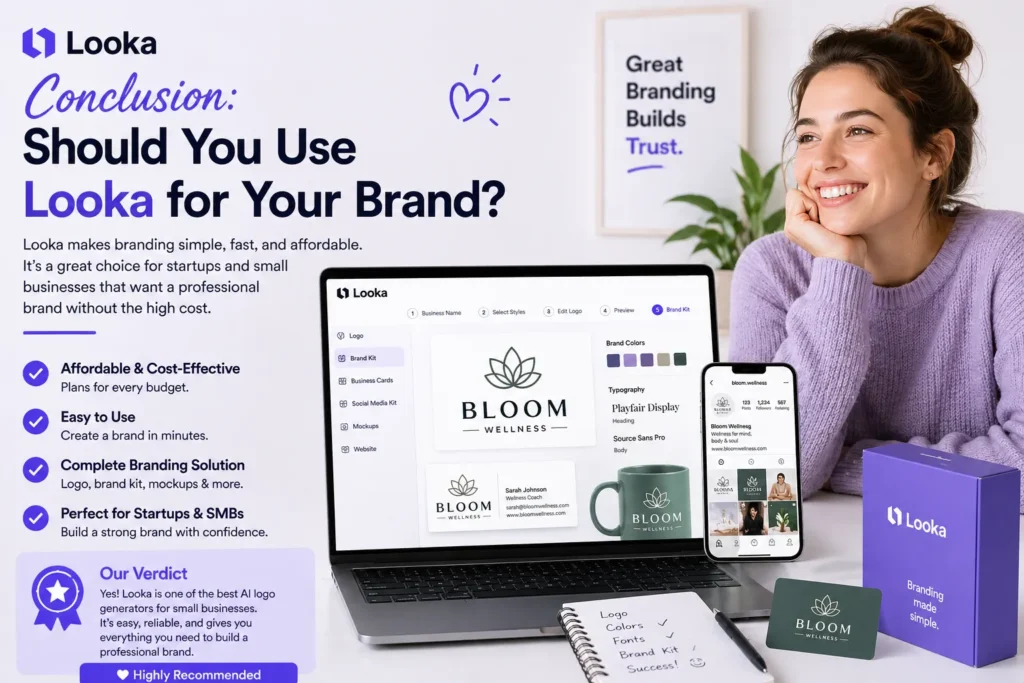
After completing the full Looka review workflow, the verdict is clear: for its target audience, Looka is one of the best-value branding tools on the market in 2026. The AI logo generation quality is genuinely strong — concepts look professional, feel considered, and hold up well across multiple application types. The editor is intuitive, the file export options are comprehensive, and the Brand Kit represents exceptional value for any business that needs more than a logo file.
The limitations this Looka review uncovered are real but specific. The editor doesn’t provide node-level vector control. The icon library, while large, is finite. And the hard paywall before download means the free experience is a preview, not a product. For the target audience — small business owners, freelancers, and startups — these limitations are entirely manageable and unlikely to affect daily use.
If you’re a small business owner, early-stage founder, or freelancer who needs professional branding without a design budget or agency fees, this Looka review confidently recommends it as one of the strongest options available. The $65 one-time Logo Package or the $96/year Brand Kit are both priced well for what they deliver, and the output quality will genuinely exceed expectations if you’re comparing it to what AI logo tools produced five years ago.
The AI design space is moving fast. Tools like Looka are making professional-quality branding accessible to businesses that previously couldn’t afford it. Whether you’re building a local service business, launching an e-commerce store, or establishing a personal brand, this Looka review confirms the tool earns its reputation. Browse more AI tools for your branding and design needs in our AI design tools hub.
Disclosure: This article contains affiliate links. TechBotHQ may earn a commission if you sign up through our links, at no extra cost to you. See our affiliate disclosure for full details.
Love What These AI Design Tools Can Do?
Great AI-generated visuals still need a cohesive brand identity holding them together. Let Tasknestly build your full branding — logo, guidelines, and visual system.
Explore Branding Services →