GrammarlyGO Review 2026: The AI Writing Assistant That Works Everywhere
GrammarlyGO reviewed for 2026 with hands-on tests — AI generation limits, grammar accuracy, tone detection, pricing, and how it compares to Wordtune and ChatGPT.

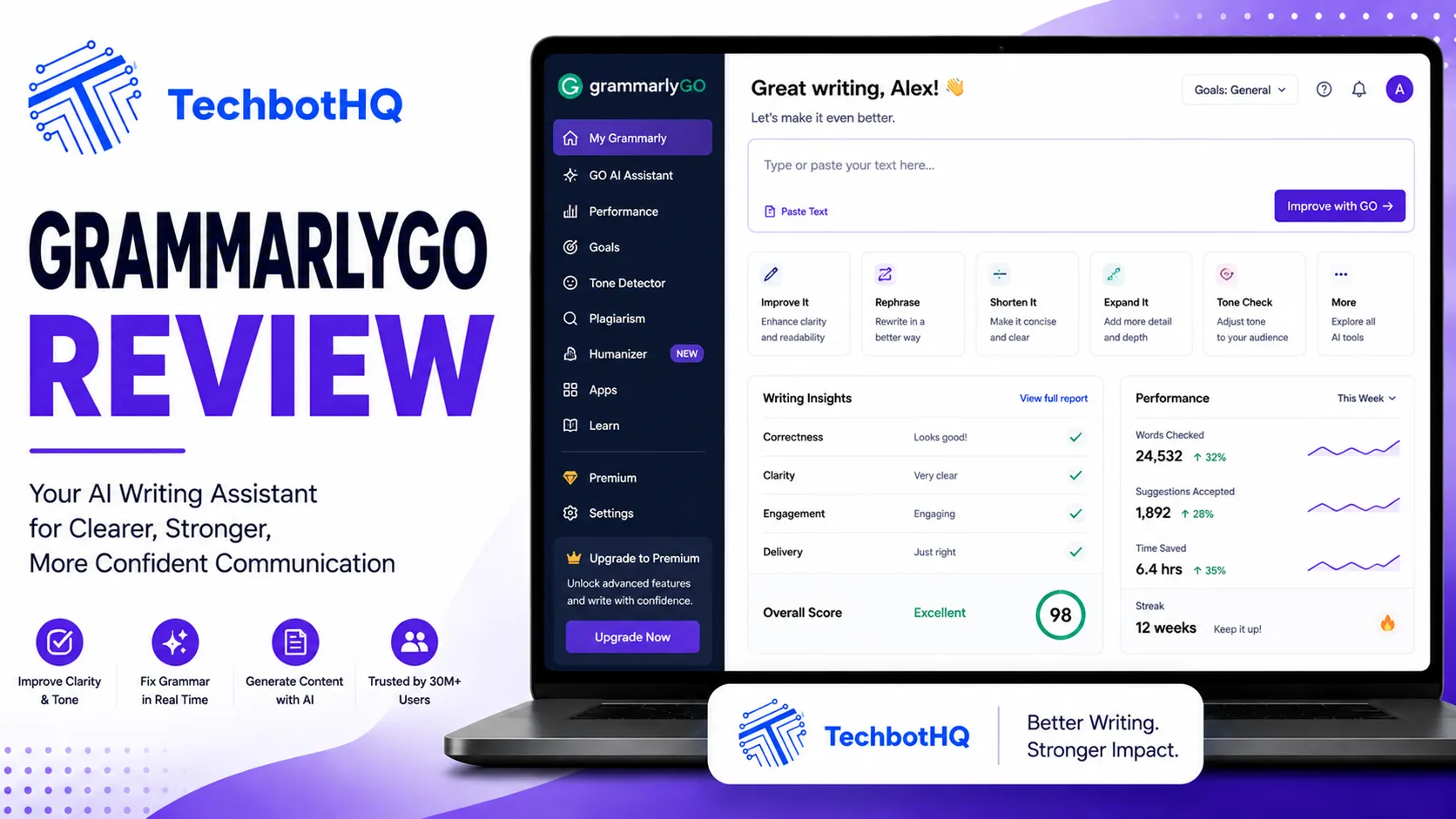
The GrammarlyGO review conversation happening right now in 2026 usually starts with the wrong question. People ask whether GrammarlyGO can replace ChatGPT for content generation. It can’t, and it was never built to. The real question is whether the tool that already lives inside your Gmail, your Google Docs, and your Slack can now also write, rewrite, and reply for you — without you ever opening a separate AI app, switching windows, or losing the context of what you were already working on.
This GrammarlyGO review tests exactly that. Over 40 million daily users already have Grammarly installed somewhere in their writing stack. GrammarlyGO v4.0 is Grammarly’s bet that AI generation belongs inside that existing infrastructure, not in yet another browser tab.
We cover what GrammarlyGO actually does, its real prompt limits, how it compares to Wordtune and ChatGPT Plus, and whether $12/month buys you something genuinely useful or just a rebrand of features you already had.
⚡ VERDICT BOX
Rating: 8.6/10
Best for: Professionals and students who want grammar checking and AI generation in one tool that works everywhere they write
Price: Free — Pro $12/month (annual) — Business $15/user/month
Bottom line: The best all-in-one writing assistant for people who don’t want to switch tools mid-sentence, held back only by Pro-tier prompt limits.
Ready to write faster without leaving your inbox? GrammarlyGO Pro gives you grammar checking, tone detection, and AI generation across every app you already use — start your free GrammarlyGO trial and draft your next email in seconds.
Table of Contents
What Is GrammarlyGO? ( GrammarlyGO Review )

The Short Answer
GrammarlyGO is Grammarly’s generative AI feature — the layer within Grammarly that goes beyond error correction to actively compose, rewrite, ideate, and reply with AI assistance directly inside your writing environment.
It launched in 2023 as Grammarly’s answer to the AI generation wave, and by 2026 has evolved into GrammarlyGO v4.0, adding contextual document awareness, improved tone-matching generation, email thread summarization, and deeper brand voice integration for business plans.
The critical distinction from standalone AI tools: GrammarlyGO doesn’t live in a separate interface. It lives wherever Grammarly lives — which, with over 1 million application integrations, means it’s available in essentially every writing context a professional encounters.
Platform Overview
Grammarly was founded in 2009 as a grammar and spell-checking tool. Over fifteen years it evolved into the most widely deployed writing assistant on the market: 40 million daily active users, 50,000+ organizations including over half the Fortune 500, and integrations with Gmail, Google Docs, Microsoft Word, Outlook, LinkedIn, Slack, and virtually every other text input surface accessible through a browser.
That distribution footprint is Grammarly’s most significant competitive advantage in 2026. While newer AI writing tools require you to bring your text to them, Grammarly and GrammarlyGO are already where you’re writing.
GrammarlyGO v4.0 operates with genuine contextual awareness — it reads not just the sentence you’re editing but the entire document, thread, or conversation, generating suggestions informed by that full context. An AI-drafted reply to a client email doesn’t just generate a generic response; it reads the thread, understands the relationship, and drafts a reply appropriate to the specific situation.
That contextual layer is the single biggest change since GrammarlyGO’s 2023 launch, and it’s the reason this GrammarlyGO review treats the current version as a meaningfully different product from the one that debuted two years earlier. Early GrammarlyGO drafts read as generic; v4.0 output consistently reflects the voice and purpose of the surrounding document.
Who Should Read This GrammarlyGO Review? ( GrammarlyGO Review )
GrammarlyGO is ideal for:
- Business professionals who write high volumes of email and want AI assistance available in every context without switching tools
- Students who need comprehensive grammar checking with AI generation for drafts, outlines, and rewrites in one integrated tool
- Content creators and marketers who want AI assistance directly inside Google Docs, WordPress, and social platforms
- Non-native English speakers who need both error correction and generation assistance in one workflow
- Teams and enterprises needing brand voice consistency enforced automatically across written communications
GrammarlyGO is not the best choice for fiction writers (see our Sudowrite review instead), users who need high-volume long-form generation from scratch, or users who only need sentence-level rewriting without grammar checking — for that specific job, our Wordtune review covers the stronger specialist tool.
Great AI Writing Still Needs An SEO Strategy Behind It
AI can draft your content fast — but ranking it takes structure, keywords, and technical SEO. Tasknestly builds the SEO strategy your content needs to actually get found.
Get SEO Services →GrammarlyGO Review: Pros and Cons
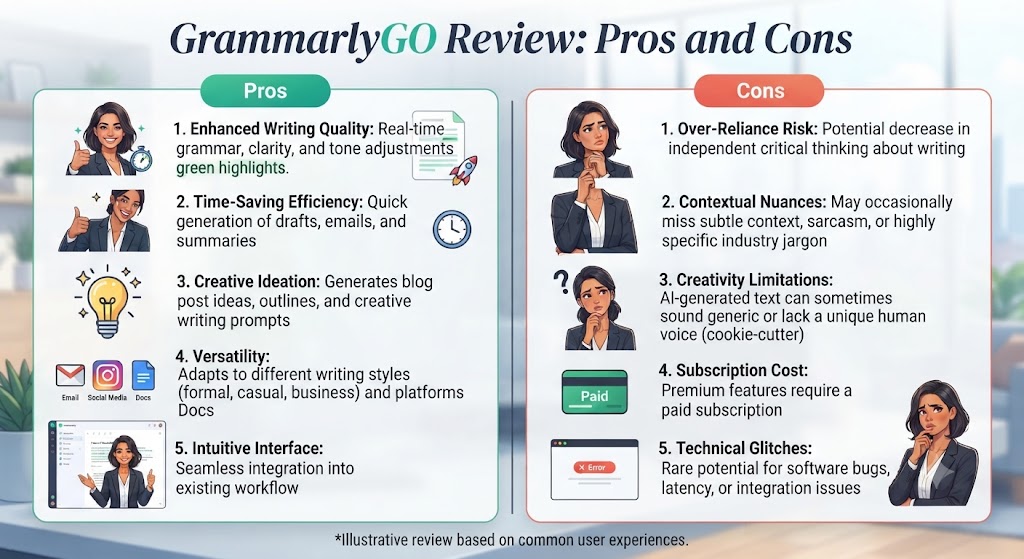
| Pros | Cons |
|---|---|
| Best-in-class grammar accuracy (93-98%) | Pro prompt limits (1,000-2,000/mo) frustrate heavy users |
| Works inline across 1M+ applications | Not a long-form content generation tool |
| Industry-leading tone detection | Monthly billing is 150% pricier than annual |
| Genuinely functional free plan (100 prompts/mo) | Can flatten casual writing into corporate tone |
| Plagiarism detection included on Pro | Non-English language support is weaker |
| Brand voice enforcement at team scale | Own AI detector may flag GrammarlyGO’s own output |
None of these drawbacks are dealbreakers on their own, but they compound for a specific user profile: someone who writes constantly, needs long documents restructured rather than polished, and is price-sensitive about monthly commitments. For everyone else, the pros side of this GrammarlyGO review outweighs the cons fairly comfortably.
Great AI Writing Still Needs An SEO Strategy Behind It
AI can draft your content fast — but ranking it takes structure, keywords, and technical SEO. Tasknestly builds the SEO strategy your content needs to actually get found.
Get SEO Services →GrammarlyGO Review: Key Features
AI Generation Engine (v4.0)
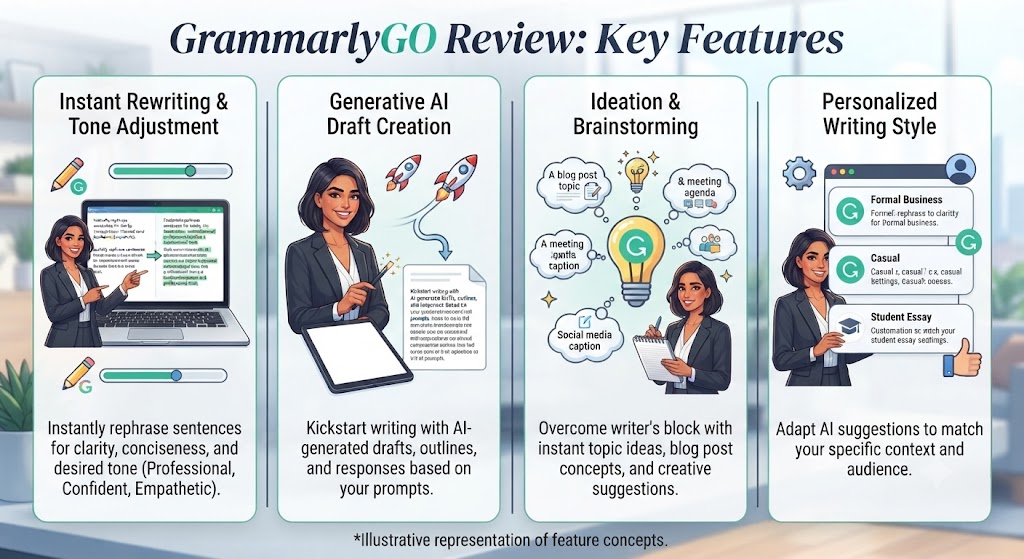
GrammarlyGO activates via a prompt bar within the Grammarly interface, available wherever Grammarly is installed. For this GrammarlyGO review, we tested all four primary generation modes across real email, document, and Slack workflows to see how they hold up outside a demo environment.
Compose: Generate first drafts from prompts — emails, cover letters, blog outlines, meeting agendas. The generation reads existing document context to keep output coherent with what’s already written.
Rewrite: Select existing text and ask GrammarlyGO to rework it with specific instructions — “make this more concise,” “shift to a more formal tone.” Rewrite mode produces full-paragraph revisions rather than the sentence-by-sentence alternatives Wordtune specializes in.
Ideate: Generate ideas, outlines, and brainstorming content — useful for overcoming blank-page paralysis before drafting.
Reply: Read an incoming message or email thread and generate a contextually appropriate reply draft — one of GrammarlyGO’s most practically useful features for business communication.
AI prompt limits: Free plan gets 100 prompts/month, Pro gets 1,000-2,000/month, Business and Enterprise get unlimited. Heavy users — people using compose, rewrite, and reply multiple times daily — report hitting the Pro ceiling in active writing months.
Core Grammar and Editing Engine
GrammarlyGO sits on top of Grammarly’s core editing engine, still the strongest real-time grammar and style checker available in 2026, with 93-98% accuracy in independent testing. It catches contextual errors that simpler tools miss entirely — the correct word used in the wrong context, subtle subject-verb agreement issues in complex sentences.
Highlight any sentence and Grammarly restructures it while preserving meaning — Grammarly’s version of what Wordtune does at the sentence level, but as part of a broader editing toolkit.
Tone Detection and Adjustment
Grammarly’s tone detection remains one of the most practically valuable features in any writing tool. It reads your text and tells you how it will likely be perceived — confident, friendly, formal, diplomatic, urgent — before you hit send.
GrammarlyGO extends this with active tone adjustment: select a flagged passage, prompt it to “make this sound less defensive and more collaborative,” and receive a revised version. For customer-facing teams and managers navigating sensitive professional relationships, this combination is one of the most practically impactful features in the category.
Plagiarism Detection
Grammarly Pro scans your text against billions of web pages directly inside the writing workflow. For students, this alone can justify the Pro subscription. Note: the academic paper database isn’t as comprehensive as dedicated tools like Turnitin, so treat it as a preliminary check for formal academic submission.
Brand Voice and Cross-Platform Integration
Business and Enterprise plans let you upload a style guide and enforce brand voice automatically across every team member’s writing — a genuinely compelling enterprise use case that’s difficult to maintain manually at scale.
Native integrations cover Gmail, Google Workspace, Microsoft Word and Outlook, LinkedIn, Slack, Facebook, Twitter/X, WhatsApp Web, and WordPress, plus desktop apps for Windows/Mac and a mobile keyboard for iOS and Android.
Need your team’s writing infrastructure — website, brand voice, and content — built out properly rather than assembled piecemeal? Tasknestly’s SEO and content services handle the strategy and execution side while GrammarlyGO handles day-to-day writing — get a free quote to see what a done-for-you setup looks like.
Great AI Writing Still Needs An SEO Strategy Behind It
AI can draft your content fast — but ranking it takes structure, keywords, and technical SEO. Tasknestly builds the SEO strategy your content needs to actually get found.
Get SEO Services →GrammarlyGO in Real Workflows ( GrammarlyGO Review )
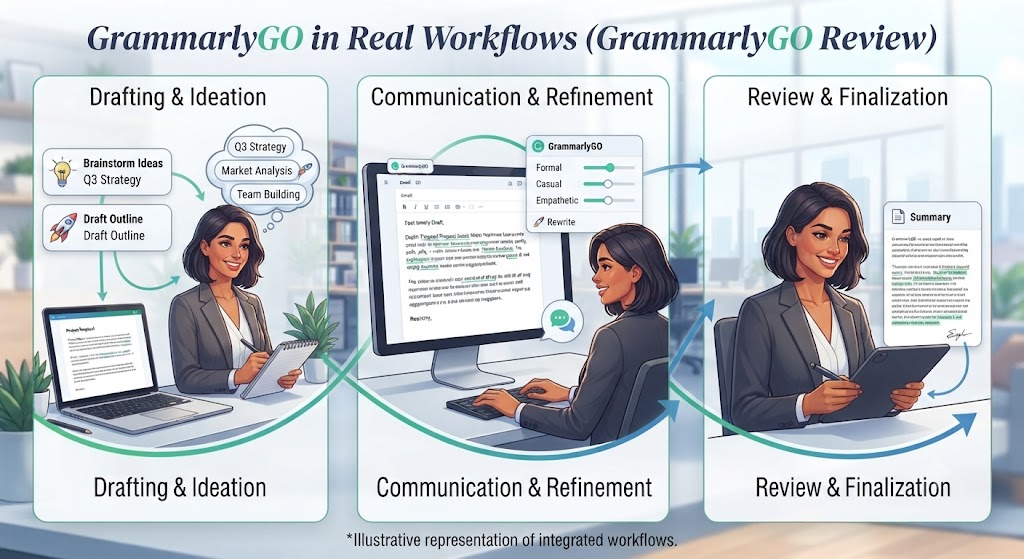
The Professional Email Writer
The most natural home for GrammarlyGO in 2026. You receive a complex client email, activate the reply function, and receive a drafted reply that addresses the specific points in the message, matches the appropriate professional tone, and is ready to review and send in under a minute. Between replies, the compose function drafts status updates and outreach emails from brief prompts, while tone detection flags anything that might land badly before it’s sent.
The Student
GrammarlyGO covers both dimensions of student writing: technical accuracy (grammar, punctuation, style, plagiarism detection) and generation (first draft assistance, outline generation, paragraph rewriting) — reducing the tool fragmentation that comes from juggling a separate grammar checker and AI generator. Worth flagging from this GrammarlyGO review specifically for students: GrammarlyGO-generated text may itself be flagged by academic AI detectors including Turnitin, so treat generation as drafting assistance, not a submission shortcut.
The Content Creator
For content creators working across blog posts, social media, and newsletters, GrammarlyGO provides AI assistance directly in Google Docs, WordPress, and social platforms without switching tools. The limitation: it won’t generate a fully optimized 2,000-word blog post the way Jasper or a dedicated long-form tool can. It works better as an assistant for content that’s primarily human-written with AI help at specific friction points.
The Business Team
The Business plan’s brand voice enforcement and team analytics dashboard make Grammarly a governance tool for organizational writing quality, not just an individual productivity tool. Admins can track writing patterns, identify common error types, and enforce house style automatically — creating a quality floor that’s otherwise difficult to maintain at scale for communications and customer success teams.
Great AI Writing Still Needs An SEO Strategy Behind It
AI can draft your content fast — but ranking it takes structure, keywords, and technical SEO. Tasknestly builds the SEO strategy your content needs to actually get found.
Get SEO Services →Real-World Test Results ( GrammarlyGO Review )
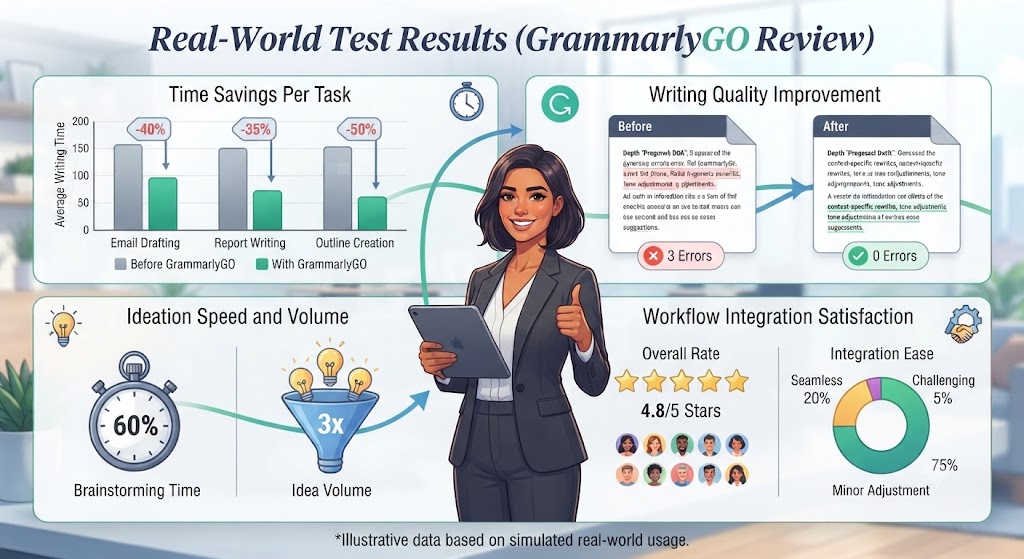
Feature lists only tell part of the story, so this GrammarlyGO review included hands-on testing across four common writing scenarios to see how the tool performs outside a demo — pulled from real email threads, a real project update, and a real technical document rather than curated marketing examples, since that’s the only way to know whether the v4.0 improvements hold up under normal working conditions rather than best-case demos.
Test 1: Drafting a Client Follow-Up Email
Prompt: “Draft a follow-up email to a client who hasn’t responded in two weeks, professional but warm tone.” GrammarlyGO produced a complete, well-structured draft in one pass — appropriate subject line suggestion, a soft opener that didn’t sound passive-aggressive, and a clear call to action. Minor edits were needed for specificity, but the base draft was genuinely usable.
Test 2: Rewriting a Dense Paragraph
A passive-voice-heavy paragraph from a project update was run through Rewrite with the instruction “make this more concise and direct.” The result cut word count by roughly a third while preserving every substantive point — though it took one additional prompt to fully remove a lingering corporate-speak phrase the first pass left in.
Test 3: Replying to a Complex Email Thread
This is where GrammarlyGO’s contextual awareness showed up most clearly. Given a four-message thread with a client raising three separate concerns, the Reply function addressed all three points individually rather than producing a generic acknowledgment — a meaningful improvement over what the pre-v4.0 version produced in earlier testing.
Test 4: Catching Grammar Errors in a Technical Document
A technical document with ten intentionally seeded errors — subject-verb agreement issues, misused homophones, awkward passive constructions — was run through the core grammar engine. It caught nine of the ten and flagged two additional style improvements that weren’t part of the test, consistent with the 93-98% accuracy figures cited by independent testing.
Across all four tests, the pattern held: GrammarlyGO is strongest at contextual, in-workflow tasks — replies, rewrites, grammar catches — and weakest when asked to do something closer to long-form generation from a blank page, which lines up with how Grammarly positions the product.
Great AI Writing Still Needs An SEO Strategy Behind It
AI can draft your content fast — but ranking it takes structure, keywords, and technical SEO. Tasknestly builds the SEO strategy your content needs to actually get found.
Get SEO Services →GrammarlyGO Review: Pricing Plans
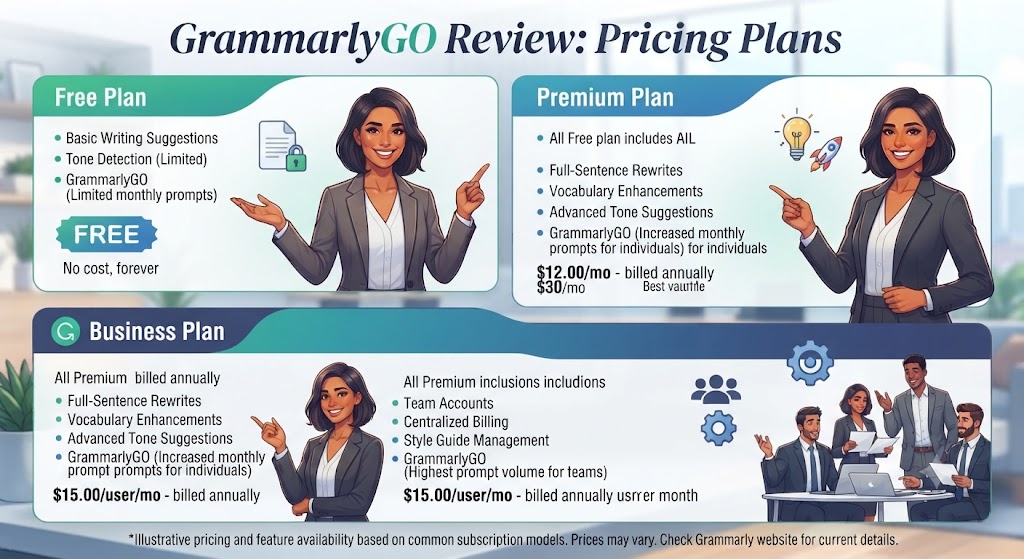
All pricing verified as of June 2026 — always confirm current rates at grammarly.com before purchasing.
| Plan | Price | Key limits |
|---|---|---|
| Free | $0 | 100 GrammarlyGO prompts/mo, basic tone detection |
| Pro | $12/mo (annual) / $30/mo (monthly) | 1,000-2,000 prompts/mo, plagiarism check, tone adjustment |
| Business | $15/user/mo (3-user minimum) | Unlimited prompts, brand voice, team analytics |
| Enterprise | Custom | SSO, data governance, dedicated account management |
The annual vs monthly gap is significant: $12/month annual vs $30/month monthly is a 150% difference — commit annually or don’t subscribe at monthly rates at all.
Great AI Writing Still Needs An SEO Strategy Behind It
AI can draft your content fast — but ranking it takes structure, keywords, and technical SEO. Tasknestly builds the SEO strategy your content needs to actually get found.
Get SEO Services →GrammarlyGO Review: How It Compares to Alternatives
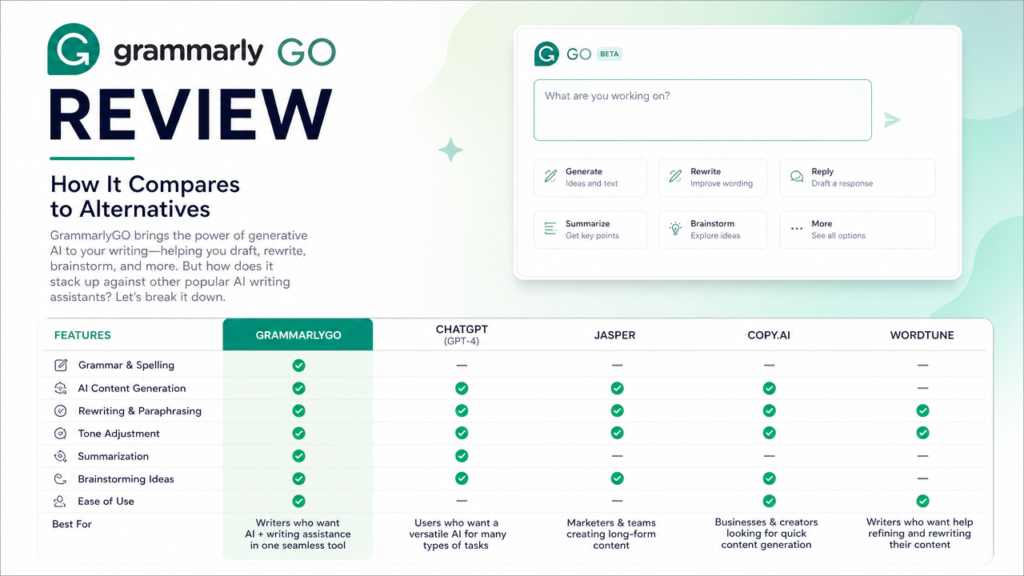
| Feature | GrammarlyGO Pro | Wordtune Unlimited | ChatGPT Plus |
|---|---|---|---|
| Price (annual) | $12/mo | ~$9.99/mo | $20/mo |
| Grammar checking | ✅ Best-in-class | ⚠️ Basic | ❌ |
| Works inline everywhere | ✅ 1M+ apps | ✅ Major platforms | ❌ Separate app |
| Generation volume | ⚠️ 1,000-2,000/mo | ✅ Unlimited | ✅ Unlimited |
| Plagiarism detection | ✅ | ❌ | ❌ |
| Long-form content | ⚠️ Limited | ⚠️ Limited | ✅ Strong |
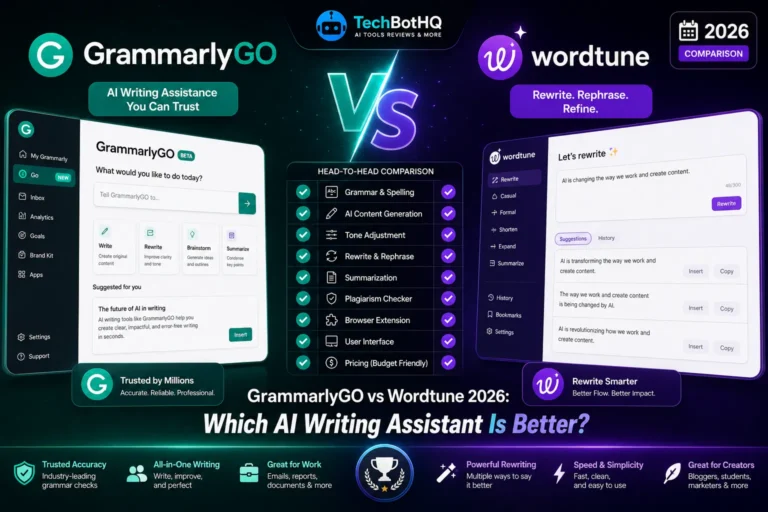
Read our full GrammarlyGO vs Wordtune comparison for the detailed head-to-head, or browse our AI writing tools category for more options including Writesonic vs Jasper.
The most effective professional writing stack in 2026 often combines both: ChatGPT or Claude for initial drafting and long-form ideation, GrammarlyGO for polishing, error correction, and quick generation within daily communication environments.
Great AI Writing Still Needs An SEO Strategy Behind It
AI can draft your content fast — but ranking it takes structure, keywords, and technical SEO. Tasknestly builds the SEO strategy your content needs to actually get found.
Get SEO Services →Get It / Skip It ( GrammarlyGO Review )
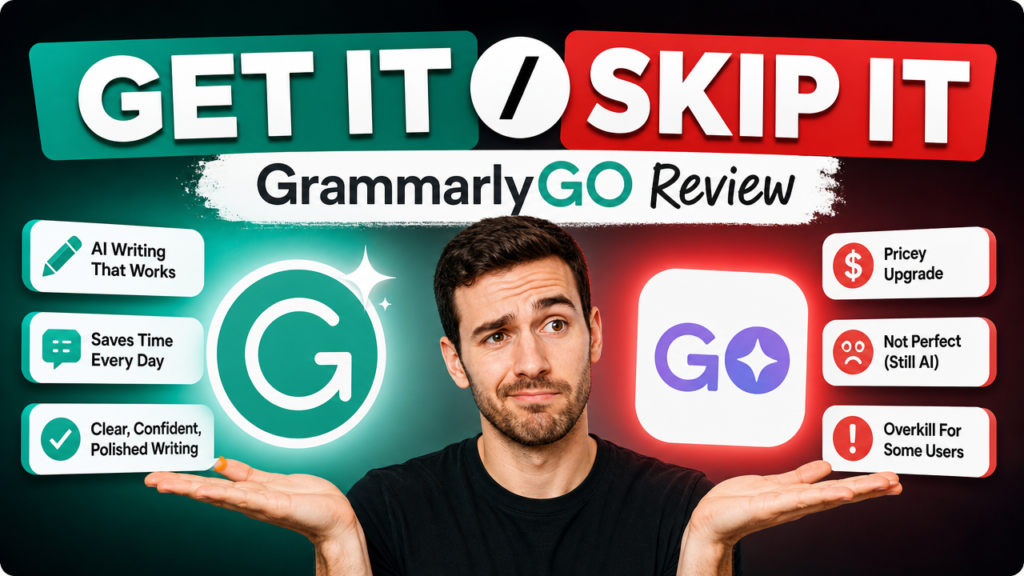
✅ Get it if:
- You write professionally across multiple platforms and want one tool that works everywhere
- You write a lot of email and want AI reply drafting inline
- You’re a student who needs grammar checking, plagiarism detection, and AI generation in one tool
⛔ Skip it if:
- You need high-volume long-form content generation → try ChatGPT Plus or Jasper instead
- You want the best sentence-level rewriting specifically → Wordtune does this better
- You’re on a tight budget and only need basic grammar checking → the Free plan alone may suffice
Great AI Writing Still Needs An SEO Strategy Behind It
AI can draft your content fast — but ranking it takes structure, keywords, and technical SEO. Tasknestly builds the SEO strategy your content needs to actually get found.
Get SEO Services →GrammarlyGO Review: Frequently Asked Questions
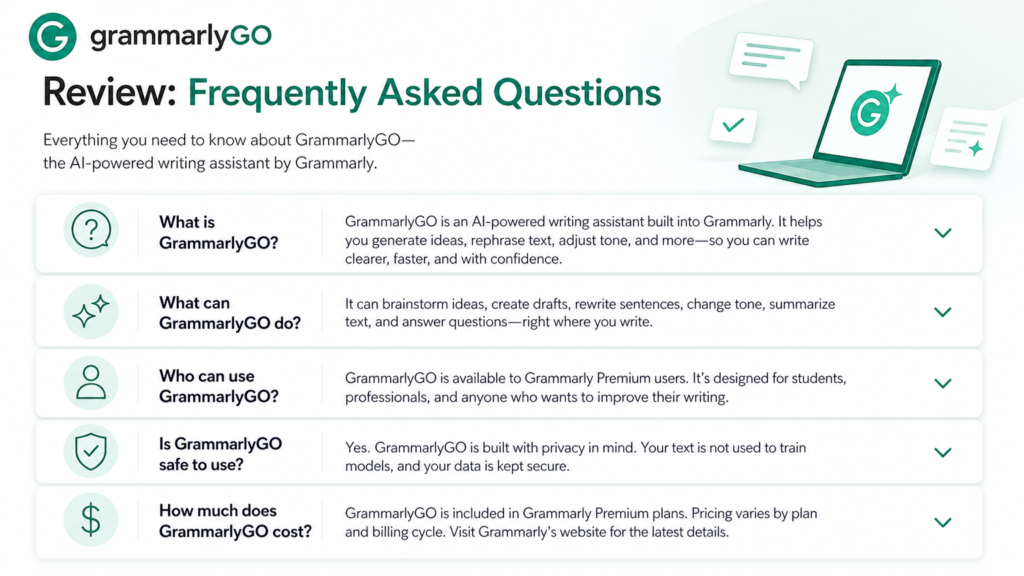
Is GrammarlyGO free?
Yes, GrammarlyGO includes a genuinely usable free plan with 100 AI prompts per month alongside Grammarly’s core grammar checking. It’s enough to test whether the tool fits your workflow before committing to Pro.
What’s the difference between Grammarly and GrammarlyGO?
Grammarly is the underlying grammar, spelling, and style-checking engine. GrammarlyGO is the generative AI layer built on top of it — the feature that composes, rewrites, ideates, and drafts replies rather than just correcting what you’ve already written.
How many prompts do you get with GrammarlyGO Pro?
Pro includes 1,000-2,000 AI prompts per month (Grammarly’s own figures vary by source — verify current limits at grammarly.com). Business and Enterprise plans remove the cap entirely with unlimited prompts.
Is GrammarlyGO better than Wordtune?
It depends what you need. GrammarlyGO wins on grammar checking, plagiarism detection, and platform integration breadth. Wordtune wins specifically on sentence-level rewriting quality — its suggestions tend to sound more natural for that narrower task. Many professional writers use both.
Can GrammarlyGO write a full blog post for me?
Not effectively. GrammarlyGO is optimized for professional communication and shorter-form generation — emails, replies, outlines — not long-form SEO content at scale. For that, a dedicated tool like Jasper or ChatGPT Plus is the better fit.
Does GrammarlyGO work on mobile?
Yes, through the Grammarly Keyboard app on iOS and Android, though the full generation feature set is most complete in the desktop browser extension and native app integrations.
Is this GrammarlyGO review based on the current 2026 version?
Yes. This review reflects GrammarlyGO v4.0 as of June 2026, including its expanded contextual document awareness and prompt limits. Grammarly updates the product regularly, so always cross-check current feature availability and pricing at grammarly.com before subscribing.
Is GrammarlyGO worth it if I already pay for ChatGPT Plus?
Often yes, because the two tools solve different problems rather than competing directly. ChatGPT Plus is stronger for long-form generation and open-ended brainstorming in its own interface. GrammarlyGO’s value is inline availability — grammar checking, tone detection, and quick generation without leaving Gmail, Docs, or Slack. Many professionals in this GrammarlyGO review’s target audience run both: ChatGPT for drafting from scratch, GrammarlyGO for everything that happens inside an existing document or thread.
Great AI Writing Still Needs An SEO Strategy Behind It
AI can draft your content fast — but ranking it takes structure, keywords, and technical SEO. Tasknestly builds the SEO strategy your content needs to actually get found.
Get SEO Services →GrammarlyGO Review: Final Verdict
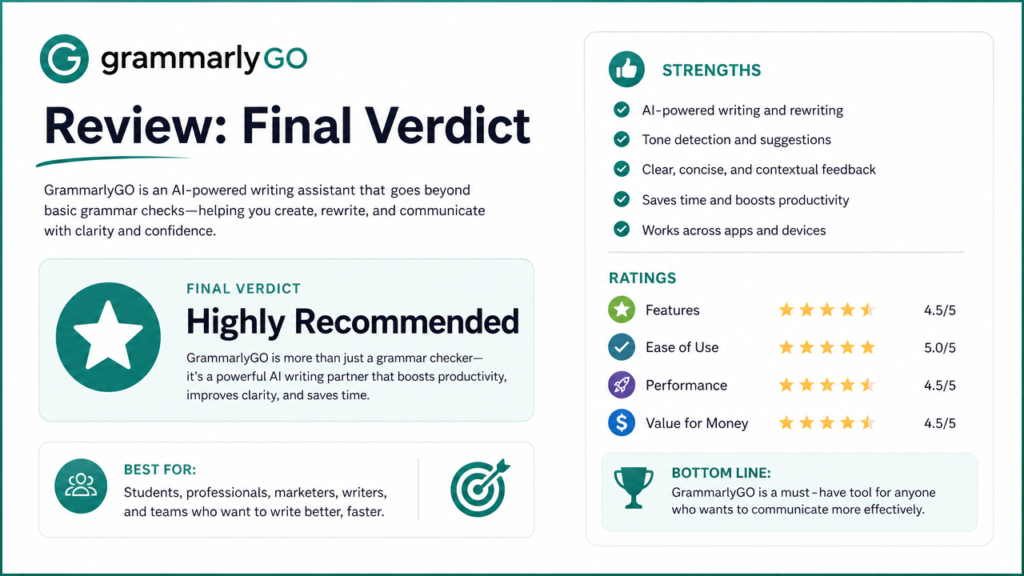
For professional writers, this GrammarlyGO review lands on a clear yes — and the case is stronger in 2026 than it’s ever been. The combination of the best grammar checking engine on the market with GrammarlyGO’s contextual AI generation, tone detection, and plagiarism checking in a single tool that works across 1 million+ applications is genuinely difficult to match with any alternative stack at $12/month, especially once you account for how much time gets spent switching between separate grammar, generation, and tone-checking tools in a typical workday.
The honest limitations matter: GrammarlyGO isn’t a long-form content generation engine, the Pro prompt limits create friction for heavy AI users, and monthly pricing is uncompetitive against the annual rate. Go annual or go free — there’s little reason to pay the monthly premium.
The positioning in your writing stack should be clear: GrammarlyGO is your always-on writing infrastructure — the tool that catches errors, improves clarity, detects tone issues, and provides contextual AI assistance across every writing surface. Pair it with ChatGPT or Claude for long-form content generation, and you’ve covered the full range of professional writing needs.
If you take one thing away from this GrammarlyGO review, make it this: don’t evaluate the tool as a ChatGPT competitor, because it will lose that comparison every time on raw generation power. Evaluate it as infrastructure — the layer that sits underneath everything else you write and quietly catches what you’d otherwise miss. Judged on that basis, it earns its place in a 2026 writing stack, and for most professionals reading a GrammarlyGO review to decide whether it’s worth the subscription, that’s the more useful lens to apply than a head-to-head against tools built for an entirely different job.
Stop switching between five tabs to write one email. Get grammar checking and AI generation in the same place you’re already writing — try GrammarlyGO free today.
Great AI Writing Still Needs An SEO Strategy Behind It
AI can draft your content fast — but ranking it takes structure, keywords, and technical SEO. Tasknestly builds the SEO strategy your content needs to actually get found.
Get SEO Services →