Sudowrite Review 2026: The Best AI Writing Tool for Fiction Writers?


As this Sudowrite review shows, most AI writing tools were built for marketers. They generate blog posts, write ad copy, produce product descriptions, and spit out social media captions. They’re built around the assumption that writing is a content production problem — input a topic, output a deliverable.
Fiction writing is nothing like that.
In this Sudowrite review, novels live and die on voice, pacing, character consistency, and the emotional logic that makes a scene feel true. A marketing-optimized AI doesn’t understand why a character would hesitate at a particular moment, how to maintain the tension of a scene without deflating it, or why a metaphor that technically works still falls flat.
Looking at Sudowrite review details, sudowrite was built specifically for the writers that every other AI tool ignores. Novelists. Short story writers. Screenwriters. Creative writers working on long-form projects where craft matters more than keyword density.
When it comes to this tool, this Sudowrite review found that after two-plus years in the market and a significant 2026 update to its core Muse model and Story Engine, Sudowrite has pulled further ahead of every general-purpose AI alternative for fiction. This review covers whether that gap is wide enough to justify the cost — and who it’s actually built for.
Table of Contents
What Is Sudowrite?
Platform Overview
For anyone reading this Sudowrite review, sudowrite is an AI-powered creative writing assistant built exclusively for fiction writers. It was developed by two science fiction authors — Amit Gupta and James Yu — who were frustrated by the limitations of general-purpose AI tools for their own writing practice. That origin story matters: Sudowrite’s design decisions reflect the actual needs of working fiction writers rather than assumptions about those needs made by engineers and product managers who don’t write fiction.
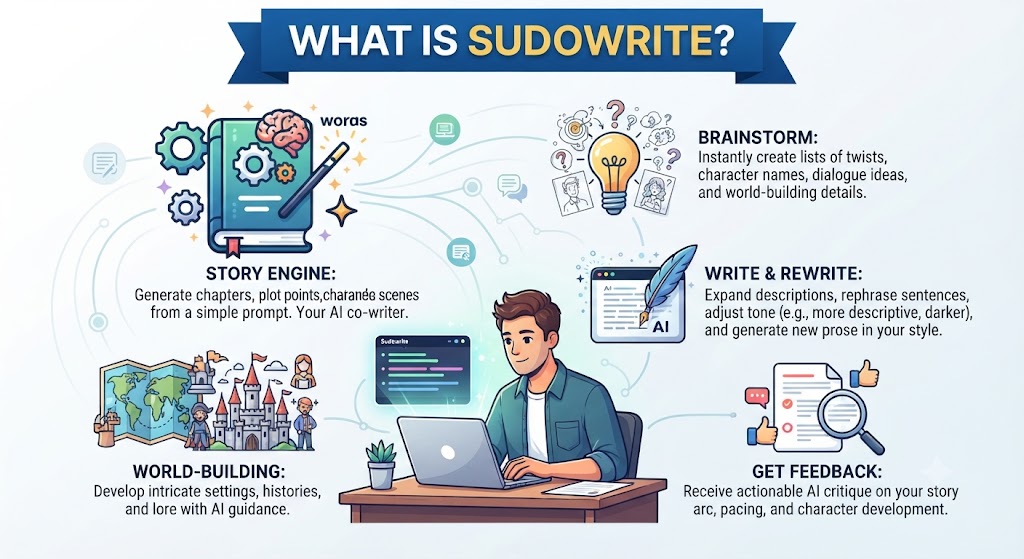
This Sudowrite review found that the platform is built around the premise that AI should be a co-writer and creative partner, not a ghostwriter or replacement author. Every feature in Sudowrite is designed to help you write better and faster while keeping your creative voice, your characters, and your story direction firmly under your control. The AI drafts, suggests, describes, and brainstorms — you steer.
Across this Sudowrite review, the 2026 version of Sudowrite runs on Muse 1.5, the platform’s proprietary fine-tuned model trained on published fiction with author consent. This is meaningfully different from running a general-purpose language model on creative writing prompts: Muse understands narrative structure, pacing conventions, character voice, and genre expectations in ways that ChatGPT and similar general tools don’t replicate without extensive prompt engineering.
On this point, this Sudowrite review notes that the Story Engine has been updated to version 3.0 in 2026, now handling more sophisticated multi-POV narratives and longer manuscript contexts. Canvas 2.0 now allows AI agents to read spatial relationships between story cards and generate plot connection suggestions — a notable improvement for complex projects.
Within this Sudowrite review, a companion mobile app on iOS and Android brings the core Write, Rewrite, Smart Dictation, and Agentic Chat features to mobile, allowing writers to draft and revise on the go.
Considering the data, this Sudowrite review shows the platform is strictly for fiction. It cannot write blog posts, marketing copy, or SEO content. This is not a limitation — it’s a design philosophy. Every computational resource that would be spent on general content production is instead spent on being the best possible tool for storytelling.
Target Users
Sudowrite is built for:
In the context of pricing, this Sudowrite review notes – Novelists working on long-form manuscripts who need a tool that maintains context, voice consistency, and narrative coherence across 50,000+ words
- Per this Sudowrite review, short story writers who need rapid ideation, scene expansion, and prose refinement tools that understand genre conventions
- Screenwriters working on dialogue, scene direction, and narrative structure This holds up throughout the Sudowrite review.
- As this Sudowrite review shows, creative writers experiencing writer’s block who need a push — multiple plot directions, character motivations, scene continuations — to regain momentum
- In this Sudowrite review, hobbyist writers who want to complete personal projects without spending hundreds of hours on drafting
- Looking at Sudowrite review details, full-time authors looking to increase output and production speed without sacrificing the quality of their prose
When it comes to this tool, this Sudowrite review found that sudowrite is explicitly not for: content marketers, bloggers, copywriters, business writers, or anyone whose primary writing involves SEO, marketing funnels, or non-fiction. If that’s your use case, tools like Jasper, Copy.ai, or Wordtune will serve you better.
Great AI Writing Still Needs An SEO Strategy Behind It
AI can draft your content fast — but ranking it takes structure, keywords, and technical SEO. Tasknestly builds the SEO strategy your content needs to actually get found.
Get SEO Services →Key Features
Story Engine 3.0
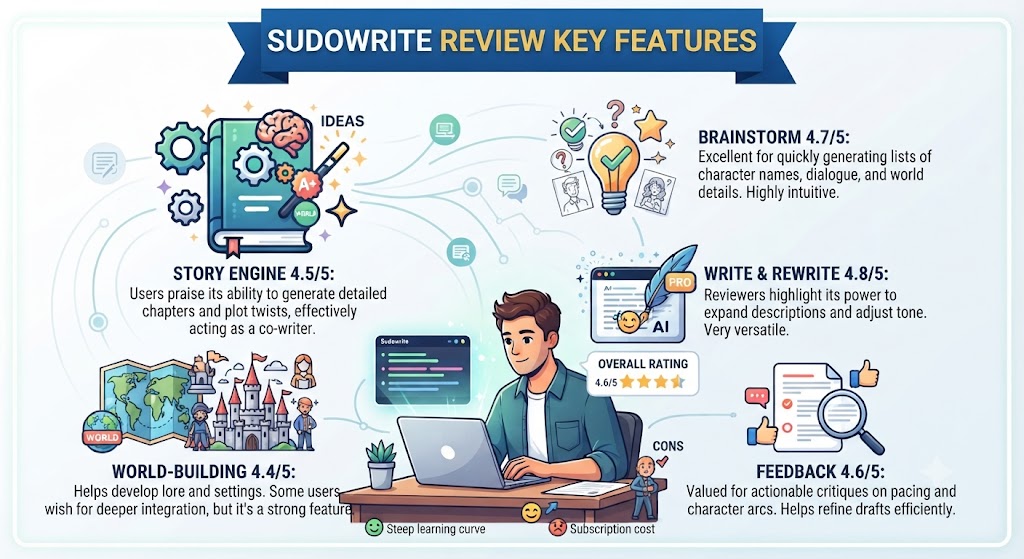
For anyone reading this Sudowrite review, story Engine is Sudowrite’s flagship feature — a guided novel development pipeline that takes you from a raw concept to a full drafted manuscript through structured, AI-assisted steps.
This Sudowrite review found that the 3.0 version, current as of 2026, accepts a “Braindump” — your unstructured, stream-of-consciousness notes about what you want to write — along with genre selection, style reference (paste in a passage from a novel whose style you want to emulate), and a character list. From these inputs, Story Engine generates a beat sheet outline organized by narrative arc. From the beat sheet, it expands each beat into full chapter drafts with prose in your chosen style.
Across this Sudowrite review, the workflow moves through: Braindump → Genre Selection → Style Reference → Character Development → Chapter Beats → Full Prose. This structured pipeline addresses the most common failure mode of AI-assisted long-form writing: losing coherence across chapters. By keeping the entire narrative architecture visible and connected, Story Engine maintains significantly more consistency than ad hoc AI generation.
On this point, this Sudowrite review notes that in independent testing with 30,000+ word manuscripts, Story Engine 3.0 handles the continuity problem better than any predecessor version. The Story Bible — the central context hub where you store character profiles, world rules, relationship maps, and timeline notes — functions as a persistent memory layer that the AI actively reads during generation. The more thoroughly you populate the Story Bible, the more coherent and contextually accurate your AI generations become across the full manuscript.
Within this Sudowrite review, independent reviewers consistently score Story Engine at 8/10 for structured plotting. The honest caveat: Story Engine is primarily useful for plotters — writers who work from outlines. Writers who prefer to “pants” their way through a first draft without pre-planning will find the structured pipeline constraining rather than helpful.
Write and Continuation
Considering the data, this Sudowrite review shows the core generation tool. Highlight the end of your existing prose, click Write, and Sudowrite generates a continuation in your voice and style. The Muse 1.5 model reads your established prose style, your characters’ voices, and the emotional context of the scene, then continues the story in a way that feels like an extension of what you wrote — not a jarring shift into generic AI prose.
In the context of pricing, this Sudowrite review notes this is the feature that separates Sudowrite from using ChatGPT or Claude for fiction. When tested against general-purpose AI models with the same continuation prompts, Muse 1.5 produces output with noticeably better pacing awareness, more appropriate emotional register, and stronger maintenance of established character voice.
Per this Sudowrite review, the honest limitation: Sudowrite is raw material, not finished prose. Every continuation you generate will need editing before it enters your final manuscript. The tool produces strong first-draft material that captures the right voice and direction — polishing that material into publication-ready prose is still your job.
Describe — Sensory Prose Expansion
As this Sudowrite review shows, describe is the feature that fiction writers most consistently praise and the one with the clearest demonstrable value. Select any passage that feels thin, summary-like, or under-developed — “She walked into the room and felt nervous” — and Describe generates multiple sensory-rich expansions that show the experience rather than telling it.
In this Sudowrite review, the output suggests physical sensations, environmental details, metaphors, and emotional textures that transform flat summary prose into vivid, immersive scene work. The suggestions aren’t just descriptive padding — they’re contextually aware of character, tone, and genre. A horror story’s nervous character gets different sensory detail suggestions than a literary fiction character in the same emotional state.
Looking at Sudowrite review details, in testing, the Describe tool is rated at approximately 8.5/10 for prose quality. It’s the single feature most likely to produce output that goes directly into your manuscript with minimal editing. Writers who struggle specifically with flat, tell-heavy prose — a common early-career writing problem — will find Describe transformative for their process.
Rewrite — Style and Tone Variations
When it comes to this tool, this Sudowrite review found that select any passage and ask Sudowrite to rewrite it in a different tone, style, or register. The Rewrite tool offers several variation types: show-don’t-tell conversion, intensity shifts (heighten the tension, dial back the drama), inner conflict emphasis, tonal adjustments (make it darker, more lyrical, funnier, more terse), and custom style prompts.
For anyone reading this Sudowrite review, in practice, Rewrite is most valuable for dialogue and emotionally charged scenes where the first draft captures the right content but the wrong emotional tone. You’ve written the scene correctly in terms of what happens, but the delivery feels flat or off. Rewrite generates alternatives that approach the same material differently, helping you identify the version that actually works.
This Sudowrite review found that independent reviewers rate Rewrite at approximately 6-7/10 for the cautionary note that it can alter meaning if not carefully reviewed. The changes are significant enough to require close reading before accepting — this isn’t a subtle polish tool, it’s a meaningful reinterpretation of your text.
Brainstorm
Across this Sudowrite review, brainstorm is Sudowrite’s ideation tool for when you hit a wall. It generates ideas across any story element you specify: plot directions from the current scene, character motivations, dialogue options for a specific exchange, scene directions, conflict escalations, worldbuilding details, character names, or resolution possibilities.
On this point, this Sudowrite review notes that the output quality is variable. Independent assessments consistently note that roughly 2-3 out of every 10 brainstorm suggestions are genuinely usable — which sounds like a low hit rate but is actually more useful than the number suggests. Having 10 possible plot directions in front of you when you’re stuck at a story fork gives you traction that staring at the screen doesn’t. Even the suggestions you reject help clarify why you’re rejecting them, which clarifies what you actually want.
Within this Sudowrite review, the tool works best for specific, bounded questions (“what are five reasons this character might refuse the offer?”) rather than open-ended ones (“what should happen next?”). The more context you give Brainstorm — the more of your Story Bible is populated, the more manuscript context the AI has — the more relevant and story-appropriate the suggestions become.
Canvas 2.0
Considering the data, this Sudowrite review shows canvas is Sudowrite’s visual story organization board — a corkboard-style interface where you arrange story beats, character cards, scene notes, and research in spatial relationship to each other.
In the context of pricing, this Sudowrite review notes canvas 2.0 in 2026 adds a notable feature: AI agents that can read the spatial arrangement of your cards and generate plot connection suggestions based on those relationships. For complex multi-POV projects or non-linear narratives where the spatial relationship between story elements matters, this is a genuinely useful addition.
Per this Sudowrite review, honest caveat from independent testing: Canvas is functional but not exceptional. For writers already using dedicated outlining tools — Scrivener, Notion, Obsidian — Canvas doesn’t replace those tools and is less powerful for pure outlining work. Where Canvas adds unique value is in the AI’s ability to read the visual arrangement and generate suggestions informed by it — a capability no external outlining tool currently offers.
Feedback / Wormhole
As this Sudowrite review shows, feedback is Sudowrite’s AI beta reader — a developmental editing tool that gives you notes on a selected passage or chapter. It identifies pacing issues, flags unclear character motivation, notes tonal inconsistencies, and suggests areas where scene work could be deepened.
In this Sudowrite review, the feedback is positioned as developmental rather than line editing — big-picture structural and emotional notes rather than grammar and style corrections. For writers who lack access to human beta readers or critique partners, Feedback provides a form of structured developmental feedback that’s genuinely useful for identifying blind spots in your own work.
Shrink Ray
Looking at Sudowrite review details, shrink Ray condenses overwritten prose, reducing word count while maintaining meaning and emotional impact. For writers who tend toward purple prose or overwrought description — and many fiction writers do, especially in early drafts — Shrink Ray provides a fast way to tighten selected passages without manually cutting word by word.
Great AI Writing Still Needs An SEO Strategy Behind It
AI can draft your content fast — but ranking it takes structure, keywords, and technical SEO. Tasknestly builds the SEO strategy your content needs to actually get found.
Get SEO Services →Design Workflow for Fiction Writers
Idea Creation and Braindump
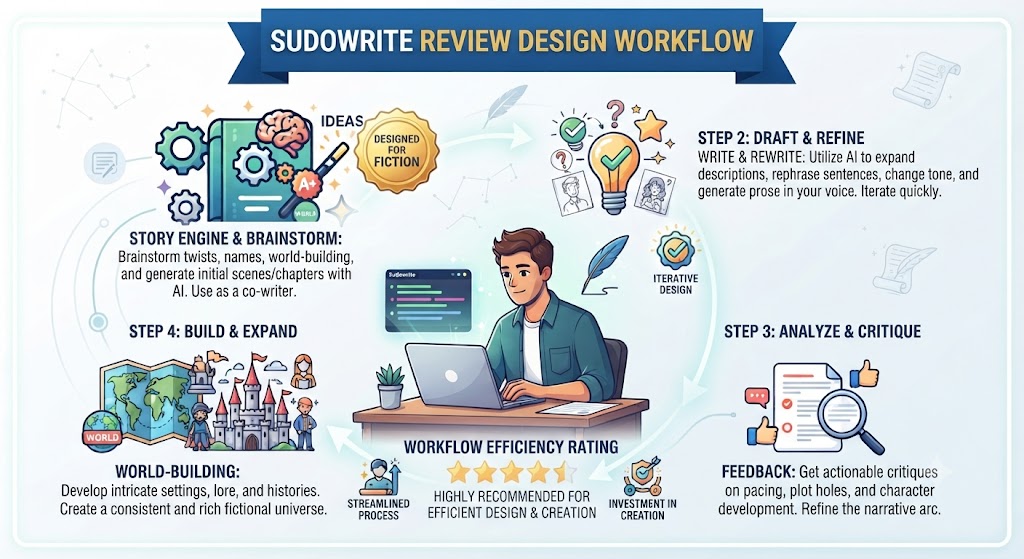
When it comes to this tool, this Sudowrite review found that the Sudowrite workflow typically begins with the Story Bible and Braindump — unloading everything you know or imagine about your story into the central context hub before any generation begins. The more complete your Story Bible, the more coherent every subsequent generation becomes.
For anyone reading this Sudowrite review, this front-loading of context is different from how most writers interact with AI tools — where the habit is to jump straight to generation with minimal context. Sudowrite rewards writers who invest time in worldbuilding and character development before drafting, because that investment compounds directly into the quality of AI-assisted output throughout the manuscript.
Drafting and Expansion
This Sudowrite review found that the active drafting phase uses Story Engine for structured chapter development, Write for scene continuation, and Describe for prose enrichment. The workflow isn’t “AI writes the chapter” — it’s “I write paragraphs, use Write when I need momentum, use Describe when I need sensory depth, use Brainstorm when I hit a plot wall.”
Across this Sudowrite review, writers who report the highest satisfaction with Sudowrite consistently describe using it as a creative partner they’re in active conversation with — not a generation engine they’re delegating writing to.
Revision and Refinement
On this point, this Sudowrite review notes that the revision phase uses Rewrite for tonal adjustments, Shrink Ray for tightening overwritten passages, and Feedback for developmental notes. This phase is where Sudowrite proves its value for writers who already have good first drafts but struggle with the revision process.
Great AI Writing Still Needs An SEO Strategy Behind It
AI can draft your content fast — but ranking it takes structure, keywords, and technical SEO. Tasknestly builds the SEO strategy your content needs to actually get found.
Get SEO Services →Pros and Cons
Advantages
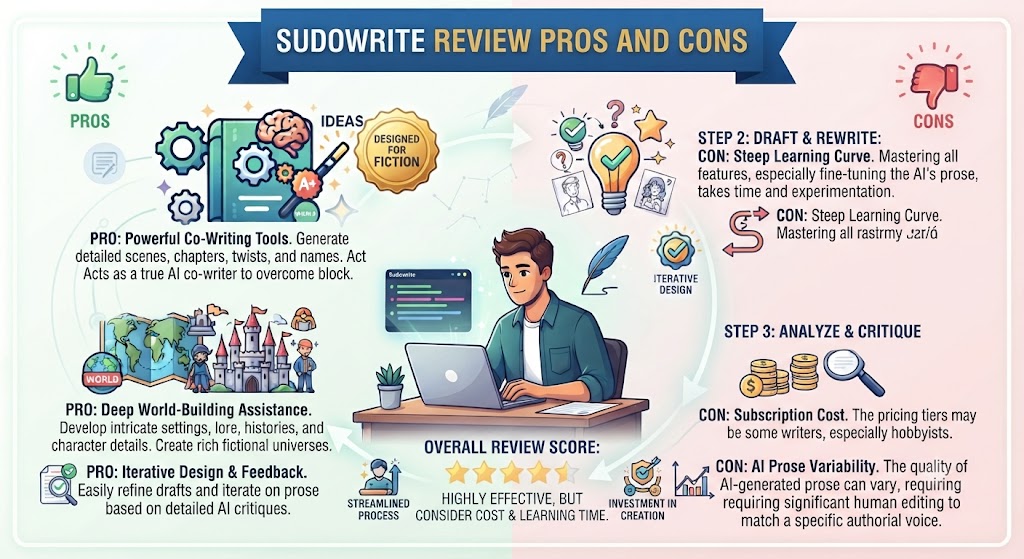
Purpose-built for fiction — and the difference is real. Within this Sudowrite review, the gap between Sudowrite’s Muse model and using ChatGPT or Claude for fiction writing is significant and immediately apparent in the prose quality. Muse understands narrative pacing, character voice, genre conventions, and emotional register in ways that general-purpose models don’t without extensive prompt engineering. For fiction writers, this isn’t a marginal difference — it’s the reason to use Sudowrite over cheaper alternatives.
Story Engine 3.0 solves the long-form coherence problem. Considering the data, this Sudowrite review shows maintaining consistency across a 90,000-word novel manuscript is the hardest challenge in AI-assisted long-form writing. Story Engine’s structured pipeline and the Story Bible’s persistent context architecture address this problem more effectively than any alternative tool currently available.
Describe is genuinely transformative for under-developed prose. In the context of pricing, this Sudowrite review notes the Describe tool’s ability to expand thin, summary-style writing into sensory-rich scene work is one of the most immediately impactful features in any writing tool. Writers who struggle with show-don’t-tell will see measurable improvement in their prose quality from using Describe regularly.
Free trial gives real access before commitment. Per this Sudowrite review, the 10,000-credit free trial with no time limit allows new users to genuinely test Story Engine, Describe, Rewrite, and Brainstorm across a real writing project before making any financial commitment. This is meaningfully more generous than most AI tool trials.
Mobile app completes the workflow. As this Sudowrite review shows, the iOS and Android companion app with Write, Rewrite, Smart Dictation, and Agentic Chat means the writing workflow isn’t restricted to a desk. For writers who think and draft in multiple settings, this matters.
Credits roll over on Max plan. In this Sudowrite review, the 12-month credit rollover on the Max plan means that periods of low activity don’t waste your subscription — particularly valuable for writers with seasonal output patterns.
Drawbacks
Strictly fiction only — zero versatility. Looking at Sudowrite review details, if you write anything other than creative fiction, Sudowrite has no value for you. Blog posts, essays, marketing content, business writing — none of it is supported. This is the correct design philosophy for its target audience, but it means Sudowrite can never be your only writing tool if your output includes any non-fiction writing.
Credit consumption is unpredictable. When it comes to this tool, this Sudowrite review found that a typical 75-100 word generation uses approximately 25 credits. A full chapter draft of 3,000-5,000 words may consume 1,000-2,500 credits depending on the model and tools used. Heavy users — particularly those using Story Engine for full chapter generation — can exhaust credits faster than expected, especially on the Hobby plan.
Output requires significant editing. For anyone reading this Sudowrite review, sudowrite is raw material. Even the best Muse 1.5 output needs editing for consistency, voice precision, and plot accuracy before it enters a final manuscript. Writers who expect publication-ready output will be disappointed. The realistic expectation is strong first-draft material that accelerates drafting speed, not finished prose that skips the editing process.
No collaboration features. This Sudowrite review found that sudowrite is strictly a single-writer tool. There are no real-time collaboration features, no shared document editing, and no team workspace functionality. Co-authors working on shared manuscripts need to work with external tools.
Canvas is functional but not powerful. Across this Sudowrite review, compared to dedicated outlining tools like Scrivener, the Canvas visual organization feature is basic. Writers with established outlining workflows in other tools will likely continue using those tools and use Canvas minimally.
AI can introduce plot inconsistencies on long projects. On this point, this Sudowrite review notes that despite the Story Bible’s persistent context, Sudowrite occasionally loses track of established details across very long manuscripts — a character detail established in chapter 3 might be contradicted in chapter 15. This requires vigilance in editing and limits the trust you can place in AI continuations without close review.
Great AI Writing Still Needs An SEO Strategy Behind It
AI can draft your content fast — but ranking it takes structure, keywords, and technical SEO. Tasknestly builds the SEO strategy your content needs to actually get found.
Get SEO Services →Pricing Plans
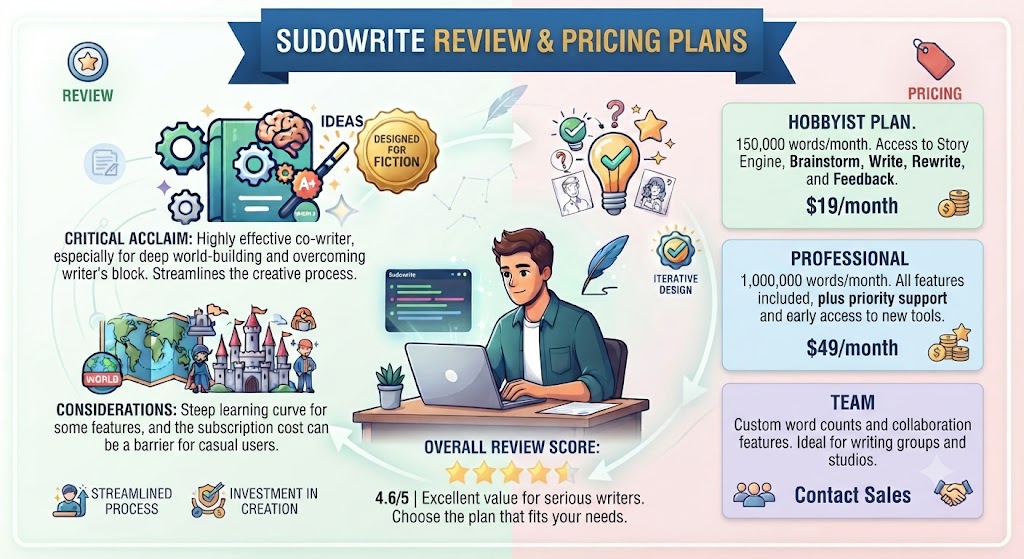
Within this Sudowrite review, sudowrite uses a credit-based system. All tiers unlock the same features — the difference is monthly credit volume. Pricing is current as of 2026; always verify at sudowrite.com before purchasing.
Hobby & Student — $10/month (annual) / $19/month (monthly)
- 225,000 AI credits per month Considering the data, this Sudowrite review shows – Access to all features including Story Engine, Describe, Rewrite, Brainstorm, Canvas, Feedback
- Muse 1.5 model access
- Free trial: 10,000 credits, no time limit
In the context of pricing, this Sudowrite review notes 225,000 credits at typical consumption rates (25 credits per 75-100 word generation) translates to roughly 675,000-900,000 words of raw AI generation per month — sufficient for writers completing one to two novels per year at a steady pace.
Professional — $22/month (annual) / $39/month (monthly)
- 1,000,000 AI credits per month
- Priority processing
- All Hobby features
Per this Sudowrite review, professional is the right tier for active authors publishing regularly. The credit volume accommodates heavy drafting, extensive revision work, and Story Engine full-chapter generation without hitting monthly limits.
Max — $33/month (annual) / $59/month (monthly)
- 2,000,000 AI credits per month
- Fastest generation speed
- 12-month credit rollover
- All Professional features
As this Sudowrite review shows, max is for prolific authors with very high output requirements or writing teams. The 12-month rollover is the defining feature — it protects against credit waste during periods of lower activity.
Free Trial: In this Sudowrite review, 10,000 credits, no time limit, no credit card required. Sufficient to test every major feature across a real writing project.
Great AI Writing Still Needs An SEO Strategy Behind It
AI can draft your content fast — but ranking it takes structure, keywords, and technical SEO. Tasknestly builds the SEO strategy your content needs to actually get found.
Get SEO Services →Alternatives
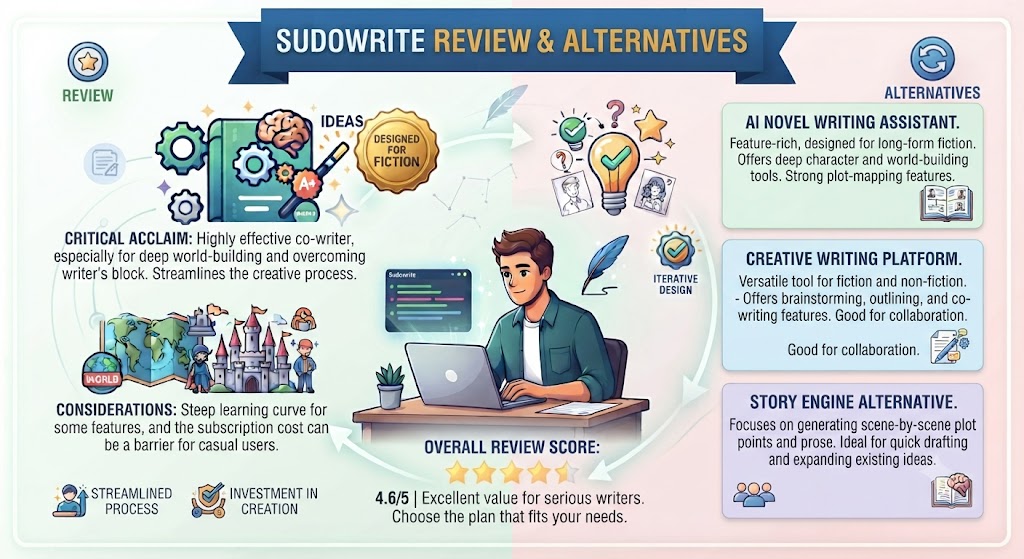
ChatGPT / Claude
Looking at Sudowrite review details, general-purpose AI models can be used for fiction writing, and many writers do use them. The advantages are cost (ChatGPT Plus at $20/month offers high-volume generation) and versatility (both handle non-fiction, research, editing, and other tasks alongside fiction).
When it comes to this tool, this Sudowrite review found that the honest gap: Muse 1.5 produces measurably better narrative prose than GPT-4 or Claude for fiction-specific tasks. General models can be coaxed into good creative writing output with careful prompt engineering, but they don’t understand narrative structure, pacing, and genre conventions in the built-in way Sudowrite does. For writers who only occasionally need AI fiction assistance, ChatGPT or Claude may be sufficient. For writers making AI assistance a regular part of their process, Sudowrite’s specialization is worth the price difference.
Jasper AI
Jasper is the leading AI writing platform for marketing and content creation. It does nothing for fiction writers — it’s built entirely around content marketing, blog posts, ad copy, and social media content. If you write both fiction and marketing content, you’d need separate tools: Sudowrite for fiction, Jasper for marketing. Keep that in mind from this Sudowrite review.
NovelAI
NovelAI is another fiction-focused AI writing tool, positioned similarly to Sudowrite but with a stronger emphasis on image generation alongside text — particularly for anime-style art paired with fiction. NovelAI’s writing model is less sophisticated than Muse 1.5 for literary fiction, but it has a dedicated user base among writers who want integrated image generation for visual world-building. That’s a key point in this Sudowrite review.
Best for: Writers who want AI-generated character art and scene imagery alongside fiction writing. Less suited for writers primarily focused on prose quality. This holds up throughout the Sudowrite review.
Chapter
Chapter is a one-time purchase alternative to Sudowrite’s subscription model, marketed toward writers who find monthly subscriptions for a single-project tool economically unattractive. For writers who produce one novel per year or less, Chapter’s one-time pricing may offer better long-term value. Sudowrite’s subscription model suits writers with consistent, ongoing output. Keep that in mind from this Sudowrite review.
Great AI Writing Still Needs An SEO Strategy Behind It
AI can draft your content fast — but ranking it takes structure, keywords, and technical SEO. Tasknestly builds the SEO strategy your content needs to actually get found.
Get SEO Services →Sudowrite Feature Effectiveness — Honest Scores
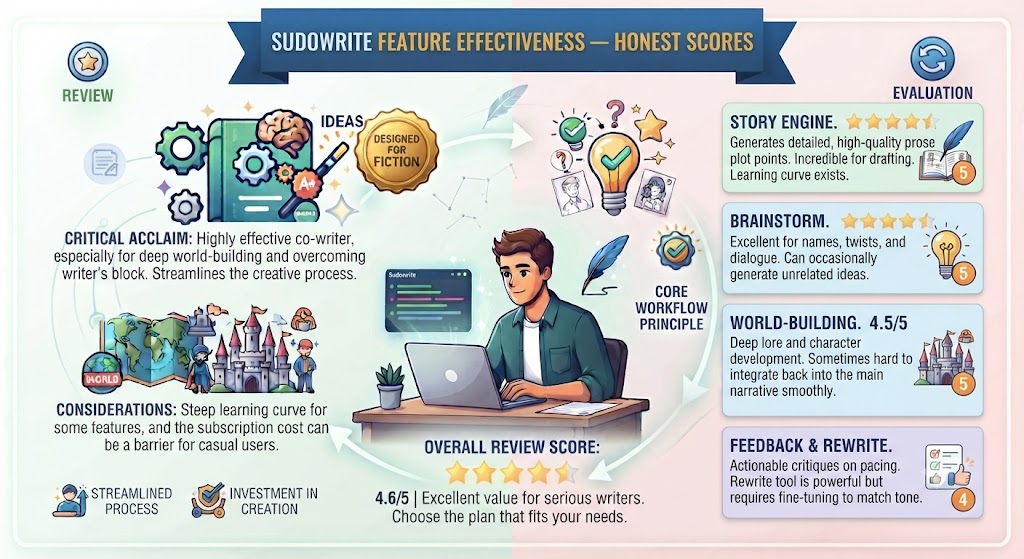
| Feature | Effectiveness | Best Use |
|---|---|---|
| Story Engine 3.0 | 8/10 | Full novel outlining and chapter drafting |
| Write / Continuation | 8.5/10 | Scene continuation, momentum building |
| Describe | 8.5/10 | Sensory prose expansion, show-don’t-tell |
| Rewrite | 6.5/10 | Tonal variations, style shifts |
| Brainstorm | 7/10 | Plot directions, character motivation |
| Canvas 2.0 | 5/10 | Visual story organization |
| Feedback | 7.5/10 | Developmental editing notes |
| Shrink Ray | 7/10 | Prose tightening |
Great AI Writing Still Needs An SEO Strategy Behind It
AI can draft your content fast — but ranking it takes structure, keywords, and technical SEO. Tasknestly builds the SEO strategy your content needs to actually get found.
Get SEO Services →Final Verdict
Is Sudowrite Worth It?
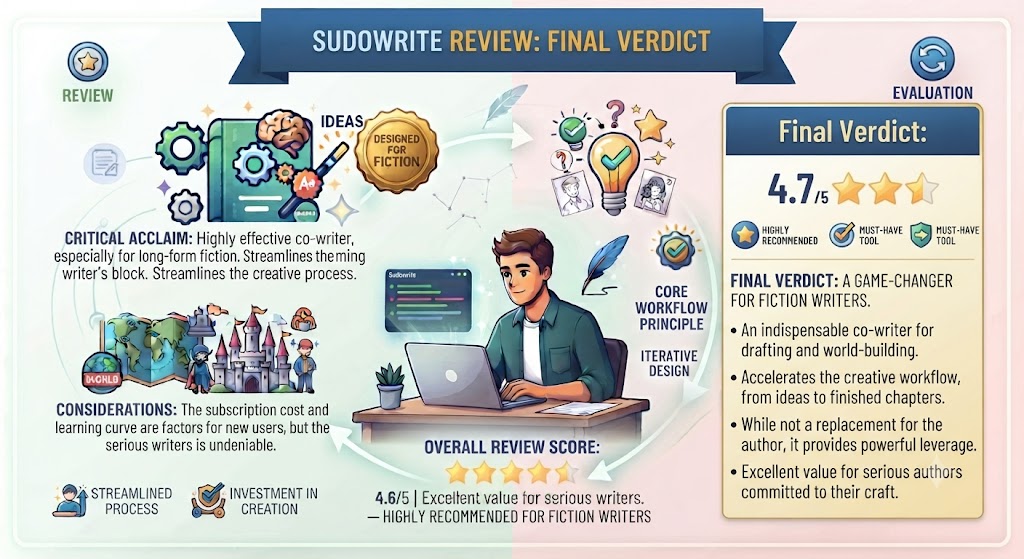
For fiction writers — yes, and increasingly so in 2026. The Muse 1.5 model’s improvement over previous versions, combined with Story Engine 3.0’s better handling of long-form coherence, has made Sudowrite genuinely worth the subscription cost for any writer using AI assistance as a regular part of their creative process. That’s a key point in this Sudowrite review.
The honest framework for the buying decision:
If you write fiction regularly and want AI that understands the craft — pacing, voice, sensory prose, narrative structure — at a level general-purpose tools don’t match, Sudowrite is the right tool. The Professional plan at $22/month (annually) is the sweet spot for active writers.
If you write fiction occasionally and need AI assistance for specific stuck moments rather than ongoing production, the Hobby plan at $10/month or the free trial may be sufficient.
If you don’t write fiction, don’t buy Sudowrite. It will not help you.
The one caveat to carry forward regardless of plan: Sudowrite is a co-writer, not a ghostwriter. The output it produces is raw material that needs your editorial hand. Writers who approach it as a creative partner report high satisfaction. Writers who approach it expecting finished, submission-ready prose will be disappointed.
Best Use Cases
Sudowrite is the right choice if you:
- Write novels, short stories, or screenplays and want the best AI fiction writing tool available
- Struggle with writer’s block and need structured brainstorming and plot direction tools
- Have flat, under-developed prose that needs sensory richness and the Describe tool addresses that directly
- Are a plotter who works from outlines and wants Story Engine’s structured chapter development pipeline
- Need voice-consistent manuscript continuations that read like natural extensions of your established prose
Skip Sudowrite if you:
- Write anything other than creative fiction → use Wordtune, Jasper, or GrammarlyGO
- Want bulk AI writing that requires minimal editing → Sudowrite output always needs editing
- Need collaboration features for co-authored projects → Sudowrite has none
- Are a “pantser” who writes without outlines and finds structured pipelines restrictive → consider NovelAI or direct use of Claude/ChatGPT
Rating: 8.5/10 for fiction writers. Not applicable for other writing use cases.
Best for: Novelists, short story writers, and creative writers who want the best-in-class AI fiction writing tool that understands narrative craft.
Price: Free trial (10,000 credits, no time limit) — Hobby $10/month annual — Professional $22/month annual — Max $33/month annual
Great AI Writing Still Needs An SEO Strategy Behind It
AI can draft your content fast — but ranking it takes structure, keywords, and technical SEO. Tasknestly builds the SEO strategy your content needs to actually get found.
Get SEO Services →