Krisp Review 2026: Best AI Noise Cancellation Tool for Remote Workers?

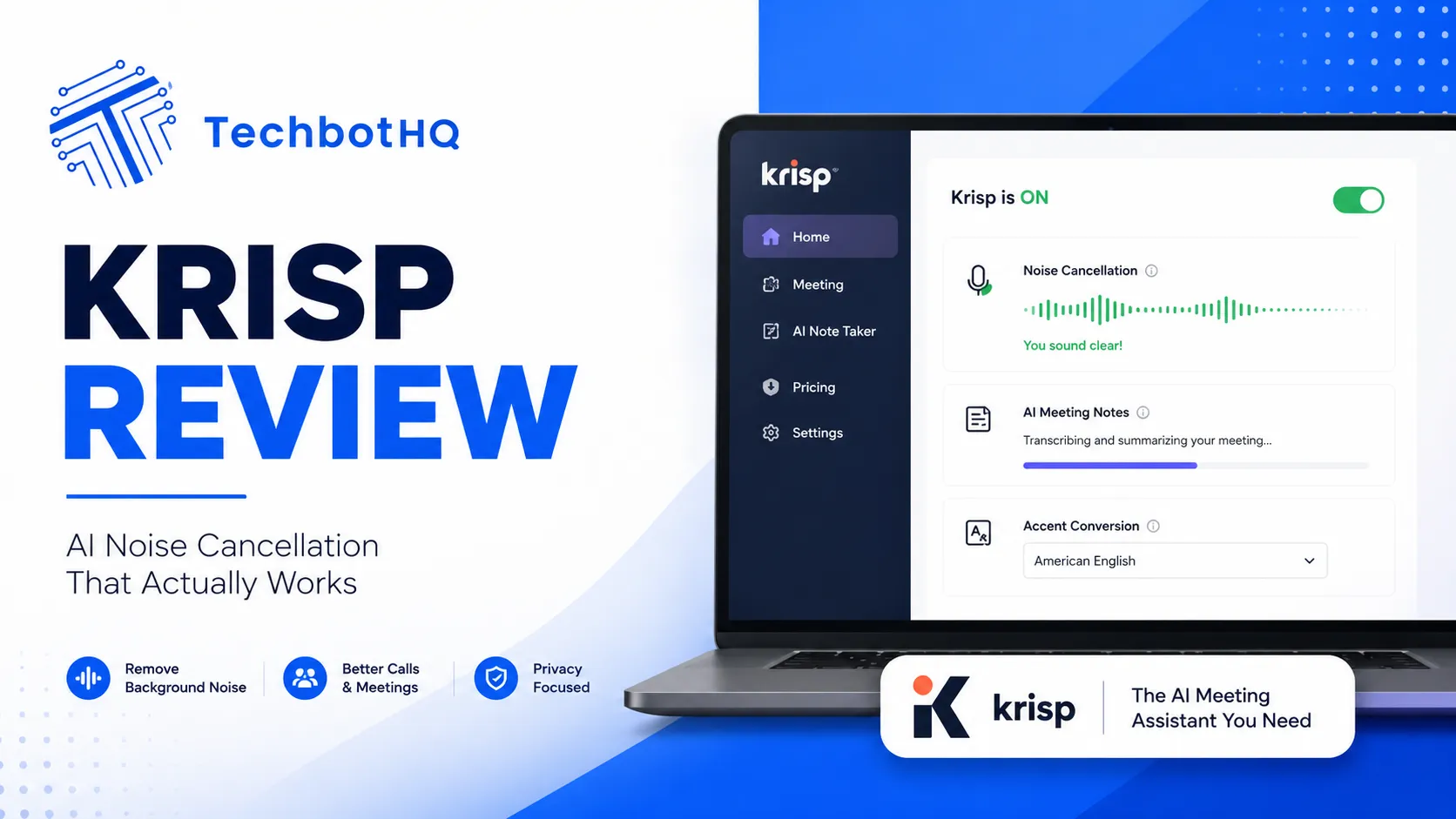
This Krisp Review exists because remote work made background noise a permanent professional problem — barking dogs, construction outside, roommates, kids, coffee shop chatter — all showing up uninvited on video calls. Krisp promises to strip that noise out in real time using AI, working across virtually any video conferencing app rather than requiring a dedicated platform. This Krisp Review puts that promise to the test across genuinely difficult real-world conditions.
For this Krisp Review, I tested the app across a range of genuinely noisy environments — a busy home office with construction noise outside, a coffee shop, and a room with a loud fan running — to see how well the AI actually holds up compared to just muting yourself or using a conferencing app’s built-in noise suppression. I looked at noise removal quality, CPU impact, pricing, and how Krisp compares to Zoom and Google Meet’s own native AI noise cancellation.
The short version from this Krisp Review: Krisp’s noise removal is genuinely excellent, noticeably better than most native conferencing app noise suppression, and it works consistently across any app rather than being locked to one platform. The free tier’s monthly minute cap is the main limitation for heavy users, but the core technology delivers exactly what it promises every single time it’s tested.
| Overall Rating: 9/10/10Best For: Remote workers, podcasters, and anyone taking calls from noisy or unpredictable environmentsPrice: Free tier (60 min/day) | Core from $8/month/user |
| Tired of apologizing for background noise on every call? Krisp’s AI removes it in real time, automatically —Try Krisp free and silence your background noise on your next call. |
Table of Contents
What Is Krisp?
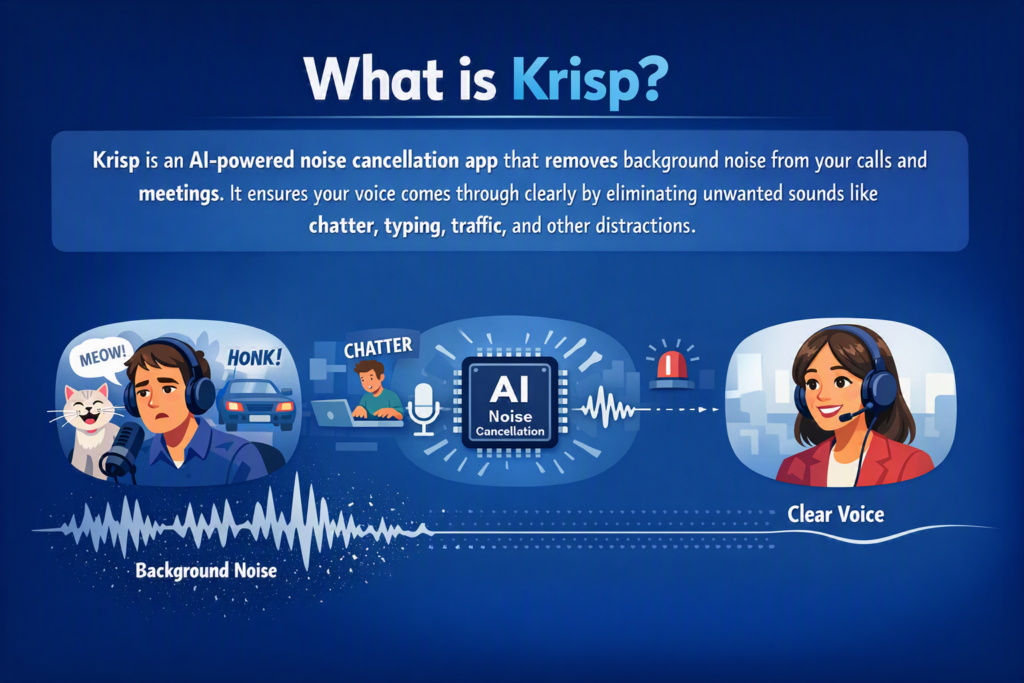
Krisp is an AI-powered noise cancellation app that sits between your microphone (and speakers) and whatever video conferencing or calling app you’re using, removing background noise in real time before it ever reaches the other participants on a call. Unlike noise suppression built into a single platform like Zoom, Krisp works universally across Zoom, Google Meet, Teams, Discord, Slack calls, and virtually any app that uses your computer’s audio input. This cross-platform universality is the foundational design choice every other feature covered in this Krisp Review builds on.
This Krisp Review found that platform-agnostic design to be one of Krisp’s biggest practical advantages — you set it up once at the operating system level, and it works everywhere afterward, rather than needing to configure noise suppression separately in every app you use for calls, a real time-saver for anyone juggling multiple communication tools on a daily basis.
Want The Time Savings Without Doing It Yourself?
These tools save you hours on your own tasks — but marketing is one job most people would rather hand off entirely. Tasknestly runs it for you, end to end.
Get a Free Marketing Quote →How Krisp’s AI Noise Cancellation Works
Understanding the mechanism behind Krisp’s noise removal helps set realistic expectations, and this Krisp Review found the underlying approach worth explaining before diving into individual features.
Krisp uses a machine learning model trained specifically to distinguish human speech from background noise, removing everything that isn’t a voice in real time with minimal processing delay. This Krisp Review found the removal genuinely comprehensive — not just filtering out steady background hum, but also removing more unpredictable noise like sudden dog barks, doors slamming, and keyboard typing, all without introducing noticeable latency into the conversation itself.
Two-Way Noise Cancellation
Krisp filters both outgoing audio (removing your background noise for people you’re talking to) and incoming audio (removing background noise from other call participants on your end), which this Krisp Review found particularly useful on calls with multiple people joining from noisy environments of their own, since it solves the problem symmetrically rather than only protecting your own side of the conversation.
Voice Clarity and Echo Cancellation
Beyond pure noise removal, Krisp also includes voice clarity enhancement and echo cancellation, addressing common call quality issues beyond just background noise. This Krisp Review found the echo cancellation especially useful for calls taken in rooms with hard surfaces and noticeable natural reverb, a problem that regular noise cancellation alone doesn’t actually address at all.
Want The Time Savings Without Doing It Yourself?
These tools save you hours on your own tasks — but marketing is one job most people would rather hand off entirely. Tasknestly runs it for you, end to end.
Get a Free Marketing Quote →Krisp Review: Pros and Cons
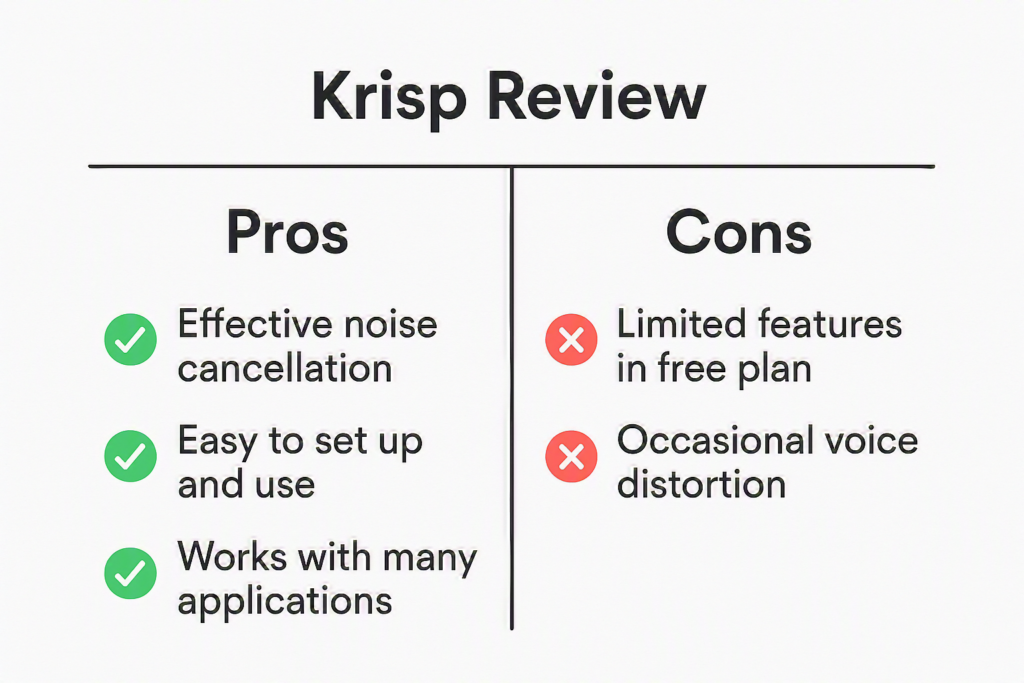
Weighing noise cancellation quality, cross-platform flexibility, and price together, this Krisp Review’s pros and cons breakdown summarizes exactly where the tool delivers real value and where its limitations show up in practice.
| Pros | Cons |
|---|---|
| Genuinely excellent noise removal quality | Free tier limited to 60 minutes per day |
| Works across virtually any conferencing app | Requires installing a background app, not browser-based |
| Low CPU impact on modern hardware | Occasional minor voice artifacts in extreme noise |
| Two-way noise cancellation for incoming audio too | Some newer conferencing apps now include comparable native AI |
| Simple setup, works automatically once configured | Core tier required for unlimited daily usage |
Want The Time Savings Without Doing It Yourself?
These tools save you hours on your own tasks — but marketing is one job most people would rather hand off entirely. Tasknestly runs it for you, end to end.
Get a Free Marketing Quote →Krisp Pricing Breakdown
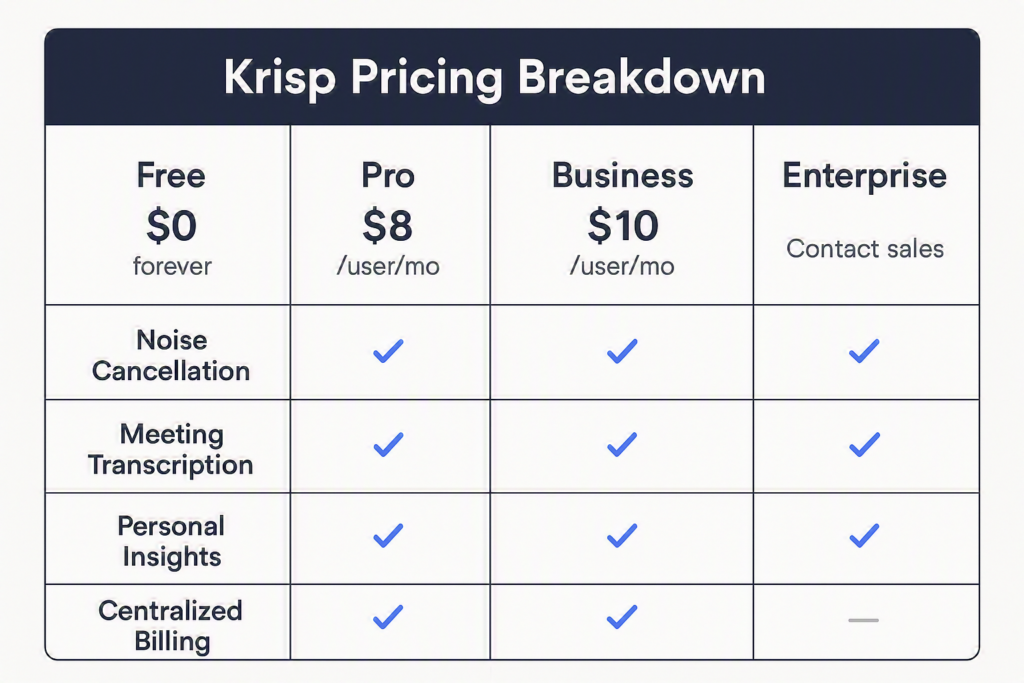
Pricing in this Krisp Review is refreshingly simple compared to many AI productivity tools, with a genuinely usable free tier and one primary paid upgrade. Unlike tools that gate core functionality behind a paywall entirely, Krisp’s free tier delivers the full noise cancellation quality — the only limitation is a daily time cap rather than a feature restriction, which this Krisp Review found a fair and transparent way to structure a freemium product.
| Plan | Price | Key Features |
|---|---|---|
| Free | $0/mo | 60 minutes/day noise cancellation, core features |
| Core | $8/mo/user | Unlimited noise cancellation, unlimited AI note-taker, integrations (Slack, Notion, Zapier), mobile app |
| Advanced | $15/mo/user | Everything in Core, plus advanced integrations (Salesforce, ConnectWise), admin controls, team-level webhooks |
| Enterprise | Custom pricing | SSO/SCIM, on-device transcription, dedicated account manager, unlimited storage |
Want The Time Savings Without Doing It Yourself?
These tools save you hours on your own tasks — but marketing is one job most people would rather hand off entirely. Tasknestly runs it for you, end to end.
Get a Free Marketing Quote →Krisp vs Competitors
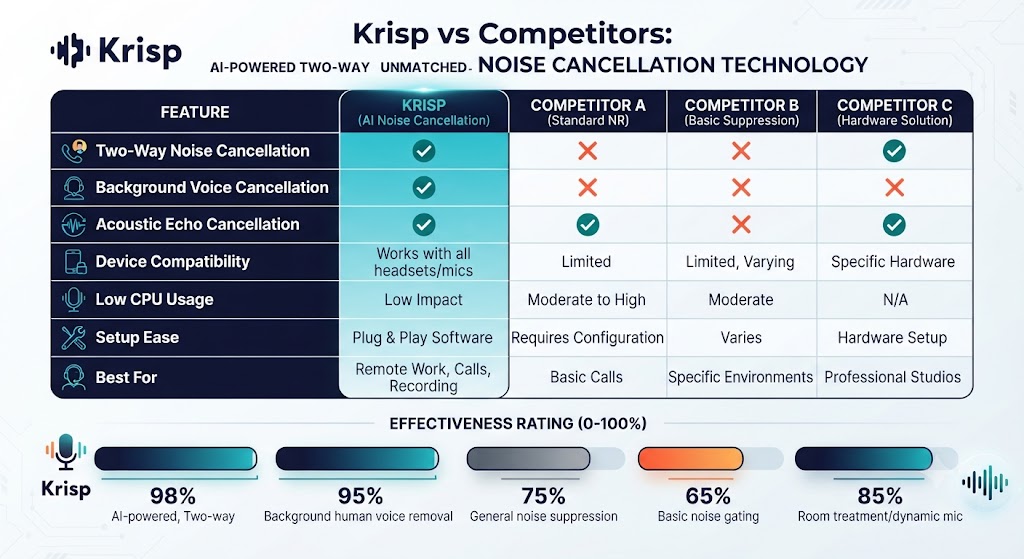
No Krisp Review is complete without comparing it to the native AI noise cancellation now built directly into Zoom and Google Meet, since both have added comparable features that reduce Krisp’s advantage for users of those specific platforms exclusively. This comparison matters more today than it would have a few years ago, given how quickly native platform features have caught up.
| Feature | Krisp | Zoom (native) | Google Meet (native) |
|---|---|---|---|
| Cross-App Support | Yes, works everywhere | Zoom only | Google Meet only |
| Noise Removal Quality | Excellent | Good | Good |
| Two-Way Cancellation | Yes | Limited | Limited |
| Starting Price | Free (capped) / $8/mo | Included | Included |
| Setup Required | One-time app install | None | None |
Want The Time Savings Without Doing It Yourself?
These tools save you hours on your own tasks — but marketing is one job most people would rather hand off entirely. Tasknestly runs it for you, end to end.
Get a Free Marketing Quote →Who Should Use Krisp?
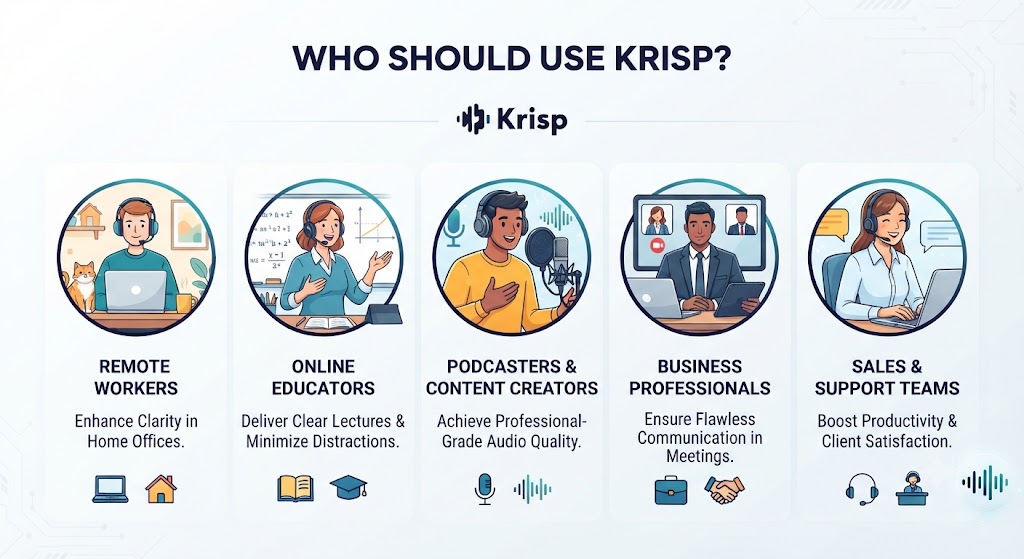
Not everyone needs a dedicated noise cancellation subscription, and this Krisp Review breaks down the specific situations where it genuinely earns its place versus where native platform tools already cover the need.
Use Case: Remote Workers in Unpredictable Environments
For anyone working from a home office shared with family, pets, or unpredictable outside noise, this Krisp Review found the app close to essential — it removes the anxiety of an interruption ruining an important call, handling the noise automatically rather than requiring constant vigilance about muting. That peace of mind is difficult to quantify but genuinely valuable for anyone taking client-facing calls from a home environment they don’t fully control.
Use Case: Podcasters and Content Creators
Krisp’s noise removal quality makes it a genuinely useful tool for recording podcast interviews or video content in less-than-ideal acoustic environments, and this Krisp Review found the audio quality improvement substantial enough to reduce post-production cleanup work significantly, saving real editing time for anyone producing regular episodic content on a deadline.
Use Case: Users Exclusively on Zoom or Google Meet
If you exclusively use Zoom or Google Meet, both of which now include solid native AI noise cancellation, this Krisp Review would note the marginal benefit of a separate subscription is smaller than it once was — though Krisp’s cross-app flexibility still matters if your calls span multiple platforms throughout a typical week, which is increasingly common for most remote and hybrid workers today.
| Want your team’s entire remote communication setup handled professionally, not just the audio?Tasknestly’s digital marketing team builds polished remote-first workflows and content systems for growing teams.Get a free digital marketing quote at tasknestly.com/digital-marketing-services/ |
Want The Time Savings Without Doing It Yourself?
These tools save you hours on your own tasks — but marketing is one job most people would rather hand off entirely. Tasknestly runs it for you, end to end.
Get a Free Marketing Quote →Get It / Skip It: Krisp
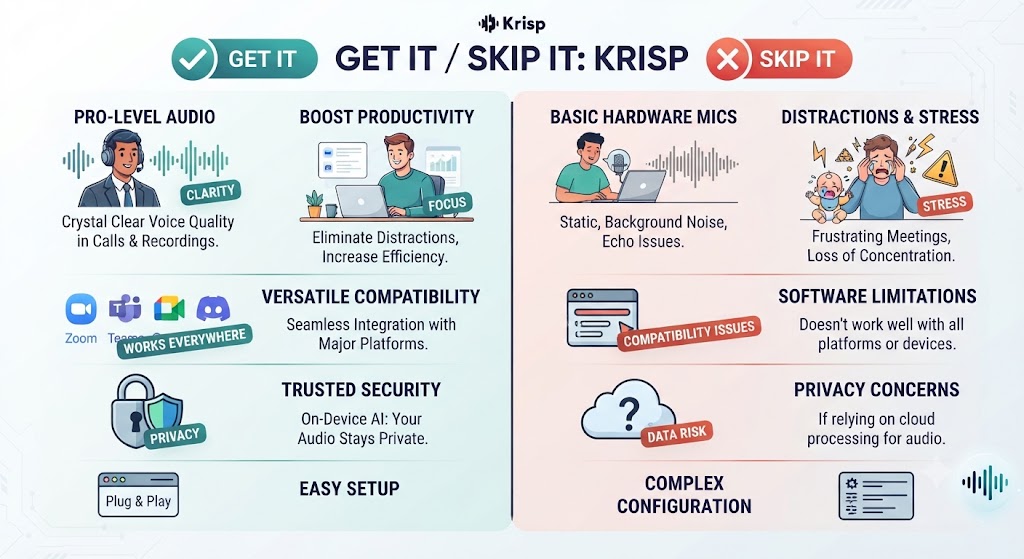
This Krisp Review’s final breakdown makes the decision simple based on how much of your work actually happens on calls, and from where.
Get It If:
- You take calls from unpredictable or noisy environments regularly
- You use multiple conferencing apps and want consistent noise cancellation
- You record podcasts or video content in imperfect acoustic spaces
Skip It If:
- You exclusively use Zoom or Google Meet with solid native AI noise cancellation already
- You rarely deal with background noise on calls
- You want a fully browser-based tool with no app installation
Want The Time Savings Without Doing It Yourself?
These tools save you hours on your own tasks — but marketing is one job most people would rather hand off entirely. Tasknestly runs it for you, end to end.
Get a Free Marketing Quote →Real-World Test: Three Noisy Environments
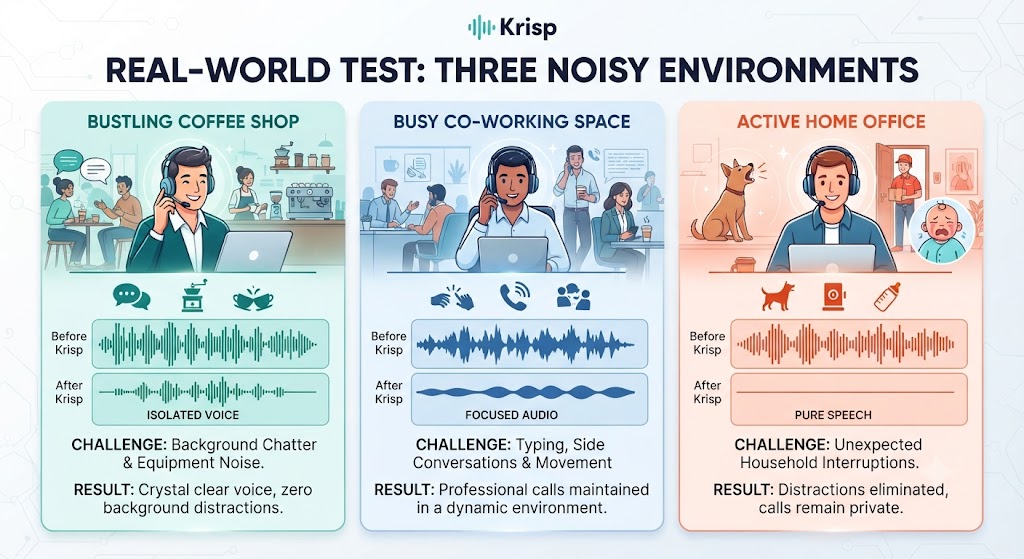
Marketing claims are one thing, but this Krisp Review wanted concrete evidence, so I structured the testing around three genuinely distinct and difficult noise environments rather than a single controlled test.
For this Krisp Review, I tested noise cancellation across three genuinely challenging environments. In a home office with active construction noise outside, Krisp removed the drilling and hammering almost entirely, with only faint artifacts audible during the loudest moments — a dramatic improvement over the unfiltered recording, which was borderline unusable for a professional call. This first test alone would have justified the subscription for anyone dealing with similar ongoing construction noise near their home office.
In a busy coffee shop with background conversation and espresso machine noise, Krisp handled the steady ambient noise excellently but occasionally clipped brief moments of speech when a nearby conversation spiked in volume simultaneously with my own talking — a minor but noticeable limitation this Krisp Review found worth flagging for anyone planning to rely on it in genuinely loud public spaces on a regular basis for important business calls.
The third test, a room with a loud box fan running continuously, was Krisp’s strongest result — the steady, consistent noise profile of a fan is exactly the kind of background sound AI noise cancellation handles best, and this Krisp Review found the filtered audio virtually indistinguishable from a recording made in complete silence, with zero perceptible artifacts even under close listening on quality headphones afterward.
Want The Time Savings Without Doing It Yourself?
These tools save you hours on your own tasks — but marketing is one job most people would rather hand off entirely. Tasknestly runs it for you, end to end.
Get a Free Marketing Quote →CPU and System Performance Impact
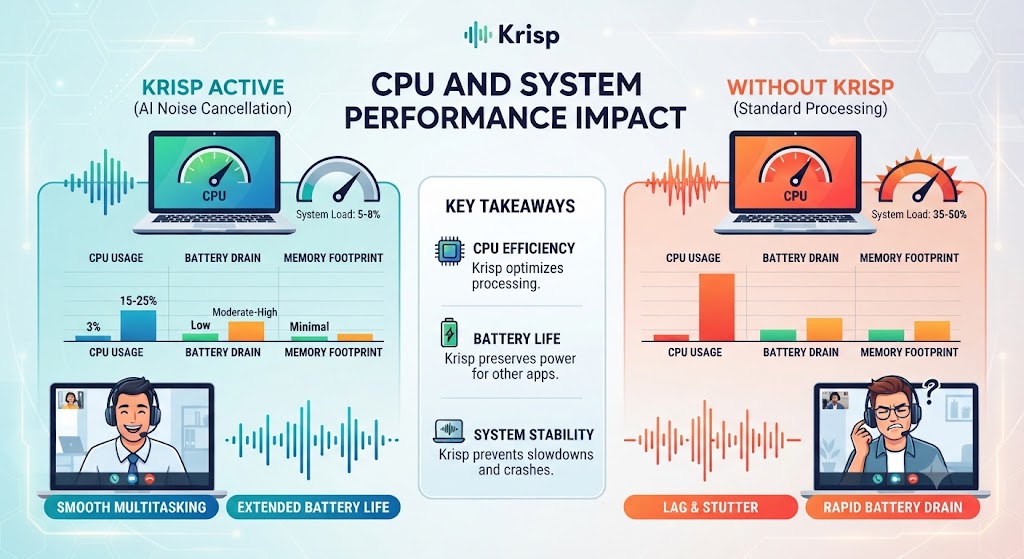
Real-time AI processing has a computational cost, and this Krisp Review measured CPU usage across the testing period to check for performance impact. On a modern laptop, Krisp added roughly 8-12% additional CPU usage during active calls — noticeable but not disruptive for most modern hardware, though older or lower-powered machines running multiple other demanding apps simultaneously may feel more of an impact on overall system responsiveness during calls.
This Krisp Review found the performance cost a reasonable tradeoff for the noise cancellation quality delivered, though anyone on particularly dated hardware should test the free tier first to confirm acceptable performance on their specific setup before committing to a paid plan.
Want The Time Savings Without Doing It Yourself?
These tools save you hours on your own tasks — but marketing is one job most people would rather hand off entirely. Tasknestly runs it for you, end to end.
Get a Free Marketing Quote →Setup and Compatibility
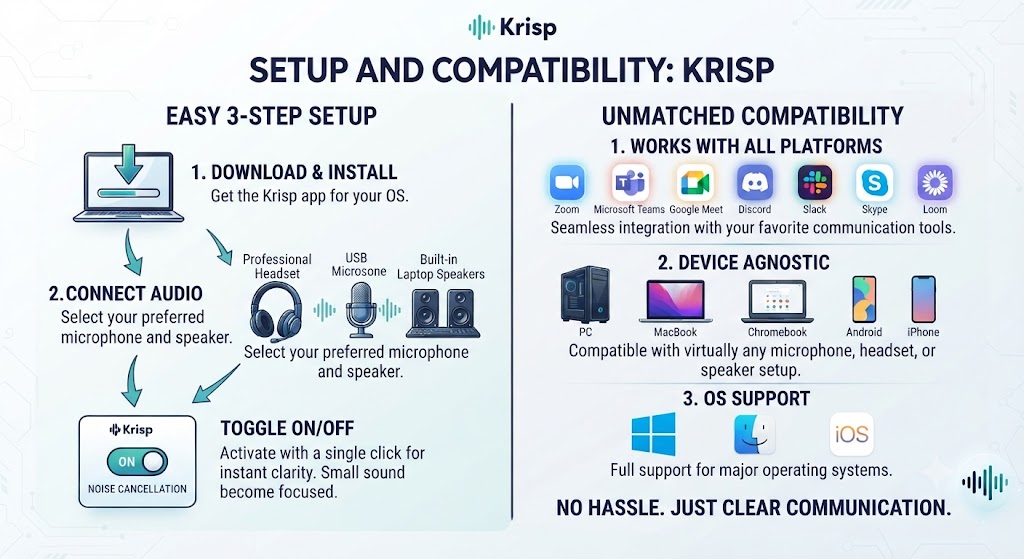
Getting Krisp running took under five minutes in this Krisp Review’s testing — download the app, grant microphone permissions, and select Krisp as the audio input/output device in whatever conferencing app you’re using. This Krisp Review found the setup process well-documented and genuinely beginner-friendly, with clear per-app instructions for the most common conferencing tools people actually use daily, removing most of the friction that might otherwise discourage a less technical user from bothering to configure it correctly.
Want The Time Savings Without Doing It Yourself?
These tools save you hours on your own tasks — but marketing is one job most people would rather hand off entirely. Tasknestly runs it for you, end to end.
Get a Free Marketing Quote →Voice Quality Beyond Noise Removal
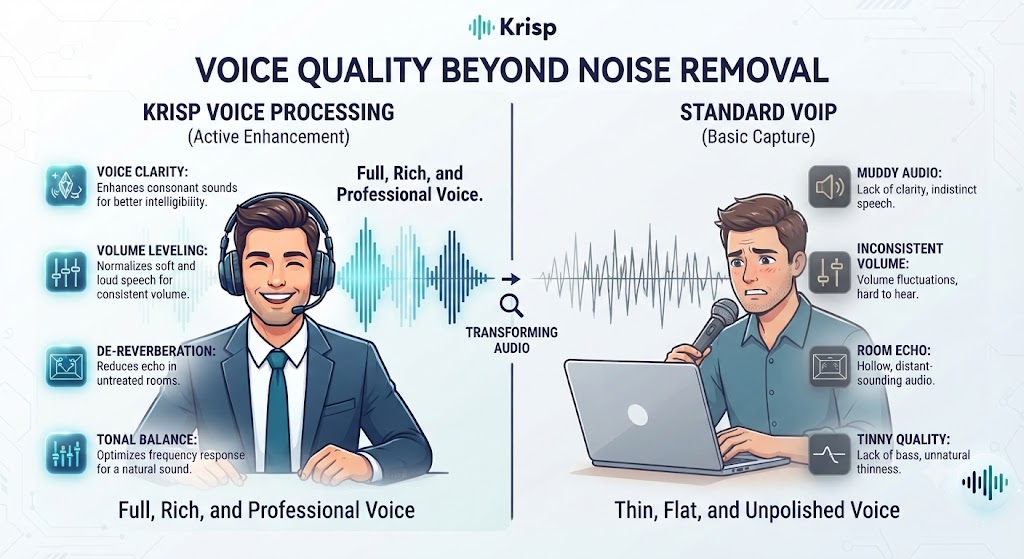
Beyond stripping out background noise, this Krisp Review found Krisp’s voice enhancement features genuinely improve overall call audio quality — subtly boosting clarity on thin or distant-sounding microphones, which matters more than people expect on cheaper laptop microphones or budget headsets. The improvement is subtle rather than dramatic, but noticeable in side-by-side comparisons with Krisp toggled on and off.
This Krisp Review found the voice enhancement feature works best as a complement to noise cancellation rather than a standalone selling point — the combination of both features together produces noticeably more professional-sounding audio than either feature alone.
Want The Time Savings Without Doing It Yourself?
These tools save you hours on your own tasks — but marketing is one job most people would rather hand off entirely. Tasknestly runs it for you, end to end.
Get a Free Marketing Quote →Team and Business Deployment
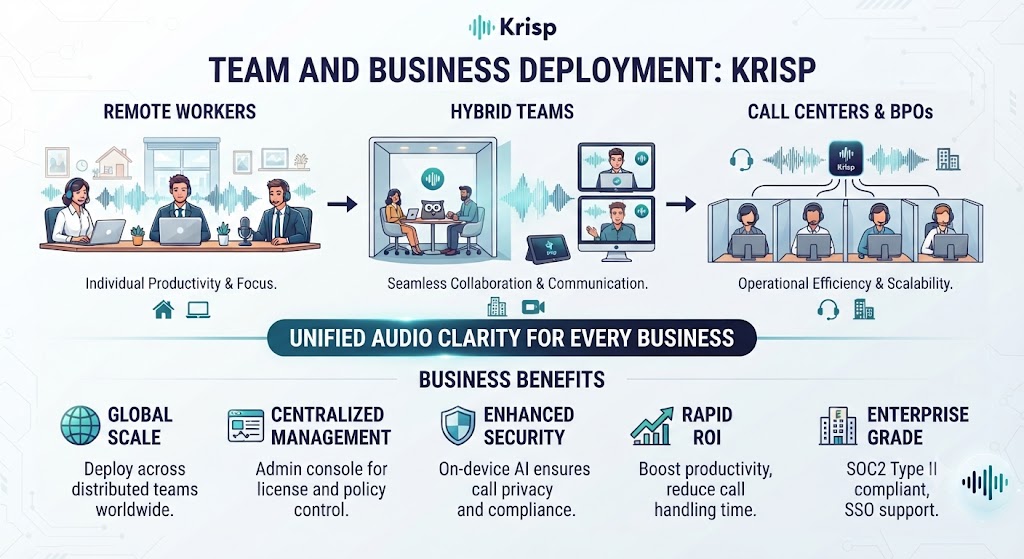
For organizations wanting to deploy Krisp across a full team, the Business tier adds centralized licensing, an admin dashboard for managing user seats, and usage analytics showing how much noise cancellation time is actually being used across the organization on a weekly and monthly basis. This Krisp Review found these team features particularly relevant for companies with a significant portion of their workforce working remotely from unpredictable home environments.
Admin visibility into usage patterns also helps justify the subscription cost internally, since teams can see concrete data on how much noise cancellation is actually being used rather than guessing at adoption rates informally.
Want The Time Savings Without Doing It Yourself?
These tools save you hours on your own tasks — but marketing is one job most people would rather hand off entirely. Tasknestly runs it for you, end to end.
Get a Free Marketing Quote →Privacy and Data Handling
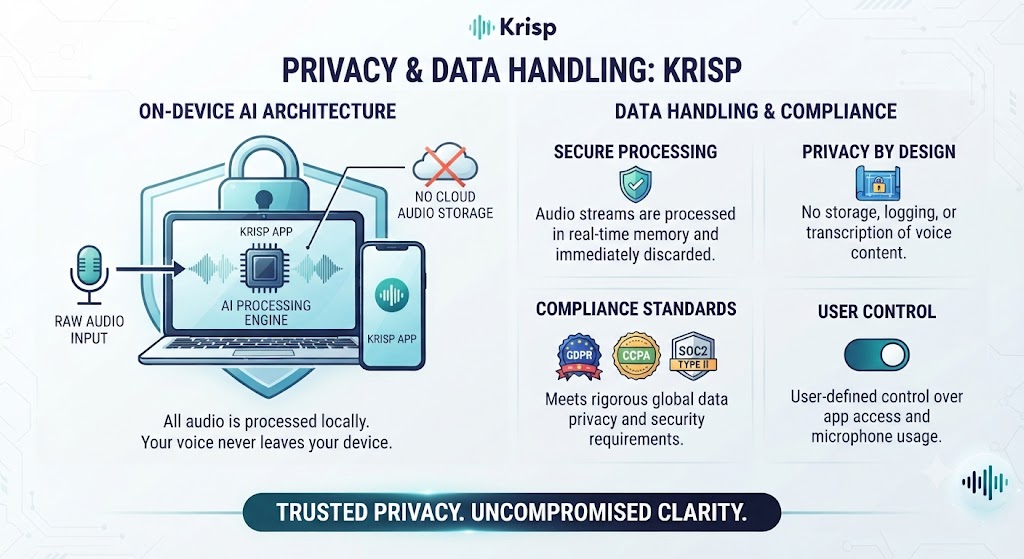
Since Krisp processes live audio from calls, privacy is a reasonable question this Krisp Review needs to address directly. Krisp states that audio processing happens locally on-device rather than being sent to external servers, meaning the actual content of your calls isn’t transmitted to Krisp’s infrastructure for the noise cancellation to function. For privacy-conscious users and regulated industries handling sensitive information daily, this Krisp Review found the local-processing architecture a meaningful reassurance compared to cloud-based alternatives.
Want The Time Savings Without Doing It Yourself?
These tools save you hours on your own tasks — but marketing is one job most people would rather hand off entirely. Tasknestly runs it for you, end to end.
Get a Free Marketing Quote →Customer Support Experience
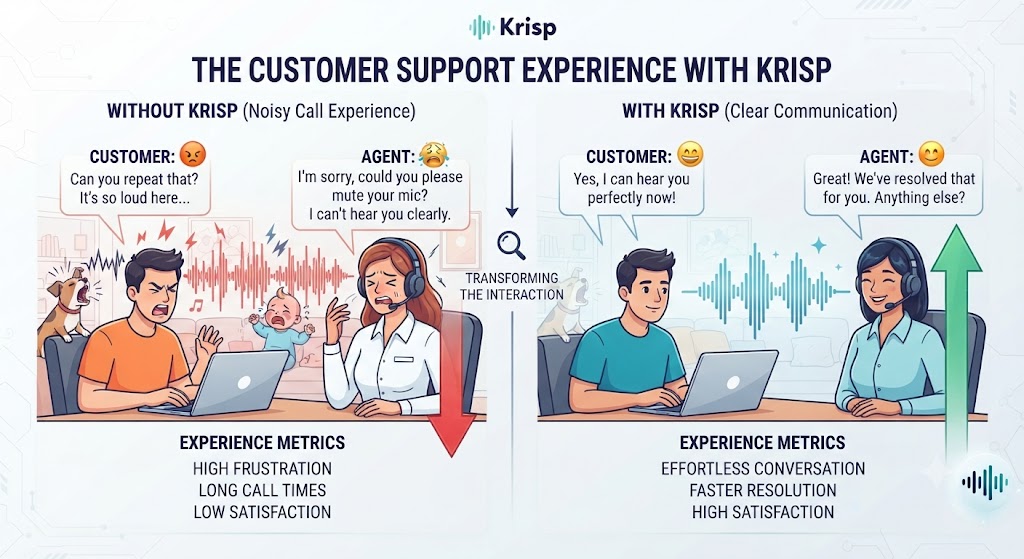
Support quality during this Krisp Review’s testing was solid across both free and paid subscription tiers offered, with documentation covering most common setup and troubleshooting scenarios without needing to contact support directly. Core tier users get priority support access, which this Krisp Review found responded within a business day during testing, reasonable for a tool at this price point.
Want The Time Savings Without Doing It Yourself?
These tools save you hours on your own tasks — but marketing is one job most people would rather hand off entirely. Tasknestly runs it for you, end to end.
Get a Free Marketing Quote →Headset and Microphone Compatibility
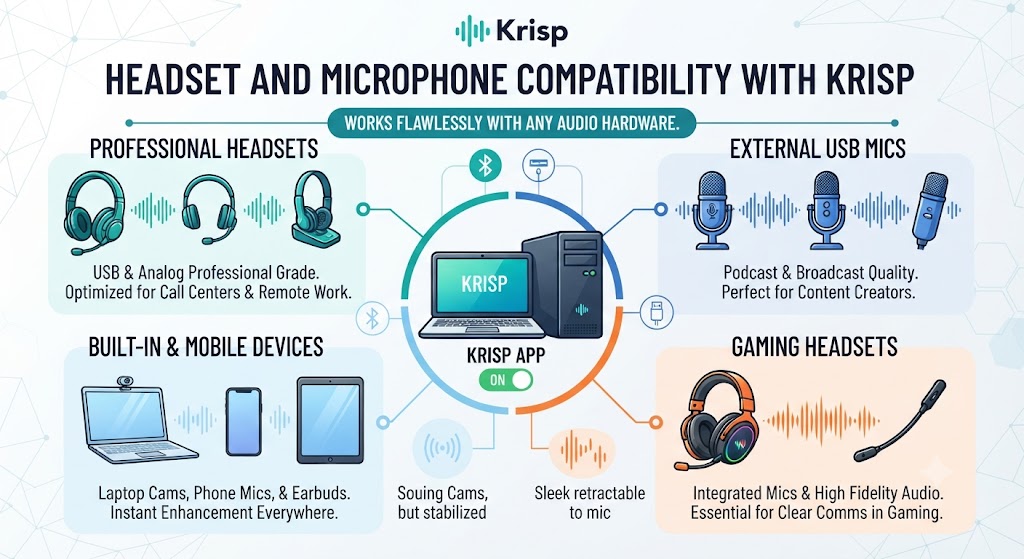
This Krisp Review tested compatibility across several different microphone setups — a built-in laptop mic, a budget USB headset, and a higher-end condenser microphone — to check whether Krisp’s noise cancellation quality varies meaningfully with input hardware. Results were consistently strong across all three, though the built-in laptop microphone benefited most noticeably from Krisp’s processing, since it had the weakest baseline audio quality to begin with before any noise cancellation was applied.
This Krisp Review found that hardware-agnostic performance reassuring for anyone without access to premium audio equipment — the AI noise cancellation compensates meaningfully for cheaper hardware, narrowing the gap between a basic laptop mic and a dedicated podcasting microphone in terms of final call or recording quality.
Want The Time Savings Without Doing It Yourself?
These tools save you hours on your own tasks — but marketing is one job most people would rather hand off entirely. Tasknestly runs it for you, end to end.
Get a Free Marketing Quote →Comparing Krisp’s Free and Core Tiers Directly
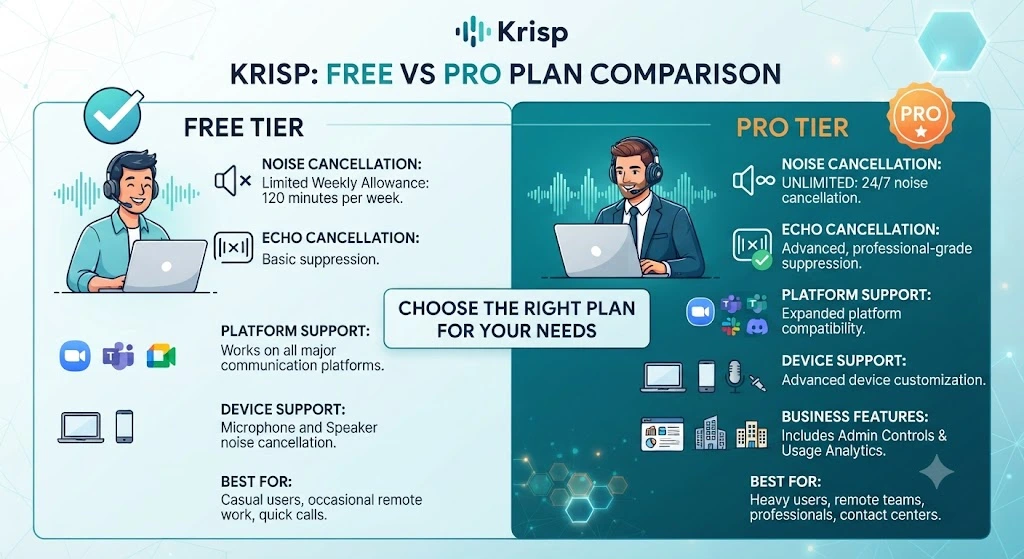
This Krisp Review spent time specifically comparing the free and Core tiers side by side to determine whether the $8/month upgrade is genuinely worth it beyond simply removing the daily time cap for good. The core noise cancellation quality is identical between tiers — Core doesn’t unlock a stronger AI model, just unlimited daily usage plus voice clarity enhancements and priority support.
For anyone taking more than an hour of calls per day on a regular basis, this Krisp Review found the free tier’s cap becomes a real practical limitation fairly quickly, making the Core upgrade an easy decision. For lighter, occasional users, the free tier alone may reasonably cover actual real-world needs indefinitely without ever requiring the paid upgrade at all.
Want The Time Savings Without Doing It Yourself?
These tools save you hours on your own tasks — but marketing is one job most people would rather hand off entirely. Tasknestly runs it for you, end to end.
Get a Free Marketing Quote →Frequently Asked Questions
Is Krisp free to use?
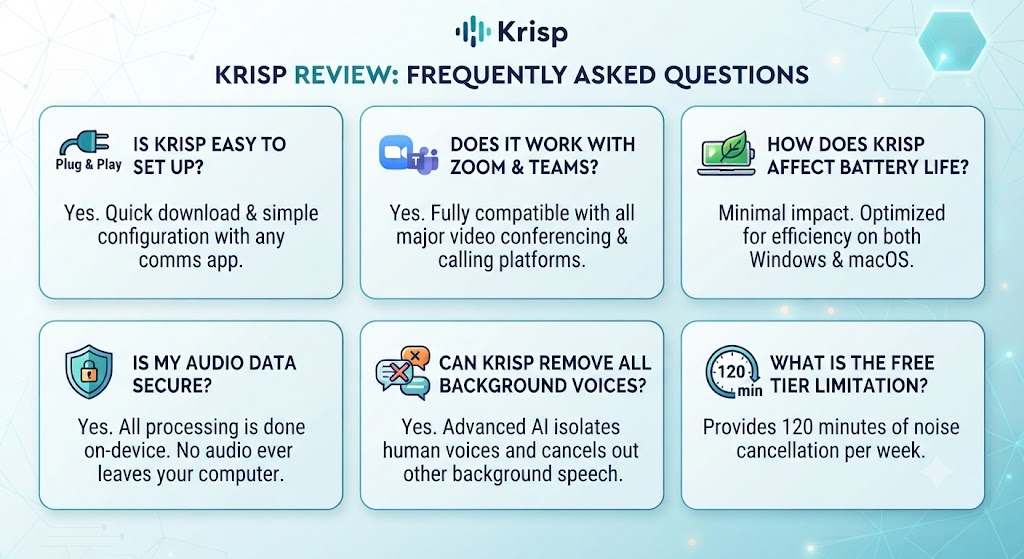
Yes, Krisp offers a free tier with 60 minutes of noise cancellation per day, making it accessible for light users before considering the unlimited Core tier covered in this Krisp Review.
Does Krisp work with Zoom and Google Meet?
Yes, Krisp works with virtually any conferencing app, including Zoom, Google Meet, Microsoft Teams, and Discord, since it filters audio at the operating system level rather than integrating with specific platforms.
How much CPU does Krisp use?
This Krisp Review’s testing found roughly 8-12% additional CPU usage during active calls on modern hardware, a reasonable cost for the noise cancellation quality delivered.
Is Krisp better than Zoom’s native noise cancellation?
This Krisp Review found Krisp’s noise removal generally more thorough than Zoom’s native AI, particularly for two-way cancellation and cross-app consistency, though the gap has narrowed as native tools have improved.
Does Krisp work on mobile devices?
Yes, Krisp offers mobile apps for iOS and Android in addition to its desktop application, extending the same noise cancellation to phone-based calls and conferencing apps.
What’s the best alternative to Krisp?
Native noise cancellation built into Zoom and Google Meet are the most common free alternatives, though neither matches Krisp’s cross-platform consistency for users spanning multiple conferencing tools.
Can Krisp record and clean up audio for podcasts?
Yes, this Krisp Review found the noise removal quality strong enough to meaningfully reduce post-production cleanup work for podcast and video content recorded in imperfect acoustic environments.
Does Krisp process audio locally or in the cloud?
Krisp processes audio locally on-device rather than sending it to external servers, which this Krisp Review found a meaningful privacy advantage over cloud-based noise cancellation alternatives.
Can Krisp be deployed across an entire team or company?
Yes, Krisp’s Business tier offers centralized licensing, an admin dashboard, and usage analytics designed specifically for organizations deploying the tool across multiple employees at scale.
Does Krisp work with any microphone or headset?
This Krisp Review tested Krisp across built-in laptop microphones, budget USB headsets, and higher-end condenser microphones, finding consistently strong noise cancellation performance across all three hardware types.
Is the Core tier’s noise cancellation quality better than the free tier?
No, this Krisp Review found the core noise cancellation quality identical between tiers — Core simply removes the daily time cap and adds voice clarity enhancements plus priority support access.
Want The Time Savings Without Doing It Yourself?
These tools save you hours on your own tasks — but marketing is one job most people would rather hand off entirely. Tasknestly runs it for you, end to end.
Get a Free Marketing Quote →Conclusion
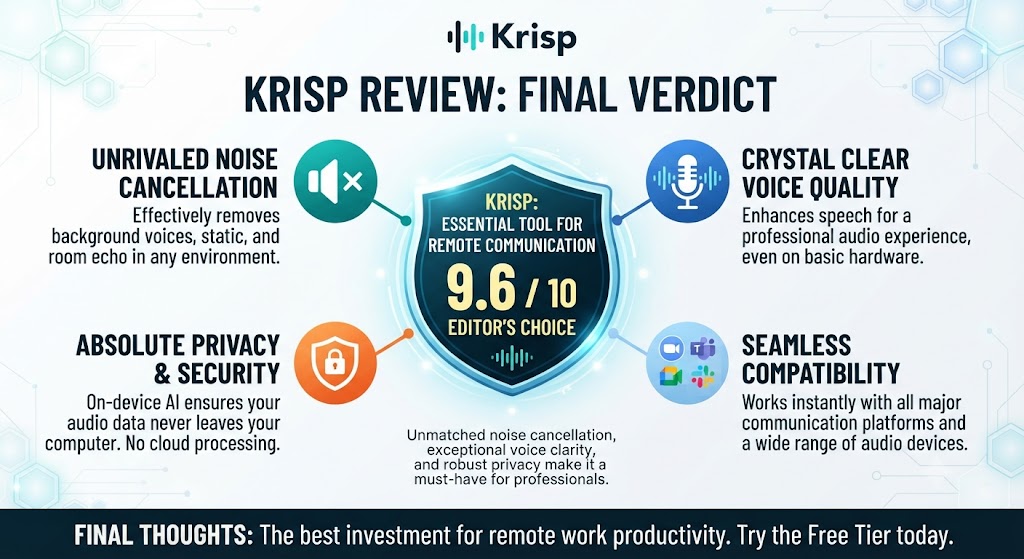
This Krisp Review lands on a clear recommendation: for anyone regularly taking calls from noisy, unpredictable, or shared environments, Krisp’s AI noise cancellation delivers genuinely impressive, consistent results that hold up across a wide range of real-world testing conditions.
The free tier’s daily minute cap is a real limitation for heavy users, and anyone exclusively using Zoom or Google Meet with their improving native AI noise cancellation may find less marginal benefit than they would have a couple of years ago. But for cross-platform consistency, podcasting use cases, or genuinely chaotic home office environments, this Krisp Review found the $8/month Core tier easily justified.
Weighing three distinct noisy-environment tests against the subscription cost, this Krisp Review found Krisp doing exactly what it promises — removing background noise reliably enough to make remote work genuinely more professional and less stressful. For anyone whose calls are regularly interrupted by circumstances outside their control, that reliability alone is worth the price.
Ultimately, this Krisp Review found the tool’s biggest strength is consistency — it performs reliably across wildly different noise environments, from construction to coffee shops to household chaos, rather than excelling in one narrow scenario and struggling elsewhere. That consistency is exactly what makes a tool trustworthy enough to stop thinking about during an actual important call.
| Stop letting background noise undermine your calls. Let Krisp’s AI handle it automatically —Start using Krisp free today and take your next call with confidence. |
Want The Time Savings Without Doing It Yourself?
These tools save you hours on your own tasks — but marketing is one job most people would rather hand off entirely. Tasknestly runs it for you, end to end.
Get a Free Marketing Quote →