Honest Routine Review 2026: Best AI Daily Planner App Worth It?

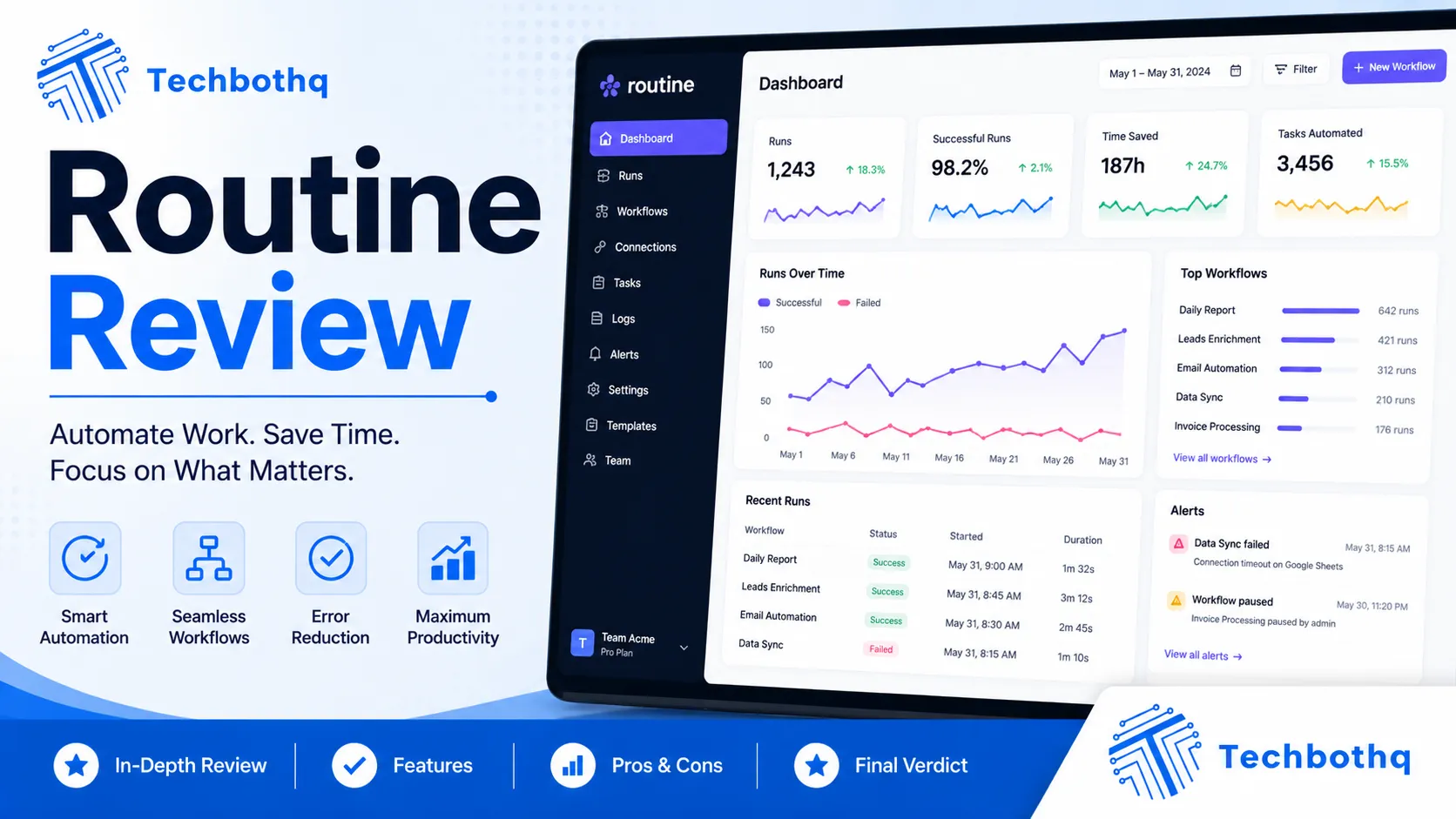
Daily planning is one of those productivity habits that most people intend to do well and few actually sustain. The friction is usually the tool — too many clicks to capture a task, too many apps to check before you know what your day looks like, too much time spent organising rather than executing. Routine is built to remove that friction, and this Routine review examines whether the AI-powered daily planner genuinely delivers a faster, more unified daily planning experience than the alternatives.
Routine is a relatively young productivity app — launched in 2021 by a French team — that has built a following among knowledge workers and developers who want a keyboard-first daily planner that combines tasks, calendar events, and notes in a single fast interface. This Routine review covers the 2026 version of the product, which has added AI features including AI task scheduling, AI writing assistance within notes, and improved calendar intelligence. The Routine review process evaluates whether the unified interface and keyboard-first philosophy genuinely make daily planning faster and more sustainable than using separate dedicated apps.
This Routine review is relevant for professionals who have tried multiple task managers and calendar apps and are still looking for the daily planning workflow that actually sticks. Whether you’re comparing Routine against Akiflow, Sunsama, or Things 3, this Routine review gives you the evidence-based assessment to make the right choice.
VERDICT BOX
Overall Rating: 8.1 / 10
Best for: Knowledge workers, developers, and productivity-focused professionals who want a keyboard-first daily planner that unifies tasks, calendar, and notes in a single fast interface without the setup overhead of more complex tools
Price: Free plan available; Pro at $12/month or $8/month billed annually
Verdict: Routine delivers a genuinely well-designed daily planning experience — the keyboard-first interface is fast, the unified task-calendar-notes view removes the friction of switching between apps, and the AI scheduling is a useful addition. It sits in a distinctive middle ground between simple task managers and complex planning tools.
Table of Contents
What Is Routine? Background for This Routine Review
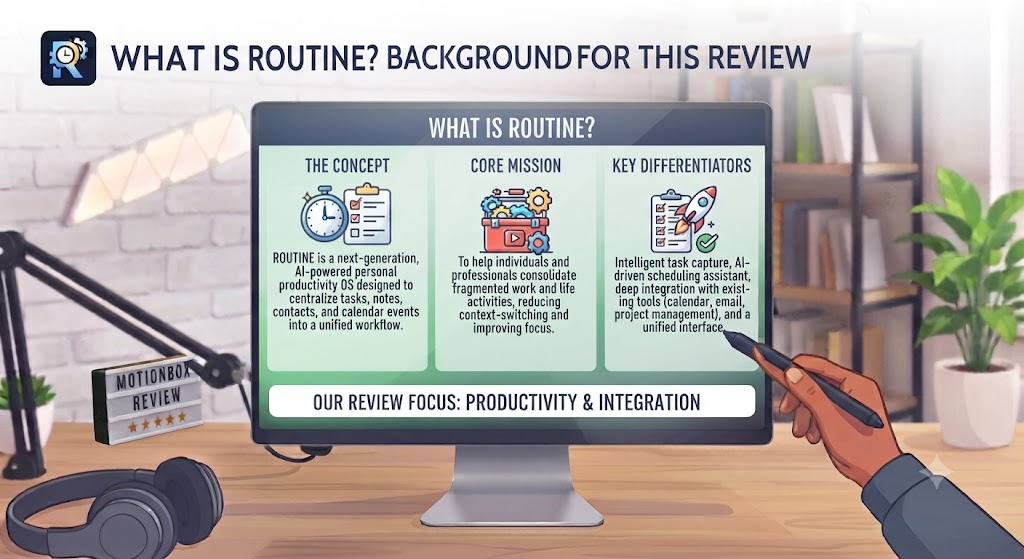
Routine is a daily planning application developed by a French startup team and launched publicly in 2021. The app is available on Mac, iOS, and as a web application, with Windows support also available. Routine has built a reputation in the productivity community for its clean design, its keyboard-first interface, and its opinionated approach to daily planning — the app is built around the concept that a daily plan should live in one place, cover tasks and calendar events in a unified view, and be fast enough to update continuously throughout the day without adding friction. This Routine review evaluates whether those design choices produce a meaningfully better daily planning experience in practice.
The core concept behind this Routine review is the daily note as the central planning artefact. In Routine, each day has a daily note — a combined view that shows your calendar events for the day alongside your task list, your notes and quick captures, and any AI-generated planning suggestions. Everything that matters for today lives in this single view. You don’t need to open a calendar app, a task manager, and a notes app separately — the Routine review experience is that the daily note serves as the control centre for your entire day.
What differentiates this Routine review from reviews of other productivity tools is the keyboard-first emphasis. Routine is built for users who prefer their hands on the keyboard — nearly every action has a keyboard shortcut, the command palette surfaces any feature with a few keystrokes, and task capture, event scheduling, and note-taking all happen in a unified text-based interface. For users who find mouse-driven apps like Todoist or Notion slow and friction-heavy, this Routine review found the keyboard-first design to be one of the most significant practical advantages of the platform. Our AI productivity tools category covers the full range of alternatives.
Want The Time Savings Without Doing It Yourself?
These tools save you hours on your own tasks — but marketing is one job most people would rather hand off entirely. Tasknestly runs it for you, end to end.
Get a Free Marketing Quote →Routine Review: Pros and Cons
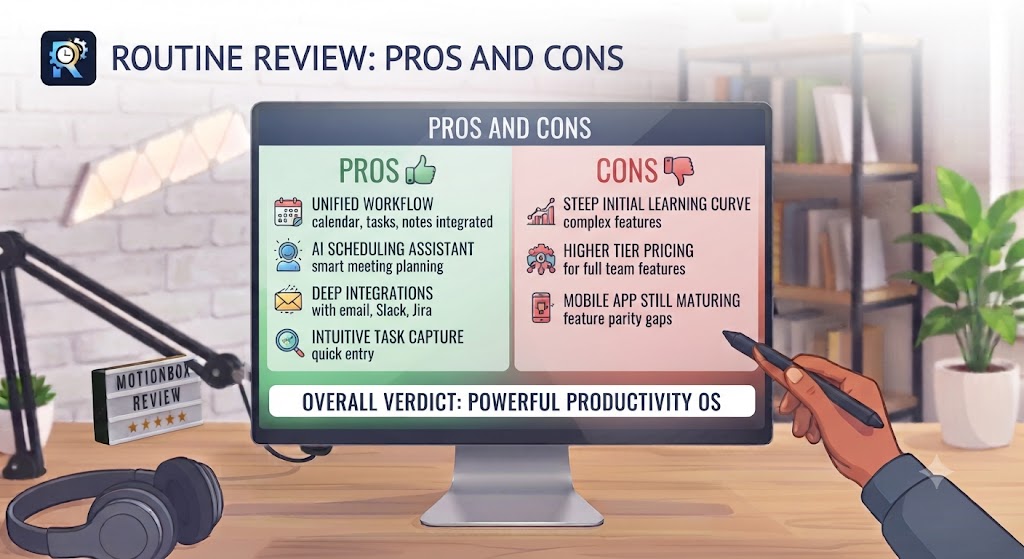
| Pros | Cons |
|---|---|
| Keyboard-first design makes task capture and daily planning genuinely fast | Mac and iOS primary — Windows app is available but less polished |
| Daily note unifies tasks, calendar, and quick captures in one view | Collaboration features are minimal — primarily a solo planning tool |
| Clean, distraction-free interface with excellent typography and visual design | Limited integrations compared to tools like Akiflow or Morgen |
| AI scheduling suggestions improve daily plan structure without heavy manual setup | Team and project management features are lightweight — not for complex project tracking |
| Google Calendar integration is reliable and bidirectional | No native time tracking or detailed analytics on time allocation |
| Command palette makes any feature accessible without leaving the keyboard | The daily note approach requires some workflow adjustment for users accustomed to traditional task managers |
Want The Time Savings Without Doing It Yourself?
These tools save you hours on your own tasks — but marketing is one job most people would rather hand off entirely. Tasknestly runs it for you, end to end.
Get a Free Marketing Quote →Routine Review: Feature Deep-Dive
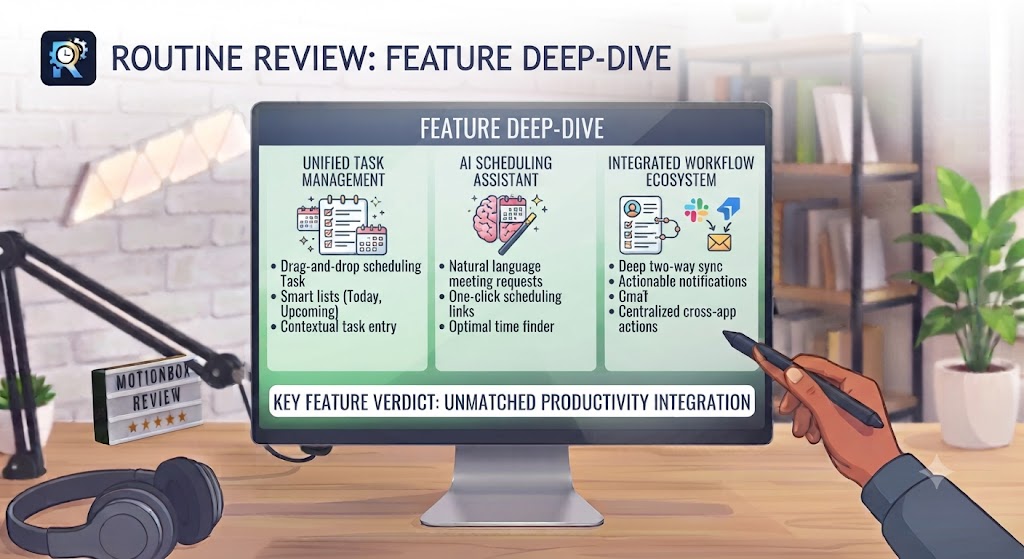
The Daily Note — The Foundation of This Routine Review
The daily note is the feature that defines this Routine review and the design choice that most clearly communicates Routine’s philosophy. Each day in Routine starts with a clean daily note — a unified view where your Google Calendar events are visible alongside your task list and a free-form notes area for captures, meeting notes, and quick thoughts. Everything you need for your day lives here. There is no separate task app to open, no separate calendar to check, no separate note-taking space for daily captures.
This Routine review found the daily note concept to be one of the most effective implementations of the “daily planning in one place” idea available in any productivity tool. The friction of switching between apps is one of the most underappreciated productivity costs in modern knowledge work — each context switch costs attention and time. By combining calendar visibility, task management, and note-taking in a single interface, Routine removes those switches. This Routine review consistently found daily planning workflows to be faster and more sustainable in Routine than in equivalent setups using separate dedicated tools.
The rollover system in this Routine review is one of the most practical daily planning features in the tool. Tasks that aren’t completed today automatically appear in tomorrow’s daily note — with visual indication of how many days they’ve been rolling over. This gentle accountability mechanism prevents tasks from disappearing into a backlog while avoiding the overwhelming pile-up of overdue items that many task managers create. This Routine review found the rollover behaviour to be one of the clearest quality-of-life improvements over traditional task manager approaches to daily planning.
Keyboard-First Interface and Command Palette
The keyboard-first interface is where this Routine review found Routine to be most distinctive. The command palette — activated with a keyboard shortcut from anywhere in the app — surfaces every feature, every recent item, and every task list. You can capture a task, schedule it to a specific date, add a calendar event, open a project, or search your notes without touching the mouse. For keyboard-oriented professionals — developers, writers, and users comfortable with tools like VS Code or Notion — this Routine review found the command palette and keyboard shortcuts to meaningfully reduce the time and cognitive load of daily planning operations.
The quick capture experience in this Routine review is one of the fastest in the productivity category. A single keyboard shortcut opens a minimal capture modal — anywhere on your computer — where you can type a task, press Enter, and return to what you were doing. The captured task appears in your inbox and can be scheduled during your next daily planning session. This Routine review consistently found that the speed and minimal friction of quick capture is one of the most practically important features for maintaining a planning system over time.
Google Calendar Integration
Routine integrates with Google Calendar as its primary calendar layer. Calendar events from your Google Calendar appear directly in the daily note view alongside your tasks — giving you the full picture of your day in one view. This Routine review found the integration to be reliable and bidirectional: events created in Routine appear in Google Calendar, and changes made in Google Calendar reflect in Routine. For Google Workspace users, this Routine review found the calendar integration to work seamlessly and without the sync delays or reliability issues that some competing tools exhibit.
Time-blocking in this Routine review can be done directly from the daily note — dragging tasks onto the calendar view to schedule them as time blocks on your Google Calendar. This Routine review found the time-blocking interaction to be intuitive and faster than comparable actions in dedicated time-blocking tools, though the feature is lighter than the time-blocking capabilities of dedicated tools like Morgen or Akiflow.
AI Scheduling and Planning Assistance
Routine’s AI scheduling feature analyses your daily note — your tasks, their estimated durations, your calendar events and the gaps between them — and suggests how to arrange your tasks in available time slots throughout the day. This Routine review found the AI scheduling to be helpful as a starting-point suggestion rather than an autonomous scheduling system. It produces sensible initial distributions of tasks across available time, which you can accept, adjust, or override easily.
The AI in this Routine review is more conservative and less autonomous than the AI scheduling in tools like Morgen Assist or Motion — Routine doesn’t automatically reschedule tasks when your calendar changes, and it doesn’t learn your preferences over time in the way that more sophisticated AI schedulers do. This Routine review found the lighter-touch AI approach to be appropriate for Routine’s design philosophy: the tool is built for intentional daily planners who want to make their own decisions with AI assistance, not for users who want AI to manage their schedule autonomously.
The AI writing assistance within notes in this Routine review — which can generate content, summarise captures, and expand brief notes into structured content — is a useful addition but not a distinguishing feature relative to other tools. Most of Routine’s AI writing capability is powered by standard GPT-4 integration rather than Routine-specific models.
Projects and Task Organisation
Routine organises tasks into projects, which can be structured as lists, kanban boards, or sequential task flows. This Routine review found the project management features to be appropriate for personal project tracking — a writer managing an article series, a developer tracking personal side project tasks, or a consultant organising client work — but not sufficient for complex team project management. Routine’s strength is daily execution planning, not project portfolio management.
The Inbox-to-daily-note workflow in this Routine review is the organisational heart of the platform. Captured tasks land in the Inbox. During daily planning, you review the Inbox and schedule tasks to specific days or drag them into today’s daily note. This review found the workflow to be sustainable and satisfying — a gentle daily ritual that takes five to fifteen minutes and produces a clear, realistic plan for the day ahead.
Want The Time Savings Without Doing It Yourself?
These tools save you hours on your own tasks — but marketing is one job most people would rather hand off entirely. Tasknestly runs it for you, end to end.
Get a Free Marketing Quote →Routine Pricing: What This Routine Review Found

| Plan | Price | Key Features |
|---|---|---|
| Free | $0 | Unlimited tasks, calendar sync, daily note, limited AI |
| Pro | $12/month (monthly) / $8/month (annual) | Full AI scheduling, unlimited projects, advanced integrations, all platforms |
This Routine review found the pricing to be genuinely accessible — particularly the annual Pro plan at $8/month, which is among the most affordable in the daily planning category. Compared to Akiflow at $14.99/month, Sunsama at $20/month, and Motion at $19/month, Routine’s pricing positions it as the most budget-friendly option in the keyboard-first daily planner category. The free plan is functional for basic daily planning without AI features. The Pro plan adds AI scheduling, unlimited projects, and advanced integrations at a price point this Routine review found easy to justify.
Want The Time Savings Without Doing It Yourself?
These tools save you hours on your own tasks — but marketing is one job most people would rather hand off entirely. Tasknestly runs it for you, end to end.
Get a Free Marketing Quote →Routine vs Competitors: The Routine Review Comparison

| Feature | Routine | Akiflow | Sunsama | Things 3 |
|---|---|---|---|---|
| Keyboard-first interface | ✅ Core feature | ✅ Core feature | ⚠️ Moderate | ⚠️ Good |
| Daily note / unified planning view | ✅ Core feature | ⚠️ Task-focused | ✅ Core feature | ❌ No |
| Google Calendar integration | ✅ Deep | ✅ Deep | ✅ Deep | ✅ Basic |
| AI scheduling assistance | ✅ Yes | ❌ Manual | ❌ Manual | ❌ No |
| External tool integrations | ⚠️ Limited | ✅ 15+ integrations | ✅ Good | ❌ No |
| Native Mac / iOS app | ✅ Yes | ✅ Mac + Windows | ❌ Web only | ✅ Apple only |
| Cross-platform (Mac + Windows) | ✅ Yes | ✅ Yes | ✅ Web | ❌ Apple only |
| Starting price (paid) | $8/month (annual) | $14.99/month (annual) | $20/month | $49.99 one-time |
This Routine review comparison places the tool alongside Akiflow and Sunsama as the primary keyboard-first daily planner alternatives. Akiflow wins on integration breadth and universal inbox functionality. Sunsama wins on ritual structure and daily/weekly review depth. Routine wins on pricing, native app quality, and the simplicity of the daily note as a unified planning artefact. Things 3 is the Apple-only alternative for users who want a clean, polished task manager without the calendar integration. Our AI productivity tools hub covers all of these.
Want The Time Savings Without Doing It Yourself?
These tools save you hours on your own tasks — but marketing is one job most people would rather hand off entirely. Tasknestly runs it for you, end to end.
Get a Free Marketing Quote →Who Is Routine Best For? The Routine Review Audience Assessment

Routine works best for:
- Knowledge workers and developers who want a keyboard-first daily planner that combines tasks, calendar, and notes without the integration complexity of tools like Akiflow
- Solo professionals and freelancers looking for a daily planning tool that’s fast enough to use consistently without becoming a system they spend more time maintaining than using
- Mac and iOS users who want a polished native app experience alongside web access
- Users migrating from Sunsama who want similar daily planning ritual structure at a lower price point with a lighter setup requirement
- Minimalist planners who want one place for the day’s tasks, events, and notes without project management complexity
Routine is less ideal for:
- Professionals who need deep integration with external task tools like Asana, Linear, or Jira — Routine’s integration library is more limited than Akiflow or Morgen
- Teams who need shared planning features — Routine is a personal planning tool, not a team collaboration platform
- Users who want AI to autonomously schedule and reschedule their day — Routine’s AI is assistive rather than autonomous
Want The Time Savings Without Doing It Yourself?
These tools save you hours on your own tasks — but marketing is one job most people would rather hand off entirely. Tasknestly runs it for you, end to end.
Get a Free Marketing Quote →Get It / Skip It

✅ Get Routine if:
- You want a keyboard-first daily planner that combines tasks, calendar events, and daily notes in a single unified interface without the complexity of more feature-heavy tools
- You’re a Mac or iOS user who values polished native app quality and fast keyboard-driven interactions for your daily planning workflow
- You want AI planning assistance at an affordable entry price — Routine Pro at $8/month annual is the most accessible keyboard-first daily planner available
❌ Skip Routine if:
- You need deep external tool integrations to pull tasks from Asana, Linear, or Jira into your daily planning — Akiflow’s universal inbox covers that use case better
- You want AI to autonomously schedule and reschedule your tasks — Morgen Assist or Motion are better fits for hands-off AI scheduling
- You need team planning, shared projects, or collaboration features — Routine is a personal planning tool
Want The Time Savings Without Doing It Yourself?
These tools save you hours on your own tasks — but marketing is one job most people would rather hand off entirely. Tasknestly runs it for you, end to end.
Get a Free Marketing Quote →Routine Review: Frequently Asked Questions

Q: Is this Routine review recommending it as the best daily planner overall? This Routine review recommends Routine as the best keyboard-first daily planner for solo professionals who want a unified task-calendar-notes interface at an accessible price. For users who need deep external tool integrations, Akiflow is a stronger fit. For users who want AI to handle scheduling autonomously, Morgen or Motion are more appropriate.
Q: Is Routine free to use? Yes. Routine has a free plan that provides unlimited tasks, Google Calendar integration, and the daily note functionality — the core features that define the Routine experience. The Pro plan at $12/month (or $8/month annually) adds AI scheduling, unlimited projects, and advanced integrations. This Routine review found the free plan to be genuinely functional for personal daily planning without heavy project management requirements.
Q: Does Routine work on Windows? Yes. Routine is available on Mac, Windows, iOS, and as a web application. This Routine review found the Mac app to be the most polished native experience, with the Windows app having reached functional parity on core features. The web app covers users on other platforms.
Q: How does Routine’s AI scheduling work? Routine’s AI analyses your current daily note — your tasks and their estimated durations alongside your calendar events — and suggests a distribution of tasks into available time slots. This Routine review found the AI to produce sensible initial suggestions that serve as a useful starting point for daily planning, though it requires manual acceptance and adjustment rather than autonomous scheduling. It’s best understood as AI-assisted planning rather than AI-automated planning.
Q: Can Routine replace a calendar app like Google Calendar? Routine is not a calendar replacement — it’s a calendar integration. Your events remain in Google Calendar, and Routine surfaces them in the daily note view alongside your tasks. This Routine review found that most users keep Google Calendar for external scheduling links and sharing, while using Routine as the primary interface for viewing and planning their day.
Q: How does Routine compare to Akiflow? Both are keyboard-first daily planning tools with Google Calendar integration. Akiflow has broader external integrations (Asana, Linear, Jira, Slack, Gmail) and a universal inbox that consolidates tasks from all those sources. Routine has a more elegant daily note interface, native apps on Mac and Windows, and significantly lower pricing. This Routine review recommends Akiflow for professionals managing tasks across many external tools, and Routine for users who want a clean, fast personal daily planner without the integration complexity.
Q: What are the best Routine alternatives? This Routine review points to Akiflow (deeper integrations, keyboard-first, $14.99/month), Sunsama (structured daily ritual, $20/month), BeforeSunset AI (AI scheduling, web-based, $12/month), and Things 3 (Apple-only, one-time purchase, richest Apple task manager). Our AI productivity tools category covers all of these in detail.
Want The Time Savings Without Doing It Yourself?
These tools save you hours on your own tasks — but marketing is one job most people would rather hand off entirely. Tasknestly runs it for you, end to end.
Get a Free Marketing Quote →Conclusion: Final Routine Review Verdict

After completing a thorough Routine review, the conclusion is clear for the right type of user: Routine is one of the most well-designed daily planning tools available, and the combination of the keyboard-first interface, the unified daily note, and the clean native app experience makes it genuinely faster and more sustainable to use than most alternatives in the category.
The limitations this Routine review identified are specific and structural. The integration library is narrower than Akiflow’s. The AI scheduling is assistive rather than autonomous. And the team and project management features are lightweight. For users who need those capabilities, this Routine review points toward Akiflow or Morgen as better-suited alternatives.
For the user this Routine review describes — the solo professional who wants a fast, beautiful daily planning tool that keeps tasks, calendar, and daily notes in one view without complex setup — Routine is a genuinely compelling option, and the Pro plan at $8/month annual makes it one of the most accessible premium productivity tools in the category. The free plan gives you enough to evaluate the core experience, and the daily note approach will tell you within a week whether the workflow fits how your brain organises its day. Explore more options in our AI productivity tools hub.
Disclosure: This article contains affiliate links. TechBotHQ may earn a commission if you sign up through our links, at no extra cost to you. See our affiliate disclosure for full details.
Want The Time Savings Without Doing It Yourself?
These tools save you hours on your own tasks — but marketing is one job most people would rather hand off entirely. Tasknestly runs it for you, end to end.
Get a Free Marketing Quote →