Physical Address
304 North Cardinal St.
Dorchester Center, MA 02124
Physical Address
304 North Cardinal St.
Dorchester Center, MA 02124

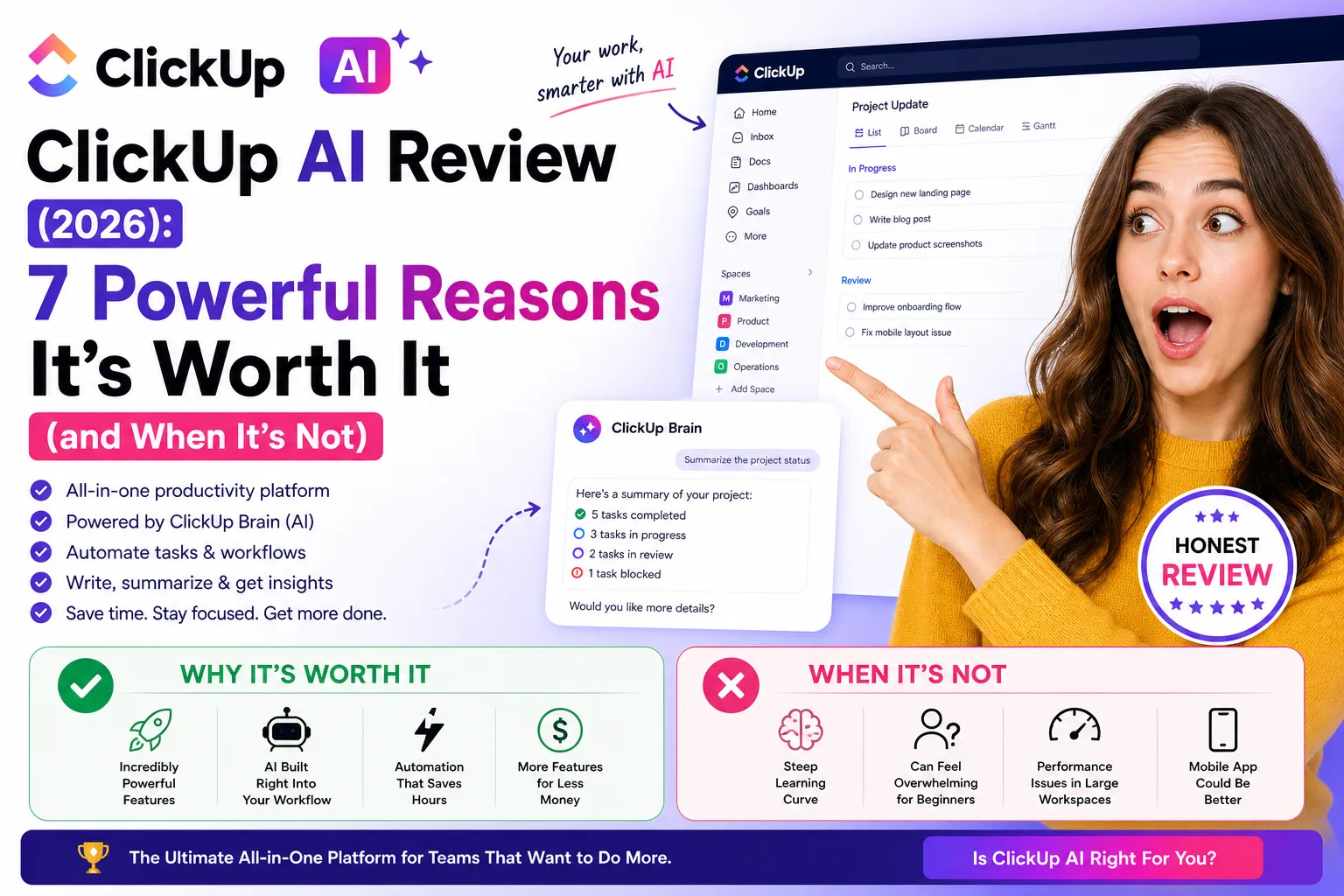
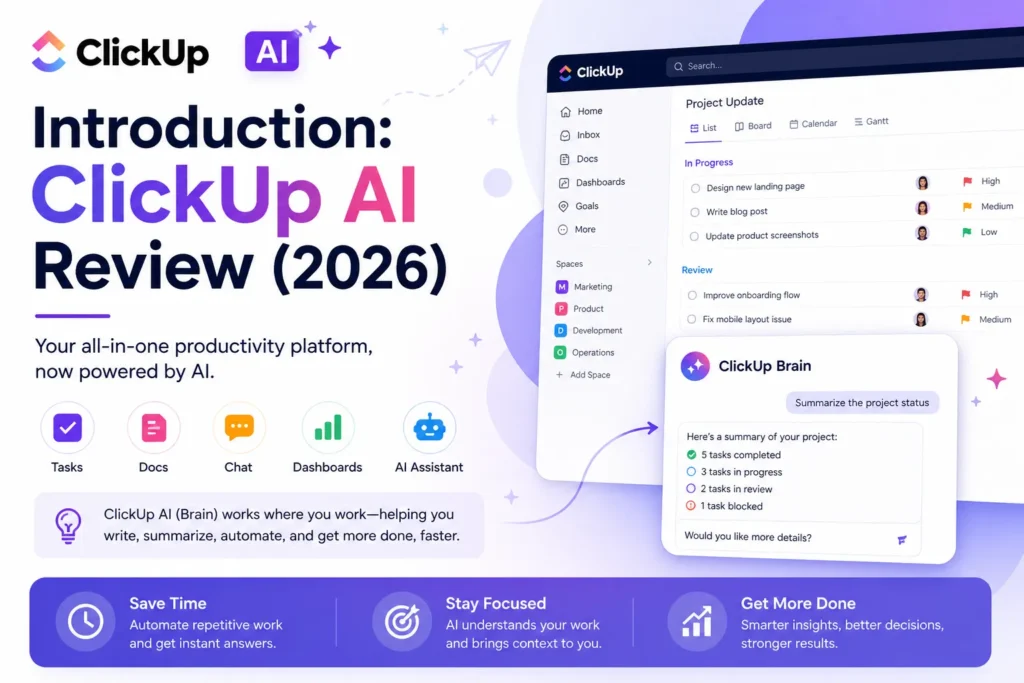
ClickUp AI review — if you’re looking for a powerful all-in-one productivity platform with built-in AI, you’ve probably seen ClickUp everywhere. It positions itself as the “everything app” for work, combining project management, documents, communication, and automation into a single platform. With the addition of ClickUp AI (also known as ClickUp Brain), the goal is even bigger: replace not just tools, but also repetitive human work.
But here’s the reality — while ClickUp AI is incredibly powerful, it’s not for everyone.
This deep, honest ClickUp AI review will break down exactly what it does, where it shines, where it struggles, and whether it’s actually worth using in 2026.
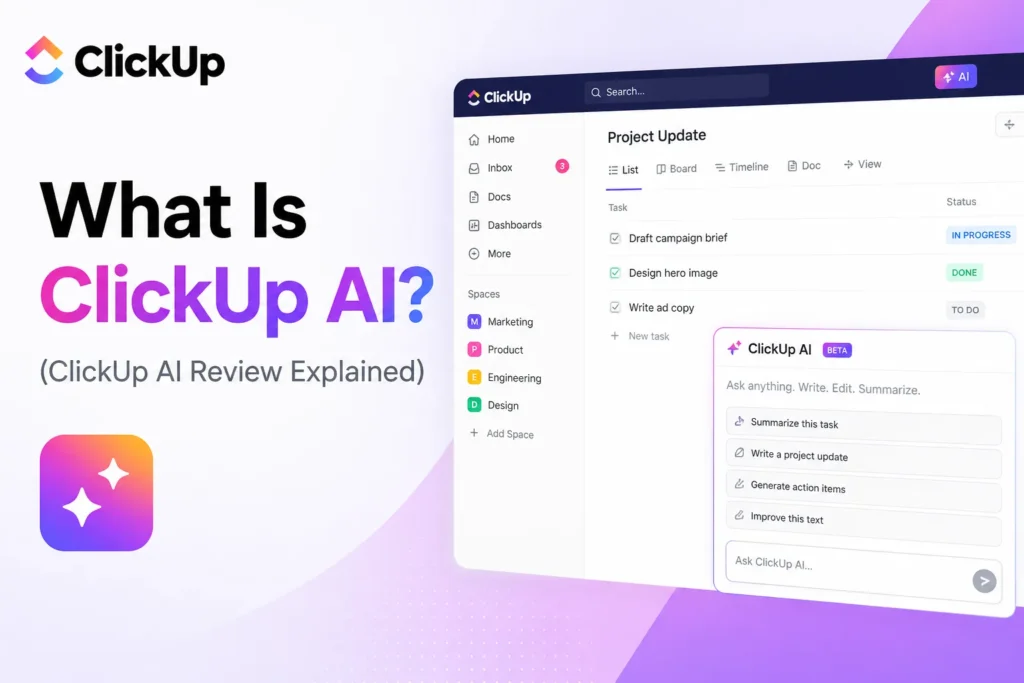
ClickUp AI is an integrated artificial intelligence system built directly inside ClickUp. Instead of being a standalone tool like ChatGPT or Notion AI, it works within your workspace — meaning it can access your tasks, documents, comments, and workflows.
The core idea is simple: AI should work where you already work.
ClickUp AI can:
Unlike traditional AI tools that require copy-pasting content, ClickUp AI pulls context directly from your workspace, which is a major advantage.
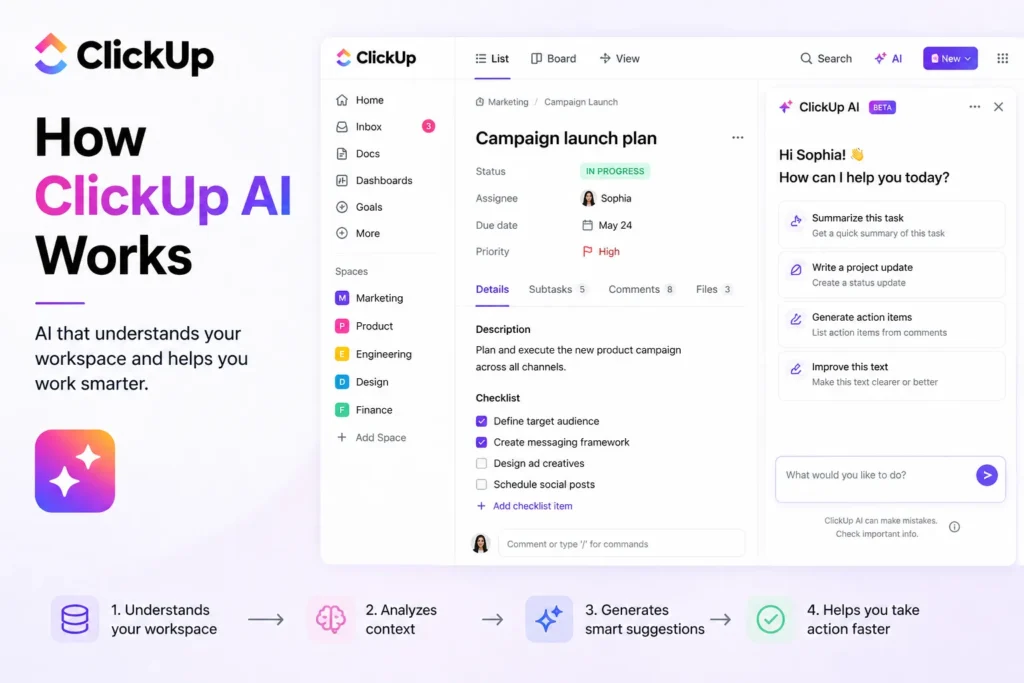
ClickUp AI operates through a system called “ClickUp Brain,” which acts like an assistant embedded across the platform.
You can interact with it in multiple ways:
For example:
This makes it fundamentally different from tools like Jasper — instead of just generating text, it interacts with your actual work environment.
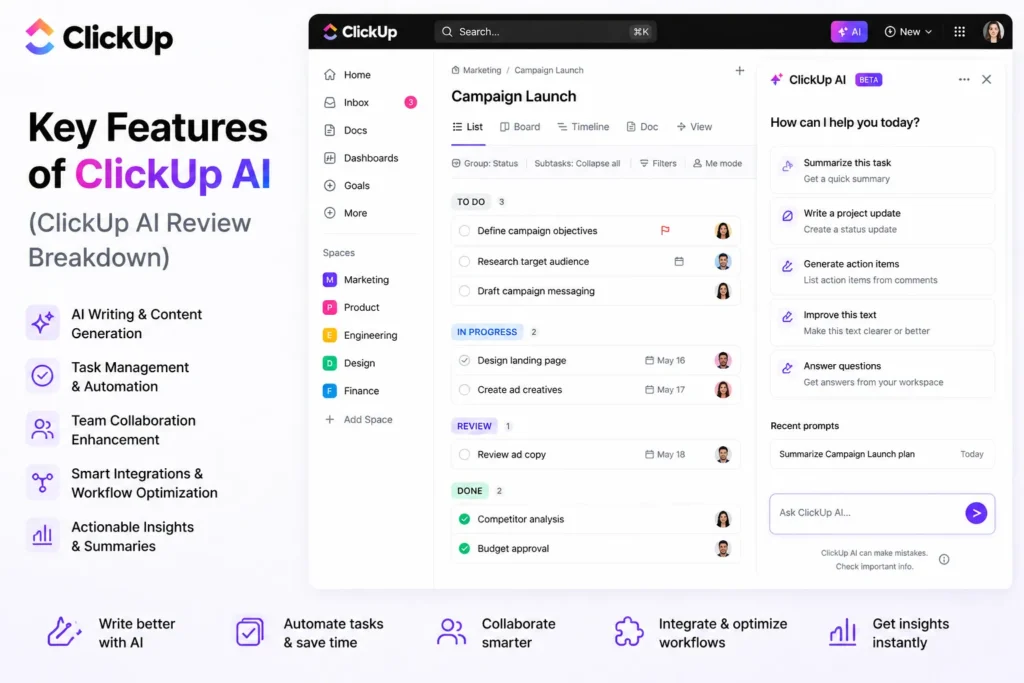
One of the most practical ClickUp AI features is its built-in writing assistant, which is fully integrated into ClickUp Docs.
Rather than forcing users to switch between separate writing tools and project management software, ClickUp allows content creation and documentation to happen directly inside the workspace. This creates a more efficient workflow because the AI can access project context, tasks, documentation, and team information while generating content.
The writing assistant can be used for:
• Blog writing
• Email drafting
• Meeting summaries
• SOP creation (Standard Operating Procedures)
• Project documentation
• Knowledge base articles
• Team updates
• Internal reports
One of the biggest advantages is contextual awareness. Many standalone AI writing tools generate content based only on the prompt provided. ClickUp AI can often leverage information already stored within the workspace, helping create outputs that are more relevant to ongoing projects and team activities.
For example, after a meeting, the AI can help generate a structured summary that includes key discussion points, action items, responsibilities, and next steps. This can save significant time compared to manually writing meeting notes and follow-up documentation.
The feature is especially useful for:
• Project managers
• Marketing teams
• Operations departments
• Remote teams
• Business owners
• Content creators
• Client service teams
Another major strength is SOP generation. Creating detailed Standard Operating Procedures can be time-consuming, particularly for organizations trying to document recurring processes. ClickUp AI can assist by generating structured procedures, outlining workflows, and organizing instructions into a clear format that teams can follow consistently.
The platform also performs well when creating business-oriented content such as reports, project updates, process documentation, and internal communications. Because this type of content often follows predictable structures, the AI can generate useful drafts quickly while maintaining clarity and organization.
Compared to specialized writing tools such as Copy.ai, ClickUp AI may be slightly less creative when generating marketing copy, advertising content, or highly imaginative writing. Dedicated writing platforms are often optimized specifically for creativity and content generation.
However, ClickUp AI compensates for this with context and workflow integration.
Since it operates within the project environment, it often produces content that is more relevant to the actual work being performed. This makes it particularly effective for teams that prioritize productivity, documentation, and operational efficiency over purely creative writing tasks.
Another benefit is reduced tool switching. Team members can create, edit, manage, and organize content without leaving the platform, helping maintain focus and reducing workflow fragmentation.
This integrated approach is one of the reasons many organizations consider the writing assistant among the most useful ClickUp AI features. Rather than acting as a standalone content generator, it becomes part of a broader productivity ecosystem that combines project management, collaboration, documentation, and AI assistance in a single workspace.
Overall, ClickUp AI’s writing capabilities provide a strong balance between content generation and practical business utility. While it may not always match specialized writing platforms for creativity, its ability to generate structured content using workspace context makes it extremely valuable for teams focused on execution, documentation, and productivity.
This is where ClickUp AI truly separates itself from many other productivity platforms.
While content generation and writing assistance are useful, automation is often where the greatest productivity gains occur. Teams frequently spend hours managing repetitive administrative tasks such as assigning work, updating statuses, creating subtasks, and maintaining workflows. ClickUp AI helps eliminate much of this manual effort through intelligent automation.
The platform allows users to automate actions such as:
• Automatically assigning tasks
• Generating subtasks
• Creating workflows from prompts
• Updating statuses based on triggers
• Moving tasks between workflow stages
• Sending notifications automatically
• Managing recurring processes
One of the most impressive aspects is how simple automation creation can be. Instead of building complex workflows manually, users can describe what they want using natural language.
For example:
“Assign all tasks in Marketing to John when status = Review.”
ClickUp AI can interpret the request and generate the automation automatically.
This significantly reduces the learning curve that often comes with workflow automation tools. Rather than navigating multiple settings, conditions, and actions manually, users can focus on describing outcomes and letting the system handle the setup.
The feature is particularly useful for:
• Marketing teams
• Content production workflows
• Sales operations
• Client management processes
• Product development teams
• Customer support departments
• Business operations
Another major advantage is consistency. Manual processes are often vulnerable to delays, forgotten updates, and human error. Automations ensure that routine actions occur reliably every time a trigger condition is met.
For example, when a task reaches a certain stage, ClickUp AI can automatically:
• Assign the next team member
• Update project status
• Create follow-up tasks
• Send notifications
• Trigger additional workflows
This keeps projects moving forward without requiring constant oversight from managers or team leaders.
The automatic subtask generation capability is especially valuable for larger projects. Instead of manually breaking down every assignment, ClickUp AI can help create structured action plans that are easier to manage and execute.
For growing organizations, these automations can save a substantial amount of time. Small administrative tasks may seem insignificant individually, but when repeated across hundreds or thousands of tasks, they can consume a significant portion of a team’s productivity.
By reducing repetitive work, teams can focus more on strategic activities such as planning, execution, creativity, and problem-solving.
Another benefit is scalability. As businesses grow, manually coordinating workflows becomes increasingly difficult. AI-powered automation helps maintain efficiency without requiring proportional increases in administrative effort.
This can lead to improvements in:
• Productivity
• Workflow efficiency
• Team coordination
• Project visibility
• Task completion speed
• Operational consistency
Overall, ClickUp AI’s automation capabilities are among its strongest features. By allowing users to generate workflows, automate assignments, create subtasks, and manage complex processes through simple prompts, the platform dramatically reduces manual work and helps teams operate more efficiently. For many organizations, this automation layer is what transforms ClickUp from a project management tool into a comprehensive productivity system.
One of the most valuable ways ClickUp AI supports teams is by improving communication and maintaining project context across the organization.
As projects grow, information becomes scattered across tasks, comments, documents, updates, and conversations. Team members often spend significant amounts of time trying to understand what has happened, what decisions were made, and what work still needs attention.
ClickUp AI helps solve this problem by automatically analyzing project activity and presenting the most important information in a clear, digestible format.
The AI can:
• Summarize long comment threads
• Generate standup updates
• Highlight key decisions
• Answer project-related questions
• Identify important updates
• Provide progress summaries
• Surface action items
One of the biggest advantages is reducing information overload. In active projects, comment sections can quickly become lengthy, making it difficult for team members to catch up on discussions they missed.
Instead of reading dozens or even hundreds of comments, users can request a summary and quickly understand the most important points, decisions, and next steps.
This is particularly useful when:
• Joining a project midstream
• Returning from vacation
• Catching up after meetings
• Reviewing project progress
• Managing multiple teams simultaneously
The standup update feature is another major benefit. Daily standups are important for team alignment, but gathering updates from multiple people can be time-consuming. ClickUp AI can generate concise progress reports based on recent activity, helping teams stay informed with less manual effort.
Managers and team leaders can use these summaries to quickly understand:
• What was completed
• What is currently in progress
• Potential blockers
• Upcoming priorities
• Project risks
Another powerful capability is decision tracking. Important project decisions are often buried within comment threads and discussions. Over time, team members may forget why a specific choice was made or struggle to locate previous conversations.
ClickUp AI can identify and highlight these decisions, helping preserve organizational knowledge and reducing confusion later in the project lifecycle.
One of the most practical features is the ability to ask questions such as:
“What is going on in this project?”
Rather than manually reviewing tasks, comments, and documents, users can receive a summarized overview of current status, recent activity, priorities, and outstanding work.
This can save considerable time, especially in large projects involving multiple contributors.
The feature is especially valuable for:
• Remote teams
• Distributed organizations
• Project managers
• Team leaders
• Operations teams
• Fast-growing companies
Remote work environments benefit significantly because context is often lost when communication occurs asynchronously. Team members may work in different time zones, miss discussions, or join projects after important decisions have already been made.
AI-generated summaries help bridge these gaps by making information easier to access and understand.
By reducing the time required to process project information, ClickUp AI helps teams stay aligned, improve communication, and maintain visibility into ongoing work.
Overall, these collaboration-focused capabilities transform ClickUp AI from a productivity assistant into a knowledge management and communication tool. By summarizing conversations, generating updates, highlighting decisions, and providing project insights on demand, it helps teams stay informed and coordinated even as projects become increasingly complex.
One of the most practical advantages of ClickUp AI is its ability to connect with and search across multiple tools that teams already use every day.
In most organizations, information is spread across dozens of platforms. Documents may be stored in cloud drives, conversations happen in messaging apps, designs live in creative tools, and code is managed in development platforms. Finding the right information often requires jumping between multiple applications, which can significantly reduce productivity.
ClickUp AI helps solve this problem by acting as a central layer that connects information from different systems and makes it easier to access.
The platform integrates with tools such as:
• Google Drive
• Slack
• GitHub
• Figma
Rather than forcing users to search each platform individually, ClickUp AI can help locate relevant information across connected systems.
For example, a team member could ask:
“Where is the latest campaign file?”
Instead of manually checking folders, messages, project documentation, and shared drives, the AI can identify the relevant source and direct the user to the information they need.
This capability becomes increasingly valuable as organizations grow and accumulate large amounts of data across multiple tools.
The feature is particularly useful for:
• Marketing teams managing campaigns
• Product teams coordinating development
• Design teams sharing assets
• Operations teams managing documentation
• Remote teams working asynchronously
• Agencies handling multiple clients
One of the biggest benefits is reducing context switching.
Context switching occurs whenever users stop one task to search for information somewhere else. Even brief interruptions can reduce focus and productivity, especially when they happen repeatedly throughout the day.
Common examples include:
• Searching for files in cloud storage
• Looking for decisions in chat conversations
• Finding design assets
• Locating project documentation
• Tracking down code references
• Checking status updates across multiple systems
By bringing this information closer together, ClickUp AI helps reduce the time spent searching and allows users to stay focused on their actual work.
Another major advantage is knowledge accessibility. Important information often becomes difficult to find as organizations scale. Team members may know that a document exists but have no idea where it is stored. AI-powered search helps surface relevant information more quickly and makes organizational knowledge easier to access.
This is especially valuable for new employees and remote teams, where information may be distributed across many platforms and historical context is not always obvious.
The ability to search connected tools also improves collaboration. Team members can spend less time requesting files, asking where information is located, or waiting for responses from colleagues.
Instead, they can retrieve what they need directly through the AI, helping projects move forward faster.
Overall, ClickUp AI’s integration and search capabilities address one of the biggest productivity challenges facing modern teams: fragmented information. By connecting platforms such as Google Drive, Slack, GitHub, and Figma, and making that information searchable through a single interface, ClickUp helps reduce context switching, improve efficiency, and keep teams focused on meaningful work rather than searching for data.
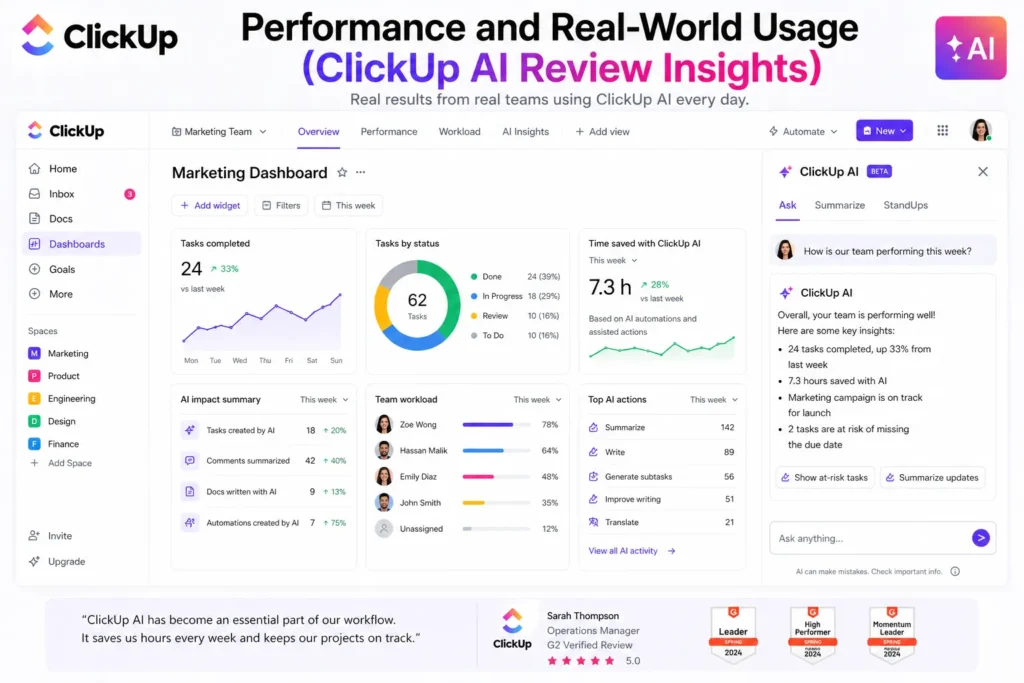
In real-world use, ClickUp AI performs best when:
According to research and reports:
However, there’s a catch.
ClickUp AI depends heavily on how well your workspace is structured.
If your data is messy, the AI output becomes less useful.
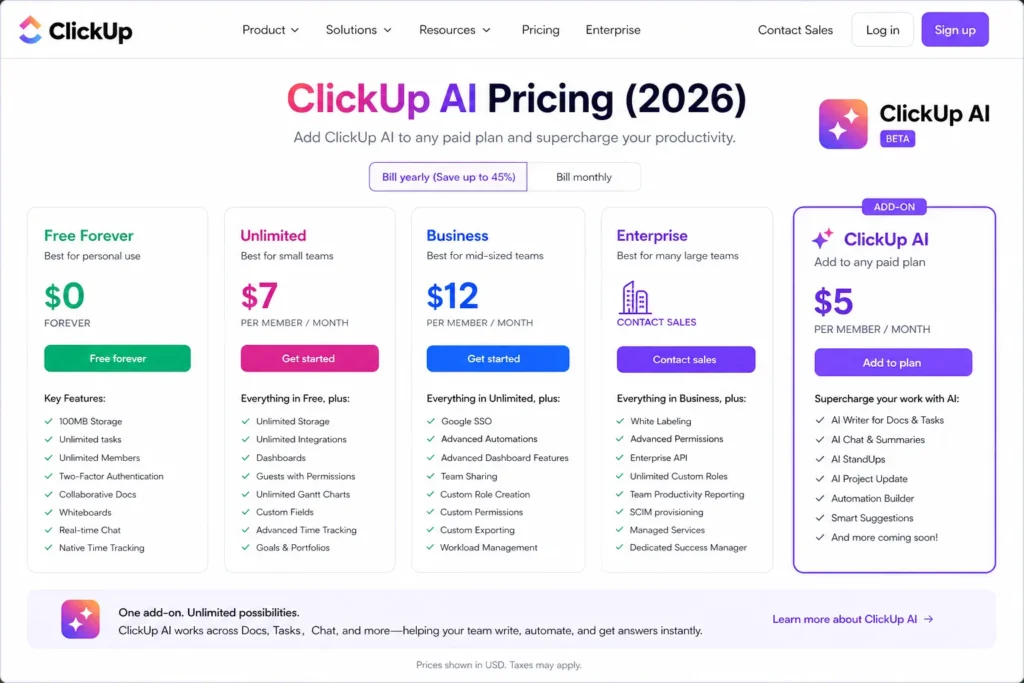
ClickUp pricing is relatively affordable compared to competitors.
Main plans:
ClickUp AI (Brain) is an add-on:
This makes it cheaper than many AI tools — especially considering everything is included in one platform.
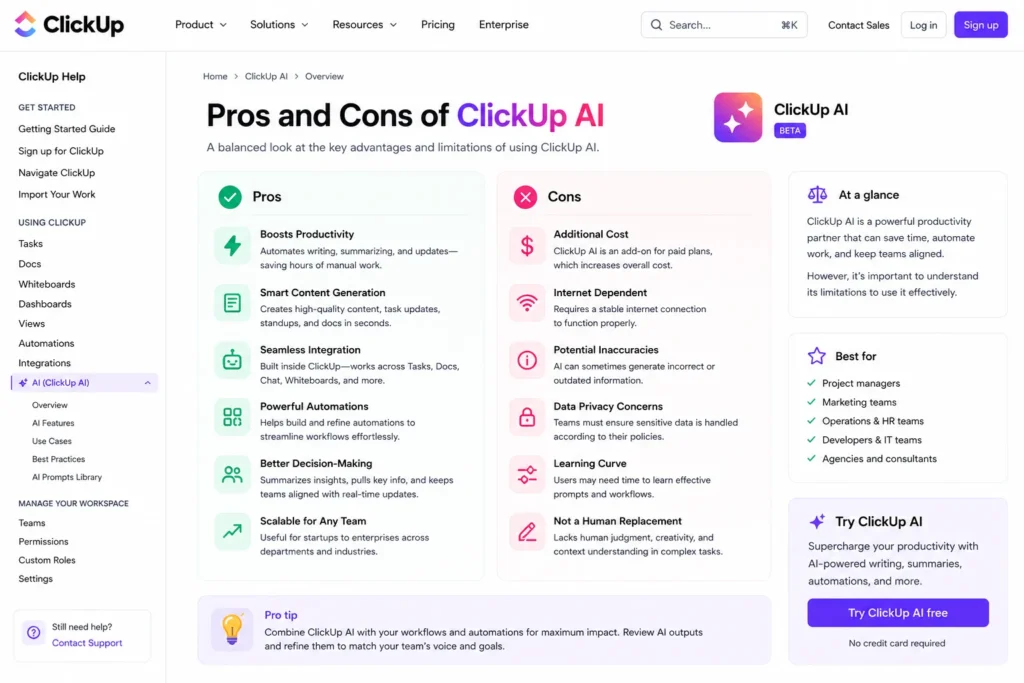
ClickUp offers one of the highest feature-per-dollar ratios in the market
Some users describe it as:
“Powerful but complex” — which is accurate.
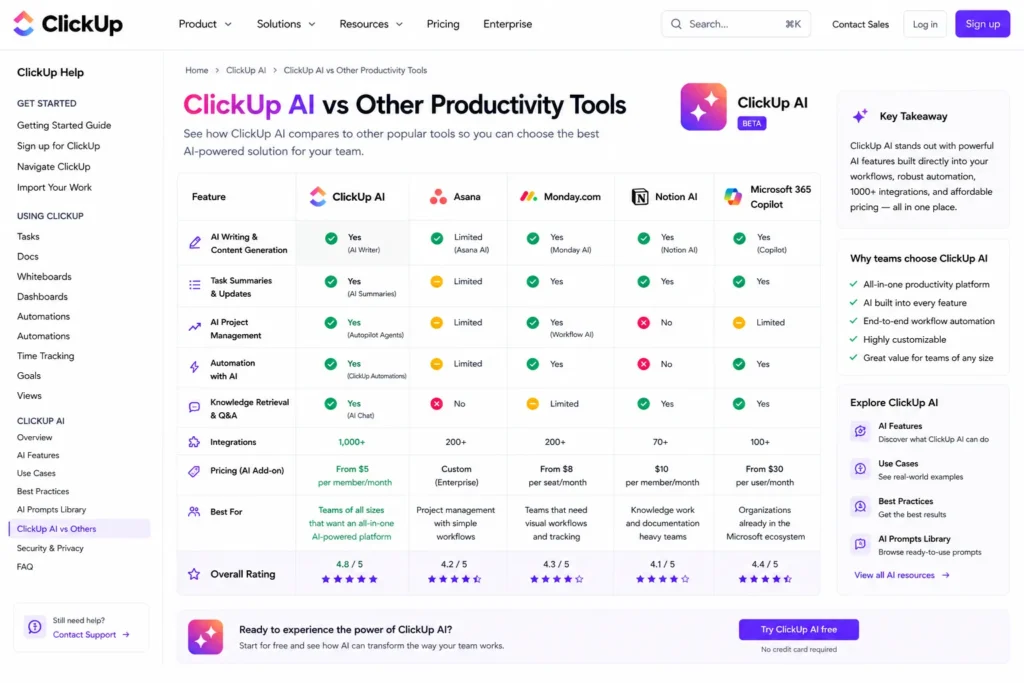
Choose ClickUp if you want power.
Choose Asana if you want simplicity.
ClickUp is execution-focused.
Notion is knowledge-focused.
ClickUp replaces multiple tools.
Trello keeps things minimal.
ClickUp = Android (powerful, complex)
Monday = iOS (simple, polished)
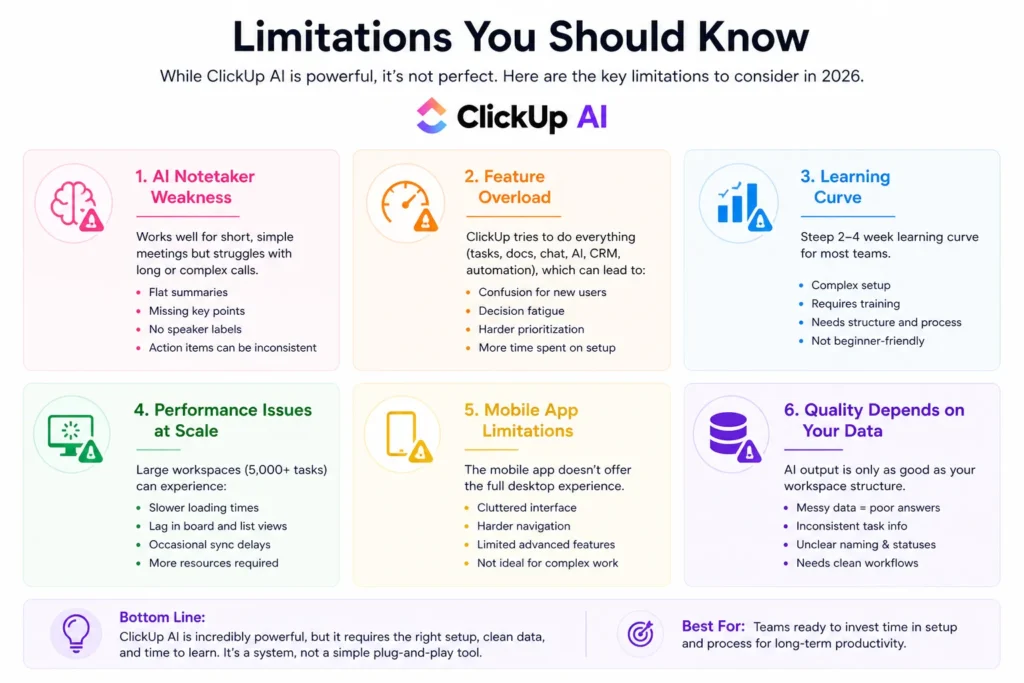
ClickUp AI Notetaker works for:
But struggles with:
Users reported:
So it’s useful — but not perfect.
ClickUp tries to do everything:
This leads to:
Some users call it “feature overload”
ClickUp is not beginner-friendly.
Teams need:
Without that, productivity can actually drop initially.
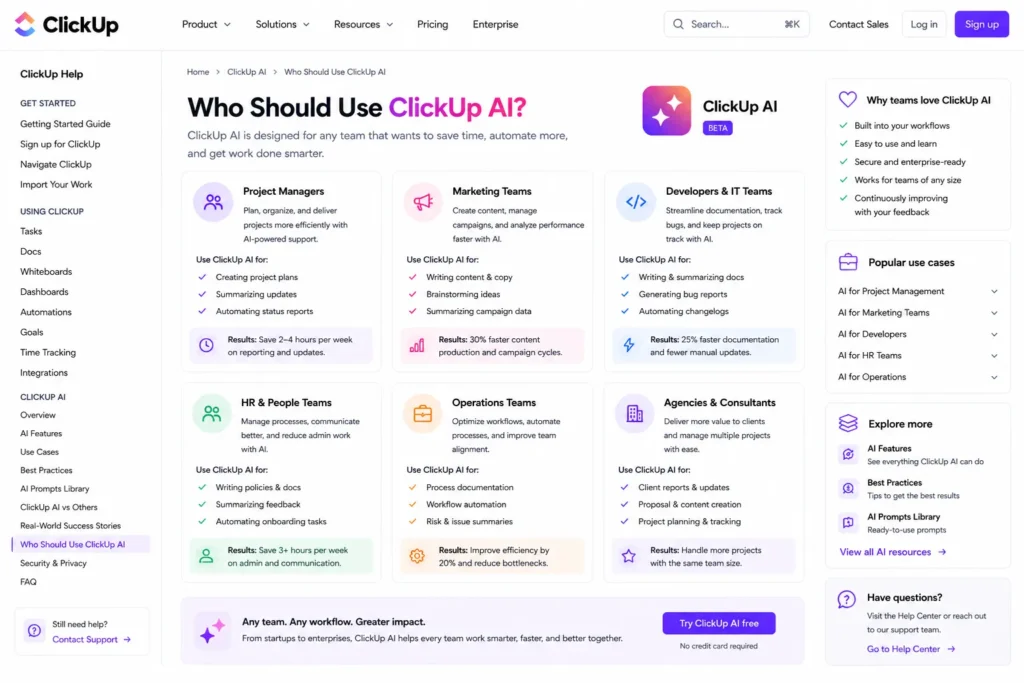
ClickUp AI is perfect for:
It’s NOT ideal for:
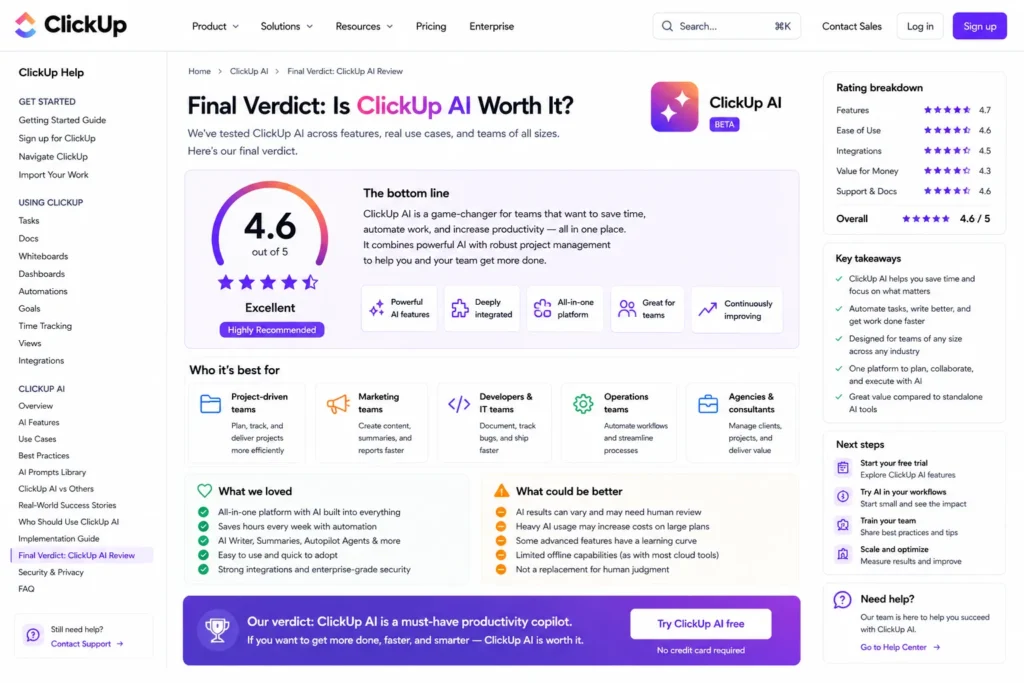
The answer depends on your needs.
If you want:
Then yes — ClickUp AI is absolutely worth it.
If you want:
Then you may struggle.
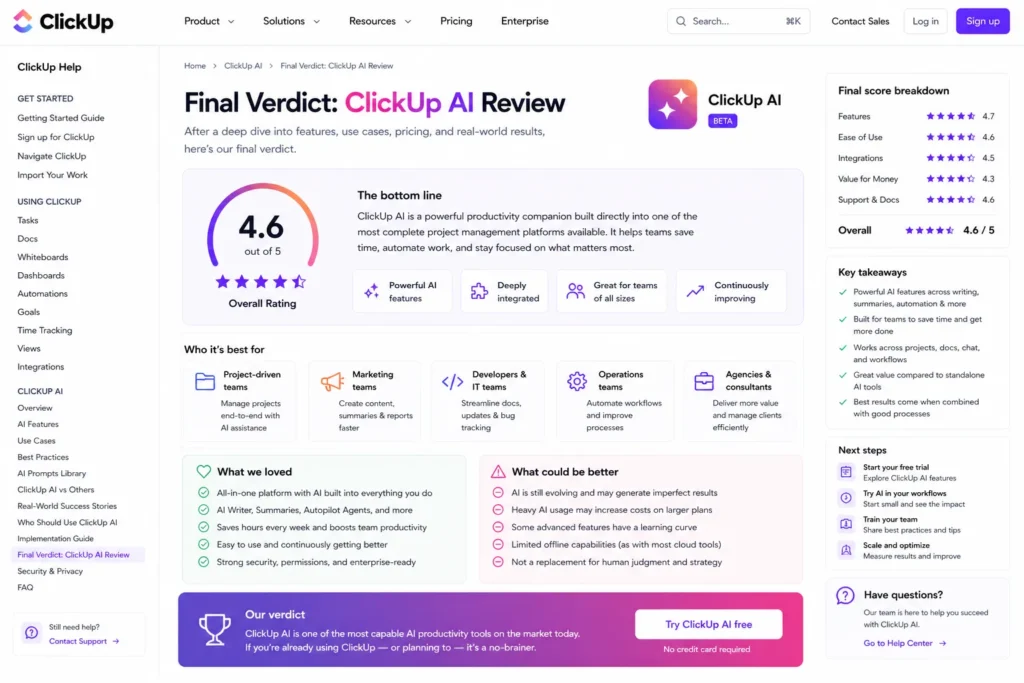
ClickUp AI is one of the most powerful productivity tools available today.
It combines:
Into a single platform.
But power comes with complexity.
ClickUp is not a simple tool — it’s a system.
If you invest time into setting it up, it can:
If you don’t, it can feel overwhelming.
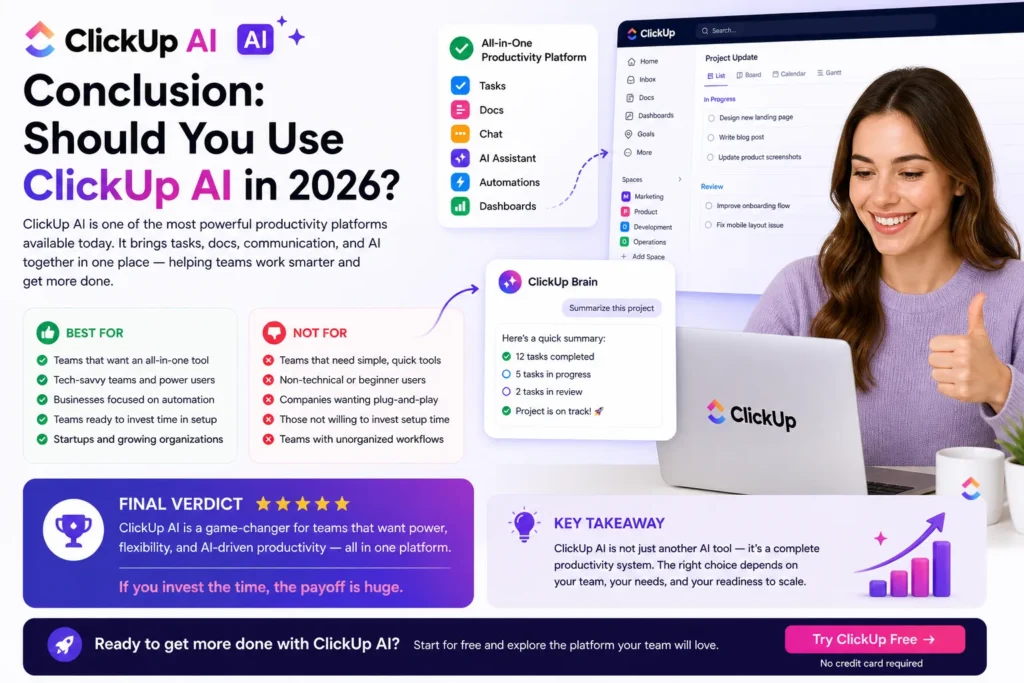
ClickUp AI is best described as:
A high-performance productivity engine — not a beginner tool.
For the right team, it can be a game-changer.
For the wrong team, it can be frustrating.
If you’re serious about scaling workflows, automation, and AI-driven productivity, ClickUp AI is one of the best investments you can make in 2026.
If not, simpler tools might be a better fit.