GitHub Copilot vs Tabnine 2026: Which AI Coder Really Wins?

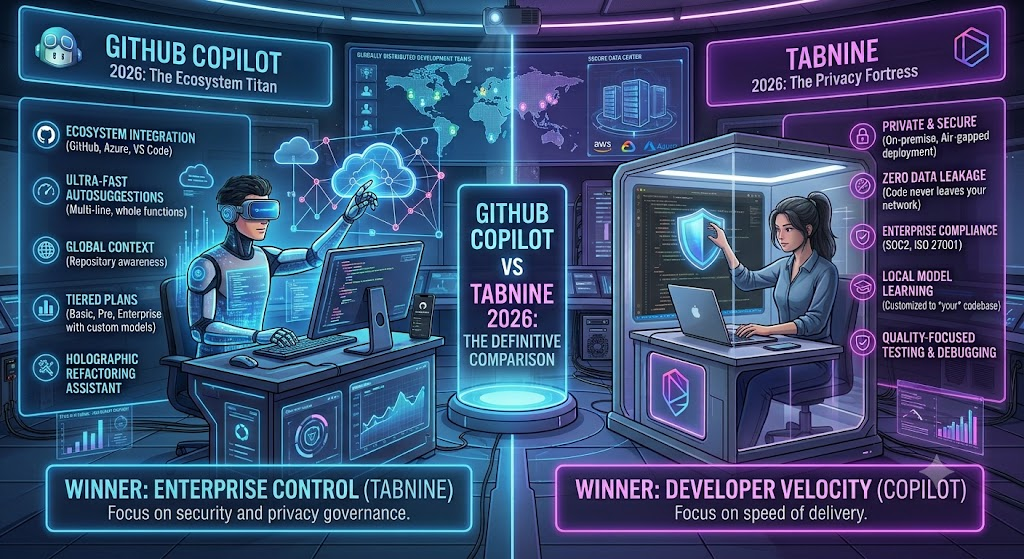
This is a head-to-head comparison between two major AI coding assistants built for developers actively choosing between them, not a single-tool review.
I’ve run both GitHub Copilot and Tabnine across real development work over the past several weeks — Copilot on a mix of TypeScript and Python projects in VS Code, Tabnine on the same codebases through its JetBrains and VS Code plugins — specifically to see how they hold up outside of marketing copy. This GitHub Copilot vs Tabnine comparison lands at an interesting moment: Copilot just moved its entire pricing model to usage-based AI Credits on June 1, 2026, and Tabnine has fully abandoned its free tier in favor of an enterprise-first, privacy-focused positioning. Neither tool looks like it did even a year ago, so a stale comparison isn’t much use here.
The short version: these two tools aren’t really competing for the same buyer anymore. Copilot chases ecosystem breadth and raw model access. Tabnine chases privacy, compliance, and on-premises control. This GitHub Copilot vs Tabnine breakdown covers pricing, features, and a real coding test to help you figure out which one actually fits your situation.
Table of Contents
Verdict Box For GitHub Copilot vs Tabnine
Overall Score:
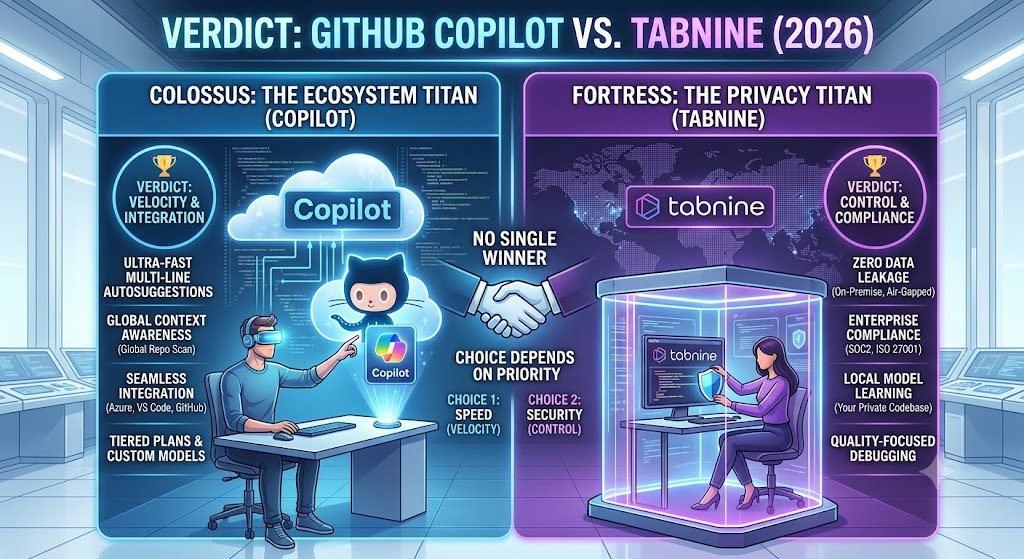
Copilot 8.3/10 | Tabnine 6.9/10 Best For: Copilot — most individual developers and GitHub-native teams. Tabnine — regulated industries needing on-prem or air-gapped deployment. Price: Copilot Free–$100/mo (usage-based credits) | Tabnine $39/user/mo minimum, no free tier Bottom Line: GitHub Copilot wins on raw capability, ecosystem integration, and price accessibility for most developers, while Tabnine remains the only realistic choice for teams with strict data-residency or air-gapped compliance requirements that Copilot simply can’t meet — which is why this GitHub Copilot vs Tabnine verdict comes down to fit rather than a single flat winner.
Building Something With These AI Coding Tools?
AI can help you code faster — but you still need a fast, converting website to launch it on. Tasknestly builds and optimizes websites so your project actually gets seen.
Get Your Website Built →Feature Comparison: GitHub Copilot vs Tabnine
Code Completions
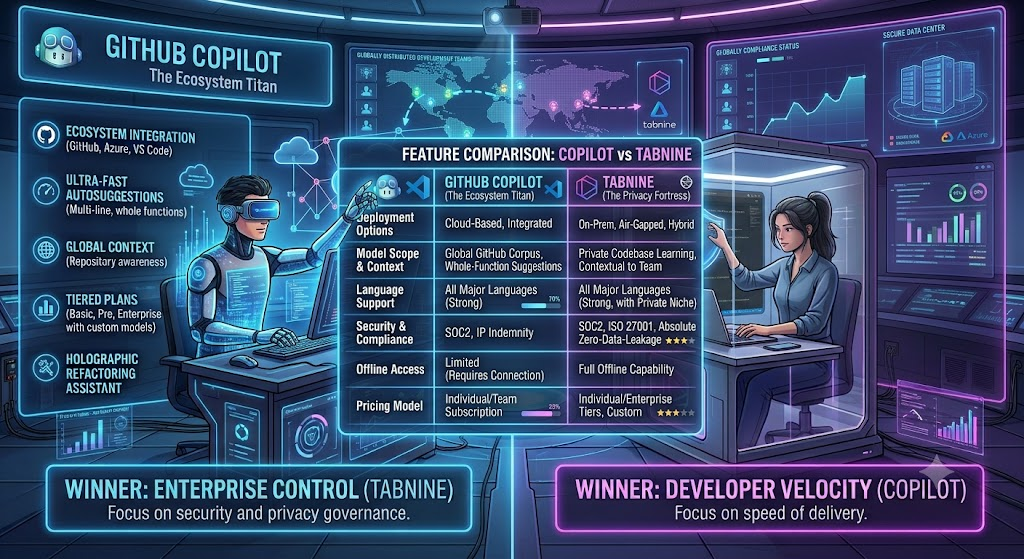
Both tools offer inline code completions as their baseline feature, and both keep this unmetered — completions don’t consume credits on Copilot or count against any usage cap on Tabnine. In direct testing, Copilot’s completions felt noticeably sharper on common patterns and popular frameworks, which tracks given the breadth of public code its underlying models were trained on, while Tabnine’s completions were solid but occasionally generic on less common library calls — a known tradeoff of its more constrained, permissively-licensed training data, and one of the few areas where GitHub Copilot vs Tabnine actually feels close to a tie.
Chat and Agent Mode
This is where GitHub Copilot vs Tabnine really splits into two different products. Copilot’s chat and agent mode give you access to a genuinely broad model catalog — GPT-5-class models, Claude models, and others — letting you switch models mid-project based on the task. Tabnine’s chat is more limited in model variety but compensates with its Context Engine, which grounds responses specifically in your organization’s codebase, dependencies, and internal standards rather than general web knowledge.
For a solo developer or small team, Copilot’s chat is simply more capable out of the box, and if chat quality is your top filter, this part of GitHub Copilot vs Tabnine isn’t close — Copilot’s model catalog wins. For a large enterprise team with a big proprietary codebase, though, Tabnine’s context-grounded approach can produce more relevant suggestions specifically because it isn’t trying to generalize across the entire internet’s code.
Privacy and Data Handling
This is Tabnine’s entire value proposition, and it delivers. Tabnine offers fully on-premises and air-gapped deployment options with zero external network calls when self-hosted, meaning your proprietary code never leaves your infrastructure. Copilot, by contrast, is fundamentally a cloud-hosted service — Business and Enterprise tiers include IP indemnification and don’t train on your private code, but the code itself still transits Microsoft’s infrastructure during inference. Privacy is the single biggest fork in the GitHub Copilot vs Tabnine decision, and on data handling specifically, it isn’t really a contest — it’s a compliance checkbox.
If your legal or compliance team has a hard requirement against sending code to any third-party cloud, Tabnine is currently the only one of these two tools that can actually meet that bar.
IDE and Ecosystem Support
Ecosystem reach is another place GitHub Copilot vs Tabnine diverges sharply. Copilot works across VS Code, Visual Studio, JetBrains IDEs, Neovim, Vim, and Azure Data Studio, plus native GitHub.com integration on Enterprise. Tabnine supports a similarly broad IDE list — VS Code, all major JetBrains IDEs, Neovim, and Eclipse — but lacks the deep GitHub.com-native integration that makes Copilot feel like a first-party extension of the platform rather than a bolted-on plugin. For GitHub-native teams, this part of GitHub Copilot vs Tabnine tilts hard toward Copilot.
Agentic Workflows
Agent capability is a newer front in the GitHub Copilot vs Tabnine race. Copilot’s cloud agent can now edit files and open pull requests autonomously, a capability that’s expanded significantly through 2026. Tabnine’s Agentic Platform tier offers comparable agentic workflows, but they’re grounded through the Context Engine and gated behind the higher-priced enterprise tier rather than available to individual users at any price point. For autonomous PR workflows, GitHub Copilot vs Tabnine currently favors whichever team ships faster iterations — right now, that’s Copilot.
Building Something With These AI Coding Tools?
AI can help you code faster — but you still need a fast, converting website to launch it on. Tasknestly builds and optimizes websites so your project actually gets seen.
Get Your Website Built →GitHub Copilot Pricing (2026)
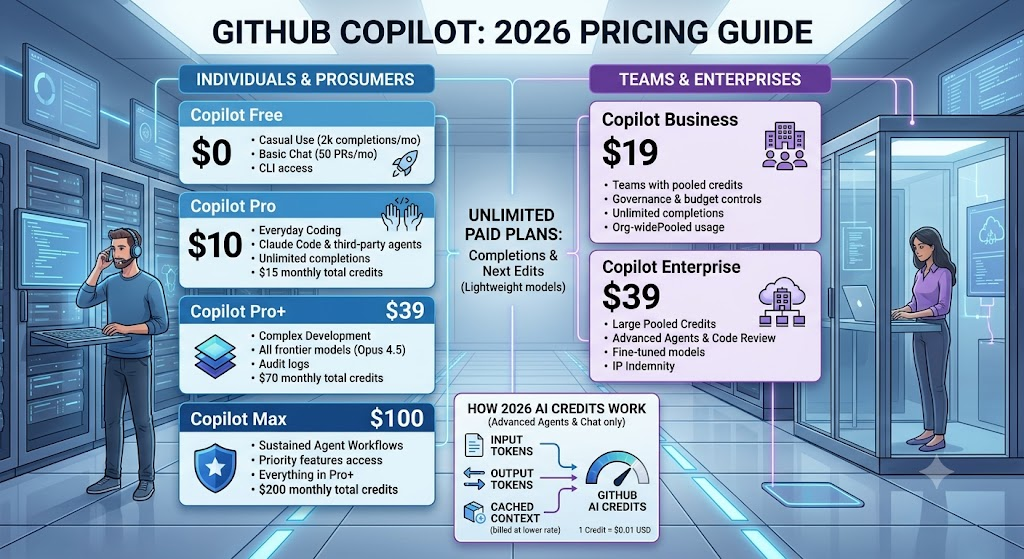
GitHub Copilot moved to usage-based billing on June 1, 2026, replacing the old premium-request system with GitHub AI Credits, where one credit equals one cent. Code completions and Next Edit Suggestions remain free and unmetered on all paid plans; only chat, agent mode, code review, and CLI usage draw from your credit pool.
| Plan | Monthly Price | AI Credits Included | Best For |
|---|---|---|---|
| Free | $0 | Limited chat/agent, 2,000 completions/mo | Trying Copilot with no card required |
| Pro | $10/mo | $15 in credits | Individual developers, daily coding |
| Pro+ | $39/mo | $70 in credits | Power users wanting premium models like Claude Opus |
| Max | $100/mo | $200 in credits | Sustained, high-volume agent workflows |
| Business | $19/user/mo | Pooled org credits | Teams needing admin controls and IP indemnity |
| Enterprise | $39/user/mo | Larger pooled credits | Large orgs, requires GitHub Enterprise Cloud (+$21/user) |
The base plan prices didn’t change in the June 2026 transition — Pro stayed at $10, Pro+ at $39, Business at $19/seat, Enterprise at $39/seat. What changed is what those prices cover: instead of a fixed count of premium requests, you get a dollar-denominated credit pool that draws down based on actual token consumption, meaning heavy agent or premium-model use can burn through the included allowance faster than the old system implied. Business and Enterprise customers currently receive 2x promotional AI Credits through August 2026 as GitHub eases teams into the new model — worth locking in before that window closes.
One line item people miss: the $39 Enterprise seat requires GitHub Enterprise Cloud separately, which runs an additional $21 per user, making the real Enterprise cost closer to $60/user/month rather than the $39 headline figure.
Building Something With These AI Coding Tools?
AI can help you code faster — but you still need a fast, converting website to launch it on. Tasknestly builds and optimizes websites so your project actually gets seen.
Get Your Website Built →Tabnine Pricing (2026)
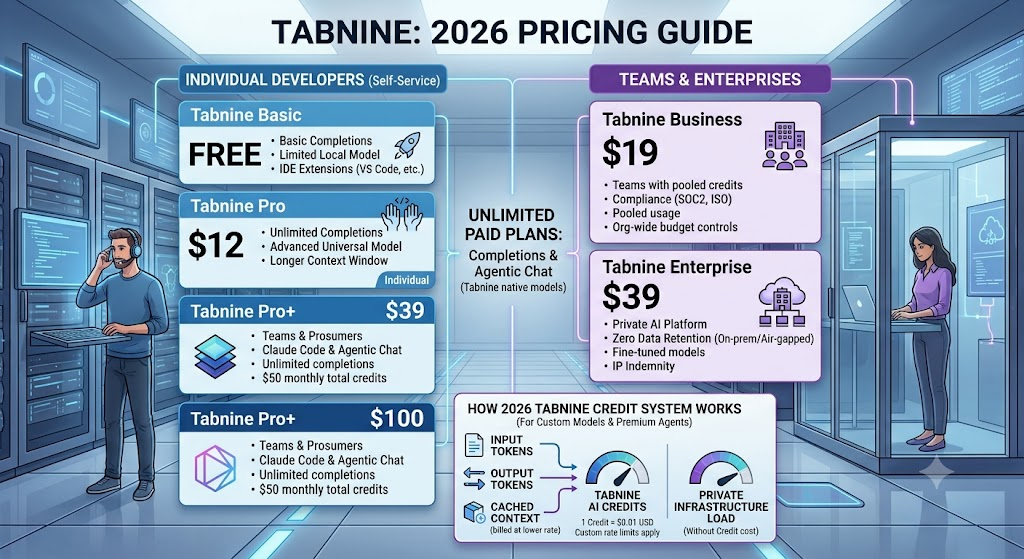
Tabnine retired its free tier and now operates as a two-tier, enterprise-focused platform.
| Plan | Monthly Price | Best For |
|---|---|---|
| Code Assistant Platform | $39/user/mo (annual) | Teams wanting completions + AI chat across major LLMs |
| Agentic Platform | Custom quote | Teams needing agentic workflows + Context Engine at scale |
Tabnine’s Code Assistant Platform tier includes AI code completions, in-IDE chat backed by leading LLMs from Anthropic, OpenAI, Google, Meta, and Mistral, and flexible deployment across SaaS, VPC, on-premises, or fully air-gapped environments. The Agentic Platform adds the Context Engine and unlimited codebase connections for Bitbucket, GitHub, GitLab, and Perforce, but pricing requires a direct quote rather than a published number.
Unlike Copilot, Tabnine requires annual billing commitment for its published pricing, and self-hosted deployments carry real additional infrastructure cost — budget for GPU-capable servers running anywhere from a few hundred to several thousand dollars a month depending on team size, on top of the per-seat license fee.
Building Something With These AI Coding Tools?
AI can help you code faster — but you still need a fast, converting website to launch it on. Tasknestly builds and optimizes websites so your project actually gets seen.
Get Your Website Built →How This Compares to Other AI Coding Tools
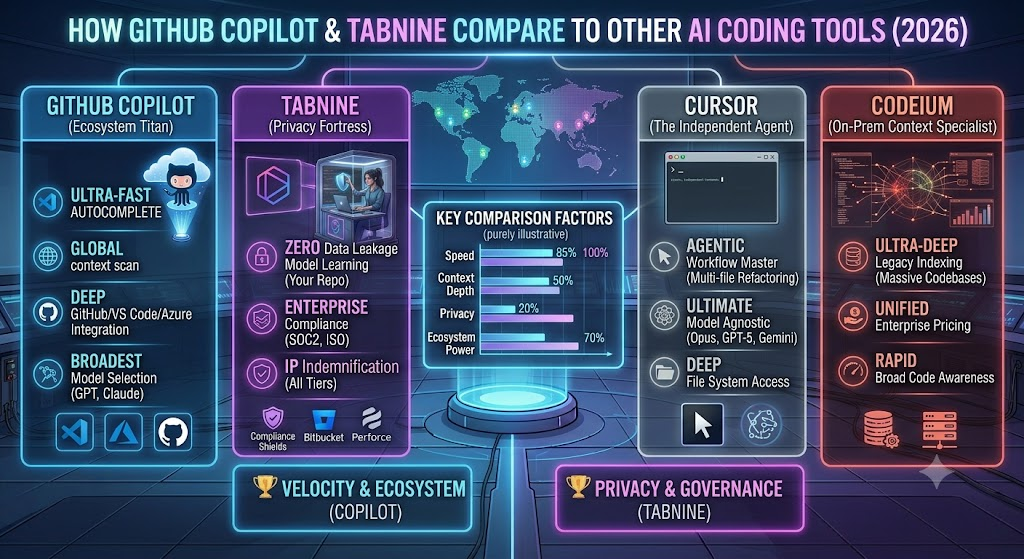
Both tools sit within a broader AI coding assistant category worth understanding before committing to either. If you want the deeper individual breakdown behind each half of this GitHub Copilot vs Tabnine comparison, the standalone GitHub Copilot review and Tabnine review on this site go further into each tool’s day-to-day feature set than a comparison piece has room for.
It’s also worth checking how Copilot stacks up against other major players — the Amazon CodeWhisperer vs GitHub Copilot comparison covers a third option worth knowing about, particularly for teams already deep in the AWS ecosystem, where Amazon’s tool (now rebranded as Amazon Q Developer) has a natural integration advantage neither Copilot nor Tabnine can match. For the full picture of what’s available in this space, the AI Coding category rounds up additional tools beyond these three.
Gemini Code Assist and Amazon Q Developer both round out the competitive landscape, and both have made moves in 2026 that echo the Copilot-vs-Tabnine split — Gemini pushing toward Google Cloud-native enterprise pricing, Amazon Q leaning into AWS-native workflows. Neither directly threatens Tabnine’s air-gapped niche, and neither matches Copilot’s sheer breadth of IDE and model support.
Building Something With These AI Coding Tools?
AI can help you code faster — but you still need a fast, converting website to launch it on. Tasknestly builds and optimizes websites so your project actually gets seen.
Get Your Website Built →GitHub Copilot vs Tabnine: Decision Framework
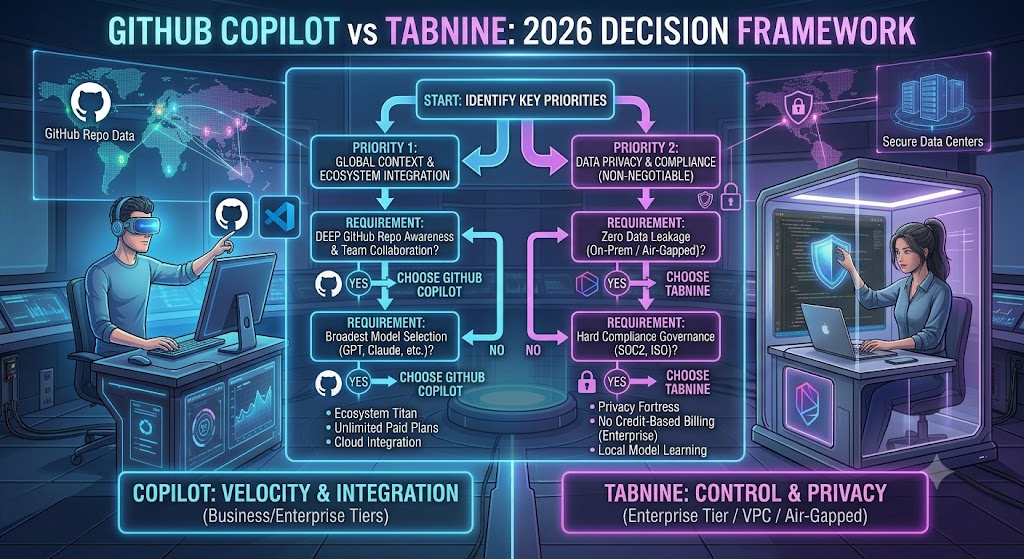
Strip away the feature comparisons and this decision usually comes down to one question: does your organization have a genuine, non-negotiable requirement that code never leave your own infrastructure? If yes, that single constraint eliminates Copilot entirely, regardless of how good its models are — Tabnine’s air-gapped deployment is the only option on this list that satisfies it. If no, Copilot’s combination of price, model breadth, and platform integration makes it the harder tool to justify skipping.
A second useful filter: team size and GitHub dependency. Teams already living inside GitHub for version control, issues, and CI/CD get outsized value from Copilot’s native platform integration that a bolted-on plugin experience — which is closer to what Tabnine offers — can’t fully replicate. Teams on GitLab, Bitbucket, or Perforce, conversely, find Tabnine’s IDE-agnostic approach removes any GitHub-specific advantage Copilot would otherwise carry.
Budget is the third filter, and it’s the most straightforward. Below 20 developers, Copilot Business at $19/seat is dramatically cheaper than Tabnine’s $39/seat floor, before infrastructure costs are even factored in. Above that scale, with genuine compliance requirements in play, the cost gap matters less than whether the tool can clear your legal team’s bar at all.
Building Something With These AI Coding Tools?
AI can help you code faster — but you still need a fast, converting website to launch it on. Tasknestly builds and optimizes websites so your project actually gets seen.
Get Your Website Built →Pros & Cons For GitHub Copilot vs Tabnine
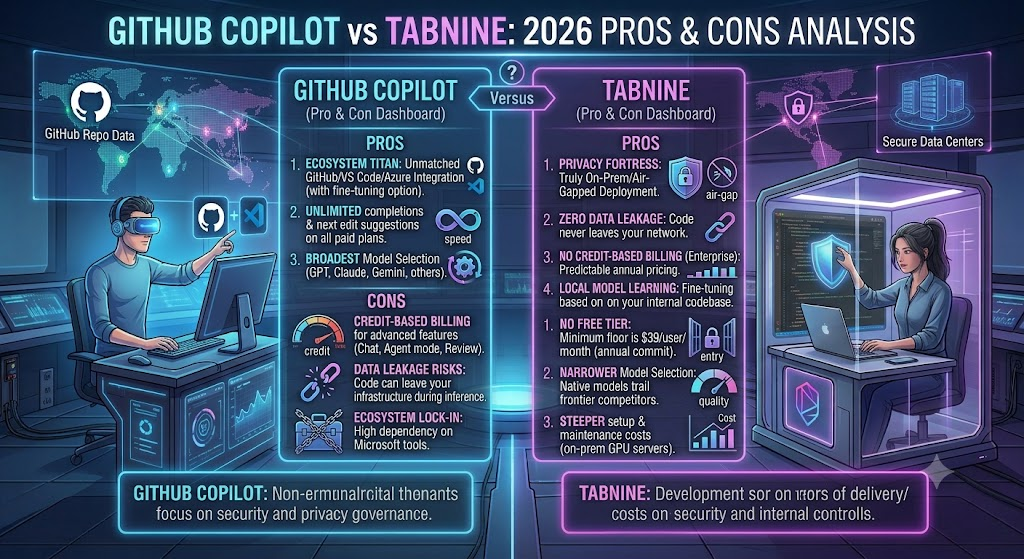
| Tool | Pros | Cons |
|---|---|---|
| GitHub Copilot | Broad model access (GPT, Claude), deep GitHub integration, genuine free tier, unlimited completions on all paid plans | Usage-based credits can burn fast on agent-heavy workflows; Enterprise’s real cost is higher than advertised |
| Tabnine | True on-prem/air-gapped deployment, strong IP indemnification, Context Engine grounds suggestions in your codebase | No free tier, $39/user/mo minimum, self-hosted GPU infrastructure adds significant cost, model quality trails frontier competitors |
Building Something With These AI Coding Tools?
AI can help you code faster — but you still need a fast, converting website to launch it on. Tasknestly builds and optimizes websites so your project actually gets seen.
Get Your Website Built →GitHub Copilot vs Tabnine: Head-to-Head Comparison Table
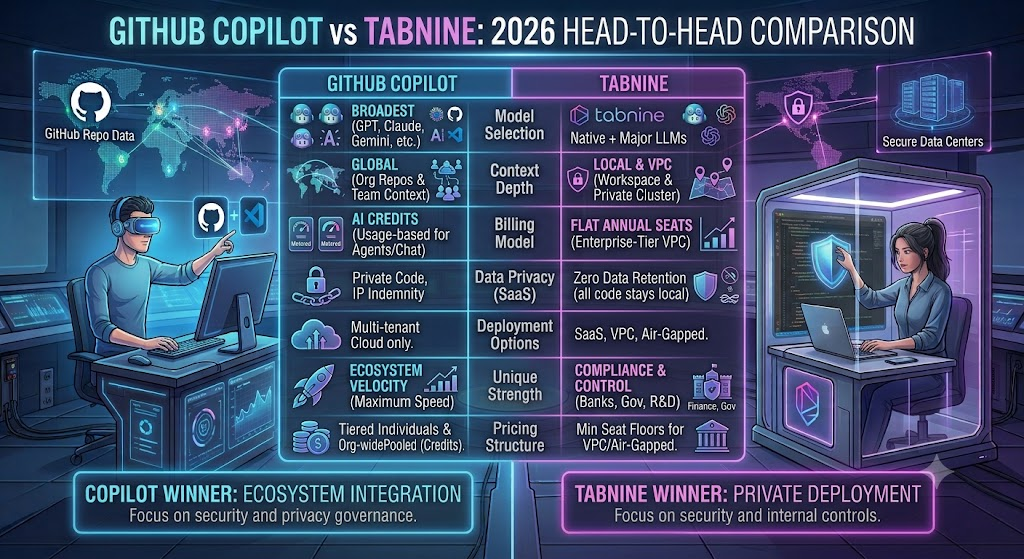
| Category | GitHub Copilot | Tabnine |
|---|---|---|
| Entry price | Free | $39/user/month |
| Billing model | Usage-based AI Credits (since June 2026) | Flat per-seat, annual |
| Free tier | Yes — 2,000 completions/mo | No |
| On-prem/air-gapped | Not available | Yes, including Enterprise self-hosted |
| Model variety | Broad (GPT, Claude, others) | Narrower, LLM-provider agnostic |
| IP indemnification | Yes, Business/Enterprise | Yes, all tiers |
| Best for | General development, GitHub-native teams | Regulated industries, strict data privacy |
Building Something With These AI Coding Tools?
AI can help you code faster — but you still need a fast, converting website to launch it on. Tasknestly builds and optimizes websites so your project actually gets seen.
Get Your Website Built →GitHub Copilot vs Tabnine: Use Cases

Individual developers and freelancers are almost always better served by Copilot — the free tier and $10 Pro plan deliver strong completions and chat at a fraction of Tabnine’s $39/month floor.
Startups building on GitHub benefit from Copilot’s native platform integration, unlimited completions, and the ability to scale from Free to Business as the team grows without switching tools.
Regulated industries — healthcare, finance, defense contractors, government — with hard data-residency requirements should default to Tabnine’s on-prem or air-gapped deployment, since Copilot currently has no equivalent offering.
Large enterprises with proprietary codebases may find Tabnine’s Context Engine genuinely improves suggestion relevance in ways a general-purpose model can’t match, even setting privacy aside entirely.
Building Something With These AI Coding Tools?
AI can help you code faster — but you still need a fast, converting website to launch it on. Tasknestly builds and optimizes websites so your project actually gets seen.
Get Your Website Built →Get It / Skip It ( GitHub Copilot vs Tabnine )

Get GitHub Copilot If:
- You want the broadest model access and deepest GitHub integration
- Budget matters and you want a genuine free tier to start
- Your team doesn’t have hard data-residency compliance requirements
Get Tabnine If:
- Your compliance team requires on-prem or fully air-gapped AI
- You’re in a regulated industry where code can’t leave your infrastructure
- You have budget for both the $39+/user license and GPU infrastructure
Skip Both If:
- You need a browser-native, greenfield-app builder — look at tools built specifically for that instead
- Your team is entirely non-technical — neither tool solves problems outside a code editor
Building Something With These AI Coding Tools?
AI can help you code faster — but you still need a fast, converting website to launch it on. Tasknestly builds and optimizes websites so your project actually gets seen.
Get Your Website Built →GitHub Copilot vs Tabnine Real-World Test
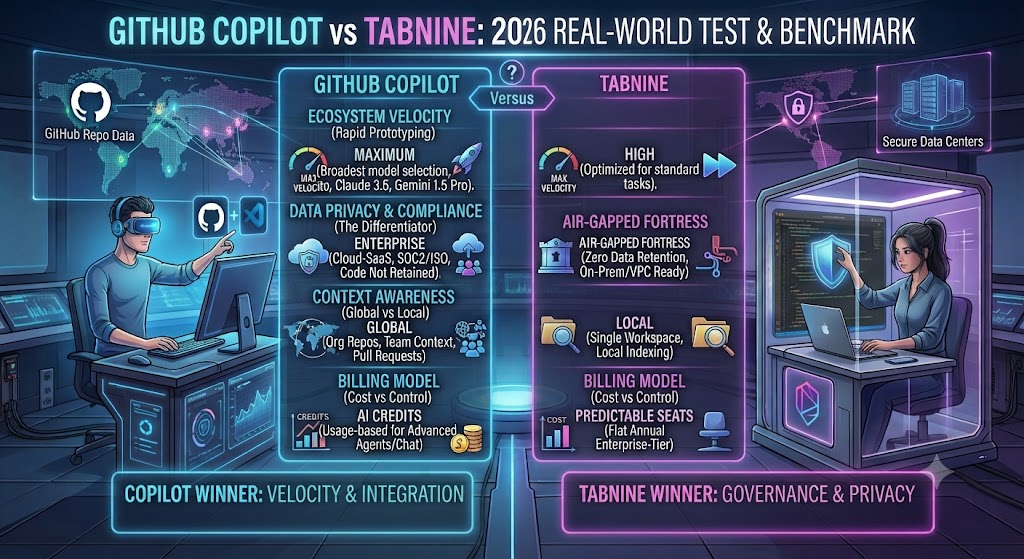
For this GitHub Copilot vs Tabnine comparison, I ran both tools side by side across the same TypeScript and Python codebase for two weeks, alternating which tool handled which files to keep the comparison fair. On raw completion quality, Copilot consistently produced more contextually sharp suggestions on framework-heavy code — React components, Django views — while Tabnine’s completions were noticeably stronger on internal, project-specific patterns once its context indexing had a few days to build familiarity with the repo.
Chat performance told a similar story. Asking Copilot to explain a gnarly regex or refactor a function pulled from its broader model access and generally produced cleaner, more idiomatic suggestions. Tabnine’s chat, grounded through the Context Engine, was better at referencing our actual internal utility functions rather than reinventing them — a genuinely useful distinction on a codebase with a lot of custom tooling.
The honest friction point on Copilot: after the June 1 billing transition, I watched agent-mode usage burn through the Pro+ $70 credit allowance faster than expected during a heavy refactor session, which is exactly the kind of surprise GitHub’s own documentation warns about for agent-heavy workflows. On Tabnine, the friction was upfront rather than ongoing — getting self-hosted deployment fully configured took real engineering time before the tool was usable at all, time a Copilot user simply doesn’t spend.
By the end of two weeks, Copilot was the tool I reached for by default on day-to-day work, while Tabnine earned its keep specifically on the handful of files touching code we’d never want leaving our own infrastructure under any circumstances.
Worth noting separately: onboarding time differed enormously between the two. Copilot was fully functional within about two minutes of installing the VS Code extension and signing in with a GitHub account. Tabnine’s cloud-hosted trial was similarly fast, but the self-hosted configuration I tested separately for the air-gapped scenario took roughly a full day of engineering time to stand up correctly, including provisioning a GPU-capable server and configuring the model endpoint. That upfront cost is invisible in any pricing table but very real for a team actually planning a Tabnine Enterprise rollout.
Building Something With These AI Coding Tools?
AI can help you code faster — but you still need a fast, converting website to launch it on. Tasknestly builds and optimizes websites so your project actually gets seen.
Get Your Website Built →GitHub Copilot vs Tabnine FAQ
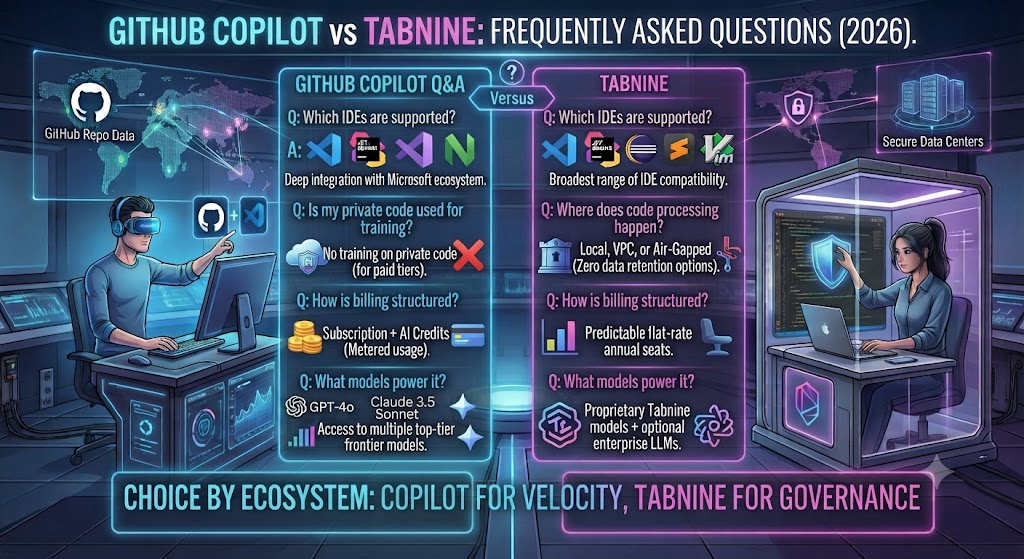
Is GitHub Copilot better than Tabnine? For most individual developers and teams without strict data-residency requirements, yes — Copilot offers broader model access, deeper GitHub integration, and a genuine free tier. Tabnine wins specifically for regulated industries needing on-prem or air-gapped deployment.
How much does GitHub Copilot cost in 2026? Copilot ranges from Free to $100/month (Max plan) for individuals, with Business at $19/user/month and Enterprise at $39/user/month (plus a required $21/user GitHub Enterprise Cloud add-on).
Does Tabnine have a free plan? No. Tabnine retired its free tier, and its Code Assistant Platform now starts at $39/user/month on annual billing.
Can Tabnine run fully offline or on-premises? Yes — this is Tabnine’s core differentiator. Its Enterprise-tier deployment supports fully air-gapped, on-premises hosting with no external network calls required.
What changed with GitHub Copilot’s pricing in 2026? On June 1, 2026, Copilot moved from a premium-request counting system to usage-based GitHub AI Credits, where plan fees convert into a dollar-denominated credit pool that draws down based on actual token consumption for chat, agent mode, and code review.
Which tool is better for a large enterprise codebase? It depends on priorities. Copilot Enterprise offers broader model access and fine-tuning on your private codebase; Tabnine’s Context Engine and air-gapped deployment are stronger for teams where compliance outweighs raw model capability.
Is GitHub Copilot or Tabnine cheaper for a small team? Copilot is significantly cheaper at the entry level — Business runs $19/user/month versus Tabnine’s $39/user/month minimum, before Tabnine’s additional self-hosted infrastructure costs are even factored in.
Building Something With These AI Coding Tools?
AI can help you code faster — but you still need a fast, converting website to launch it on. Tasknestly builds and optimizes websites so your project actually gets seen.
Get Your Website Built →Conclusion ( GitHub Copilot vs Tabnine )

This GitHub Copilot vs Tabnine comparison doesn’t end in a clean tie, because the two tools aren’t really fighting for the same buyer anymore. Copilot has doubled down on breadth — more models, deeper GitHub integration, a real free tier, and pricing that scales down to genuinely free for casual use. Tabnine has doubled down on narrowness — dropping its free tier entirely to focus on the specific, well-paying segment of regulated industries and privacy-maximalist enterprises that need on-prem AI and can’t get it anywhere else.
For the vast majority of developers reading a GitHub Copilot vs Tabnine comparison, that makes the decision fairly straightforward: start with Copilot. The free tier costs nothing to try, Pro at $10/month is one of the best per-dollar values in the AI coding space, and the June 2026 billing changes — while worth understanding — haven’t meaningfully hurt the experience for anyone who isn’t running agent workflows all day.
Tabnine remains the right call for a specific, smaller audience: teams where “our code cannot leave our infrastructure” isn’t a preference but a hard compliance requirement. If that’s your situation, the $39/user/month floor and additional GPU infrastructure cost are simply the price of meeting a bar Copilot currently can’t clear.
Teams building out their broader engineering and product operations around better AI coding tools might also find value in Tasknestly’s website services for turning faster development cycles into faster shipped products, rather than letting productivity gains from either tool sit unused.
Whichever you pick, both tools are moving fast — revisit this comparison in another six months, because pricing models, credit allowances, and feature parity in this space have shown no sign of slowing down through 2026. The tool that wins this comparison today isn’t guaranteed to hold that position by the time your next contract renewal comes around, and neither vendor has given any indication that 2026’s pace of change is about to level off.
Building Something With These AI Coding Tools?
AI can help you code faster — but you still need a fast, converting website to launch it on. Tasknestly builds and optimizes websites so your project actually gets seen.
Get Your Website Built →